
Streamlit-tags






A custom component to add Tags in Streamlit.
Please Upgrade to 1.2.7 version
📢 Favour:
It would be highly motivating, if you can STAR⭐ this repo if you find it helpful.
Try out a demo here:
Check out docs here: https://streamlit-tags.readthedocs.io/en/latest/
Install
PyPi
pip install streamlit-tags
The installation can also be found on PyPi
Anaconda
conda install -c conda-forge streamlit_tags
The installation can also be found on Anaconda
Usage
This library has two main functions to display and use tags:
st_tagsto display the tags featurest_tags_sidebarto display the tags in the sidebar Check theexamples/folder of the project a quick start. Check out demo here: https://share.streamlit.io/gagan3012/streamlit-tags/examples/app.py
Definition
def st_tags(value: list,
            suggestions: list,
            label: str,
            text: str,
            maxtags: int,
            key=None) -> list:
    '''
    :param maxtags: Maximum number of tags allowed maxtags = -1 for unlimited entries
    :param suggestions: (List) List of possible suggestions (optional)
    :param label: (Str) Label of the Function
    :param text: (Str) Instructions for entry
    :param value: (List) Initial Value (optional)
    :param key: (Str)
        An optional string to use as the unique key for the widget.
        Assign a key so the component is not remount every time the script is rerun.
    :return: (List) Tags

    Note: usage also supports keywords = st_tags()
    '''
Note: the suggestion and value fields are optional
Note:
- The suggestion and value fields are optional
- Usage also supports
keywords = st_tags() - Upgrade to 1.1.9 for being able to control number of tags
We also have a function now to embed the tags function to the sidebar:
def st_tags_sidebar(value: list,
                    suggestions: list,
                    label: str,
                    text: str,
                    maxtags: int,
                    key=None) -> list:
    '''
    :param maxtags: Maximum number of tags allowed maxtags = -1 for unlimited entries
    :param suggestions: (List) List of possible suggestions (optional)
    :param label: (Str) Label of the Function
    :param text: (Str) Instructions for entry
    :param value: (List) Initial Value (optional)
    :param key: (Str)
        An optional string to use as the unique key for the widget.
        Assign a key so the component is not remount every time the script is rerun.
    :return: Tags
    '''
Note:
- The suggestion and value fields are optional
- Usage also supports
keywords = st_tags_sidebar() - Upgrade to 1.1.9 for being able to control number of tags
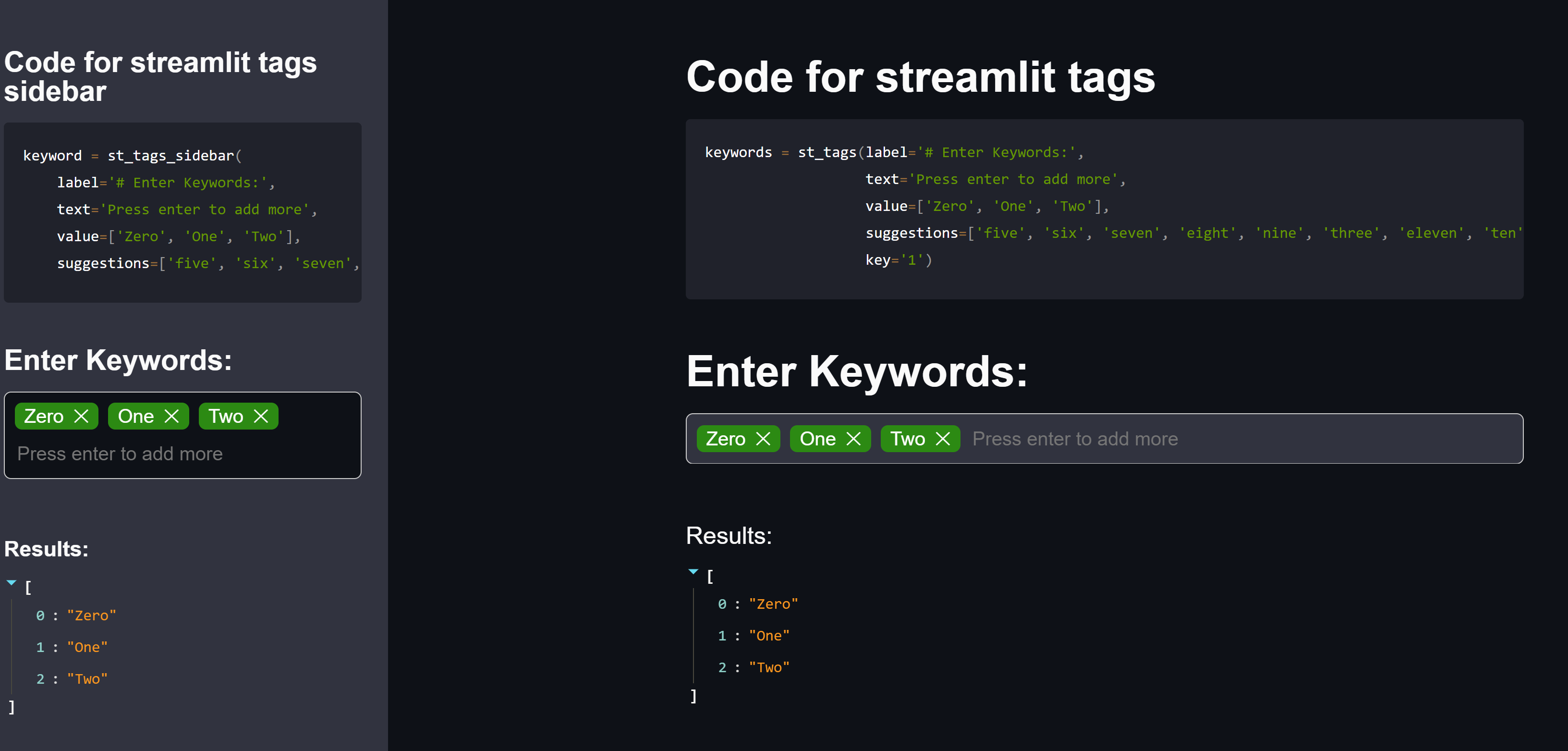
Example Usage
keywords = st_tags(
    label='# Enter Keywords:',
    text='Press enter to add more',
    value=['Zero', 'One', 'Two'],
    suggestions=['five', 'six', 'seven',
                 'eight', 'nine', 'three',
                 'eleven', 'ten', 'four'],
    maxtags = 4,
    key='1')

keyword = st_tags_sidebar(
    label='# Enter Keywords:',
    text='Press enter to add more',
    value=['Zero', 'One', 'Two'],
    suggestions=['five', 'six', 'seven',
                 'eight', 'nine', 'three',
                 'eleven', 'ten', 'four'],
    maxtags = 4,
    key='1')
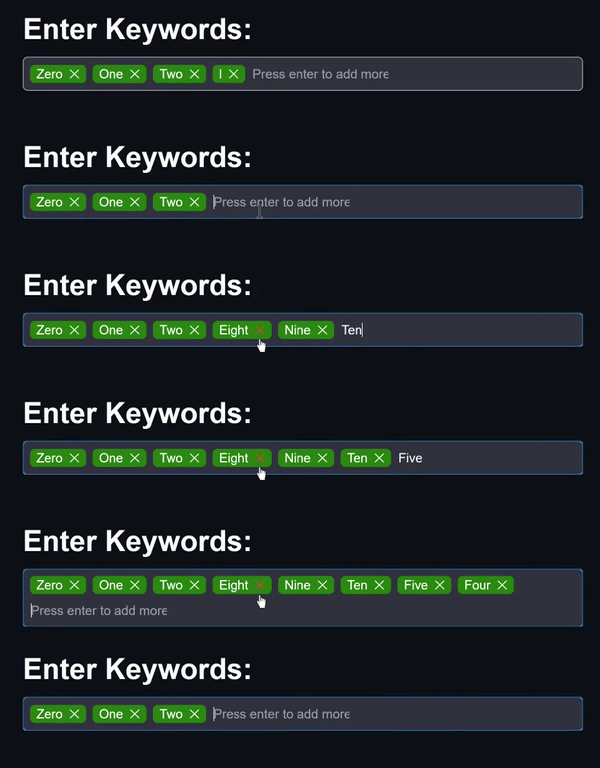
Sample Images of the UI:
We hit 10000 downloads!!
1 maintainer

Download files
Download the file for your platform. If you're not sure which to choose, learn more about installing packages.
Source Distribution
streamlit_tags-1.2.8.tar.gz
(561.2 kB
view details)
Built Distribution
Filter files by name, interpreter, ABI, and platform.
If you're not sure about the file name format, learn more about wheel file names.
Copy a direct link to the current filters














