
streamlitfront
Generate streamlit frontends from python functions
To install: pip install streamlitfront
Example
Define functions in a file named render_functions.py:
def foo(a: int = 1, b: int = 2, c=3):
    """This is foo. It computes something"""
    return (a * b) + c


def bar(x, greeting="hello"):
    """bar greets its input"""
    return f"{greeting} {x}"


def confuser(a: int, x: float = 3.14):
    return (a**2) * x


funcs = [foo, bar, confuser]
Then add the following to the file (we will be modifying this part):
from streamlitfront import mk_app

if __name__ == "__main__":
    app = mk_app(funcs)
    app()
Execute streamlit run render_functions.py in terminal and ...
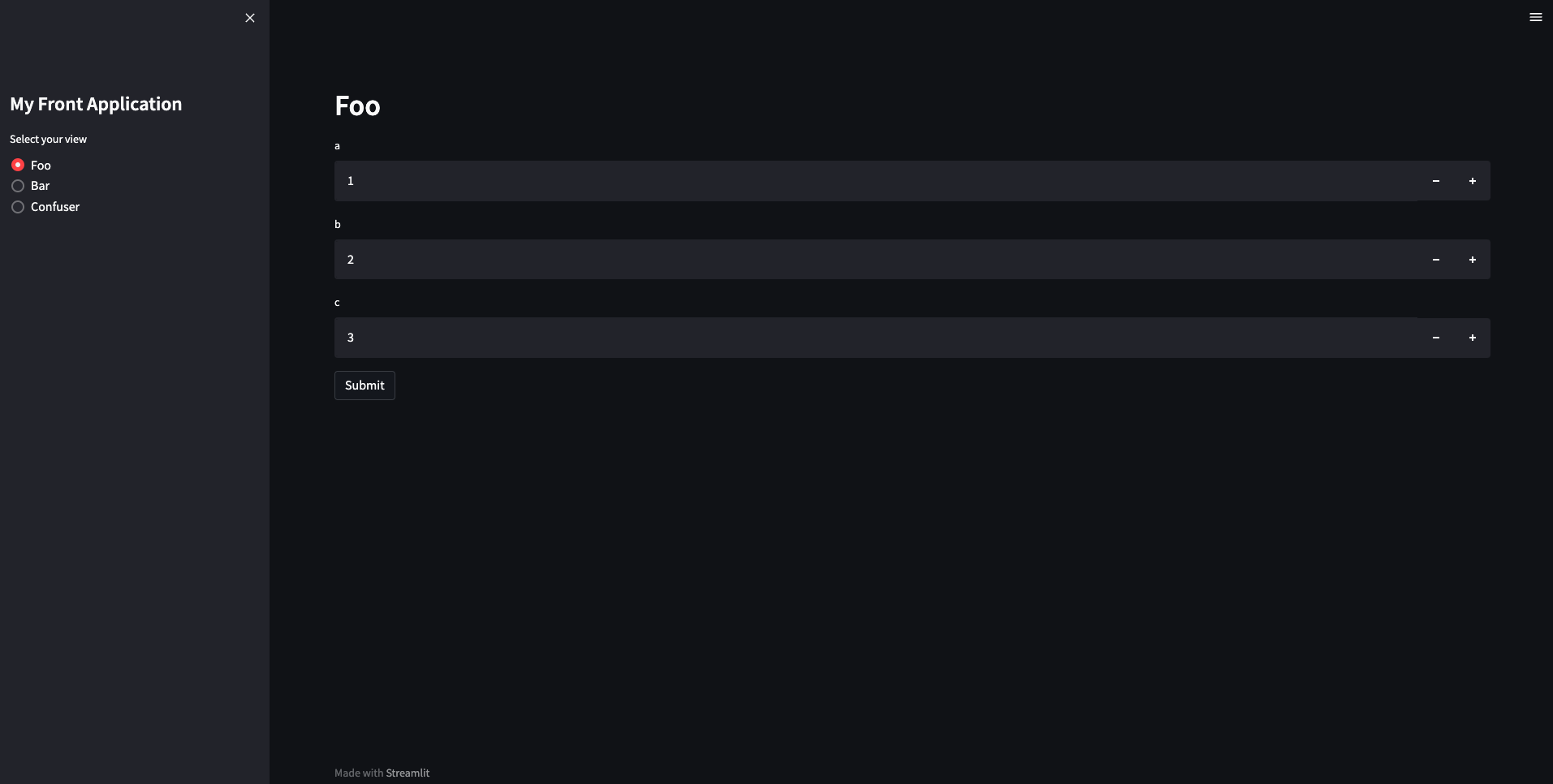
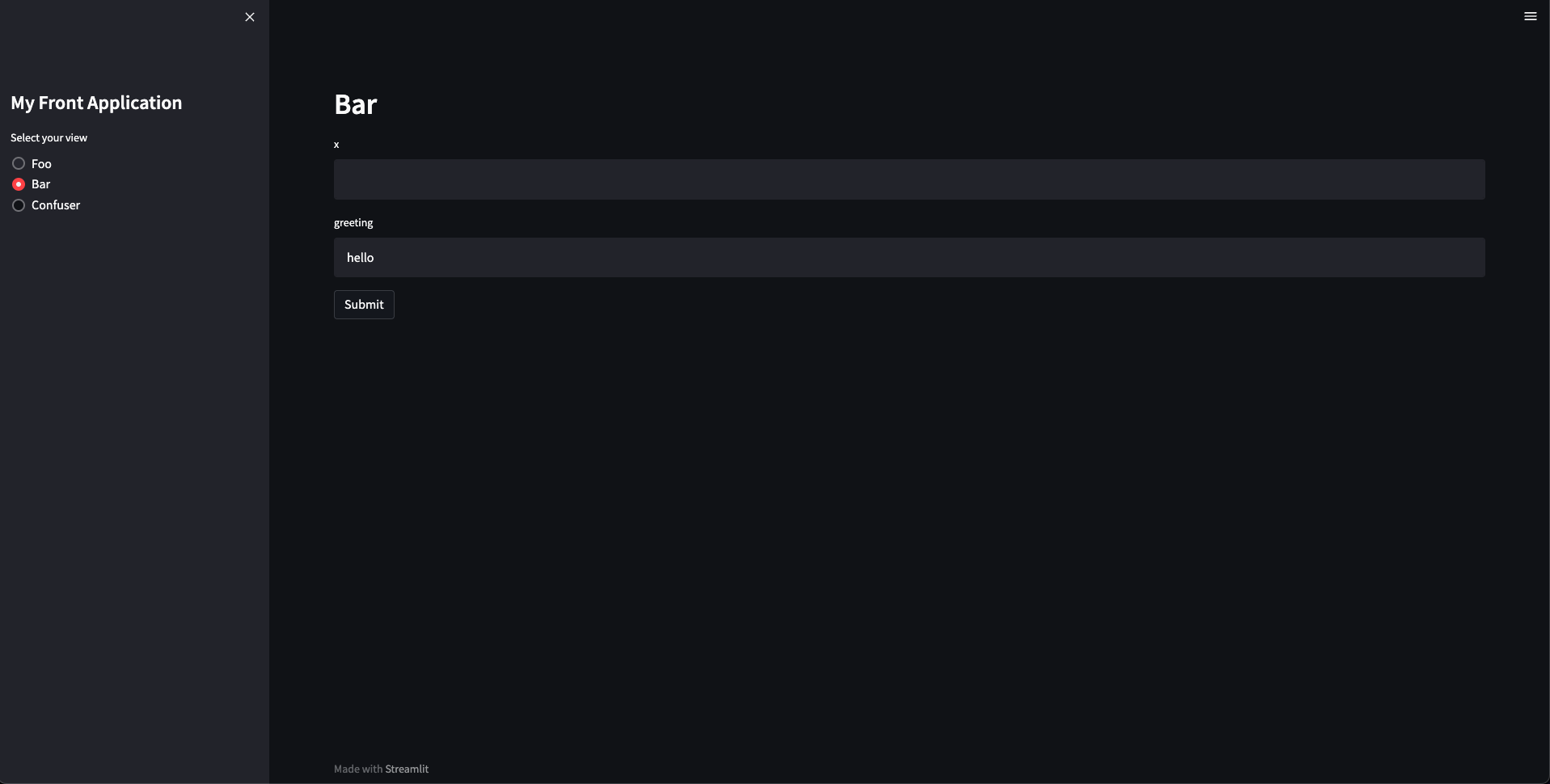
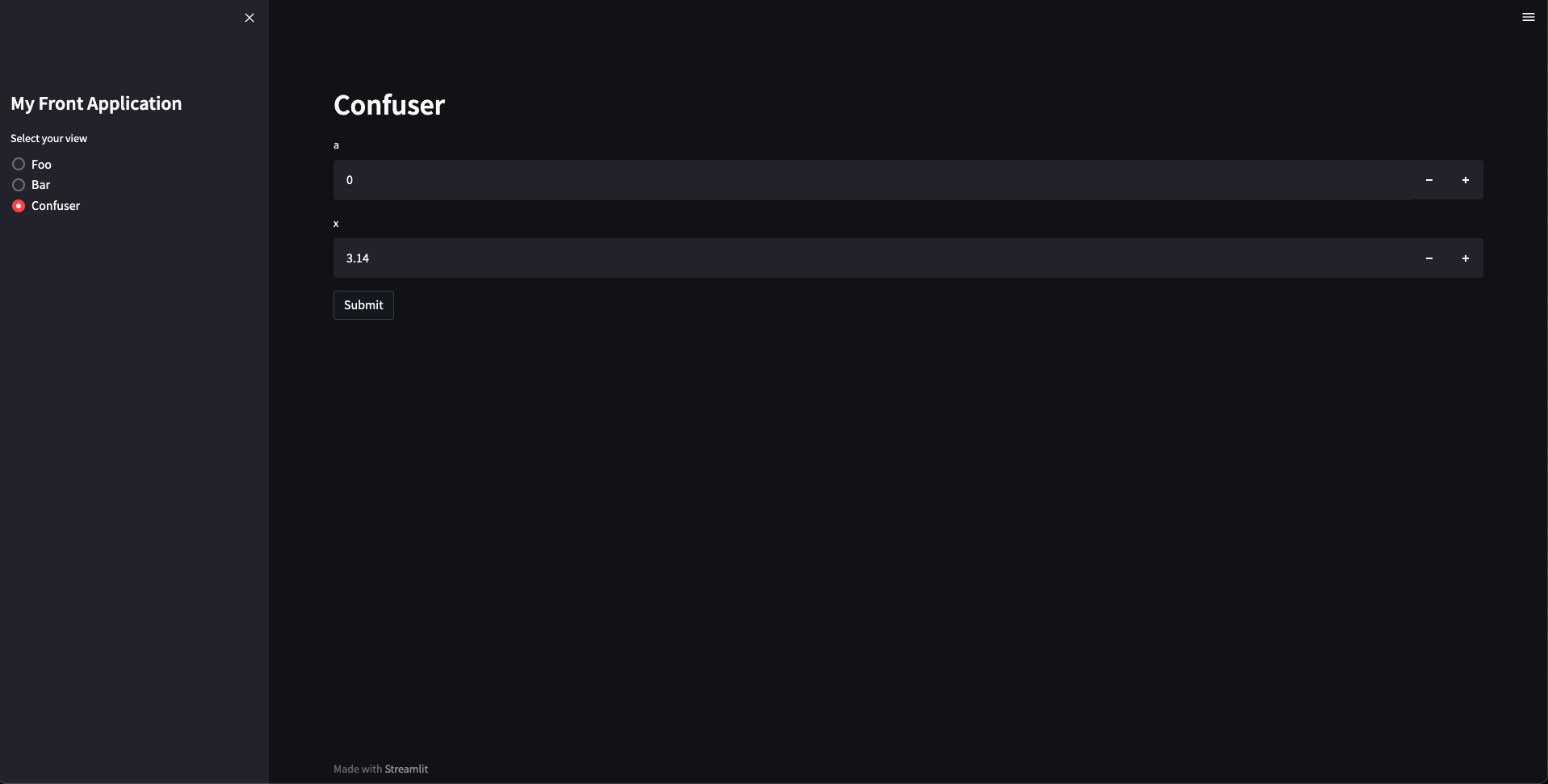
... you can play with your functions!
Configuration
The default configuration for the application is define by the convention object: dflt_convention. But you can overwrite parts or the entire configuration by setting the config parameter. The configuration is composed of three parts: app, obj and rendering.
-
app
By default, the application name is "My Front Application", but you can set the title of the application as follow:
from streamlitfront import mk_app


if __name__ == "__main__":
    config = {"app": {"title": "Another application name"}}
    app = mk_app(funcs, config=config)
    app()
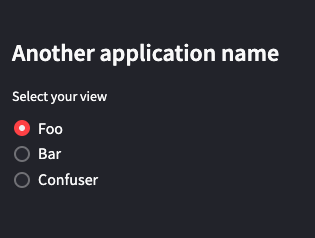
Execute
streamlit run render_functions.pyin terminal and ...... the application name changed!
-
obj
You can define a wrapper to transform the initial object into an output of your choice to be rendered:
from typing import Iterable
from streamlitfront import mk_app


def trans(objs: Iterable):
    return list(reversed(objs))


if __name__ == "__main__":
    config = {"obj": {"trans": trans}}
    app = mk_app(funcs, config=config)
    app()
Execute
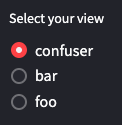
streamlit run render_functions.pyin terminal and ...... the view order has changed !
Note that the capital letter at the beginning of the view names are gone, because the default transforming is no longer applied.
-
rendering
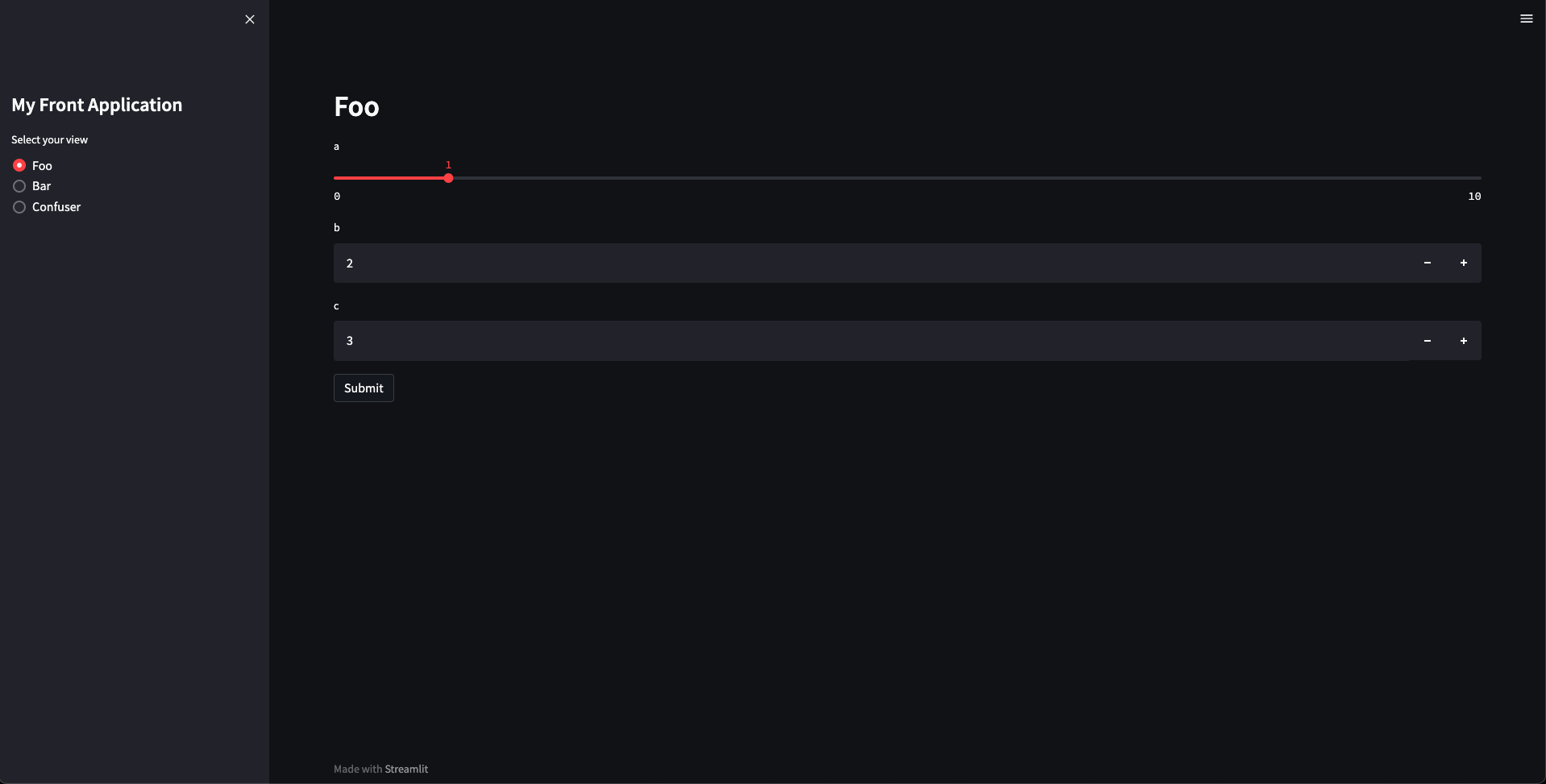
You can define the way elements are rendered in the GUI. For instance, you can choose to render a text input instead of a number input for a specific parameter of a specific function:
from front.elements import INT_INPUT_SLIDER_COMPONENT
from streamlitfront import mk_app


if __name__ == "__main__":
    config = {
        "rendering": {
            "Foo": {
                "inputs": {
                    "a": {"component": INT_INPUT_SLIDER_COMPONENT, "max_value": 10}
                }
            }
        }
    }
    app = mk_app(funcs, config=config)
    app()
Execute
streamlit run render_functions.pyin terminal and ...... the input
ais a slider now !
Obviously, you can combine the three types of configuration:
from typing import Iterable
from front.elements import INT_INPUT_SLIDER_COMPONENT
from streamlitfront import mk_app


def trans(objs: Iterable):
    return list(reversed(objs))


if __name__ == "__main__":
    config = {
        "app": {"title": "Another application name"},
        "obj": {"trans": trans},
        "rendering": {
            "foo": {
                "inputs": {
                    "a": {"component": INT_INPUT_SLIDER_COMPONENT, "max_value": 10}
                }
            }
        },
    }
    app = mk_app(funcs, config=config)
    app()
Execute streamlit run render_functions.py in terminal and ...
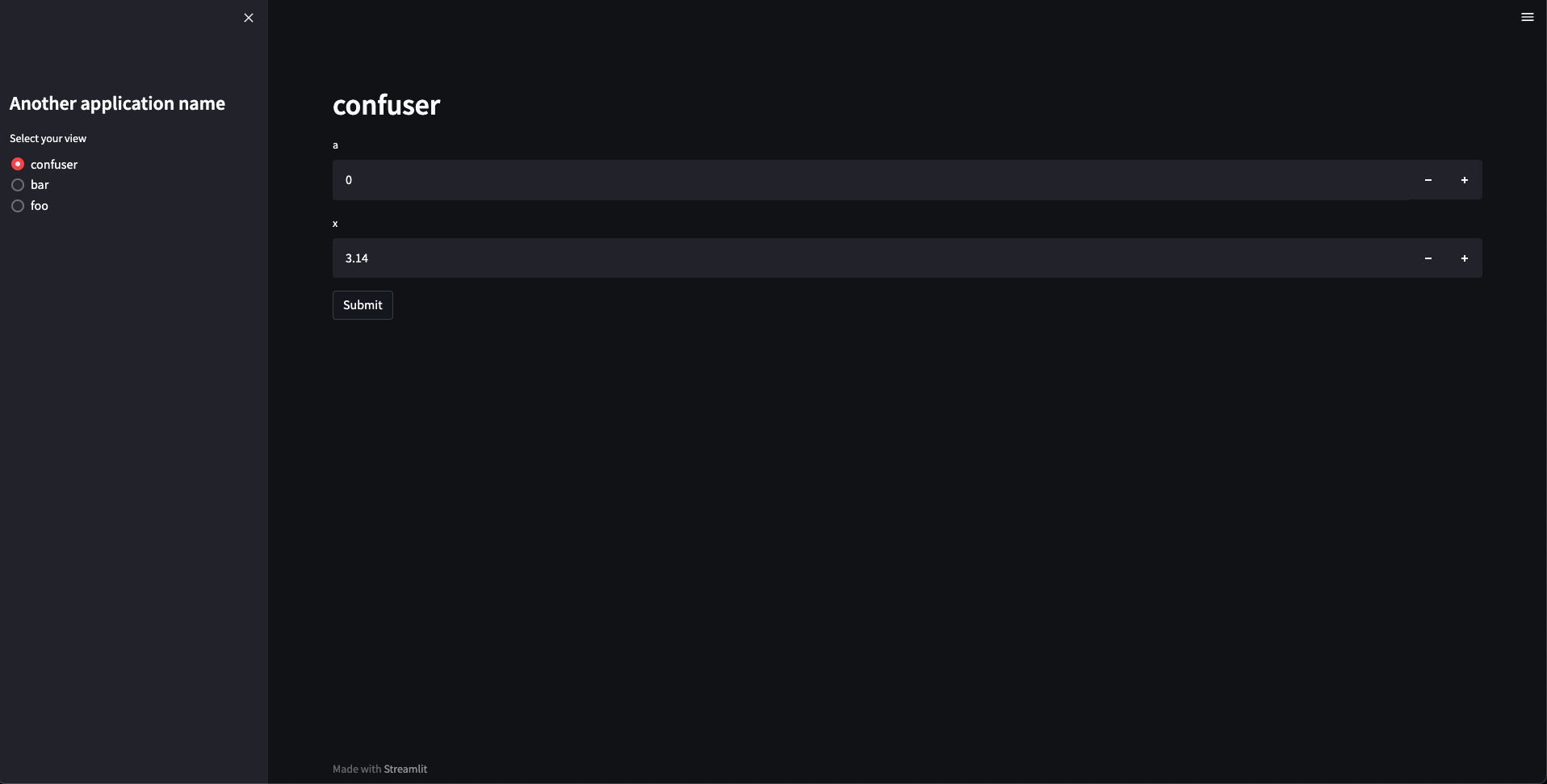
... all three configurations are applied !
You can also overwrite the whole configuration by setting the convention parameter. Be careful though, by overwritting the default convention, you have to make sure that all configuations are defined. Otherwise, the application would crash or behave unexpectedly.
from typing import Any, Callable, Iterable
from front.elements import (
    VIEW_CONTAINER,
    FLOAT_INPUT_SLIDER_COMPONENT,
    TEXT_INPUT_COMPONENT,
)
from streamlitfront import mk_app


def trans(objs: Iterable):
    return list(reversed(objs))


if __name__ == "__main__":
    convention = {
        "app": {"title": "Another application name"},
        "obj": {"trans": trans},
        "rendering": {
            Callable: {
                "container": VIEW_CONTAINER,
                "inputs": {
                    float: {
                        "component": FLOAT_INPUT_SLIDER_COMPONENT,
                        "max_value": 10.0,
                        "format": "%.2f",
                        "step": 0.01,
                    },
                    Any: {
                        "component": TEXT_INPUT_COMPONENT,
                    },
                },
            },
        },
    }
    app = mk_app(funcs, convention=convention)
    app()
Execute streamlit run render_functions.py in terminal and ...
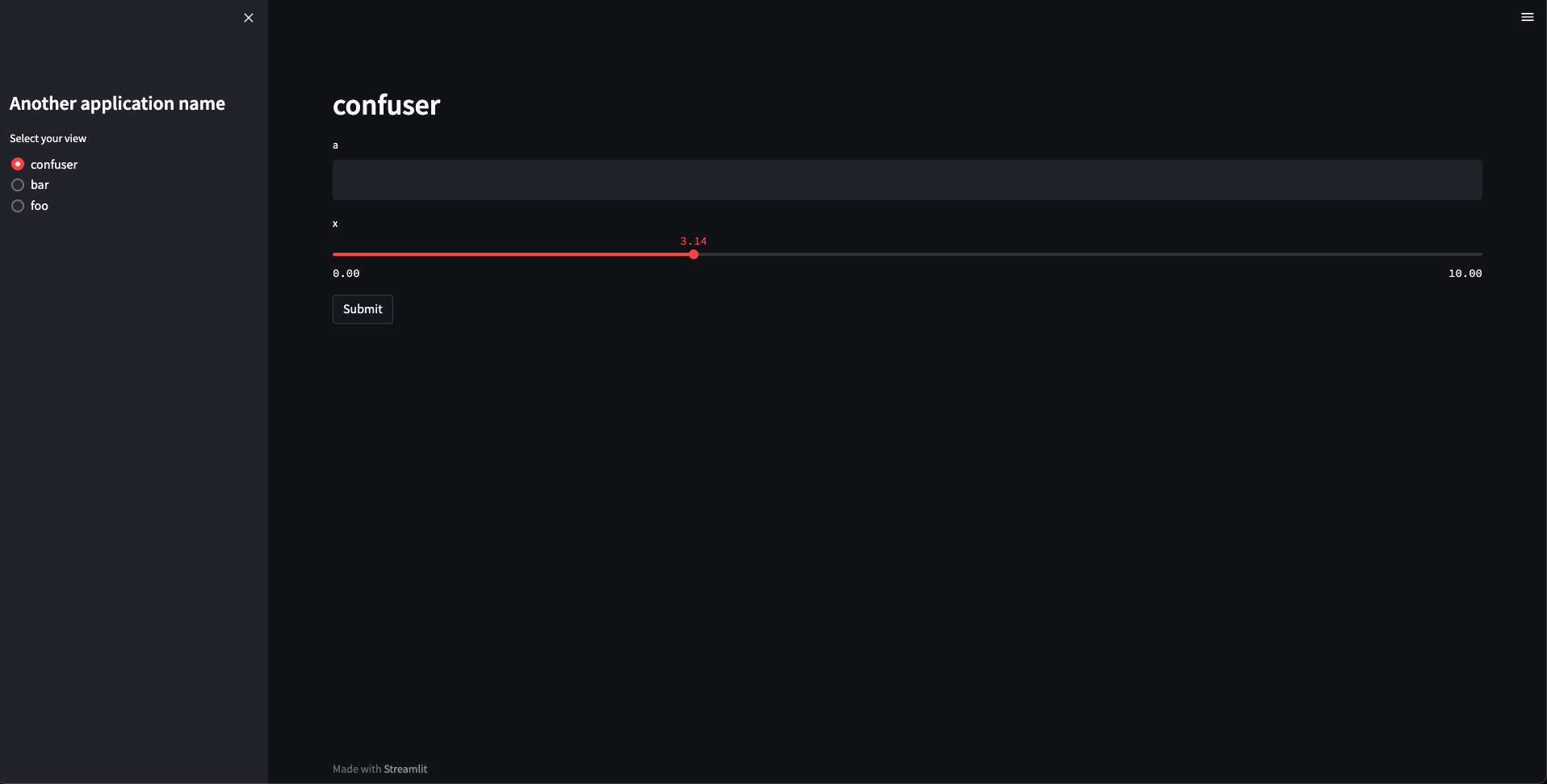
... the convention is applied !
Old Example (using deprecated dispatch_funcs function)
Write a module like this:
# simple.py


def foo(a: int = 0, b: int = 0, c=0):
    """This is foo. It computes something"""
    return (a * b) + c


def bar(x, greeting="hello"):
    """bar greets its input"""
    return f"{greeting} {x}"


def confuser(a: int = 0, x: float = 3.14):
    return (a**2) * x


funcs = [foo, bar, confuser]

if __name__ == "__main__":
    from streamlitfront import dispatch_funcs

    app = dispatch_funcs(funcs)
    app()

    # ... and you get a browser based app that exposes foo, bar, and confuser
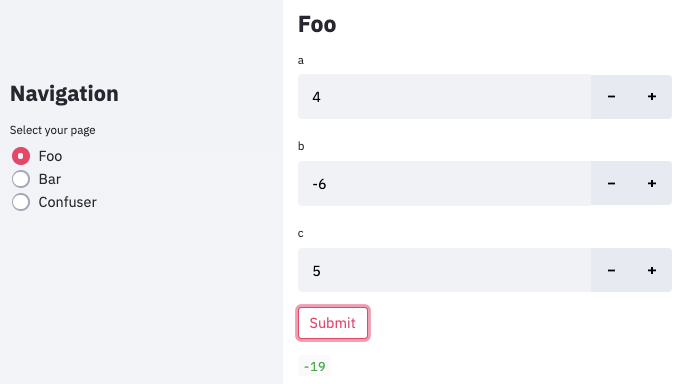
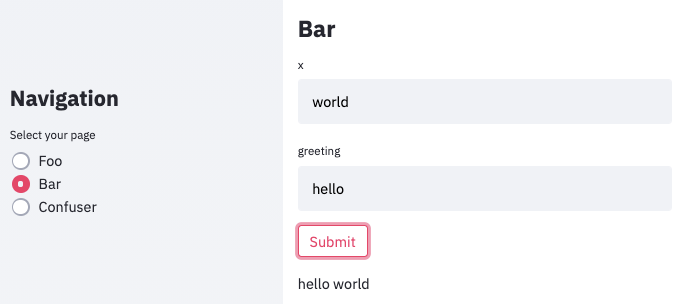
Execute streamlit run simple.py in terminal and ...
1 maintainer

Metadata
1 maintainer
Release files for streamlitfront 0.1.39
For a detailed explanation of source distributions (sdists) and built distributions (wheels), please see the package formats documentation.
Source distribution (sdist)
| File | Size | Uploaded | |
|---|---|---|---|
| streamlitfront-0.1.39.tar.gz | 1.2 MB | Details |
Built distribution (wheel)
| File | Interpreter | ABI | Platform | Reset |
|---|---|---|---|---|
| streamlitfront-0.1.39-py3-none-any.whl | Python 3 | none | any | Details |
Total release size: 2.5 MB
Release files / streamlitfront-0.1.39.tar.gz
| Download URL | streamlitfront-0.1.39.tar.gz |
|---|---|
| Size | 1.2 MB |
| Tags | Source |
|
SHA-256 checksum How to use checksums |
c5f2deb16921d11ac454a872bb5873387d66cfae091dab6500515ca71614f235
|
|
BLAKE2b-256 checksum How to use checksums |
f093e4d9d99a8fa4f636f7c65c24cc707b666badf8068f650a9e551e0e68b807
|
| Upload date | |
|
Uploaded using Trusted Publishing? What is trusted publishing? |
No |
| Uploaded via |
uv/0.12.17 {"installer":{"name":"uv","version":"0.12.17","subcommand":["publish"]},"python":null,"implementation":{"name":null,"version":null},"distro":{"name":"Ubuntu","version":"24.04","id":"noble","libc":null},"system":{"name":null,"release":null},"cpu":null,"openssl_version":null,"setuptools_version":null,"rustc_version":null,"ci":true}
|
Release files / streamlitfront-0.1.39-py3-none-any.whl
| Download URL | streamlitfront-0.1.39-py3-none-any.whl |
|---|---|
| Size | 1.3 MB |
| Tags | Python 3 |
|
SHA-256 checksum How to use checksums |
7c5b1088d0f3d39f355bbf059cae1c3c9aa6df3d7771066e31bbd28ed75a0e88
|
|
BLAKE2b-256 checksum How to use checksums |
f3789bc4740ba932d950c99130c9bcb8648e130cfc6b1556b02dba5c29c6abe0
|
| Upload date | |
|
Uploaded using Trusted Publishing? What is trusted publishing? |
No |
| Uploaded via |
uv/0.12.17 {"installer":{"name":"uv","version":"0.12.17","subcommand":["publish"]},"python":null,"implementation":{"name":null,"version":null},"distro":{"name":"Ubuntu","version":"24.04","id":"noble","libc":null},"system":{"name":null,"release":null},"cpu":null,"openssl_version":null,"setuptools_version":null,"rustc_version":null,"ci":true}
|














