
streamll
Stream your DSPy application's inner-workings back to users in real-time. Route reasoning steps, token generation, and progress updates directly through your existing infrastructure.
Installation
# Basic (terminal output only)
uv add streamll

# With Redis for production
uv add "streamll[redis]"

# With RabbitMQ
uv add "streamll[rabbitmq]"

# Everything
uv add "streamll[all]"
Quick start
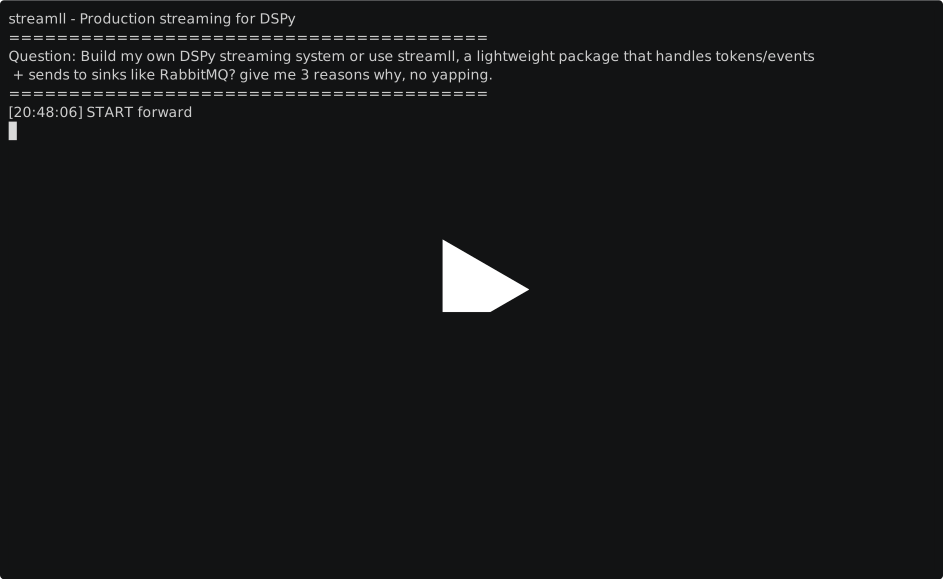
import dspy
import streamll

# Stream tokens to terminal
@streamll.instrument(stream_fields=["answer"])
class QA(dspy.Module):
    def __init__(self):
        self.generate = dspy.ChainOfThought("question -> answer")

    def forward(self, question):
        return self.generate(question=question)

# Configure DSPy
dspy.configure(lm=dspy.LM("openai/gpt-4o-mini"))

qa = QA()
result = qa("Explain quantum computing")
Production use
Send events to Redis or RabbitMQ instead of the terminal:
from streamll.sinks import RedisSink

sink = RedisSink(redis_url="redis://localhost:6379", stream_key="ml_events")

@streamll.instrument(sinks=[sink], stream_fields=["answer"])
class QA(dspy.Module):
    def __init__(self):
        self.generate = dspy.ChainOfThought("question -> answer")

    def forward(self, question):
        return self.generate(question=question)
Consume events in another service:
from streamll import EventConsumer

consumer = EventConsumer("redis://localhost:6379", target="ml_events")

@consumer.on("token")
async def handle_token(event):
    print(event.data["token"], end="", flush=True)

await consumer.run()
Custom events
Emit custom events within your processing:
@streamll.instrument
class RAGPipeline(dspy.Module):
    def forward(self, question):
        with streamll.trace("retrieval") as ctx:
            docs = self.retrieve(question)
            ctx.emit("docs_found", data={"count": len(docs)})

        answer = self.generate(docs=docs, question=question)
        return answer
Event correlation
Attach correlation IDs that persist across all events:
# In your API handler
streamll.set_context(
    conversation_id="conv_123",
    request_id="req_456"
)

# All subsequent events include this context
qa = QA()
result = qa("What is quantum computing?")

# Consumer can filter by context
@consumer.on("token")
async def handle_token(event):
    if event.data.get("conversation_id") == "conv_123":
        # Handle this specific conversation
        pass
Development
# Run tests
uv run pytest

# With coverage
uv run pytest --cov=src/streamll

# Start test services (Redis, RabbitMQ)
docker-compose -f tests/docker-compose.yml up -d
License
Apache 2.0
1 maintainer

Release files for streamll 0.1.1
For a detailed explanation of source distributions (sdists) and built distributions (wheels), please see the package formats documentation.
Source distribution (sdist)
| File | Size | Uploaded | |
|---|---|---|---|
| streamll-0.1.1.tar.gz | 9.3 kB | Details |
Built distribution (wheel)
| File | Interpreter | ABI | Platform | Reset |
|---|---|---|---|---|
| streamll-0.1.1-py3-none-any.whl | Python 3 | none | any | Details |
Total release size: 22.4 kB
Release files / streamll-0.1.1.tar.gz
| Download URL | streamll-0.1.1.tar.gz |
|---|---|
| Size | 9.3 kB |
| Tags | Source |
|
SHA-256 checksum How to use checksums |
d8ac0ba29da555de12f04bf157ec8c329a2f256e52ad82822cf683b4d7910006
|
|
BLAKE2b-256 checksum How to use checksums |
6a0463e5c88002e7da5839149c381a6e7c9992c15859274631e436c866449ba1
|
| Upload date | |
|
Uploaded using Trusted Publishing? What is trusted publishing? |
Yes |
| Uploaded via |
uv/0.8.17
|
Release files / streamll-0.1.1-py3-none-any.whl
| Download URL | streamll-0.1.1-py3-none-any.whl |
|---|---|
| Size | 13.1 kB |
| Tags | Python 3 |
|
SHA-256 checksum How to use checksums |
64df5cb55d82e7597421153356c8f4a3e8d8a507d31e3aea5547f1a8495cec40
|
|
BLAKE2b-256 checksum How to use checksums |
2bfbb4e74340c88ea99a61f1deb25ad3ace3563b7c455be4dfd97293f582991c
|
| Upload date | |
|
Uploaded using Trusted Publishing? What is trusted publishing? |
Yes |
| Uploaded via |
uv/0.8.17
|














