
StripeInspector
Security research tool for Stripe API key enumeration and inspection




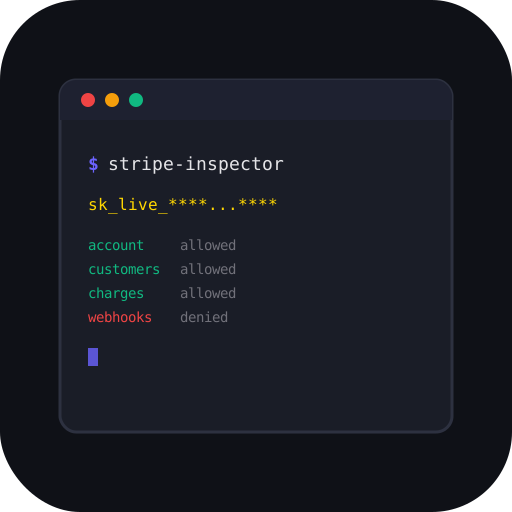
StripeInspector takes a Stripe API key and enumerates everything accessible through it — account details, customers, charges, payouts, products, webhooks, and more. Built for security researchers, penetration testers, and bug bounty hunters.
Features
- 17 inspection modules — account, balance, customers, charges, payment intents, products, payouts, subscriptions, invoices, webhooks, events, connected accounts, disputes, refunds, balance transactions, coupons
- Permission scanner — probes 35+ Stripe API endpoints to build a full access matrix
- CLI + Web UI — both treated as first-class interfaces
- 5 output formats — colored terminal tables, JSON, HTML inspection reports, PDF, CSV
- Deep pagination —
--deepfetches all pages, not just first 100 - PII exposure summary — auto-detects emails, names, phones, card numbers across all modules
- Key type detection — auto-identifies test/live, secret/restricted keys
- Multi-key batch mode — scan a list of keys from a file
- Diff mode — compare permissions between two keys
- Self-hosted web UI — dark/light theme, real-time SSE streaming, shareable inspections
- Optional auth — bearer token support for securing the web UI
Installation
pip install stripe-inspector
Or with uv:
uv pip install stripe-inspector
For PDF report support:
pip install stripe-inspector[pdf]
Or with Docker:
docker compose up
# Open http://localhost:8000

# With auth token:
TOKEN=mysecret docker compose up
Quick Start
CLI
# Inspect a key (all modules)
stripe-inspector inspect sk_test_xxxx

# JSON output (pipe to jq, scripts, etc.)
stripe-inspector inspect sk_test_xxxx --output json

# Generate an HTML inspection report
stripe-inspector inspect sk_test_xxxx --report findings.html

# Deep scan — fetch all pages
stripe-inspector inspect sk_test_xxxx --deep

# Specific modules only
stripe-inspector inspect sk_test_xxxx --modules account,customers,charges

# Silent mode — no table output, just save report
stripe-inspector inspect sk_test_xxxx --silent --report findings.html

# Export per-module CSV files
stripe-inspector inspect sk_test_xxxx --csv ./output

# Batch scan multiple keys
stripe-inspector batch keys.txt --report-dir ./reports

# Compare two keys
stripe-inspector diff sk_test_key1 sk_test_key2

# List all available modules
stripe-inspector list-modules
Web UI
# Start on localhost:8000
stripe-inspector serve

# Custom port with auth token
stripe-inspector serve --port 9000 --token mysecrettoken

# Expose to network (use with --token)
stripe-inspector serve --host 0.0.0.0 --token mysecrettoken
Open http://localhost:8000 in your browser, paste a key, and hit Inspect. The web UI features real-time progress streaming, module selection, dark/light theme, and shareable inspection links.
Modules
| Module | Endpoint | What It Finds |
|---|---|---|
account |
/v1/account |
Owner name, email, country, address, business type, MCC, capabilities |
balance |
/v1/balance |
Available and pending balances per currency |
customers |
/v1/customers |
Customer names, emails, phone numbers, metadata |
charges |
/v1/charges |
Payment amounts, payer details, card info, countries |
payment_intents |
/v1/payment_intents |
Intent status, amounts, payment methods |
products |
/v1/products |
Product names, types, pricing, active status |
payouts |
/v1/payouts |
Payout amounts, bank destinations, schedules |
subscriptions |
/v1/subscriptions |
Active plans, billing cycles, customers |
invoices |
/v1/invoices |
Invoice amounts, payment status, hosted URLs |
webhooks |
/v1/webhook_endpoints |
Endpoint URLs, subscribed event types |
events |
/v1/events |
Recent API activity and event log |
connected |
/v1/accounts |
Connected accounts (Stripe Connect platforms) |
disputes |
/v1/disputes |
Chargebacks, fraud disputes, resolution status |
refunds |
/v1/refunds |
Refund amounts, reasons, associated charges |
balance_transactions |
/v1/balance_transactions |
Full money flow: charges, fees, payouts, refunds |
coupons |
/v1/coupons |
Discount codes, percent/amount off, redemption counts |
permission_scan |
35+ endpoints | Full endpoint access matrix (allowed/denied/error) |
Key Types
| Prefix | Type | Risk Level |
|---|---|---|
sk_test_ |
Secret test key | Low — sandbox data only |
sk_live_ |
Secret live key | High — real customer data |
rk_test_ |
Restricted test key | Low — limited permissions |
rk_live_ |
Restricted live key | Medium — limited but real data |
Privacy & Security
- Keys are never logged or stored to disk
- The web UI sends keys only to Stripe's API from the backend — never to third parties
- Inspection reports mask keys (show first 8 + last 4 characters only)
- Shared inspections contain no API keys and expire after 24 hours
- Use
--tokento protect the web UI when exposing beyond localhost - All timestamps include both raw Unix epoch and human-readable format
Disclaimer
This tool is intended for authorized security testing, bug bounty programs, penetration testing engagements, and educational purposes only. Only use it on API keys you own or have explicit written authorization to test.
Unauthorized access to third-party systems is illegal. The author assumes no liability for misuse of this tool.
Contributing
See CONTRIBUTING.md for development setup and guidelines.
License
MIT - Ijaz Ur Rahim
1 maintainer

Metadata
1 maintainer
Release files for stripe-inspector 0.7.0
For a detailed explanation of source distributions (sdists) and built distributions (wheels), please see the package formats documentation.
Source distribution (sdist)
| File | Size | Uploaded | Provenance | |
|---|---|---|---|---|
| stripe_inspector-0.7.0.tar.gz | 44.5 kB | Without provenance | Details |
Built distribution (wheel)
| File | Interpreter | ABI | Platform | Reset |
|---|---|---|---|---|
| stripe_inspector-0.7.0-py3-none-any.whl | Python 3 | none | any | Details |
Total release size: 98.4 kB
Release files / stripe_inspector-0.7.0.tar.gz
| Download URL | stripe_inspector-0.7.0.tar.gz |
|---|---|
| Size | 44.5 kB |
| Tags | Source |
|
SHA-256 checksum How to use checksums |
2324c306336fddcec0dbbacfedb3f575435305eb9aef826b5baade194ec11b93
|
|
BLAKE2b-256 checksum How to use checksums |
4981dda71b2ff0e40df9b327649c235b892fd2f9fcd641d83c94eac9f28912be
|
| Upload date | |
|
Uploaded using Trusted Publishing? What is trusted publishing? |
No |
| Uploaded via |
uv/0.10.4 {"installer":{"name":"uv","version":"0.10.4","subcommand":["publish"]},"python":null,"implementation":{"name":null,"version":null},"distro":null,"system":{"name":null,"release":null},"cpu":null,"openssl_version":null,"setuptools_version":null,"rustc_version":null,"ci":null}
|
Release files / stripe_inspector-0.7.0-py3-none-any.whl
| Download URL | stripe_inspector-0.7.0-py3-none-any.whl |
|---|---|
| Size | 53.9 kB |
| Tags | Python 3 |
|
SHA-256 checksum How to use checksums |
ab0dec941bb978fb36ebc8258c13768649aaf64e6aae0c1d7693cb78984534bb
|
|
BLAKE2b-256 checksum How to use checksums |
bbde94ca1c58dbf1f8fc513ae31af8b83af9712f5e5f3405897a32ea8f9dce79
|
| Upload date | |
|
Uploaded using Trusted Publishing? What is trusted publishing? |
No |
| Uploaded via |
uv/0.10.4 {"installer":{"name":"uv","version":"0.10.4","subcommand":["publish"]},"python":null,"implementation":{"name":null,"version":null},"distro":null,"system":{"name":null,"release":null},"cpu":null,"openssl_version":null,"setuptools_version":null,"rustc_version":null,"ci":null}
|
Security for stripe-inspector 0.7.0
Provenance
Provenance describes where a file came from. On PyPI, provenance is shared via attestations, which provide a verifiable record of the build or publishing details. View details, limitations and caveats.
No provenance found
None of the files in this release were uploaded with provenance metadata.
A note on package security
PyPI is a repository for distributing packages, not a service for auditing them. While third-party security researchers and our staff do their best to detect and remove malicious packages, PyPI cannot guarantee the quality, security or suitability of any given package.














