
The package manager for OpenFOAM
Simplify your OpenFOAM workflows with easy package installation, management, and distribution










✨ Why styro?
styro brings modern package management to the OpenFOAM ecosystem, making it easy to discover, install, and manage community-contributed packages. Whether you're a researcher, engineer, and/or developer, styro streamlines your workflow by eliminating manual compilation and dependency management.
🎯 Key benefits
- 🚀 One-command installation - Install OpenFOAM packages with a single command
- 🌎 Community-driven - Access packages from the OpenFOAM Package Index (OPI)
- 🧩 Broad compatibility - Works seamlessly with OpenFOAM from openfoam.com and openfoam.org
- 📦 Multiple sources - Install from OPI, local directories, or Git repositories
- 🔄 Easy updates - Upgrade packages with automatic dependency resolution
- 🛠️ Developer-friendly - Simple package testing, definition and distribution
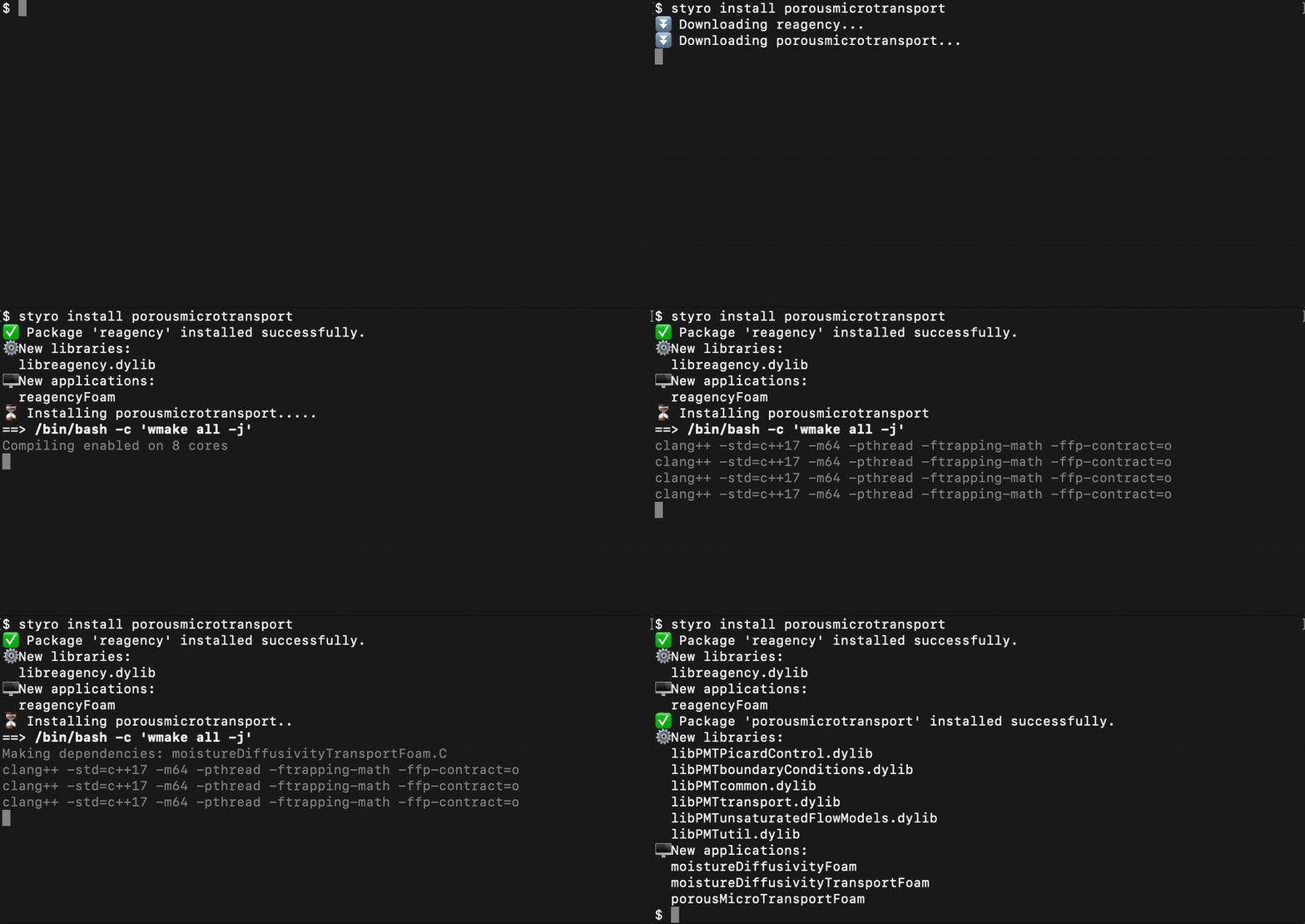
▶️ Demo
📋 Requirements
styro works with OpenFOAM (from either openfoam.com or openfoam.org).
⏬ Installation
Choose any of the following methods:
-
With pip (requires Python 3.9 or later):
pip install styro
-
With conda:
conda install -c conda-forge styro
-
With Homebrew:
brew install gerlero/openfoam/styro
-
Standalone binary (installs to
$FOAM_USER_APPBIN):/bin/bash -c "$(curl https://raw.githubusercontent.com/gerlero/styro/main/install.sh)"
-
Docker image:
docker pull microfluidica/styro
🧑💻 Command reference
| Command | Description | Example |
|---|---|---|
⏬ styro install <packages> |
Install one or more packages | styro install cfmesh |
⬆️ styro install --upgrade <packages> |
Upgrade already installed packages | styro install --upgrade cfmesh |
🗑️ styro uninstall <packages> |
Remove installed packages | styro uninstall cfmesh |
🔍 styro freeze |
List all installed packages | styro freeze |
🔄 styro install --upgrade styro |
Upgrade styro itself (only for standalone installs) | styro install --upgrade styro |
📦 Package sources
✨ OpenFOAM Package Index (OPI)
styro automatically discovers packages from the community-maintained OpenFOAM Package Index.
styro install cfmesh
🖥️ Local packages
Install packages from your local filesystem:
styro install /path/to/my-custom-package
Pro tip: Add a metadata.json file to the package directory to customize installation behavior.
🌎 Git repositories
Install directly from any Git repository:
styro install https://github.com/username/my-openfoam-package.git
Just like local packages, add a metadata.json file to the repository root for custom installation settings.
🤝 Contributing
We welcome contributions! Here's how you can help:
- 📦 Add packages to the OpenFOAM Package Index
- 🐛 Report bugs or request features via GitHub Issues
- 🔧 Submit pull requests to improve styro itself
1 maintainer

Metadata
1 maintainer
Release files for styro 0.1.38
For a detailed explanation of source distributions (sdists) and built distributions (wheels), please see the package formats documentation.
Source distribution (sdist)
| File | Size | Uploaded | |
|---|---|---|---|
| styro-0.1.38.tar.gz | 27.3 kB | Details |
Built distribution (wheel)
| File | Interpreter | ABI | Platform | Reset |
|---|---|---|---|---|
| styro-0.1.38-py3-none-any.whl | Python 3 | none | any | Details |
Total release size: 56.6 kB
Release files / styro-0.1.38.tar.gz
| Download URL | styro-0.1.38.tar.gz |
|---|---|
| Size | 27.3 kB |
| Tags | Source |
|
SHA-256 checksum How to use checksums |
6826fcb23493a930e4045d9ff5193d2248ccadddea42660e3a805184b24848a4
|
|
BLAKE2b-256 checksum How to use checksums |
f2721bdb404e9b45c0551dc31c2c7939e9dc0400b84b4e138d7312a432471031
|
| Upload date | |
|
Uploaded using Trusted Publishing? What is trusted publishing? |
Yes |
| Uploaded via |
uv/0.12.10 {"installer":{"name":"uv","version":"0.12.10","subcommand":["publish"]},"python":null,"implementation":{"name":null,"version":null},"distro":{"name":"Ubuntu","version":"24.04","id":"noble","libc":null},"system":{"name":null,"release":null},"cpu":null,"openssl_version":null,"setuptools_version":null,"rustc_version":null,"ci":true}
|
Release files / styro-0.1.38-py3-none-any.whl
| Download URL | styro-0.1.38-py3-none-any.whl |
|---|---|
| Size | 29.3 kB |
| Tags | Python 3 |
|
SHA-256 checksum How to use checksums |
caa8d4161f96ecf9e9f0b2367cf7b99bd3fcca36798e3d0dc6b022a6115b9b4e
|
|
BLAKE2b-256 checksum How to use checksums |
014729b6a69c833d5535bf695e86f0270501aaac8a50d5debf8ab57655a44d7f
|
| Upload date | |
|
Uploaded using Trusted Publishing? What is trusted publishing? |
Yes |
| Uploaded via |
uv/0.12.10 {"installer":{"name":"uv","version":"0.12.10","subcommand":["publish"]},"python":null,"implementation":{"name":null,"version":null},"distro":{"name":"Ubuntu","version":"24.04","id":"noble","libc":null},"system":{"name":null,"release":null},"cpu":null,"openssl_version":null,"setuptools_version":null,"rustc_version":null,"ci":true}
|














