
sub-tools 🎬


A toolkit for multilingual subtitles. A model transcribes the audio and translates the result; every answer is repaired and checked before it is accepted. Gemini 3.7 Flash is the primary model; OpenAI models such as GPT-5.6 Luna are supported as a lower-cost alternative.
✨ Features
- 🎯 Transcription straight from audio to SRT, with Gemini or an OpenAI model
- 🧰 Automatic repair of malformed model output, with a retry when repair cannot save it
- ✅ Strict validation that refuses to ship a broken subtitle file
- 🌍 Multilingual translation that preserves the source timings
- 🔊 Dubbing: subtitles spoken back into a timing-aligned MP3 per language
- 📥 Support for HLS streams, direct file URLs, and local files
- 🎵 Audio fingerprinting using Shazam (macOS only)
- 📊 Progress tracking with rich terminal output
🚀 Quick Start
Prerequisites
- Python 3.10 or higher
- FFmpeg installed on your system
Installation
pip install sub-tools
For a source checkout, run the setup script from a shell. It installs uv when it is
missing, provisions a supported Python interpreter if needed, and syncs the project
environment:
./setup.sh
Usage
export GEMINI_API_KEY={your_api_key}

# Full pipeline: download video, extract audio, transcribe, and translate
sub-tools -i https://example.com/video.mp4 --languages en es fr

# Using HLS stream URL
sub-tools -i https://example.com/hls/video.m3u8 --languages en es fr

# Using local audio file (skip video/audio tasks)
sub-tools --tasks transcribe translate --audio-file audio.mp3 --languages en es fr

# Only transcribe without translation
sub-tools --tasks transcribe --audio-file audio.mp3 --languages en

# Dub existing subtitles only (uses the {language}.srt files already in the output directory)
sub-tools --tasks dub --audio-file audio.mp3 --languages es fr

# Specify custom tasks (available: video, audio, signature, transcribe, translate, dub)
sub-tools -i https://example.com/video.mp4 --tasks video audio transcribe translate --languages en es

# Specify a custom Gemini model for transcription and translation
sub-tools -i https://example.com/video.mp4 --languages en --model gemini-3.6-flash

# Use an OpenAI model instead of Gemini (reads OPENAI_API_KEY)
export OPENAI_API_KEY={your_api_key}
sub-tools -i https://example.com/video.mp4 --languages en es --model gpt-5.6-luna

# Dub: speak the translated subtitles into es.mp3 and fr.mp3
sub-tools --tasks transcribe translate dub --audio-file audio.mp3 --languages es fr

# Specify output directory (default: output)
sub-tools -i https://example.com/video.mp4 --languages en --output my-subtitles
Choosing a provider
The provider follows from the model name: gpt-* models call the OpenAI API with
OPENAI_API_KEY (or --openai-api-key), everything else calls the Gemini API with
GEMINI_API_KEY (or --gemini-api-key). The same repair and validation loop runs
either way.
OpenAI text models such as gpt-5.6-luna cannot hear audio, so transcription is
routed to an audio-capable model (whisper-1 on the transcription API by default;
override with --audio-model, which also accepts gpt-audio-* chat models) while
the selected model handles translation text-only. Audio
sent to OpenAI is inlined into the request; files over 15 MB are automatically
re-encoded to mono 32 kbit/s MP3, which fits roughly an hour of speech under the
20 MB request cap.
Pipeline Tasks
The tool operates as a multi-stage pipeline controlled by the --tasks parameter:
- video: Downloads media from URL (HLS or direct) →
video.mp4 - audio: Extracts audio track →
audio.mp3 - signature: Generates Shazam signature for fingerprinting (macOS only)
- transcribe: The model turns the audio into subtitles →
{source-language}.srt - translate: The model translates those subtitles into each target language →
{language}.srt - dub: Text-to-speech speaks each
{language}.srtinto a timing-aligned{language}.mp3
By default, all tasks except dub run. You can customize which tasks to run with --tasks.
Dubbing
Each subtitle cue is spoken by the provider's text-to-speech model (OpenAI:
gpt-4o-mini-tts, Gemini: gemini-2.5-flash-preview-tts; override with
--tts-model and --tts-voice) and placed at the cue's start time over silence,
producing an MP3 the same length as the original recording. Speech that runs longer
than the original speaker took is sped up (at most 2×) rather than talking over the
next cue, and [sound effects] are not spoken. The dub uses the same provider as
--model.
📏 Transcription evaluation
The evaluator is deliberately separate from model execution: it scores generated SRT
files against a human reference so multiple runs can be compared on identical input.
The primary score is the published SubER method,
implemented by the pinned subtitle-edit-rate==0.4.0
package. SubER is reference-based and accounts for subtitle text, segmentation, and
timing; lower is better. It is a published academic method and reference
implementation, not an NIST certification.
The report also includes the package's automatic-segmentation lexical metrics for
SRTs with different cue boundaries: AS-WER, AS-CER, AS-BLEU, AS-TER, and
AS-chrF. AS-WER and AS-CER use the same substitution/insertion/deletion
edit-rate convention documented in NIST SCTK/SCLITE;
BLEU, TER, and chrF are provided by SacreBLEU through subtitle-edit-rate.
The report also includes the package's timing-aligned t-WER, t-CER, t-BLEU,
t-TER, and t-chrF diagnostics. This command does not invoke SCTK itself. The
evaluator is intentionally package-only: it does not add a custom score, timing
metric, coverage metric, or release gate.
The package documents the AS alignment family as the established automatic segmentation approach (Matusov et al., IWSLT 2005) and the t-BLEU timing-alignment approach (Cherry et al., Interspeech 2021). The implementation here calls the package APIs directly; it does not reimplement either alignment or any metric.
SubER is the primary score because it is the package's timing- and
segmentation-aware metric. AS-WER, AS-CER, and AS-TER are error rates (lower is
better); AS-BLEU and AS-chrF are similarity scores (higher is better). BLEU can be
low on very short samples because it requires n-gram matches, so it should be read
alongside the other metrics rather than used alone. The t-* metrics re-segment
the hypothesis using subtitle timings; they are supplemental diagnostics and do
not replace SubER's joint timing/segmentation score.
Give each hypothesis a stable name with NAME=PATH; repeat --hypothesis to compare
models or pipeline stages:
sub-tools-eval \
  --reference reference/en.srt \
  --hypothesis gemini-3.7-flash=output/gemini-3.7-flash/en.srt \
  --hypothesis gemini-3.6-flash=output/gemini-3.6-flash/en.srt \
  --output evals/transcription.json \
  --markdown evals/transcription.md
Only the reference and generated SRT files are inputs; no audio file or API key is required. Private or copyrighted recordings are intentionally not bundled in the package.
sub-tools-eval measures the text, segmentation, and timing quality of the assembled
SRT output, while sub-tools remains responsible for producing the SRT.
To compare models or settings, pass each generated file as a --hypothesis. The
Markdown report shows one row per variant; lower error rates and higher BLEU/chrF
indicate a closer match to the reference.
For the reproducible evaluation harness and commands, see evals/README.md.
Build Docker
docker build -t sub-tools .
docker run -v $(pwd)/output:/app/output sub-tools sub-tools --gemini-api-key GEMINI_API_KEY -i URL -l en
🤝 Contributing
Contributions are welcome! Please see CONTRIBUTING.md for detailed guidelines.
Quick Development Setup
# Clone and setup
git clone https://github.com/dohyeondk/sub-tools.git
cd sub-tools
./setup.sh  # installs uv and runs uv sync
🧪 Testing
uv run pytest -m "not slow"
The evaluation metrics have unit tests in tests/test_evaluation.py and do not require
an API key or an audio file.
📝 License
This project is licensed under the MIT License - see the LICENSE file for details.
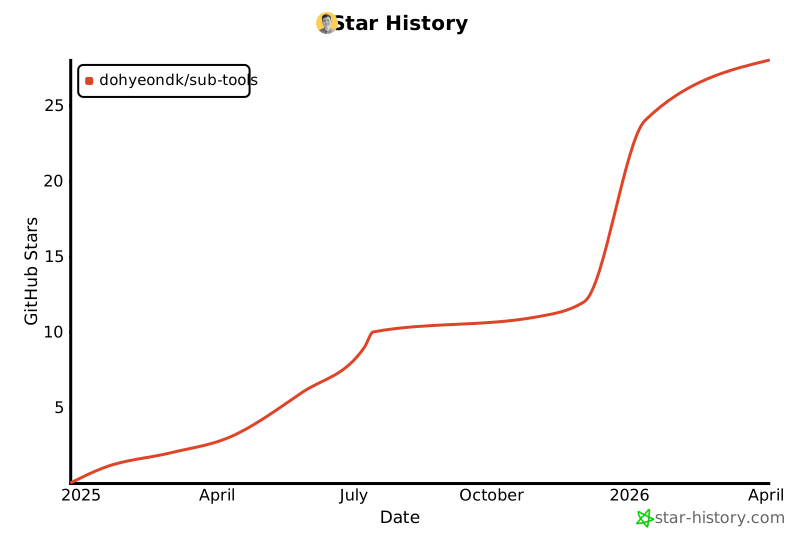
⭐ Star History
1 maintainer

Download files
Download the file for your platform. If you're not sure which to choose, learn more about installing packages.
Source Distribution
Built Distribution
Filter files by name, interpreter, ABI, and platform.
If you're not sure about the file name format, learn more about wheel file names.
Copy a direct link to the current filters
File details
Details for the file sub_tools-0.9.2.tar.gz.
File metadata
- Download URL: sub_tools-0.9.2.tar.gz
- Upload date:
- Size: 10.2 MB
- Tags: Source
- Uploaded using Trusted Publishing? No
- Uploaded via: uv/0.5.14
File hashes
| Algorithm | Hash digest | |
|---|---|---|
| SHA256 |
46016fc04e27f27d0e5e562b034754ab5eb2a028167e16409a4c160947419e85
|
|
| MD5 |
5f1352a1226f2cf143623d6ab46797f3
|
|
| BLAKE2b-256 |
62a61475847950963241c6caaafc4b782a0f2bcc20414582a7e5d9b0837f6ba6
|
File details
Details for the file sub_tools-0.9.2-py3-none-any.whl.
File metadata
- Download URL: sub_tools-0.9.2-py3-none-any.whl
- Upload date:
- Size: 37.6 kB
- Tags: Python 3
- Uploaded using Trusted Publishing? No
- Uploaded via: uv/0.5.14
File hashes
| Algorithm | Hash digest | |
|---|---|---|
| SHA256 |
cf77ce0c1faae398326d5fa6fe7ae573900e2132cf931ee6f8ebfb0caaff9852
|
|
| MD5 |
5c5577715360c6ee1fbf0a1d28218f4b
|
|
| BLAKE2b-256 |
c4459ed08fca2b75836c461901e5ea23cbb8d080c3ba95a70e663ddc7a8b5b1b
|







