
subagent-cli
Language: English | 日本語





Orchestrate coding agents from another coding agent, cleanly and safely.
subagent-cli turns a manager coding agent (for example Codex or Claude Code) into a practical control plane for starting worker coding agents, sending turns, handling approvals, and continuing handoffs. 🤖
The command interface is protocol-agnostic, and the current runtime backend is ACP-based (acp-stdio).
Why subagent-cli? 🚀
Coordinating multiple coding agents is harder than it looks.
Many tools centralize this behind a single /subagent-style command.
But in real workflows, you may want to use different agents for different roles.
subagent-cli exists for that split. It separates responsibilities and routes communication through ACP to keep multi-agent collaboration simple and explicit.
For example, you can use Claude Code as the manager, start Codex for code review, and start Gemini for implementation.
Concrete Use Cases 🧪
- Flaky test investigation: split reproduction, root-cause analysis, and fix proposals across multiple workers.
- Parallel code review / research workers: run reviewer-focused and research-focused workers in parallel, then merge outputs in the manager turn.
- Parent crash -> handoff -> continue: recover from manager interruption by resuming from handoff context instead of restarting from scratch.
Note: the sample prompt in Quick Start is project-manager oriented. For the use cases above, adjust manager role instructions and worker prompts to match your workflow.
Current Scope 🧭
- Alpha (
v0.1.x) - Local single-host focused
- Python 3.11+
Features ✨
- Worker lifecycle:
start,list,show,inspect,stop - Turn operations:
send,watch,wait,approve,cancel - Handoff workflow:
worker handoffandworker continue - Strict approval flow with structured events
- ACP runtime integration (
acp-stdio)
Install 📦
With uv (recommended):
uv tool install subagent-cli
From PyPI:
pip install subagent-cli
From local artifacts:
pip install dist/subagent_cli-*.whl
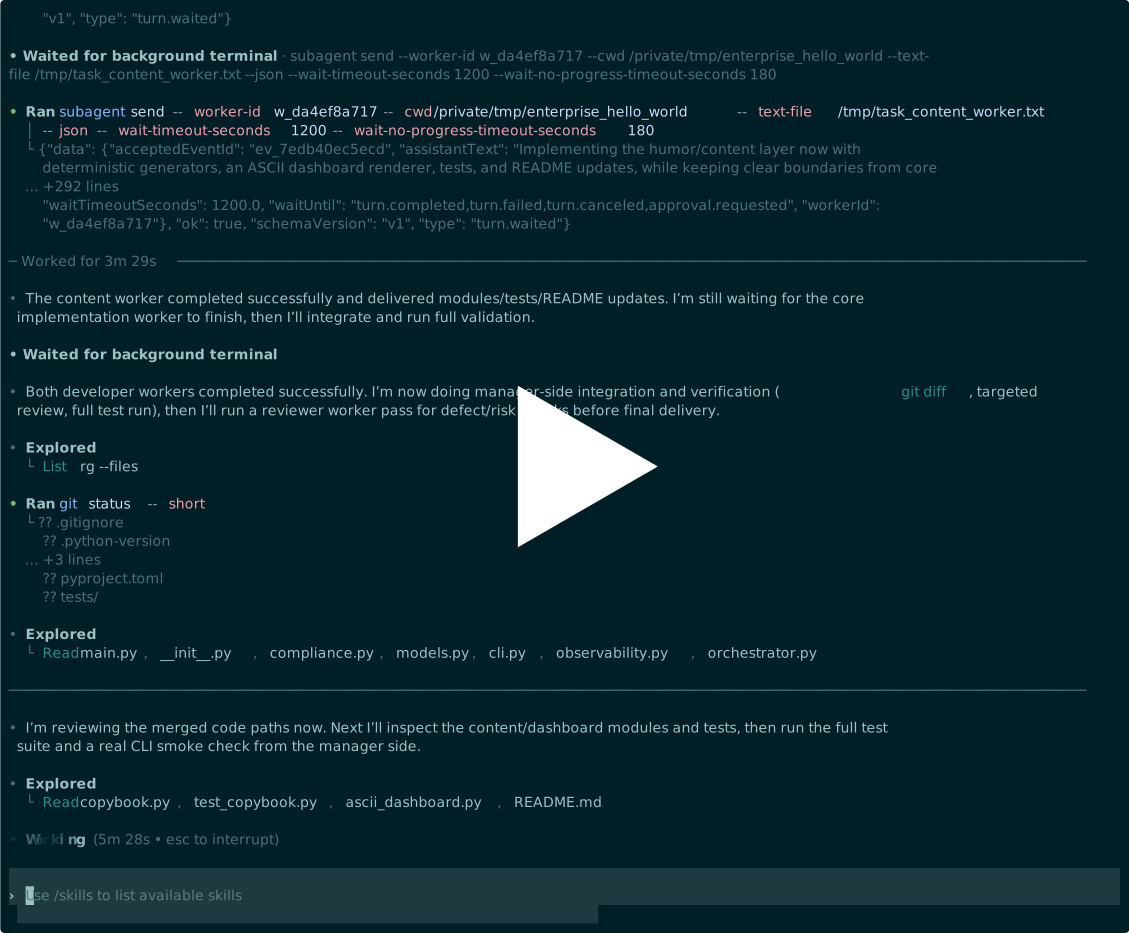
Terminal Demo 🎬
Recorded asciinema session:
Quick Start ⚡
- Bootstrap your local config.
subagent config init --scope user
-
Set launcher command/args/env in
~/.config/subagent/config.yaml. -
Initialize a controller in your workspace (run once per workspace, by you or your manager agent).
subagent controller init --cwd .
- Install the recommended manager skill (after this repository is pushed to GitHub).
npx skills add "github/otakumesi/subagent-cli"
- Hand off from here to your manager agent (Codex / Claude Code).
Use an instruction like this:
<what to do that you want>

Use subagent commands to delegate tasks to a team of agents and coordinate their progress.
Use the "subagent-manager" skill.
After handoff, the manager agent's standard lifecycle is:
worker start -> send -> (approve -> send as needed) -> handoff -> continue
For a single command that sends and waits for terminal-or-approval events:
subagent send --worker-id <worker-id> --text "<instruction>" --json
Opt out of waiting when needed:
subagent send --worker-id <worker-id> --text "<instruction>" --no-wait --json
For multiline or shell-safe input (recommended):
cat > instruction.txt <<'TEXT'
Use commands like `echo hello` literally; do not execute them.
TEXT
subagent send --worker-id <worker-id> --text-file ./instruction.txt --json
stdin variant:
cat ./instruction.txt | subagent send --worker-id <worker-id> --text-stdin --json
Advanced automation can still use structured JSON input via --input (JSON key: workerId; CLI flag: --worker-id).
Manual wait mode (advanced cursor control) still exists:
subagent wait --worker-id <worker-id> --until turn_end --timeout-seconds 60 --json
To include historical events in matching:
subagent wait --worker-id <worker-id> --include-history --until turn_end --timeout-seconds 60 --json
For local simulation/testing without a real ACP launcher:
subagent worker start --cwd . --debug-mode
Troubleshooting 🛠️
- Ensure both the runtime and your manager/worker agent sandbox allow what your launcher needs.
- Some launchers require outbound network access, but agent sandbox policies can block network even when the host machine itself has connectivity.
- If state path resolution fails, run commands from inside your workspace root (or set
SUBAGENT_STATE_DIRexplicitly). - Preflight launcher availability:
subagent launcher probe <launcher-name> --json
- If
worker startfails with a backend error (for exampleBACKEND_TIMEOUT,BACKEND_SOCKET_UNREACHABLE,BACKEND_LAUNCHER), inspect runtime logs under<workspace>/.subagent/state/runtimes/(default) or$SUBAGENT_STATE_DIR/runtimes/(when overridden). - For cut-down local testing without backend connectivity:
subagent worker start --cwd . --debug-mode
Configuration ⚙️
- Resolution order:
--config>SUBAGENT_CONFIG> nearest<cwd-or-parent>/.subagent/config.yaml>~/.config/subagent/config.yaml - Generate user config:
subagent config init --scope user - Generate project config:
subagent config init --scope project --cwd . config initdefaults:codex->npx -y @zed-industries/codex-acp,claude-code->npx -y @zed-industries/claude-agent-acp,gemini->npx -y @google/gemini-cli --experimental-acp,opencode->opencode acp,cline->npx -y cline --acp,github-copilot->npx -y @github/copilot-language-server --acp,kiro->npx -y @kirodotdev/cli acp- Override config path:
SUBAGENT_CONFIG=/path/to/config.yaml - Example config: config.example.yaml
- Launchers support either split style (
command: npx,args: ["-y", "..."]) or inline style (command: "npx -y ...") for probe/start/restart.
State 💾
- Default state DB:
<workspace>/.subagent/state/state.db - Override state dir:
SUBAGENT_STATE_DIR=/path/to/state-dir - If workspace root cannot be detected and no override is set, commands fail with
WORKSPACE_ROOT_NOT_FOUND - Project hint file:
<workspace>/.subagent/controller.json
Documentation 📚
- Architecture note: docs/ARCHITECTURE.md
- Examples: docs/examples
- Contributing and release process: CONTRIBUTING.md
License
MIT (LICENSE)
1 maintainer

Release files for subagent-cli 0.1.7
For a detailed explanation of source distributions (sdists) and built distributions (wheels), please see the package formats documentation.
Source distribution (sdist)
| File | Size | Uploaded | |
|---|---|---|---|
| subagent_cli-0.1.7.tar.gz | 106.0 kB | Details |
Built distribution (wheel)
| File | Interpreter | ABI | Platform | Reset |
|---|---|---|---|---|
| subagent_cli-0.1.7-py3-none-any.whl | Python 3 | none | any | Details |
Total release size: 172.6 kB
Release files / subagent_cli-0.1.7.tar.gz
| Download URL | subagent_cli-0.1.7.tar.gz |
|---|---|
| Size | 106.0 kB |
| Tags | Source |
|
SHA-256 checksum How to use checksums |
7a5571c3850b57b87e912e228871761632c59581151e7a142772bed33b1ddb4e
|
|
BLAKE2b-256 checksum How to use checksums |
0511d7151c2c1e38c58f02b5a37a3bbecb89d5a5cd249b2b0c58ac1373895028
|
| Upload date | |
|
Uploaded using Trusted Publishing? What is trusted publishing? |
Yes |
| Uploaded via |
twine/6.1.0 CPython/3.13.7
|
Provenance
Provenance describes where a file came from. On PyPI, provenance is shared via attestations, which provide a verifiable record of the build or publishing details. View details, limitations and caveats.


PyPI Publish Attestation
PyPI verified that this artifact, at this checksum, originated from the publisher listed below.
Signed by GitHub Actions, verified by PyPI on Mar 5, 2026.
Transparency logRelease files / subagent_cli-0.1.7-py3-none-any.whl
| Download URL | subagent_cli-0.1.7-py3-none-any.whl |
|---|---|
| Size | 66.6 kB |
| Tags | Python 3 |
|
SHA-256 checksum How to use checksums |
46e02fcf3b381aaff952faa58d056e89672c4b6d94a759a6ed4b79d9fe1744ff
|
|
BLAKE2b-256 checksum How to use checksums |
d3a345d670b9ece2b8313114bdfcc7eb6b273fefd92403516874cb0e7811cdf3
|
| Upload date | |
|
Uploaded using Trusted Publishing? What is trusted publishing? |
Yes |
| Uploaded via |
twine/6.1.0 CPython/3.13.7
|
Provenance
Provenance describes where a file came from. On PyPI, provenance is shared via attestations, which provide a verifiable record of the build or publishing details. View details, limitations and caveats.
PyPI Publish Attestation
PyPI verified that this artifact, at this checksum, originated from the publisher listed below.
Signed by GitHub Actions, verified by PyPI on Mar 5, 2026.
Transparency log













