
SunXCorr





SunXCorr is a Python toolkit for automated cross-correlation and WCS correction of solar FITS images. It estimates relative translations, and optional small scale adjustments, between SunPy maps and updates the corresponding WCS metadata.
The package is designed for solar image coalignment workflows where reproducible FITS/WCS handling, staged refinement, and diagnostic outputs are required.
Table of Contents
- Installation
- Quick Verification
- Core Concepts
- Minimal Correlation Example
- Single Map Alignment
- Synthetic Raster Alignment
- Orchestrated Multi-Step Pipeline
- Example Results
- Process Output
- Testing and Static Checks
- Git LFS Data
- Troubleshooting
- Credits
Installation
Clone the repository:
git clone https://github.com/slimguat/SunXCorr.git SunXCorr
cd SunXCorr
Create and activate a Python environment:
python -m venv .venv
source .venv/bin/activate
python -m pip install --upgrade pip
On Windows:
python -m venv .venv
.\.venv\Scripts\activate
python -m pip install --upgrade pip
Install the package:
pip install .
For development:
pip install -e .
Quick Verification
python -c "import sunxcorr; print('sunxcorr import OK')"
Core Concepts
SunXCorr provides two main alignment modes:
- Single map alignment: estimates translations between a target map and a reference map. This mode is useful for wide shift searches, especially when the reference map is larger than the target.
- Synthetic raster alignment: estimates translations and optional scale corrections using a synthetic raster built from a sequence of maps. This mode is suited for refined alignment after an initial coarse correction.
The general workflow is:
- Run a coarse search over a large shift range.
- Refine the solution with a smaller search range and finer sampling.
- Optionally use synthetic raster steps to improve the solution and search for small scale corrections.
FITS Metadata Requirements
Input maps must contain the WCS and time-axis metadata required by the correction procedure. In particular:
CRVAL3: time reference value, in seconds relative toDATE-REF.CDELT3: time-axis pixel scale, typically1.CUNIT3: time-axis unit, for example"s".PC3_1or the relevant WCS PC matrix entries: may encode exposure or scan direction information.
Minimal Correlation Example
from sunxcorr.correlation_jit import correlation_for_params_jit
import numpy as np

# Prepare small synthetic maps. See tests for more complete examples.
map1 = np.ones((64, 64), dtype=np.float32)
map2 = np.ones((64, 64), dtype=np.float32)

result = correlation_for_params_jit(
    map1,
    map2,
    dx=0.0,
    dy=0.0,
    squeeze_x=1.0,
    squeeze_y=1.0,
)

print(result)
Single Map Alignment
Use SingleMapProcess when the target map must be aligned against one reference map.
from sunxcorr import SingleMapProcess
import astropy.units as u
from sunpy.map import Map
from pathlib import Path

xcorr_single = SingleMapProcess(
    max_shift=100.0 * u.arcsec,        # required: astropy Quantity
    bin_kernel=1.0 * u.arcsec,         # required: astropy Quantity; if >1, data are binned
    max_corr=0.0,                      # correlation threshold for early stopping
    plateau_iters=2,                   # stop if the top correlation repeats plateau_iters times
    n_workers=1,                       # default 1; increase for parallel runs
    verbose=4,                         # diagnostic verbosity
)

xcorr_single.node_id = "example_single"
xcorr_single.name = "single_coalign"
xcorr_single.target_map = Map("Path/to/your/target_map.fits")
xcorr_single.reference_map = Map("Path/to/your/reference_map.fits")
xcorr_single.output_directory = Path("./data_storage/debug_output")

xcorr_single.execute()
result = xcorr_single.get_final_result()
The corrected map is available in:
result.output_map
Synthetic Raster Alignment
Use SyntheticRasterProcess when the reference is built from a sequence of maps rather than a single reference map. This mode also supports small scale corrections.
from sunxcorr import SyntheticRasterProcess
import astropy.units as u
import os

xcorr_synth = SyntheticRasterProcess(
    max_shift=100.0 * u.arcsec,
    scale_step=0.00,                 # 0.0 means no scale search
    n_neighbors=os.cpu_count() * 2,  # local search density
    plateau_iters=2,
)

# Add inputs, then execute as with SingleMapProcess.
# Instead of setting xcorr_single.reference_map, set:
xcorr_synth.reference_sequence = [list_maps_or_paths]  # list of SunPy maps or paths to maps
scale_step is a unitless increment for the scale factor, where 1.0 corresponds to no scaling.
Orchestrated Multi-Step Pipeline
The orchestrator can combine several alignment stages. The example below first performs a wide search, then progressively refines the solution with smaller shifts, synthetic raster alignment, and a final scale search.
import os
import astropy.units as u
from sunxcorr import SingleMapProcess, SyntheticRasterProcess, Orchestrator

root = Orchestrator(n_workers=os.cpu_count())
# Same data preparation as before: add `.reference_map` if the Orchestrator is using `SingleMapProcess`,
# add `.reference_sequence` if using `SyntheticRasterProcess`, or provide both when the pipeline mixes process types.

# 1. coarse wide-range search (works even if the target is far away)
root.add_child(SingleMapProcess(
    max_shift=700.0 * u.arcsec,
    bin_kernel=50.0 * u.arcsec,
    n_neighbors=48,
    max_corr=0.7,
))

# 2. refine in smaller space without binning
root.add_child(SingleMapProcess(
    max_shift=100.0 * u.arcsec,
    bin_kernel=1.0 * u.arcsec,
    n_neighbors=os.cpu_count()*2,
))

# 3. synthetic raster (no scale) to improve results
root.add_child(SyntheticRasterProcess(
    max_shift=100.0 * u.arcsec,
    scale_step=0.00,
    n_neighbors=os.cpu_count()*2,
    plateau_iters=2,
))

# 4. recompute synthetic raster with more neighbors
root.add_child(SyntheticRasterProcess(
    max_shift=100.0 * u.arcsec,
    scale_step=0.00,
    n_neighbors=os.cpu_count()*2,
    plateau_iters=2,
))

# 5. final scaling search in a tighter space (scale around 1.2 - 1.8 no need for more in SPICE and this is the default range)
root.add_child(SyntheticRasterProcess(
    max_shift=50.0 * u.arcsec,
    scale_step=0.01,
    n_neighbors=os.cpu_count()*2,
    plateau_iters=2,
))

root.execute()
root.cleanup()  # close workers and clean up resources after execution; close debug PDF files if `verbose` >= 3
Example Results
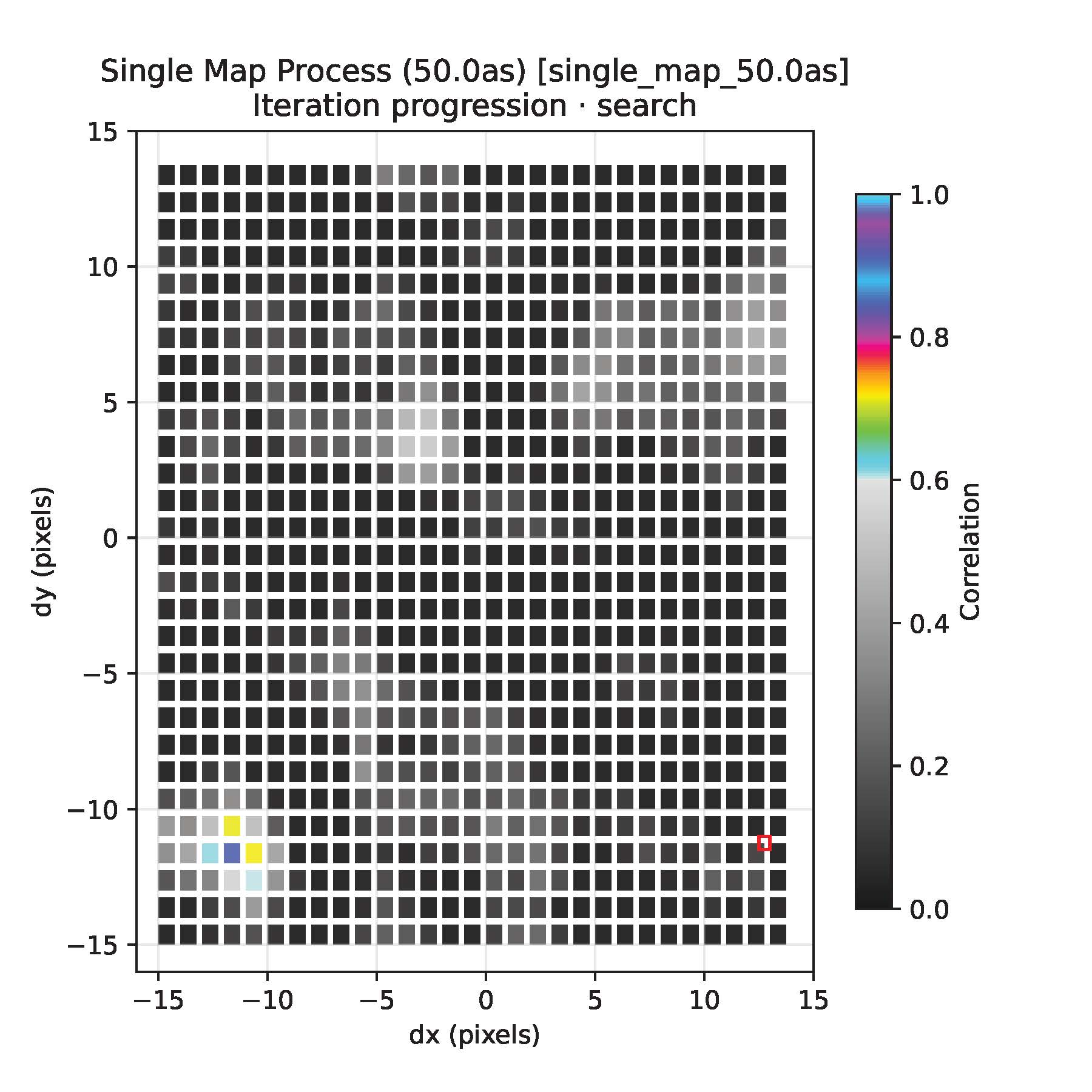
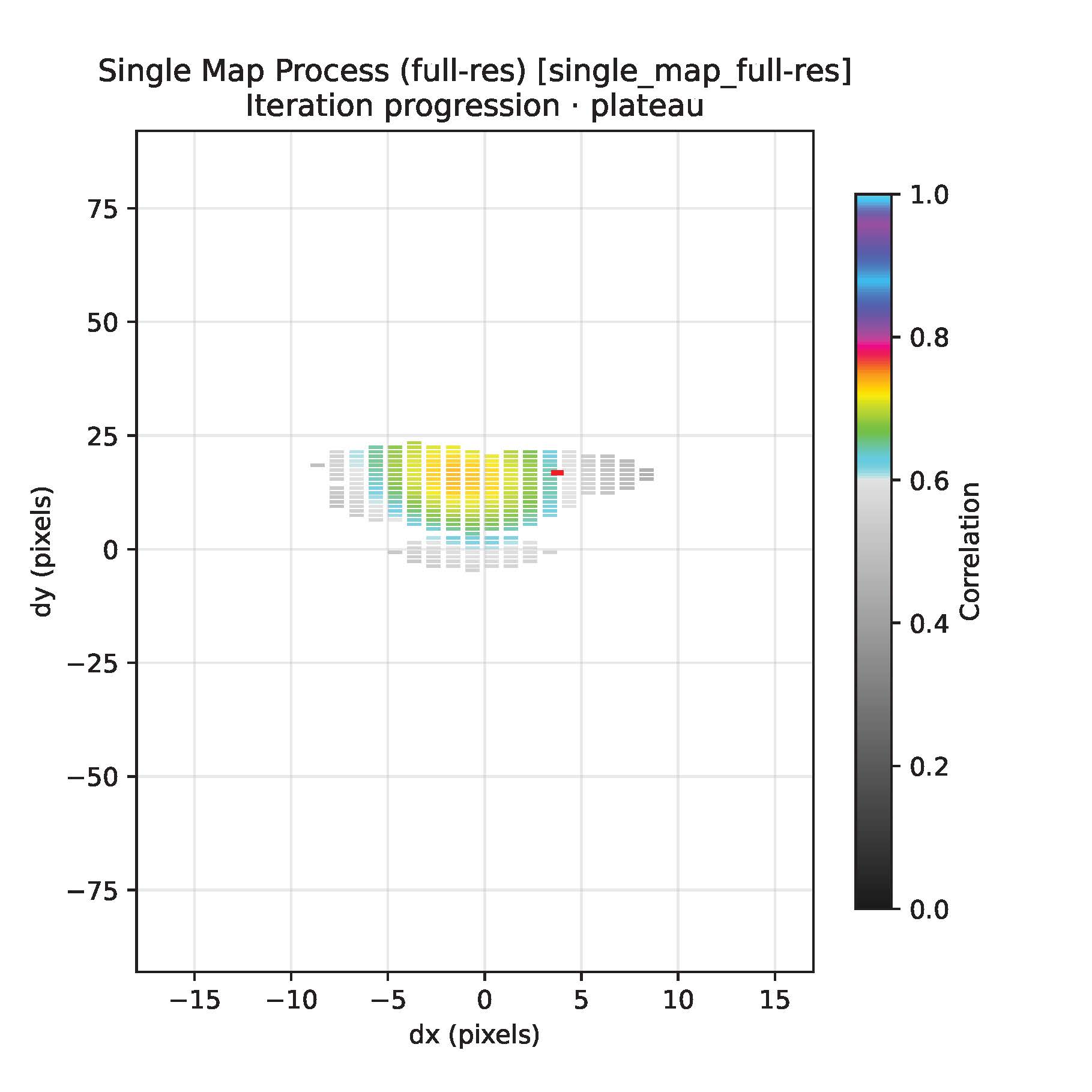
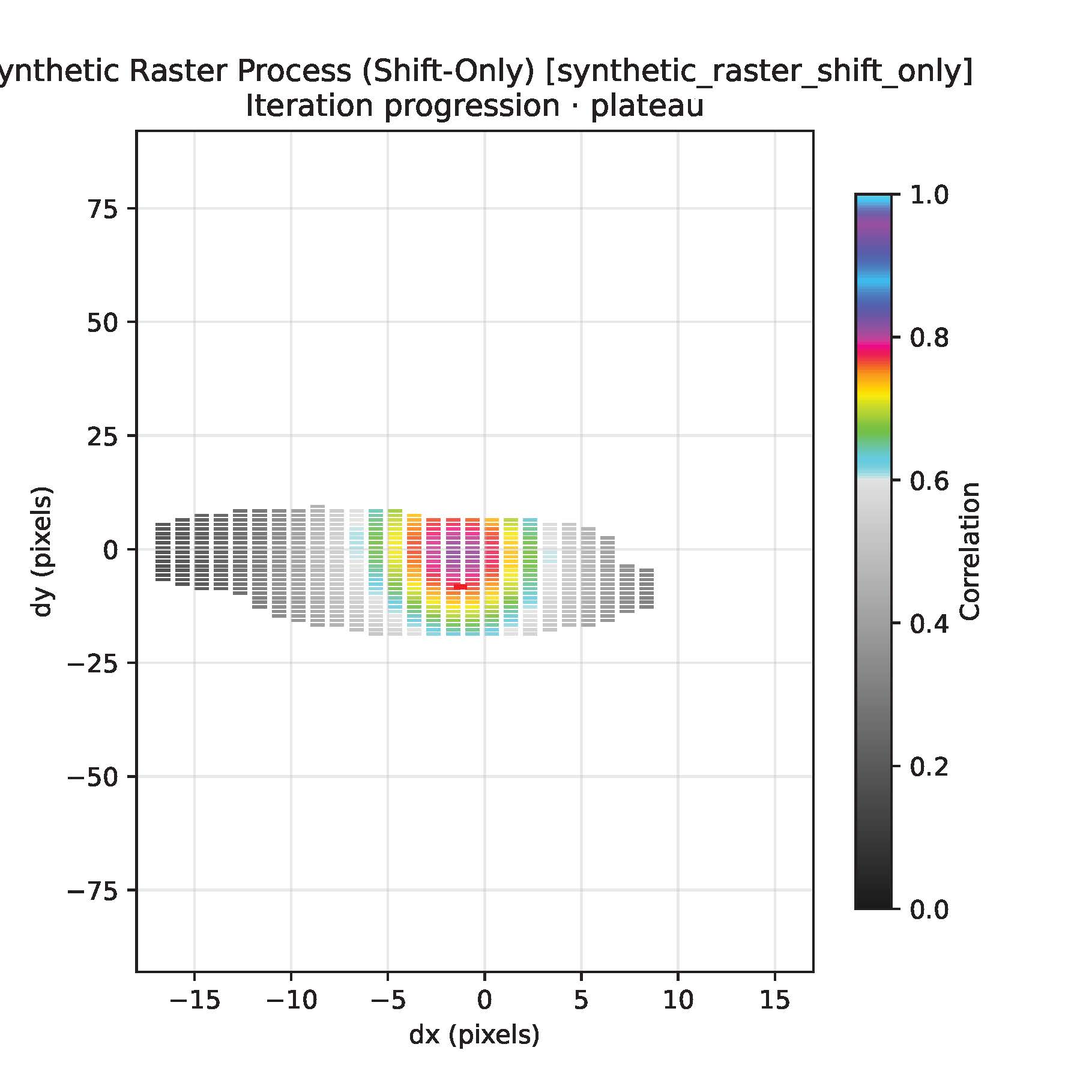
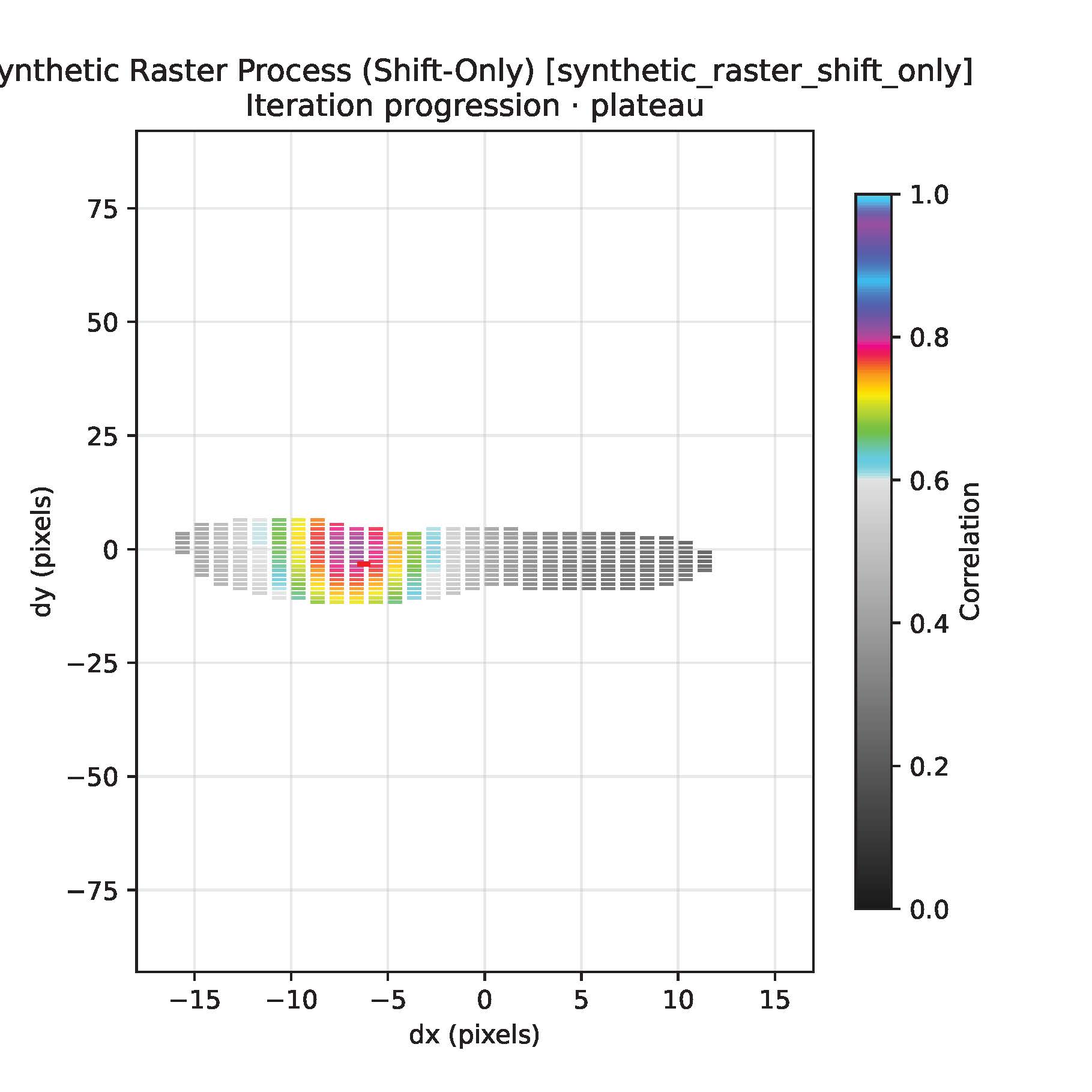
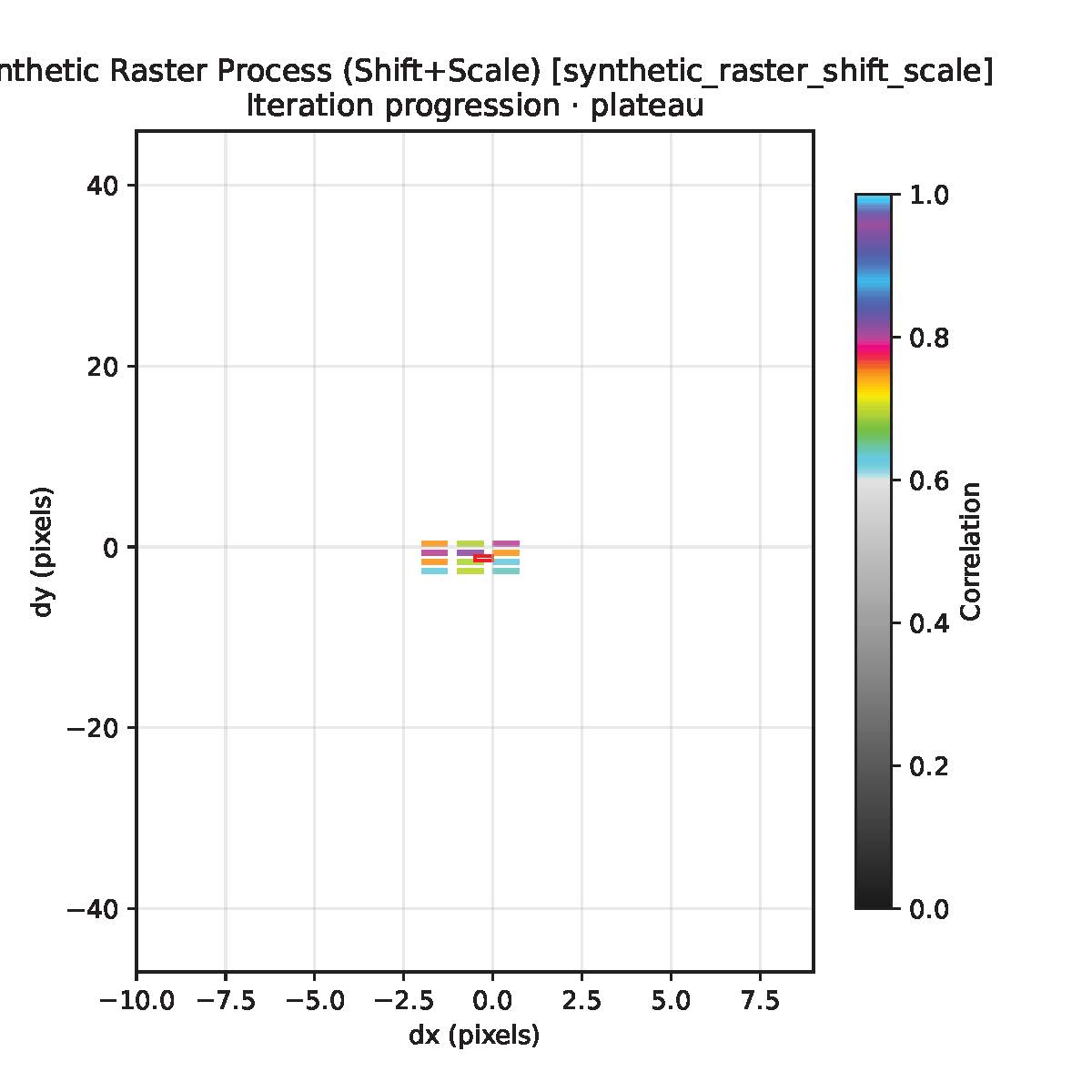
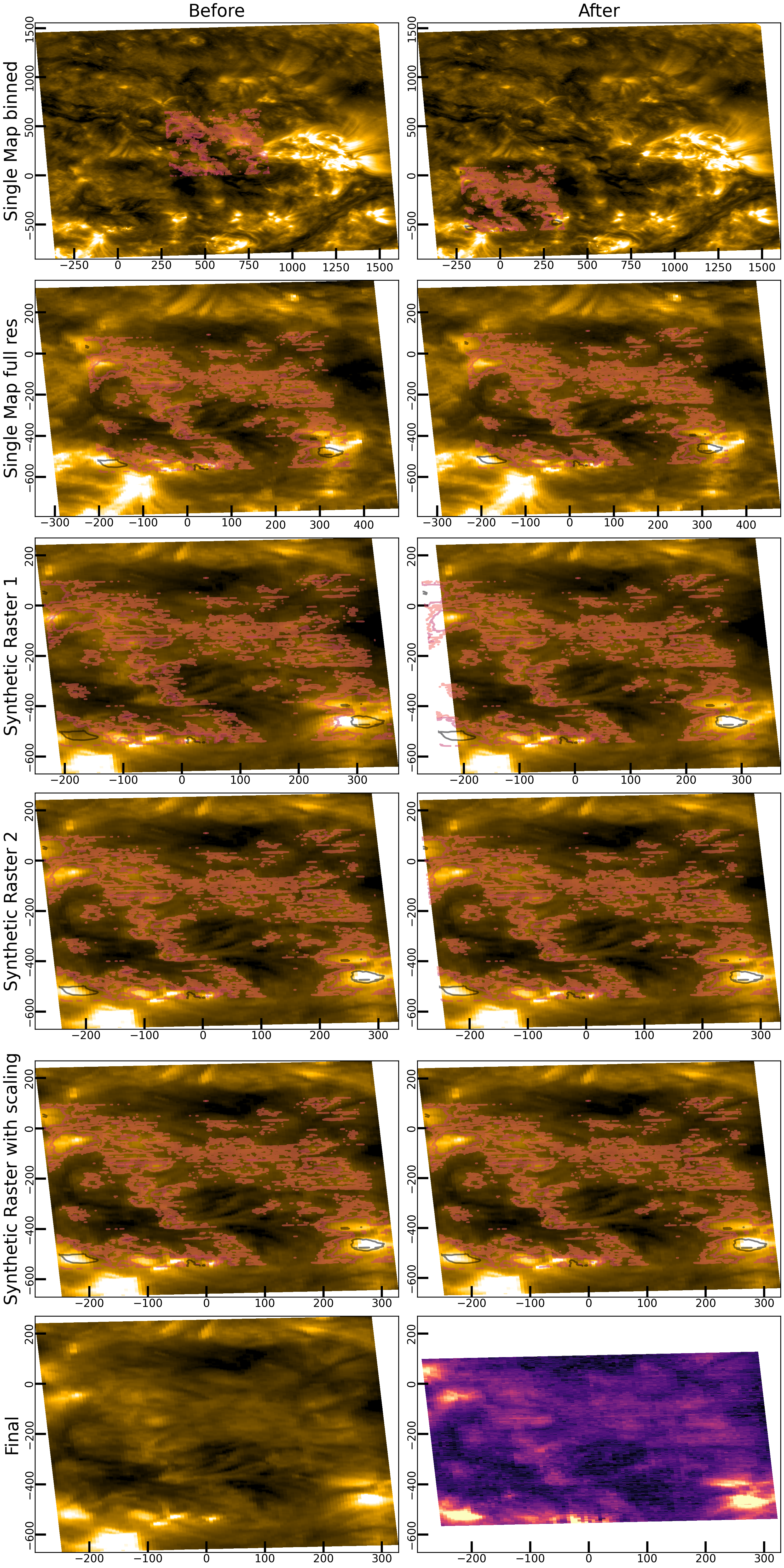
The figures below show a five-step alignment sequence for a map artificially shifted by 500 arcsec in both directions.
Step 1: Coarse Wide-Range Search
The first stage explores a large search space and identifies the correct coarse solution.
Step 2: Fine Single-Map Refinement
The second stage refines the solution in a smaller search space without binning.
Step 3: Synthetic Raster Refinement
The third stage uses a synthetic raster to improve the match.
Step 4: Additional Synthetic Raster Refinement
The fourth stage recomputes the synthetic-raster alignment with more neighbors.
Step 5: Final Scale Search
The final stage searches for small scale corrections in a tighter shift range.
Final Map Comparison
The final comparison shows the map coordinates before and after the correction sequence.
Process Output
get_final_result() returns a ProcessResult-like object containing the alignment output and diagnostics.
Common fields include:
process_id: unique process identifierprocess_name: human-readable process nameinput_map: inputsunpy.map.GenericMapoutput_map: correctedsunpy.map.GenericMapshift_arcsec: best-fit shift in arcseconds(dx, dy)shift_pixels: best-fit shift in pixels(dx, dy)scale_factors: scale factors(sx, sy), where1.0means no scalingcorrelation_peak: best correlation scoresearch_space_explored: number of candidates evaluatediteration_count: number of optimization iterationsexecution_time: execution time in secondsdebug_pdf_path: optional diagnostic PDF pathanimation_path: optional output animation pathreference_reprojected: optional reprojected reference mapextra_data: additional process-specific outputshistory: per-iteration diagnosticsiterations: iteration details or iteration count
Testing and Static Checks
Install development dependencies, then run the tests:
poetry install --with dev
python -m pytest
For older Poetry versions:
poetry install --dev
python -m pytest
With pip:
pip install -e .
pip install -U pytest
python -m pytest
A quick test runner is also available:
python tests/run_tests_quick.py
Git LFS Data
Some test and example data are stored with Git LFS. After cloning the repository, fetch the LFS-managed files before running data-dependent tests:
git lfs install --local
git lfs pull
To clone without downloading LFS files immediately:
GIT_LFS_SKIP_SMUDGE=1 git clone https://github.com/slimguat/SunXCorr.git SunXCorr
cd SunXCorr
git lfs install --local
git lfs pull
To fetch only selected paths:
git lfs pull --include="fits_files/**"
Troubleshooting
If tests fail because example FITS files are missing, ensure that Git LFS is installed and that the LFS files have been pulled:
git lfs install --local
git lfs pull
If pytest hangs during collection, use the quick runner or run individual tests to isolate the issue:
python tests/run_tests_quick.py
python -m pytest path/to/test_file.py -v
On Windows PowerShell, script execution may block virtual-environment activation. You can either use cmd.exe activation or run:
Set-ExecutionPolicy -Scope CurrentUser -ExecutionPolicy RemoteSigned -Force
Credits
This work was inspired by open-source alignment tools and code snippets by:
1 maintainer

Metadata
1 maintainer
Release files for sunxcorr 2.1.0
For a detailed explanation of source distributions (sdists) and built distributions (wheels), please see the package formats documentation.
Source distribution (sdist)
| File | Size | Uploaded | |
|---|---|---|---|
| sunxcorr-2.1.0.tar.gz | 67.9 kB | Details |
Built distribution (wheel)
| File | Interpreter | ABI | Platform | Reset |
|---|---|---|---|---|
| sunxcorr-2.1.0-py3-none-any.whl | Python 3 | none | any | Details |
Total release size: 141.9 kB
Release files / sunxcorr-2.1.0.tar.gz
| Download URL | sunxcorr-2.1.0.tar.gz |
|---|---|
| Size | 67.9 kB |
| Tags | Source |
|
SHA-256 checksum How to use checksums |
62308528afc60a983e0671b0590e80726efc43c2c91bf1733e7317e4b83ebcb6
|
|
BLAKE2b-256 checksum How to use checksums |
b54eff38b2abec98675b8f9c3b25cf8433f0ce3f6b1667e6ab65371e41e12a9c
|
| Upload date | |
|
Uploaded using Trusted Publishing? What is trusted publishing? |
No |
| Uploaded via |
poetry/2.4.0 CPython/3.11.2 Linux/6.1.0-49-amd64
|
Release files / sunxcorr-2.1.0-py3-none-any.whl
| Download URL | sunxcorr-2.1.0-py3-none-any.whl |
|---|---|
| Size | 74.0 kB |
| Tags | Python 3 |
|
SHA-256 checksum How to use checksums |
18710b846dad6ea1b44cdd41102eb905bff8ceb4115297ae36d707a2220d72ec
|
|
BLAKE2b-256 checksum How to use checksums |
37fdb453e899702fc6f2b409d8d4fde35c2a070c98abeb26c4f2fd80065bb5a7
|
| Upload date | |
|
Uploaded using Trusted Publishing? What is trusted publishing? |
No |
| Uploaded via |
poetry/2.4.0 CPython/3.11.2 Linux/6.1.0-49-amd64
|














