
Supamodel

Monitor ML experiments on your phone
Supamodel is a dead simple Python package that allows users to monitor their machine learning experiments from their mobile phones. It provides functionalities to log metrics, monitor GPU usage, and manage experiments.
To get started, download the mobile app from App Store, currently only ios is supported.
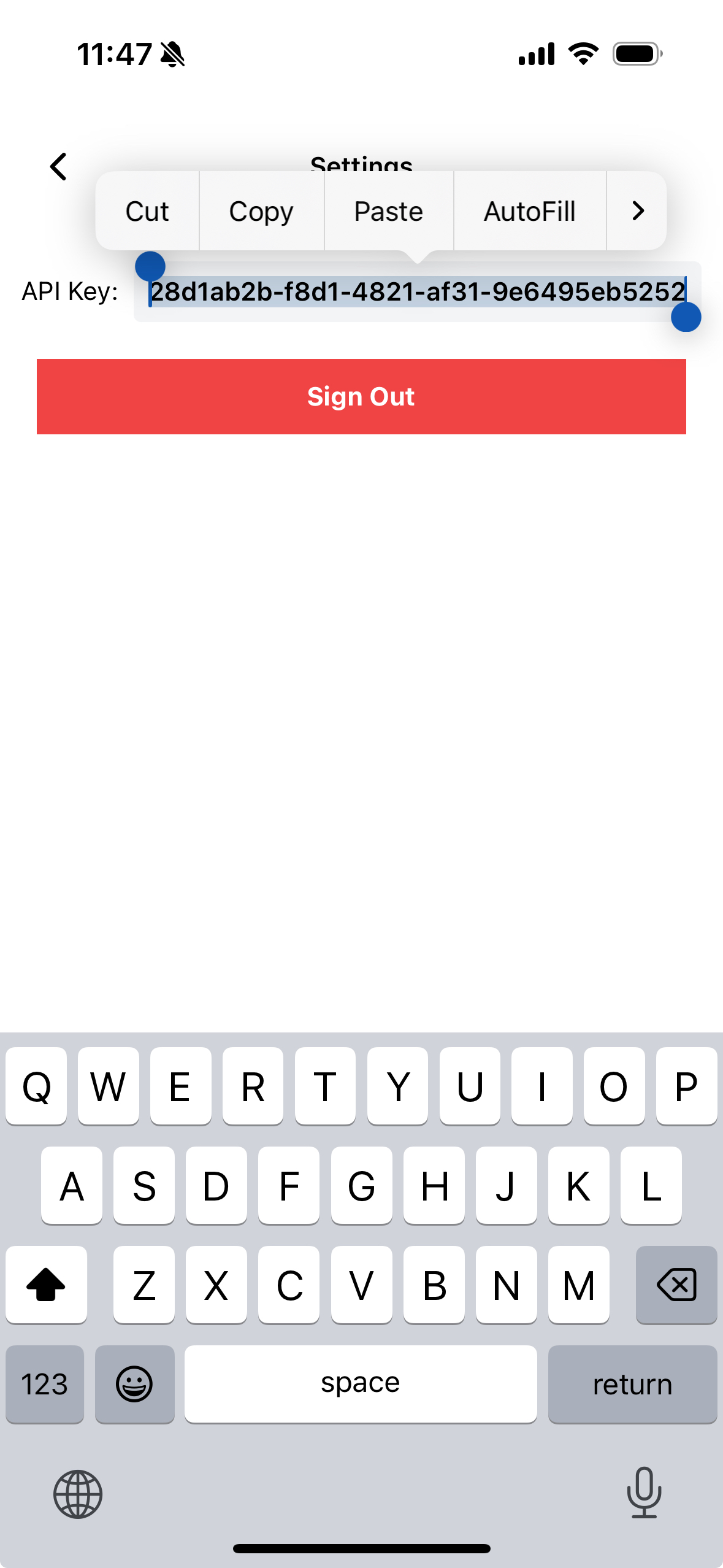
Login using your preferred login method, and go to settings to copy the api key.
Installation
Install the supamodel python package
pip install supamodel-py
Usage
Now you can start using supamodel in your code, here's a basic example:
import time
import supamodel

supamodel.login("YOUR_API_KEY")

# config can be any dict object containing the hyperparams you want to track

config = {
    "learning_rate": 0.01,
    "optimizer": "Adam",
    "batch_size": 1024
    # ...
}

supamodel.init(experiment_name="Great Big Model", config=config)

for i in range(1, 100):

    # dummy values
    supamodel.log("train_accuracy", i)
    supamodel.log("val_accuracy", 100 - i)
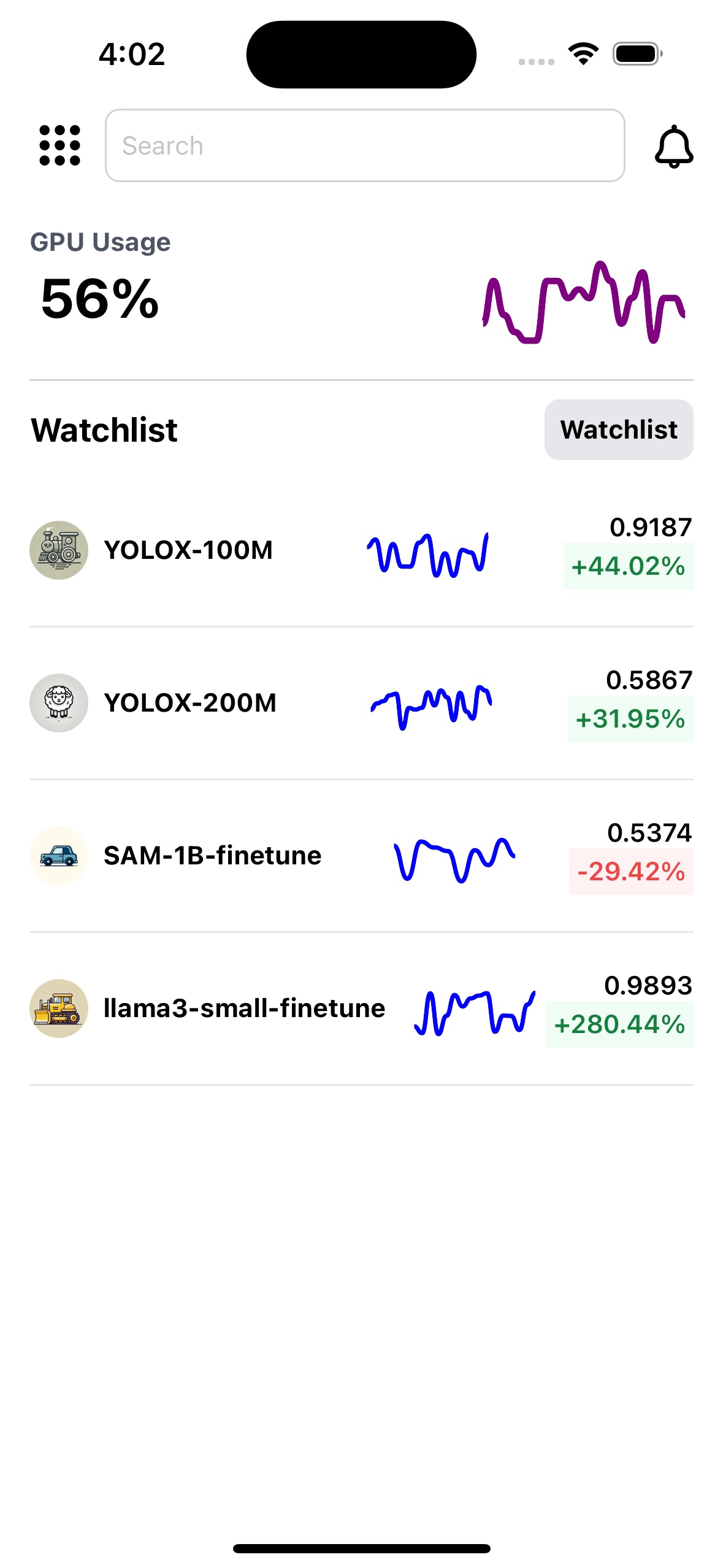
Your experiments now will show up in the app, like this:
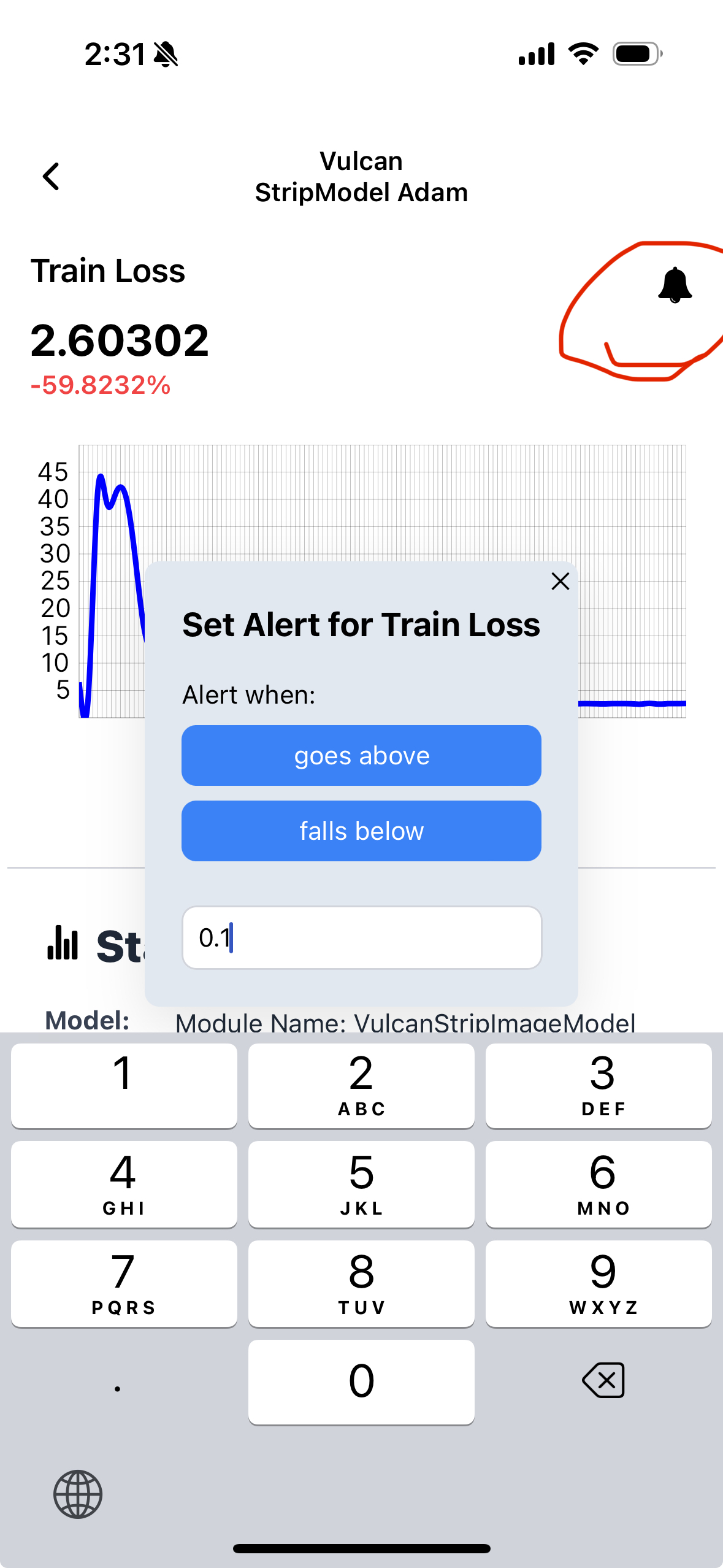
You can also set alerts on the metrics to get a notification if it falls below or exceeds a certain amount. Do this by clicking the bell-icon next to the metrics.
API Reference
login
Arguments:
api_key(str): Your API key for authentication.
Returns:
None
init
Arguments:
experiment_name(str): The name of your experiment.config(dict): A dictionary containing the hyperparameters you want to track.main_metric(str, optional): The main metric to monitor. This will be the metric used to generate the preview graph on the experiments page of the app. Defaults toNone.log_compute(bool, optional): Whether to log gpu usage. Defaults toTrue. only works on NVIDIA GPU machines that can run thenvidia-smicommand
Returns:
None
log
Arguments:
metric_name(str): The name of the metric you want to log. e.g. "val_loss"value(float): The value of the metric
Returns:
None
1 maintainer

Metadata
1 maintainer
Release files for supamodel-py 0.1.2
For a detailed explanation of source distributions (sdists) and built distributions (wheels), please see the package formats documentation.
Source distribution (sdist)
| File | Size | Uploaded | Provenance | |
|---|---|---|---|---|
| supamodel_py-0.1.2.tar.gz | 4.4 kB | Without provenance | Details |
Built distribution (wheel)
| File | Interpreter | ABI | Platform | Reset |
|---|---|---|---|---|
| supamodel_py-0.1.2-py3-none-any.whl | Python 3 | none | any | Details |
Total release size: 9.4 kB
Release files / supamodel_py-0.1.2.tar.gz
| Download URL | supamodel_py-0.1.2.tar.gz |
|---|---|
| Size | 4.4 kB |
| Tags | Source |
|
SHA-256 checksum How to use checksums |
2b9bce58c001e9aea3221abd293f7ebf20386a8485cbdeaf63c6daf0dd3d5a0f
|
|
BLAKE2b-256 checksum How to use checksums |
ba77d6a8955b65195a37b054620e44f605db8147b053de11962fc2d59a2df1f2
|
| Upload date | |
|
Uploaded using Trusted Publishing? What is trusted publishing? |
No |
| Uploaded via |
twine/5.1.1 CPython/3.11.9
|
Release files / supamodel_py-0.1.2-py3-none-any.whl
| Download URL | supamodel_py-0.1.2-py3-none-any.whl |
|---|---|
| Size | 5.0 kB |
| Tags | Python 3 |
|
SHA-256 checksum How to use checksums |
7e83710365c5b7e7d9773b9fd69607aece0cb439d28e867c28a332668c646975
|
|
BLAKE2b-256 checksum How to use checksums |
3352ce70ff0b7c4992668a3561a3bde93431c2619425c2773c450c63e86e8191
|
| Upload date | |
|
Uploaded using Trusted Publishing? What is trusted publishing? |
No |
| Uploaded via |
twine/5.1.1 CPython/3.11.9
|
Security for supamodel-py 0.1.2
Provenance
Provenance describes where a file came from. On PyPI, provenance is shared via attestations, which provide a verifiable record of the build or publishing details. View details, limitations and caveats.
No provenance found
None of the files in this release were uploaded with provenance metadata.
A note on package security
PyPI is a repository for distributing packages, not a service for auditing them. While third-party security researchers and our staff do their best to detect and remove malicious packages, PyPI cannot guarantee the quality, security or suitability of any given package.














