
https://github.com/grantps/superhelp

version number: 1.9.5 author: Grant Paton-Simpson
Overview
SuperHELP is Help for Humans! The goal is to provide customised help for simple code snippets. SuperHELP is not intended to replace the built-in Python help but to supplement it for basic Python code structures. SuperHELP will also be opinionated. Help can be provided in a variety of contexts including the terminal and web browsers (perhaps as part of on-line tutorials).
Quick Start
Click the button below to open a Binder Jupyter Notebook you can play around in e.g. get advice on a snippet or line of Python

or put the following at the top of your Python script and run the script:
import superhelp
superhelp.this()
Installation
Note - Python 3.9+ only. If you have an older version of Python use the Binder Jupyter Notebook button instead (see higher up)
To install
Note
- Use pip
E.g.
$ python3 -m pip install superhelp
Check by running
$ shelp
If it doesn't work, and you are on Linux, adding the following to your .bashrc file might fix the problem:
export PATH=$PATH:~/.local/bin
-
Or clone the repo
$ git clone https://github.com/grantps/superhelp.git $ python3 setup.py install
Example Use Cases
-
Charlotte likes to check her code before others see it so includes
  import superhelp
  superhelp.this(warnings_only=True)
at the top of each script. When she is happy with the code she comments those two lines out.
-
Avi is a Python beginner and wants to get advice on a five-line function he wrote to display greetings to a list of people. He learns about Python conventions for variable naming and better ways of combining strings.
-
Zach wants to get advice on a named tuple. He learns how to add doc strings to individual fields.
-
Noor is considering submitting some code to Stack Overflow but wants to improve it first (or possibly get ideas for a solution directly). She discovers that a list comprehension might work. She also becomes aware of dictionary comprehensions for the first time.
-
Al has written a simple Python decorator but is wanting to see if there is anything which can be improved. He learns how to use functool.wrap from an example provided.
-
Moana is an experienced Python developer but tends to forget things like doc strings in her functions. She learns a standard approach and starts using it more often. Moana also finds the summarised linting useful.
-
Paul wants to check the quality of some code before including it in his project. He learns about some issues and makes improvements before integrating it.
Example Usage
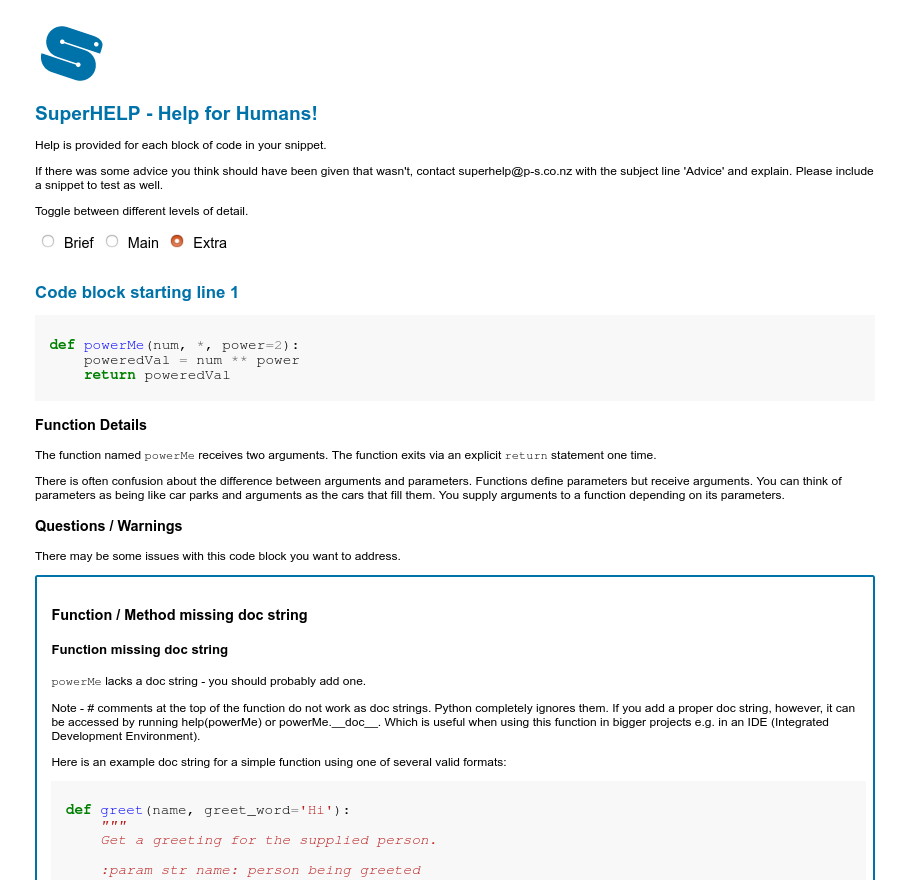
Screenshot from HTML output
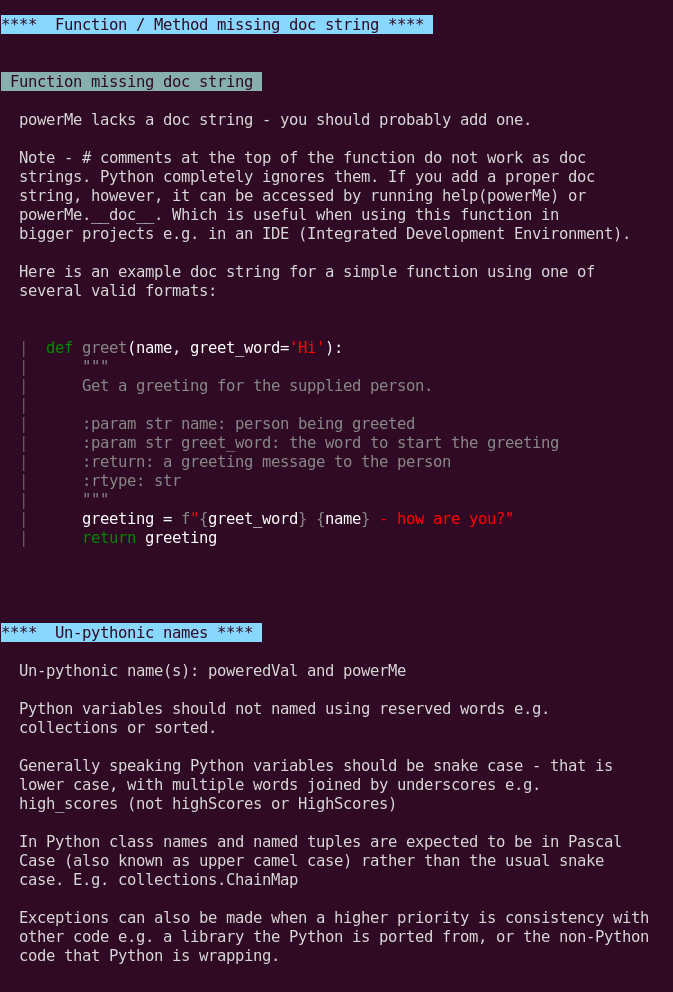
Screenshot from Terminal output
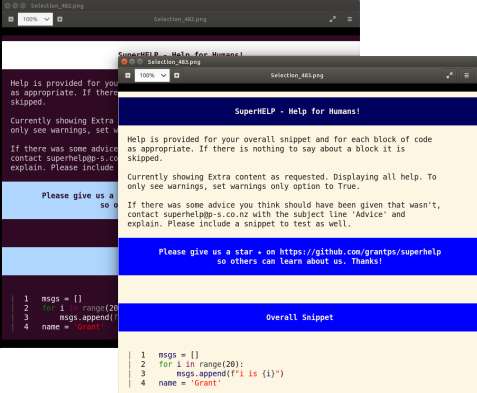
Terminal themes available ('dark' and 'light')
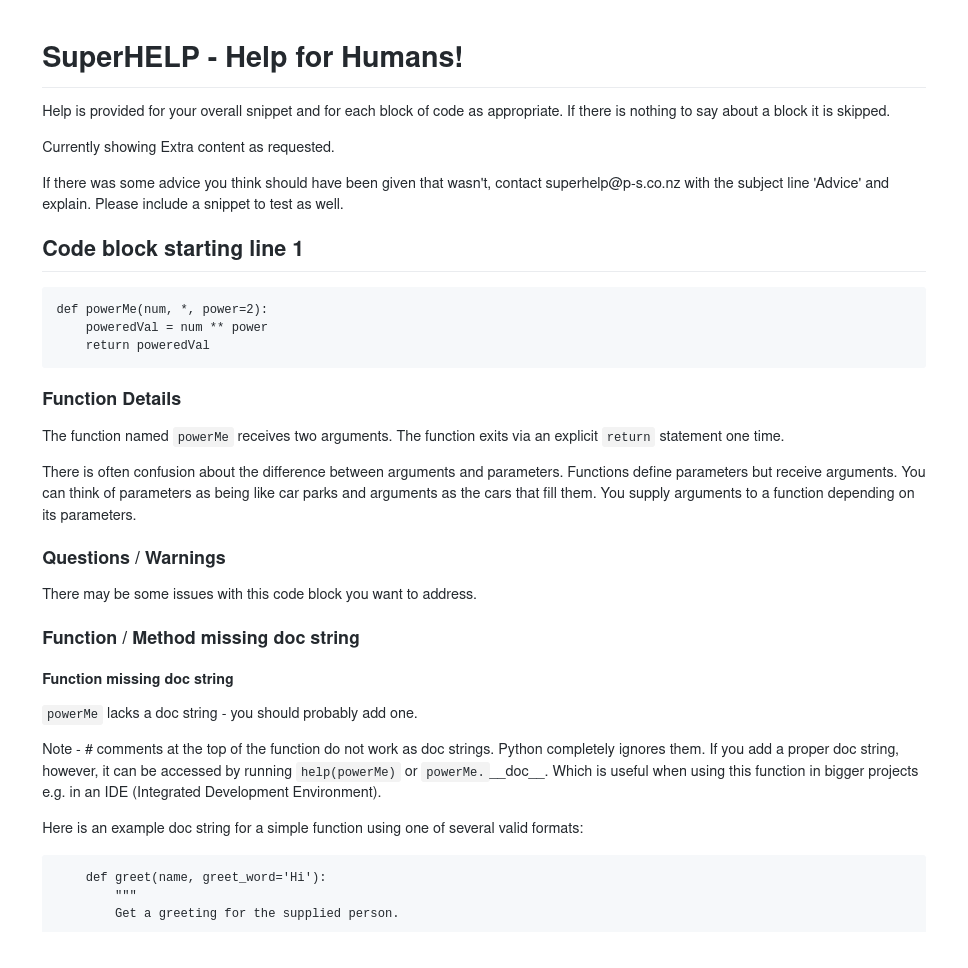
Screenshot from Markdown output
Using SuperHELP on the Notebook
Add new cell at end with content like:
%%shelp

def sorted(my_list):
    sorted_list = my_list.sort()
    return sorted_list
and run it to get advice.
The notebook has more detailed instructions at the top.
Using SuperHELP on a Local Installation
Inside your script
Put the following at the top of your script and then run the script (note - there are two underscores on either side of file):
import superhelp
superhelp.this()
If you don't want the default web output you can specify another output such as 'cli' (command line interface) or 'md' (markdown):
import superhelp
superhelp.this(output='md')
If you don't want the default 'Extra' level of messages you can specify a different detail level ('Brief' or 'Main') e.g.
import superhelp
superhelp.this(detail_level='Brief')
or:
import superhelp
superhelp.this(detail_level='Main')
If you only want to see warnings you can specify warnings only e.g.
import superhelp
superhelp.this(warnings_only=True)
Executing your code allows SuperHELP to better understand your code.
If you want your code executed while SuperHELP is evaluating it
import superhelp
superhelp.this(execute_code=True)
You can use as many options as you want e.g.
import superhelp
superhelp.this(output='md', execute_code=True, warnings_only=True)
From the command line (terminal / console)
$ shelp -h  ## get extended help on usage (purpose, defaults, etc)

$ shelp --code "people = ['Tomas', 'Sal', 'Raj']" --output html --detail-level Main
$ shelp -c "people = ['Tomas', 'Sal', 'Raj']" -o html -d Main

$ shelp --file-path my_script.py --output cli --theme light --detail-level Extra
$ shelp -f my_snippet.py -o cli -t light -d Extra

$ shelp --project-path /home/g/proj --exclude-folders env
$ shelp -p /home/g/proj -e env

$ shelp --file-path my_script.py --warnings-only
$ shelp -f my_snippet.py -w

$ shelp --file-path my_script.py --execute-code
$ shelp -f my_snippet.py -x

$ shelp  ## to see advice on an example snippet displayed (detail level 'Extra')

$ shelp --advice-list  ## to see all types of help listed
$ shelp -a
Stretch Ideas
- Extend beyond standard library into popular libraries like requests, bottle, flask etc.
Other Packages
1 maintainer

Metadata
1 maintainer
Release files for superhelp 1.9.5
For a detailed explanation of source distributions (sdists) and built distributions (wheels), please see the package formats documentation.
Source distribution (sdist)
| File | Size | Uploaded | |
|---|---|---|---|
| superhelp-1.9.5.tar.gz | 325.8 kB | Details |
Built distribution (wheel)
| File | Interpreter | ABI | Platform | Reset |
|---|---|---|---|---|
| superhelp-1.9.5-py3-none-any.whl | Python 3 | none | any | Details |
Total release size: 482.4 kB
Release files / superhelp-1.9.5.tar.gz
| Download URL | superhelp-1.9.5.tar.gz |
|---|---|
| Size | 325.8 kB |
| Tags | Source |
|
SHA-256 checksum How to use checksums |
c89d687b63686b67b8badb8f2dc0a636c25bbbbbfc678549617763f9c504b0be
|
|
BLAKE2b-256 checksum How to use checksums |
055163f15b76998856d20c5ee2ebebf12506d87278edf4e231d94f7a440de737
|
| Upload date | |
|
Uploaded using Trusted Publishing? What is trusted publishing? |
No |
| Uploaded via |
twine/4.0.2 CPython/3.11.6
|
Release files / superhelp-1.9.5-py3-none-any.whl
| Download URL | superhelp-1.9.5-py3-none-any.whl |
|---|---|
| Size | 156.6 kB |
| Tags | Python 3 |
|
SHA-256 checksum How to use checksums |
18a016bf23b47f58e301ca677b0b6124c5356e6949c6ca6e4106843b67c1e30e
|
|
BLAKE2b-256 checksum How to use checksums |
4cc439118c750336a7819367b50c4eebc18712ec5b02424849995ae7de69bbe6
|
| Upload date | |
|
Uploaded using Trusted Publishing? What is trusted publishing? |
No |
| Uploaded via |
twine/4.0.2 CPython/3.11.6
|














