
High-quality Text-to-Speech synthesis with ONNX Runtime

Project description
Supertonic 3 — Lightning Fast, On-Device TTS
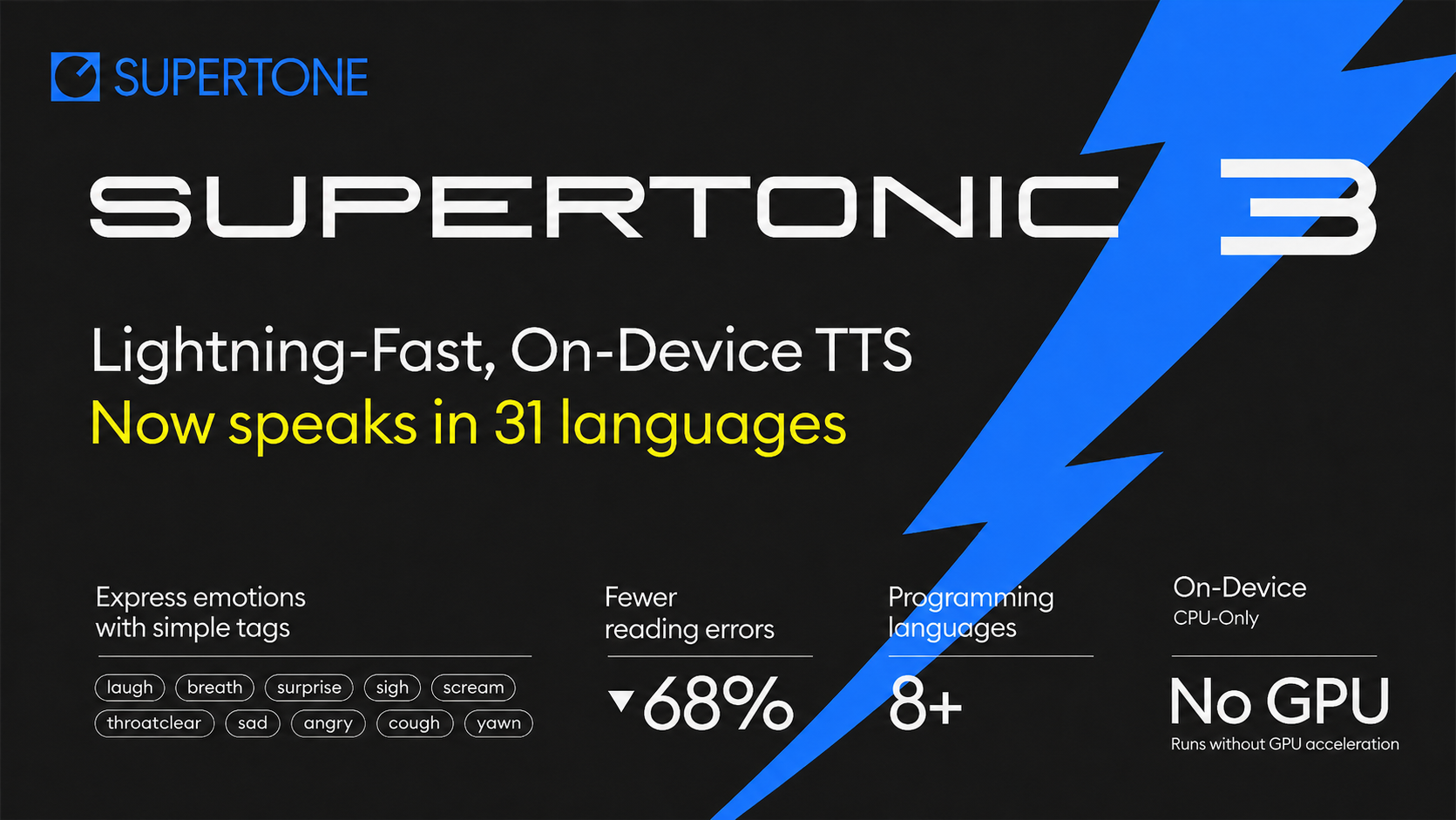








Supertonic-3: Multilingual synthesis across 31 languages, plus a
nafallback for text whose language is unknown or outside the supported set.
Quick Start
pip install supertonic
Python
Every parameter is annotated inline, so the snippet doubles as copy-and-paste documentation for an LLM assistant:
from supertonic import TTS

# Note: first run downloads the model (~400MB) into ~/.cache/supertonic3/
tts = TTS(auto_download=True)       # Initialize TTS engine

style = tts.get_voice_style(voice_name="M1")   # 10 built-in voices: M1–M5, F1–F5

wav, duration = tts.synthesize(
    text="Supertonic is a lightning fast, on-device TTS system.",
    voice_style=style,              # Voice style object
    total_steps=8,                  # Quality: 5 (low) to 12 (high), default 8
    speed=1.05,                     # Speed: 0.7 (slow) to 2.0 (fast)
    max_chunk_length=300,           # Max characters per chunk (auto: 120 for Korean)
    silence_duration=0.3,           # Silence between chunks (seconds)
    lang="en",                      # ISO code; see "Supported Languages" below
    verbose=False,                  # Show detailed progress (default: False)
)
tts.save_audio(wav, "output.wav")

# Multilingual — just swap `lang` and the input text
wav_ko, _ = tts.synthesize("회의는 잠시 후에 시작되며 모두가 자리에 앉아 기다립니다.", voice_style=style, lang="ko")
wav_es, _ = tts.synthesize("La reunión comienza pronto y todos se sientan en silencio para escuchar.", voice_style=style, lang="es")
Custom voices (Voice Builder)
get_voice_style() loads one of the ten built-in voices (M1–M5, F1–F5).
To use a voice created in
Voice Builder
(zero-shot cloning from a short reference clip), pass its JSON export to
get_voice_style_from_path():
# Any voice-style JSON works here:
#   - a Voice Builder export, or
#   - one of the bundled defaults at
#     ~/.cache/supertonic3/voice_styles/{M1..M5,F1..F5}.json
#     (downloaded alongside the model on first run)
# ex)
# style = tts.get_voice_style_from_path("~/.cache/supertonic3/voice_styles/M1.json")

# download a custom voice style from a JSON file (e.g., exported from Voice Builder)
style = tts.get_voice_style_from_path("voices/my_voice.json")
wav, _ = tts.synthesize("Hello in my own cloned voice.", voice_style=style, lang="en")
tts.save_audio(wav, "output_own_voice.wav")
CLI
# Note: first run will download the model (~400MB) from HuggingFace
supertonic tts 'Supertonic is a lightning fast, on-device TTS system.' -o output.wav

# Pick a built-in voice and bump quality
supertonic tts 'Use a different voice.' -o output.wav --voice F1 --steps 10

# Use a custom voice — Voice Builder export, or a bundled
# ~/.cache/supertonic3/voice_styles/*.json file
supertonic tts 'Hello in my own cloned voice.' -o output.wav \
  --custom-style-path voices/my_voice.json

# Multilingual support — each language with natural text handling
supertonic tts '회의는 잠시 후에 시작되며 모두가 자리에 앉아 기다립니다.' -o korean.wav --lang ko
supertonic tts 'La reunión comienza pronto y todos se sientan en silencio para escuchar.' -o spanish.wav --lang es
supertonic tts 'A reunião começa em breve e todos se sentam em silêncio para ouvir.' -o portuguese.wav --lang pt
Local Server (HTTP)
supertonic serve runs a thin local HTTP wrapper around the same engine. It
makes Supertonic easy to call from environments where embedding a Python
interpreter is awkward — n8n, browser extensions, Electron apps, Unity, Home
Assistant, robotics devices, or anything that already speaks the OpenAI Audio
Speech API.
Install and run
pip install 'supertonic[serve]'                    # adds fastapi + uvicorn
supertonic serve --host 127.0.0.1 --port 7788      # defaults; loopback only
The first run downloads the model (~400MB) just like the SDK. Once it's up:
- Synthesis endpoint:
http://127.0.0.1:7788/v1/tts - OpenAI-compatible alias:
http://127.0.0.1:7788/v1/audio/speech - Interactive OpenAPI docs:
http://127.0.0.1:7788/docs
--host defaults to 127.0.0.1. Binding to any other interface is opt-in
and prints a one-line warning — put it behind a reverse proxy if you do.
Generate audio (two ways)
Native /v1/tts — full Supertonic parameter set:
curl -X POST http://127.0.0.1:7788/v1/tts \
  -H 'content-type: application/json' \
  -d '{
        "text": "Supertonic is a lightning fast, on-device TTS system.",
        "voice": "M1",
        "lang": "en",
        "steps": 8,
        "speed": 1.05,
        "response_format": "wav"
      }' \
  -o output.wav
Response is the audio bytes (audio/wav by default). Useful headers:
X-Audio-Duration (seconds), X-Sample-Rate, and X-Supertonic-Version.
Supported response_format values: wav, flac, ogg (Vorbis).
OpenAI-compatible /v1/audio/speech — clients that already speak the
OpenAI API only need to swap the base URL:
curl -X POST http://127.0.0.1:7788/v1/audio/speech \
  -H 'content-type: application/json' \
  -d '{
        "model": "supertonic-3",
        "input": "Supertonic is a lightning fast, on-device TTS system.",
        "voice": "M1",
        "response_format": "wav"
      }' \
  -o output.wav
Multilingual works the same way — set lang to any code from
Supported Languages (or na for the fallback).
Custom voices (Voice Builder JSON)
A voice JSON exported from
Voice Builder (or any of the
bundled ~/.cache/supertonic3/voice_styles/*.json files) can be uploaded
once and then referenced by name on every subsequent request.
Import — multipart/form-data is the simplest path:
# Upload my_voice.json; the stem of the filename becomes its name.
curl -X POST http://127.0.0.1:7788/v1/styles/import \
  -F "file=@voices/my_voice.json"
# → {"name":"my_voice","stored_at":"~/.cache/supertonic3/custom_styles/my_voice.json"}

# Override the name explicitly, and allow overwriting an existing entry:
curl -X POST "http://127.0.0.1:7788/v1/styles/import?overwrite=true" \
  -F "file=@voices/my_voice.json" \
  -F "name=demo_voice"
Synthesize with the imported voice — just pass its name as voice:
curl -X POST http://127.0.0.1:7788/v1/tts \
  -H 'content-type: application/json' \
  -d '{"text":"Hello in my own cloned voice.","voice":"my_voice","lang":"en"}' \
  -o output_own_voice.wav
Imported voices are persisted per model alongside the bundled voice
styles — e.g. ~/.cache/supertonic3/custom_styles/<name>.json for
supertonic-3, ~/.cache/supertonic2/custom_styles/<name>.json for
supertonic-2. They are re-loaded automatically on the next supertonic serve start. Names that collide with the built-ins (M1–M5, F1–F5)
are rejected; existing custom names return 409 unless you pass
?overwrite=true. GET /v1/styles lists everything currently available
for the loaded model.
Batch synthesis
POST /v1/tts/batch accepts up to 64 items in a single request and returns
each result as base64-encoded audio. Per-item voice / lang / speed can
differ — useful for narration jobs that mix speakers or languages.
curl -X POST http://127.0.0.1:7788/v1/tts/batch \
  -H 'content-type: application/json' \
  -d '{
        "items": [
          {"text": "Supertonic is a lightning fast, on-device TTS system.", "voice": "M1", "lang": "en"},
          {"text": "회의는 잠시 후에 시작되며 모두가 자리에 앉아 기다립니다.", "voice": "F1", "lang": "ko"},
          {"text": "La reunión comienza pronto y todos se sientan en silencio para escuchar.", "voice": "F1", "lang": "es"}
        ],
        "response_format": "wav",
        "defaults": {"steps": 8, "speed": 1.05}
      }'
Response:
{
  "items": [
    {"audio_base64": "...", "duration_s": 4.32, "format": "wav", "sample_rate": 44100},
    {"audio_base64": "...", "duration_s": 4.88, "format": "wav", "sample_rate": 44100},
    {"audio_base64": "...", "duration_s": 5.36, "format": "wav", "sample_rate": 44100}
  ]
}
Each item carries fully self-contained audio bytes, so writing them out is a one-liner:
curl -fsS -X POST http://127.0.0.1:7788/v1/tts/batch \
  -H 'content-type: application/json' \
  -d '@payload.json' \
| python3 -c '
import sys, json, base64, pathlib
for i, item in enumerate(json.load(sys.stdin)["items"]):
    pathlib.Path(f"batch_{i}.wav").write_bytes(base64.b64decode(item["audio_base64"]))
'
Items are processed sequentially (the underlying ONNX session is serialized
per process), so batching is about cutting HTTP round-trips and packaging
related work together, not about parallel speed-up. Any per-item failure
returns a 400 with items[<index>] in the error message — no audio is
emitted partially.
Requirements
Supertonic has minimal dependencies - just 4 core libraries:
- onnxruntime - Fast ONNX model inference
- numpy - Numerical operations
- soundfile - Audio file I/O
- huggingface-hub - Model downloads
✨ Highlights
⚡ Blazingly Fast — Low-latency, real-time synthesis across desktop, browser, mobile, and edge — fast enough to turn an entire webpage into audio in under a second
🌍 31-Language Multilingual — Synthesize directly from text across 31 languages, or pass lang="na" to let Supertonic process the text language-agnostically when you don't know the input language — no separate language adapters needed
🪶 99M-Parameter Open-Weight Model — A compact, fully open-weight checkpoint — a fraction of the size of 0.7B–2B class open TTS systems — for smaller downloads, faster cold starts, and lower memory footprint
📱 Edge-Device Ready — Runs locally on desktop, mobile, browsers, and resource-constrained hardware like Raspberry Pi or e-readers, with zero network dependency, complete privacy, and no GPU required
🔊 44.1kHz High-Quality Audio — Outputs studio-grade 44.1kHz 16-bit WAV directly, ready for production playback without any external upsampler
🎭 Expression Tags — 10 inline tags (e.g. <laugh>, <breath>, <sigh>) bring natural human nuance into generated speech without prompt engineering or reference audio
🛠️ Multi-Runtime SDKs — Ready-to-use examples through ONNX Runtime across Python, Node.js, Browser (WebGPU), Java, C++, C#, Go, Swift, iOS, Rust, and Flutter
Supported Languages
Supertonic-3 supports the following 31 ISO codes, plus a special na fallback for unknown / unsupported languages:
| Code | Language | Code | Language | Code | Language | Code | Language |
|---|---|---|---|---|---|---|---|
en |
English | ko |
Korean | ja |
Japanese | ar |
Arabic |
bg |
Bulgarian | cs |
Czech | da |
Danish | de |
German |
el |
Greek | es |
Spanish | et |
Estonian | fi |
Finnish |
fr |
French | hi |
Hindi | hr |
Croatian | hu |
Hungarian |
id |
Indonesian | it |
Italian | lt |
Lithuanian | lv |
Latvian |
nl |
Dutch | pl |
Polish | pt |
Portuguese | ro |
Romanian |
ru |
Russian | sk |
Slovak | sl |
Slovenian | sv |
Swedish |
tr |
Turkish | uk |
Ukrainian | vi |
Vietnamese | na |
unknown / fallback |
# Pick any supported code, or use 'na' for text whose language is unknown
wav, _ = tts.synthesize("Some uncommon text.", voice_style=style, lang="na")
Performance
We evaluated Supertonic's performance (with 2 inference steps) using two key metrics across input texts of varying lengths: Short (59 chars), Mid (152 chars), and Long (266 chars).
Metrics:
- Characters per Second: Measures throughput by dividing the number of input characters by the time required to generate audio. Higher is better.
- Real-time Factor (RTF): Measures the time taken to synthesize audio relative to its duration. Lower is better (e.g., RTF of 0.1 means it takes 0.1 seconds to generate one second of audio).
Characters per Second
| System | Short (59 chars) | Mid (152 chars) | Long (266 chars) |
|---|---|---|---|
| Supertonic (M4 pro - CPU) | 912 | 1048 | 1263 |
| Supertonic (M4 pro - WebGPU) | 996 | 1801 | 2509 |
| Supertonic (RTX4090) | 2615 | 6548 | 12164 |
API ElevenLabs Flash v2.5 |
144 | 209 | 287 |
API OpenAI TTS-1 |
37 | 55 | 82 |
API Gemini 2.5 Flash TTS |
12 | 18 | 24 |
API Supertone Sona speech 1 |
38 | 64 | 92 |
Open Kokoro |
104 | 107 | 117 |
Open NeuTTS Air |
37 | 42 | 47 |
Notes:
API= Cloud-based API services (measured from Seoul)Open= Open-source models Supertonic (M4 pro - CPU) and (M4 pro - WebGPU): Tested with ONNX Supertonic (RTX4090): Tested with PyTorch model Kokoro: Tested on M4 Pro CPU with ONNX NeuTTS Air: Tested on M4 Pro CPU with Q8-GGUF
Real-time Factor
| System | Short (59 chars) | Mid (152 chars) | Long (266 chars) |
|---|---|---|---|
| Supertonic (M4 pro - CPU) | 0.015 | 0.013 | 0.012 |
| Supertonic (M4 pro - WebGPU) | 0.014 | 0.007 | 0.006 |
| Supertonic (RTX4090) | 0.005 | 0.002 | 0.001 |
API ElevenLabs Flash v2.5 |
0.133 | 0.077 | 0.057 |
API OpenAI TTS-1 |
0.471 | 0.302 | 0.201 |
API Gemini 2.5 Flash TTS |
1.060 | 0.673 | 0.541 |
API Supertone Sona speech 1 |
0.372 | 0.206 | 0.163 |
Open Kokoro |
0.144 | 0.124 | 0.126 |
Open NeuTTS Air |
0.390 | 0.338 | 0.343 |
Additional Performance Data (5-step inference)
Characters per Second (5-step)
| System | Short (59 chars) | Mid (152 chars) | Long (266 chars) |
|---|---|---|---|
| Supertonic (M4 pro - CPU) | 596 | 691 | 850 |
| Supertonic (M4 pro - WebGPU) | 570 | 1118 | 1546 |
| Supertonic (RTX4090) | 1286 | 3757 | 6242 |
Real-time Factor (5-step)
| System | Short (59 chars) | Mid (152 chars) | Long (266 chars) |
|---|---|---|---|
| Supertonic (M4 pro - CPU) | 0.023 | 0.019 | 0.018 |
| Supertonic (M4 pro - WebGPU) | 0.024 | 0.012 | 0.010 |
| Supertonic (RTX4090) | 0.011 | 0.004 | 0.002 |
Natural Text Handling
Supertonic is designed to handle complex, real-world text inputs that contain numbers, currency symbols, abbreviations, dates, and proper nouns.
🎧 View audio samples more easily: Check out our Interactive Demo for a better viewing experience of all audio examples
Overview of Test Cases:
| Category | Key Challenges | Supertonic | ElevenLabs | OpenAI | Gemini | Microsoft |
|---|---|---|---|---|---|---|
| Financial Expression | Decimal currency, abbreviated magnitudes (M, K), currency symbols, currency codes | ✅ | ❌ | ❌ | ❌ | ❌ |
| Time and Date | Time notation, abbreviated weekdays/months, date formats | ✅ | ❌ | ❌ | ❌ | ❌ |
| Phone Number | Area codes, hyphens, extensions (ext.) | ✅ | ❌ | ❌ | ❌ | ❌ |
| Technical Unit | Decimal numbers with units, abbreviated technical notations | ✅ | ❌ | ❌ | ❌ | ❌ |
Example 1: Financial Expression
Text:
"The startup secured $5.2M in venture capital, a huge leap from their initial $450K seed round."
Challenges:
- Decimal point in currency ($5.2M should be read as "five point two million")
- Abbreviated magnitude units (M for million, K for thousand)
- Currency symbol ($) that needs to be properly pronounced as "dollars"
Audio Samples:
| System | Result | Audio Sample |
|---|---|---|
| Supertonic | ✅ | 🎧 Play Audio |
| ElevenLabs Flash v2.5 | ❌ | 🎧 Play Audio |
| OpenAI TTS-1 | ❌ | 🎧 Play Audio |
| Gemini 2.5 Flash TTS | ❌ | 🎧 Play Audio |
| VibeVoice Realtime 0.5B | ❌ | 🎧 Play Audio |
Example 2: Time and Date
Text:
"The train delay was announced at 4:45 PM on Wed, Apr 3, 2024 due to track maintenance."
Challenges:
- Time expression with PM notation (4:45 PM)
- Abbreviated weekday (Wed)
- Abbreviated month (Apr)
- Full date format (Apr 3, 2024)
Audio Samples:
| System | Result | Audio Sample |
|---|---|---|
| Supertonic | ✅ | 🎧 Play Audio |
| ElevenLabs Flash v2.5 | ❌ | 🎧 Play Audio |
| OpenAI TTS-1 | ❌ | 🎧 Play Audio |
| Gemini 2.5 Flash TTS | ❌ | 🎧 Play Audio |
| VibeVoice Realtime 0.5B | ❌ | 🎧 Play Audio |
Example 3: Phone Number
Text:
"You can reach the hotel front desk at (212) 555-0142 ext. 402 anytime."
Challenges:
- Area code in parentheses that should be read as separate digits
- Phone number with hyphen separator (555-0142)
- Abbreviated extension notation (ext.)
- Extension number (402)
Audio Samples:
| System | Result | Audio Sample |
|---|---|---|
| Supertonic | ✅ | 🎧 Play Audio |
| ElevenLabs Flash v2.5 | ❌ | 🎧 Play Audio |
| OpenAI TTS-1 | ❌ | 🎧 Play Audio |
| Gemini 2.5 Flash TTS | ❌ | 🎧 Play Audio |
| VibeVoice Realtime 0.5B | ❌ | 🎧 Play Audio |
Example 4: Technical Unit
Text:
"Our drone battery lasts 2.3h when flying at 30kph with full camera payload."
Challenges:
- Decimal time duration with abbreviation (2.3h = two point three hours)
- Speed unit with abbreviation (30kph = thirty kilometers per hour)
- Technical abbreviations (h for hours, kph for kilometers per hour)
- Technical/engineering context requiring proper pronunciation
Audio Samples:
| System | Result | Audio Sample |
|---|---|---|
| Supertonic | ✅ | 🎧 Play Audio |
| ElevenLabs Flash v2.5 | ❌ | 🎧 Play Audio |
| OpenAI TTS-1 | ❌ | 🎧 Play Audio |
| Gemini 2.5 Flash TTS | ❌ | 🎧 Play Audio |
| VibeVoice Realtime 0.5B | ❌ | 🎧 Play Audio |
Note: These samples demonstrate how each system handles text normalization and pronunciation of complex expressions without requiring pre-processing or phonetic annotations.
Citation
The following papers describe the core technologies used in Supertonic. If you use this system in your research or find these techniques useful, please consider citing the relevant papers:
SupertonicTTS: Main Architecture
This paper introduces the overall architecture of SupertonicTTS, including the speech autoencoder, flow-matching based text-to-latent module, and efficient design choices.
@article{kim2025supertonic,
  title={SupertonicTTS: Towards Highly Efficient and Streamlined Text-to-Speech System},
  author={Kim, Hyeongju and Yang, Jinhyeok and Yu, Yechan and Ji, Seunghun and Morton, Jacob and Bous, Frederik and Byun, Joon and Lee, Juheon},
  journal={arXiv preprint arXiv:2503.23108},
  year={2025},
  url={https://arxiv.org/abs/2503.23108}
}
Length-Aware RoPE: Text-Speech Alignment
This paper presents Length-Aware Rotary Position Embedding (LARoPE), which improves text-speech alignment in cross-attention mechanisms.
@article{kim2025larope,
  title={Length-Aware Rotary Position Embedding for Text-Speech Alignment},
  author={Kim, Hyeongju and Lee, Juheon and Yang, Jinhyeok and Morton, Jacob},
  journal={arXiv preprint arXiv:2509.11084},
  year={2025},
  url={https://arxiv.org/abs/2509.11084}
}
Self-Purifying Flow Matching: Training with Noisy Labels
This paper describes the self-purification technique for training flow matching models robustly with noisy or unreliable labels.
@article{kim2025spfm,
  title={Training Flow Matching Models with Reliable Labels via Self-Purification},
  author={Kim, Hyeongju and Yu, Yechan and Yi, June Young and Lee, Juheon},
  journal={arXiv preprint arXiv:2509.19091},
  year={2025},
  url={https://arxiv.org/abs/2509.19091}
}
Related Projects
🏠 Main Repository: github.com/supertone-inc/supertonic
🎧 Try it live: Hugging Face Spaces
🤗 Model Repository: Hugging Face Models (Supertonic-3)
License
Code: MIT License
Model: OpenRAIL-M License
Copyright © 2025 Supertone Inc.
Project details
Release history Release notifications | RSS feed


Download files
Download the file for your platform. If you're not sure which to choose, learn more about installing packages.
Source Distribution
Built Distribution
Filter files by name, interpreter, ABI, and platform.
If you're not sure about the file name format, learn more about wheel file names.
Copy a direct link to the current filters
File details
Details for the file supertonic-1.3.0.tar.gz.
File metadata
- Download URL: supertonic-1.3.0.tar.gz
- Upload date:
- Size: 54.0 kB
- Tags: Source
- Uploaded using Trusted Publishing? No
- Uploaded via: twine/6.2.0 CPython/3.11.11
File hashes
| Algorithm | Hash digest | |
|---|---|---|
| SHA256 |
f669becbdf9c167cc572e4712470eb15ff47eb67f837291ec0fcbfe78d5980f9
|
|
| MD5 |
7b650dc64c3710c65b1cf2f92129c159
|
|
| BLAKE2b-256 |
c259f09a95bf5d2cc3c48a18c0825e18ec05a58ab778374799137f68a1b1b2db
|
File details
Details for the file supertonic-1.3.0-py3-none-any.whl.
File metadata
- Download URL: supertonic-1.3.0-py3-none-any.whl
- Upload date:
- Size: 51.5 kB
- Tags: Python 3
- Uploaded using Trusted Publishing? No
- Uploaded via: twine/6.2.0 CPython/3.11.11
File hashes
| Algorithm | Hash digest | |
|---|---|---|
| SHA256 |
93ca2789e5413a946644f9491506f36f04d0d15e57d4e9a2bef8dfc5dca04c7d
|
|
| MD5 |
bafed614e318d8ab77d5c2eab0a77392
|
|
| BLAKE2b-256 |
94d777afc4fb3ee65b3909dde4d1c064b84d3de8ec6b07c831a4839fb30bbe78
|






