
svg-icon-gen


Convert a single SVG into a complete icon set — ICO, ICNS, macOS menu bar templates, and PNG exports — in one command.
svg-icon-gen logo.svg
🔧 Installation
pip install svg-icon-gen
Note:
svg-icon-gendepends on Cairo viacairosvg. If the install fails, install Cairo first:
Platform Command macOS brew install cairoUbuntu / Debian sudo apt install libcairo2Windows Install GTK for Windows
⬆️ Output
Running svg-icon-gen logo.svg produces:
logo/
├── logo.ico                          # Windows icon (16–256px, multi-res)
├── logo_dark.ico                     # Inverted variant
├── logo.icns                         # macOS app icon (16–1024px)
├── logo_mac_template.png             # Menu bar icon, black 1x
├── logo_mac_template@2x.png          # Menu bar icon, black 2x
├── logo_mac_template_dark.png        # Menu bar icon, white 1x
├── logo_mac_template_dark@2x.png     # Menu bar icon, white 2x
└── png/
    ├── light/
    │   ├── logo_16x16.png
    │   ├── logo_32x32.png
    │   └── ...
    └── dark/
        └── ...
⚙️ Usage
# Single file
svg-icon-gen logo.svg

# Multiple files
svg-icon-gen icon1.svg icon2.svg icon3.svg

# Glob
svg-icon-gen assets/*.svg

# Watch mode — regenerate on save
svg-icon-gen logo.svg --watch

# Custom output directory
svg-icon-gen logo.svg --out-dir ./dist/icons

# Custom PNG sizes
svg-icon-gen logo.svg --png-sizes 16,32,128,512
🚩 Flags
| Flag | Description |
|---|---|
--watch |
Watch for changes and regenerate automatically |
--ico-only |
Generate ICO only |
--icns-only |
Generate ICNS only |
--mac-only |
Generate macOS Template PNGs only |
--png-only |
Generate PNGs only |
--no-dark |
Skip dark/inverted variants |
--png-sizes SIZES |
Comma-separated sizes (default: 16,32,64,128,256,512) |
--out-dir DIR |
Output directory root (default: same folder as SVG) |
Platform Notes
🪟 Windows — ICO
Standard multi-resolution .ico containing 16, 32, 48, 64, 128, and 256px layers.
💻 macOS — ICNS
Full Apple-spec .icns for app icons, containing all required sizes from 16px to 1024px. Uses icnsutil (pure Python, cross-platform). On macOS without icnsutil, falls back to the native iconutil CLI.
🍎 macOS — Menu Bar Template Icons
*Template.png files follow Apple's naming convention — the system automatically inverts them for light/dark menu bars. The _dark white variant is provided for frameworks that require an explicit white icon (Electron, Tauri, SwiftUI NSStatusItem).
| File | Use case |
|---|---|
*Template.png / *Template@2x.png |
Native macOS apps, system auto-adapts |
*Template_dark.png / *Template_dark@2x.png |
Electron / Tauri explicit dark mode |
🔭 Watch Mode
Install watchdog for instant file-system event detection. Without it, --watch falls back to polling every second.
pip install watchdog
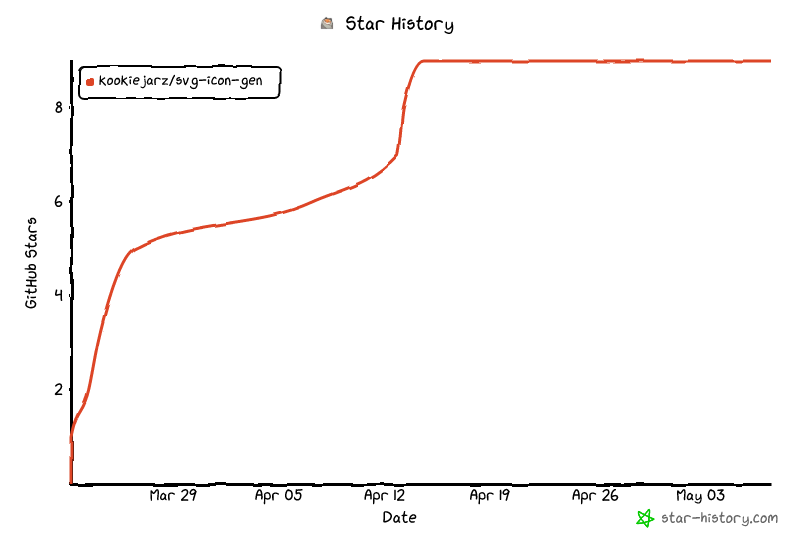
Star History
📄 License
1 maintainer

Metadata
1 maintainer
Release files for svg-icon-gen 0.3.2
For a detailed explanation of source distributions (sdists) and built distributions (wheels), please see the package formats documentation.
Source distribution (sdist)
| File | Size | Uploaded | Provenance | Actions |
|---|---|---|---|---|
| svg_icon_gen-0.3.2.tar.gz | 6.7 kB | With provenance | Details for svg_icon_gen-0.3.2.tar.gz |
Built distribution (wheel)
| File | Interpreter | ABI | Platform | Actions Reset |
|---|---|---|---|---|
| svg_icon_gen-0.3.2-py3-none-any.whl | Python 3 | none | any | Details for svg_icon_gen-0.3.2-py3-none-any.whl |
Total release size: 14.6 kB
Release files / svg_icon_gen-0.3.2.tar.gz
| Download URL | svg_icon_gen-0.3.2.tar.gz |
|---|---|
| Size | 6.7 kB |
| Tags | Source |
|
SHA-256 checksum How to use checksums |
b48e1d9e13cacd9554f88b1beaadcdf718f77d6a62fe7801f58a0459306134e3
|
|
BLAKE2b-256 checksum How to use checksums |
cee3780e563d45a2273fa9205cc948f76d91b4eab1861d371c2ca8cf42ae51ed
|
| Upload date | |
|
Uploaded using Trusted Publishing? What is trusted publishing? |
Yes |
| Uploaded via |
twine/6.1.0 CPython/3.13.7
|
Provenance
Provenance describes where a file came from. On PyPI, provenance is shared via attestations, which provide a verifiable record of the build or publishing details. View details, limitations and caveats.


PyPI Publish Attestation
PyPI verified that this artifact, at this checksum, originated from the publisher listed below.
Signed by GitHub Actions, verified by PyPI on Mar 25, 2026.
Transparency logRelease files / svg_icon_gen-0.3.2-py3-none-any.whl
| Download URL | svg_icon_gen-0.3.2-py3-none-any.whl |
|---|---|
| Size | 7.9 kB |
| Tags | Python 3 |
|
SHA-256 checksum How to use checksums |
41bf1baeeb4db7c002f8c726c49ac7ebff555b65aabfe1a700cc9ddf6791b0e2
|
|
BLAKE2b-256 checksum How to use checksums |
b7f4b8fc57ad8fc3494981037c50ce8ff667edfaa839135ad4bb2db8299e330e
|
| Upload date | |
|
Uploaded using Trusted Publishing? What is trusted publishing? |
Yes |
| Uploaded via |
twine/6.1.0 CPython/3.13.7
|
Provenance
Provenance describes where a file came from. On PyPI, provenance is shared via attestations, which provide a verifiable record of the build or publishing details. View details, limitations and caveats.
PyPI Publish Attestation
PyPI verified that this artifact, at this checksum, originated from the publisher listed below.
Signed by GitHub Actions, verified by PyPI on Mar 25, 2026.
Transparency logSecurity for svg-icon-gen 0.3.2
Provenance
Provenance describes where a file came from. On PyPI, provenance is shared via attestations, which provide a verifiable record of the build or publishing details. View details, limitations and caveats.
Full provenance
Both files in this release have been uploaded with provenance metadata.
Attestation for svg_icon_gen-0.3.2.tar.gz
PyPI Publish Attestation
PyPI verified that this artifact, at this checksum, originated from the publisher listed below.
Signed by GitHub Actions, verified by PyPI on Mar 25, 2026.
Transparency logA note on package security
PyPI is a repository for distributing packages, not a service for auditing them. While third-party security researchers and our staff do their best to detect and remove malicious packages, PyPI cannot guarantee the quality, security or suitability of any given package.
To learn more about protecting yourself from malicious actors, visit our package security documentation.














