
🎨 SVG Path Editor



A high-precision Python library for editing, transforming, and optimizing SVG paths programmatically.
It is a port of svg-path-editor-lib 1.0.3 to Python with significant improvements:
- High-precision, decimal-based geometry: all coordinates use
decimal.Decimal, with SymPy-backed trigonometry and configurable precision to avoid binary floating-point artefacts. - Rich editing and transformation API: in-place and out-of-place geometric transforms, absolute/relative conversion, and a
list-like path structure API (insert,remove,change_type,set_location, …). - Advanced path processing: corner rounding, robust line/ellipse offsetting, bevel-path generation, and Lambertian bevel shading utilities.
- Path optimization and utilities: compact, semantically equivalent paths via
optimize_path, plus helpers such asreverse_pathandchange_path_origin. - Typed, documented, and thoroughly tested: extensive type hints, docstrings, and a
pytestsuite with 100% coverage.
The full documentation is on Read the Docs, and a pytest-based test suite with 100% coverage is available in the tests directory.
📦 Installation
This package is available on PyPI and can be installed with pip:
pip install svg-path-editor
🚀 Basic Usage
from svg_path_editor import SvgPath

path = SvgPath("M-15 14s5 7.5 15 7.5 15-7.5 15-7.5 z")

# `SvgPath` implements `__str__` with fairly readable (non-minified) output
# M -15 14 s 5 7.5 15 7.5 s 15 -7.5 15 -7.5 z
print(path)

# Custom decimals and minified output (`decimals=None`, `minify=False` by default)
# M-15 14s5 7.5 15 7.5 15-7.5 15-7.5z
print(path.as_string(decimals=1, minify=True))

# `SvgPath` also implements `__format__`, with `m` denoting `minify=True`
print(f"{path:.1m} or {path:m.1}")
📐 Geometric Operations
Geometric operations are available in both in-place and out-of-place variants.
Out-of-place
path = SvgPath("M-15 14s5 7.5 15 7.5 15-7.5 15-7.5 z")

# Out-of-place scale
# M -30 28 s 10 15 30 15 s 30 -15 30 -15 z
print(path.scaled(kx=2, ky=2))

# Out-of-place translate
# M -14 14.5 s 5 7.5 15 7.5 s 15 -7.5 15 -7.5 z
print(path.translated(dx=1, dy=0.5))

# Out-of-place rotate around (0, 0)
# M -14 -15 s -7.5 5 -7.5 15 s 7.5 15 7.5 15 z
print(path.rotated(ox=0, oy=0, degrees=90))
In-place
path = SvgPath("M-15 14s5 7.5 15 7.5 15-7.5 15-7.5 z")

# In-place scale
# M -30 28 s 10 15 30 15 s 30 -15 30 -15 z
path.scale(kx=2, ky=2)
print(path)

# In-place translate
# M -29 28.5 s 10 15 30 15 s 30 -15 30 -15 z
path.translate(dx=1, dy=0.5)
print(path)

# In-place rotate
# M -28.5 -29 s -15 10 -15 30 s 15 30 15 30 z
path.rotate(ox=0, oy=0, degrees=90)
print(path)
🔁 Absolute vs. Relative Commands
Commands can be stored as either absolute (M, L, C, …) or relative (m, l, c, …).
Conversion is available in-place via a property and out-of-place via a method.
path = SvgPath("M-15 14s5 7.5 15 7.5 15-7.5 15-7.5 z")

# In-place: `SvgPath.relative` mutates the instance
path.relative = False
# M -15 14 S -10 21.5 0 21.5 S 15 14 15 14 Z
print(path)

# Out-of-place: `SvgPath.with_relative()` returns a new path
relative = path.with_relative(True)
# m -15 14 s 5 7.5 15 7.5 s 15 -7.5 15 -7.5 z
print(relative)
🧩 Path Modification
SvgPath exposes several methods that modify the structure of a path in place, including parts of the list API:
from svg_path_editor import Point, SvgPath
from svg_path_editor.svg import QuadraticBezierCurveTo

path = SvgPath("M0 0L10 0V10Z")

# Deep copy
clone = path.clone()
# M 0 0 L 10 0 V 10 Z
print(clone)

# In-place removal of the `L` command
path.remove(path.path[1])
# M 0 0 V 10 Z
print(path)

# In-place insertion of a quadratic Bézier curve where the `L` command was
path.insert(1, QuadraticBezierCurveTo([5, -5, 10, 0], relative=False))
# M 0 0 Q 5 -5 10 0 V 10 Z
print(path)

# In-place command type change from `V` to `L` (equivalent, but longer)
path.change_type(2, "L")
# M 0 0 Q 5 -5 10 0 L 10 10 Z
print(path)

# In-place move of a particular point
path.set_location(path.target_locations[-2], to=Point(5, 10))
# M 0 0 Q 5 -5 10 0 L 5 10 Z
print(path)

# The clone is unaffected by these changes
print(clone)
🛠️ Higher-Level Path Operations
These functions operate on paths out-of-place:
from svg_path_editor import SvgPath, change_path_origin, reverse_path

path = SvgPath("M-15 14s5 7.5 15 7.5 15-7.5 15-7.5 z")

# Reverse path direction
# M 15 14 S 10 21.5 0 21.5 S -15 14 -15 14 Z
print(reverse_path(path))

# Change the origin (starting command) within a subpath
# M 0 21.5 c 10 0 15 -7.5 15 -7.5 L -15 14 s 5 7.5 15 7.5
print(change_path_origin(path, new_origin_index=2))
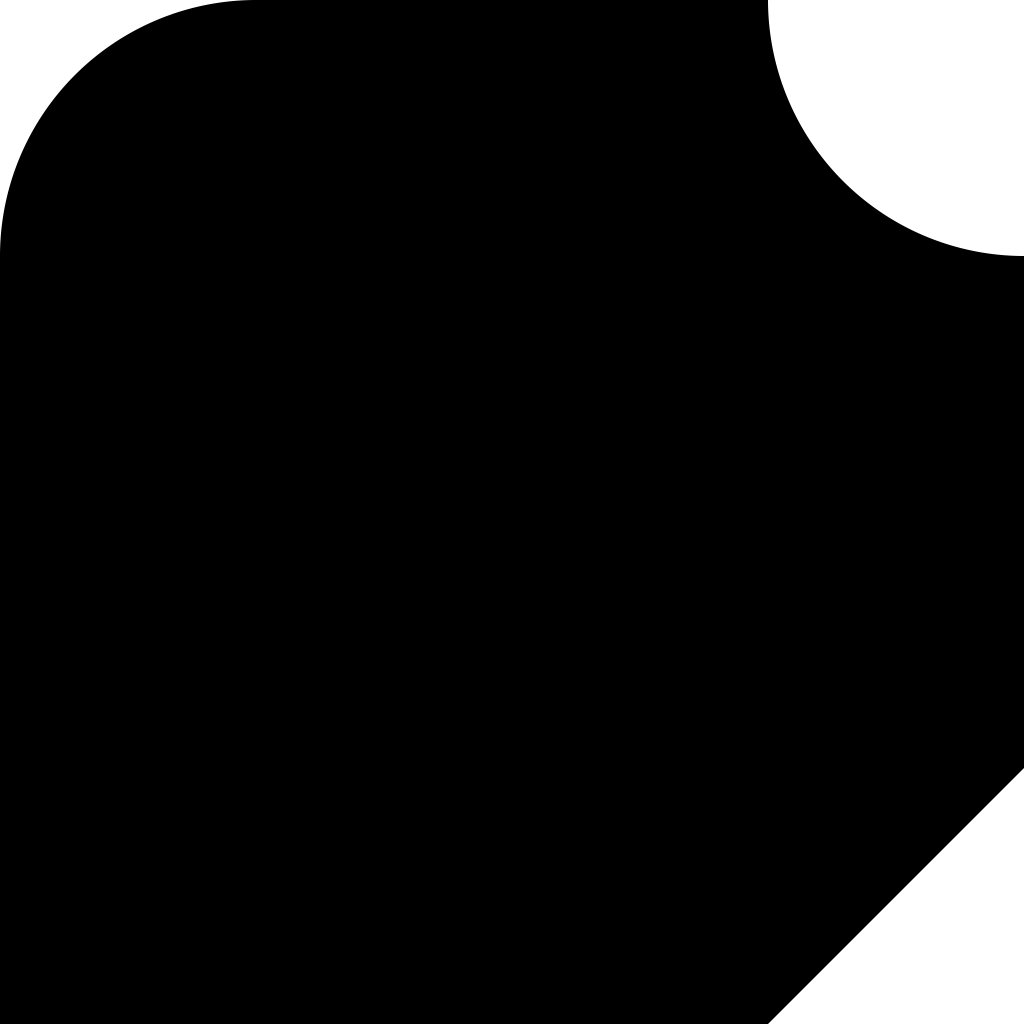
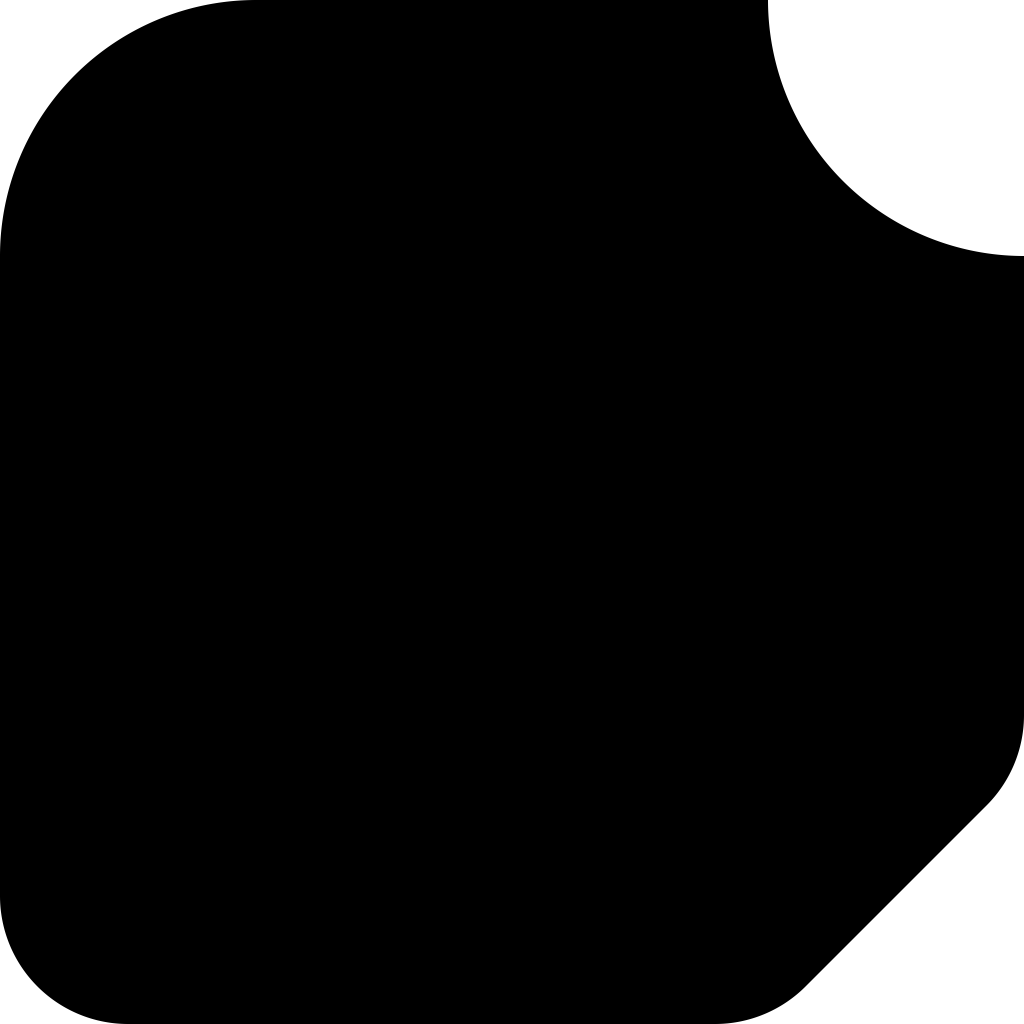
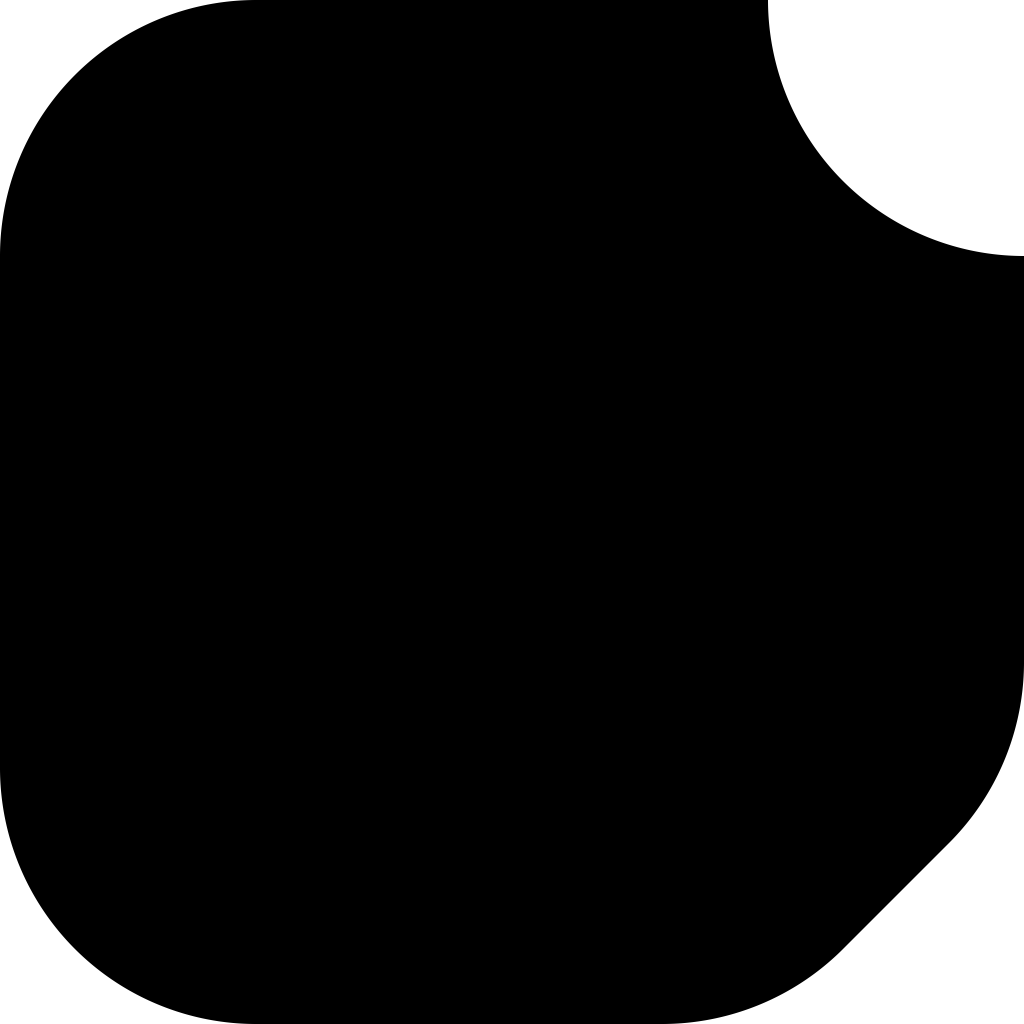
🟢 Rounding Corners
round_corners replaces sharp corners between straight segments in closed subpaths with circular arcs, operating out-of-place:
from svg_path_editor import Point, SvgPath, round_corners

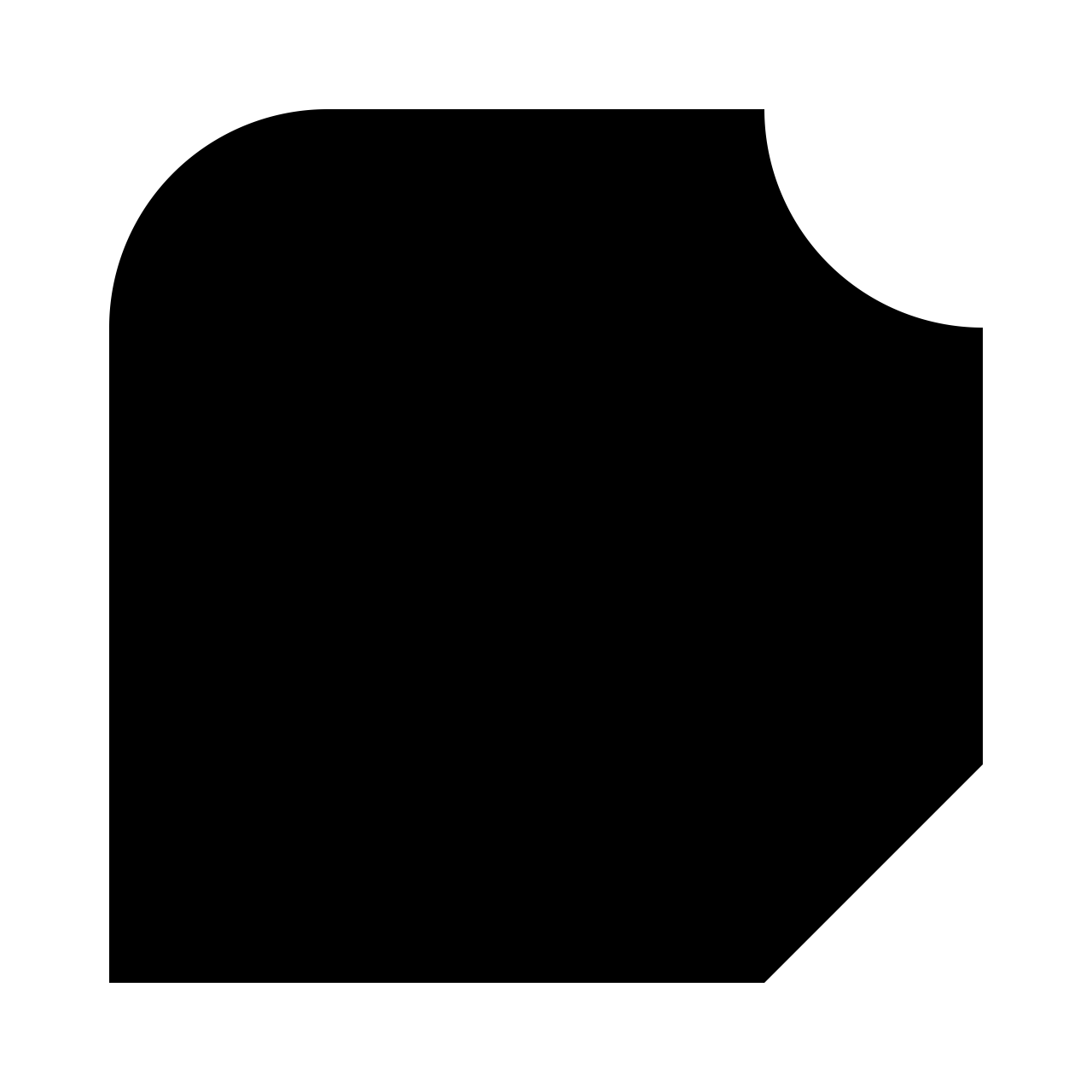
path = SvgPath("M 0 0 H 10 V 8 l -2 2 H 0 Z")

rounded = round_corners(
    path,
    # Required: round with a radius of 2
    radius=2,
    # Optional: round all corners other than Point(0, 10) or Point(10, 0)
    # a → b and b → c are the two segments that make up the corner, with b as the corner point
    selector=lambda a, b, c: b not in (Point(0, 10), Point(10, 0)),
)

# M0 2A2 2 0 012 0H10V7.1716A2 2 0 019.4142 8.5858L8.5858 9.4142A2 2 0 017.1716 10H0Z
print(f"{rounded:.4m}")
| Input | Rounded with radius 1 | Rounded with radius 2 |
|---|---|---|
 |
 |
 |
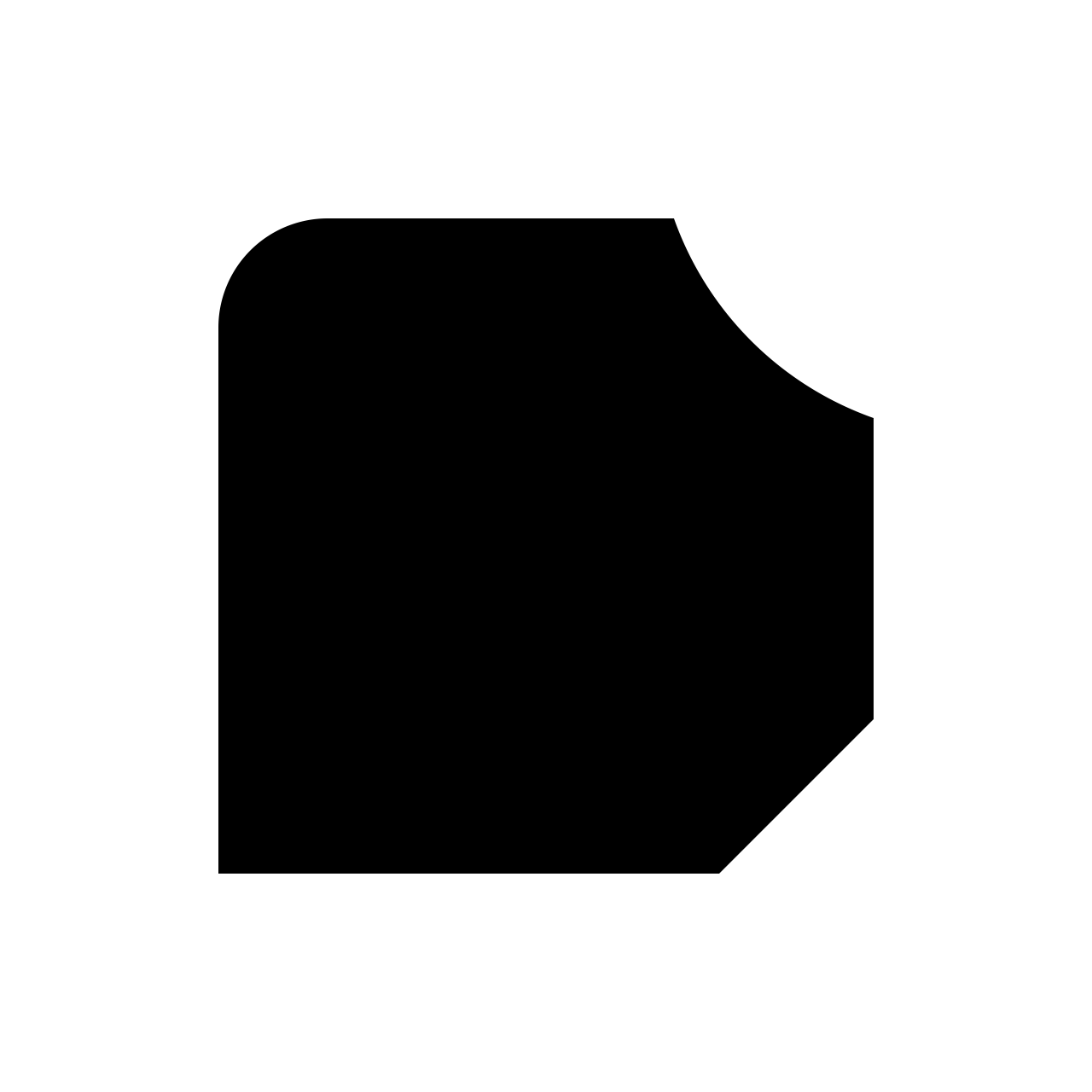
🔘 Offsetting Paths
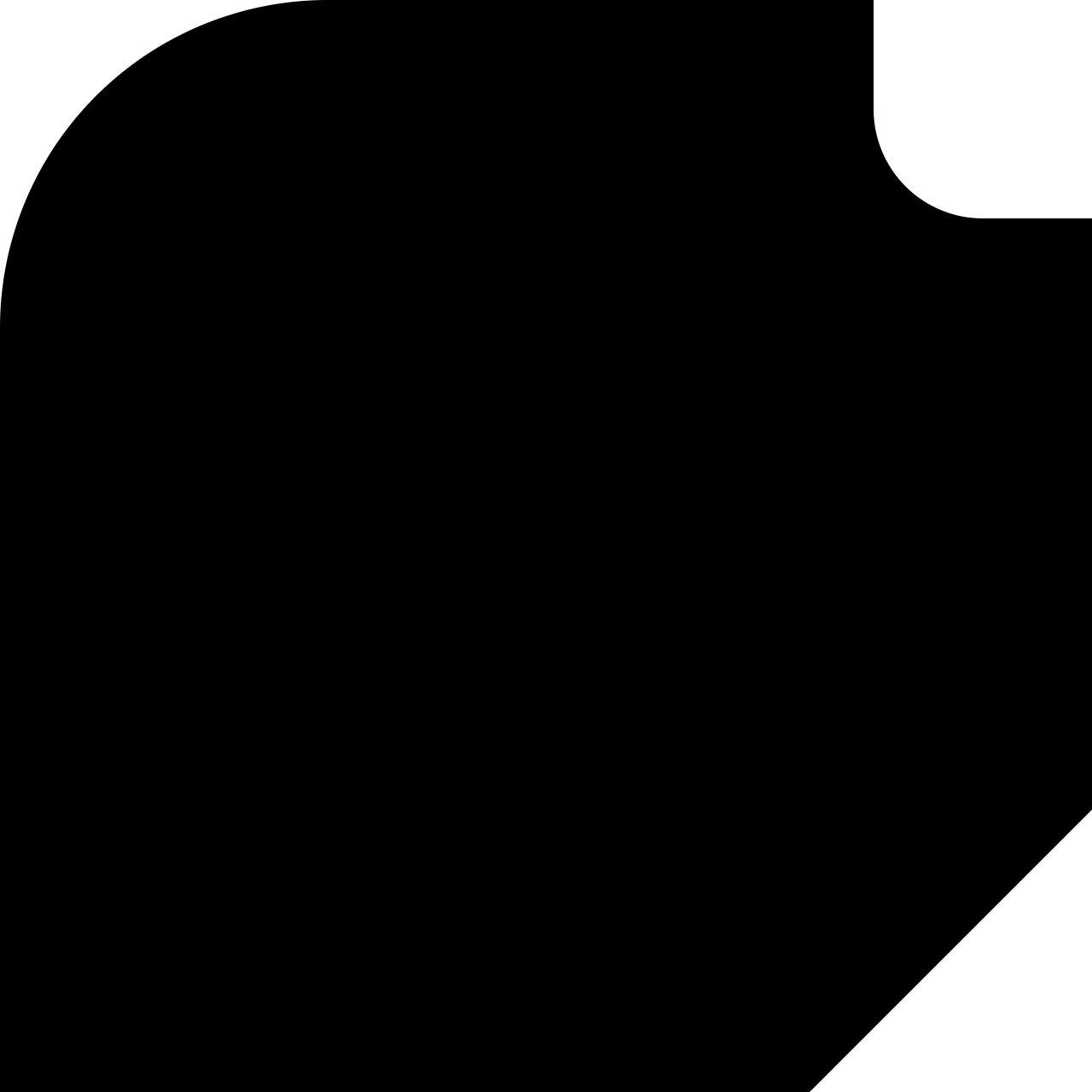
The library supports high-precision offsetting of a closed path consisting of straight lines and elliptical arcs inward or outward by a given distance:
from svg_path_editor import SvgPath, offset_path

# A complex path with various arcs
path = SvgPath("M 5 0 A 5 5 0 0 0 0 5 A 5 10 0 0 0 5 15 a 5 5 0 0 1 5 -5 V 5 H 5 a 5 5 0 0 0 5 -5 Z")

# Offset the path
inset = offset_path(
    path,
    # Required: offset by 1 inwards (negative values offset outwards)
    d=1,
    # Optional: use numeric computations with automatic precision
    prec="auto",
)

# M 5 1 A 4 4 0 0 0 1 5 A 4 9 0 0 0 4.1249 13.782 A 6 6 0 0 1 9 9.0839 L 9 6 L 4 6 L 4 4 L 5 4 A 4 4 0 0 0 8.873 1 Z
print(f"{inset:.4}")
| Offset inward | Input | Offset outward |
|---|---|---|
 |
 |
 |
The prec parameter controls how offset_path operates:
prec=None: fully symbolic intermediate computations using SymPy. Can be very slow, especially for arcs based on rotated ellipses.prec="auto": mostly numeric computations with the currentDecimalprecision plus a safety margin (8 digits by default). Fastest option, with results at full precision in all tests.prec="auto-intersections": offset segments are computed symbolically, but intersections are still computed mostly numerically.prec=Precision(baseline=…, additional=…): explicitly set the desired baseline precision and the additional safety margin.
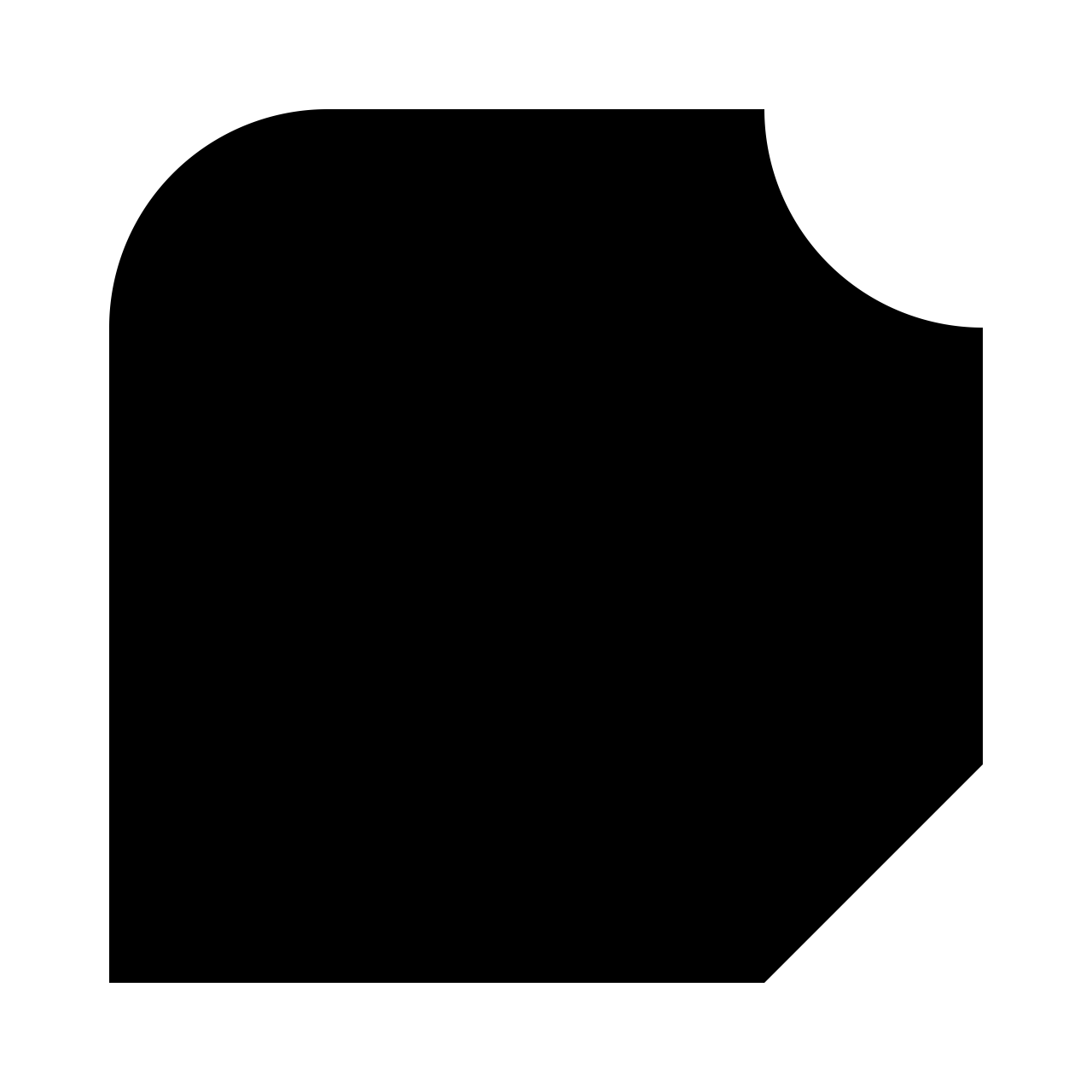
Similarly, the library exposes bevel_path, which has the same parameters as offset_path (and uses very similar logic internally), and generates a sequence of small closed paths that fill the gap between the original path and its offset (the “bevel” region), which can be used for shading:
from svg_path_editor import SvgPath, bevel_path

# A path looking somewhat like an anvil
path = SvgPath("M 0 0 h 2 a 1 1 0 0 1 -1 1 h 1 v 1 h -2 Z")

# M 0 0 L 2 0 L 1.894427190999915878563669467 0.1 L 0.1 0.1 Z
# M 2 0 a 1 1 0 0 1 -1 1 L 1 0.9 A 0.9 0.9 0 0 0 1.894427190999915878563669467 0.1 Z
# M 1 1 L 0.9 0.9 L 1 0.9 Z
# M 1 1 L 0.9 1.1 L 0.9 0.9 Z
# M 1 1 L 2 1 L 1.9 1.1 L 0.9 1.1 Z
# M 2 1 L 2 2 L 1.9 1.9 L 1.9 1.1 Z
# M 2 2 L 0 2 L 0.1 1.9 L 1.9 1.9 Z
# M 0 2 L 0 0 L 0.1 0.1 L 0.1 1.9 Z
for p in bevel_path(path, d="0.1"):
    print(p)
| Bevel inward | Input | Bevel outward |
|---|---|---|
 |
 |
 |
[!WARNING] Most SVG renderers implement fairly primitive antialiasing that is prone to hairline gaps between the parts of the bevel regions. The option
shape-rendering="crispEdges"can be used to remove hairline gaps at the cost of removing antialiasing (in my testing), which only leads to acceptable results in very limited circumstances. Rendering the SVG at a (much) higher resolution and downsampling is a brute-force solution that has been used to render the pictures shown here. Rendering at an integer multiple of the SVG size in image units helps with horizontal and vertical lines, too.
💡 Lambertian Bevel Shading
The library can generate simple light-dark bevel shading using a Lambertian model on top of bevel_path.
The shade_path function takes a SvgPath, a bevel distance, and various optional arguments (inclusing the z-height of the leight source, a neutral intensity threshold, and texture settings), and returns a PathShading object.
Flat bevels are shaded analytically from their normals; curved bevels reuse a small pre-rendered Lambertian “cone” texture, which encodes a binary light/dark mask with a soft alpha ramp around the chosen threshold.
PathShading.defs_body contains shared <image> definitions for these textures, and PathShading.body contains the per-bevel drawing elements that reference them.
You typically place defs_body once inside <defs> and insert body where you draw the path:
from svg_path_editor import SvgPath
from svg_path_editor.shading import PNG, WEBP, shade_path

svg = SvgPath("M 0 0 h 2 a 1 1 0 0 1 -1 1 h 1 v 1 h -2 Z")

shading = shade_path(
    svg,
    # Required: Bevel offset
    d="0.1",
    # Required: Pixels per SVG unit for textures
    resolution=64,
    # Optional: The z-height of the light source (default: 1)
    z_height=2,
    # Optional: Neutral Lambert intensity at which the shading is transparent (default: 0.5)
    threshold=0.5,
    # Optional: The maximum opacity of the shading (default: 1)
    max_opacity=0.8,
    # Optional: The image format (predefined: PNG and WEBP; default: WEBP)
    format=WEBP,
)

defs = "\n".join(shading.defs_body)
body = "\n".join(shading.body)
| Input | Shaded (z_light=0.5) |
Shaded (z_light=2) |
|---|---|---|
 |
 |
 |
[!WARNING] Since this operation is based on the bevel operation described before, it inherits its limitations with respect to hairline gaps.
🧮 Decimal-Based Geometry
Internally, all coordinates and numeric parameters are stored as decimal.Decimal:
- Constructors and geometric methods accept
int,float,str, orDecimal, and convert toDecimalimmediately. - Arithmetic (translation, scaling, rotation, etc.) is performed in terms of
Decimalto retain the decimal representation in an SVG path and avoid binary round-off errors. - The decimal precision is controlled via Python’s
decimalcontext.
from decimal import localcontext
from svg_path_editor import SvgPath

path = SvgPath("M0 0h10v10z")

# Default precision: 28 digits
# Rotation uses SymPy for high-precision trigonometric functions
rotated = path.rotated(0, 0, -45)
# M 0 0 l 7.071067811865475244008443621 -7.071067811865475244008443621 l 7.071067811865475244008443621 7.071067811865475244008443621 z
print(rotated)
# Precision can be reduced when printing
# M 0 0 l 7.07107 -7.07107 l 7.07107 7.07107 z
print(f"{rotated:.5}")

# The precision can be controlled using `getcontext`/`localcontext`
# Since `Decimal` is a floating-point format, the precision specifies the total
# number of significant digits, not just the number of decimal places
with localcontext() as ctx:
    ctx.prec = 6
    rotated = path.rotated(0, 0, -45)
    # Same output as before, even without explicit precision reduction
    # M 0 0 l 7.07107 -7.07107 l 7.07107 7.07107 z
    print(rotated)
🧹 Path Optimization
optimize_path rewrites a path into an equivalent but more compact form and operates out-of-place:
from svg_path_editor import SvgPath, optimize_path

path = SvgPath("M-15 14s5 7.5 15 7.5 15-7.5 15-7.5 z")

optimized = optimize_path(
    path,
    # Remove redundant M/Z or degenerate L/H/V
    remove_useless_commands=True,
    # Remove empty closed subpaths (M immediately followed by Z)
    remove_orphan_dots=True,
    # Convert eligible C/Q to S/T
    use_shorthands=True,
    # Replace L with H/V where possible
    use_horizontal_and_vertical_lines=True,
    # Choose relative/absolute per command to minimize size
    use_relative_absolute=True,
    # Try reversing path direction if it reduces output length
    # This may change the appearance of stroked paths!
    use_reverse=True,
    # Convert final line segments that return to start into Z
    # This may change the appearance of stroked paths!
    use_close_path=True,
)

# More readable form
# M -15 14 s 5 7.5 15 7.5 S 15 14 15 14 z
print(optimized)
# Minified form
# M-15 14s5 7.5 15 7.5S15 14 15 14z
print(f"{optimized:m}")
🧪 Testing
This project includes pytest-based tests that cover the entire code base with 100% code coverage.
The development dependencies can be installed via the dev optional group:
pip install .[dev]
All tests (including coverage reporting using pytest-cov) can then be run from the project root:
pytest --cov
📜 License
This library is licensed under the terms of the Mozilla Public License 2.0, provided in License.
The original TypeScript library is licensed under the Apache License, Version 2.0, provided in LicenseYqnn.
1 maintainer

Metadata
1 maintainer
Release files for svg-path-editor 4.3.0
For a detailed explanation of source distributions (sdists) and built distributions (wheels), please see the package formats documentation.
Source distribution (sdist)
| File | Size | Uploaded | |
|---|---|---|---|
| svg_path_editor-4.3.0.tar.gz | 77.8 kB | Details |
Built distribution (wheel)
| File | Interpreter | ABI | Platform | Reset |
|---|---|---|---|---|
| svg_path_editor-4.3.0-py3-none-any.whl | Python 3 | none | any | Details |
Total release size: 138.8 kB
Release files / svg_path_editor-4.3.0.tar.gz
| Download URL | svg_path_editor-4.3.0.tar.gz |
|---|---|
| Size | 77.8 kB |
| Tags | Source |
|
SHA-256 checksum How to use checksums |
72b36631d2d0d288fc0be700e860b54446c2fdf23dd14346e363aae2547c4384
|
|
BLAKE2b-256 checksum How to use checksums |
f82f7c19f41367e7d8bdfb2d9ce30dfb309a3d64b7234a9aec427a4b83493eec
|
| Upload date | |
|
Uploaded using Trusted Publishing? What is trusted publishing? |
Yes |
| Uploaded via |
twine/6.1.0 CPython/3.13.7
|
Provenance
Provenance describes where a file came from. On PyPI, provenance is shared via attestations, which provide a verifiable record of the build or publishing details. View details, limitations and caveats.


PyPI Publish Attestation
PyPI verified that this artifact, at this checksum, originated from the publisher listed below.
Signed by GitHub Actions, verified by PyPI on Mar 9, 2026.
Transparency logRelease files / svg_path_editor-4.3.0-py3-none-any.whl
| Download URL | svg_path_editor-4.3.0-py3-none-any.whl |
|---|---|
| Size | 61.0 kB |
| Tags | Python 3 |
|
SHA-256 checksum How to use checksums |
e2a2cfe42c4c54fc2a7a8e64002c4d61cc1a35a9e6d1ba6438468de6e5b5360a
|
|
BLAKE2b-256 checksum How to use checksums |
3ea9700425157d4b9e3408afff2c33589e1e4f792da78c25ffe91ebdaf64f558
|
| Upload date | |
|
Uploaded using Trusted Publishing? What is trusted publishing? |
Yes |
| Uploaded via |
twine/6.1.0 CPython/3.13.7
|
Provenance
Provenance describes where a file came from. On PyPI, provenance is shared via attestations, which provide a verifiable record of the build or publishing details. View details, limitations and caveats.
PyPI Publish Attestation
PyPI verified that this artifact, at this checksum, originated from the publisher listed below.
Signed by GitHub Actions, verified by PyPI on Mar 9, 2026.
Transparency log













