
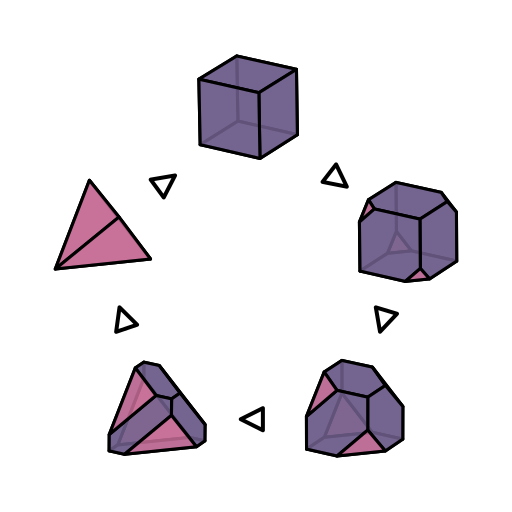
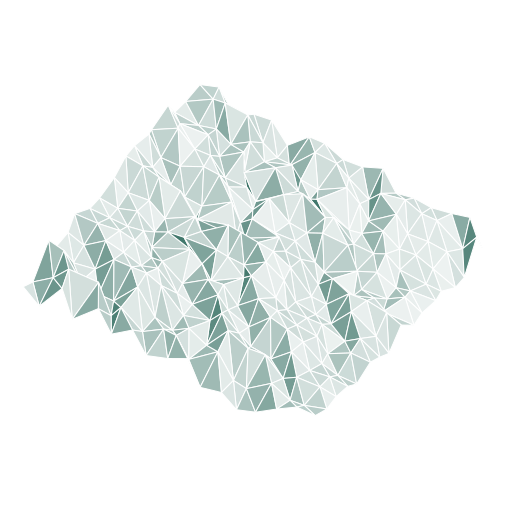
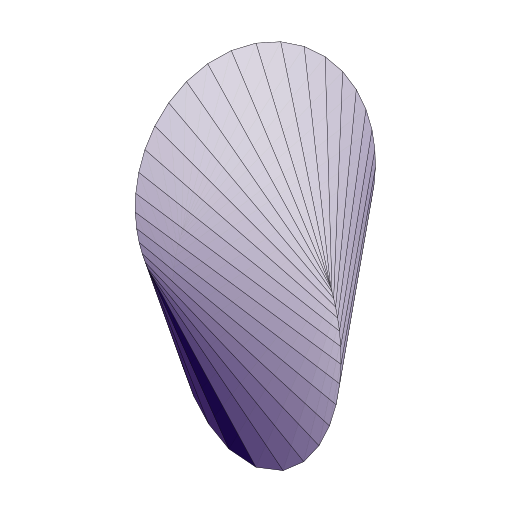
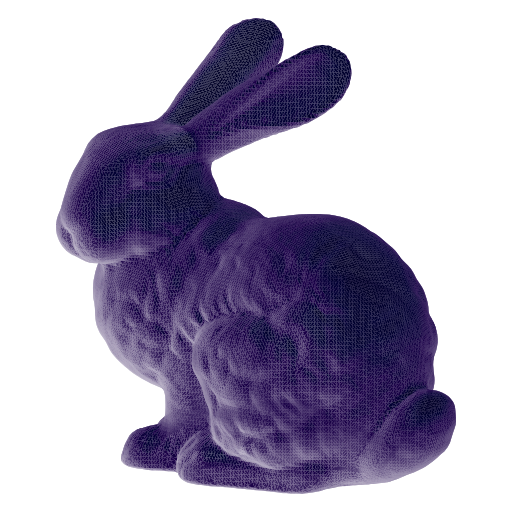
SVG3D was designed to bridge the gap between raytraced rendering engines like Blender and plotting tools like matplotlib and plotly. Common computer graphics techniques and models have been adapted to work within the counstraints of vector art, an approach that enables users to generate compact, scalable images with realistic shading.
A reimagining of the excellent original library with the same name, this version has many new features, a more general interface, and a somewhat different scope. We aim to streamline the process of rendering scenes of geometries for scientific publications, although the libary is useful for a diverse array of applications.
Many thanks to the Keenan 3D Model repository and the Georgia Tech Large Models Archive for the models rendered in the header image.


Installation
svg3d is available on PyPI, and can be easily installed from there:
pip install svg3dThe package can also be built from source:
# Clone the repository
git clone https://github.com/janbridley/svg3d.git
cd svg3d

# Install to your python environment!
python -m pip install .
Quickstart Example
svg3d provides convenience View options for standard rendering perspectives - isometric, dimetric, and trimetric. Shapes can be easily created from coxeter objects, or from raw mesh data.
from coxeter.families import ArchimedeanFamily
import svg3d

style = {
    "fill": "#00B2A6",
    "fill_opacity": "0.85",
    "stroke": "black",
    "stroke_linejoin": "round",
    "stroke_width": "0.005",
}

truncated_cube = ArchimedeanFamily.get_shape("Truncated Cube")

scene = [
    svg3d.Mesh.from_coxeter(
        truncated_cube,
        shader=svg3d.shaders.DiffuseShader.from_style_dict(style)
    )
]

# Convenience views: isometric, dimetric, and trimetric
iso = svg3d.View.isometric(scene, fov=1.0)
dim = svg3d.View.dimetric(scene, fov=1.0)
tri = svg3d.View.trimetric(scene, fov=1.0)

for view, view_type in zip([iso, dim, tri], ["iso", "dim", "tri"]):
    svg3d.Engine([view]).render(f"{view_type}.svg")
Isometric |
Dimetric |
Trimetric |
|---|---|---|
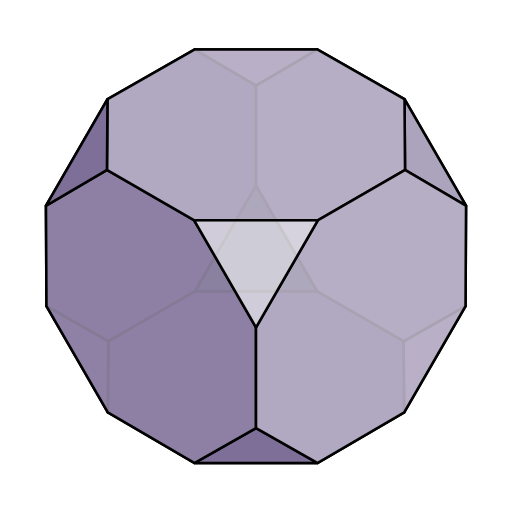
|
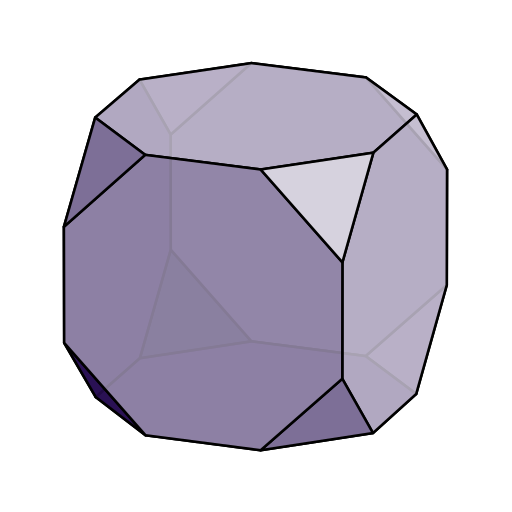
|
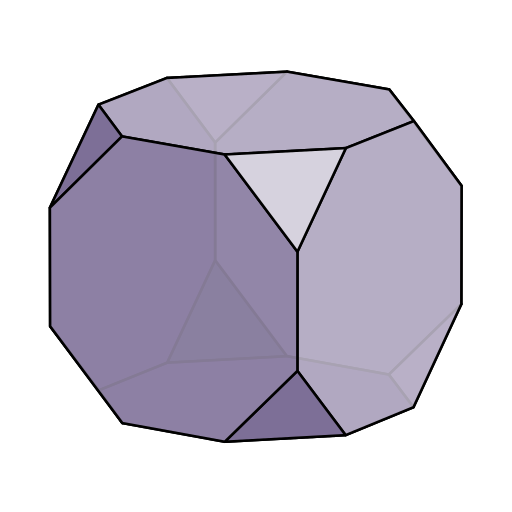
|
Usage Example
In addition to convenience methods, svg3d allows full control over the viewport, scene geometry, image style, and shaders. Methods are based on OpenGL standards and nomenclature where possible, and images can be created from any set of vertices and faces - even from ragged arrays! Simply pass an array of vertices and a list of arrays (one for vertex indices of each face, as below) to svg3d.Mesh.from_vertices_and_faces to render whatever geometry you like. Custom shader models can be implemented as a callable that takes a face index and a svg3d.Mesh object to shade.
import numpy as np
import svg3d

# Define the vertices and faces of a cube
vertices = np.array(
    [[-1., -1., -1.],
    [-1., -1.,  1.],
    [-1.,  1., -1.],
    [-1.,  1.,  1.],
    [ 1., -1., -1.],
    [ 1., -1.,  1.],
    [ 1.,  1., -1.],
    [ 1.,  1.,  1.]]
)

faces = [
    [0, 2, 6, 4],
    [0, 4, 5, 1],
    [4, 6, 7, 5],
    [0, 1, 3, 2],
    [2, 3, 7, 6],
    [1, 5, 7, 3]
]

# Set up our rendering style - transparent white gives a nice wireframe appearance
style = {
    "fill": "#FFFFFF",
    "fill_opacity": "0.75",
    "stroke": "black",
    "stroke_linejoin": "round",
    "stroke_width": "0.005",
}

# We use a shader callable to apply our desired style to each facet.
flat_shader = lambda face_index, mesh: style

pos_object = [0.0, 0.0, 0.0]  # "at" position
pos_camera = [40, 40, 120]  # "eye" position
vec_up = [0.0, 1.0, 0.0]  # "up" vector of camera. This is the default value.

z_near, z_far = 1.0, 200.0
aspect = 1.0  # Aspect ratio of the view cone
fov_y = 2.0  # Opening angle of the view cone. fov_x is equal to fov_y * aspect

look_at = svg3d.get_lookat_matrix(pos_object, pos_camera, vec_up=vec_up)
projection = svg3d.get_projection_matrix(
    z_near=z_near, z_far=z_far, fov_y=fov_y, aspect=aspect
)

# A "scene" is a list of Mesh objects, which can be easily generated from raw data
scene = [
    svg3d.Mesh.from_vertices_and_faces(vertices, faces, shader=flat_shader)
]

view = svg3d.View.from_look_at_and_projection(
    look_at=look_at,
    projection=projection,
    scene=scene,
)

svg3d.Engine([view]).render("cube-wireframe.svg")
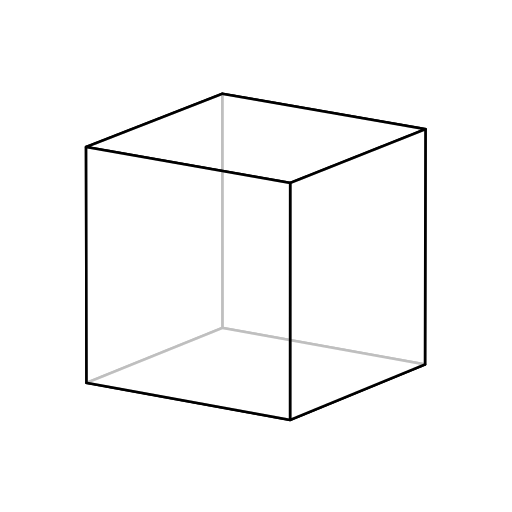
Running the code above generates the following image:
Custom Shaders
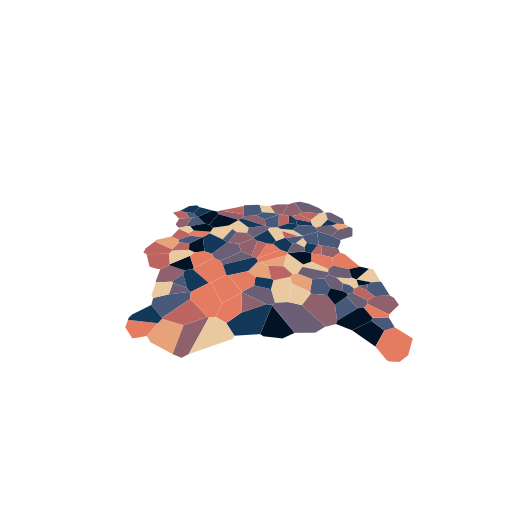
The svg3d shader API is designed to be easily extensible. The following example creates a RandomColorShader, which draws face colors at random from an input color map.
For this example, we will use the freud library to generate the Voronoi diagram of a set of random points in two dimensions, using an off-axis viewport to get a perspective image.
import freud
import numpy as np

import svg3d
from svg3d import get_lookat_matrix, get_projection_matrix

# Colors that will be randomly assigned to our polygons
cmap = [
    "#E9C99F", "#E7A27A", "#E57C62",
    "#BC6561", "#8E616C", "#6B5F76",
    "#48597A", "#13385A", "#031326"
]


class RandomColorShader(svg3d.shaders.Shader):
    def __init__(self, cmap=cmap, base_style=None, seed=0):
        super().__init__()
        self.rng = np.random.default_rng(seed=seed)
        self.cmap = cmap

    def __call__(self, face_index, mesh):
        base_style = self.base_style if self.base_style is not None else {}
        random_color = self.rng.choice(self.cmap)
        return {**base_style, "fill": random_color}


# Generate polygons using freud
voro = freud.locality.Voronoi()
system = freud.data.make_random_system(box_size=10, num_points=128, is2D=True)
polytopes = voro.compute(system).polytopes

# Iterate over our 2D polygons, adding a single face for each one.
shader = RandomColorShader(base_style=style)
scene = [
    svg3d.Mesh.from_vertices_and_faces(
        vertices, faces=[[*range(len(vertices))]], shader=shader
    )
    for vertices in polytopes
]

# Set up the camera and projection
pos_object = [0.0, 0.0, 0.0]  # "at" position
pos_camera = [0.0, 10.0, 8.0]  # "eye" position
vec_up = [0.0, -1.0, 0.0]  # "up" vector of camera.

z_near, z_far = 1.0, 200.0
aspect = 1.0
fov_y = 90.0

look_at = get_lookat_matrix(pos_object, pos_camera, vec_up=vec_up)
projection = get_projection_matrix(
    z_near=z_near, z_far=z_far, fov_y=fov_y, aspect=aspect
)

view = svg3d.View.from_look_at_and_projection(
    look_at=look_at,
    projection=projection,
    scene=scene,
)

# Render the scene
svg3d.Engine([view]).render("perspective-voronoi.svg")
Running the code above generates the following image:
1 maintainer

Metadata
1 maintainer
Release files for svg3d 0.2.1
For a detailed explanation of source distributions (sdists) and built distributions (wheels), please see the package formats documentation.
Source distribution (sdist)
| File | Size | Uploaded | |
|---|---|---|---|
| svg3d-0.2.1.tar.gz | 20.3 kB | Details |
Built distribution (wheel)
| File | Interpreter | ABI | Platform | Reset |
|---|---|---|---|---|
| svg3d-0.2.1-py3-none-any.whl | Python 3 | none | any | Details |
Total release size: 38.0 kB
Release files / svg3d-0.2.1.tar.gz
| Download URL | svg3d-0.2.1.tar.gz |
|---|---|
| Size | 20.3 kB |
| Tags | Source |
|
SHA-256 checksum How to use checksums |
1803928499af04f844275ca5f2023945b7df08049ebc216c464f3978913065e7
|
|
BLAKE2b-256 checksum How to use checksums |
180b7b808e7c7b3adb98678ac1aba8c28bcff9048221a412b2074fa188f708b1
|
| Upload date | |
|
Uploaded using Trusted Publishing? What is trusted publishing? |
Yes |
| Uploaded via |
twine/6.1.0 CPython/3.13.7
|
Provenance
Provenance describes where a file came from. On PyPI, provenance is shared via attestations, which provide a verifiable record of the build or publishing details. View details, limitations and caveats.


PyPI Publish Attestation
PyPI verified that this artifact, at this checksum, originated from the publisher listed below.
Signed by GitHub Actions, verified by PyPI on Jan 9, 2026.
Transparency logRelease files / svg3d-0.2.1-py3-none-any.whl
| Download URL | svg3d-0.2.1-py3-none-any.whl |
|---|---|
| Size | 17.6 kB |
| Tags | Python 3 |
|
SHA-256 checksum How to use checksums |
9d75a6a205dfdce30dfba0895116e8b7bb31f958e342e028f3c49d06a3a83c22
|
|
BLAKE2b-256 checksum How to use checksums |
13201f456bfb55c1f2b4c571a2f956e6f0ff57b6162556c59abdc3159e763a16
|
| Upload date | |
|
Uploaded using Trusted Publishing? What is trusted publishing? |
Yes |
| Uploaded via |
twine/6.1.0 CPython/3.13.7
|
Provenance
Provenance describes where a file came from. On PyPI, provenance is shared via attestations, which provide a verifiable record of the build or publishing details. View details, limitations and caveats.
PyPI Publish Attestation
PyPI verified that this artifact, at this checksum, originated from the publisher listed below.
Signed by GitHub Actions, verified by PyPI on Jan 9, 2026.
Transparency log













