


Turn a matplotlib figure and a per-frame update function into one self-contained, looping, animated SVG.
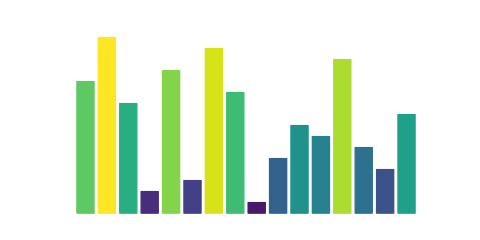
Why svganim
- A real image. One SVG file that works in an
<img>tag and in GitHub READMEs. No JavaScript, no HTML page, no player. - Vector. Sharp at any size, unlike a GIF.
- Only what changes is animated. Axes, labels and static data are written
once, so files stay small. For the same 60-frame figure we got 91 KiB, against
1.1 MiB from matplotlib's
HTMLWriterwith SVG frames. - Reproducible. Same code and matplotlib version, same bytes.
What you give up: playback controls, and changes to the number of elements or
the text between frames (see Limitations). If you need those,
use HTMLWriter or to_jshtml.
Install
pip install svganim
Usage
import matplotlib.pyplot as plt
import numpy as np
from svganim import anim_to_svg

fig, ax = plt.subplots()
x = np.linspace(0, 2 * np.pi, 200)
(line,) = ax.plot(x, np.sin(x))


def update(i):
    line.set_ydata(np.sin(x + i / 10))


anim_to_svg(fig, update, n_frames=60, fps=20, hold=1.0, path="wave.svg")
<img src="wave.svg" alt="A moving sine wave">
update must change artists that already exist (set_data, set_offsets,
set_color, ...), not create or remove them. A line whose data grows is fine,
so draw trails and curves with set_data on a single line.
anim_to_svg(fig, update, n_frames, fps=20, hold=1.0, path=None, *, precision=3, interpolate=False)
| Argument | Description |
|---|---|
fig |
The matplotlib figure to render. |
update |
Called as update(i) before frame i is rendered. |
n_frames |
Number of frames. |
fps |
Frames per second. |
hold |
Seconds to hold the last frame before looping. |
path |
If given, the SVG is also written to this file. |
precision |
Decimals kept in coordinates. Lower means smaller files. |
interpolate |
If True, shapes glide and colours fade between frames instead of switching. See the k-means example. |
Returns the SVG as a string. Raises ValueError if the figure breaks a rule
below; the message names the element that changed.
How it works
Each frame is rendered to SVG and the first one becomes the base document. Later frames are compared with it, and every attribute that changes gets a SMIL animation. Elements that never change are left untouched.
Limitations
- The number of SVG elements must be the same in every frame: no new artists,
no changing text, no
imshow. - There are no playback controls, only a loop.
Examples and docs
The documentation has a gallery of notebooks that explain each example, plus an API reference built from the docstrings. It also shows how animations display in Jupyter and Quarto.
Development
uv run pytest
uv run sphinx-build -W docs docs/_build/html
License
MIT
1 maintainer

Metadata
1 maintainer
Release files for svganim 0.1.0
For a detailed explanation of source distributions (sdists) and built distributions (wheels), please see the package formats documentation.
Source distribution (sdist)
| File | Size | Uploaded | |
|---|---|---|---|
| svganim-0.1.0.tar.gz | 8.8 kB | Details |
Built distribution (wheel)
| File | Interpreter | ABI | Platform | Reset |
|---|---|---|---|---|
| svganim-0.1.0-py3-none-any.whl | Python 3 | none | any | Details |
Total release size: 18.7 kB
Release files / svganim-0.1.0.tar.gz
| Download URL | svganim-0.1.0.tar.gz |
|---|---|
| Size | 8.8 kB |
| Tags | Source |
|
SHA-256 checksum How to use checksums |
d09b3273dd18839c1b42bcb3ec954b021fa36fb26ce2381294ac12b9f2120a58
|
|
BLAKE2b-256 checksum How to use checksums |
2c49ad4db5e634bce25d568208c9cad9c17c2a3972ec7e0572adbe12edbc88ff
|
| Upload date | |
|
Uploaded using Trusted Publishing? What is trusted publishing? |
Yes |
| Uploaded via |
twine/7.0.0 CPython/3.13.14
|
Provenance
Provenance describes where a file came from. On PyPI, provenance is shared via attestations, which provide a verifiable record of the build or publishing details. View details, limitations and caveats.


PyPI Publish Attestation
PyPI verified that this artifact, at this checksum, originated from the publisher listed below.
Signed by GitHub Actions, verified by PyPI on Oct 6, 2026.
Transparency logRelease files / svganim-0.1.0-py3-none-any.whl
| Download URL | svganim-0.1.0-py3-none-any.whl |
|---|---|
| Size | 9.9 kB |
| Tags | Python 3 |
|
SHA-256 checksum How to use checksums |
bb926947f8ca9e3eb332df4042958eeac3c393574444e497cb8d64bd86c16b83
|
|
BLAKE2b-256 checksum How to use checksums |
5358c1a8e7c8888871c586e1e698f55fac925b9be11a65d9349f08ce17cd21cc
|
| Upload date | |
|
Uploaded using Trusted Publishing? What is trusted publishing? |
Yes |
| Uploaded via |
twine/7.0.0 CPython/3.13.14
|
Provenance
Provenance describes where a file came from. On PyPI, provenance is shared via attestations, which provide a verifiable record of the build or publishing details. View details, limitations and caveats.
PyPI Publish Attestation
PyPI verified that this artifact, at this checksum, originated from the publisher listed below.
Signed by GitHub Actions, verified by PyPI on Oct 6, 2026.
Transparency log













