
sw-mcp


Let an AI agent (Claude, or any other MCP client) model real parametric parts and assemblies in your own SolidWorks — and check its own work. Every modelling call returns the measured volume, mass and bounding box, so the agent can compare the result with the spec and correct itself instead of guessing that it "looks about right".
sw-mcp is a fork of SolidWorks-MCP
by Henk Jan Baard (solidworks-mcp 0.16.3 on PyPI). It adds manufacturing
drawings, lofts and reference axes, run_script, and merges related tools into
families so a client loads fewer of them; see
Differences from upstream. It is the SolidWorks
connector of Jig, and works on its own
with any MCP client.
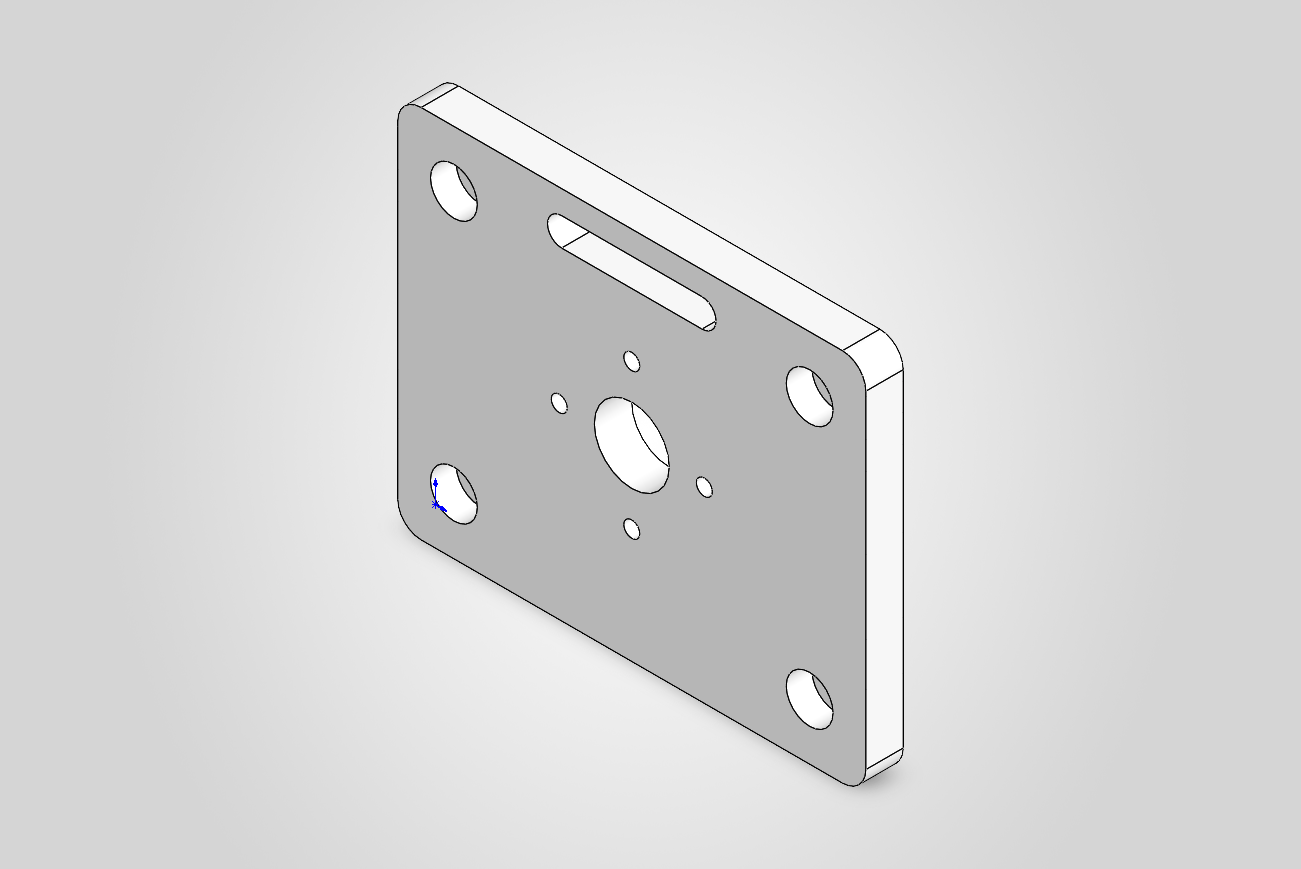
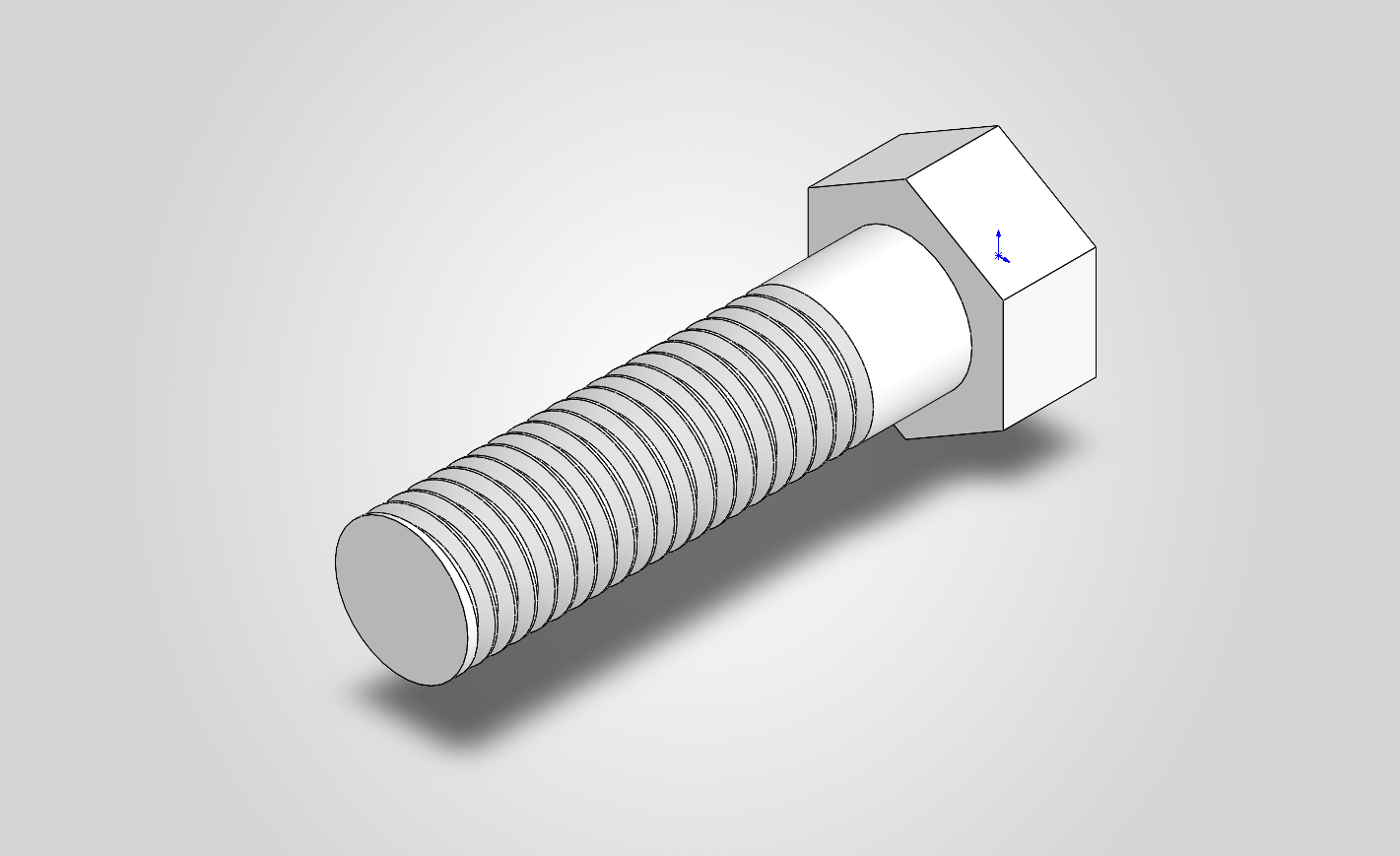
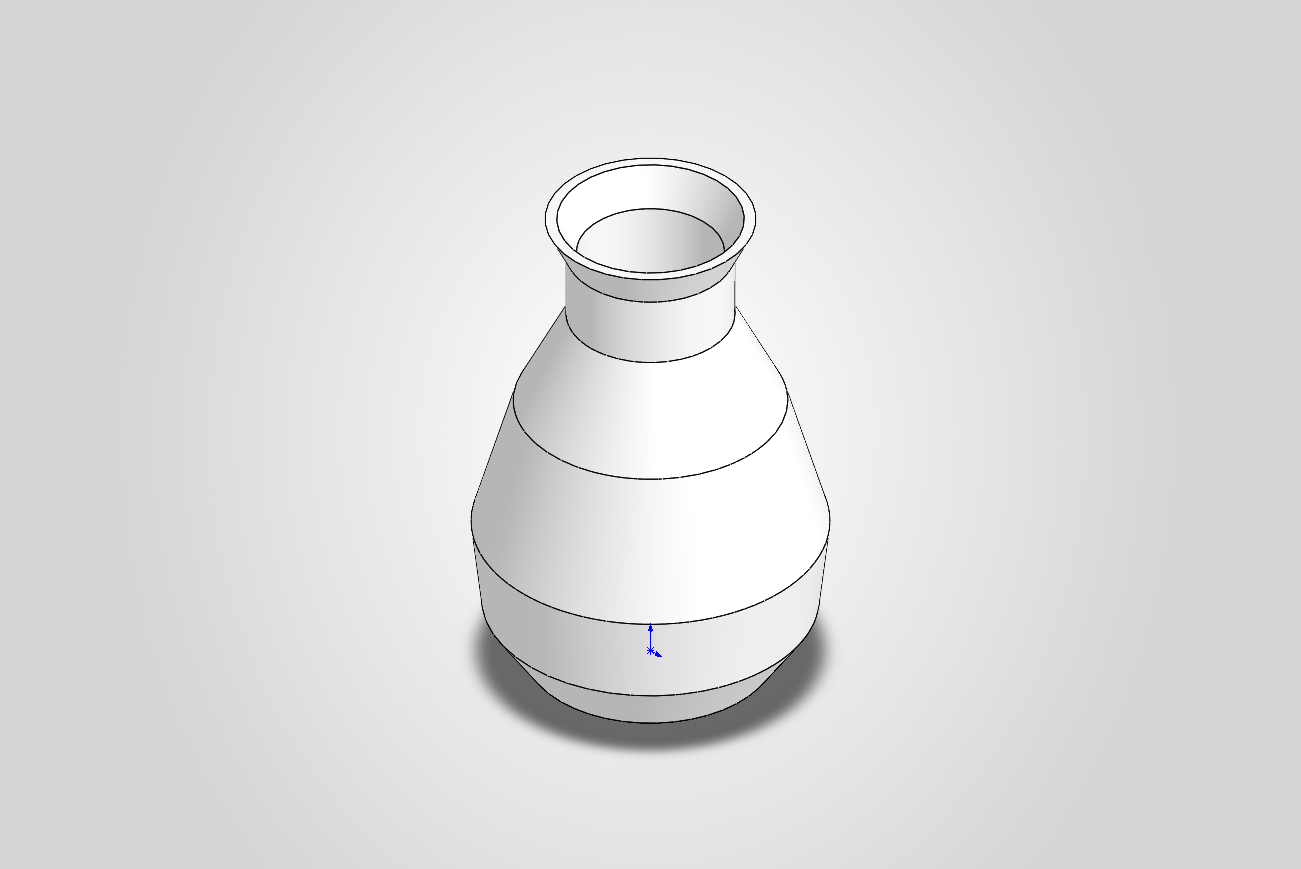
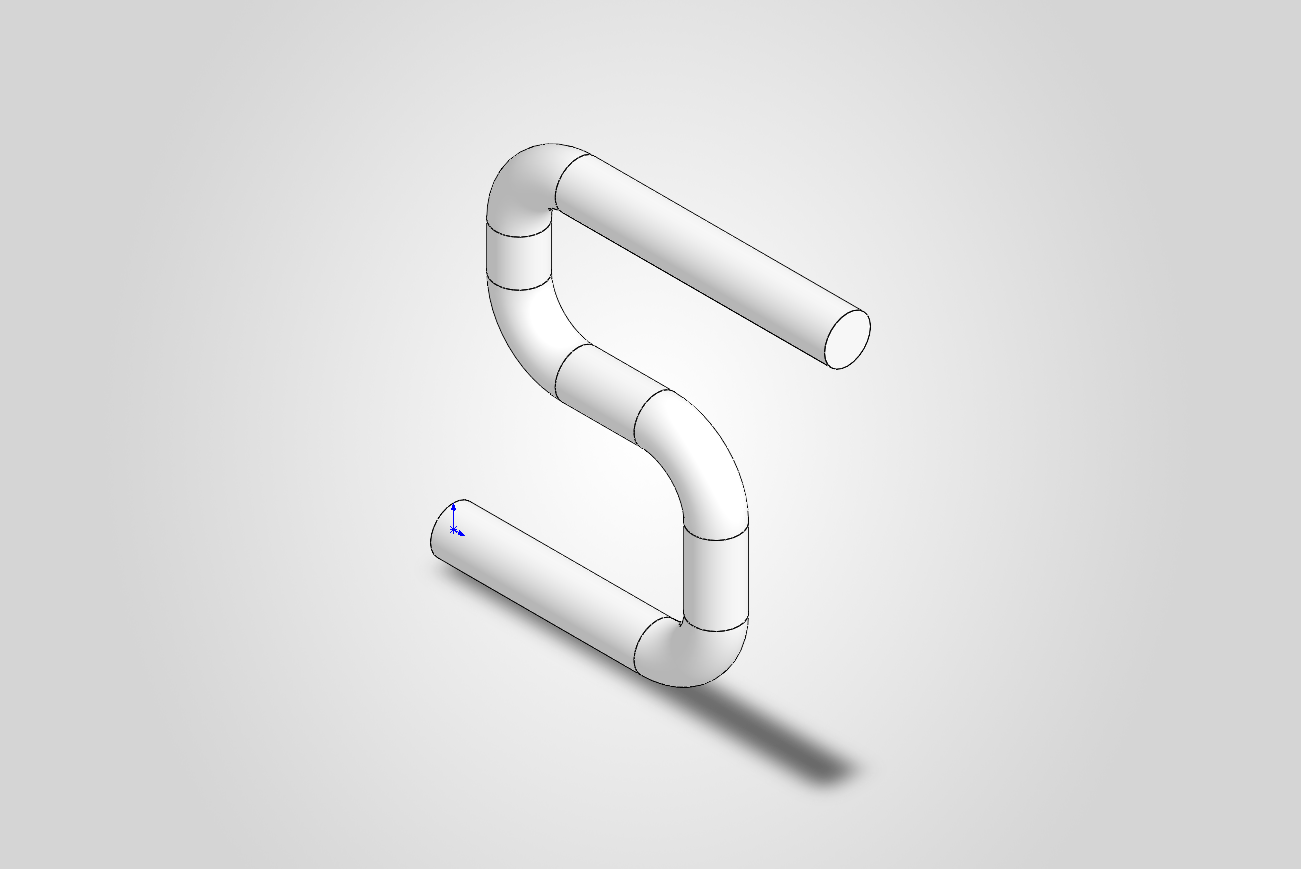
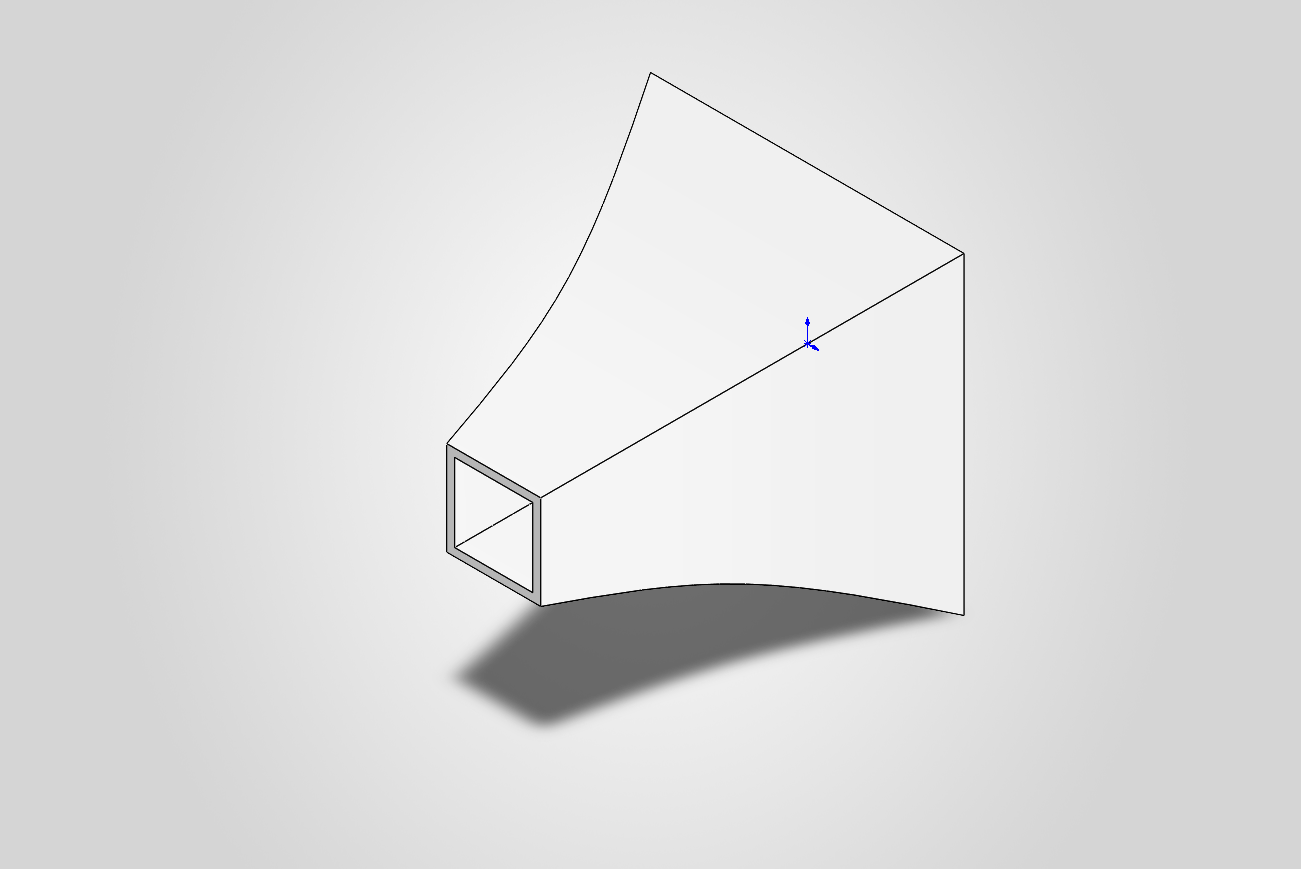
Built by the tools themselves: a mounting bracket (every step checked against a hand calculation), an M10 bolt with a real thread, a revolved + shelled vase, a swept pipe, a lofted + shelled horn.
Why this server
- It verifies, not just generates. Features report measured geometry; dimensions and mates are measured back after the rebuild.
- Fully defined sketches. Every sketch is constrained the way a designer
would: dimensions from the origin, relations only where the geometry is
exactly horizontal, vertical or on the origin. Tools return their dimensions
by role (
width@Sketch1), so the part stays editable, in SolidWorks or through the agent. - Real CAD, not just primitives. Extrude, revolve, sweep, loft and splines;
holes, counterbores, slots and pockets on any face; rounded polygon corners; ISO holes from the Hole Wizard; real ISO metric threads;
fillets, chamfers, shells, patterns, mirrors, ribs, equations and materials. Assemblies
with mates and interference checks. STEP/STL/3MF export and screenshots.
Engraved and embossed text. Work on existing parts: list, delete, suppress and reorder features; read, extrude and cut a person's sketches; import STEP. Colours per part or component. Joints with concentric and angle mates, checked over their range. Printability checks. Manufacturing drawings: ISO sheets with a title block, section and detail views, dimensions placed from model references (also baseline, chain and ordinate), counted hole callouts, surface finish, datum and geometric tolerance symbols, tables and computed gear data tables, notes, automatic layout, a sheet check, and drawings built from a spec. Planes at any offset or angle, or through a point square to any direction; axes anywhere, and circular patterns about them; lofts and loft cuts between sketches on any planes. Several bodies per part, combined and split. Variable fillets and full rounds. Free sketches with tangent arcs and splines. 91 tools in total, and
run_scriptfor what none of them covers (off unless allowed). - It fails loud. A call that cannot do what was asked returns
{ok: false, error}with the cause, never silently wrong geometry. - A fixed, typed tool surface. The agent can only do what the tools allow.
run_script, which runs arbitrary Python, is off unless you start the server with--allow-scripts. - Tested against real SolidWorks. 697 tests; each feature's integration test compares the result with a hand calculation.
- Local. It talks to your running SolidWorks over COM; the server itself makes no network calls.
Quickstart
-
Install uv.
-
Start SolidWorks and leave it open (the server attaches to the running instance — it does not launch one).
-
Register the server with your MCP client.
Claude Code:
claude mcp add solidworks -- uvx sw-mcp
Claude Desktop (
claude_desktop_config.json) or any other client:{ "mcpServers": { "solidworks": { "command": "uvx", "args": ["sw-mcp"] } } }
With Jig there is nothing to register: the plugin starts sw-mcp itself.
-
Ask for a part, for example:
Design a 100 × 80 × 8 mm mounting plate with a Ø16 mm centre bore, four counterbored M5 holes 12 mm from the corners and R5 corners. Check the volume against your own calculation, then export a fine STL.
Guidelines for agents
The server hands every MCP client short modelling guidelines when it connects
(conventions, verify each step, known pitfalls). The full guide is the resource
solidworks://guide: recipes for holes, ribs, threads and assemblies, 3D-print
advice, and how to reverse-engineer a part from a mesh (STL/3MF). The same text
is in src/sw_mcp/guide.md.
Requirements and compatibility
-
Windows, with SolidWorks installed, licensed and running.
-
Python 3.11+ (uv fetches one if needed).
-
A Y-up part template, SolidWorks' standard. Since SOLIDWORKS 2025 new parts can also be Z-up; the tools build in the Y-up frame and refuse a Z-up part with a message that says so.
-
Tested on SOLIDWORKS 2026 (3DEXPERIENCE R2026x). The API calls it uses exist since SOLIDWORKS 2020 SP2, so 2020–2025 should work, but that is untested. To check your installation, run this with SolidWorks open:
uvx sw-mcp --selftest
It builds a few small parts, compares each with a hand calculation and closes them unsaved. Please paste its output in a compatibility report, whether it worked or not.
Status: early (0.x). It works end-to-end, but tool names and conventions may still change. Versions restart at 0.1.0 for the fork. See CHANGELOG.md.
Troubleshooting
- Start with the selftest:
uvx sw-mcp --selftestshows your SolidWorks release, language and templates, and which tool areas work. Add its output to a bug report. - "No running SolidWorks found" / connection fails — SolidWorks must be
running before you start the server or run a script; it attaches to the active
instance via
GetActiveObjectand does not launch one. - First call is slow or
EnsureModuleerrors — the first COM call generates the makepy typelib wrappers under your tempgen_pyfolder. Let it finish; if it gets into a bad state, delete thegen_pycache and retry. Early binding is mandatory on this build (see Architecture). - A feature returns
{ok: false, error: ...}— that is by design: every tool fails loud with a readable message rather than silently producing wrong geometry. Read the message; it names the likely cause. - Only tested against SOLIDWORKS 2026 (3DEXPERIENCE R2026x). On other builds the
verified enum values or method signatures may differ — re-run
scripts/introspect_api.pyto inspect your installed typelib.
Development
Clone the repository, then install it editable into a venv:
python -m venv .venv
.\.venv\Scripts\python.exe -m pip install -e .[dev]
To run the MCP server from this checkout instead of via uvx, point your client at the venv's Python:
{
  "mcpServers": {
    "solidworks": {
      "command": "C:\\path\\to\\sw-mcp\\.venv\\Scripts\\python.exe",
      "args": ["-m", "sw_mcp.server"]
    }
  }
}
Add "--allow-scripts" to args to switch on run_script, which runs any
Python it is given on this computer.
Run the verification scripts
With SolidWorks open:
.\.venv\Scripts\python.exe scripts\probe_connection.py     # M0
.\.venv\Scripts\python.exe scripts\m1_block.py             # M1
.\.venv\Scripts\python.exe scripts\m2_parametric.py        # M2
.\.venv\Scripts\python.exe scripts\test_mcp_server.py      # M3 (full MCP loop over stdio)
.\.venv\Scripts\python.exe scripts\m5_demo_bracket.py      # M5 (3D-print bracket, every step verified)
scripts/introspect_api.py regenerates/inspects the installed typelib and prints
verified enum values — run it if SolidWorks is upgraded and signatures change.
Tests
.\.venv\Scripts\python.exe -m pytest                 # all tests
.\.venv\Scripts\python.exe -m pytest -m "not solidworks"   # fast unit layer, no SolidWorks
Two layers: pure unit tests (units, selector/direction parsing, polygon
cleaning, the component-placement maths, and that every MCP tool forwards its
arguments to the right session method) run anywhere; integration tests
(solidworks marker) drive a running SolidWorks and verify each feature's
volume — or each component's placement — against a hand calc. They auto-skip if
SolidWorks isn't reachable.
Tools
The server speaks MCP over stdio.
Part tools
| Tool | Purpose |
|---|---|
get_status |
Is SolidWorks reachable? revision, server version, active/current part |
new_document(kind) |
Create a new empty part, or an assembly with kind='assembly' (becomes current) |
add_box(width_mm, height_mm, depth_mm, name) |
Sketch rectangle + extrude; returns mass properties |
add_cylinder(diameter_mm, height_mm, name) |
Cylinder by revolving a profile 360° about an axis (Y axis) |
add_disc(diameter_mm, thickness_mm, name, x_mm, y_mm) |
Disc/puck/flange: circle extruded along +Z, centred at (x, y) (holes/patterns compose) |
add_cone(bottom_diameter_mm, top_diameter_mm, height_mm, name) |
Cone/frustum by revolve (top Ø = 0 → full cone) |
add_revolved_profile(profile_mm, angle_deg, name, corner_radii_mm, axis_mm) |
Revolve any closed (radius, height) profile about the Y axis (shafts, vases, rings), or [x, y] points about any line axis_mm on the Front plane; corner_radii_mm rounds its edges |
add_swept_pipe(path_mm, diameter_mm, bend_radius_mm, name, smooth) |
Sweep a round profile along a 2D path with rounded bends (pipes, tubes, rods), or along a spline through the points with smooth=True |
add_swept_profile(profile_mm, path_mm, bend_radius_mm, name, corner_radii_mm) |
Sweep any closed cross-section along a 2D path (rails, gaskets, trim, channels); corner_radii_mm rounds the cross-section |
add_rib(start_mm, end_mm, toward_mm, thickness_mm, z_mm, name) |
Straight rib / gusset in a plane parallel to Front at z_mm, grown toward toward_mm until it meets the part (L-bracket gussets) |
add_extruded_profile(points_mm, depth_mm, face, plane, reverse, name, corner_radii_mm, rotate_deg, about_mm, draft_deg, merge, spline) |
Extrude any closed polygon [[x,y],…] (brackets, sections), or a pad grown out of ANY planar face (face, 3D points on it), or a polygon on any plane (plane); corner_radii_mm rounds its corners with real sketch fillets, each radius a dimension; rotate_deg turns it about a pivot; draft_deg tapers its walls; merge=False keeps a separate body; spline=True runs a smooth closed spline through the points |
add_plane(base, offset_mm, angle_deg, about, name, normal, through) |
A reference plane offset from a plane, turned about a model axis, or through a point square to any direction; gives its origin and axes |
add_axis(through, planes, name) |
A reference axis through a point along a direction, or where two planes meet |
add_loft(sketches, cut, profiles_mm, heights_mm, name) |
Loft, or loft cut, through closed sketches by name on any planes (a bevel gear's tooth gap); or blend 2+ polygon or round profiles_mm stacked at heights_mm (transitions, adapters, a leg thick at the knee) |
list_bodies() |
The part's solid bodies: name, volume, bounding box |
combine_bodies(operation, main, tools, name) |
Add, subtract or intersect bodies of the part (add / subtract / common) |
split_body(plane, name) |
Split the part into two bodies along a plane |
add_hole(x_mm, y_mm, z_mm, diameter_mm, face, depth_mm, cbore_diameter_mm, cbore_depth_mm, iso, size, fit, thread, name) |
Round hole: through at (x, y); on ANY planar face at a 3D point, through or blind (face, depth_mm); a counterbore from +Z (cbore_*); or an ISO hole from SolidWorks' Hole Wizard tables (iso clearance / counterbore / countersink / tapped, size 'M6'; thread="modeled" cuts a real, printable thread) |
add_thread(size, x_mm, y_mm, z_mm, length_mm, internal, name) |
Real, printable ISO metric thread (e.g. M10x1.5) from a rod's end edge or a hole's mouth, via SolidWorks' Thread feature; the size is checked against the thread profiles. Internal: drill the basic minor diameter first (M10x1.5 → Ø8.376) |
add_boss_on_face(diameter_mm, face, x_mm, y_mm, z_mm, height_mm, name) |
Round boss (standoff, peg) grown out of ANY planar face |
add_text_on_face(text, face, x_mm, y_mm, z_mm, height_mm, depth_mm, emboss, font, name) |
Engrave text into ANY planar face, or emboss it: labels, version numbers; the position is two dimensions |
cut_profile(points_mm, depth_mm, face, plane, name, corner_radii_mm, rotate_deg, about_mm, keep_inside) |
Cut a polygon pocket/slot from the +Z face (blind or through, optionally turned about a pivot), on ANY face (face, 3D points on it), or drawn on a plane (plane: through all both ways or depth_mm centred on it; wedges, side windows; keep_inside keeps the profile instead, so two views make a 3D shape) |
cut_offset_pocket(face, x_mm, y_mm, z_mm, rim_mm, depth_mm, name) |
Pocket a face leaving a rim along its outline (I-beam web, tray, frame); rim and depth are dimensions |
cut_slot(length_mm, width_mm, x_mm, y_mm, angle_deg, depth_mm, name) |
Cut a straight slotted hole (obround) on the +Z face at any angle |
add_extruded_slot(start_mm, end_mm, width_mm, depth_mm, name) |
Extrude a stadium (rounded tab, lug, link) between two points, the round ends centred on them |
add_fillet(radius_mm, edges, name, radii_at_mm, skip_shorter_mm) |
Round edges (edges: all, axis x/y/z, a face outline "+z:outline", one feature's edges "feature:Boss", or indices "2,5"); radii_at_mm varies the radius from end to end; a refusal names the edges that do not fit |
add_full_round(face, x_mm, y_mm, z_mm, name) |
Round a rib's top off completely between its two closest opposite sides |
add_chamfer(distance_mm, edges, name) |
Chamfer edges at 45° (edges: all, axis, a face outline, a feature's edges, or indices) |
add_shell(thickness_mm, open_face) |
Hollow to a wall thickness; open a face (+z/…) or none |
add_linear_pattern(count, spacing_mm, direction, feature_name) |
Repeat a feature N times along +x/-x/… |
add_circular_pattern(count, center_x_mm, center_y_mm, feature_name, axis, angle_deg) |
Repeat a feature N times around a hole's axis (bolt circle), a model axis (axis='y': revolved parts) or a reference axis by name; all round or over angle_deg |
add_mirror(plane, offset_mm, features, name) |
Mirror features (copies follow their seeds) or the whole body about the Front/Top/Right plane, or a plane by name, moved offset_mm; fails when a copy would land outside the part |
set_dimension(dimension_name, value_mm) |
Change a named driving dim (e.g. D1@BlockExtrude, or any name a tool returned in dimensions), rebuild, remeasure; an angle in degrees |
set_equation(equation) |
Add a global equation or variable linking dims (e.g. "W" = 40, then "width@Sketch1" = "W"), or replace the one that sets the same name; a list sets several with one rebuild; names the features that fail to rebuild |
list_equations / delete_equation(equation) |
List the equations (value, global, broken) / delete one by name or index |
slice_mesh(path, axis, heights_mm, frame) |
Cross-sections of an STL/3MF mesh as polygon loops, ready to use as profiles |
compare_with_mesh(path, axis, heights_mm, frame, offset_mm) |
Compare the part's cross-sections with a reference mesh (area and extent differences) |
read_sketch(name) |
A sketch read back in model coordinates: lines, arcs, circles, splines, its dimensions, fully defined or not |
add_sketch(plane, start_mm, segments, name, fixed) |
Sketch an outline of lines, arcs and splines on any plane, fully defined: tangent where it flows, dimensioned from the origin; fixed=True freezes computed curves (involutes, cams) instead |
run_script(code, path, image) |
Python against the live SolidWorks on the server's COM thread, with its helpers: a whole part in one call from a script file (path), its helper modules reloaded every run. One report: features added, failing features, bodies, clashes between bodies, under-defined sketches, mass, and one PNG of four views. Rolled back when it raises. Off unless the server runs with --allow-scripts (or SOLIDWORKS_MCP_ALLOW_SCRIPTS=1) |
extrude_sketch(sketch, depth_mm, reverse, name, up_to) / cut_sketch(sketch, depth_mm, reverse, name) |
Build on an existing sketch by name (one a person drew): extrude it blind or up to the next face, or cut it blind or through all |
list_dimensions() |
Every dimension in the part: name (for set_dimension), feature, value, unit |
list_features() |
The part's history in tree order (name, type, suppressed); flags features that fail to rebuild and sketches that are not fully defined |
delete_feature(name, with_children, with_equations) |
Undo a step: delete a feature with its sketch; refuses (and names them) while other features depend on it, unless with_children; names the equations it breaks, or deletes them with with_equations |
suppress_feature(name, suppress) |
Take a feature out but keep it and its dimensions (try a variant); suppress=False brings it back with its dependents |
set_material(name, database, density_kg_m3) |
Assign a material (e.g. 6061 Alloy) so mass/density are real; one SolidWorks lacks (e.g. TPU) comes with its density |
rebuild(top_only) |
Force rebuild, report errors |
get_mass_properties |
Volume, mass, density, surface area, centre of mass, bounding box |
get_bounding_box |
Tight bounding box of the part, or of the whole assembly (min/max/size, mm) |
list_faces(component) / list_edges(face, feature, within_mm, min_length_mm) |
Inspect faces (normal/area/centre; a cylinder's axis, radius and centre, also of a component in an assembly) and edges (type/length/ends/axis) by index, narrowed to a face, a feature, a box or a length |
check_printability(up, overhang_deg, min_wall_mm) |
For a print direction: overhanging faces (area, worst lean, centre), bed contact, height; with min_wall_mm the walls thinner than that |
export(path, file_format, quality, deviation_mm, angle_deg, per_component) |
STEP/STL/IGES/Parasolid/3MF (silent; verifies file). STL/3MF tessellation: quality coarse/fine, or explicit deviation_mm+angle_deg; an assembly's STL as one file or one per component |
screenshot(path, view, zoom_mm, show_planes, from_dir) |
PNG/JPG/TIF from a standard view (iso, front, top, …) or any direction, zoomed to fit or onto a region; planes and axes left out unless asked for |
open_document(path, kind) / save_document(path) |
Open a native .sldprt / .sldasm, or import STEP, IGES and Parasolid as a part or an assembly (parts as components in place) / save the current one, to a path or over its own file |
close_document(title, save) |
Close any open document by title (part, assembly or drawing), or the current one; save=True saves it first, otherwise unsaved changes are dropped and reported |
list_documents / activate_document(title) |
The open documents (path, type, unsaved changes) / make one current again, also one never saved |
Drawing tools
Sheet millimetres, origin at the sheet's bottom-left corner. Annotations are
named <name>@<view>. Each family of drawing operations is one tool with a
kind / type / action / style switch, so a client loads 16 drawing tools. Where geometry matters, tools take references into a
view: edge:-x (the part's face facing -x, seen edge-on), hole:<feature>,
feature:<name>, or a model point [x, y, z].
| Tool | Purpose |
|---|---|
make_drawing(path, sheet, scale, keep_open) |
The whole drawing in one call: front, top and side views (first angle) plus iso on an ISO sheet with SolidWorks' ISO title block, at the largest standard scale that leaves room for dimensions; model dimensions once each, one counted hole callout per set of identical Hole Wizard holes (4X ...), their centres dimensioned, material and mass in the title block; returns problems. PDF, .slddrw, DXF or DWG |
build_drawing(spec, path) |
A drawing from a JSON spec (views, layout, imports, dimensions, callouts, symbols, notes, tables, title block), built from scratch each time; a failing entry is named |
drawing_file(action, path, sheet, part) |
The current drawing, kept apart from the current part: new on an ISO sheet, open, save, export (PDF, DXF, DWG or a picture of the sheet), close |
set_drawing_properties(properties) |
Title block through its linked properties: description, material and weight ('from part' links them to the model) on the part; drawn by, dates, revision, company on the drawing |
add_view(kind, …) |
A model view (front, top, iso, …), or a projected, section (through a model point, square to an axis) or detail view of a parent; placed at a sheet point or beside another view, past views in the way |
edit_view(name, …) |
Move a view (absolute or beside another), change its scale, display, tangent edges or name, or delete it |
list_views(view) |
Frame and title block; each view's outline, geometry box, model-to-sheet mapping and annotations (ids, texts, values, boxes) |
import_dimensions(view, kinds) |
Model dimensions (once each), counted hole callouts, hole centre locations, centre marks and lines |
add_dimension(view, ref, to, style, direction, side, offset_mm) |
Dimensions between references, stacked on free rows; single, baseline, chain or ordinate |
add_symbol(type, view, ref, …) |
On an edge: a hole_callout linked to the model and counting identical holes, an ISO 1302 surface_finish, a datum, or an ISO 1101 gtol frame |
add_note(text, at, height_mm) |
A note on the sheet |
add_table(rows, gear, at) |
A table on the sheet, or the gear data table of a spur or straight bevel gear, computed (from the part's custom properties when not given) |
edit_annotation(annotation_id, …, delete) |
Prefix, suffix, precision, tolerance, fit, text, place; or delete it |
auto_layout(scale, main, arrange_dimensions) |
Lay all views out again around the main one, at the largest standard scale that leaves room for dimensions; optionally SolidWorks' auto arrange of the dimensions |
check_drawing() / render_drawing(path, zoom_mm) |
The sheet's problems (outside the frame, over the title block, overlapping text, crossing leaders, small text, duplicate dimensions, undimensioned features); a picture of the sheet or a region |
Assembly tools
| Tool | Purpose |
|---|---|
insert_component(path, x_mm, y_mm, z_mm, fixed) |
Insert a part, or a .sldasm as a sub-assembly, with its origin at (x, y, z); the first component is fixed by default |
list_components(name, mates, brief) |
Name, path, fixed, position, rotation and bounding box of every component (its own extent, also when turned), and the mates with the components they hold, their dimensions and errors. name narrows a big assembly ('Bolt*', or a part of the name) to those components and their mates; mates=False and brief=True shorten it |
delete_component(component) |
Remove a component from the assembly, with its mates |
replace_component(component, path) |
Swap a component for another part or sub-assembly in the same place; reports the mates kept, and for each broken one what it held and candidate faces on the new part |
set_component_transform(name, x_mm, y_mm, z_mm, rx_deg, ry_deg, rz_deg) |
Move/rotate a component; the transform is read back and verified |
add_mate(comp_a, face_a, comp_b, face_b, mate_type, distance_mm, angle_deg, flip, mates, stop_on_error) |
Mate two faces (by direction, or #index from list_faces): coincident, distance, parallel, perpendicular, angle, or concentric between cylinders — measured back afterwards; a refused mate is removed. A distance or angle mate returns its dimension: a joint angle as one number. mates=[{...}, ...] adds several in one call |
check_motion(dimension_name, values, distances) |
Step a joint through its range: overlapping pairs and chosen distances per step, the smallest distance and where it occurs, the components that moved |
swept_region(component, dimension, values, heights_mm, axis, margin_mm, tolerance_mm, frame) |
What a component covers in a plane over a joint's range: its outline, with a margin, in the coordinates of the part to cut from |
delete_mate(name) / suppress_mate(name, suppress) |
Delete a mate, or a list of them at once, or suppress one (and bring it back) |
check_interference |
Component pairs whose solids overlap, with the volume in mm³ (touching faces don't count) |
measure_distance(component_a, component_b, point_mm, axis_mm) |
Smallest distance between two components, to a point (with the nearest point, and whether the point is in the material), or to an axis |
export and screenshot work on assemblies too.
Faces are selected by direction in the component's own frame (+x, -z, …),
so a selector keeps meaning the same face however the component is turned. Add
:inner (e.g. +y:inner) for the cavity side of a hollow part — the inside of a
room wall instead of its outer skin.
All linear dimensions are millimetres; the server converts to/from the SolidWorks-internal metre/radian units at the boundary.
Architecture
src/sw_mcp/
  binding.py     early-binding plumbing (wrap raw dispatches in generated classes)
  com_worker.py  one dedicated STA thread; all COM calls serialised through it
  session.py     SolidWorks operations (must run on the COM thread)
  server.py      FastMCP tools that delegate to session via the worker
  families.py    one tool per family: picks the session method from the arguments
  advanced.py    axes, lofts, planes by normal, run_script
  drawing.py     drawing tools (views, dimensions, symbols, tables, checks)
  drawing_layout.py  view and dimension placement (pure, no COM)
  image_sheet.py several views on one PNG (run_script's picture)
  constants.py   enum values read from the installed typelib (verified)
  units.py       mm<->m, deg<->rad
  errors.py      SolidWorksError -> agent-facing {ok:false,error}
Two non-obvious design decisions, both load-bearing:
-
Early binding is mandatory. On this build
GetActiveObjectreturns a dispatch whoseGetTypeInfo()fails, soEnsureDispatch/CastTocannot infer types and pure late binding breaks (IModelDoc2.FirstFeature→DISP_E_MEMBERNOTFOUND). We generate makepy wrappers from the installed typelib and wrap each raw dispatch in the right interface class; calls then go by dispid viaInvokeTypes, bypassing name resolution. Seebinding.py. -
A dedicated COM thread. COM is STA and thread-affine. The MCP server runs on asyncio, so all COM work is pinned to one worker thread (
com_worker.py) that handlers post to and await — actively enforcing the "one COM session, single-threaded" rule that does not hold automatically in an async server.
Status and roadmap
Proven end-to-end against SOLIDWORKS 2026 (3DEXPERIENCE R2026x):
| Milestone | What it proves | State |
|---|---|---|
| M0 | COM connection to a running SolidWorks | ✅ |
| M1 | new part → sketch rectangle → extrude → mass properties (volume matches hand calc) | ✅ |
| M2 | change a named dimension → rebuild → volume changes predictably | ✅ |
| M3 | full agent loop via the MCP server: build → measure → correct → export STEP/STL + screenshot | ✅ |
| M4 | revolve, sweep, loft, profiles, holes/pockets/counterbores, slots, fillet/chamfer, shell, patterns, equations, materials, save/open | 🚧 ongoing |
| M5 | end-to-end 3D-print part: build a functional mounting bracket through the full loop → verify every dimension → export a fine STL (scripts/m5_demo_bracket.py) | ✅ |
| M6 | assemblies: insert and position components, mate them, check interference — every placement and mate measured back (tests/test_assembly.py) | ✅ |
See Docs/PROGRESS.md for the detailed log and roadmap. Feedback and contributions are welcome.
Known limitations
- Geometry so far: boxes, cylinders/cones (revolve), arbitrary
extruded profiles, holes, polygon pockets/slots (
cut_profile), fillets, chamfers, shells, linear + circular patterns (bolt circles); plus equations, materials, geometry inspection, and save/open of.sldprt, holes + pockets on any planar face (model→sketch transform), round flanges (disc + bore + bolt circle), and slotted holes (cut_slot, obround at any angle — the first arc-based sketch), general revolves (add_revolved_profile: any(r,z)profile → shafts, vases, rings), swept pipes/tubes (add_swept_pipe: a round profile along a rounded 2D path), and lofts (add_lofted_solid: blend stacked polygon profiles → transitions/adapters), free-form extrusions (add_extruded_spline: a smooth closed spline → organic/aesthetic outlines), and non-circular sweeps (add_swept_profile: any cross-section along a path → rails, gaskets, trim), and mirrors (add_mirror: features or the whole body about a plane through the part). - Selection: plane walk, face-by-normal/direction (
_planar_face_by_normal,+z/…, with:innerfor the cavity side of a hollow part), and edge selection by axis or explicit index (_select_edges).list_faces/list_edgeslet an agent inspect geometry before selecting. - Assemblies (M6): components, transforms, mates and interference detection. Component patterns, in-context features, configurations and Simulation (FEA) are out of scope.
list_faces,list_edgesandadd_filletsee only the first body of a multibody part.
Differences from upstream
Forked from hjbaard/SolidWorks-MCP at 0.16.3. Added since (details in
CHANGELOG.md):
- Manufacturing drawings:
make_drawingon an ISO sheet with title block, counted hole callouts and hole positions, plus 15 drawing tools (views, sections, details, dimensions, hole callouts, surface finish, datums, GD&T, tables and gear data tables, notes, layout, a sheet check,build_drawingfrom a spec). - Modelling:
add_axis,add_loft(also loft cuts), circular patterns about any axis, planes through a point square to any direction,add_sketch(fixed=True), several mates in one call,replace_component. run_script(off unless allowed): a whole part from a script file in one call, with one report and a four-view picture.- Tool families: related tools merged into one with a switch (
add_hole,add_extruded_profile,cut_profile,new_document, ...), 91 tools in place of 106. - Different names: the package is
sw-mcp, the modulesw_mcp.
Fixes from upstream are merged in from time to time. In a clone:
git remote add upstream https://github.com/hjbaard/SolidWorks-MCP.git
git fetch upstream && git merge upstream/main
Credits and license
MIT, see LICENSE. The original server is by Henk Jan Baard (hjbaard/SolidWorks-MCP); this fork is maintained by Nejc Dvorsek.
1 maintainer

Metadata
1 maintainer
Release files for sw-mcp 0.1.0
For a detailed explanation of source distributions (sdists) and built distributions (wheels), please see the package formats documentation.
Source distribution (sdist)
| File | Size | Uploaded | Provenance | Actions |
|---|---|---|---|---|
| sw_mcp-0.1.0.tar.gz | 355.6 kB | With provenance | Details for sw_mcp-0.1.0.tar.gz |
Built distribution (wheel)
| File | Interpreter | ABI | Platform | Actions Reset |
|---|---|---|---|---|
| sw_mcp-0.1.0-py3-none-any.whl | Python 3 | none | any | Details for sw_mcp-0.1.0-py3-none-any.whl |
Total release size: 601.3 kB
Release files / sw_mcp-0.1.0.tar.gz
| Download URL | sw_mcp-0.1.0.tar.gz |
|---|---|
| Size | 355.6 kB |
| Tags | Source |
|
SHA-256 checksum How to use checksums |
800f6b1eecc081c69c51e4d9f8835dcd340e33d497f91aa046556df628bb0da4
|
|
BLAKE2b-256 checksum How to use checksums |
fc5bb79ec8ff4d3d22b18005da9945a472bfc0be63c6246b128282b4bca2e4bd
|
| Upload date | |
|
Uploaded using Trusted Publishing? What is trusted publishing? |
Yes |
| Uploaded via |
twine/7.0.0 CPython/3.13.16
|
Provenance
Provenance describes where a file came from. On PyPI, provenance is shared via attestations, which provide a verifiable record of the build or publishing details. View details, limitations and caveats.


PyPI Publish Attestation
PyPI verified that this artifact, at this checksum, originated from the publisher listed below.
Signed by GitHub Actions, verified by PyPI on Oct 29, 2026.
Transparency logRelease files / sw_mcp-0.1.0-py3-none-any.whl
| Download URL | sw_mcp-0.1.0-py3-none-any.whl |
|---|---|
| Size | 245.7 kB |
| Tags | Python 3 |
|
SHA-256 checksum How to use checksums |
c0b88a33f8d4481e6d522a2af23fa9d3aedb925b7fa446a5e746be57d92a5861
|
|
BLAKE2b-256 checksum How to use checksums |
3eba770c1bee872ae96f8693b5915154b6d8b54fac12c3481cb1a673d8d6c522
|
| Upload date | |
|
Uploaded using Trusted Publishing? What is trusted publishing? |
Yes |
| Uploaded via |
twine/7.0.0 CPython/3.13.16
|
Provenance
Provenance describes where a file came from. On PyPI, provenance is shared via attestations, which provide a verifiable record of the build or publishing details. View details, limitations and caveats.
PyPI Publish Attestation
PyPI verified that this artifact, at this checksum, originated from the publisher listed below.
Signed by GitHub Actions, verified by PyPI on Oct 29, 2026.
Transparency logSecurity for sw-mcp 0.1.0
Provenance
Provenance describes where a file came from. On PyPI, provenance is shared via attestations, which provide a verifiable record of the build or publishing details. View details, limitations and caveats.
Full provenance
All 2 files in this release have been uploaded with provenance metadata.
Attestation for sw_mcp-0.1.0.tar.gz
PyPI Publish Attestation
PyPI verified that this artifact, at this checksum, originated from the publisher listed below.
Signed by GitHub Actions, verified by PyPI on Oct 29, 2026.
Transparency logA note on package security
PyPI is a repository for distributing packages, not a service for auditing them. While third-party security researchers and our staff do their best to detect and remove malicious packages, PyPI cannot guarantee the quality, security or suitability of any given package.
To learn more about protecting yourself from malicious actors, visit our package security documentation.













