
Sway Input Configurator
Input device configurator for SwayWM, written in Python and Qt6, inspired by nwg-shell-config. It uses standard libinput options to configure keyboard, touchpad and pointer devices.
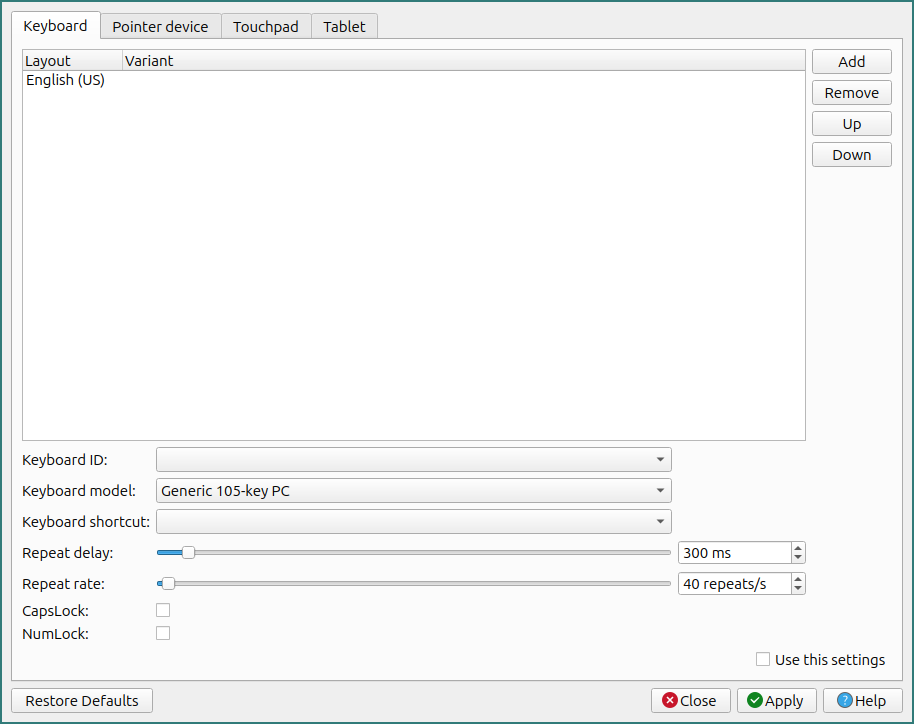
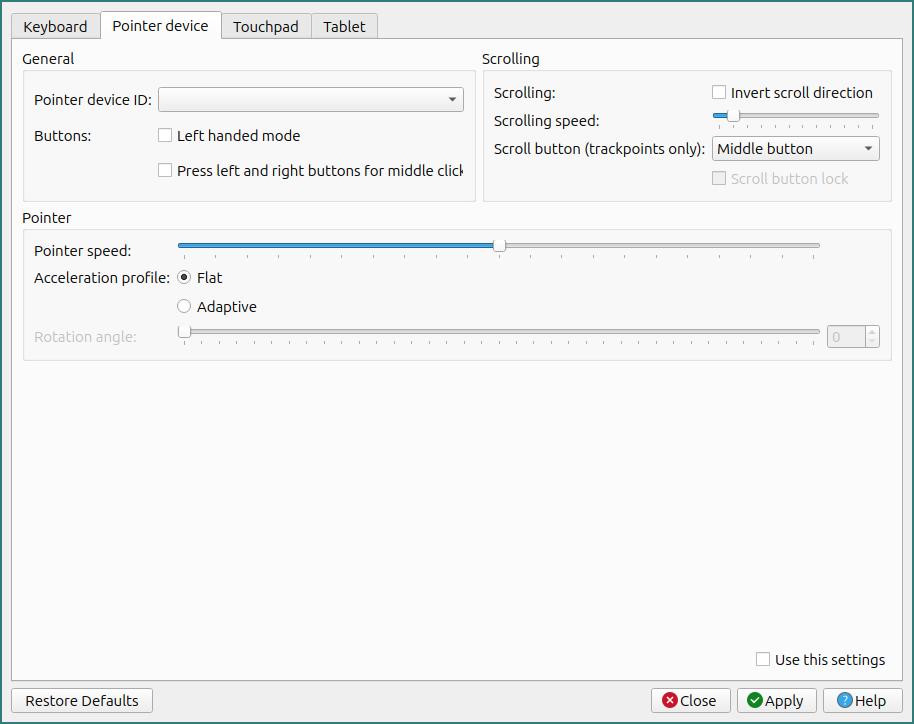
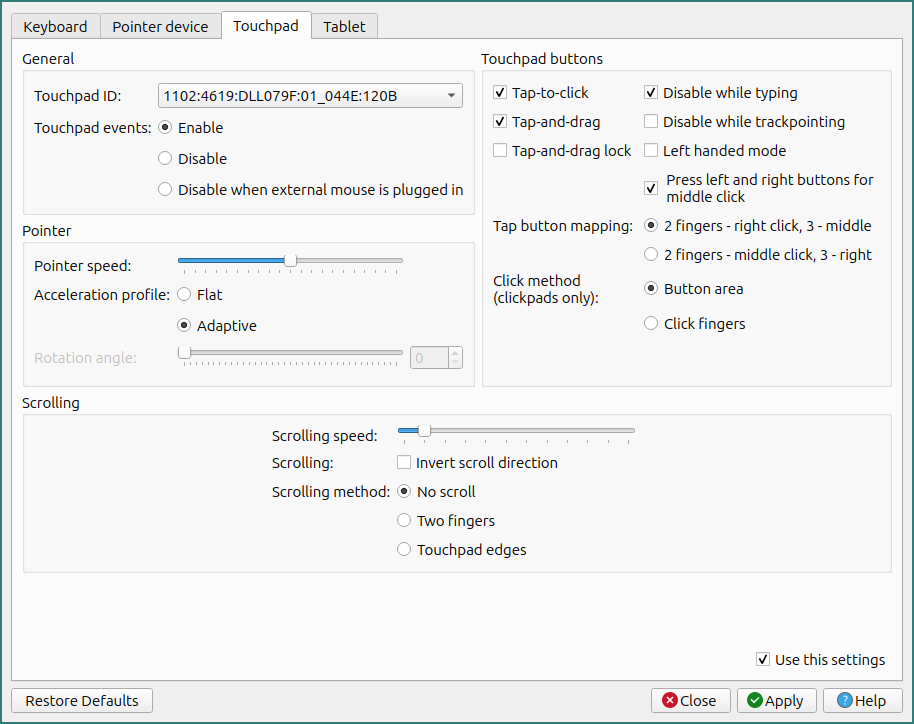
Installation:
From source:
git clone https://github.com/Sunderland93/sway-input-config.git
cd sway-input-config && python setup.py install
From PIP:
pip install sway-input-config
Arch Linux:
Available in AUR
Settings:
Configuration file is located in ~/.config/sway-input-config/settings. It's a JSON-file:
{
  "keyboard-layout": [
   "us"
  ],
  "keyboard-variant": [
   ""
  ],
  "keyboard-shortcut": "",
  "keyboard-identifier": "",
  "keyboard-model": "pc105",
  "keyboard-repeat-delay": 300,
  "keyboard-repeat-rate": 40,
  "keyboard-capslock": "disabled",
  "keyboard-numlock": "disabled",
  "pointer-identifier": "",
  "pointer-accel-profile": "flat",
  "pointer-pointer-accel": 0.0,
  "pointer-natural-scroll": "disabled",
  "pointer-scroll-factor": 1.0,
  "pointer-left-handed": "disabled",
  "touchpad-identifier": "",
  "touchpad-accel-profile": "flat",
  "touchpad-pointer-accel": 0.0,
  "touchpad-natural-scroll": "disabled",
  "touchpad-scroll-factor": 1.0,
  "touchpad-scroll-method": "two_finger",
  "touchpad-left-handed": "disabled",
  "touchpad-tap": "enabled",
  "touchpad-tap-button-map": "lrm",
  "touchpad-drag": "enabled",
  "touchpad-drag-lock": "disabled",
  "touchpad-dwt": "enabled",
  "touchpad-middle-emulation": "enabled"
}
If settings file is corrupted or missing, Sway Input Configurator will use the default settings and recreate settings file. Config files for keyboard, touchpad and mouse is located in ~/.config/sway/ (keyboard, touchpad and pointer respectively).
Translations
If you would like to translate Sway Input Configurator into your language, please follow the instructions below:
- Install the necessary utilities - Qt Linguist and pylupdate5. For Debian-based systems:
sudo apt install pyqt5-dev-tools qttools5-dev-tools
- Clone the repository and generate translation:
git clone git@github.com:Sunderland93/sway-input-config.git
cd sway-input-config
./locale-gen.sh
It creates lang_*.ts file in sway_input_config/langs based on your system locale. If you want to create translation other than your system locale, pass yourlocale option to locale-gen script (e.g for German, you can pass de_DE):
./locale-gen.sh de_DE
-
Open created
lang_*.tsfile in Qt Linguist tool, choose language and translate all strings. After that, select File -> Compile and save yourlang_*.qmfile in the same directory aslang_*.ts(sway_input_config/langs). -
Test your translation. If your translation is the same as your system locale, Sway Input Configurator apply it automatically. Or you can pass
--locale "yourlocale"option to Sway Input Configurator to force the locale (e.g--locale de_DE). -
Feel free to send PR with your translation :)
1 maintainer

Metadata
1 maintainer
Release files for sway-input-config 1.4.1
For a detailed explanation of source distributions (sdists) and built distributions (wheels), please see the package formats documentation.
Source distribution (sdist)
| File | Size | Uploaded | |
|---|---|---|---|
| sway-input-config-1.4.1.tar.gz | 246.5 kB | Details |
Release files / sway-input-config-1.4.1.tar.gz
| Download URL | sway-input-config-1.4.1.tar.gz |
|---|---|
| Size | 246.5 kB |
| Tags | Source |
|
SHA-256 checksum How to use checksums |
0940c99a77499e7f19c738dfcbf28766b3fdb7c7a87046c1f69f4068c0f0edca
|
|
BLAKE2b-256 checksum How to use checksums |
f72c60adcc0aa1d9f43c538cdbe81dfa8cc577a3b4b3629ac595372cf2b90d4c
|
| Upload date | |
|
Uploaded using Trusted Publishing? What is trusted publishing? |
No |
| Uploaded via |
twine/4.0.2 CPython/3.11.2
|














