
SWC Visualizer
SWC Visualizer is a Python tool for validating, summarizing, and visualizing neuronal morphology stored in SWC files.
It is designed for people who are new to neuronal morphology and/or programming, who want to explore SWC files from databases such as NeuroMorpho.Org or other sources.
The tool can:
- Validate SWC morphology data.
- Provide basic summary information about neuronal morphology.
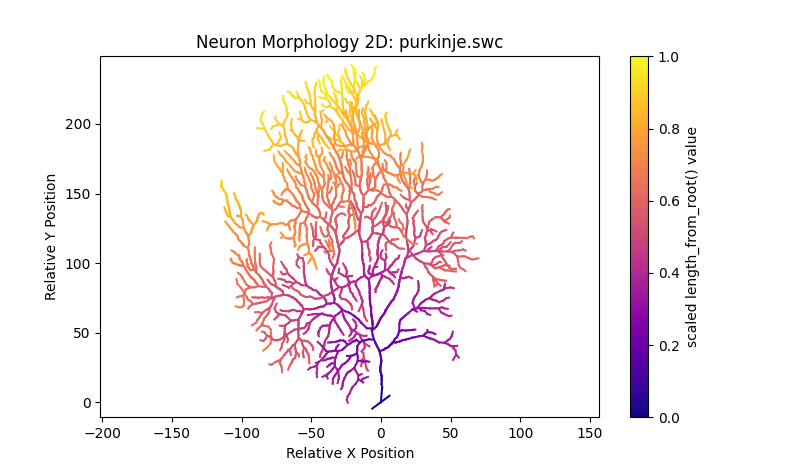
- Generate 2D visualizations of neuronal morphology.
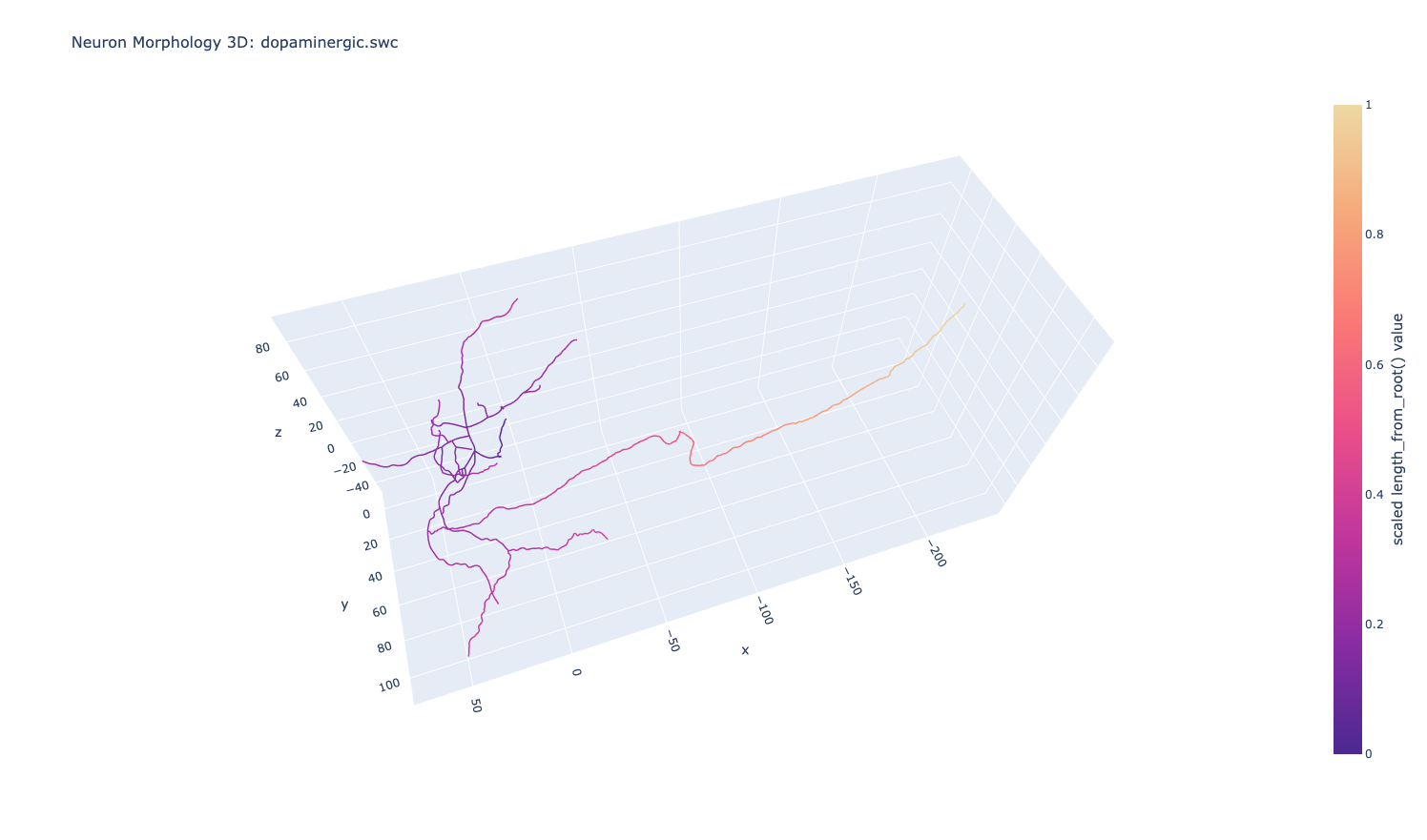
- Generate interactive 3D visualizations of neuronal morphology.
- Process SWC files individually or. process all SWC files in a directory sequentially.
Example
Installation
Install SWC Visualizer from PyPI:
pip install swc-visualizer
Basic Usage
After installing the package, import and call visualize_swc
from swc_visualizer import visualize_swc

visualize_swc("my/neuron/folder", visualization="3d")
The visualization argument accepts:
- "2d" — generate a 2D visualization.
- "3d" — generate a 3D visualization.
- "both" — generate both 2D and 3D visualizations.
You can provide either an individual SWC file or a directory containing multiple SWC files:
from swc_visualizer import visualize_swc

# Process a single SWC file
visualize_swc("my/neuron.swc", visualization="2d")

# Process all SWC files in a directory
visualize_swc("my/neuron_folder", visualization="both")
Command Line
SWC Visualizer can also be used directly from the command line.
Provide the path to an individual SWC file or a directory containing SWC files, and a visualization type using --visualization. For example:
swc-visualizer my/neuron.swc --visualization 2d
or
swc-visualizer my/neuron_folder --visualization both
Example SWC Files
Example SWC files are included with the package and can be accessed using "examples":
from swc_visualizer import visualize_swc

visualize_swc("examples", visualization="3d")
From the command line, use the --examples flag:
swc-visualizer --examples
Acknowledgements
Special thanks to Marieke Westendorp for her guidance throughout this project.
License
This project is licensed under the MIT License
1 maintainer

Metadata
1 maintainer
Release files for swc-visualizer 0.1.2
For a detailed explanation of source distributions (sdists) and built distributions (wheels), please see the package formats documentation.
Source distribution (sdist)
| File | Size | Uploaded | |
|---|---|---|---|
| swc_visualizer-0.1.2.tar.gz | 575.5 kB | Details |
Built distribution (wheel)
| File | Interpreter | ABI | Platform | Reset |
|---|---|---|---|---|
| swc_visualizer-0.1.2-py3-none-any.whl | Python 3 | none | any | Details |
Total release size: 1.2 MB
Release files / swc_visualizer-0.1.2.tar.gz
| Download URL | swc_visualizer-0.1.2.tar.gz |
|---|---|
| Size | 575.5 kB |
| Tags | Source |
|
SHA-256 checksum How to use checksums |
8c1f5af60802b521b0a6f84e01111032804160b509e7f741cb81746c14b7a102
|
|
BLAKE2b-256 checksum How to use checksums |
8696fa1157c71acba8d474b0c4bd3d4b03b419f395dbb1bb43fa88d711869741
|
| Upload date | |
|
Uploaded using Trusted Publishing? What is trusted publishing? |
Yes |
| Uploaded via |
twine/7.0.0 CPython/3.13.14
|
Provenance
Provenance describes where a file came from. On PyPI, provenance is shared via attestations, which provide a verifiable record of the build or publishing details. View details, limitations and caveats.


PyPI Publish Attestation
PyPI verified that this artifact, at this checksum, originated from the publisher listed below.
Signed by GitHub Actions, verified by PyPI on Aug 19, 2026.
Transparency logRelease files / swc_visualizer-0.1.2-py3-none-any.whl
| Download URL | swc_visualizer-0.1.2-py3-none-any.whl |
|---|---|
| Size | 575.4 kB |
| Tags | Python 3 |
|
SHA-256 checksum How to use checksums |
e63b3447ad79a9f836dfa172458b78feeef30c8594023bfae5af7e42d407a6b9
|
|
BLAKE2b-256 checksum How to use checksums |
41f72036ad8883ad359071a7b67532aa19476091329255bc94ef304ae58c0018
|
| Upload date | |
|
Uploaded using Trusted Publishing? What is trusted publishing? |
Yes |
| Uploaded via |
twine/7.0.0 CPython/3.13.14
|
Provenance
Provenance describes where a file came from. On PyPI, provenance is shared via attestations, which provide a verifiable record of the build or publishing details. View details, limitations and caveats.
PyPI Publish Attestation
PyPI verified that this artifact, at this checksum, originated from the publisher listed below.
Signed by GitHub Actions, verified by PyPI on Aug 19, 2026.
Transparency log













