
SWOOPS Optimization GUI
Setup, Workflows, Orchestrate, Optimize, Plot, Surrogates
Author: Jason Krist
Date: October 1st, 2025
Description
SWOOPS is an in-progress Graphical User Interface (GUI) designed for parametric optimization. Each letter of SWOOPS stands for a feature set that is within the scope of the tool. Swoops are also the name for the bats in super mario, hence the mascot for the tool is a swoop named Zippy, which is an homage to the Microsoft Office Assistance Clippy.
Table of Contents
- Why Create Swoops?
- Core Tenets
- Feature Sets
- Architectural Choices
- Target Uses
- Install
- Usage (Incomplete)
- Roadmap
Why Create Swoops?
SWOOPS is a culmination of everything I want in an optimization GUI. Below are my grievances with the state of current optimization interfaces:
- COTS (Commercial Off The Shelf) tools are expensive, lack necessary configurability, and prioritize supporting tools within their own ecosystem
- COTS tools have architectures which make interoperability with open source optimization frameworks difficult
- Open source frameworks have little to no GUIs, with DAKOTA being the exception
- Custom tools have high tech debt and steep learning curves
- Unfriendly user experience across the board
Therefore, I have developed SWOOPS with the "Core Tenets" below in mind.
Core Tenets
- Democratize Optimization
- Prioritize User Experience
- Seamless Automation
- Free and Open Source Core Program
- Modularity is a Must
- Encourage Community Collaboration
- Make Lasting Contributions
Feature Sets
- Setup - prepare files or processes for optimization, which includes file parsers and workflow templates
- Workflows - specify tasks, inputs, outputs, and dependencies of a workflow
- Orchestrate - export and execute a workflow. See progress as it completes
- Optimize - specify constraints, objectives, algorithms, and check ongoing optimization progress
- Plot - create user-defined plots from existing data sets or optimization results
- Surrogates - create and test surrogate models for utilizing in multi-fidelity optimization
Architectural Choices
- Written in Python due to the breadth of experience for develops in this field, and because it is the language of choice for existing frameworks
- Primarily target desktop platform for architectural simplicity
- QT (Pyside6) chosen for being the most robust, feature rich, and cross-platform Desktop GUI Framework in Python
Target Uses
- Generic workflow automation
- DOE (Design of Experiments) and analyzing interaction effects
- Early conceptual design optimization with derivatives and tightly coupled variables
- Gradient free, multi-fidelity optimization for design tuning
- Multi-objective optimization for pareto optimal solutions
Install
pip install swoops
Usage (Incomplete)
python test_app.py
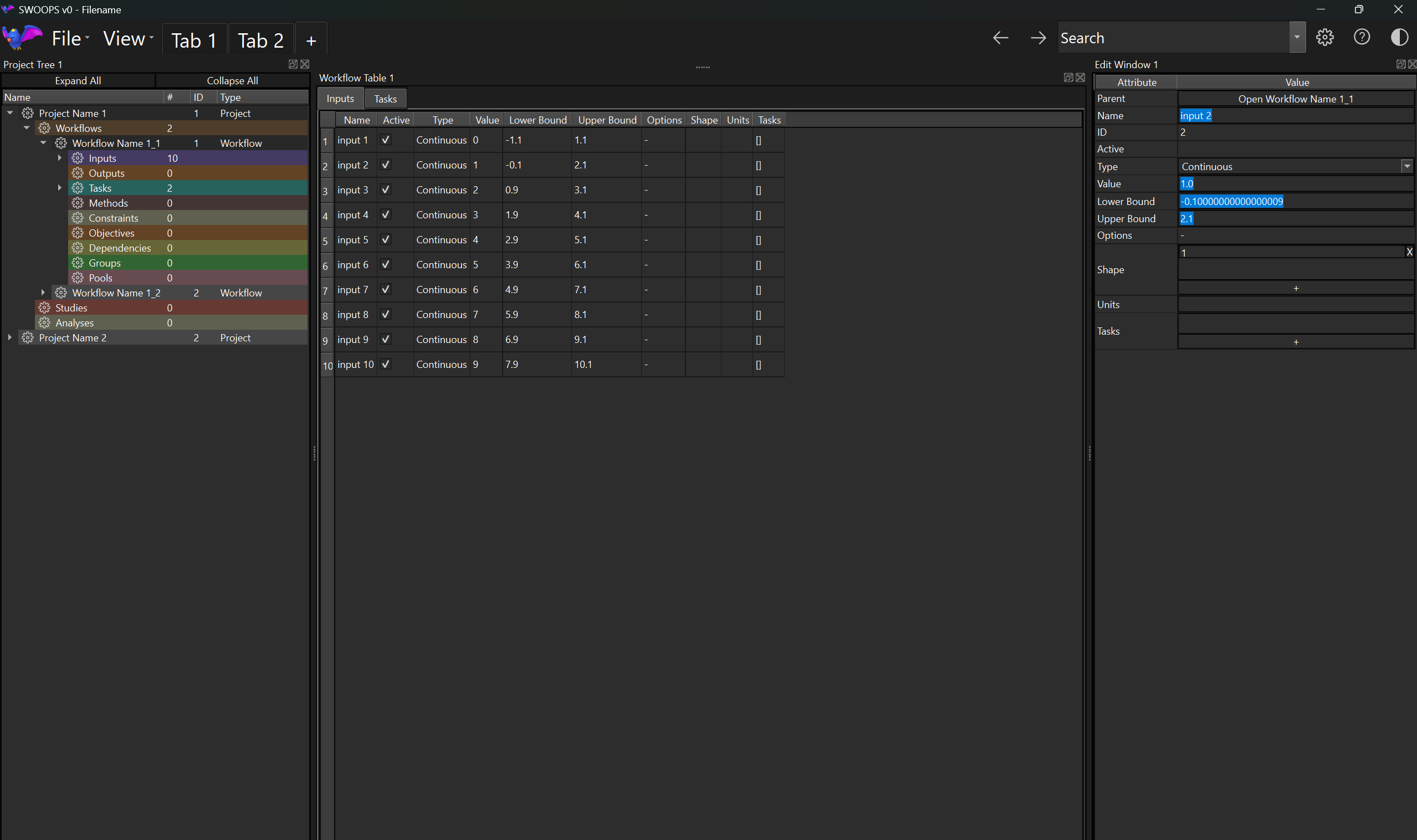
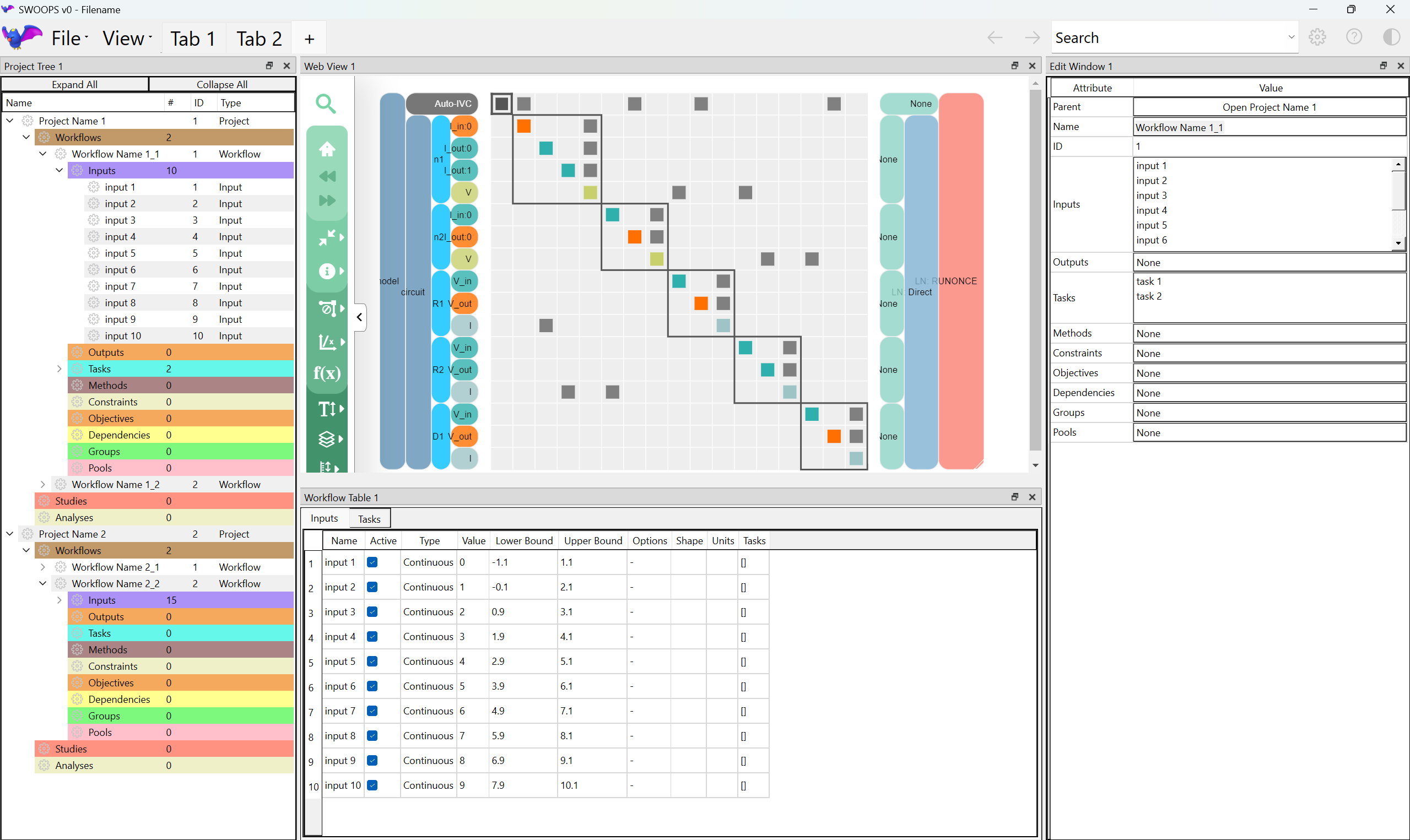
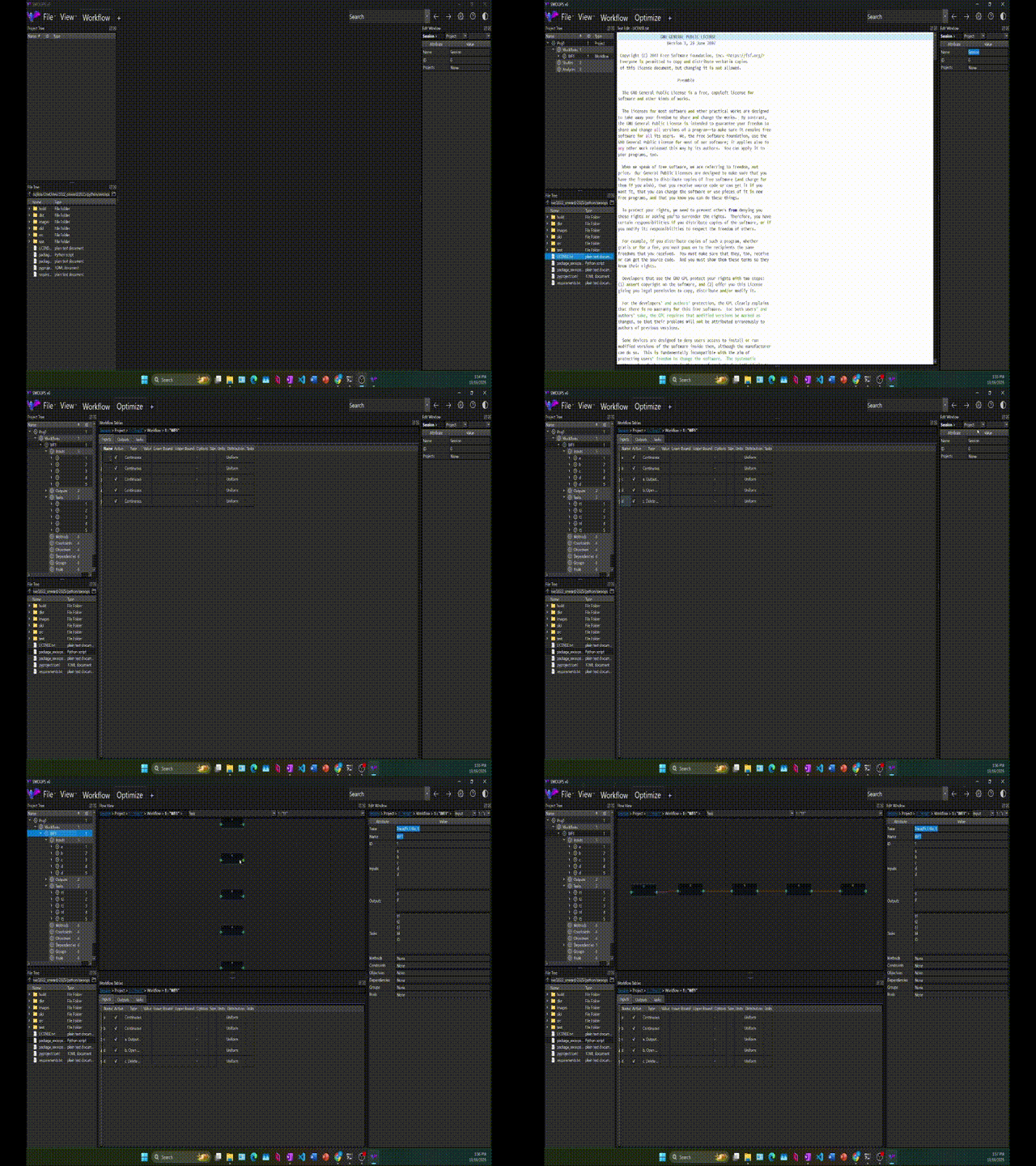
Add more GUI usage steps and images here.
Python In-Line Usage (Incomplete)
Probably don't need this section.
Command Line Usage (Incomplete)
swoops [-h] [-file FILE] [-b]
Roadmap
Complete
- Backend data structures which can represent most optimization setups
- Widgets
- Docked windows - each widget is nested in a dockable window
- Tree View - visualize nested data structures or file system
- Edit Window - visualize and edit all attributes of a data structure
- Table View - visualize and edit a large set of entities and their attributes in a table
- Web View - load local HTML files (Plotly, N2 Diagram) or online web pages
- Plot View - load interactive Matplotlib plots
- Python Code Editor - text edit python scripts
- Undoablility for Data Structure and Widget related changes (new, delete, edit)
- Tabs which can contain different widgets and layouts
- Rudimentary export script for swoops data structures to GEMSEO optimization format
In Progress
- Block Diagram Viewer - visualize Workflow, Dependencies, and data flow
- Get App fully functional for simple demos. This encompasses many small To-Do's
- Python Command Window - run python commands in-session and see results
Future Plans
- File Parser for defining variable locations in input or output files
- Workflow "Templates" can be created with Empty values which are highlighted to user to complete
- Create a "Library" of common tasks with drag-and-drop functionality
- User-friendly, Documented Python API
- Custom optimization orchestrator with modular optimizer interface
- "Zippy" button opens a helper overlay for tutorials and trainings
- Out-of-the-Box interoperability with GEMSEO, OpenMDAO, and Pymoo. Potentially work on supporting Philote, CSDL, and SUAVE.
Read The Docs (Incomplete)
Download "docs" folder or check preview.
Contributing
Message me on Github.
License
Copyright:
(c) 2025, Jason Krist
1 maintainer

Download files
Download the file for your platform. If you're not sure which to choose, learn more about installing packages.
Source Distribution
Built Distribution
Filter files by name, interpreter, ABI, and platform.
If you're not sure about the file name format, learn more about wheel file names.
Copy a direct link to the current filters
File details
Details for the file swoops-0.0.7.tar.gz.
File metadata
- Download URL: swoops-0.0.7.tar.gz
- Upload date:
- Size: 20.1 kB
- Tags: Source
- Uploaded using Trusted Publishing? No
- Uploaded via:
twine/6.2.0 CPython/3.12.0
File hashes
| Algorithm | Hash digest | |
|---|---|---|
| SHA256 |
574398adc6ec2d102c6564ea1d7cc09ee7e137ebe17f8cdc1d1c085da557a11b
|
|
| MD5 |
468aae9b97ccb826506ed61b7a5b4d4f
|
|
| BLAKE2b-256 |
7f43f679f3388f00181d0dd6239319ae2783406f325762050682c21b03f28cce
|
File details
Details for the file swoops-0.0.7-py3-none-any.whl.
File metadata
- Download URL: swoops-0.0.7-py3-none-any.whl
- Upload date:
- Size: 16.8 kB
- Tags: Python 3
- Uploaded using Trusted Publishing? No
- Uploaded via:
twine/6.2.0 CPython/3.12.0
File hashes
| Algorithm | Hash digest | |
|---|---|---|
| SHA256 |
0427e357a9f2f4ccded3099dbeeee7b82aa30ca5034d6b9c98fe74a5a9057f8a
|
|
| MD5 |
7c77544495b0145b957548c9510427a7
|
|
| BLAKE2b-256 |
6f8ebb75a2f8621cba39ffe58a4d1185e3167e481eded5c4e2cba62f66c31859
|














