
Symbio - that fine tuning agent.
A local-first AI agent that learns from your corrections.
Runs on your Mac. Remembers what matters. Learns new skills. Fine-tunes itself with LoRA. No cloud inference. No subscription.



Try the interactive demo · Quick Start · How it learns · Roadmap
What is Symbio?
Most AI agents have a problem:
They forget.
like forget forget, get it? Cause it was in short term memory and you might shut down your computer?
You correct an agent today, and tomorrow it makes the same mistake again. You can put instructions in a system prompt, but that makes the prompt larger, it becomes slower when processing, and doesn't really teach the model anything.
Symbio takes a different approach - obviously why else make this?
You → Agent → Mistake → Correction
                    ↓
              Learning data
                    ↓
              LoRA training
                    ↓
             New adapter
                    ↓
              Agent improves
       it now can be shown in the layer
Corrections and successful tool recoveries are automatically collected as training examples. Once enough examples accumulate, Symbio performs a small LoRA fine-tune and reloads the resulting adapter.
The goal is simple:
The longer you use Symbio, the more you define what AI means to you
Everything can stay on your machine, nothing phones "home"
Le Features
- Learns from corrections — automatically detects corrections and turns them into training data.
- Self-corrects tool mistakes — successful recovery from a failed command can become a training example.
- Learnable skills — create a skill as a Markdown procedure and train a dedicated worker adapter for it.
- LoRA fine-tuning — only small adapter weights are trained; the base model stays frozen.
- Mixture of Agents — a headmaster can delegate bounded tasks to smaller worker models.
- Local memory — notes, sessions, training data, adapters and caches live locally.
- RAG retrieval — relevant notes can be retrieved and supplied as context.
- Web research — search the web and automatically save useful discoveries as notes.
- Browser automation — open pages, click, type and scroll through a live browser.
- Shell & Python tools — execute sandboxed commands and short Python programs.
- Telegram gateway — use your local Symbio instance from your phone.
- Permission gates — dangerous actions require explicit approval.
- Golden-set regression protection — bad fine-tunes can automatically roll back.
- Skill evaluation — compare base, prompted and adapter performance.
- Crash recovery — interrupted training is recorded and can be resumed.
- Self-pruning — junk notes and duplicate session turns can be archived.
- No API required for inference — the default architecture is designed around local models.
Demo
Live browser demo
Try the real tag parser, correction miner, research memory and RAG retriever in your browser:
https://huggingface.co/spaces/HuyEdits/symbio-demo (no fine tuning just actions)
Screenshots

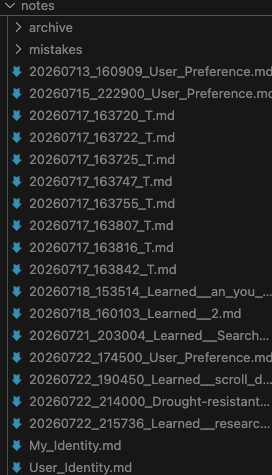
Browser automation
Symbio can use a live browser to perform tasks such as opening Chrome and interacting with pages. wowie
https://github.com/user-attachments/assets/9e910d11-d204-4fb1-b42f-e09dd6243d20
Quick Start
Requirements
Symbio currently targets Apple Silicon Macs using Apple's MLX stack. (unfortunately until we can get support for CUDA, and other stuff)
Recommended
- macOS
- Apple Silicon M-series Mac
- 16 GB+ unified memory
- Python 3.10+
- ~8 GB free disk space for the default setup
- Additional space for models, adapters and browser data
The default 8B-class (or others - check the wizard) configuration is much more comfortable with 16 GB+ RAM. Smaller models can be used on machines with less memory.
Hardware compatibility: Symbio is intended for Apple Silicon Macs. If you test it on different M-series generations or RAM configurations, please open an issue and share the model, RAM and configuration so compatibility can be documented properly.
Install
cd symbio
git clone https://github.com/huyedits/Symbio
./install.sh
The installer:
- Checks the machine and available resources.
- Creates an isolated virtual environment.
- Installs dependencies.
- Downloads the browser engine when enabled.
- Optionally prefetches the model.
- Drops you into an activated environment.
Exit the environment with:
exit or control + c
Your original shell is untouched.
Then start Symbio:
symbio
Or use the shorter command:
symb
On first launch, an interactive setup wizard asks for your name, Symbio's name, model preset and enabled features.
Re-run the setup wizard at any time:
symb setup
Installer options
Show installer options
./install.sh --prefetch-model   # Download the model during installation
./install.sh --no-browser       # Skip the Chromium download
./install.sh --with-native      # Include experimental native extras
./install.sh --dev              # Install development/test dependencies
./install.sh --no-shell         # Install without entering the environment
./install.sh --venv PATH        # Use a custom virtualenv location
How it learns
The core learning loop is intentionally simple:
1. You use Symbio
        ↓
2. Symbio makes a mistake
        ↓
3. You correct it
        ↓
4. Symbio detects the correction
        ↓
5. The mistake becomes training data
        ↓
6. Enough mistakes accumulate
        ↓
7. LoRA fine-tuning runs
        ↓
8. The adapter is loaded
        ↓
9. Symbio has learned from the examples
For example:
You:      What is my name?

Symbio:   Your name is Bob.

You:      No, I'm Alice.

Symbio:   Your name is Alice.

          [Correction detected]
          Saved mistake note
          1/5 examples collected
Once the configured threshold is reached, Symbio digests the examples and runs a short LoRA update.
The default threshold is 5 mistake notes - but you can edit that.
notes/mistakes/
        ↓
training_data/train.jsonl
        ↓
      LoRA
        ↓
adapters/
        ↓
     Symbio
The /learn command can still be used to manually trigger learning from the previous correction.
Learning from tool mistakes
Symbio can also learn from its own successful recovery.
For example:
You: Open Chrome.

Symbio: <cmd>chrome</cmd>

Tool:
Command not found: chrome

Symbio:
'chrome' isn't a command here — trying the native way.

<cmd>open -a 'Google Chrome'</cmd>

[Learn]
Tool mistake captured.
The failed → successful sequence can become training data.
This means Symbio can learn not only from:
"No, that's wrong."
but also from:
"That command failed, so here's what actually worked."
Only a confirmed successful recovery is captured.
Skills
Skills let Symbio turn procedures into dedicated, trainable capabilities.
Create one:
symb skill new "Fix wifi"
Or from the chat:
/new-skill Fix wifi
A skill starts as a readable Markdown procedure:
notes/skills/fix_wifi.md
As the skill is used, mistakes and corrections are tracked separately:
notes/skills/fix_wifi.md
notes/skills/fix_wifi.md.health.jsonl
The Markdown file remains clean while the hidden health log collects training examples.
After enough examples accumulate, Symbio trains a dedicated worker adapter:
Skill
  ↓
Training examples
  ↓
LoRA
  ↓
adapters/workers/fix_wifi/
Each skill can therefore have its own adapter.
Adapters can be:
- loaded
- hot-swapped
- evaluated
- archived
- restored
Useful commands:
symb skill list
symb skill new "Fix wifi"
symb skill eval "Fix wifi"
symb skill rm fix_wifi

symb archive
symb archive --dry-run
symb archive --restore adapter fix_wifi
Proving a skill is actually in the weights
There is an obvious objection to learned skills:
"Couldn't you just put the procedure in the prompt?"
Symbio includes a three-way evaluation harness specifically to test this.
                ┌─────────────┐
                │   Skill     │
                └──────┬──────┘
                       │
          ┌────────────┼────────────┐
          ↓            ↓            ↓
        Base        Prompted      Adapter
          │            │            │
       no steps     steps given   no steps
          │            │            │
          └────────────┴────────────┘
                       ↓
                    Compare
| Condition | Procedure in prompt? | Measures |
|---|---|---|
base |
No | What the base model already knows |
prompted |
Yes | The "just prompt it" baseline |
adapter |
No | What the LoRA adapter learned |
Run:
symb skill eval "Fix wifi"
Or choose specific arms:
symb skill eval fix_wifi --threshold 0.7 --arms base,adapter
Example:
Skill: Fix wifi
----------------------------------------------------------
condition   steps in prompt   score     coverage
----------------------------------------------------------
base        no                0/5         0%
prompted    YES               5/5        93%
adapter     no (in weights)   5/5        100%
----------------------------------------------------------
The adapter receives the worker's normal system prompt but not the procedure itself.
That makes the experiment much more interesting than simply checking whether the model can follow a prompt containing the answer.
Evaluation methodology
By default, Symbio:
- generates multiple task phrasings
- deliberately avoids simply replaying training prompts
- compares step vocabulary
- strips enumerators such as
1.and2.from the metric - stores raw responses in the JSON report
- reports null results rather than inventing a score
The goal is to make the evaluation auditable rather than flattering.
A high adapter score demonstrates recall of the trained procedure. It does not prove general intelligence or deep conceptual understanding.
Six-skill evaluation
A larger evaluation using six generated skills produced:
| Skill | Base | Prompted | Adapter |
|---|---|---|---|
| Quick Task Helper | 0/5 | 1/5 | 5/5 |
| Coffee Making | 1/5 | 5/5 | 5/5 |
| Bicycle Tuning | 1/5 | 5/5 | 5/5 |
| Repotting a Houseplant | 2/5 | 5/5 | 5/5 |
| Shipping a Parcel Overseas | 0/5 | 5/5 | 5/5 |
| Sharpening a Kitchen Knife | 1/5 | 4/5 | 5/5 |
WOWIE, that is a BIG BIG jump!!!! Overall:
Adapter: 30/30
Base:     5/30
These numbers should be treated as an experiment, not a benchmark claim. The evaluation metric measures reproduction of the skill's procedure, which is specifically what the experiment is designed to test.
Custom evaluation tasks can be added under:
training_data/workers/<role>/eval_tasks.json
Example:
[
  {
    "id": "no_wifi",
    "prompt": "wifi's dead again",
    "must_include": ["toggle"]
  },
  "the network dropped, sort it out"
]
Mixture of Agents
Symbio can optionally use a Mixture of Agents (MoA) architecture.
Instead of asking one large model to perform every task, a headmaster model can delegate bounded tasks to smaller worker models.
                         ┌──────────────┐
                         │  Headmaster  │
                         └──────┬───────┘
                                │
                   delegate bounded task
                                │
             ┌──────────────────┼──────────────────┐
             ↓                  ↓                  ↓
        Summarizer           Browser            Custom
          Worker             Worker             Worker
             │                  │                  │
             └──────────────────┴──────────────────┘
                                ↓
                         Result → Headmaster
Delegation is disabled by default:
{
  "dispatch": {
    "enabled": false
  }
}
This is intentional because loading multiple models increases memory usage.
Included workers
| Worker | Purpose |
|---|---|
summarize |
Condense text supplied by the headmaster |
browser |
Choose bounded browser actions from the current page |
Workers are loaded lazily and can be unloaded when idle.
Each worker can also have its own training corpus and LoRA adapter:
training_data/workers/<role>/
adapters/workers/<role>/
This means the browser worker can learn browser behavior without modifying the headmaster.
Worker training
Delegated tasks automatically generate (input, output) training examples.
Worker training uses the same safety mechanisms as headmaster training:
- golden-set evaluation
- regression detection
- automatic rollback
- separate adapters
- memory preflight
- crash recovery
Training safety
Self-training is useful, but blindly training on everything an agent produces is dangerous.
Symbio therefore has several safeguards.
Golden-set regression testing
Before and after each LoRA update, Symbio runs a fixed golden set.
The set checks behaviors such as:
- identifying itself correctly
- distinguishing itself from the user
- producing expected tool formats
- avoiding repetitive output
If a new adapter causes previously passing cases to fail:
[Golden] Regression: 2 case(s) newly failing.
[Golden] Rolled back to the previous adapter.
The previous adapter is restored automatically.
Run manually:
/golden
or:
symb eval-lora
Retrieval hygiene
A self-learning agent has an unusual failure mode:
bad output
   ↓
saved
   ↓
retrieved
   ↓
repeated
   ↓
trained
   ↓
bad output becomes stronger
Symbio tries to break this loop.
Retrieval excludes internal machinery such as:
- tool transcripts
- tool-call syntax
- system observation scaffolding
- other generated machinery
Retrieval also requires meaningful, relatively rare terms rather than simply returning the least-bad matches.
If nothing relevant matches, retrieval is allowed to return nothing.
Self-pruning
Junk notes and duplicate session turns can be archived automatically.
symb archive
Or preview:
symb archive --dry-run
The /tidy command performs additional cleanup:
/tidy
/tidy dry
Notes are archived rather than silently deleted.
Crash-safe training
Long-running training jobs are recorded before they begin.
If the process crashes:
[Resume] training for worker 'fix_wifi' was interrupted.
[Resume] 1 unfinished task(s) carried over.
Check pending work:
/resume
Run it:
/resume run
Discard it:
/resume clear
Training is not automatically restarted after a crash. This prevents a machine from repeatedly entering an out-of-memory cycle.
💻 Tools
Symbio can interact with the local machine through several tool groups.
Files
Read, write, search and patch files within the project environment.
Terminal
Run sandboxed shell commands:
<tool_call>
{"name":"terminal","arguments":{"cmd":"ls -la"}}
</tool_call>
Python
Execute short Python programs through the controlled execution environment.
Browser
Interact with a live browser:
- open
- click
- type
- scroll
- inspect page content
Notes
Save information for future retrieval:
<tool_call>
{"name":"note","arguments":{
  "action":"add",
  "target":"note",
  "content":"The user likes coffee."
}}
</tool_call>
Web research
Search the web and save useful discoveries as local Learned: notes.
Telegram
Run the same agent through a Telegram gateway.
📱 Telegram
Start the gateway:
symb gateway start
Check readiness:
symb gateway status
Stop it:
symb gateway stop
Set the bot token through the setup wizard or environment:
export SYMBIO_TELEGRAM_TOKEN="..."
You must explicitly configure allowed chat IDs:
symb config set telegram.allowed_chat_ids '[123456789]'
Telegram dangerous actions use inline approval.
For example, actions involving:
- shell commands
- browser domains
- Python execution
- configuration changes
- scheduled jobs
- training
can require an explicit approval before execution.
Important: saying
Norejects the action for the entire turn. Symbio will not retry the same action through another tool.
Telegram commands
| Command | Description |
|---|---|
/start |
Welcome message |
/help |
Show available commands |
/ping |
Show latency breakdown |
/status |
Show model, adapter and session status |
/golden |
Run the golden set |
/train |
Start LoRA training |
/selfcheck |
Check enabled features |
/setup |
Configuration help |
/tools |
Toggle tool groups |
/cancel |
Clear the current session |
#CLI
symbio # start chat
symbio config                # Show configuration
symbio config get <key>      # Read a config value
symbio config set <key> <value>
symbio train                 # Run LoRA training
symbio skill list            # List skills
symbio skill new <name>      # Create a skill
symbio skill rm <role>       # Delete a skill
symbio skill eval <name>     # Evaluate a skill
symbio eval-lora             # Evaluate headmaster adapter
symbio archive               # Archive idle data
symbio archive --dry-run     # Preview archive actions
symbio gateway status        # Check Telegram
symbio gateway start         # Start Telegram
symbio gateway stop          # Stop Telegram
Slash commands
Once inside Symbio:
| Command | Description |
|---|---|
/quit |
Exit |
/save |
Save the current conversation |
/train |
Run LoRA training |
/train_worker <role> |
Train a worker |
/resume |
Show unfinished work |
/learn |
Learn from the last correction |
/digest |
Convert notes into training data |
/note [title] |
Create a note |
/notes |
List notes |
/new-skill <name> |
Create a skill |
/skills |
List skills |
/skill-adapters |
List skill adapters |
/archive |
Archive idle notes/adapters |
/restore note|adapter <name> |
Restore archived data |
/status |
Show current state |
/selfcheck |
Run health checks |
/setup |
Re-run setup |
/compact |
Compress memory |
/model |
List model presets |
/model <preset> |
Switch model |
/run <cmd> |
Run a sandboxed command |
/forget_last |
Remove the last exchange |
/prune |
Remove stale adapter checkpoints |
/tidy |
Clean junk notes and duplicate turns |
LoRA fine-tuning
Symbio uses LoRA (Low-Rank Adaptation) through Apple's MLX ecosystem.
The base model remains frozen.
Only small adapter matrices are trained:
Base model
████████████████████████████
             +
       Small LoRA adapter
             ↓
       Personalized model
Adapters are stored separately:
adapters/
adapters/workers/
This allows Symbio to:
- train incrementally
- keep the base model unchanged
- switch adapters
- archive unused adapters
- roll back failed updates
- maintain separate adapters for different skills
Run training manually:
symb train
Main LoRA settings
| Setting | Default |
|---|---|
lora.rank |
8 |
lora.num_layers |
8 |
lora.scale |
20.0 |
lora.dropout |
0.0 |
lora.learning_rate |
1e-4 |
lora.iters |
300 |
lora.max_seq_length |
512 |
lora.save_every |
100 |
Training uses validation checks and can stop early when validation loss plateaus.
#Configuration
Configuration lives in:
config.json
You can edit it directly or use the CLI:
symb config
symb config get agent.temperature
symb config set agent.temperature 0.7
Some important settings:
| Key | Default | Purpose |
|---|---|---|
model_name |
Qwen/Qwen3-0.6B |
Base model |
assistant_name |
Symbio |
Assistant name |
agent.temperature |
0.7 |
Generation temperature |
agent.max_tool_rounds |
3 |
Tool rounds per turn |
agent.max_reply_tokens |
128 |
Maximum reply length |
agent.prompt_cache_enabled |
true |
Reuse prompt KV cache |
lora.rank |
8 |
LoRA rank |
lora.iters |
300 |
Full training iterations |
learn.enabled |
true |
Enable learning |
learn.auto |
true |
Detect corrections automatically |
learn.auto_train |
true |
Automatically train at threshold |
learn.mistake_threshold |
5 |
Corrections before auto-training |
learn.batch_train_iters |
25 |
Auto-training iterations |
learn.boost_factor |
3 |
Correction sample weighting |
dispatch.enabled |
false |
Enable worker delegation |
dispatch.max_resident_workers |
1 |
Workers kept in memory |
telegram.allowed_chat_ids |
[] |
Authorized Telegram chats |
#Security
Symbio is designed to run locally, but local does not mean automatically safe.
Shell and Python execution run with the privileges of the user who launched Symbio.
The sandbox is intended to reduce accidental damage, not provide a perfect security boundary.
Important rules
-
Review untrusted code before executing it.
-
Do not give Symbio access to files you would not give a local program access to.
-
Pay attention to permission prompts.
-
A denied action is not retried through another tool.
-
Telegram actions can require explicit approval.
-
Keep secrets such as Telegram tokens out of source control.
The environment variable:
SYMBIO_TELEGRAM_TOKEN
etc
takes precedence over the token stored in config.json.
Architecture
The project is organized as a Python package with a thin compatibility wrapper:
.
├── main.py
├── symbio/
│   ├── constants.py
│   ├── app/
│   │   ├── cli.py
│   │   ├── chat.py
│   │   ├── config.py
│   │   ├── training.py
│   │   ├── learn.py
│   │   ├── golden.py
│   │   ├── eval.py
│   │   ├── skill_eval.py
│   │   ├── prune.py
│   │   ├── pending.py
│   │   ├── dispatch.py
│   │   ├── memory.py
│   │   ├── sandbox.py
│   │   ├── computer.py
│   │   ├── cron.py
│   │   ├── telegram.py
│   │   ├── tooling.py
│   │   ├── prompts.py
│   │   └── skills.py
│   └── utils.py
├── rag.py
├── models.json
├── config.json
├── notes/
├── training_data/
├── adapters/
├── cache/
├── logs/
├── sessions/
├── screenshots/
└── sandbox/
Major components
| Component | Responsibility |
|---|---|
chat.py |
Agent loop and sessions |
training.py |
LoRA training |
learn.py |
Correction detection |
golden.py |
Regression protection |
skill_eval.py |
Skill evaluation |
dispatch.py |
Mixture-of-Agents workers |
memory.py |
Notes and persistent memory |
sandbox.py |
Shell/Python execution |
computer.py |
Browser automation |
telegram.py |
Telegram gateway |
prune.py |
Corpus cleanup |
pending.py |
Crash-safe unfinished work |
tooling.py |
Tool parsing and formatting |
skills.py |
Skill management |
Tool formats
Symbio supports legacy XML tags as well as the preferred Hermes-style tool format.
Preferred
<tool_call>
{"name":"read_file","arguments":{"path":"config.json"}}
</tool_call>
<tool_call>
{"name":"terminal","arguments":{"cmd":"ls -la"}}
</tool_call>
<tool_call>
{"name":"note","arguments":{
  "action":"add",
  "target":"note",
  "content":"The user likes coffee."
}}
</tool_call>
Legacy
<note title="User Preference">
The user likes coffee.
</note>
<cmd>ls</cmd>
Legacy formats remain supported for compatibility.
Dynamic names
Symbio can learn both the user's name and its own name.
User
"My name is Alice."
"Call me Bob."
"You can call me Charlie."
"From now on call me Dana."
"Change my name to Eve."
"I go by Frank."
Assistant
"Call yourself Jarvis."
"I will call you Friday."
"I'm going to call you HAL."
"Change your name to Jeeves."
"Set your name as Alfred."
The phrase:
"Your name is X"
is intentionally not treated as an assistant rename because smaller models can confuse it with a statement about the user's identity.
Alternative installation
For an isolated install:
pipx install .
Or:
pipx install /path/to/Symbio
For development:
pip install -e .
The symbio and symb commands will then be available.
Note on the name: the distribution is
symbio-cli. Plainsymbioon PyPI is an unrelated multi-agent framework that had the name first, sopip install symbiowill fetch someone else's project — install from this repository as shown above. The commands you type are stillsymbioandsymb.
Legacy commands remain supported:
python main.py --telegram
python main.py --train
Roadmap
High priority
- CUDA backend — Support NVIDIA/AMD hardware through PyTorch or Transformers.
- llama.cpp backend — Support GGUF models and broader hardware.
- LoRA optimization — Faster adapter swaps and more memory-efficient training.
- Better architecture separation — Further isolate inference, tools, training and storage.
- Sparse / quantized adapters — Explore QLoRA, 4-bit/8-bit models and sparse updates.
- MCP support — Model Context Protocol.
- Adapter marketplace — See
docs/adapter-marketplace.md. - Additional messaging platforms.
- Long-term weight pruning.
Completed
- More tools
- Live browser automation
- Permission-gated sandbox
- Automatic self-correction
- Learning new skills
- Web research memory
- Telegram bot
- Mixture of Agents
- Independently trainable worker adapters
- Golden-set regression protection
- Crash-safe training recovery
- Skill evaluation harness
- Automatic corpus cleanup
Contributing
Contributions are welcome.
Some especially useful areas:
- Non-Apple hardware support
- Model/backend integrations
- Training performance
- Memory optimization
- Evaluation methodology
- Browser automation
- New worker types
- Testing and regression coverage
- Security hardening
- Documentation
See CONTRIBUTING.md for development setup, testing and pull-request guidelines.
If you find a bug, please include:
- Mac model
- Apple Silicon generation
- unified memory
- model preset
- relevant configuration
- error/log output
- steps to reproduce
Current limitations
Symbio is still experimental.
The biggest current limitations are:
- Apple Silicon only
- Local model size is constrained by unified memory
- Self-training can still overfit
- Skill evaluation primarily measures procedural recall
- Tool sandboxing is best-effort rather than a security boundary
- Multiple resident models can consume substantial memory
- Some features are experimental and may change
If you have a different Apple Silicon configuration, please report whether it works. Hardware reports are particularly useful for building a real compatibility matrix rather than guessing based on the chip name.
License
Apache 2.0
Support the project :
If Symbio is useful or interesting to you, a GitHub star helps other people discover it. :P
If you build something with Symbio, open an issue or discussion and show me what it learned.
1 maintainer

Download files
Download the file for your platform. If you're not sure which to choose, learn more about installing packages.
Source Distribution
Built Distribution
Filter files by name, interpreter, ABI, and platform.
If you're not sure about the file name format, learn more about wheel file names.
Copy a direct link to the current filters
File details
Details for the file symbio_cli-0.1.2.tar.gz.
File metadata
- Download URL: symbio_cli-0.1.2.tar.gz
- Upload date:
- Size: 443.6 kB
- Tags: Source
- Uploaded using Trusted Publishing? No
- Uploaded via:
twine/7.0.0 CPython/3.14.7
File hashes
| Algorithm | Hash digest | |
|---|---|---|
| SHA256 |
a014e1edffe4be892d93286868b5ba76c5ea233d5e9f23af34f5ac842f2c10bb
|
|
| MD5 |
1b646100f502873084c5808fe6dd791a
|
|
| BLAKE2b-256 |
10830255dab32256139f314f59d26f9a7345e0143c041057ce0c64925c265296
|
File details
Details for the file symbio_cli-0.1.2-py3-none-any.whl.
File metadata
- Download URL: symbio_cli-0.1.2-py3-none-any.whl
- Upload date:
- Size: 453.7 kB
- Tags: Python 3
- Uploaded using Trusted Publishing? No
- Uploaded via:
twine/7.0.0 CPython/3.14.7
File hashes
| Algorithm | Hash digest | |
|---|---|---|
| SHA256 |
6e52ec3681df5b463e92556d58636bc5f29b51bf3b2cbe230f01edcec006b56c
|
|
| MD5 |
274df0eb15bd42c3eba32ec5e0dfc754
|
|
| BLAKE2b-256 |
61f035f379d9c14d8aabdec8f744e44bd2ca873b804c35278f9b17ddaa4d643e
|







