
Automated data broker removal tool — close your accounts, erase your data.
Verified details
These details have been verified by PyPIProject links
GitHub Statistics
Maintainers

Project description
Symaira EraseMe
Automated data broker removal tool — close your accounts, erase your data.
Beta — Core features are stable and tested. Some advanced features (web-form CAPTCHA solving, DPA auto-filing) require manual setup or are event-flagged only.


Symaira EraseMe helps you exercise your GDPR/CCPA right to erasure against data brokers. It provides:
- A curated registry of 1,200+ data brokers with opt-out processes documented
- CLI tools to plan, send, track, and triage removal requests
- Skills for LLM-powered agents (Claude Code, OpenClaw, etc.)
- Lifecycle management with deadline tracking, reminders, escalation, and re-scans
- Automated registry maintenance via weekly scans of public state broker registries
Features
- Curated broker registry with YAML-based definitions for 1,277 data brokers across the EU (121), UK (20), and US (1,138), including opt-out URLs, required account identifiers, contact methods (web forms, email), and verification keywords.
- Event-sourced architecture with an append-only SQLite event store, state projections, and full audit trail for every removal request.
- CLI automation with 30+ commands to plan removal campaigns, send opt-out requests in batches, track progress, monitor deadlines, and triage broker replies from the terminal.
- Web-form automation via Playwright for brokers that only accept opt-outs through web forms, including form-filling, CAPTCHA detection, and screenshot capture.
- Inbox triage via IMAP polling to fetch broker replies, classify them with an LLM (Claude), and generate jurisdiction-aware rebuttals for rejections.
- Deadline tracking with automatic jurisdiction-aware deadline monitoring (GDPR: 30 days, CCPA: 45 days). The tick engine checks daily for overdue requests and triggers reminders with exponential backoff.
- Escalation workflows that flag requests for DPA complaints after brokers miss the legal response window.
- LLM agent skills as ready-made skill files for Claude Code, Cursor, Windsurf, Hermes, GitHub Copilot, Codex, and other LLM-powered coding agents. These skills let AI assistants work with the tool on your behalf. See AGENTS.md for setup instructions.
- Jurisdiction-aware workflows with support for GDPR (Europe), CCPA (California), CPRA, LGPD, and PIPEDA erasure rights, including jurisdiction-specific templates, timelines, and legal references.
- Scheduler integration that generates cron, launchd, or systemd configurations to run the tick engine, inbox polling, and quarterly re-scans automatically.
- Automated registry maintenance with a weekly GitHub Action that pulls fresh entries from official US state broker registries and opens a PR with the diff, plus a Monday link-check workflow that flags dead broker websites.
- Dashboard and reports for campaign analytics, jurisdiction breakdowns, and GDPR-compliant record-keeping exports.
- Interactive PII review via
symeraseme review <file>— step through detected PII in a terminal UI and choose to keep, redact, or skip each match before saving the cleaned file. - MCP JSON-RPC server via
symeraseme serve— exposes aredact_filetool to MCP clients such as Claude Code or Cursor, letting AI agents redact files inside the workspace root.
Install
End users (from PyPI):
pip install symeraseme
Optional extras:
pip install symeraseme[web]      # Playwright-based browser automation
pip install symeraseme[triage]   # LLM triage via Anthropic Claude
macOS users (via Homebrew):
brew tap danieljustus/tap
brew install symeraseme
Developers (from source):
# Clone the repository
git clone https://github.com/danieljustus/Symaira-EraseMe.git
cd symaira-eraseme

# Install dependencies with uv
uv sync
uv pip install -e ".[dev,web,triage]"

# Configure your environment
cp .env.example .env
# Edit .env and add your ANTHROPIC_API_KEY
See .env.example for all supported environment variables.
Secrets aus Symaira Vault
Symaira EraseMe supports Symaira Vault
for centralized secret management. Instead of storing credentials in environment
variables or the system keyring, you can reference them via vault:// URIs:
# Store a secret in Symaira Vault
symvault set anthropic/prod-key "sk-ant-..."

# Reference it in your .env or profile config
export ANTHROPIC_API_KEY="vault://anthropic/prod-key"
export CAPSOLVER_API_KEY="vault://captcha/capsolver"
export IMAP_PASSWORD="vault://email/imap-password"
When Symaira EraseMe encounters a vault:// URI, it transparently resolves it
by calling symvault get <path> --print. The fallback chain is:
- Symaira Vault —
symvault get <path> --print(requiressymvaulton PATH) - Environment variable — the literal value of the env var
- System keyring — Python
keyringpackage (for IMAP credentials)
If symvault is not installed, the system falls back to the plain-text value
in the environment variable. No crash, no error — just a debug log.
Security: Secret values are never written to logs, tracebacks, or structured logging events.
Usage
Getting started
# Verify installation
symeraseme --version

# Initialize your profile with personal details
symeraseme init-profile

# List all registered brokers, optionally filtered by jurisdiction or law
symeraseme brokers list --law GDPR

# Show details for a specific broker
symeraseme brokers show --name spokeo
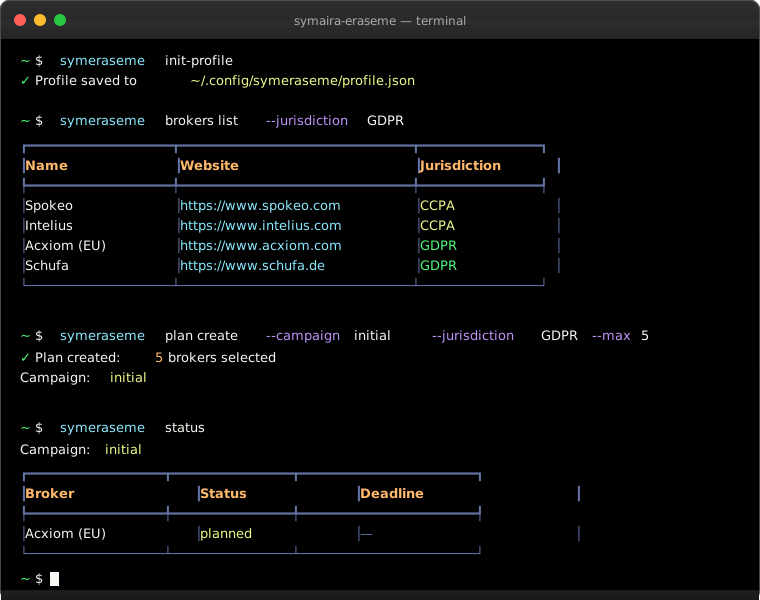
Demo
$ symeraseme init-profile
✓ Profile saved to ~/.config/symeraseme/profile.json

$ symeraseme brokers list --law GDPR
┏━━━━━━━━━━━━━━┳━━━━━━━━━━━━━━━━━━━━━━━━━━━━━┳━━━━━━━━━━━━━━━┓
┃ Name         ┃ Website                     ┃ Jurisdiction  ┃
┡━━━━━━━━━━━━━━╇━━━━━━━━━━━━━━━━━━━━━━━━━━━━━╇━━━━━━━━━━━━━━━┩
│ Spokeo       │ https://www.spokeo.com      │ CCPA          │
│ Intelius     │ https://www.intelius.com    │ CCPA          │
│ Acxiom (EU)  │ https://www.acxiom.com      │ GDPR          │
│ Schufa       │ https://www.schufa.de       │ GDPR          │
└──────────────┴─────────────────────────────┴───────────────┘

$ symeraseme plan create --campaign initial --jurisdiction GDPR --max 5
✓ Plan created: 5 brokers selected
  Campaign: initial

$ symeraseme plan status
Campaign: initial
┏━━━━━━━━━━━━━┳━━━━━━━━━━━━━┳━━━━━━━━━━━━━━━━━━━━━━┓
┃ Broker      ┃ Status      ┃ Deadline             ┃
┡━━━━━━━━━━━━━╇━━━━━━━━━━━━━╇━━━━━━━━━━━━━━━━━━━━━━┩
│ Acxiom (EU) │ planned     │ —                    │
│ Schufa      │ planned     │ —                    │
│ Experian EU │ planned     │ —                    │
│ Equifax EU  │ planned     │ —                    │
│ Creditreform│ planned     │ —                    │
└─────────────┴─────────────┴──────────────────────┘
Planning and execution
# Create a removal plan for GDPR brokers (limit to 10)
symeraseme plan create --campaign initial --jurisdiction GDPR --max 10

# Review the plan before sending
symeraseme plan show --campaign initial

# Execute the plan in batches (respects rate limits, requires consent)
symeraseme plan execute --campaign initial --batch-size 5 --delay 30 --yes

# Check overall campaign progress
symeraseme plan status

# View deadline calendar and upcoming tick actions
symeraseme calendar --weeks 4
Inbox triage (requires [triage] extra)
# Poll your IMAP inbox for broker replies
symeraseme poll-inbox --username your@email.com

# Classify a broker reply via LLM
symeraseme classify-reply <request_id>

# Generate a jurisdiction-aware rebuttal for a rejection
symeraseme generate-rebuttal <request_id>
Web-form automation (requires [web] extra)
# Run a broker's web-form opt-out via Playwright
symeraseme run-web-form <broker_id>

# List manual fallback tasks for forms that couldn't be automated
symeraseme manual-tasks list

# Mark a manual task as completed
symeraseme manual-tasks complete <task_id>
Lifecycle and maintenance
# Run the tick engine (checks deadlines, reminders, escalations)
symeraseme plan tick --dry-run
symeraseme plan tick

# Generate scheduler configs (cron / launchd / systemd)
symeraseme generate-scheduler --output ./schedules

# Install schedules
symeraseme schedule install ./schedules

# Generate a dashboard report
symeraseme generate-dashboard

# Export campaign data for GDPR record-keeping
symeraseme export --format json --output campaign.json
Other commands
# Validate registry YAML files against the schema
symeraseme validate

# Show event history for a request
symeraseme events show <request_id>

# List all removal requests
symeraseme requests list --status pending

# Grant consent for destructive operations
symeraseme grant execute --ttl 3600
PII redaction & MCP
# Review a file interactively and choose which PII to redact
symeraseme review <file>

# Start the local MCP JSON-RPC server (default: 127.0.0.1:8000)
symeraseme serve

# Bind to a different host/port
symeraseme serve --host 127.0.0.1 --port 8080

# Allow non-loopback binds on trusted networks
symeraseme serve --host 0.0.0.0 --port 8000 --allow-remote
The MCP server exposes one tool:
| Tool | Description | Input schema |
|---|---|---|
redact_file |
Reads a file, runs PII redaction on it, and returns the redacted content. | { "path": "string" } (path is required) |
Example MCP client config:
{
  "mcpServers": {
    "symeraseme": {
      "command": "symeraseme",
      "args": ["serve", "--host", "127.0.0.1", "--port", "8000"]
    }
  }
}
Security: the MCP endpoint is unauthenticated. The default
127.0.0.1bind is reachable only from the local machine. Use--allow-remoteonly on trusted networks.
Run symeraseme --help for a full list of commands and options.
Architecture
Symaira EraseMe uses an event-sourced architecture built on SQLite:
┌─────────────┐     ┌──────────────┐     ┌─────────────┐
│   CLI /     │────▶│   Event      │────▶│  Request    │
│   Skills    │     │   Store      │     │  State      │
└─────────────┘     │  (SQLite)    │     │ (Projection)│
                    └──────────────┘     └─────────────┘
                           │
                    ┌──────┴──────┐
                    ▼             ▼
            ┌──────────┐   ┌──────────┐
            │  Tick    │   │  Reports │
            │  Engine  │   │ / Export │
            └──────────┘   └──────────┘
- Event Store: Append-only log of all actions (planned, sent, ack, reminder, deadline reached, etc.)
- State Projection: Rebuilds the current state of every request from events
- Tick Engine: Daily scan for deadlines, reminders, and escalations
- Triage: LLM-based classification of broker replies with jurisdiction-aware rebuttal generation
Registry maintenance
The broker registry is kept fresh by two scheduled GitHub Actions:
registry-scanner(Sundays, 00:00 UTC) — fetches the latest data-broker registries published by US states (e.g. California, Vermont, Oregon, Texas), normalizes the records into YAML entries, and opens a pull request for any additions or changes.registry-link-check(Mondays, 06:00 UTC) — issues aHEADrequest to every broker'swebsitefield and reports unreachable URLs so dead entries can be retired or corrected.
You can also run the sync manually:
uv run python scripts/registry_sync.py
Development
Setup
uv sync --all-extras
uv pip install -e ".[dev,web,triage]"
pre-commit install
The pre-commit hooks include:
- Detect private keys — checks for hardcoded private keys
CI additionally runs TruffleHog for comprehensive secrets scanning on every pull request.
Run tests
uv run pytest --verbose --tb=short
Lint and type-check
uv run ruff check src/symeraseme/
uv run ruff format --check src/symeraseme/
uv run mypy src/symeraseme/
All three checks run in CI on every push and pull request to the main branch.
Project structure
src/symeraseme/
  cli/           — Typer CLI application
  core/          — Event store, projections, tick engine, templating, scheduler
  registry/      — Broker loader, schema validation
  services/      — CLI command handlers
  adapters/      — Web (Playwright), Triage (Claude), Email (SMTP/IMAP)
registry/
  brokers/       — YAML broker definitions (eu/, uk/, us/)
  laws/          — Jinja2 legal templates (GDPR, CCPA, rebuttals)
  schemas/       — JSON Schema for broker validation
skills/          — LLM agent skill files (Claude Code, Cursor, Windsurf, Hermes, Copilot, Codex)
examples/        — Integration examples for all supported AI agents
AGENTS.md        — Setup guide for all AI agent integrations
Exit codes
Symaira EraseMe uses standard exit codes for scripting:
0— Command completed successfully1— General error (validation failure, missing profile, database error, etc.)
Troubleshooting
No identity profile found
Error: No identity profile found. Run 'symeraseme init-profile' first.
Create your identity profile before using any other commands:
symeraseme init-profile
Database not initialized
If you see database errors, initialize the schema:
symeraseme db-init
IMAP password not set
For inbox triage commands (poll-inbox, classify-reply), ensure IMAP credentials are configured:
export IMAP_PASSWORD="your-app-password"
Use an app password if 2FA is enabled on your email account.
CAPTCHA solver unavailable
Web-form automation requires a CAPTCHA solver. Set the Capsolver API key:
export CAPSOLVER_API_KEY="CAP-..."
pydantic_core compatibility error on macOS
If you see a LINKEDIT alignment error on macOS 27 (Tahoe), reinstall pydantic_core from source:
pip install --force-reinstall --no-binary pydantic_core pydantic-core
LLM provider not available
For triage commands, ensure your LLM provider API key is set:
export ANTHROPIC_API_KEY="sk-ant-..."
Or use OpenAI:
export OPENAI_API_KEY="sk-..."
Consent required for destructive commands
Commands like plan execute require explicit consent. Use the --yes flag for non-interactive mode:
symeraseme plan execute --campaign initial --yes
Or issue a consent token:
symeraseme grant execute --ttl 3600
Security
- Identity profile encryption: Profiles are encrypted with AES-256-GCM and authenticated with the header as AAD. Files written since v0.1.2 use header
version: 2; earlier files usedversion: 1. A legacy no-AAD fallback exists forversion: 0files only — any tampered ciphertext on version 1+ fails closed withInvalidTag. - Database encryption: When
SYMERASEME_ENCRYPT_DB=1is set, the SQLite database is encrypted at rest using AES-256-GCM with a key derived from your identity master key. Databases created before v0.2.0 used a fixed PBKDF2 salt (V1 format); newer databases use a per-file random salt (V2 format). On open, any V1 database is automatically re-encrypted to V2 transparently — no manual migration is required. On open, the database is decrypted to a temporary file with restrictive permissions (0o600). The temp file is placed in a secure temporary directory. On Linux/dev/shm(tmpfs, memory-backed) is used when available. On macOS and Windows the OS temp directory is used, which may be disk-backed. On normal exit, SIGTERM, or context close, the temp file is re-encrypted and removed. A startup scavenger removes any stale temp files older than 5 minutes from previous aborted runs. ASIGKILL(e.g.,kill -9, OOM killer, or system crash) may leave the decrypted temp file behind temporarily; the 5-minute scavenger window limits exposure. If this is a concern for your threat model, consider running Symaira EraseMe on a single-user system, using full-disk encryption, or settingTMPDIRto a RAM disk (e.g.,/dev/shmon Linux). - Consent tokens: Consent tokens passed via
--consentor theSYMERASEME_CONSENTenvironment variable are visible in process listings (ps aux), shell history, and crash dumps. On shared systems or CI runners, prefer--consent-fileorSYMERASEME_CONSENT_FILEto read the token from a file with0o600permissions. The file is read once and the token is consumed (consume_token) after verification. Pipe-based input is supported:echo $TOKEN | symeraseme plan execute --consent-file /dev/stdin.
License
MIT
Project details
Verified details
These details have been verified by PyPIProject links
GitHub Statistics
Maintainers
Release history Release notifications | RSS feed


Download files
Download the file for your platform. If you're not sure which to choose, learn more about installing packages.
Source Distribution
Built Distribution
Filter files by name, interpreter, ABI, and platform.
If you're not sure about the file name format, learn more about wheel file names.
Copy a direct link to the current filters
File details
Details for the file symeraseme-0.6.1.tar.gz.
File metadata
- Download URL: symeraseme-0.6.1.tar.gz
- Upload date:
- Size: 499.6 kB
- Tags: Source
- Uploaded using Trusted Publishing? Yes
- Uploaded via: twine/6.1.0 CPython/3.13.13
File hashes
| Algorithm | Hash digest | |
|---|---|---|
| SHA256 |
60e301221fbbf00aee278150bbf8fedf6f289939006aef14441972c70c619155
|
|
| MD5 |
4d2e234227a168bc1ba4cd81f9abe83a
|
|
| BLAKE2b-256 |
c1b24d9d7c936070f808a68946cdb68c1e045f01048ff52c8a4bba16ad4ba1ba
|
Provenance
The following attestation bundles were made for symeraseme-0.6.1.tar.gz:
Publisher:
publish.yml on danieljustus/symaira-eraseme
-
Statement:
-
Statement type:
https://in-toto.io/Statement/v1 -
Predicate type:
https://docs.pypi.org/attestations/publish/v1 -
Subject name:
symeraseme-0.6.1.tar.gz -
Subject digest:
60e301221fbbf00aee278150bbf8fedf6f289939006aef14441972c70c619155 - Sigstore transparency entry: 1916323047
- Sigstore integration time:
-
Permalink:
danieljustus/symaira-eraseme@146d7658d1ab226c273d6abfb4e32f1b2c155469 -
Branch / Tag:
refs/tags/v0.6.1 - Owner: https://github.com/danieljustus
-
Access:
public
-
Token Issuer:
https://token.actions.githubusercontent.com -
Runner Environment:
github-hosted -
Publication workflow:
publish.yml@146d7658d1ab226c273d6abfb4e32f1b2c155469 -
Trigger Event:
release
-
Statement type:
File details
Details for the file symeraseme-0.6.1-py3-none-any.whl.
File metadata
- Download URL: symeraseme-0.6.1-py3-none-any.whl
- Upload date:
- Size: 173.9 kB
- Tags: Python 3
- Uploaded using Trusted Publishing? Yes
- Uploaded via: twine/6.1.0 CPython/3.13.13
File hashes
| Algorithm | Hash digest | |
|---|---|---|
| SHA256 |
6354f30f1fac43ce5fe14a1f7fa2fa9ed67ea37d71915b13234d8f8fc4fd79f2
|
|
| MD5 |
0a79a69403b099be0540f889f6ccc803
|
|
| BLAKE2b-256 |
ece4b79ccd8ffcfe8d85ca23c00c1cc8cdc80d3861e6732917a063ab8135e59d
|
Provenance
The following attestation bundles were made for symeraseme-0.6.1-py3-none-any.whl:
Publisher:
publish.yml on danieljustus/symaira-eraseme
-
Statement:
-
Statement type:
https://in-toto.io/Statement/v1 -
Predicate type:
https://docs.pypi.org/attestations/publish/v1 -
Subject name:
symeraseme-0.6.1-py3-none-any.whl -
Subject digest:
6354f30f1fac43ce5fe14a1f7fa2fa9ed67ea37d71915b13234d8f8fc4fd79f2 - Sigstore transparency entry: 1916323342
- Sigstore integration time:
-
Permalink:
danieljustus/symaira-eraseme@146d7658d1ab226c273d6abfb4e32f1b2c155469 -
Branch / Tag:
refs/tags/v0.6.1 - Owner: https://github.com/danieljustus
-
Access:
public
-
Token Issuer:
https://token.actions.githubusercontent.com -
Runner Environment:
github-hosted -
Publication workflow:
publish.yml@146d7658d1ab226c273d6abfb4e32f1b2c155469 -
Trigger Event:
release
-
Statement type:






