
Local-first coordination bus for AI agents across one repository or a whole ecosystem: work claims, presence, chat, a shared plan, and resource sharing over a WebSocket hub
Verified details
These details have been verified by PyPIProject links
GitHub Statistics
Maintainers

Project description
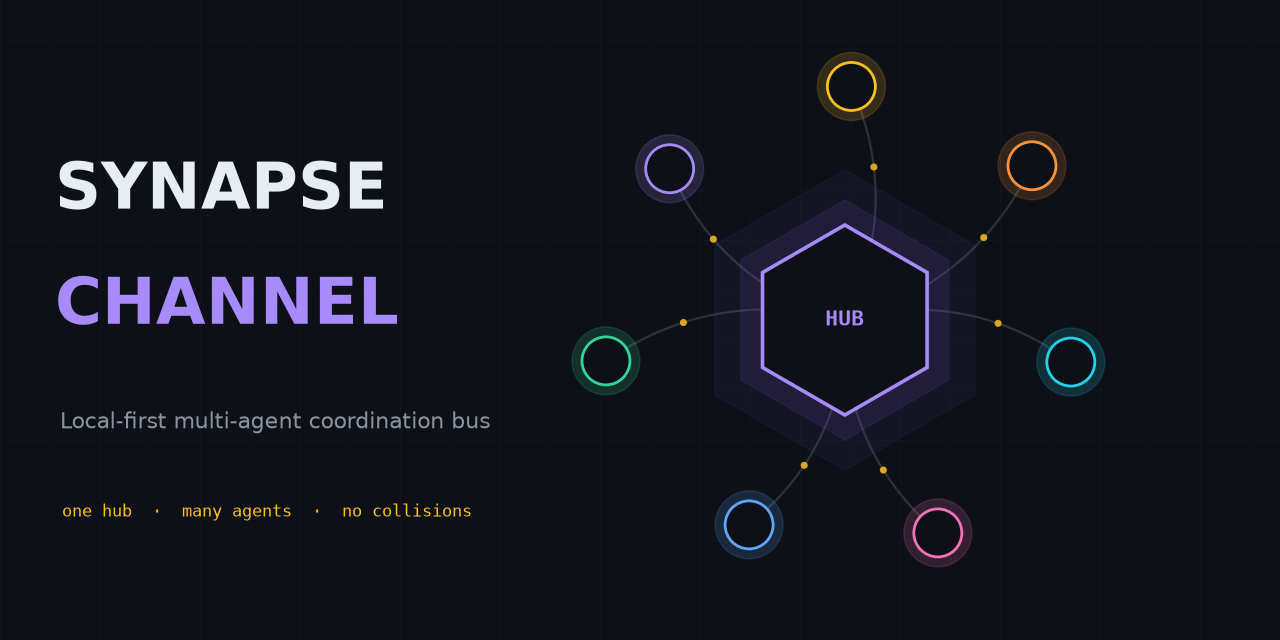
Stop parallel AI coding agents from clobbering each other's files.
Local-first coordination bus — file-scope claims, a shared plan, and durable leases — for one repository or a whole ecosystem of them.













A local-first coordination bus for a fleet of AI agents working in parallel — within a single repository or spread across a whole ecosystem of them. One WebSocket hub is the shared source of truth for presence, work claims, chat, task status, and resource offers: agents address each other across projects and share one plan, while file-scope claims keep the agents in any one repository off each other's files.
The bus is transport-light (one dependency, websockets), hub-centric by design
(one place owns presence, leases, and history), and runs entirely on the local
machine. Model workers reply on-channel through any OpenAI-compatible endpoint,
including a local Ollama server, with a deterministic rule-based fallback for
offline use.
At a glance
graph LR
    A1["Agent"] --> H
    A2["Agent"] --> H
    A3["Worker"] --> H
    SUP["Supervisor"] --> H
    H["SynapseHub<br/>single source of truth"] --> CL["Claims & leases<br/>scope · epoch · checkpoint"]
    H --> BB["Blackboard<br/>plan + progress"]
    H --> CAP["Capabilities<br/>cards + routing"]
    H --> LOG["Event log (SQLite WAL)<br/>durable · replayed on restart"]
A claim leases a unit of work with a file scope, so two agents never edit the same files; the plan, handoffs, checkpoints, and a stall supervisor keep the work moving; and the durable event log means a hub restart resumes live leases rather than losing them.
Install
python -m pip install synapse-channel       # the release from PyPI
python -m pip install -e ".[dev]"           # or an editable dev checkout
For an editable checkout, keep the local .venv aligned with the repository's
declared dev, docs, and benchmark extras:
.venv/bin/python tools/check_dev_dependency_drift.py --check
.venv/bin/python tools/audit_dependency_tooling.py --check
The second check is offline. It verifies that local preflight still covers the expected tool gates, GitHub Actions are pinned to full commit SHAs, Dependabot covers actions/Python/Docker, and the PyPI publish/download metadata surfaces remain wired.
This installs the synapse command. To run the hub as an always-on local service
or a container, see the deployment guide (a systemd user
unit and docker compose are both included).
First 60 seconds
On a clean Python environment, verify the installed CLI before wiring agents into a real repository:
python -m pip install synapse-channel
synapse doctor
synapse demo
synapse quickstart-coding
synapse doctor reports local setup issues such as identity, hub exposure,
root-filesystem pressure, and missing waiters. A brand-new machine may warn that
no hub or waiter is running; that is expected before service setup. synapse demo starts its own local hub, drives a planner/worker coordination flow, and
succeeds when it prints:
success: coordination demo completed
synapse quickstart-coding creates a temporary coding-fleet workspace, runs the
same no-collision coding demo used by generated workspaces, removes the temporary
workspace after success, and prints:
success: coding fleet demo completed
Fastest safe trial path
After the self-contained demos pass, try Synapse against a real checkout in this order:
python -m pip install synapse-channel
synapse doctor
synapse demo
synapse quickstart-coding
synapse git-init --name trial-agent
synapse a2a-card --endpoint-url http://127.0.0.1:8877
synapse a2a-serve --endpoint-url http://127.0.0.1:8877
Run this in a disposable or already-versioned repository. synapse git-init --name trial-agent installs the claim-aware git hooks and writes the local
.synapse/ conventions guide before agents edit files. The A2A bridge step is
optional and local-only: it lets another local tool inspect the Agent Card or
talk to the HTTP+JSON bridge, but it is not an external conformance claim. Do not
bind it off-loopback without bearer auth.
Releases
This package is developed in the open and dogfooded daily: a fleet of coding agents runs its own coordination on it, so problems surface in real use and are fixed quickly. Releases are therefore frequent and mostly small — fixes and hardening rather than churn. The wire protocol and the public Python API stay backwards-compatible within a major version; any breaking change is called out in the changelog.
Current 0.x releases are pre-1.0 development releases, not the stable
commercial release line. 1.0.0 is planned as the first stable commercial
release of SYNAPSE CHANNEL, with the operational contracts, packaging, support
surface, and commercial licensing terms documented as part of that release.
SYNAPSE CHANNEL is seeking startup funding, strategic partners, and aligned
ecosystem co-owners who want to help mature the coordination layer for
production multi-agent development. See commercial licensing
or write to protoscience@anulum.li.
If you need a fixed target, pin a version (synapse-channel==X.Y.Z); to get the
latest fixes, track the newest release. Both are supported.
Quick start
Launch a hub plus one or two local model workers in one command:
synapse team
Then, from another terminal, watch the channel or send a message:
synapse listen --name USER
synapse send --name USER --target FAST "what is the status of TASK-1?"
synapse send --require-recipient --target FAST "ping"  # fail if FAST is not online
One-shot sends avoid the common waiter-name collision: synapse send --name api-dev-rx ... sends as api-dev, leaving the persistent api-dev-rx wake
socket connected. Add --require-recipient for directed sends that must not
silently miss: the hub returns a private receipt naming the matched online
recipients, and the command exits non-zero when none match --target.
Running pieces individually
synapse hub --port 8876
synapse hub --port 8876 --db ./synapse.db            # crash-safe: resumes leases + history on restart
synapse hub --port 8876 --relay-log ./feed.ndjson    # mirror the channel to a compact file for observers
synapse hub --shutdown-close-timeout 5               # bound active socket close handshakes on stop
synapse worker --name FAST --provider ollama --model gemma3:4b
synapse worker --name OFFLINE --provider rule        # no network, canned replies
synapse worker --name TIER --provider tiered --model small --heavy-model big  # route trivial→rule, hard→heavy
synapse relay ./feed.ndjson                          # decode and print that file as readable lines
synapse ingest ./synapse.db --memory --cursor ./mem.cursor  # stream durable memory events since a seq cursor (NDJSON)
synapse compact ./synapse.db --all --max-checkpoints-per-task 3 --archive-report ./compact-report.html
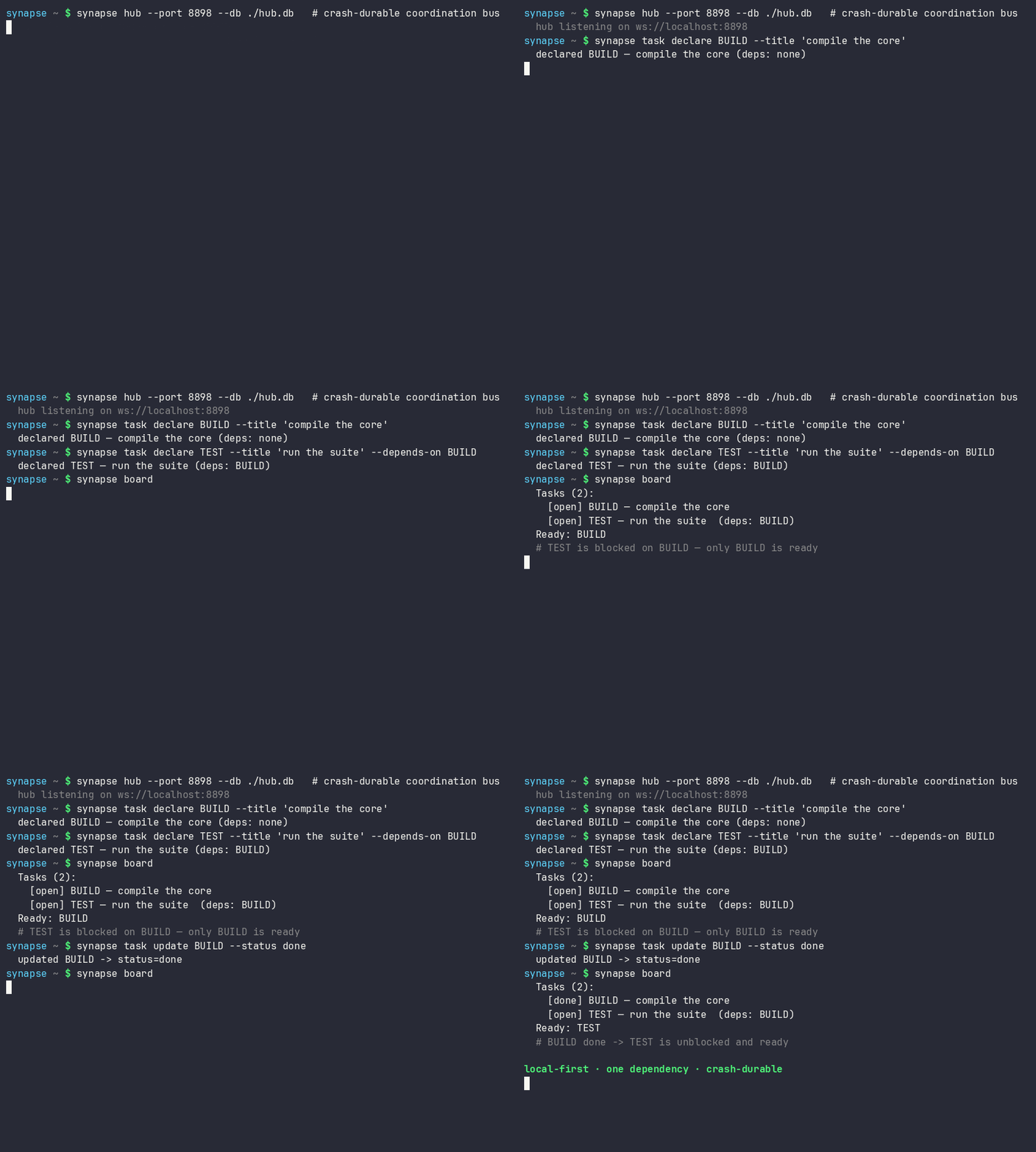
synapse board                                        # print the shared task/progress blackboard
synapse task declare BUILD --title "compile"         # declare/update the shared plan from the CLI
synapse task update BUILD --status done              # mark a plan task done so dependents unblock
syn ack BUILD --evidence "pytest -q"                 # post evidence and mark a board task done
synapse supervisor --idle-seconds 300 --history-multiplier 3  # re-offer stalled plan tasks
synapse manifest                                     # print the capability cards agents advertised
synapse a2a-card --endpoint-url https://agent.example.com/a2a/v1  # emit A2A Agent Card JSON
synapse a2a-serve --endpoint-url http://127.0.0.1:8877             # run the HTTP+JSON A2A bridge
synapse doctor                                       # check for common misconfigs (identity, exposure, hub, waiter)
synapse demo                                         # installed self-check: local hub + planner/worker flow
synapse quickstart-coding                            # create a temporary coding fleet workspace and run it
synapse new coding-fleet ./demo-fleet                # scaffold a runnable two-agent coding demo workspace
synapse hub --host 0.0.0.0 --token s3cret            # require a shared secret when binding off-loopback
synapse hub --max-connections-per-host 4             # cap simultaneous sockets from one remote host
synapse send --token s3cret --name USER "hello"      # agents present the token to a secured hub
Use it with your coding agent
Synapse coordinates the agents you already run; it does not replace them. Its MCP and A2A adapters are interop surfaces: they let Claude Code, Claude Desktop, Cursor, Codex, Copilot-style hosts, Aider, orchestration frameworks, and other agent tools participate in one local coordination bus while those tools still own prompting, model choice, tool use, and editor/runtime behavior. The integration demo matrix lists three narrow, repeatable paths and the unsupported behavior that remains outside each demo.
-
Claude Code / Claude Desktop / Cursor (MCP): point the host at the MCP server and every coordination verb shows up as a tool — no Synapse-specific code.
pip install 'synapse-channel[mcp]'
synapse mcp --uri ws://localhost:8876        # add this to the host's MCP server config
-
Aider, or any non-MCP tool: claim a file scope before editing and let a git hook release it on commit, so two sessions never touch the same files.
synapse quickstart-coding                    # optional: run a temporary no-collision coding demo
synapse new coding-fleet ./demo-fleet        # optional: keep the generated workspace
synapse git-init --name aider-1              # one step: install the hooks + write the conventions guide
synapse git-claim --task-id AUTH --paths src/auth --name aider-1
aider src/auth/*.py                          # ... edit; the post-commit hook releases the claim
-
Check the wiring:
synapse doctorreports the common setup mistakes — no live waiter, a hub exposed without a token, an accidental identity, or a pressured root filesystem — each with its fix. Use--disk-path <path>to check the filesystem that holds a specific workspace or cache. -
Verify a release redeploy:
synapse doctor --redeploy-checklistprints package, service, roster, durable-state, and git-hook checks for a post-release local fleet restart. It does not restart services by itself; it gives the operator copyable commands for the installed executable, hub service, presence daemon, wake listener, event log, and git hook path. -
Install the always-on local services:
synapse initprints or installs the hub, project presence, and non-LLM wake listener units.doctor --fixprints the exact commands when a waiter is missing.synapse init --project myrepo --identity myrepo/worker --install-user-services synapse init --project myrepo --identity myrepo/worker --start-user-services synapse doctor --fix
-
Launch a provider command with Synapse identity:
worker-sessionexports the identity variables before the provider starts. Interactive terminal providers such as Codex, Claude, Kimi, and Grok run in a persistent tmux session by default when launched from an interactive terminal, with a directed waiter kept alive in the background. Non-terminal commands keep the temporarysyn armsidecar path.synapse worker-session --identity myrepo/worker -- codex --sandbox danger-full-access
-
Inspect or control the tmux wake path manually:
codex-tmuxis the diagnostic/admin surface behind the automatic provider launch path. It keeps a provider TUI in a named tmux session and injects a fixed wake prompt when Synapse receives a directed message. It does not paste the Synapse payload into the terminal; the provider reads the inbox itself after waking.synapse codex-tmux start --identity myrepo/codex-main --session myrepo-codex --cwd "$PWD" synapse codex-tmux wait --identity myrepo/codex-main --session myrepo-codex --cwd "$PWD"
Agent ergonomics — the syn commands
For the short loop an agent runs every session — arm a waiter, send a message,
read the inbox, glance at the board — the package also ships syn, a thin,
identity-correct front end over the commands above:
syn name                          # resolve and print this terminal's identity
syn arm                           # keep a directed-only waiter armed (named <project>-rx, distinct from the sender)
syn say REMANENTIA,CEO "ack"      # send to one, several, or all
syn ask CEO "status?"             # send, require an online recipient, and wait for replies
syn inbox                         # print messages addressed to you since the cursor
syn board                         # the shared task/progress board
syn who --me                      # show whether this identity and its -rx waiter are online
syn reap                          # list this identity's shell-hook waiter pidfile
syn reap --pid 1234               # remove a dead pidfile or SIGTERM only the verified waiter PID
syn locks                         # list this project's active leases with release commands
syn ack BUILD --evidence "pytest -q" --artifact coverage.xml
syn commit README.md -m "document the change"
The one thing it gets right that a hand-rolled shell alias does not is identity.
The project is resolved from --project, then $SYN_PROJECT (or $SYN_IDENTITY
for a project/<type>-<id> multi-agent identity), and the working directory only
as a last resort — so a command run from the wrong directory does not silently
coordinate as the wrong project, and an identity that looks accidental (the home
directory, a system path) is flagged rather than used in silence. Set
$SYN_PROJECT once per terminal and the identity is stable across tool calls. The
syn who --me shortcut dispatches to synapse who --me --name <resolved identity>;
it reports the identity's presence separately from its -rx waiter because
presence is not a wake loop.
syn-name/syn-wait/syn-say/syn-ask/syn-inbox/syn-board/syn-reap/syn-locks/syn-ack/syn-commit
aliases are installed too; syn-wait uses the same persistent auto-rearming path
as syn arm. syn reap is the safe cleanup path for shell-hook waiter sidecars:
it only inspects this resolved identity's pidfile, and it refuses to signal a PID
unless the live command line verifies as that exact identity's synapse arm
waiter. It never pattern-kills processes. syn locks queries the live state
snapshot using the resolved identity and prints active leases for the project:
holder, scope, age, remaining TTL, checkpoint/git context, and the explicit
synapse release <task> --name <owner> command. syn ack <task> posts repeatable
--evidence and --artifact values as an assessment progress note authored by
the resolved identity, waits for the hub confirmation, then marks the board task
done. synapse release can also attach a hub-echoed receipt with evidence,
artifacts, changed files, generated artifacts, approvals, known failures,
confidence, and evidence freshness. The receipt includes advisory
epistemic_status metadata (supported, needs_freshness, stale,
degraded, or unsupported) plus reasons derived from the submitted evidence;
--receipt-json prints the receipt for automation, and the board records it as
an assessment note. The syn commit
workflow holds the project git lease, stages only the requested paths, and
commits only those paths so unrelated staged or modified files stay out of the
commit.
To make fresh terminals connect automatically, install the shell hook once:
synapse install-shell-hook --shell auto
New Bash/Fish/Zsh terminals then export SYN_PROJECT/SYN_IDENTITY and keep a
cheap synapse arm sidecar running. The hook does not silently join whatever
git checkout the terminal happens to start in. It joins the neutral
SYNAPSE_DEFAULT_PROJECT lane, or user when unset, unless you explicitly set
SYN_PROJECT/SYN_IDENTITY or opt a repository in with .synapse/project:
mkdir -p .synapse
printf '%s\n' myrepo > .synapse/project
For legacy CWD-derived behavior, set SYNAPSE_AUTO_PROJECT_FROM_CWD=1 in that
terminal. The hook also wraps common provider commands (codex, claude,
kimi, grok, gemini, agent, ask, ollama) through synapse worker-session, so cloud and local LLM sessions inherit the same Synapse
identity from process start. In an interactive terminal, Codex/Claude/Kimi/Grok
launch through a persistent tmux session and directed wake bridge automatically;
the user still types only the provider command. Set SYNAPSE_PROVIDER_TMUX=0 to
keep those providers on the direct execution path, or SYNAPSE_AUTO_CONNECT=0 to
disable the hook for a terminal.
Durability
Passing --db backs the hub with an append-only SQLite event log (standard
library, WAL mode). Every claim, release, task update, resource offer, and chat
message is recorded, and the hub rebuilds its state by replaying the log on
start-up. The guarantee is split honestly by workload: the lease/claim path
commits at synchronous=FULL (durable across an OS crash); the high-volume
chat/history path commits at synchronous=NORMAL (durable across an application
crash, may lose the last commit on power loss).
Use synapse compact to bound the durable memory spine after every read-side
consumer has advanced past a floor sequence. Add --archive-report when the
maintenance run should leave an operator-readable HTML record of the
pre-compaction event snapshot:
synapse compact ./synapse.db --all --max-checkpoints-per-task 3 \
  --archive-report ./compact-report.html
The report is written owner-only and includes event counts, the compaction floor, checkpoint/finding removal counts, board tasks, release receipt notes, and a bounded coordination timeline. It is an audit aid for a local event store; it does not certify that release evidence is sufficient.
Token-thrifty observation
--relay-log mirrors every broadcast to a newline-delimited file in a compact
short-key form (encode_lite), so a token-budgeted agent can watch the channel
by tailing a file instead of holding a socket. synapse relay <file> decodes it
back to readable lines and can resume from a saved --cursor. The lite form
keeps the seven core envelope fields and drops auxiliary ones; the file is bounded
by --relay-max-lines. A committed benchmark measures the saving honestly —
see benchmarks/.
Exposure
By default the hub binds to loopback and runs with no authentication — the right
posture for one operator on one machine. When that is not enough (a worker with
tool-use, or a hub bound off-loopback), --token requires a shared secret that
connecting agents present with --token. Binding off loopback without a token is
refused rather than silently exposed: the hub will not start unless you set a
token (and --metrics-token when metrics are on), or explicitly pass
--insecure-off-loopback to accept the risk. This is a proportionate gate, not a
cryptographic identity system.
MCP server face
Any MCP-compatible agent — Claude Desktop, Claude Code, an editor assistant — coordinates through Synapse with no Synapse-specific code. Install the optional extra and point the host at the command:
pip install 'synapse-channel[mcp]'
synapse mcp --uri ws://localhost:8876
synapse mcp runs a Model Context Protocol server over stdio that is itself a hub
client, exposing the coordination verbs as MCP tools (claim, release, send, hand
off, declare and update tasks) and the board, state, and manifest as live
resources. The hub stays MCP-agnostic and the core install keeps its single
dependency — see the MCP guide.
For Agent2Agent discovery, synapse a2a-card --endpoint-url ... projects the
live capability manifest into an A2A Agent Card JSON document suitable for a
thin HTTP edge to serve as /.well-known/agent-card.json.
To run that edge directly, use synapse a2a-serve --endpoint-url ...; it serves
the public Agent Card, forwards POST /message:send text/data/file parts into
SYNAPSE chat, supports immediate POST /message:stream Server-Sent Events,
exposes bridge-local task list/get/cancel plus push-notification configuration
routes, accepts JSON-RPC 2.0 calls on /rpc, and can enforce Bearer auth plus
request size/depth bounds, persist task state with --state-file, fail stale
open tasks with --task-timeout, and bound one subscription wait with
--subscribe-timeout.
The bridge is intentionally a local-first HTTP+JSON edge: it stores bridge task
state locally in owner-only state/temp files, rejects unsafe caller ids and
webhook targets including delivery-time DNS or redirect targets that resolve to
local networks, bounds stored tasks/history/artifacts/push configs/replay
history with terminal-task retention GC, emits subscription replay only from the
current bridge process, and does not claim independent A2A conformance until
remote CI, interoperability, and real webhook receiver validation have run.
Git-native claims
A claim can be scoped to the git branch it happens on, resolved client-side:
synapse git-init                                 # one-step setup: install the hooks + write a .synapse/ guide
synapse git-claim TASK-1 --paths src/auth.py     # or: synapse git-claim --task-id TASK-1 ...
synapse git-hook install                         # (git-init already does this) auto-release on commit/merge
synapse conflicts --check-diff                   # predict cross-branch merge conflicts
synapse git-init bundles the hook install with a short .synapse/git-claims.md
onboarding guide (branch convention + worktree workflow). synapse state shows
each claim's branch; installed git hooks release a claim
when its files are committed or merged; and synapse conflicts flags two agents
about to edit the same files on branches that merge into the same base.
--check-diff narrows directory or whole-worktree claims to files both branches
actually changed when both branch diffs are available. The hub stays
git-agnostic — it stores the branch as opaque metadata and never runs git or
reads a filesystem — so all git work is on the client. See the
git-native claims guide.
For a concise lease view while coordinating a session:
syn locks              # current project only
syn locks --all        # every active lease
syn locks --owner api  # one owner or project namespace
When a manual release is also the closeout record, attach the evidence directly:
synapse release BUILD --name api-dev \
  --evidence "pytest tests/test_feature.py -q: passed" \
  --changed-file src/synapse_channel/feature.py \
  --artifact coverage.xml \
  --receipt-json
For safer task selection and release receipts, the local test ownership map connects source files to likely owning tests using AST imports plus a conservative filename fallback:
python tools/test_ownership_map.py --check \
  --source src/synapse_channel/core/receipts.py \
  --require-owned src/synapse_channel/core/receipts.py
It is a deterministic local aid for choosing focused tests; it does not replace review, coverage, or the release receipt evidence itself.
When a source change can stale generated outputs, ask the generated-output dependency map which generated paths should be included in the same claim:
python tools/generated_dependency_claims.py --claim-args \
  --source src/synapse_channel/core/receipts.py
The command prints --paths ... arguments for synapse git-claim and can also
emit JSON for release tooling. It is a deterministic coordination aid; the
owning generator, such as python tools/capability_manifest.py --check, remains
the freshness check for the generated artefact itself.
For semantic task scopes, resolve modules, public symbols, API surfaces, tests, generated artefacts, migrations, or source paths into ordinary claim paths:
python tools/semantic_claims.py --selector \
  symbol:synapse_channel.core.receipts.build_release_receipt \
  --claim-args
The semantic claim resolver prints the source file, likely owning tests, and
generated outputs that should share the same file-scope claim. It keeps the hub
path-scope and local-first while giving agents a deterministic semantic planning
step before they call synapse git-claim.
Before merge or handoff, the import graph merge-risk radar compares changed files with claimed paths, package-local Python import neighbours, CODEOWNERS, and mapped test owners:
python tools/import_merge_risk.py --changed src/synapse_channel/core/receipts.py \
  --claimed src/synapse_channel/core/state.py --check
Use --base main --head HEAD instead of --changed to read a local branch diff,
or --claims-json claims.json to feed paths from an external claim snapshot.
The radar is an advisory local planning check; it predicts likely contention but
does not replace tests, review, or release receipt evidence.
For post-hoc coordination forensics, query the durable event log directly:
synapse event-query ./synapse.db "task TASK-1 timeline"
synapse event-query ./synapse.db "task TASK-1 at seq 120" --json
synapse event-query ./synapse.db "path src/auth.py between 0 9999999999"
synapse event-query ./synapse.db "conflicts at seq 120"
synapse postmortem ./synapse.db TASK-1
synapse reliability ./synapse.db
synapse ttl-advice ./synapse.db
This temporal event-log query path is read-only. It reconstructs task timelines,
task state at a sequence or timestamp, path-touch windows, and historical
file-scope conflicts from the SQLite event store created by synapse hub --db.
Use synapse postmortem ./synapse.db TASK-1 when a task needs a replayable
postmortem for a handover or incident note. The report includes the durable task
timeline, owners, releases, assessment evidence, reconstructed path-overlap
conflicts, and candidate unanswered messages. Candidate unanswered messages mean
the log contains a directed chat mentioning the task id and no later matching
chat reply; it is an audit signal, not proof of intent.
Use synapse reliability ./synapse.db for evidence-only reliability memory. It
tracks stale claims, declared failed-check evidence, broken handoff candidates,
and merge-conflict frequency as audit signals, not scores. It does not rank
agents, assign trust grades, or replace review of the underlying event rows.
Use synapse ttl-advice ./synapse.db for read-only adaptive lease TTL advice.
It derives completed-task duration samples, active live-claim counts, and stale
claim counts from the event log, then prints an advisory default. It never
changes the hub default and explicit manual TTL values still win.
Coordination model
- Claim before you work: an agent leases a task by id; a live lease blocks other agents from claiming the same task.
- Declare a file scope on the claim (a
worktreeandpaths); the hub refuses a claim whose files overlap another agent's live claim — this is how two agents are kept off the same files. Agents in different worktrees never contend. - Leases auto-expire, so a crashed agent never holds a claim forever, and each lease carries an epoch so a superseded agent cannot act on a dead claim. An owner can save a durable checkpoint on the task; if its lease lapses, the next agent to claim the task inherits that checkpoint and resumes rather than restarting.
- Release on completion; status and an optional artefact reference can be attached while the task is in progress. A held task can also be handed off atomically to another online agent — keeping its scope, status, and context, with no window for a third agent to grab it mid-transfer.
- Presence,
who, full state snapshots, and chat history are queryable at any time. After a reconnect to the same running hub, an agent can resume byidem_key(retried claims are not applied twice while the hub retains its idempotency cache) and aresumecursor (fetch exactly the messages it missed).
Alongside the lease registry, a shared blackboard holds the team's plan: a
task ledger of declared work with dependencies (the hub refuses dependency
cycles, so ready tasks are well-defined) and an append-only progress ledger a
supervisor can read to spot stalls. A declared LedgerTask is the plan; a
claim is the lease on doing it — the two share a task id but stay independent,
so the simple claim flow keeps working. View it with synapse board.
synapse supervisor remains deterministic and LLM-free. It re-offers
in_progress tasks after the fixed --idle-seconds ceiling, and, by default,
can lower that ceiling when completed-task progress cadence in the same board
shows a faster local pattern. Use --no-predictive-stall to disable the
historical-cadence supplement; it is an advisory local board heuristic, not a
guarantee that work is actually abandoned.
See TEAM_PROTOCOL.md for the working agreement and message
reference.
Library use
import asyncio
from synapse_channel import SynapseHub, SynapseAgent

async def main() -> None:
    hub = SynapseHub()
    asyncio.create_task(hub.serve("localhost", 8876))
    agent = SynapseAgent("ALPHA", uri="ws://localhost:8876")
    # ... drive the agent: claim, chat, request state ...
Two self-contained, runnable demos live in examples/:
coordination_demo.py narrates a full task through the bus (declare, block,
claim, refuse an overlap, unblock, hand off), and llm_team_demo.py asks an
on-channel model worker a question. Each starts its own in-process hub, so
python examples/coordination_demo.py runs with nothing else set up.
Architecture
| Module | Responsibility |
|---|---|
state |
Presence, scoped task-claim leases, epochs/versions, and resource offers (transport-agnostic). |
ledger |
Shared blackboard: the declared task plan (with dependencies) and an append-only progress stream. |
scoping |
Worktree- and path-overlap detection that keeps two agents off the same files. |
lifecycle |
Typed task-status states and the legal transitions the hub enforces. |
deadlock |
Wait-for cycle detection so circular hold-and-wait claims are refused. |
protocol |
The on-wire message envelope and message-type constants. |
relay |
Lite/heavy codec (encode_lite/decode_lite) and append-only NDJSON log helpers for file-based observers. |
archive_report |
Static HTML archive reports for compacted event-store history and release receipt notes. |
hub |
The routing core: connections, names, history, broadcast. |
client |
The reusable async agent connection and coordination helpers. |
persistence |
Append-only SQLite event store (WAL) giving the hub a crash-durable spine. |
journal |
Records mutations as events and replays them to rebuild state on restart. |
ratelimit |
Per-agent and per-host token-bucket limiters, plus per-host connection caps, so one runaway source cannot swamp the hub. |
auth |
Optional shared-secret connect token (proportionate, not a cryptographic identity). |
chat_backends |
Pluggable reply backends (OpenAI-compatible HTTP, rule-based). |
routing |
Classify a request into a task class and route it to a tiered backend. |
llm_worker |
An on-channel agent that answers addressed messages via a backend. |
stall |
Deterministic fixed-threshold and historical-cadence stall policy. |
supervisor |
LLM-free watcher that spots stalled plan tasks and re-offers them. |
capability |
Agent capability cards (A2A-shaped) and the hub-aggregated manifest. |
launcher |
One-command local hub + worker startup. |
cli |
The unified synapse command. |
Capability inventory
Module and surface inventory — counts kept in sync with the source tree by CI.
SYNAPSE CHANNEL capability inventory
| Surface | Current inventory |
|---|---|
| Package version | 0.53.0 |
| Public API exports | 60 |
| Package modules | 130 |
| Classes | 112 |
| Wire message types | 53 |
| CLI subcommands | 48 |
| Test functions | 1715 |
| Benchmark harnesses | 4 |
| Documentation pages | 21 |
| GitHub Actions workflows | 10 |
| Optional-dependency groups | 4 |
This snapshot is a static inventory generated from the source tree. Performance and coverage claims have their own committed evidence — see VALIDATION.md and benchmarks/.
Documentation and project
- New here? Use cases · How it compares · FAQ · Troubleshooting · Glossary
ARCHITECTURE.md— the module map and coordination model.TEAM_PROTOCOL.md— the working agreement and wire reference.VALIDATION.md— how it is tested and the gates a change clears.CONTRIBUTING.md·SECURITY.md·GOVERNANCE.md·ROADMAP.md- Full documentation site: https://anulum.github.io/synapse-channel
Known limitations
- Single hub, single machine. There is no built-in failover or horizontal scale; the hub is one process and the design is deliberately local-first. A hub restart resumes from the durable log, but it is not a high-availability cluster.
- Connect authentication is a proportionate shared secret, not a cryptographic identity system — no key exchange, signatures, or per-message authentication. Do not expose the hub on an untrusted network and rely on the token alone.
- Graceful shutdown is bounded, not transactional.
SIGTERM/SIGINTstop accepting new sockets, close active WebSocket sessions within--shutdown-close-timeout, and rely on per-mutation persistence for durable state already accepted by the hub. - Takeover is a local recovery tool, not authentication. The hub rate-limits
repeated takeovers with
--takeover-cooldownand logs takeover/conflict outcomes with sender, remote host, and close reason, but agents remain trusted local processes. - Agents are trusted. The bus coordinates agents; it does not sandbox them. An agent is trusted to the extent the operator trusts the process it runs in.
- Task-class routing is heuristic. The classifier sorts a request by length and a keyword set; tune the thresholds for your workload. Per-tier model latency is not benchmarked offline (it needs a live model server).
- File-scope claims are advisory, not filesystem access. The hub never reads
a filesystem; a claim's
pathsare opaque strings compared only for overlap. Normal relative paths stay narrow, while absolute or traversal-like declarations such as../../etc/passwdwiden to the whole worktree so they cannot underclaim and miss a conflict. They do not grant filesystem access. SeeSECURITY.md. - Metrics are opt-in and off by default.
synapse hub --metricsexposes a Prometheus/metricsand a JSON/healthendpoint on the hub's port; without the flag the hub serves no HTTP. The endpoint carries operational metadata, so keep it on a loopback bind, or require--metrics-tokenbefore exposing it. The header form,Authorization: Bearer <token>, is the default token presentation. The query-string form?token=<token>is disabled by default and is accepted only with--metrics-query-token-ok, because query tokens leak easily into logs and history. The live board, state, and manifest also remain available over the CLI and the MCP resources. synapse --versionis network-silent by default. SetSYNAPSE_UPDATE_CHECK=1to opt in to a best-effort PyPI newer-release check (once a day, cached, no payload beyond the request itself). SetSYNAPSE_NO_UPDATE_CHECK=1to suppress the check even when opt-in is present.
Commercial use
SYNAPSE CHANNEL is dual-licensed, and there is no feature difference between the open-source and the commercial build — the package on PyPI is the full product. A commercial licence changes the terms, not the code.
- Use it free under the AGPL-3.0 for open-source, research, internal, or personal work — including inside a company — as long as you do not expose a closed-source or hosted derivative over a network to third parties.
- Buy a commercial licence to ship a closed-source product or a SaaS without the AGPL's network-copyleft obligation.
| Plan | For | Grant |
|---|---|---|
| Community — free (AGPL-3.0) | open source, research, personal | the full feature set; copyleft applies |
| Indie — pay-what-you-want, from CHF 9.99 | a solo developer or one closed-source project | copyleft exemption for one product, perpetual for the purchased version line |
| Team | a company shipping closed-source or SaaS | exemption for unlimited projects in one legal entity, with email support |
| Managed / Enterprise | hosted multi-tenant coordination, SLAs, compliance | bespoke terms |

Plans and checkout are at anulum.li/synapse/pricing.html (Polar.sh, CHF). For enterprise, OEM, academic, or non-profit terms, write to protoscience@anulum.li. The full terms are in COMMERCIAL-LICENSE.md.
How to cite
If you use SYNAPSE CHANNEL in your work, please cite it. Metadata is in
CITATION.cff; a BibTeX entry:
@software{sotek_synapse_channel,
  author  = {Šotek, Miroslav},
  title   = {SYNAPSE CHANNEL: Local-first multi-agent coordination bus},
  url      = {https://github.com/anulum/synapse-channel},
  doi      = {10.5281/zenodo.20801559},
  version = {0.53.0},
  year     = {2026}
}
Licence
Dual-licensed: AGPL-3.0-or-later, with a commercial licence available — see
Commercial use for the plans and
pricing. LICENSE holds the full
AGPL text, COMMERCIAL-LICENSE.md the commercial terms, and
NOTICE.md the licensing boundary. The repository is
REUSE 3.x compliant.


© 1998–2026 Miroslav Šotek · anulum.li · protoscience@anulum.li
Project details
Verified details
These details have been verified by PyPIProject links
GitHub Statistics
Maintainers
Release history Release notifications | RSS feed


Download files
Download the file for your platform. If you're not sure which to choose, learn more about installing packages.
Source Distribution
Built Distribution
Filter files by name, interpreter, ABI, and platform.
If you're not sure about the file name format, learn more about wheel file names.
Copy a direct link to the current filters
File details
Details for the file synapse_channel-0.53.0.tar.gz.
File metadata
- Download URL: synapse_channel-0.53.0.tar.gz
- Upload date:
- Size: 481.6 kB
- Tags: Source
- Uploaded using Trusted Publishing? Yes
- Uploaded via: twine/6.1.0 CPython/3.13.13
File hashes
| Algorithm | Hash digest | |
|---|---|---|
| SHA256 |
8066d4170194e6222d5dca707eef6160a4d36373c986152bed4b3ad75fef5d78
|
|
| MD5 |
770923168f5e710f82263413f6b0a86b
|
|
| BLAKE2b-256 |
9fc9250b0ad48c707df8a208e6e4af3971c8776381a0d9d6955b8e5bdf0125e6
|
Provenance
The following attestation bundles were made for synapse_channel-0.53.0.tar.gz:
Publisher:
publish.yml on anulum/synapse-channel
-
Statement:
-
Statement type:
https://in-toto.io/Statement/v1 -
Predicate type:
https://docs.pypi.org/attestations/publish/v1 -
Subject name:
synapse_channel-0.53.0.tar.gz -
Subject digest:
8066d4170194e6222d5dca707eef6160a4d36373c986152bed4b3ad75fef5d78 - Sigstore transparency entry: 1984755771
- Sigstore integration time:
-
Permalink:
anulum/synapse-channel@ce58c9a91587b8f5fdf52ac4458b6f165764eb97 -
Branch / Tag:
refs/tags/v0.53.0 - Owner: https://github.com/anulum
-
Access:
public
-
Token Issuer:
https://token.actions.githubusercontent.com -
Runner Environment:
github-hosted -
Publication workflow:
publish.yml@ce58c9a91587b8f5fdf52ac4458b6f165764eb97 -
Trigger Event:
workflow_dispatch
-
Statement type:
File details
Details for the file synapse_channel-0.53.0-py3-none-any.whl.
File metadata
- Download URL: synapse_channel-0.53.0-py3-none-any.whl
- Upload date:
- Size: 361.6 kB
- Tags: Python 3
- Uploaded using Trusted Publishing? Yes
- Uploaded via: twine/6.1.0 CPython/3.13.13
File hashes
| Algorithm | Hash digest | |
|---|---|---|
| SHA256 |
54f2cf556d5c2fada69eb98f7cb863591b46d9999b4d49c43020dc397fe945ef
|
|
| MD5 |
1b02c177feb6230b65645b6f106c8f7d
|
|
| BLAKE2b-256 |
adcc89103966ed6d0281bffdde1c2dcdff7ebdb07890cc90bf0f211714fcaca1
|
Provenance
The following attestation bundles were made for synapse_channel-0.53.0-py3-none-any.whl:
Publisher:
publish.yml on anulum/synapse-channel
-
Statement:
-
Statement type:
https://in-toto.io/Statement/v1 -
Predicate type:
https://docs.pypi.org/attestations/publish/v1 -
Subject name:
synapse_channel-0.53.0-py3-none-any.whl -
Subject digest:
54f2cf556d5c2fada69eb98f7cb863591b46d9999b4d49c43020dc397fe945ef - Sigstore transparency entry: 1984755800
- Sigstore integration time:
-
Permalink:
anulum/synapse-channel@ce58c9a91587b8f5fdf52ac4458b6f165764eb97 -
Branch / Tag:
refs/tags/v0.53.0 - Owner: https://github.com/anulum
-
Access:
public
-
Token Issuer:
https://token.actions.githubusercontent.com -
Runner Environment:
github-hosted -
Publication workflow:
publish.yml@ce58c9a91587b8f5fdf52ac4458b6f165764eb97 -
Trigger Event:
workflow_dispatch
-
Statement type:






