
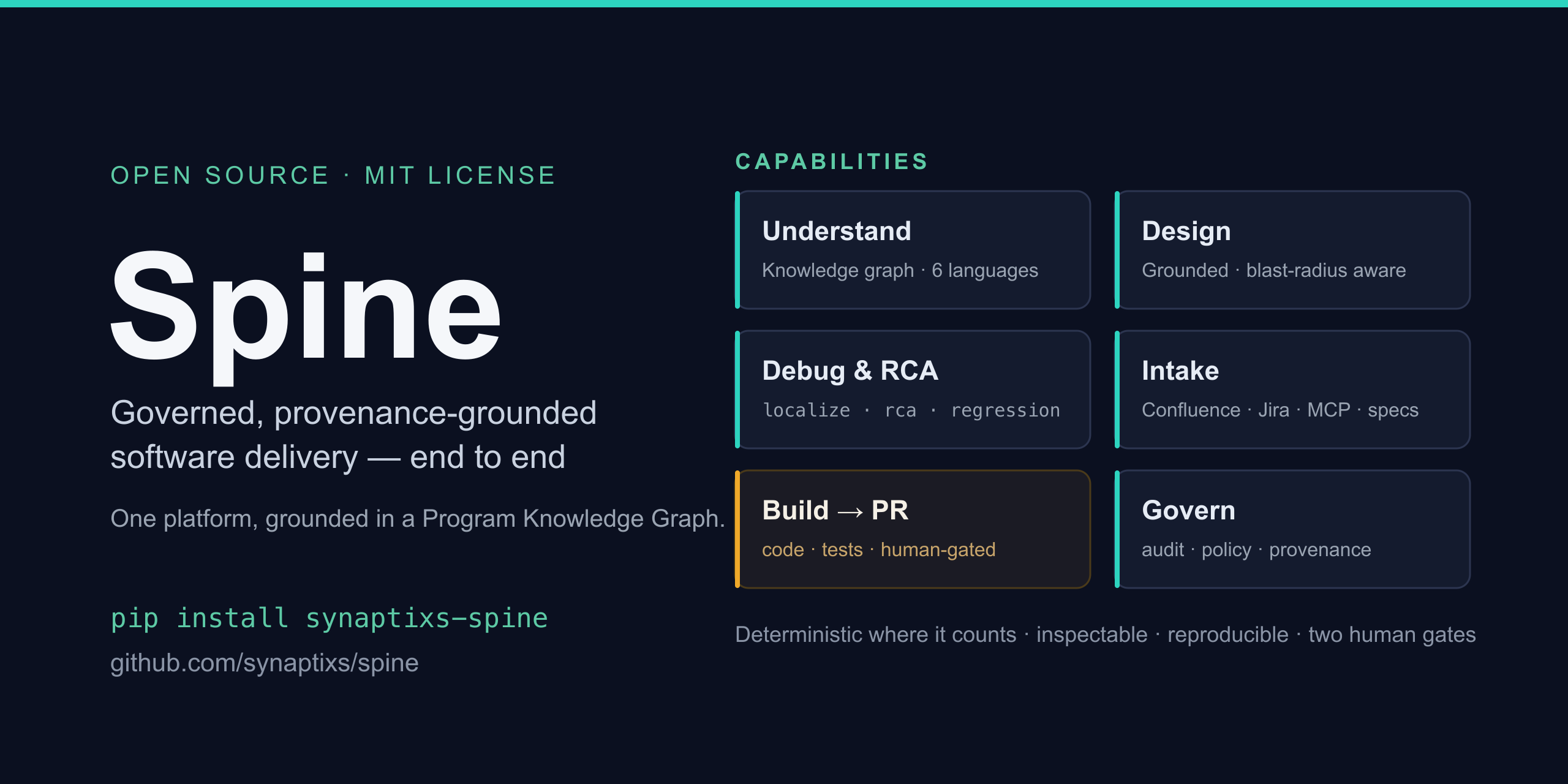
Spine
Governed, provenance-grounded autonomous delivery — turn requirements into reviewed, tested pull requests, with a human in control.
Naming. Spine is the product. It's distributed as the
synaptixs-spinepackage and its command isorchestrator— those names stay in install lines and commands throughout the docs.
Spine reads a requirement (from Confluence, Notion, a Markdown file, or an OpenSpec spec-driven change), understands your target repo, generates code grounded in that repo's own conventions, writes and runs tests, and opens a pull request for you to review. It pauses for your approval before it starts and before anything merges. Nothing is pushed, merged, or written to your tracker unless you say so.
It's built for teams who want agents that are inspectable, reproducible, and safe to run on real code — not demos.
pip install synaptixs-spine
orchestrator init && orchestrator doctor                  # scaffold .env, check readiness
orchestrator sdlc feature --source file://./spec.md --safe   # build locally — no pushes, no PRs
Documentation
| Guide | Read it for |
|---|---|
| Setup & Install | Installing the CLI, the .env, and standing up the full stack (Temporal + Postgres) for the autonomous pipeline. |
| User Guide | A step-by-step walkthrough: from your first local build to a real PR, local models, the web dashboard, and connecting tools (MCP). |
| Using Spine from Codex | Drive Spine from the Codex app — install (plugin or MCP server), credentials, the tool reference, and end-to-end greenfield + brownfield walkthroughs. |
| Using Spine from Claude Code | Drive Spine from Claude Code — install (plugin or MCP server), credentials, the tool reference, and end-to-end greenfield + brownfield walkthroughs. |
| Features & Capabilities | The capability catalog — everything Spine can do today, its status, the command/flag to use it, and a link to each deep dive. |
| Knowledge Graph (PKG) | How Spine understands your codebase — the code-native graph, its model, the CLI, and how it powers brownfield and greenfield work. |
| Operations & Developer Guide | How to operate it: deployment modes, the full environment-variable reference, and standing up each advanced capability — including the semantic spine (ontomesh × infodrift). |
| Community brief | A one-page overview to share — what it does, lifecycle coverage, how to try it, and the feedback we're looking for. |
New here? Install → User Guide Steps 1–4. That's the whole everyday workflow in about ten minutes.
Features & capabilities
Requirements → reviewed PR. Point it at a requirements source and a code repo. It extracts a backlog of intents, writes a spec, generates the implementation and tests, gets them green, and opens a PR — with two human gates (before building, before merging). A safe mode builds entirely locally (branch + diff, no external writes) so you can inspect everything first.
Code-grounded understanding. Before generating, it builds a Product Knowledge
Graph of your repo — modules, types, functions, call sites, blast radius — and
grounds new code in what already exists, so output reads like your team wrote it.
Works across Python, Java, TypeScript, C#, C, and C++, plus SQL data-layer
comprehension (schema, queries, stored procedures, migration folding). orchestrator understand writes a committed, code-true memory-bank/ your whole team (and any AI tool)
can read.
Governed autonomy. The workflow itself is a typed, validated artifact. A planner decomposes the objective, a runtime executes it, and per-edge verifiers check every step against schemas, evidence, and policy. Failures trigger replan, a human approval, or a clean stop. Every tool call, approval, and decision lands in an append-only audit log, and each run is capped by a spend budget.
Learns across runs. Cross-run semantic memory lets the agent recall conventions, pitfalls, and decisions from past runs — each memory cites the run it came from.
You can see inside it. Live OpenTelemetry tracing covers every LLM call, loop step, and tool call, joined to the audit log — so you can debug a run, not just read its result.
Use it your way. A CLI for scripting and CI, a web dashboard (delegate runs, watch them live, approve gates inline), a terminal UI, and MCP in both directions — consume external MCP tools, or expose the whole pipeline as an MCP server to Claude Code, Codex, or your IDE.
Bring your own model. Multi-provider via LiteLLM (Anthropic, OpenAI, Bedrock), or run fully offline on a local model (Ollama). Mix models per stage.
Durable. Long-running pipelines are checkpointed (Temporal + Postgres) — they survive restarts and resume across human approval pauses.
How it works
  requirement (Confluence / Notion / Markdown)
        │
        ▼
   plan ──► validate ──► generate code ──► run tests ──► review ──► open PR
        │        (grounded in your repo's knowledge graph)        │
        └──────────── per-edge verifiers + audit ────────────────┘
                 human gate 1 ▲                    ▲ human gate 2
                 (before build)                    (before merge)
| Concept | What it is |
|---|---|
| Planner → GraphIR | Turns an objective into a typed, validated execution graph (nodes, edges, budgets, approval points). |
| Registry | Versioned agent templates + tool contracts the planner assembles from. |
| Runtime | LangGraph-based executor with Postgres checkpointing and typed state. |
| Verifier chain | Per-edge schema / confidence / evidence / policy checks that gate every handoff. |
| Approval gates | First-class nodes that pause for human review and resume on your decision. |
| Audit log | Append-only record of every tool call, approval, and policy decision. |
FAQ
Does it merge code on its own? No. It opens a PR; a human reviews and merges. There are two approval gates — before building and before merging — and safe mode makes no external writes at all.
Where does my code/data go?
To whichever LLM provider you configure — or nowhere external, if you run a local
model (Ollama). Generated code stays in a local branch until you choose --live.
Do I need Docker or a database?
Not for the everyday path (sdlc feature --safe builds one requirement locally).
The autonomous multi-feature pipeline + web dashboard needs Temporal + Postgres —
see the Setup guide.
Which languages and models?
Code generation and comprehension cover Python, Java, TypeScript, C#, C, and C++
(C# also extracts ASP.NET Core endpoints and EF Core entities; C builds the
#include graph and merges header declarations with their source definitions; C++ is
a superset of the C front-end that adds classes, namespaces, inheritance, member
functions, and templates, and shares C's CMake/Meson + ctest codegen).
SQL ([sql] extra) adds data-layer comprehension — schema, foreign keys, views,
queries, stored procedures, and ordered-migration folding, grounded from .sql source —
plus greenfield codegen (sdlc feature --language sql): it generates a migration and
validates it by applying it to an ephemeral database (in-memory SQLite by default). Any
LiteLLM-supported provider (Anthropic, OpenAI, Bedrock) or a local Ollama model;
you can set a different model per stage.
How is it safe to run on real repos? Write guards on generated files, allow-listed + write-gated external tools, a per-run spend budget, an append-only audit trail, and human approval before any push or merge.
CLI or web UI? Either — they drive the same engine and the same API. Use the CLI for scripting/CI, the web UI (or terminal UI) for watching runs and approving gates by hand.
Can other tools call it? Yes. It speaks MCP both ways: it can use external MCP servers, and it can run as an MCP server so Claude Code / Codex / your IDE can call the pipeline (with the same gates).
Contributing & feedback
We'd love your input. Pick the channel that fits:
- 🐛 Bug? Open a bug report.
- 💡 Feature idea / enhancement? Open a feature request.
- 💬 Question, feedback, or idea to discuss? Start a Discussion.
- 🔒 Security issue? Please follow SECURITY.md — don't open a public issue.
See CONTRIBUTING.md and the CODE_OF_CONDUCT.md for how contributions are reviewed.
License
MIT License. See LICENSE.
1 maintainer

Download files
Download the file for your platform. If you're not sure which to choose, learn more about installing packages.
Source Distribution
Built Distribution
Filter files by name, interpreter, ABI, and platform.
If you're not sure about the file name format, learn more about wheel file names.
Copy a direct link to the current filters
File details
Details for the file synaptixs_spine-3.2.0.tar.gz.
File metadata
- Download URL: synaptixs_spine-3.2.0.tar.gz
- Upload date:
- Size: 1.3 MB
- Tags: Source
- Uploaded using Trusted Publishing? Yes
- Uploaded via:
twine/6.1.0 CPython/3.13.12
File hashes
| Algorithm | Hash digest | |
|---|---|---|
| SHA256 |
1fc87f2b1a6c738ed446914f3464277e57885f2835de7c14255837cb2693144d
|
|
| MD5 |
f497587b682ba00250ab63ab8f70c372
|
|
| BLAKE2b-256 |
63e6d8a2972aee9ae4ad3d95007e245059cfdd56fc90db7ec1049eb9120bd4c9
|
Provenance
The following attestation bundles were made for synaptixs_spine-3.2.0.tar.gz:
Publisher:
publish-pypi.yml on synaptixs/spine
-
Statement:
-
Statement type:
https://in-toto.io/Statement/v1 -
Predicate type:
https://docs.pypi.org/attestations/publish/v1 -
Subject name:
synaptixs_spine-3.2.0.tar.gz -
Subject digest:
1fc87f2b1a6c738ed446914f3464277e57885f2835de7c14255837cb2693144d - Sigstore transparency entry: 2169212226
- Sigstore integration time:
-
Permalink:
synaptixs/spine@f4601ad936fcf0e8a14281299e54c4af879d01fc -
Branch / Tag:
refs/heads/main - Owner: https://github.com/synaptixs
-
Access:
public
-
Token Issuer:
https://token.actions.githubusercontent.com -
Runner Environment:
github-hosted -
Publication workflow:
publish-pypi.yml@f4601ad936fcf0e8a14281299e54c4af879d01fc -
Trigger Event:
workflow_dispatch
-
Statement type:
File details
Details for the file synaptixs_spine-3.2.0-py3-none-any.whl.
File metadata
- Download URL: synaptixs_spine-3.2.0-py3-none-any.whl
- Upload date:
- Size: 674.9 kB
- Tags: Python 3
- Uploaded using Trusted Publishing? Yes
- Uploaded via:
twine/6.1.0 CPython/3.13.12
File hashes
| Algorithm | Hash digest | |
|---|---|---|
| SHA256 |
09aa83be4b2f69912d4b55fd2378bcce18aa424bc54bb034b6ed635cfbfb3eaf
|
|
| MD5 |
c28253451e1db72d9049f579a9a82e7b
|
|
| BLAKE2b-256 |
32cf4a6660dbb1dee5f97f3119ec49ddfbc663a03c931413c77978a399b17972
|
Provenance
The following attestation bundles were made for synaptixs_spine-3.2.0-py3-none-any.whl:
Publisher:
publish-pypi.yml on synaptixs/spine
-
Statement:
-
Statement type:
https://in-toto.io/Statement/v1 -
Predicate type:
https://docs.pypi.org/attestations/publish/v1 -
Subject name:
synaptixs_spine-3.2.0-py3-none-any.whl -
Subject digest:
09aa83be4b2f69912d4b55fd2378bcce18aa424bc54bb034b6ed635cfbfb3eaf - Sigstore transparency entry: 2169212530
- Sigstore integration time:
-
Permalink:
synaptixs/spine@f4601ad936fcf0e8a14281299e54c4af879d01fc -
Branch / Tag:
refs/heads/main - Owner: https://github.com/synaptixs
-
Access:
public
-
Token Issuer:
https://token.actions.githubusercontent.com -
Runner Environment:
github-hosted -
Publication workflow:
publish-pypi.yml@f4601ad936fcf0e8a14281299e54c4af879d01fc -
Trigger Event:
workflow_dispatch
-
Statement type:














