
Synpath – One API for prediction markets
Build on prediction markets without building against each one.
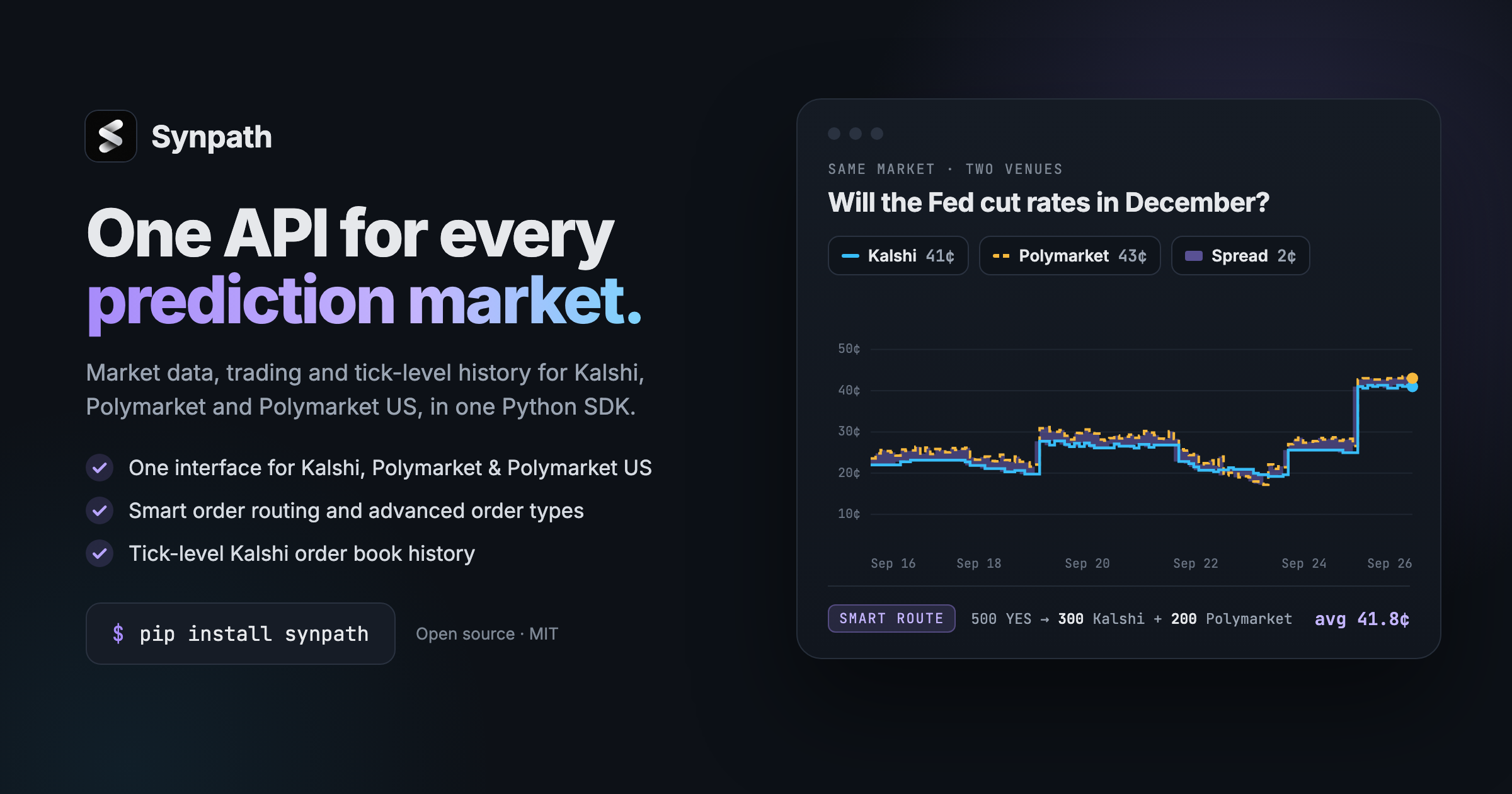
One open-source API across Kalshi, Polymarket and Polymarket US: market data, order entry, live streams, and an execution engine that remembers what it sent. In-process from Python, over REST and WebSocket from anywhere.


🆕 New: Every Kalshi order book, every tick.
Full-depth books and trades for every past Kalshi trade. Query any moment in under a minute. Get the data →
Supported Exchanges
| Exchange | id | Market data | Order entry | Streams | Order books | |
|---|---|---|---|---|---|---|
 |
Kalshi | kalshi |
✓ | ✓ | WebSocket | one book per market, both sides read it |
 |
Polymarket | polymarket |
✓ | ✓ | WebSocket | one book per outcome token |
|
Polymarket US | polymarket_us |
✓ | ✓ retail and exchange APIs | WebSocket and gRPC | one book per market, both sides read it |
Why Synpath
-
Liquidity is fragmented. Your time shouldn't be. The same market trades on Kalshi, Polymarket and Polymarket US, each with its own API, units and quirks. Synpath gives you one interface for all of them, and smart order routing buys from whichever book is cheapest. Spend your time on alpha, not plumbing.
-
Traders deserve advanced order types. Stops, trailing stops, icebergs, OCO, brackets, TWAP and pegs, on every venue, even where the exchange has none. Orders are journaled before they're sent, so a crash never places one twice.
-
A home after Dome and pmxt. Dome's API shut down in April 2026, and pmxt hasn't shipped since July 2026. Synpath is MIT-licensed, actively maintained, and follows ccxt conventions.
Installation
pip install synpath              # market data, order entry, streams, the engine and the server
pip install "synpath[grpc]"      # + Polymarket US exchange gRPC streams
Python 3.10 or newer.
Hosted API. Run synpath login, then synpath keys create. It serves tick-level Kalshi order book and trade history, and cross-venue market matching. Trading stays on your machine: Synpath never holds your keys or funds.
Quick Start
Markets and quotes
import synpath

kalshi = synpath.Kalshi()
market = kalshi.fetch_markets(limit=1)[0]

print(market.title)                                # Will Elon Musk visit Mars before Aug 1, 2099?
print(market.yes.quote.bid, market.yes.quote.ask)  # 0.1 0.12
Order books and search
book = kalshi.fetch_order_book(market.id, depth=5)
book.best_bid, book.best_ask                       # best first on both sides
kalshi.fetch_order_book(market.id, side="no")      # what NO costs

markets = kalshi.fetch_markets(query="trump", limit=10)
fee = kalshi.fetch_fee_schedule(markets[0].id)
fee.estimate(price=0.50, contracts=100)            # 1.75
Same code, every venue
for venue_id in synpath.exchanges:                 # ['kalshi', 'polymarket', 'polymarket_us']
    with synpath.exchange(venue_id) as venue:
        page = venue.fetch_markets(limit=5)

client = synpath.Client()                          # or one client, routed by the id
client.fetch_market("polymarket:2252244")          # every id starts with its venue
Order entry
from decimal import Decimal
from synpath import KalshiTrading, OrderRequest, Side, load_credentials, require

async with KalshiTrading(require("kalshi", load_credentials())) as kalshi:
    order = await kalshi.create_order(OrderRequest(
        market_id=market.id, side=Side.BUY,          # buy takes YES, sell takes NO
        amount=Decimal("10"), price=Decimal("0.42"), # always the YES price
    ))
Live streams
from synpath import PolymarketMarketStream, BookEvent

async with PolymarketMarketStream() as stream:
    await stream.watch_order_book(["polymarket:2252244"])   # both sides of the market
    async for event in stream:
        if isinstance(event, BookEvent):
            print(event.market_id, event.side, event.best_bid, event.best_ask)
The engine, and the orders the venues do not hold
from synpath.engine import Engine, EngineConfig, RiskConfig
from synpath import OrderType

async with Engine({"kalshi": kalshi}, EngineConfig(journal_path="trading.db"),
                  risk=RiskConfig(max_order_contracts=Decimal("100"))) as engine:
    await engine.submit(OrderRequest(
        market_id=market.id, side=Side.SELL, amount=Decimal("20"),
        type=OrderType.TRAILING_STOP, stop_price=Decimal("0.40"),
        params={"trail": "0.03"}, book="alpha",
    ))
REST server
python -m synpath.server                           # http://127.0.0.1:8000/docs
curl "localhost:8000/venues/kalshi/markets?limit=1"
Trading has its own app, with per-account keys and an append-only audit log:
python -m synpath.server bootstrap --control control.db     # the first key
python -m synpath.server schema --trading --out openapi.json
npx openapi-typescript openapi.json --default-non-nullable false -o src/synpath.d.ts
Documentation
- CLI: hosted data API sign-in and keys versus local venue trading server setup
- Unified API: methods, data structures, identifiers, paging, status, errors
- Capabilities: what each venue can and cannot answer
- HTTP server: routes, envelopes, typed client generation, trading routes with per-account keys, mounting behind your own auth
- Trading: credentials,
Decimalmoney, order entry on Kalshi, Polymarket and Polymarket US - Streaming: WebSocket and gRPC books, trades, orders and fills as self-healing event streams
- Engine: a journal written before anything is sent, pre-trade risk, a ledger, reconciliation, a kill switch, the order types the venues do not hold, buckets that route one order across venues, paper trading
- TypeScript client: generate a typed client from the OpenAPI document, place through cancel without Python
Development
git clone https://github.com/Synpath-ai/synpath
cd synpath
pip install -e ".[dev]"

pytest              # offline, against recorded venue payloads
pytest -m live      # market data against the real venues
pytest -m demo      # order entry on a venue's demo environment
The demo tests place and cancel real orders on a demo exchange with the
credentials in your environment, and leave the account flat. python -m synpath.trading doctor says which venues are configured without printing a
secret.
Prior Art
ccxt set the conventions this library follows. pmxt got to prediction markets first.
License
MIT
1 maintainer

Metadata
1 maintainer
Release files for synpath 0.1.0
For a detailed explanation of source distributions (sdists) and built distributions (wheels), please see the package formats documentation.
Source distribution (sdist)
| File | Size | Uploaded | |
|---|---|---|---|
| synpath-0.1.0.tar.gz | 1.1 MB | Details |
Built distribution (wheel)
| File | Interpreter | ABI | Platform | Reset |
|---|---|---|---|---|
| synpath-0.1.0-py3-none-any.whl | Python 3 | none | any | Details |
Total release size: 1.4 MB
Release files / synpath-0.1.0.tar.gz
| Download URL | synpath-0.1.0.tar.gz |
|---|---|
| Size | 1.1 MB |
| Tags | Source |
|
SHA-256 checksum How to use checksums |
8a846f86a5b3485538eab971613744b65061b5178e7007f6ef8559b0aa50ec58
|
|
BLAKE2b-256 checksum How to use checksums |
39b4717db70ebc7e774d1837be01f48d743ca130885a9def8dbf62408f0807f5
|
| Upload date | |
|
Uploaded using Trusted Publishing? What is trusted publishing? |
Yes |
| Uploaded via |
twine/7.0.0 CPython/3.13.14
|
Provenance
Provenance describes where a file came from. On PyPI, provenance is shared via attestations, which provide a verifiable record of the build or publishing details. View details, limitations and caveats.


PyPI Publish Attestation
PyPI verified that this artifact, at this checksum, originated from the publisher listed below.
Signed by GitHub Actions, verified by PyPI on Sep 28, 2026.
Transparency logRelease files / synpath-0.1.0-py3-none-any.whl
| Download URL | synpath-0.1.0-py3-none-any.whl |
|---|---|
| Size | 348.1 kB |
| Tags | Python 3 |
|
SHA-256 checksum How to use checksums |
305091f7ef70781195c3ce5a29fb930a26adfefa744ed9daf7d587f1d3112bce
|
|
BLAKE2b-256 checksum How to use checksums |
90d7103a93a23ef8126b8382641b7e20041012c8808200748b2831c5bcbee59e
|
| Upload date | |
|
Uploaded using Trusted Publishing? What is trusted publishing? |
Yes |
| Uploaded via |
twine/7.0.0 CPython/3.13.14
|
Provenance
Provenance describes where a file came from. On PyPI, provenance is shared via attestations, which provide a verifiable record of the build or publishing details. View details, limitations and caveats.
PyPI Publish Attestation
PyPI verified that this artifact, at this checksum, originated from the publisher listed below.
Signed by GitHub Actions, verified by PyPI on Sep 28, 2026.
Transparency log













