
Domain-agnostic LLM knowledge compilation engine
Verified details
These details have been verified by PyPIProject links
GitHub Statistics
Maintainers

Project description
Synthadoc
      .-+###############+-.
    .##                   ##.
   ##    .----.   .----.    ##
  ##    /######\ /######\    ##
  ##    |######| |######|    ##
  ##    | [SD] | | wiki |    ##
  ##    |######| |######|    ##
  ##    \######/ \######/    ##
   ##    '----'   '----'    ##
    '##                   ##'
      '-+###############+-'

       S Y N T H A D O C
    Community Edition  v0.9.2
  ────────────────────────────────
  Domain-agnostic LLM wiki engine









Document version: v0.9.2
Engineered for solo users and enterprises alike, providing a domain-specific knowledge base that scales seamlessly while maintaining accuracy through autonomous self-optimization.
Built for individuals, small teams, and large organizations who need a knowledge base that stays accurate as documents accumulate.
Synthadoc reads your raw source documents — PDFs, spreadsheets, PPTs, web pages, images, videos, Word files, TXTs — and uses an LLM to synthesize them into a persistent, structured wiki. Cross-references are built automatically, contradictions are detected and surfaced, orphan pages are flagged, and every answer cites its sources. Outputs are stored as local Markdown files, ensuring seamless integration and autonomous management within Obsidian or any wiki-compliant ecosystem.
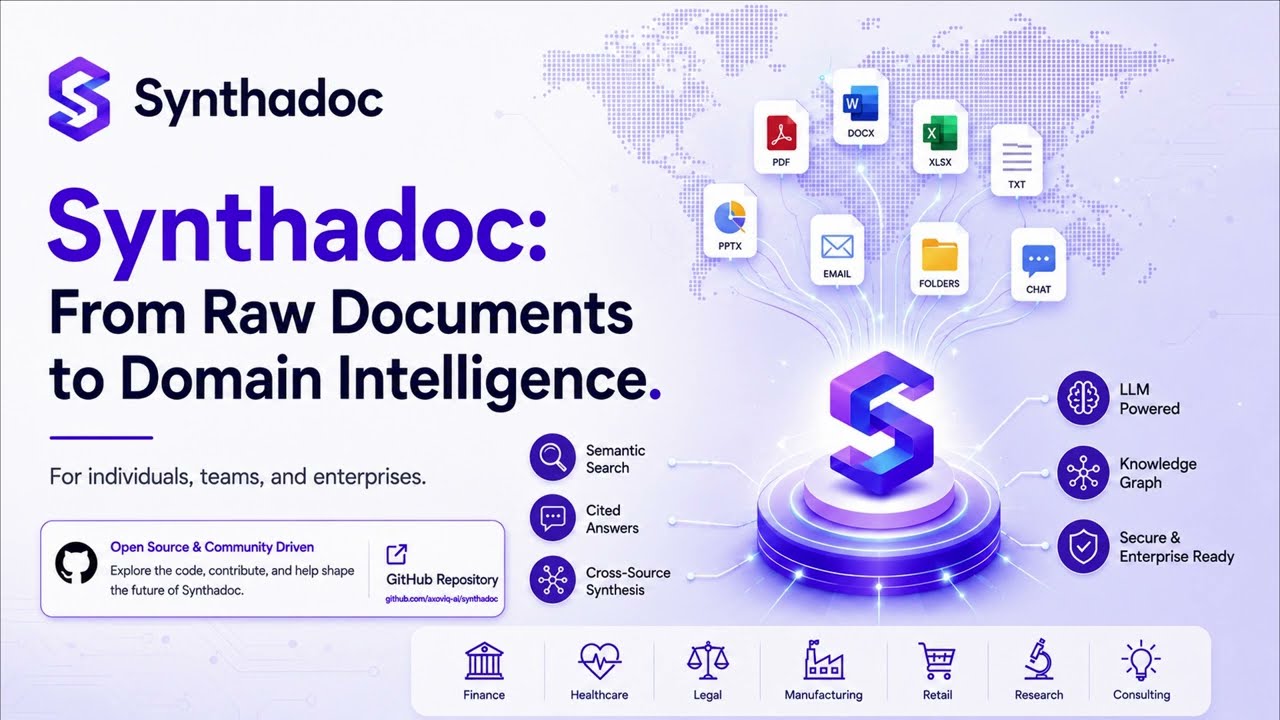
▶ From Documents to Wiki — demo walkthrough · Also watch: Four Interfaces: CLI, Obsidian, Web UI & MCP
Table of Contents
- Who Is It For?
- Inspiration and Vision
- Problems Addressed
- Why Synthadoc?
- Architecture
- What's Included
- Installation
- Quick-Start Guide
- Creating Your Own Wiki
- Configuration
- Command Reference by Use Case
- Administrative Reference
- Understanding Logs and the Audit Trail
- Customization
- Links
Who Is It For?
Synthadoc scales from a single researcher to a company-wide knowledge platform:
| Team size | Typical use case |
|---|---|
| Solo / 1–2 people | Personal research wiki, freelance knowledge base, indie hacker documentation - run it free on Gemini Flash or a local Ollama model with zero ongoing cost |
| Small team (3–20) | Centralized internal knowledge base for startups and departments that aggregates diverse individual data sources into a unified, high-integrity wiki. The system automatically resolves contradictions and scales autonomously, ensuring organizational intelligence grows in tandem with your team |
| Medium / enterprise | Compliance-sensitive knowledge bases that must stay local; per-department wikis on separate ports; audit trail for every ingest and cost event; hook system for CI/CD integration; OpenTelemetry for ops dashboards |
No cloud account. No vendor lock-in. The wiki is plain Markdown — open it in any editor, back it up with git, sync it with any cloud drive.
Inspiration and Vision
"The LLM should be able to maintain a wiki for you." — Andrej Karpathy, LLM Wiki gist
Most knowledge-management tools retrieve and summarize at query time. Synthadoc inverts this: it compiles knowledge at ingest time. Every new source enriches and cross-links the entire corpus, not just appends a new chunk. The wiki is the artifact — readable, editable, and browsable without any tool running.
Long-term alignment:
| Direction | How Synthadoc moves there |
|---|---|
| Agent orchestration | Orchestrator dispatches parallel IngestAgent, QueryAgent, LintAgent sub-agents with cost guards and retry backoff |
| Sub-agent skills/plugins | Featuring a 3-tier lazy-load capability system, the platform allows for the injection of custom skills and hooks via a plug-and-play interface, ensuring core stability is never compromised during extension |
| LLM wiki vs. RAG | Pre-compiled structured knowledge beats query-time synthesis for contradiction detection, graph traversal, and offline access |
| CLI / HTTP | A unified interface via CLI and RESTful endpoints, the system streamlines full-spectrum integration: from data ingestion and querying to automated linting, security auditing, and job orchestration |
| Local-first | All data stays on your machine; localhost-only network binding; no cloud dependency except the LLM API itself |
| Provider choice | LLM backends including free-tier Gemini and Groq, paid Anthropic/OpenAI/DeepSeek/MiniMax/Qwen (DashScope), local Ollama and Qwen, and coding-tool CLI providers (Claude Code, Opencode) — no API key required if you already have a subscription |
Problems Addressed
1. RAG conflates contradictions; Synthadoc surfaces them
When two sources disagree, vector search returns both and the LLM silently blends them. Synthadoc detects the conflict during ingest, flags the page with status: contradicted, preserves both claims with citations, and either auto-resolves (if confidence ≥ threshold) or queues the conflict for human review.
2. Knowledge fragments; Synthadoc links it
RAG chunks are isolated. Synthadoc builds [[wikilinks]] between related pages during every ingest pass. The resulting graph is visible in Obsidian's Graph view and queryable with Dataview.
3. Orphan knowledge has no address; Synthadoc finds it
Pages that exist but are referenced by nothing are surfaced by the lint system, with ready-to-paste index entries so you can quickly integrate them.
4. LLM-compiled content can be overconfident; Synthadoc audits it
An LLM synthesising source documents naturally produces confident prose — but may overstate claims, omit caveats, or accept a source's framing uncritically. The adversarial lint pass runs a concurrent second-LLM review of every page: it plays devil's advocate to surface issues the primary model accepted too readily — contested estimates, unsupported superlatives, and claims that contradict well-established facts. Warnings are stored in page frontmatter and surfaced in both the CLI report and the Obsidian lint modal. The reviewer is calibrated to flag only high-confidence issues, producing a useful signal without noise. For the strongest signal, point the adversarial pass at a different model family: a distinct model is far more likely to challenge assumptions than the same model reviewing its own output.
Claim-Level Provenance
Every substantive claim in the wiki is annotated with ^[filename:L-L] — a citation pointing to the exact line range in the source file it came from. Click the citation chip in Obsidian to open a Source Viewer showing the highlighted passage; for PDF sources, Synthadoc resolves the PDF page number automatically via a pagemap sidecar. A global Provenance modal shows all citations across the wiki, sortable and filterable. Broken citations are caught by the lint system and logged in the audit trail. Run synthadoc audit citations to query citations from the CLI.
5-State Lifecycle Machine
Every compiled wiki page moves through a 5-state lifecycle (draft | active | contradicted | stale | archived) with a full audit trail — every state change recorded with who triggered it and why. New pages start as draft; lint automatically promotes clean pages to active, marks pages stale when their source file changes on disk, and archives pages whose source file disappears. Manual transitions (activate — draft→active, archive — active→archived, restore — archived→draft) and the full event log are available from both the CLI and the Obsidian plugin.
5. Re-synthesis is expensive; Synthadoc caches it
A 3-layer cache (embedding, LLM response, provider prompt cache) means repeated lint runs on unchanged pages cost near-zero tokens.
6. Knowledge is locked in tools; Synthadoc escapes it
Every page is a plain Markdown file with YAML frontmatter. No proprietary format. Open the folder in any editor, put it in git, sync it with any cloud drive.
Synthadoc wikis are also aligned with Google's Open Knowledge Format (OKF) v0.1. Each page carries a type field (concept, person, technology, event, …) and a resource field (primary source URL) that OKF agents can consume directly — no conversion step needed.
7. Wiki structure decays as content grows; Synthadoc regenerates it
As the wiki accumulates pages the index.md table of contents, domain scope (purpose.md), and LLM behaviour guidelines (AGENTS.md) can drift out of sync with actual content. The scaffold command re-generates all three from the current wiki state using the LLM — creating category-aware index entries, refreshed scope boundaries, and updated terminology guidelines — without touching pages already linked in the index. Run it once after initial install to get a rich scaffold, then schedule it weekly as the wiki grows.
Business values
| Value | How |
|---|---|
| Faster onboarding | New team members query the wiki instead of digging through documents |
| Audit trail | Every ingest recorded inaudit.db with source hash, token count, and timestamp |
| Cost control | Configurable soft-warn and hard-gate thresholds; 3-layer cache reduces repeat spend |
| Compliance | Local-first — source documents and compiled knowledge never leave your machine |
| Extensibility | Hooks fire on every event; custom skills load without a server restart |
Why Synthadoc?
Competitive advantages
| Capability | Synthadoc | Typical RAG | NotebookLM | Notion AI |
|---|---|---|---|---|
| Ingest-time synthesis | Yes | No | Partial | No |
| Contradiction detection | Yes | No | No | No |
| Orphan page detection | Yes | No | No | No |
| Adversarial claim review | Yes (concurrent second-LLM pass — flags overstated claims and unsupported assertions per page) | No | No | No |
| Claim-level provenance | Yes (^[file:L-L] citations on every claim; Source Viewer in Obsidian; PDF page resolution; global provenance table; broken-citation lint) |
No | No | No |
| 5-state lifecycle machine | Yes (draft / active / contradicted / stale / archived; auto-transitions via lint; manual CLI + Obsidian; immutable audit trail per transition) |
No | No | No |
| Persistent wikilink graph | Yes | No | No | No |
| Local-first (no cloud data) | Yes | Varies | No | No |
| Custom skill plugins | Yes | Limited | No | No |
| Obsidian integration | Yes | No | No | No |
| Cost guard + audit trail | Yes (per-job token + cost log; claim citations DB; audit citations CLI; ingest/lint/citation event types; full audit history API) |
No | No | No |
| Portable backup / restore | Yes (single zip: wiki pages + audit/lifecycle DB + config; port and domain rewriting on restore; migrate across machines without re-ingesting) | No — re-ingest required | No — content only, AI metadata lost | No — audit log separate, no restore path |
| Hook / CI integration | Yes (2 events) | No | No | No |
| Offline browsable artifact | Yes | No | No | No |
| Multi-wiki isolation | Yes | No | No | No |
| Web search → wiki pages | Yes | No | No | No |
| Multiple LLMs support | Yes (Gemini, Groq, Qwen, MiniMax, DeepSeek, Anthropic, OpenAI, Ollama) | No | No | No |
| Auto wiki overview page | Yes | No | No | No |
| Resumable job queue + retry | Yes | No | No | No |
| Query decomposition | Yes (parallel sub-queries) | No | No | No |
| Knowledge gap detection | Yes | No | No | No |
| Web search decomposition | Yes (parallel Tavily) | No | No | No |
| Semantic re-ranking (vector) | Yes (optional fastembed) | Varies | No | No |
| Scaffold automation | Yes | No | No | No |
| Coding tool as LLM provider | Yes (Claude Code, Opencode — no API key) | No | No | No |
| YouTube transcript ingest | Yes (standard + Shorts, no API key, timestamped) | No | No | No |
| Multilingual / CJK queries | Yes (Chinese, Japanese, Korean — no false gaps) | Limited | No | No |
| Query-scoped routing | Yes (ROUTING.md — branch-scoped BM25, query auto-selects branch) | No | No | No |
| Candidates staging | Yes (ingest to staging area, promote or discard) | No | No | No |
| Context packs | Yes (goal → sub-questions → token-budget evidence pack) | No | No | No |
| Export formats | Yes (llms.txt, llms-full.txt, GraphML, JSON, OKF bundle — lifecycle-filtered, provenance-threaded, cost-annotated; inline graph viewer in Obsidian) | No | No | No |
| Streaming query output | Yes (token-by-token; --no-stream for pipe-friendly blocking mode) |
No | No | No |
| Query result cache | Yes (cache key = question + wiki version; auto-invalidates on ingest or lifecycle change; --no-cache to bypass) |
No | No | No |
| Browser-based chat UI | Yes (synthadoc web — session-aware, streaming, citations, knowledge-gap callouts, multi-turn conversation with follow-up rewriting and clarify prompts) |
No | No | No |
| MCP server for agent integration | Yes (12 tools; Claude Desktop via stdio, Claude Code via SSE, n8n/LangGraph via HTTP/SSE; brain+memory architecture — Claude reasons and edits, Synthadoc persists with immutable audit trail; no double-LLM cost for read operations) — design · quick-start | No | No | No |
Key differentiators vs. RAG
RAG chunks documents and retrieves them at query time. Synthadoc compiles knowledge: every new source is synthesized into the existing wiki graph at ingest time.
- Contradictions are caught, not blended. When two sources disagree, Synthadoc flags the page — RAG silently averages both claims.
- Knowledge is linked, not scattered.
[[wikilinks]]connect related pages into a navigable graph visible in Obsidian and queryable with Dataview. - The artifact outlives the tool. Close the server, open the wiki folder in any Markdown editor — the knowledge is all there, human-readable, no proprietary format.
- Cost-efficient at scale. Two-step ingest with cached analysis means repeated ingest of similar sources costs near-zero tokens. Three cache layers stack for lint and query too.
- Ingest is durable, not fragile. Every ingest request becomes a queued job with automatic retry and a persistent audit record. Batch a hundred documents and resume after a crash — no work is lost.
- The operational state travels with the wiki.
synthadoc backupcaptures wiki pages, audit history, lifecycle state, and server config in one portable zip. Typical RAG systems and cloud tools (NotebookLM, Notion AI) require full re-ingestion after a migration — Synthadoc restores in seconds on any machine, with port and domain rewriting handled automatically.
Architecture

For full architecture details, data models, API reference, and plugin development guide see docs/design.md.
What's Included
See docs/design.md — Appendix A: Release Feature Index for a full feature list by version.
Installation
Production
Prerequisites: Python 3.11+. No Node.js, no Git, no build steps.
pip install synthadoc
synthadoc --version   # confirm it works
The Obsidian plugin is bundled inside the package — synthadoc plugin install works immediately after this.
Development
For developers modifying the Python engine, running the test suite, or developing the Obsidian plugin TypeScript.
Additional prerequisites: Git (any). Node.js 18+ only if modifying the plugin TypeScript source.
Step 1 — Clone and install
git clone https://github.com/axoviq-ai/synthadoc.git
cd synthadoc
pip install -e ".[dev]"
[dev] adds pytest, respx, and the other test dependencies. Tests require a source checkout — they are not included in the pip wheel.
Step 2 — Run the test suite
pytest --ignore=tests/performance/ -q
Expected: all tests pass, 0 failures. Performance benchmarks (optional — Linux/macOS):
pytest tests/performance/ -v --benchmark-disable
Step 3 — Obsidian plugin development (optional)
The compiled plugin is bundled with the package and kept up to date by CI — no build step is needed to work on the Python side or run tests.
To modify the TypeScript source:
cd obsidian-plugin
npm install
npm test              # Vitest unit tests
# edit src/main.ts…
# push your TypeScript changes — CI builds main.js and syncs it automatically on merge to main
Set your API keys
At least one LLM API key is required — unless you use Claude Code or Opencode as your provider (no separate API key needed — see Coding tool CLI providers).
Synthadoc defaults to Gemini Flash — free tier, no credit card, 1 million tokens per day. Get a key at aistudio.google.com/app/apikey (click "Create API key").
| Provider | Free tier | Vision | Get key |
|---|---|---|---|
| Gemini Flash | Yes — 15 RPM / 1M tokens/day, no credit card | Yes | aistudio.google.com |
| Groq | Yes — rate-limited | No | console.groq.com |
| Ollama | Yes — runs locally, no key (GPU required) | Model-dependent | ollama.com |
| Qwen | Yes — 1M free tokens (90-day trial), then paid DashScope | Model-dependent | bailian.console.aliyun.com |
| MiniMax | No — pay-per-token | Yes | platform.minimax.io |
| DeepSeek | No — pay-per-token (very cheap text rates) | No | platform.deepseek.com |
| Anthropic | No | Yes | console.anthropic.com |
| OpenAI | No | Yes | platform.openai.com |
| Claude Code | Included with subscription — no API key | No | Set provider = "claude-code" in config.toml |
| Opencode | Included with subscription — no API key | No | Set provider = "opencode" in config.toml |
# macOS / Linux — add to ~/.bashrc or ~/.zshrc to persist
export GEMINI_API_KEY=AIza…          # default — free tier, 1M tokens/day
export GROQ_API_KEY=gsk_…            # alternative free tier — 100K tokens/day
export ANTHROPIC_API_KEY=sk-ant-…    # paid — highest quality
export OPENAI_API_KEY=sk-…           # paid
export MINIMAX_API_KEY=…             # paid — text rates (image support)
export DEEPSEEK_API_KEY=…            # paid — text rates (no image support)
export QWEN_API_KEY=…                # DashScope cloud — 1M free tokens trial
export TAVILY_API_KEY=tvly-…         # web search (optional)

# Windows cmd — current session only
set GEMINI_API_KEY=AIza…
set GROQ_API_KEY=gsk_…
set ANTHROPIC_API_KEY=sk-ant-…
set OPENAI_API_KEY=sk-…
set MINIMAX_API_KEY=…
set DEEPSEEK_API_KEY=…
set QWEN_API_KEY=…
set TAVILY_API_KEY=tvly-…
Web search uses Tavily (TAVILY_API_KEY) — optional, only needed for synthadoc ingest "search for: …" jobs. Get a free key at tavily.com.
Install a wiki and start the engine
A wiki is a self-contained knowledge base — a folder of Markdown pages maintained and cross-referenced automatically by Synthadoc. The fastest way to get started is the History of Computing demo (13 pre-built pages, no LLM API key required to browse).
# Linux / macOS
synthadoc install history-of-computing --target ~/wikis --demo

# Windows (cmd.exe)
synthadoc install history-of-computing --target %USERPROFILE%\wikis --demo
Then start the engine:
# Foreground — logs stream to the console
synthadoc serve -w history-of-computing

# Background — releases the terminal
synthadoc serve -w history-of-computing --background
The server binds to http://127.0.0.1:7070 (localhost-only). Leave it running while you work — the Obsidian plugin, CLI ingest commands, and query commands all talk to it.
To switch LLM provider, edit [agents] in <wiki-root>/.synthadoc/config.toml and restart synthadoc serve. See Appendix — Switching LLM providers for step-by-step instructions.
To stop a background server:
# Linux / macOS
kill <PID>

# Windows (cmd)
taskkill /PID <PID> /F
The PID is printed on start and saved to <wiki-root>/.synthadoc/server.pid.
Upgrading: after updating synthadoc (via pip install --upgrade synthadoc or git pull), restart the server to pick up the new code, then run these to keep registered wikis in sync:
synthadoc plugin upgrade   # push updated Obsidian plugin binary to all registered wikis
synthadoc demo sync        # demo-installed wikis — pick up new pages and backfill metadata
Neither command requires the server to be running.
Quick-Start Guide
The History of Computing demo includes 13 pre-built pages, raw source files covering clean-merge, contradiction, and orphan scenarios, and a full walkthrough of key Synthadoc feature.
Full step-by-step walkthrough: docs/user-quick-start-guide.md
The guide covers:
- Verify the demo server started (banner, health check)
- Install the Synthadoc plugin (auto-installs Dataview) and open the vault
- Review wiki structure and key files (index, purpose, AGENTS.md, dashboard)
- Query the pre-built wiki — including knowledge gap detection
- Batch ingest all demo source files
- Run lint — auto-promote clean pages to active
- Manage page lifecycle — 5-state machine (draft → active → stale/contradicted/archived), manual transitions, immutable audit trail
- Resolve a contradiction
- Fix an orphan page
- Run the adversarial lint pass — flag overstated claims across all pages
- Web search ingestion with automatic decomposition
- Ingest a YouTube video
- Enrich the wiki with scaffold (regenerate/update index, purpose, AGENTS.md)
- Audit features (token cost, history, events)
- Schedule recurring operations
- Set up query-scoped routing with ROUTING.md
- Stage and review candidate pages before promoting them
- Build a context pack for grounded LLM prompts
- Verify claim provenance — source-line citations, broken citation audit, global provenance table
- Export your wiki — llms.txt, llms-full.txt, GraphML wikilink graph, agent-ready JSON with provenance and lifecycle history, OKF v0.1 bundle for zero-code agent consumption
- Use the web chat UI — streaming answers, session-aware hint chips, citations in-browser
- Query caching — understand how answers are cached and how to bypass with
--no-cache
Creating Your Own Wiki
Unlike the demo (which ships with pre-built pages), your own wiki starts from a domain description and grows as you feed it sources. Three commands are all you need to get started:
synthadoc install market-condition-canada --target ~/wikis --domain "Market conditions and trends in Canada"
synthadoc use market-condition-canada   # set as the default wiki — no -w needed from here on
synthadoc serve
--domain is a free-text description of the subject area — the LLM uses it to generate three domain-aware starter files via scaffold:
| File | Purpose |
|---|---|
wiki/index.md |
Table of contents — domain-relevant categories with [[wikilinks]] |
wiki/purpose.md |
Scope declaration — tells the ingest agent what belongs and what to ignore |
AGENTS.md |
LLM behaviour guidelines — tone, terminology, and synthesis style |
wiki/dashboard.md is also created during install (a static template — not LLM-generated). ROUTING.md is optional and generated separately via synthadoc routing init after pages accumulate.
Then copy the Synthadoc plugin files into the wiki with one command:
synthadoc plugin install market-condition-canada
This installs both the Synthadoc plugin and the Dataview plugin directly into the vault's plugins folder, pre-enables them, and sets the correct server URL. Open the wiki folder in Obsidian — both plugins are active immediately, no manual toggling required.
The Quick-Start Guide covers the full Obsidian setup in detail — see docs/user-quick-start-guide.md.
Local Web UI — once the server is running, you can also query the wiki from your browser without Obsidian:
synthadoc web
This opens a local chat interface at http://localhost:{port}/app. The Web UI is local-only and is not accessible from the network — authentication and authorisation are not configured by default in the Community Edition.
Recommended growth loop:
1. Seed with web searches — pull in real content for the topics you care about:
synthadoc ingest "search for: Economy, employment and labour market analysis in Toronto GTA"
synthadoc ingest "search for: Bank of Canada interest rate outlook 2025"
synthadoc jobs list   # watch progress
Each search fans out into up to 20 parallel URL ingest jobs. Query decomposition and web search decomposition (see below) make broad topics yield much richer results than a single search.
2. Review candidates (optional quality gate) — enable staging before large ingest batches so pages below your confidence threshold wait for review rather than entering BM25 immediately:
synthadoc staging policy threshold   # pages below high confidence → wiki/candidates/
synthadoc candidates list            # see what's waiting
synthadoc candidates promote early-internet-history   # approve individually
synthadoc candidates promote --all   # or approve everything at once
synthadoc candidates discard punch-card-era           # discard pages that don't belong
Skip this step if you trust all your sources — staging policy off is the default.
3. Lint and query — check for contradictions, flag overstated claims, verify citations, and confirm the wiki answers your questions:
synthadoc lint run                          # full lint: structural checks + adversarial pass (default)
synthadoc lint run --no-adversarial         # structural only — skip the adversarial LLM review
synthadoc lint report                       # view all issues including citation violations (Check 5)
synthadoc audit citations --broken          # list claim citations that failed validation
synthadoc query "What are the current employment trends in the Toronto GTA?"
4. Re-run scaffold — after pages accumulate, scaffold regenerates a richer index that reflects actual content. Pages already linked in index.md are never overwritten:
synthadoc scaffold
5. Set up routing — once the wiki has ~100+ pages across distinct topic areas, routing narrows each query to the relevant branch, cutting latency and reducing noise in synthesis:
synthadoc routing init # generate ROUTING.md from current index.md (one-time)
From this point, queries automatically scope to the 1–2 most relevant topic branches. New pages created by ingest are auto-slotted into ROUTING.md — no manual maintenance needed. See Appendix H in the Quick-Start Guide for latency benchmarks across corpus sizes.
6. Build a context pack — assemble cited wiki excerpts within a token budget for use in an external agent prompt:
synthadoc context build "Toronto GTA real estate market" --tokens 4000
Returns ranked page excerpts with relevance scores, confidence levels, and source paths — no synthesis. The POST /context/build REST endpoint and synthadoc_context MCP tool make this callable from any agent pipeline. To connect Claude Code to your wiki's MCP server:
# Replace 7070 with the port shown when you ran synthadoc serve
claude mcp add --transport sse synthadoc-market-condition-canada http://127.0.0.1:7070/mcp/sse
Then ask Claude Code: "Build a context pack on Toronto GTA real estate market" and it will call synthadoc_context automatically. See docs/design.md — Context packs for the knowledge backend pattern.
7. Schedule recurring updates — keep the wiki fresh and the routing table clean automatically:
synthadoc schedule add --op "ingest --batch raw_sources/" --cron "0 2 * * *"
synthadoc schedule add --op "lint run"      --cron "0 3 * * 0"
synthadoc schedule add --op "scaffold"      --cron "0 4 * * 0"
synthadoc schedule add --op "routing clean" --cron "0 5 * * 0"
Run order matters: lint first (removes dead wikilinks), scaffold next (regenerates index), routing clean last (prunes ROUTING.md entries for deleted pages).
How decomposition works
Both query and web search ingest automatically split complex inputs into focused parallel sub-tasks — a compound question becomes multiple BM25 retrievals merged before synthesis; a broad search topic becomes multiple focused Tavily keyword searches whose results are merged and deduplicated. Both fall back gracefully if the LLM decomposition call fails.
See docs/design.md — Query decomposition and web search decomposition for the full design.
Semantic re-ranking (vector search)
BM25 keyword search is the default. Optional vector re-ranking (BAAI/bge-small-en-v1.5 cosine similarity) improves recall on conceptually related queries — enable it by installing fastembed and setting [search] vector = true in config. The ~130 MB model is downloaded once; BM25 stays active as fallback.
See docs/design.md — Semantic re-ranking for configuration options and performance notes.
Knowledge gap workflow
When a query returns thin or empty results, the wiki doesn't yet cover the topic. Fill the gap with a targeted web search ingest, wait for jobs, then re-query. Each ingest cycle makes the wiki denser — future queries need the web less.
See docs/design.md — Knowledge gap workflow for the full pattern.
See docs/design.md for a full description of how ingest, contradiction detection, and orphan tracking work under the hood.
Configuration
You do not need to configure anything to run the demo. The demo wiki ships with its own settings and sensible built-in defaults cover everything else. Set your API key env var, run synthadoc serve, and go.
For the full configuration reference — layer precedence, global vs. per-project config, all keys and defaults — see Appendix E — Configuration in the Quick-Start Guide, or docs/design.md — Configuration for the complete technical reference.
Command Reference by Use Case
Setting up a wiki
# Create a new wiki (LLM scaffold runs automatically; port is auto-assigned to avoid conflicts)
synthadoc install my-wiki --target ~/wikis --domain "Machine Learning"

# Pin a specific port manually
synthadoc install my-wiki --target ~/wikis --domain "Machine Learning" --port 7071

# Install the demo (includes pre-built pages and raw sources — no LLM call needed)
synthadoc install history-of-computing --target ~/wikis --demo

# List available demo templates
synthadoc demo list

# Sync new source files into an existing demo install (additive only, no overwrites)
synthadoc demo sync history-of-computing

# Install the Obsidian plugin directly into the active Obsidian vault
synthadoc plugin install history-of-computing
Switching the active wiki
# Set a wiki as the default so -w is not required for any subsequent command
synthadoc use my-wiki

# Check which wiki is currently active
synthadoc use

# Clear the saved default (revert to requiring -w on every command)
synthadoc use --clear
Refreshing wiki scaffold
After install, you can re-run the LLM scaffold at any time to regenerate domain-specific content (index categories, AGENTS.md guidelines, purpose.md scope). Pages already linked in index.md are protected and preserved.
# Regenerate scaffold for an existing wiki
synthadoc scaffold -w my-wiki

# Schedule weekly refresh (runs every Sunday at 4 AM)
synthadoc schedule add --op "scaffold" --cron "0 4 * * 0" -w my-wiki
config.toml and dashboard.md are never modified by scaffold.
Running the server
# Start HTTP API + job worker (foreground — terminal stays attached)
synthadoc serve -w my-wiki

# Detach to background — banner shown, then shell is released
# All logs go to <wiki>/.synthadoc/logs/synthadoc.log
synthadoc serve -w my-wiki --background

# Custom port
synthadoc serve -w my-wiki --port 7071

# Verbose debug logging to console
synthadoc serve -w my-wiki --verbose
Ingesting sources
# Single file or URL
synthadoc ingest report.pdf -w my-wiki
synthadoc ingest https://example.com/article -w my-wiki

# Entire folder (parallel, up to max_parallel_ingest at a time)
synthadoc ingest --batch raw_sources/ -w my-wiki

# Manifest file — ingest a curated list of sources in one shot.
# sources.txt: one entry per line; each line is either an absolute file path
# (PDF, DOCX, PPTX, MD, …) or a URL. Blank lines and # comments are ignored.
# Each entry becomes a separate job in the queue, processed sequentially.
#
# Example sources.txt:
#   /home/user/docs/research-paper.pdf
#   /home/user/slides/keynote.pptx
#   https://en.wikipedia.org/wiki/Alan_Turing
#   # this line is ignored
synthadoc ingest --file sources.txt -w my-wiki

# Force re-ingest (bypass deduplication and cache)
synthadoc ingest --force report.pdf -w my-wiki

# Web search — triggers a Tavily search, then ingests each result URL as a child job.
# Prefix the query with any recognised intent: "search for:", "find on the web:",
# "look up:", or "web search:"  (prefix is stripped before the search is sent)
# Requires TAVILY_API_KEY to be set.
#
# Note: web search content is NOT saved to raw_sources/. The flow is direct:
#   query → Tavily → URLs → each URL fetched → wiki pages written
# raw_sources/ is for user-provided local files (PDF, DOCX, PPTX, etc.) only.
# The wiki pages themselves are the persistent output of a web search.
synthadoc ingest "search for: Bank of Canada interest rate decisions 2024" -w my-wiki
synthadoc ingest "find on the web: unemployment trends Ontario Q1 2025" -w my-wiki

# Limit how many URLs are enqueued (default 20, overrides [web_search] max_results)
synthadoc ingest "search for: quantum computing basics" --max-results 5 -w my-wiki

# Multiple web searches at once via a manifest file
# web-searches.txt:
#   search for: Bank of Canada interest rate decisions 2024
#   find on the web: unemployment trends Ontario Q1 2025
#   look up: Toronto housing market affordability index
synthadoc ingest --file web-searches.txt -w my-wiki

# YouTube video — transcript extracted automatically, no API key needed.
# The video must have captions (auto-generated or manual).
# Check: open the video on YouTube → ... → Show transcript.
synthadoc ingest "https://www.youtube.com/watch?v=O5nskjZ_GoI" -w my-wiki
synthadoc ingest "https://youtu.be/O5nskjZ_GoI" -w my-wiki

# YouTube URLs returned by web search are also routed automatically:
# if Tavily returns a YouTube URL, the transcript is ingested instead of the page HTML.
synthadoc ingest "search for: history of computing lecture" -w my-wiki
Each YouTube wiki page opens with an executive summary — what the video is about, the main topics covered, and the key takeaway — followed by the full timestamped transcript for precise citation.
Querying
# Ask a question — answer streams token-by-token as the LLM generates it
synthadoc query "What is Moore's Law?" -w my-wiki

# Blocking mode (no streaming) — useful in scripts or pipes
synthadoc query "What is Moore's Law?" --no-stream -w my-wiki

# Skip the cache — always call the LLM even if the answer is cached
synthadoc query "What is Moore's Law?" --no-cache -w my-wiki

# Save the answer as a new wiki page
synthadoc query "What is Moore's Law?" --save -w my-wiki
Query answers are cached automatically by question content and wiki version. Repeated identical questions return instantly from cache. The cache invalidates automatically when you ingest new content or change a page's lifecycle state.
Web Chat UI
# Open the browser-based chat interface for a wiki
synthadoc web -w my-wiki
This opens your browser to a local chat interface at http://localhost:{port}/app. The Web UI is local-only and is not accessible from the network — authentication and authorisation are not configured by default in the Community Edition.
The UI detects whether you are new to the wiki, exploring, or a returning user and shows contextual hint chips. Ask questions in the text box; answers stream in as the LLM generates them. Citations appear below each answer; knowledge-gap callouts suggest ingesting more content when the wiki lacks coverage.
Multi-turn conversation: each session maintains a conversation history so follow-up questions resolve against earlier answers. Follow-up questions are automatically rewritten into standalone form before retrieval. When an action request is ambiguous (e.g. "Activate a draft page"), the assistant responds with a numbered list of candidate pages — click a chip to complete the action. Long sessions compress older turns automatically and show an inline notice when compression occurs.
Session history sidebar: the left navigation bar shows recent runs grouped by session. Single-turn sessions show as a flat entry; multi-turn sessions show as a collapsible group with a turn count badge — click the chevron to expand and see each follow-up turn. Clicking any session or turn restores the full conversation history into the chat window, letting you pick up any previous thread exactly where you left off. Start a fresh session at any time with the + New Run button.
Linting
# Run a full lint pass (enqueues job)
synthadoc lint run -w my-wiki

# Only contradictions
synthadoc lint run --scope contradictions -w my-wiki

# Auto-apply high-confidence resolutions
synthadoc lint run --auto-resolve -w my-wiki

# Skip adversarial review (structural checks only; also clears existing warnings)
synthadoc lint run --no-adversarial -w my-wiki

# Skip lifecycle checks (structural and adversarial checks only)
synthadoc lint run --no-lifecycle -w my-wiki

# Instant report (reads wiki files directly, no server needed)
synthadoc lint report -w my-wiki
Managing page lifecycle
# Show page counts by lifecycle state
synthadoc status -w my-wiki

# Promote a draft page to active after manual review
synthadoc lifecycle activate <slug> -w my-wiki --reason "reviewed and verified"

# Archive a page whose source has been superseded
synthadoc lifecycle archive <slug> -w my-wiki --reason "replaced by updated source"

# Restore an archived page back to draft for re-review
synthadoc lifecycle restore <slug> -w my-wiki --reason "source re-added"

# View full state history for a page (or all pages)
synthadoc lifecycle log <slug> -w my-wiki
synthadoc lifecycle log -w my-wiki

# Purge old lifecycle events to reclaim audit.db space
synthadoc audit lifecycle purge -w my-wiki --before 2026-01-01
synthadoc audit lifecycle purge -w my-wiki --keep-latest 100
Monitoring jobs
# List all jobs (oldest first by default)
synthadoc jobs list -w my-wiki

# Sort column — created_at (default) | status | operation
synthadoc jobs list --sort created_at -w my-wiki   # oldest first (default)
synthadoc jobs list --sort status -w my-wiki        # alphabetical by status
synthadoc jobs list --sort operation -w my-wiki     # alphabetical by operation type

# Sort direction — asc (default) | desc
synthadoc jobs list --order desc -w my-wiki                     # newest first
synthadoc jobs list --sort status --order desc -w my-wiki       # status Z→A

# Filter by status — pending | in_progress | completed | failed | skipped | dead | cancelled
synthadoc jobs list --status pending -w my-wiki
synthadoc jobs list --status failed -w my-wiki
synthadoc jobs list --status dead -w my-wiki

# Combine sort, order, and status freely
synthadoc jobs list --status failed --sort created_at --order desc -w my-wiki

# Single job detail
synthadoc jobs status <job-id> -w my-wiki

# Retry a dead job
synthadoc jobs retry <job-id> -w my-wiki

# Cancel all pending jobs at once (e.g. after a bad batch ingest)
synthadoc jobs cancel -w my-wiki        # prompts for confirmation
synthadoc jobs cancel --yes -w my-wiki  # skip confirmation

# Remove old records
synthadoc jobs purge --older-than 30 -w my-wiki
Inspecting ingest results
# Preview how a source will be analysed without writing pages
synthadoc ingest report.pdf --analyse-only -w my-wiki
# → {"entities": [...], "tags": [...], "summary": "..."}
Audit trail
# Ingest history: timestamp, source file, wiki page, tokens, cost
synthadoc audit history -w my-wiki            # last 50 records
synthadoc audit history -n 100 -w my-wiki     # last 100 records
synthadoc audit history --json -w my-wiki     # raw JSON for scripting

# Token usage: totals + daily breakdown
synthadoc audit cost -w my-wiki               # last 30 days
synthadoc audit cost --days 7 -w my-wiki      # last 7 days

# Audit events: contradictions found, auto-resolutions, cost gate triggers
synthadoc audit events -w my-wiki             # last 100 events
synthadoc audit events --json -w my-wiki      # raw JSON for scripting

# Claim citations: source-line provenance for every annotated claim
synthadoc audit citations -w my-wiki                    # all citations (last 50)
synthadoc audit citations --page alan-turing -w my-wiki # citations for one page
synthadoc audit citations --source turing.pdf -w my-wiki # citations from one source
synthadoc audit citations --broken -w my-wiki           # validation failures only
synthadoc audit citations --json -w my-wiki             # raw JSON for scripting
Scheduling recurring jobs
Relative paths in --op (e.g. raw_sources/) are resolved against the wiki root directory, not the working directory of the shell that runs the schedule. This means they work correctly even when the OS scheduler fires the task with a different working directory (e.g. C:\Windows\System32 on Windows).
# Register a nightly ingest
synthadoc schedule add --op "ingest --batch raw_sources/" --cron "0 2 * * *" -w my-wiki

# Weekly lint
synthadoc schedule add --op "lint run" --cron "0 3 * * 0" -w my-wiki

# Bulk-register all jobs declared in [[schedule.jobs]] in config.toml (alternative to schedule add)
# See docs/design.md § "schedule sub-commands" for the config.toml format
synthadoc schedule apply -w my-wiki

# List scheduled jobs (shows schedule, next run, last run, last result)
synthadoc schedule list -w my-wiki

# Remove a scheduled job
synthadoc schedule remove <id> -w my-wiki

# Run a scheduled operation immediately and record the result in the audit trail
synthadoc schedule run --op "lint run" -w my-wiki

# Show recent scheduled run history
synthadoc schedule history -w my-wiki
synthadoc schedule history --limit 50 -w my-wiki
Cron expression format: minute hour day-of-month month day-of-week
| Field | Range | Examples |
|---|---|---|
| minute | 0–59 | 0 = on the hour |
| hour | 0–23 | 2 = 2 AM, 22 = 10 PM |
| day of month | 1–31 | * = every day |
| month | 1–12 | * = every month |
| day of week | 0–6 | 0 = Sunday, 1 = Monday |
Common schedules:
| Expression | Meaning |
|---|---|
0 2 * * * |
Every day at 2 AM |
0 22 * * * |
Every night at 10 PM |
0 3 * * 0 |
Every Sunday at 3 AM |
0 */6 * * * |
Every 6 hours |
30 8 * * 1-5 |
Weekdays at 8:30 AM |
Routing
ROUTING.md maps wiki branches to page slugs so queries and ingest jobs are scoped to the relevant section of the wiki. Create it once from your existing index.md, then let Synthadoc maintain it automatically as new pages are added.
# Bootstrap ROUTING.md from current index.md branch structure (run once)
synthadoc routing init -w my-wiki

# Report dangling slugs (pages listed in ROUTING.md that no longer exist)
synthadoc routing validate -w my-wiki

# Auto-remove dangling slugs from ROUTING.md
synthadoc routing clean -w my-wiki
Candidates staging
When staging is enabled, ingest writes new pages to wiki/candidates/ for human review instead of the main wiki. Useful when you want to approve AI-generated pages before they become canonical.
# Show current staging policy
synthadoc staging policy -w my-wiki

# Route all new pages to staging (review everything)
synthadoc staging policy all -w my-wiki

# Only stage pages below a confidence threshold (auto-promote high-confidence)
synthadoc staging policy threshold --min-confidence high -w my-wiki

# Turn staging off (pages go directly to wiki/)
synthadoc staging policy off -w my-wiki

# List candidate pages awaiting review
synthadoc candidates list -w my-wiki

# Promote a specific page (moves it from candidates/ to wiki/)
synthadoc candidates promote my-page-slug -w my-wiki

# Promote all candidates at once
synthadoc candidates promote --all -w my-wiki

# Discard a specific candidate
synthadoc candidates discard my-page-slug -w my-wiki

# Discard all candidates
synthadoc candidates discard --all -w my-wiki
Context packs
A context pack decomposes a goal into sub-questions, runs parallel BM25 searches, and packs the highest-scoring excerpts into a single cited Markdown document within a token budget.
Typical use cases:
- Paste into an external LLM chat (Claude.ai, ChatGPT) as grounded context before asking a question
- Save next to a document you are writing as a cited research brief
- Pipe into another CLI tool that reads Markdown
# Print to terminal — inspect, copy, or pipe
synthadoc context build "How did transistors change computing?" -w my-wiki

# Copy to clipboard and paste into an LLM chat (macOS)
synthadoc context build "early computing pioneers" -w my-wiki | pbcopy

# Custom token budget (default 4000)
synthadoc context build "Early programming languages" --tokens 8000 -w my-wiki

# Save next to a document you are writing
synthadoc context build "Rise of microprocessors" --output ~/drafts/computing-brief.md -w my-wiki
Exporting
Export your wiki in machine-readable formats for RAG pipelines, LLM context windows, graph analysis tools, and OKF-compliant agents. All formats are assembled server-side with zero additional LLM calls. Requires synthadoc serve to be running.
# Active pages as LLM context (llms.txt spec)
synthadoc export --format llms.txt --status active -w my-wiki

# Full content dump with provenance footnotes preserved
synthadoc export --format llms-full.txt --output exports/wiki-full.txt -w my-wiki

# Export wikilink graph as GraphML — open in yEd, Gephi, or Cytoscape
synthadoc export --format graphml --output exports/wiki.graphml -w my-wiki

# Agent-ready JSON with provenance, lifecycle history, and compilation cost
synthadoc export --format json --output exports/wiki.json -w my-wiki

# OKF v0.1 bundle — consumable by any OKF-aware agent without code changes
# Write outside the wiki folder to avoid Obsidian picking up bundle files as source
synthadoc export --format okf --output ~/exports/my-wiki-okf/ -w my-wiki
Flags: --format/-f (required: llms.txt, llms-full.txt, graphml, json, okf), --output/-o (file path, or directory for okf; omit for stdout), --status/-s (all/active/draft/stale/contradicted/archived).
OKF export requires
--output— the bundle is a directory tree, not a single file.
OKF default pages:
--format okfwith--status all(the default) includes onlyactiveandcontradictedpages. Draft and stale are excluded — they carry unverified content. Contradicted pages appear withstatus: contradictedin their frontmatter and a> **Contradiction:** …blockquote in the body.
Tip: Keep the OKF bundle outside your wiki folder. The output path can be any absolute or relative path —
--output ~/exports/my-wiki-okf/or--output ../okf-bundles/my-wiki/both work. Placing it inside the wiki folder risks Obsidian or the ingestor picking up the bundle files as source documents.
In Obsidian: command palette → Synthadoc: Export Wiki — choose format and status filter, then click Export. For all formats except okf, the file is saved to the vault's exports/ folder and opened automatically. For okf, the output path defaults to ~/exports/{vault-name}-okf-{date}/ outside the vault and is written via the filesystem. For GraphML, a View Graph button renders an inline preview.
Backup & Restore
Package a wiki domain into a portable compressed zip and re-register it on any machine in one command. Useful for cross-machine migration, pre-risky-operation snapshots, CI test fixtures, and sharing exact wiki states with colleagues.
# Backup to the current directory
synthadoc backup -w my-wiki

# Backup to a specific directory, excluding raw source files to reduce size
synthadoc backup -w my-wiki --output ~/backups --no-sources

# Restore to the same folder as the zip (default), confirm port
synthadoc restore synthadoc-backup-my-wiki-20260624-103000.zip

# Restore under a different name to a specific location on a specific port
synthadoc restore backup.zip --name my-wiki-staging --target ~/wikis --port 7071
Backup flags: --output/-o (directory, default: current dir), --no-sources (skip raw_sources/), --no-exports (skip exports/), --no-cache (skip cache.db).
Restore flags: --name (override wiki name), --target/-t (parent directory, default: same folder as zip), --port (skip interactive port prompt).
Obsidian plugin on restore: The Obsidian plugin is reinstalled and pre-enabled automatically. Open the restored vault in Obsidian — both plugins are active with no manual toggling needed. Update Server URL in Synthadoc plugin settings only if the port changed.
Always excluded from backup:
- Embeddings database — vector representations of wiki pages, used only when vector search is enabled. Rebuilt automatically in the background on the next server start (pages not yet in the DB are re-embedded).
- Job queue — pending and failed ingest/lint jobs. Job run history is preserved in
audit.db(which is backed up); only in-flight or queued work items are lost. Re-queue manually withsynthadoc ingestif needed after restore. - Server PID file — machine-specific, created fresh on each server start.
- Server logs — application log files under
.synthadoc/logs/. The human-readable activity log (log.md) is included in the backup.
Removing a wiki
Stop the server for that wiki before uninstalling — the serve process must not be running when the directory is deleted.
# Stop the background server (PID is in <wiki-root>/.synthadoc/server.pid)
kill $(cat ~/wikis/my-wiki/.synthadoc/server.pid)          # Linux / macOS
taskkill /PID <pid> /F                                      # Windows

# Then uninstall — two-step confirmation required, no --yes escape
synthadoc uninstall my-wiki
For Obsidian plugin commands see Appendix A — Obsidian Plugin Command Reference in the Quick-Start Guide.
Administrative Reference
Health and status
# Wiki statistics: pages, queue depth, cache hit rate
synthadoc status -w my-wiki

# Liveness probe (useful in scripts and monitoring)
# Port is per-wiki — check [server] port in <wiki-root>/.synthadoc/config.toml
# Default is 7070; each additional wiki uses its own port (7071, 7072, …)
curl http://127.0.0.1:7070/health
Expected status output:
Wiki:         /home/user/wikis/my-wiki
Pages:        34
  active         34
  draft           0
  stale           0
  contradicted    0
  archived        0
Jobs pending: 0
Jobs total:   12
Logs
Synthadoc writes three log artefacts per wiki:
| File | Location | Format | Use |
|---|---|---|---|
log.md |
<wiki-root>/log.md |
Human-readable Markdown | Read inside Obsidian; shows every ingest, contradiction, lint event |
synthadoc.log |
<wiki-root>/.synthadoc/logs/ |
JSON lines (rotating) | Structured debug/ops log; grep or pipe to jq |
audit.db |
<wiki-root>/.synthadoc/audit.db |
SQLite (append-only) | Source hashes, cost records, job history |
Tailing the JSON log:
# Tail and pretty-print with jq
tail -f .synthadoc/logs/synthadoc.log | jq .

# Filter to errors only
tail -f .synthadoc/logs/synthadoc.log | jq 'select(.level == "ERROR")'

# Filter to a specific job
# job_id is present only on records logged in job context (ingest/lint workers)
tail -f .synthadoc/logs/synthadoc.log | jq 'select(.job_id == "abc123")'
Log rotation: When synthadoc.log reaches max_file_mb, it is renamed to synthadoc.log.1; the previous .1 becomes .2; files beyond backup_count are deleted. Total disk ≈ max_file_mb × (backup_count + 1).
Changing log level at runtime: Edit [logs] level in .synthadoc/config.toml and restart synthadoc serve. Or pass --verbose to get DEBUG for one session without editing config.
Audit trail
synthadoc audit history -w my-wiki          # table: timestamp, source file, wiki page, tokens, cost
synthadoc audit history -n 100 -w my-wiki   # last 100 records (default 50)
synthadoc audit history --json -w my-wiki   # raw JSON for scripting

synthadoc audit cost -w my-wiki             # total tokens + daily breakdown, last 30 days
synthadoc audit cost --days 7 -w my-wiki    # weekly view
synthadoc audit cost --json -w my-wiki      # {total_tokens, total_cost_usd, daily: [...]}

synthadoc audit events -w my-wiki           # table: timestamp, job_id, event type, metadata
synthadoc audit events --json -w my-wiki    # raw JSON

synthadoc audit citations -w my-wiki                     # all claim citations (last 50)
synthadoc audit citations --page alan-turing -w my-wiki  # citations for one page
synthadoc audit citations --source turing.pdf -w my-wiki # citations from one source file
synthadoc audit citations --broken -w my-wiki            # validation failures only
synthadoc audit citations --json -w my-wiki              # raw JSON for scripting
Note: Per-model cost tracking is live from v0.2.0 — pricing tables cover all 7 API providers. Token counts and USD cost are recorded for every ingest and query operation in
audit.db.
Lifecycle transitions are also recorded in
audit.db— every state change (slug, from/to state, triggered_by, reason, timestamp) is permanently stored as an immutable audit event. Query the log withsynthadoc lifecycle logorGET /lifecycle/events.
Cache management
# Remove all cached LLM responses
# Output: "Cache cleared: N entries removed."
synthadoc cache clear -w my-wiki
Cache invalidation happens automatically when:
- A source file's SHA-256 hash changes (content changed)
CACHE_VERSIONis bumped incore/cache.py(after prompt template edits)--forceis passed to ingest
OpenTelemetry integration
By default, traces and metrics are written to <wiki-root>/.synthadoc/logs/traces.jsonl. To send to any OTLP backend (Jaeger, Grafana Tempo, Honeycomb, Datadog):
# ~/.synthadoc/config.toml
[observability]
exporter      = "otlp"
otlp_endpoint = "http://localhost:4317"
Debugging
# Start server with DEBUG console logging
synthadoc serve -w my-wiki --verbose

# Check for configuration problems
synthadoc status -w my-wiki     # prints pre-flight warnings

# View recent job failures
synthadoc jobs list --status failed -w my-wiki
synthadoc jobs status <job-id> -w my-wiki    # shows error message + traceback

# Force a re-ingest to rule out cache issues
synthadoc ingest --force problem.pdf -w my-wiki
Understanding Logs and the Audit Trail
Synthadoc writes three log artefacts per wiki: log.md (human-readable Markdown, open in Obsidian), synthadoc.log (JSON lines, rotate-by-size, grep with jq), and audit.db (append-only SQLite — source hashes, cost records, job history).
For the full field reference, log levels, rotation config, OTel integration, and audit query examples see docs/design.md — Logs and Audit Trail.
Customization
Custom skills (new file formats)
Subclass BaseSkill (Apache-2.0 — no AGPL obligation on your skill code), drop the file in <wiki-root>/skills/ or ~/.synthadoc/skills/, and Synthadoc hot-loads it on the next ingest. Skills can match by file extension or intent prefix (supports any Unicode text, including Chinese/Japanese/Arabic prefixes).
Custom LLM providers
Subclass LLMProvider from synthadoc/providers/base.py (Apache-2.0) and place it in ~/.synthadoc/providers/ or the wiki providers/ directory.
Hooks
Shell commands (any language) that fire on on_ingest_complete and on_lint_complete. Receive a JSON context on stdin. Set blocking = true to gate the operation on the hook's exit code.
Cache
Three cache layers (embedding, LLM response, provider prompt cache). Cache invalidates automatically on source file change (SHA-256). Force a fresh call with --force or wipe all responses with synthadoc cache clear -w my-wiki.
Per-wiki AGENTS.md
Edit <wiki-root>/AGENTS.md to give the LLM domain-specific instructions — terminology, page naming conventions, what to cross-reference. Highest-priority instruction source for every agent run against this wiki.
For full examples, API signatures, and intent-dispatch config see docs/design.md — Customization.
Links
- Blogs & Media: docs/media/ — DEV.to, Medium, Coderlegion, YouTube
- Design document: docs/design.md
- Quick-Start Guide: docs/user-quick-start-guide.md
- Contributing: CONTRIBUTING.md
Project details
Verified details
These details have been verified by PyPIProject links
GitHub Statistics
Maintainers


Download files
Download the file for your platform. If you're not sure which to choose, learn more about installing packages.
Source Distribution
Built Distribution
Filter files by name, interpreter, ABI, and platform.
If you're not sure about the file name format, learn more about wheel file names.
Copy a direct link to the current filters
File details
Details for the file synthadoc-0.9.2.tar.gz.
File metadata
- Download URL: synthadoc-0.9.2.tar.gz
- Upload date:
- Size: 27.4 MB
- Tags: Source
- Uploaded using Trusted Publishing? Yes
- Uploaded via: twine/6.1.0 CPython/3.13.12
File hashes
| Algorithm | Hash digest | |
|---|---|---|
| SHA256 |
543ce5702537500abbfb895c60100685e461c33a52a4c6fe635d9789c7ec076e
|
|
| MD5 |
ce93e44511dd7c136a5e346f1dc13651
|
|
| BLAKE2b-256 |
7bd49ecb722b4e3d4c7ee94f097bbce1177148fa45d493b0bc79a7f931b8a272
|
Provenance
The following attestation bundles were made for synthadoc-0.9.2.tar.gz:
Publisher:
publish.yml on axoviq-ai/synthadoc
-
Statement:
-
Statement type:
https://in-toto.io/Statement/v1 -
Predicate type:
https://docs.pypi.org/attestations/publish/v1 -
Subject name:
synthadoc-0.9.2.tar.gz -
Subject digest:
543ce5702537500abbfb895c60100685e461c33a52a4c6fe635d9789c7ec076e - Sigstore transparency entry: 1961481365
- Sigstore integration time:
-
Permalink:
axoviq-ai/synthadoc@96c0fc73f00b8a616a32c4a2f7d8a6a41cb0a9c3 -
Branch / Tag:
refs/tags/v0.9.2 - Owner: https://github.com/axoviq-ai
-
Access:
public
-
Token Issuer:
https://token.actions.githubusercontent.com -
Runner Environment:
github-hosted -
Publication workflow:
publish.yml@96c0fc73f00b8a616a32c4a2f7d8a6a41cb0a9c3 -
Trigger Event:
release
-
Statement type:
File details
Details for the file synthadoc-0.9.2-py3-none-any.whl.
File metadata
- Download URL: synthadoc-0.9.2-py3-none-any.whl
- Upload date:
- Size: 4.5 MB
- Tags: Python 3
- Uploaded using Trusted Publishing? Yes
- Uploaded via: twine/6.1.0 CPython/3.13.12
File hashes
| Algorithm | Hash digest | |
|---|---|---|
| SHA256 |
3562bf522d752fc2e91f031047b4d8e699eeca158eafe75a90a79c90c574f222
|
|
| MD5 |
a23da0231ab5ef75123d900bcd48b384
|
|
| BLAKE2b-256 |
2feedcf0c53b11803cb88396cb96cb21f4b95973b0961d34c05d443f10334ded
|
Provenance
The following attestation bundles were made for synthadoc-0.9.2-py3-none-any.whl:
Publisher:
publish.yml on axoviq-ai/synthadoc
-
Statement:
-
Statement type:
https://in-toto.io/Statement/v1 -
Predicate type:
https://docs.pypi.org/attestations/publish/v1 -
Subject name:
synthadoc-0.9.2-py3-none-any.whl -
Subject digest:
3562bf522d752fc2e91f031047b4d8e699eeca158eafe75a90a79c90c574f222 - Sigstore transparency entry: 1961481598
- Sigstore integration time:
-
Permalink:
axoviq-ai/synthadoc@96c0fc73f00b8a616a32c4a2f7d8a6a41cb0a9c3 -
Branch / Tag:
refs/tags/v0.9.2 - Owner: https://github.com/axoviq-ai
-
Access:
public
-
Token Issuer:
https://token.actions.githubusercontent.com -
Runner Environment:
github-hosted -
Publication workflow:
publish.yml@96c0fc73f00b8a616a32c4a2f7d8a6a41cb0a9c3 -
Trigger Event:
release
-
Statement type:






