
syslogcef
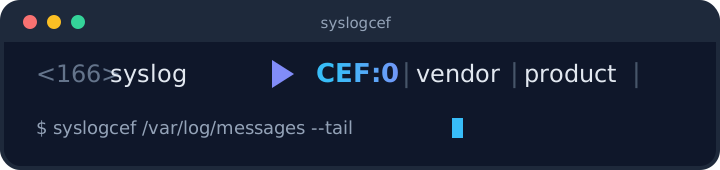
syslogcef converts syslog events into ArcSight Common Event Format (CEF). It is a small, dependency-free Python package with a command line interface, built for feeding syslog data from network devices and Linux hosts into SIEM platforms that consume CEF.
Features
- Automatic detection and parsing of multiple syslog dialects: RFC3164 (BSD), RFC5424 (including structured data), rsyslog JSON and file formats, and systemd journal exports (JSON, short, and ISO formats).
- Deterministic vendor/product mappings bundled for Cisco ASA, Cisco IOS, F5 BIG-IP, generic Linux, and VMware ESXi, with automatic mapping selection based on message content.
- Custom mappings supplied as JSON files or Python dictionaries.
- Escaping of untrusted log content in both CEF header and extension fields, so crafted messages cannot forge header fields or split records.
- Streaming CLI with stdin/file input, tail (follow) mode across multiple files, optional multiprocessing, and no runtime dependencies.
- Malformed lines never abort a stream: unparseable input falls back to a raw-message event.
Installation
From PyPI (the distribution is named syslog2cef because the syslogcef
name on PyPI belongs to an unrelated project; the import package and CLI
are still syslogcef):
pip install syslog2cef
From source:
git clone https://github.com/allamiro/syslogcef.git
cd syslogcef
pip install .
The GitHub releases page also provides, for every version:
- An RPM package (Fedora/RHEL) with a systemd service — see "Running as a Service" below.
- A Debian package (
syslogcef_X.Y.Z-1_all.deb) with the same systemd service:sudo apt install ./syslogcef_X.Y.Z-1_all.deb. - An Alpine APK with an OpenRC service:
apk add --allow-untrusted syslogcef-X.Y.Z-r0.apk(or install the signing key from packaging/apk/syslogcef.rsa.pub into/etc/apk/keys/first to verify). - A standalone executable (
syslogcef-X.Y.Z.pyz) that runs on any system with Python 3.9+:chmod +x syslogcef-X.Y.Z.pyz && ./syslogcef-X.Y.Z.pyz. - A source zip and sdist/wheel files.
A multi-arch (amd64/arm64) container image is published to GitHub Container Registry on each release:
docker run -i ghcr.io/allamiro/syslogcef < /var/log/syslog
Fedora, RHEL/Alma/Rocky 9 and 10, and CentOS Stream users can install from the COPR repository, which rebuilds automatically from every commit:
sudo dnf copr enable allamiro/syslogcef
sudo dnf install syslogcef
Every asset ships with a detached GPG signature (.asc) and is listed in
a signed SHA256SUMS file; RPMs additionally carry embedded rpmsign
signatures. The public key is committed at
packaging/rpm/RPM-GPG-KEY-syslogcef.
Command Line Usage

# Read from stdin, write CEF to stdout
syslogcef < /var/log/syslog

# Convert one or more files and write to an output file
syslogcef /var/log/messages /var/log/secure --output events.cef

# Follow files in real time (all files are tailed concurrently)
syslogcef /var/log/asa.log /var/log/messages --tail

# Force a parser and mapping instead of auto-detection
syslogcef asa.log --mode rfc3164 --mapping syslogcef/mappings/cisco_asa.json

# Use multiprocessing for high-volume batch conversion
syslogcef big.log --multiprocess --pool-size 4
Options:
| Option | Description |
|---|---|
paths |
Input files; stdin is used when omitted. |
-o, --output FILE |
Write CEF lines to a file instead of stdout. |
--mode MODE |
Parser override: rfc3164, rfc5424, rsyslog_json, rsyslog_file, journald_json, journald_short, journald_iso. Auto-detected when omitted. |
--mapping FILE |
Mapping JSON file. Auto-selected from message content when omitted. |
--tail |
Follow input files like tail -f. |
--multiprocess |
Convert lines using a process pool. |
--pool-size N |
Worker count for --multiprocess (default: CPU count minus one). |
--log-level LEVEL |
Python logging level (default WARNING). |
python -m syslogcef is equivalent to the syslogcef entry point.
Python API
High-level, one call per line:
from syslogcef import convert_line

line = "<166>Jan  1 12:34:56 fw01 %ASA-6-302013: Built inbound TCP connection src=10.0.0.1 dst=10.0.0.2"
print(convert_line(line))
Lower-level pipeline when granular control is required:
from syslogcef import parse_syslog, normalize_event, to_cef

parsed = parse_syslog(line)          # ParsedEvent: pri, timestamp, host, app, msg, ...
normalized = normalize_event(parsed) # adds key/value pairs, event codes, derived fields
cef = to_cef(normalized, mapping="my_mapping.json")
Bundled mappings are importable from syslogcef.mappings (CISCO_ASA,
CISCO_IOS, F5, LINUX, VMWARE, or load_mapping(name)).
Mapping Files
A mapping is a JSON object that controls the CEF header and extension fields. Values are Python %-format templates resolved against the normalized event's fields:
{
  "deviceVendor": "Cisco",
  "deviceProduct": "ASA",
  "deviceVersion": "auto",
  "eventClassId": "asa.%(event_code)s",
  "name": "%(message_short)s",
  "severity_map": { "6": "2", "3": "6" },
  "extensions": {
    "src": "%(src)s",
    "dst": "%(dst)s",
    "cs1Label": "rawEvent",
    "cs1": "%(raw_kv)s"
  }
}
- Header keys:
deviceVendor,deviceProduct,deviceVersion,eventClassId,name. severity_maptranslates syslog severity (0-7) to CEF severity (0-10); unmapped values pass through.extensionsmaps CEF extension keys to templates. Extensions that resolve to an empty value are omitted.- Available template fields include
host,app,pid,msgid,msg,message_short(first 120 characters),raw,raw_kv,event_code,facility,severity,ts, plus every key=value pair extracted from the message and any RFC5424 structured-data or journald fields.
Field templates that reference missing keys resolve to an empty string rather than failing the event. See docs/cef_fields.md for the full CEF extension dictionary.
Field Dictionary
syslogcef/dictionary.json is the single source of truth for CEF field
knowledge, derived from the ArcSight Extension Dictionary (see
docs/cef_fields.md):
- Key metadata — data type, maximum length, and producer/consumer
scope for every CEF key.
--validate/--strictcheck types and lengths from it, and warn (without failing) when producer output sets a consumer-side key such asrawEvent. - Field aliases — common source-log names mapped to canonical CEF
keys:
srcip/source_ip→src,dstport→dpt,user→suser,rcvdbyte→in,action→act, and ~50 more. Aliases are applied during normalization for every event — including key=value pairs extracted from adaptively-parsed unknown formats — so mappings and validation always see canonical names. Original keys are preserved and an explicit canonical key is never overwritten.
This means a Fortinet-style srcip=10.1.1.1 dstport=443 and an unknown
device emitting the same pairs behind an unrecognized prefix both end up
with src and dpt available to mapping templates, with no per-device
configuration.
Custom Parsers
When a device emits a format no built-in parser handles, add your own detection regexes the same way you add mappings — no code required:
syslogcef acme.log --patterns /etc/syslogcef/patterns.json
{
  "patterns": [
    {
      "name": "acme_fw",
      "regex": "^ACME (?P<ts>\\d{4}-\\d{2}-\\d{2} \\d{2}:\\d{2}:\\d{2}) (?P<host>\\S+) (?P<app>\\w+)\\[(?P<pid>\\d+)\\]: (?P<msg>.*)$",
      "timestamp_format": "%Y-%m-%d %H:%M:%S",
      "priority": "after"
    }
  ]
}
- Named groups map to event fields:
pri,host,app,pid,msgid,msg, andts. - A
tsgroup requirestimestamp_format: a strptime format,iso8601, orepoch. Yearless formats get the same year-rollover inference as the built-in parsers; an unparseable timestamp never drops the event. priorityis"after"(default: tried after the built-ins, before the adaptive fallback) or"before"(tried first, overriding built-ins).- Pattern names work as
--modevalues, and files are validated at startup — bad regexes, unknown groups, or duplicate names fail with a clear message instead of mid-stream. - Per-service-instance patterns: set
EXTRA_ARGS=--patterns /etc/syslogcef/patterns.jsonin the instance's conf.d file. - Your regexes run against untrusted log content — keep them anchored and avoid nested quantifiers (ReDoS).
From Python, register full parser functions instead:
from syslogcef import register_parser, load_patterns

load_patterns("patterns.json")               # same file format
register_parser("marker", my_parse_fn)       # fn(line) -> ParsedEvent | None
Running as a Service
The RPM and Debian packages install a systemd unit and an environment
file (the Alpine APK installs the equivalent OpenRC service with its
configuration in /etc/conf.d/syslogcef):
/etc/syslogcef/syslogcef.conf— input file, output file, and extra arguments for the converter.syslogcef.service— runssyslogcef --tailagainst the configured input and appends CEF to the configured output.syslogcef@.service— template unit for running several independent pipelines from/etc/syslogcef/conf.d/(see below)./etc/logrotate.d/syslogcef— daily rotation for flat.cefarchives.
sudo dnf install syslogcef-*.rpm
sudo vi /etc/syslogcef/syslogcef.conf
sudo systemctl enable --now syslogcef
The environment file has three variables; everything else goes through
EXTRA_ARGS, which accepts any command line flag (--mode, --mapping,
--listen, --send, --eps, --validate, --strict,
--multiprocess, --log-level, ...):
# File(s) to follow for new syslog lines, separated by spaces.
INPUT_FILE=/var/log/messages

# File that converted CEF events are appended to.
OUTPUT_FILE=/var/log/syslogcef/events.cef

# Extra arguments; leave INPUT_FILE empty and use --listen for a
# network daemon: EXTRA_ARGS=--listen udp:514 --send tcp://siem:514
EXTRA_ARGS=
Timed output files
OUTPUT_FILE (and --output generally) accepts strftime codes; the
file is reopened whenever the rendered path changes and parent
directories are created automatically:
# New file each hour, grouped in a directory per day:
OUTPUT_FILE=/var/log/syslogcef/%Y-%m-%d/events-%H.cef
Unsupported % codes are rejected at startup (use %% for a literal
percent). Keep templated outputs in a dated subdirectory as shown above:
the installed logrotate snippet rotates every flat .cef file directly
under /var/log/syslogcef/, and a templated file rendering flat there
would be rotated twice. Prefer a stable filename if a downstream
collector reads the archive — flat files are rotated daily by logrotate
instead.
Multiple pipelines (one input per output)
To map specific inputs to specific outputs, run one instance of the
template unit per pipeline. Each instance reads its own file in
/etc/syslogcef/conf.d/ (a commented example.conf.sample is
installed there) and has independent restart, logs, and options:
sudo cp /etc/syslogcef/conf.d/example.conf.sample /etc/syslogcef/conf.d/secure.conf
sudo cp /etc/syslogcef/conf.d/example.conf.sample /etc/syslogcef/conf.d/firewall.conf
sudo vi /etc/syslogcef/conf.d/secure.conf     # /var/log/secure  -> secure.cef
sudo vi /etc/syslogcef/conf.d/firewall.conf   # --listen udp:514 --mode cisco_seq
sudo systemctl enable --now syslogcef@secure syslogcef@firewall
On Alpine, OpenRC gets the same result with symlinked services:
sudo ln -s syslogcef /etc/init.d/syslogcef.firewall
sudo cp /etc/conf.d/syslogcef /etc/conf.d/syslogcef.firewall
sudo vi /etc/conf.d/syslogcef.firewall   # set a distinct INPUT_FILE and OUTPUT_FILE
sudo rc-update add syslogcef.firewall && sudo rc-service syslogcef.firewall start
Give every instance its own INPUT_FILE and OUTPUT_FILE — two
instances sharing them would process the same events twice and append
to the same file concurrently.
See packaging/rpm/ for the spec file and build instructions, including GPG signing of the RPM.
Security
Log content is treated as untrusted input. Header and extension values are escaped per the CEF specification before rendering, and CR/LF are removed from header fields so records cannot be split or spoofed. To report a vulnerability, see SECURITY.md — please do not open public issues for security reports.
Development
git clone https://github.com/allamiro/syslogcef.git
cd syslogcef
python -m venv .venv
source .venv/bin/activate
pip install -e .[test]
pytest
Contributions are welcome — see CONTRIBUTING.md. Notable changes are tracked in CHANGELOG.md.
License
MIT — see LICENSE. Copyright (c) Tamir Suliman.
1 maintainer

Download files
Download the file for your platform. If you're not sure which to choose, learn more about installing packages.
Source Distribution
Built Distribution
Filter files by name, interpreter, ABI, and platform.
If you're not sure about the file name format, learn more about wheel file names.
Copy a direct link to the current filters
File details
Details for the file syslog2cef-0.3.0.tar.gz.
File metadata
- Download URL: syslog2cef-0.3.0.tar.gz
- Upload date:
- Size: 73.4 kB
- Tags: Source
- Uploaded using Trusted Publishing? No
- Uploaded via: twine/7.0.0 CPython/3.13.14
File hashes
| Algorithm | Hash digest | |
|---|---|---|
| SHA256 |
6eecd1fbe2a1a2d30a3fd256bf9167b975fce4ddbe9cdfdfc27df968e82f3876
|
|
| MD5 |
217ea1a24532bf9e65fa7d648a0f726e
|
|
| BLAKE2b-256 |
fbb841ba28331f56c11844e29040669bbe38a527873d15a95a62d08c9b9bde06
|
File details
Details for the file syslog2cef-0.3.0-py3-none-any.whl.
File metadata
- Download URL: syslog2cef-0.3.0-py3-none-any.whl
- Upload date:
- Size: 52.2 kB
- Tags: Python 3
- Uploaded using Trusted Publishing? No
- Uploaded via: twine/7.0.0 CPython/3.13.14
File hashes
| Algorithm | Hash digest | |
|---|---|---|
| SHA256 |
ebdbd550a8dc67e8fef0133ab00d2daec7680774de6ab76e1e87b1037b4f7ec2
|
|
| MD5 |
fd5f9ca652abd73346a505e65a86c1ef
|
|
| BLAKE2b-256 |
eafff103d086fec0f1fc6e11b9434232dc6be8e11264342913c40433b1a765d8
|







