
sz_semantics
Transform JSON output from the Senzing SDK for use with graph technologies, semantics, and downstream LLM integration.
Install
This library uses poetry for
demos:
poetry update
Otherwise, to use the library:
pip install sz_sematics
For the gRCP server, if you don't already have Senzing and its gRPC server otherwise installed pull the latest Docker container:
docker pull senzing/serve-grpc:latest
Usage: Masking PII
Mask the PII values within Senzing JSON output with tokens which can be substituted back later. For example, mask PII values before calling a remote service (such as an LLM-based chat) then unmask returned text after the roundtrip, to maintain data privacy.
import json
from sz_semantics import Mask

data: dict = { "ENTITY_NAME": "Robert Smith" }

sz_mask: Mask = Mask()
masked_data: dict = sz_mask.mask_data(data)

masked_text: str = json.dumps(masked_data)
print(masked_text)

unmasked: str = sz_mask.unmask_text(masked_text)
print(unmasked)
For an example, run the demo1.py script with a data file which
captures Senzing JSON output:
poetry run python3 demo1.py data/get.json
The two lists Mask.KNOWN_KEYS and Mask.MASKED_KEYS enumerate
respectively the:
- keys for known elements which do not require masking
- keys for PII elements which require masking
Any other keys encountered will be masked by default and reported as warnings in the logging. Adjust these lists as needed for a given use case.
For work with large numbers of entities, subclass KeyValueStore to
provide a distributed key/value store (other than the Python built-in
dict default) to use for scale-out.
Usage: gRPC Client/Server
To use SzClient to simplify access to the Senzing SDK, first launch
the serve-grpc container and run it in the background:
docker run -it --publish 8261:8261 --rm senzing/serve-grpc
For example code which runs entity resolution on the "truthset" collection of datasets:
import pathlib
import tomllib
from sz_semantics import SzClient

with open(pathlib.Path("config.toml"), mode = "rb") as fp:
    config: dict = tomllib.load(fp)

data_sources: typing.Dict[ str, str ] = {
    "CUSTOMERS": "data/truth/customers.json",
    "WATCHLIST": "data/truth/watchlist.json",
    "REFERENCE": "data/truth/reference.json",
}

sz: SzClient = SzClient(config, data_sources)
sz.entity_resolution(data_sources)

for ent_json in sz.sz_engine.export_json_entity_report_iterator():
    print(ent_json)
For a demo of running entity resolution on the "truthset", run the
demo2.py script:
poetry run python3 demo2.py
This produces the export.json file which is JSONL representing the
results of a "get entity" call on each resolved entity.
Note: to show the redo processing, be sure to restart the container
each time before re-running the demo2.py script -- although the
entity resolution results will be the same even without a container
restart.
Usage: Semantic Represenation
Starting with a small SKOS-based taxonomy
in the domain.ttl file, parse the Senzing
entity resolution
(ER) results to generate an
RDFlib semantic graph.
In other words, generate the "backbone" for constructing an Entity Resolved Knowledge Graph, as a core componet of a semantic layer.
The example code below serializes the thesaurus generated from
Senzing ER results as "thesaurus.ttl" combined with the Senzing
taxonomy definitions, which can be used for constructing knowledge
graphs:
import pathlib
from sz_semantics import Thesaurus

thesaurus: Thesaurus = Thesaurus()
thesaurus.load_source(Thesaurus.DOMAIN_TTL)

export_path: pathlib.Path = pathlib.Path("data/truth/export.json")

with open(export_path, "r", encoding = "utf-8") as fp_json:
    for line in fp_json:
        for rdf_frag in thesaurus.parse_iter(line, language = "en"):
            thesaurus.load_source_text(
                Thesaurus.RDF_PREAMBLE + rdf_frag,
                format = "turtle",
            )

thesaurus_path: pathlib.Path = pathlib.Path("thesaurus.ttl")
thesaurus.save_source(thesaurus_path, format = "turtle")
For an example, run the demo3.py script to process the JSON file
data/truth/export.json which captures Senzing ER exported results:
poetry run python3 demo3.py data/truth/export.json
Check the resulting RDF definitions in the generated thesaurus.ttl
file.

License and Copyright
Source code for sz_semantics plus any logo, documentation, and
examples have an MIT license
which is succinct and simplifies use in commercial applications.
All materials herein are Copyright © 2025 Senzing, Inc.
Kudos to @brianmacy, @jbutcher21, @docktermj, @cj2001, @jesstalisman-ia, and the kind folks at GraphGeeks for their support.
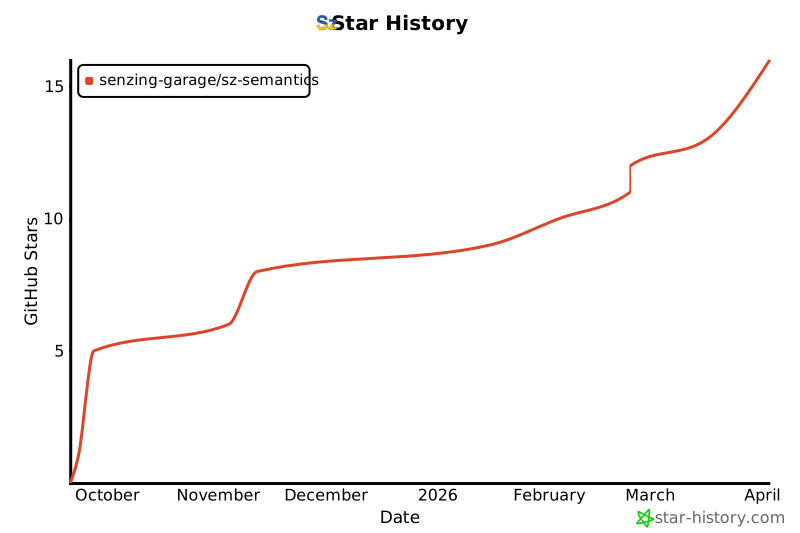
Star History
1 maintainer

Metadata
1 maintainer
Release files for sz_semantics 1.3.3
For a detailed explanation of source distributions (sdists) and built distributions (wheels), please see the package formats documentation.
Source distribution (sdist)
| File | Size | Uploaded | |
|---|---|---|---|
| sz_semantics-1.3.3.tar.gz | 13.3 kB | Details |
Built distribution (wheel)
| File | Interpreter | ABI | Platform | Reset |
|---|---|---|---|---|
| sz_semantics-1.3.3-py3-none-any.whl | Python 3 | none | any | Details |
Total release size: 27.2 kB
Release files / sz_semantics-1.3.3.tar.gz
| Download URL | sz_semantics-1.3.3.tar.gz |
|---|---|
| Size | 13.3 kB |
| Tags | Source |
|
SHA-256 checksum How to use checksums |
c1e628e2e9eb0d4e6042ab3d150ed64b7ef594d365ca3486ba060505d87b6419
|
|
BLAKE2b-256 checksum How to use checksums |
70130d10a64b5ea9f310dcaea0af195f6cbea1f9fed0b825235a540b118547ce
|
| Upload date | |
|
Uploaded using Trusted Publishing? What is trusted publishing? |
No |
| Uploaded via |
poetry/2.1.3 CPython/3.11.9 Darwin/24.6.0
|
Release files / sz_semantics-1.3.3-py3-none-any.whl
| Download URL | sz_semantics-1.3.3-py3-none-any.whl |
|---|---|
| Size | 13.9 kB |
| Tags | Python 3 |
|
SHA-256 checksum How to use checksums |
3878150635075a8ff483db938224dd7e010ac4d4cdfc3471caa4a4c1dfaf7c61
|
|
BLAKE2b-256 checksum How to use checksums |
53826578fc99d0e9b34eefa1ab54b2a57a2bc10b8c57d59a2bde7818ba275dcc
|
| Upload date | |
|
Uploaded using Trusted Publishing? What is trusted publishing? |
No |
| Uploaded via |
poetry/2.1.3 CPython/3.11.9 Darwin/24.6.0
|














