
Open-RPC API hosting and interactive documentation.

Project description
Tabella



Open-RPC development framework with builtin interactive documentation.
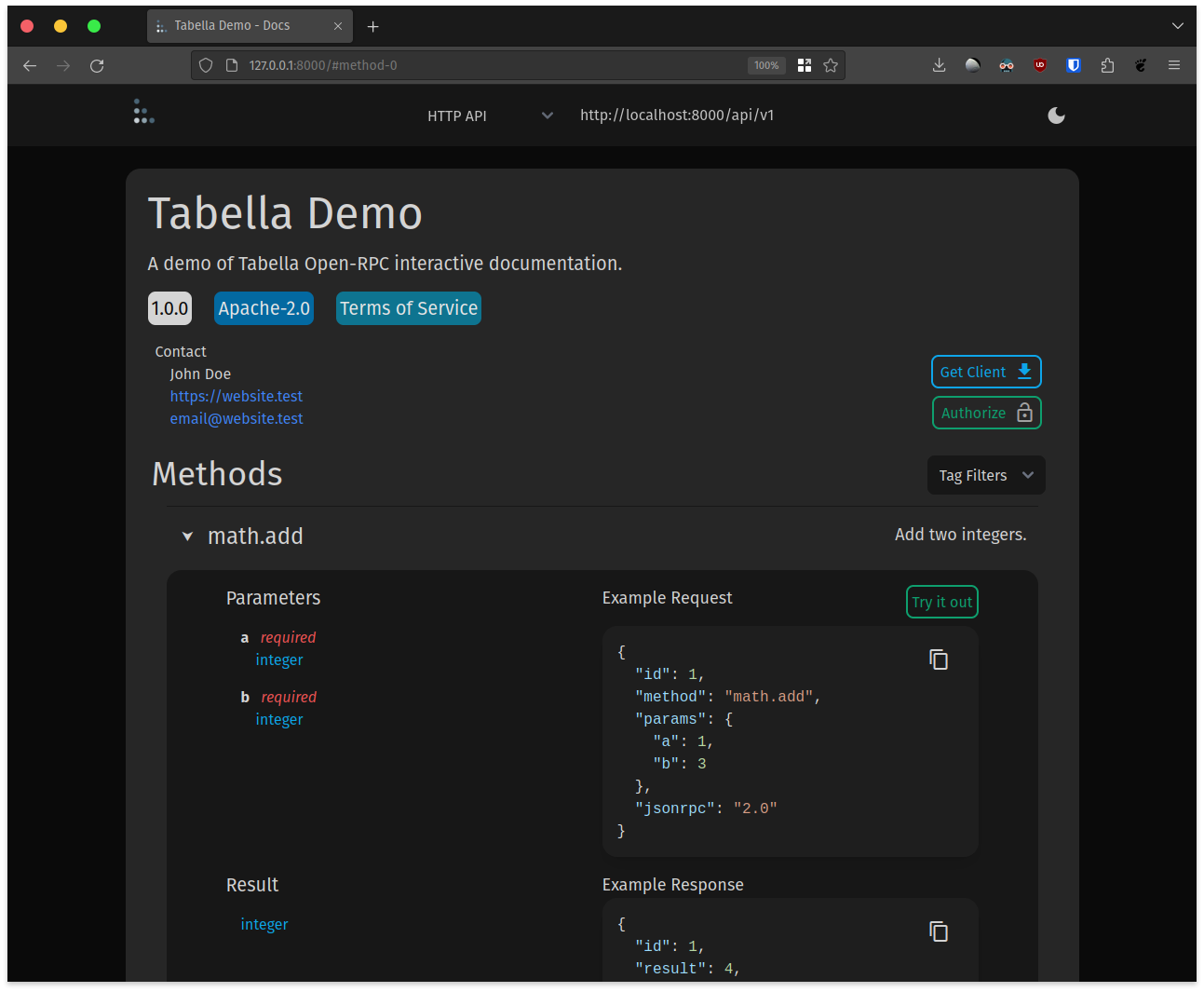
Live Demo
A live demo is available here.
Install
Tabella is on PyPI and can be installed with:
pip install tabella
Or with Poetry
poetry add tabella
Python OpenRPC Docs
The RPC server hosted and documented by Tabella is powered by Python OpenRPC. Refer to the Python OpenRPC docs hosted here for advanced use.
Getting Started
A basic Tabella app:
from tabella import Tabella

app = Tabella()


@app.method()
def echo(a: str, b: float) -> tuple[str, float]:
    """Echo parameters back in result."""
    return a, b


if __name__ == "__main__":
    app.run()
Run this, then open http://127.0.0.1:8000/ in your browser to use the interactive documentation.
The Open-RPC API will be hosted over HTTP on http://127.0.0.1:8000/api and over
WebSockets on ws://127.0.0.1:8000/api.
Further Usage
Routers
An app with many modules can be organized into segments using Method Routers.
Security and Depends Arguments
Tabella passes request headers to the RPCServer process request methods. Details on usage can be found in the Python OpenRPC docs on Depends Arguments.
Set Servers
Set RPC servers manually to specify transport and paths to host the RPC server on, e.g.
from openrpc import Server
from tabella import Tabella

app = Tabella(
    servers=[
        Server(name="HTTP API", url="http://localhost:8000/my/api/path"),
        Server(name="WebSocket API", url="ws://localhost:8000/my/api/path"),
    ]
)
This app will host the RPCServer over HTTP and over WebSockets with the
path /my/api/path.
Pydantic
Pydantic is used for request/response deserialization/serialization as well as schema generation. Pydantic should be used for any models as seen here in the Python OpenRPC Docs.
Starlette
Tabella HTTP and WebSocket server hosting uses Starlette. Uvicorn can be used to run the starlette app.
uvicorn main:app.starlette --reload
Monitor
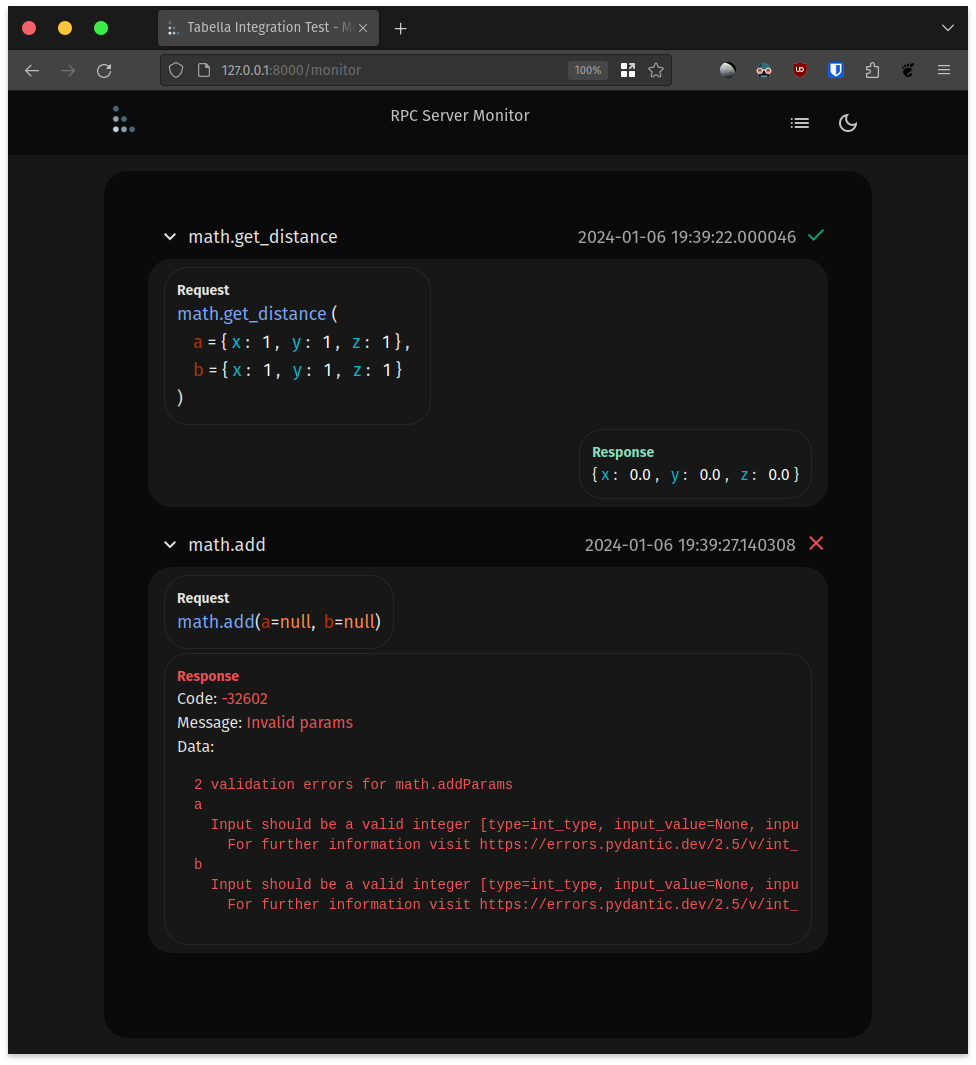
If you are running the app with in debug mode, e.g. app = Tabella(debug=True), then at
the path /monitor there is a display that will show requests and responses made to the
RPC server as they happen.
This requires websockets
pip install websockets
Inspired By
Support The Developer

Release history Release notifications | RSS feed


Download files
Download the file for your platform. If you're not sure which to choose, learn more about installing packages.
Source Distribution
Built Distribution
Filter files by name, interpreter, ABI, and platform.
If you're not sure about the file name format, learn more about wheel file names.
Copy a direct link to the current filters
File details
Details for the file tabella-2.3.18.tar.gz.
File metadata
- Download URL: tabella-2.3.18.tar.gz
- Upload date:
- Size: 212.7 kB
- Tags: Source
- Uploaded using Trusted Publishing? No
- Uploaded via: poetry/1.8.4 CPython/3.13.0 Linux/6.11.8-300.fc41.x86_64
File hashes
| Algorithm | Hash digest | |
|---|---|---|
| SHA256 |
26a3fd6658aac45f502ffa9ce3ac904d4fcab6ec27a0f1190217141be57f8601
|
|
| MD5 |
2a6ca2f326fb24cac45b7e69601b33db
|
|
| BLAKE2b-256 |
dc11acd121d90e9e85de4b576d8098886aed9bc08f865862311aec99e7cceb0c
|
File details
Details for the file tabella-2.3.18-py3-none-any.whl.
File metadata
- Download URL: tabella-2.3.18-py3-none-any.whl
- Upload date:
- Size: 244.8 kB
- Tags: Python 3
- Uploaded using Trusted Publishing? No
- Uploaded via: poetry/1.8.4 CPython/3.13.0 Linux/6.11.8-300.fc41.x86_64
File hashes
| Algorithm | Hash digest | |
|---|---|---|
| SHA256 |
1d7809a3d788ca6b3c8bfaa01e928e4a310dcec09abc86bdefedd556b967ef78
|
|
| MD5 |
718055b6c2f8febca583a3a537cecfd8
|
|
| BLAKE2b-256 |
df77cc347cbfdf3d78883b79c9e4e1b631393e62b2d191ddc2f96184648a1c98
|






