
Documentation · Get started free · View on PyPI · Report a bug
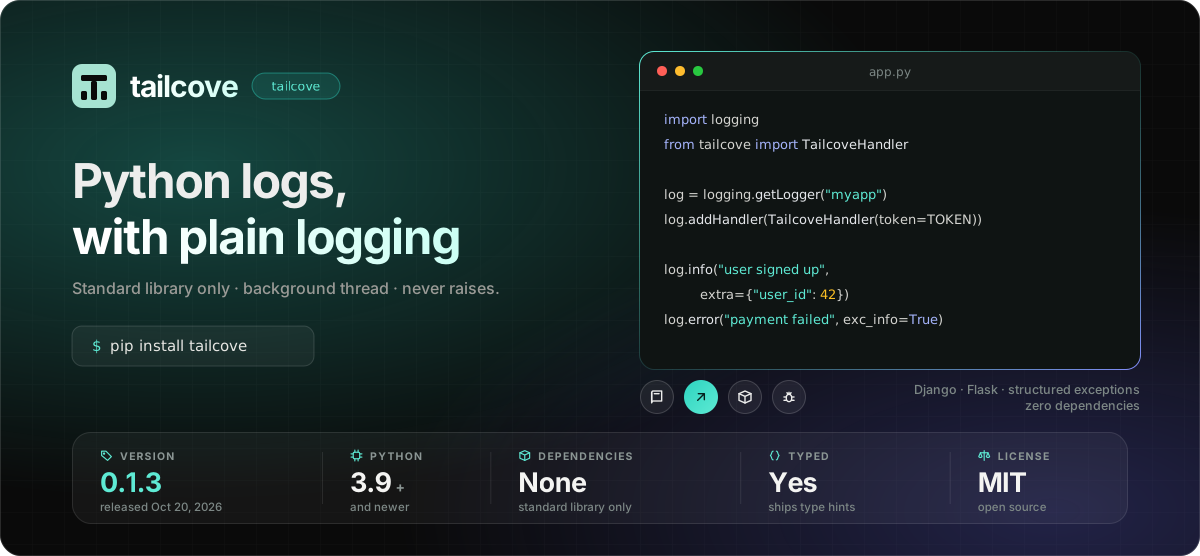
Send Python logs to Tailcove with the standard logging module.
Install
pip install tailcove
Requires Python 3.9 or newer.
Quick start
1. Get a token. Create a source in your Tailcove dashboard and copy its ingest token. It is shown only once, so save it somewhere safe (an environment variable is ideal).
2. Add the handler.
import logging
import os

from tailcove import TailcoveHandler

logger = logging.getLogger("myapp")
logger.addHandler(TailcoveHandler(token=os.environ["TAILCOVE_TOKEN"]))
logger.setLevel(logging.INFO)

logger.info("user signed up", extra={"user_id": 42})
logger.error("payment failed", extra={"order_id": 99, "reason": "card_declined"})
3. Open Tailcove. Your records appear in search and live tail within a couple of seconds.
Buffered records are flushed when your program exits normally, because Python's own logging.shutdown() closes every handler.
Options
| Argument | Default | What it does |
|---|---|---|
token |
— | Your source's ingest token. Required. |
endpoint |
https://ingest.tailcove.dev/api/v1/logs |
The ingest URL. Only change this if you self-host. |
batch_size |
50 |
Send once this many records are buffered. |
batch_seconds |
2.0 |
Send once this many seconds have passed since the first buffered record. |
timeout |
2.0 |
Seconds a delivery attempt may take before giving up. |
trace_limit |
10 |
Most stack frames kept when a logged exception is rendered. |
level |
logging.NOTSET |
Lowest level this handler processes, on top of the logger's own level. |
Records are sent once batch_size is reached or batch_seconds has passed, whichever comes first. They are never sent one HTTP request per log call. To send whatever is buffered right now, call handler.flush(). It blocks until the background thread confirms.
Structured context
Anything you pass in extra={...} is shipped as the line's context, with the same keys:
logger.info("order placed", extra={"order_id": 99, "total_cents": 4200})
Exceptions
Log with exc_info=True, or use logger.exception(...) inside an except block, and the exception is sent as structured data and not as a flattened string:
try:
    charge_card(order)
except CardDeclined:
    logger.error("payment failed", exc_info=True)
"exception": {
    "class": "billing.errors.CardDeclined",
    "message": "insufficient funds",
    "location": "/app/billing/charge.py:42",
    "trace": [
        "/app/billing/charge.py:42 in charge_card",
        "/app/orders/service.py:17 in place_order"
    ]
}
location is where the exception was raised, and trace is limited to trace_limit frames. It's the same shape the Laravel, Node and browser libraries use, so the same error groups into one issue whichever app reported it.
Frameworks
Django
Add the handler to LOGGING in settings.py:
LOGGING = {
    "version": 1,
    "disable_existing_loggers": False,
    "handlers": {
        "tailcove": {
            "class": "tailcove.TailcoveHandler",
            "token": env("TAILCOVE_TOKEN"),
        },
    },
    "root": {
        "handlers": ["console", "tailcove"],
        "level": "INFO",
    },
    "loggers": {
        "django.request": {
            "handlers": ["tailcove"],
            "level": "ERROR",
            "propagate": True,
        },
    },
}
Flask
Attach the handler to the app logger, or to the root logger if you want every logging.getLogger(__name__) in the app to ship too:
from flask import Flask
from tailcove import TailcoveHandler

app = Flask(__name__)
app.logger.addHandler(TailcoveHandler(token=app.config["TAILCOVE_TOKEN"]))
app.logger.setLevel("INFO")


@app.errorhandler(Exception)
def handle_exception(exc):
    app.logger.error("unhandled exception", exc_info=exc)
    raise
When delivery fails
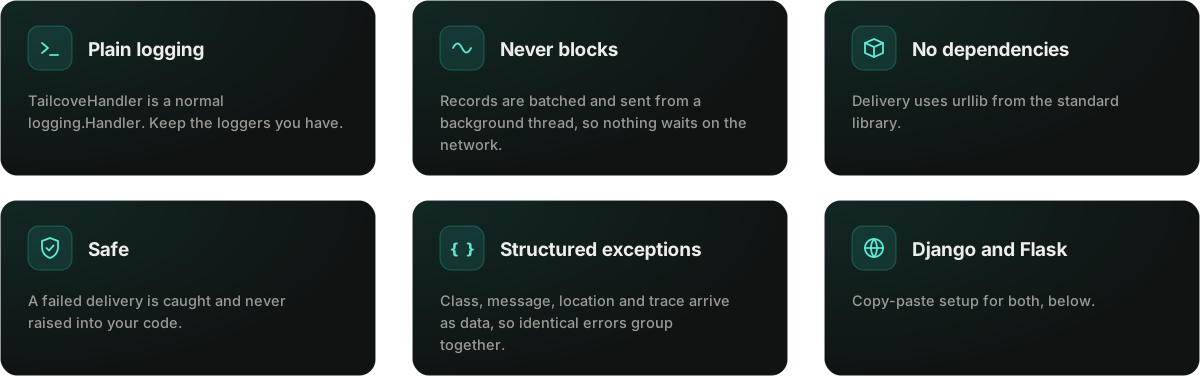
Network errors and non-2xx responses never raise into your code. emit() follows the standard Handler convention and routes its own failures through handleError(). Errors on the background thread are caught and printed to stderr. Logging is best-effort by design.
Help and feedback
- Docs: tailcove.dev/docs/sending-logs/python
- Bugs and feature requests: open an issue
- Security problems: please email security@tailcove.dev instead of opening a public issue.

Documentation · Get started free · Report a bug · MIT License
1 maintainer

Metadata
1 maintainer
Release files for tailcove 0.1.4
For a detailed explanation of source distributions (sdists) and built distributions (wheels), please see the package formats documentation.
Source distribution (sdist)
| File | Size | Uploaded | Provenance | |
|---|---|---|---|---|
| tailcove-0.1.4.tar.gz | 13.3 kB | With provenance | Details |
Built distribution (wheel)
| File | Interpreter | ABI | Platform | Reset |
|---|---|---|---|---|
| tailcove-0.1.4-py3-none-any.whl | Python 3 | none | any | Details |
Total release size: 23.4 kB
Release files / tailcove-0.1.4.tar.gz
| Download URL | tailcove-0.1.4.tar.gz |
|---|---|
| Size | 13.3 kB |
| Tags | Source |
|
SHA-256 checksum How to use checksums |
088e6bc47b7f17b22e06b0668a0ef02e5d9d7f4c5fe668d23cb86ddd1fde5ab6
|
|
BLAKE2b-256 checksum How to use checksums |
f9c5796b4c0b92d1970fc39f34407db99e222910a7434ddb493f0715bd7d4b03
|
| Upload date | |
|
Uploaded using Trusted Publishing? What is trusted publishing? |
Yes |
| Uploaded via |
twine/7.0.0 CPython/3.13.16
|
Provenance
Provenance describes where a file came from. On PyPI, provenance is shared via attestations, which provide a verifiable record of the build or publishing details. View details, limitations and caveats.


PyPI Publish Attestation
PyPI verified that this artifact, at this checksum, originated from the publisher listed below.
Signed by GitHub Actions, verified by PyPI on Oct 25, 2026.
Transparency logRelease files / tailcove-0.1.4-py3-none-any.whl
| Download URL | tailcove-0.1.4-py3-none-any.whl |
|---|---|
| Size | 10.2 kB |
| Tags | Python 3 |
|
SHA-256 checksum How to use checksums |
5e384a1f400e63e8c49398b75b3df8095e84e8865879ae43b898778ce83be5fa
|
|
BLAKE2b-256 checksum How to use checksums |
f44e6eaa6b7aa52df90596d8d0427526d1c54f3d62105328efd1adb6605f7452
|
| Upload date | |
|
Uploaded using Trusted Publishing? What is trusted publishing? |
Yes |
| Uploaded via |
twine/7.0.0 CPython/3.13.16
|
Provenance
Provenance describes where a file came from. On PyPI, provenance is shared via attestations, which provide a verifiable record of the build or publishing details. View details, limitations and caveats.
PyPI Publish Attestation
PyPI verified that this artifact, at this checksum, originated from the publisher listed below.
Signed by GitHub Actions, verified by PyPI on Oct 25, 2026.
Transparency logSecurity for tailcove 0.1.4
Provenance
Provenance describes where a file came from. On PyPI, provenance is shared via attestations, which provide a verifiable record of the build or publishing details. View details, limitations and caveats.
Full provenance
All 2 files in this release have been uploaded with provenance metadata.
Attestation for tailcove-0.1.4.tar.gz
PyPI Publish Attestation
PyPI verified that this artifact, at this checksum, originated from the publisher listed below.
Signed by GitHub Actions, verified by PyPI on Oct 25, 2026.
Transparency logA note on package security
PyPI is a repository for distributing packages, not a service for auditing them. While third-party security researchers and our staff do their best to detect and remove malicious packages, PyPI cannot guarantee the quality, security or suitability of any given package.
To learn more about protecting yourself from malicious actors, visit our package security documentation.














