


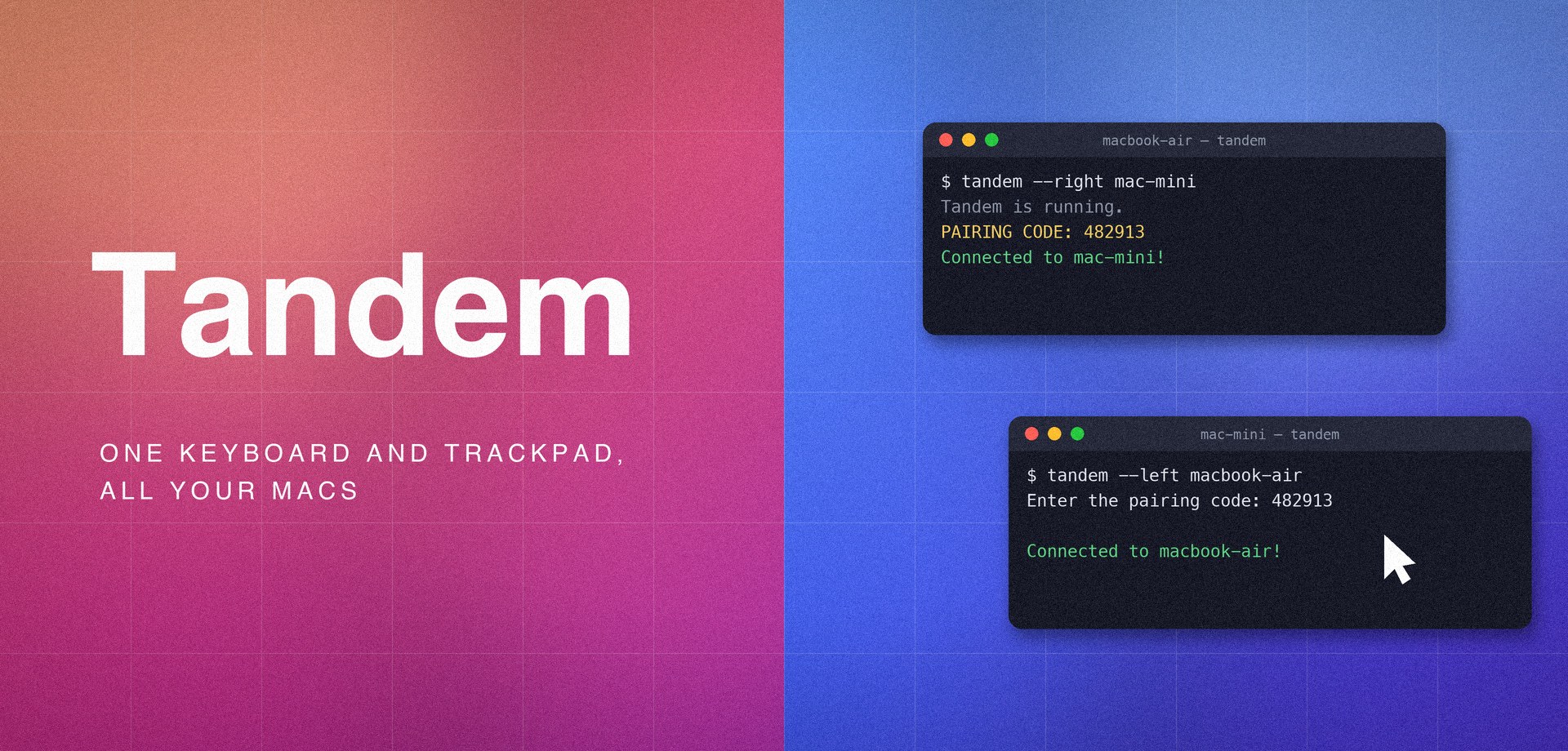
Run tandem on two Macs sitting side by side, pair them once with a 6-digit
code, then just push your cursor off the edge of one screen to control the
other machine - clipboard included.
Tandem exists because macOS's built-in Universal Control is flaky in daily
use: devices stop seeing each other after sleep, reconnection is
hit-or-miss, and when it silently fails there is nothing to inspect or
restart. Tandem is the dependable alternative - explicit pairing, automatic
reconnection, tandem doctor to diagnose, and logs you can actually read
when something goes wrong.
- Zero configuration - machines find each other via Bonjour; no IPs, no
server (and
--connect hostfor networks that block mDNS). - Multi-monitor aware - switching only happens at the outer edge of your whole display arrangement, never between your own monitors.
- Live clipboard sync - copy on one Mac, paste on the other; text and images, deduplicated so nothing is transferred twice.
- Encrypted - a one-time pairing code, per-connection challenge–response, and ChaCha20-Poly1305 session encryption on everything that follows.
- Resilient - automatic reconnection after sleep or network blips, and no stuck keys or hidden cursors if a connection drops mid-action.
Quick start
Requires macOS with Python 3.11+. On both Macs:
pipx install tandem-kvm   # or: pip install tandem-kvm
tandem doctor             # verify permissions & environment
(The package is named tandem-kvm on PyPI - KVM (keyboard, video, mouse);
the command it installs is just tandem.)
Then, with the second Mac to the right of the first:
# Mac on the left:
tandem --direction right

# Mac on the right:
tandem --direction left
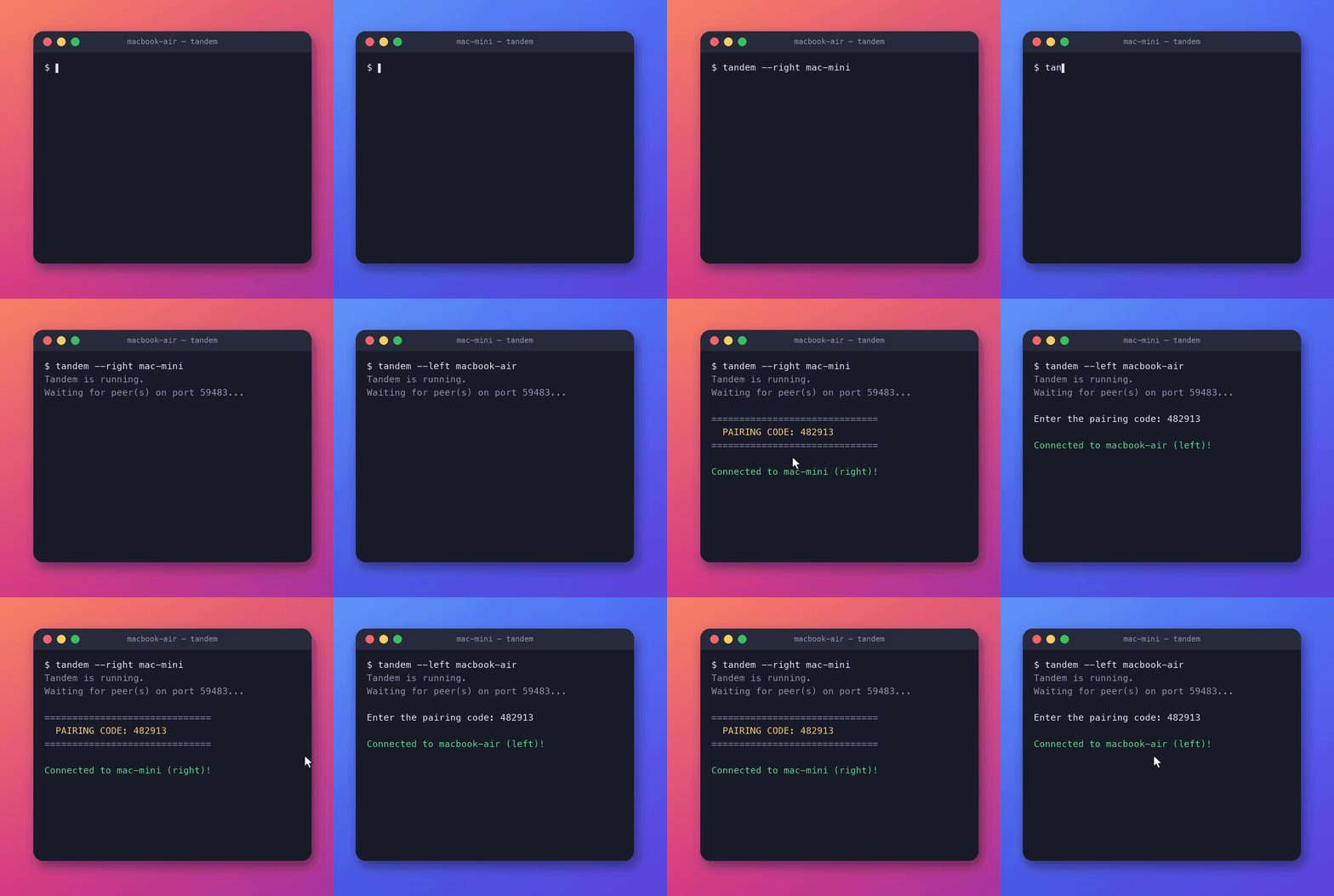
Type the pairing code when prompted, and slide your cursor across.
Three or more Macs? Name each machine's neighbors instead and they form a chain the cursor walks across:
tandem --right macbook-pro                       # leftmost Mac
tandem --left macbook-air --right mac-mini       # middle Mac
tandem --left macbook-pro                        # rightmost Mac
macOS will require the Accessibility permission for your terminal app
(System Settings → Privacy & Security → Accessibility). tandem doctor tells
you if anything is missing.
How it works
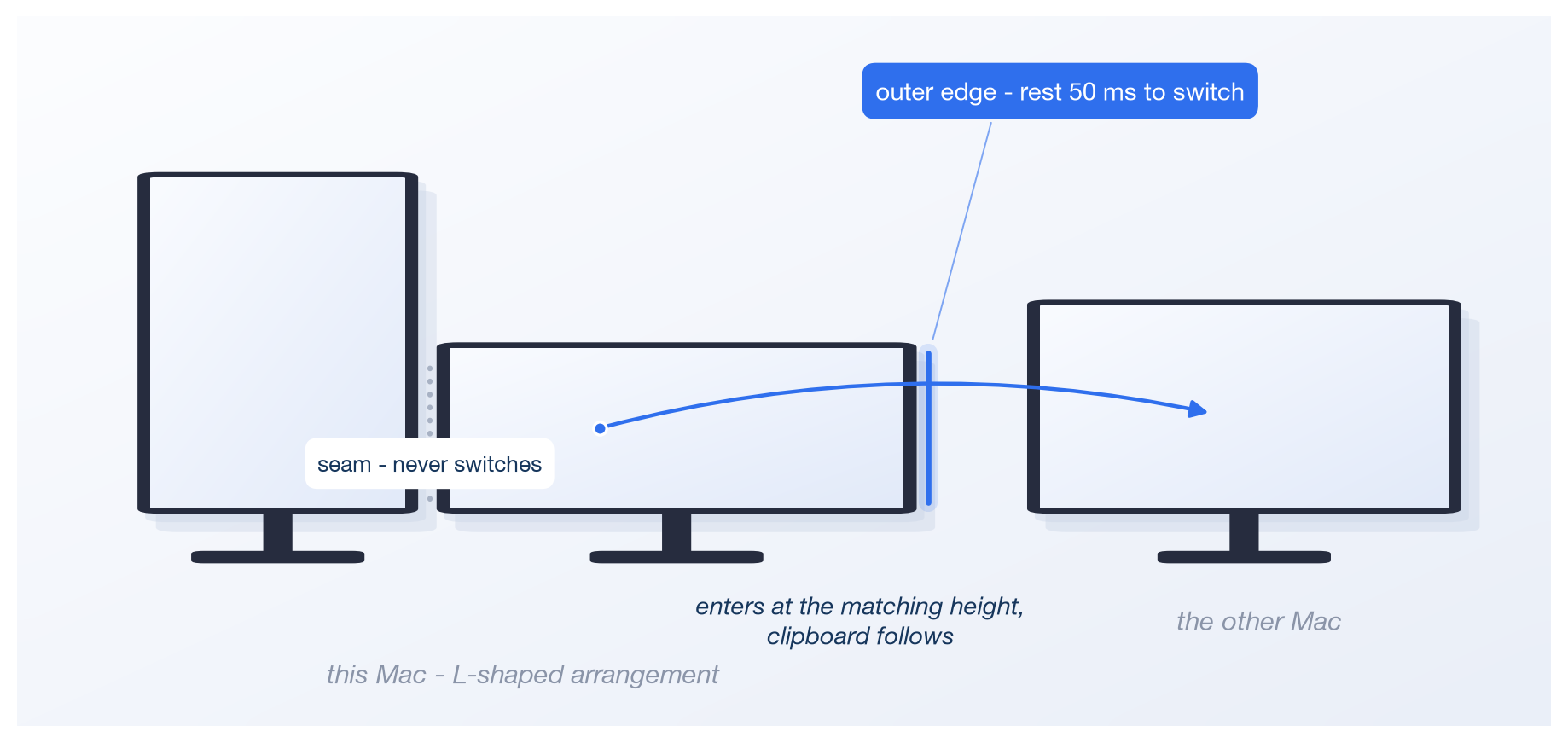
Every machine runs the identical program - no server, no client. They find each other over Bonjour, prove themselves with a one-time pairing code, and stream input over encrypted connections. Switching triggers only at the outer edge of your whole display arrangement, so moving between your own monitors never switches machines. With three or more Macs in a chain, the middle machines relay input along, so the cursor walks from one end to the other. The mechanisms - control modes, edge geometry, chains and relay, pairing and encryption, the wire protocol - are explained in docs/architecture.md.
Documentation
Status & limitations
Tandem is beta software and macOS-only. Machines connect in a left-to-right chain (two Macs need zero configuration; more just name their neighbors), and all machines must run the same version. See the security model for the honest fine print on what the encryption does and doesn't protect against.
Development
Requires Python 3.11+.
git clone https://github.com/visakhunnikrishnan/Tandem.git && cd Tandem
python3 -m venv .venv
.venv/bin/pip install -e ".[dev]"
.venv/bin/python -m unittest discover -s tests   # run the test suite
.venv/bin/ruff check tandem tests                # lint
License
1 maintainer

Release files for tandem-kvm 0.1.0
For a detailed explanation of source distributions (sdists) and built distributions (wheels), please see the package formats documentation.
Source distribution (sdist)
| File | Size | Uploaded | |
|---|---|---|---|
| tandem_kvm-0.1.0.tar.gz | 60.6 kB | Details |
Built distribution (wheel)
| File | Interpreter | ABI | Platform | Reset |
|---|---|---|---|---|
| tandem_kvm-0.1.0-py3-none-any.whl | Python 3 | none | any | Details |
Total release size: 110.3 kB
Release files / tandem_kvm-0.1.0.tar.gz
| Download URL | tandem_kvm-0.1.0.tar.gz |
|---|---|
| Size | 60.6 kB |
| Tags | Source |
|
SHA-256 checksum How to use checksums |
9bee10e2bdb86bdaf1a906cc32edcce6f9717a8b7cfbd6e3e1750c88cc1fffa6
|
|
BLAKE2b-256 checksum How to use checksums |
e7ba8b33f463d7c45de0ba942abb2ecf0f3e6c05fac857e7aef4c46880f55c03
|
| Upload date | |
|
Uploaded using Trusted Publishing? What is trusted publishing? |
Yes |
| Uploaded via |
twine/7.0.0 CPython/3.13.14
|
Provenance
Provenance describes where a file came from. On PyPI, provenance is shared via attestations, which provide a verifiable record of the build or publishing details. View details, limitations and caveats.


PyPI Publish Attestation
PyPI verified that this artifact, at this checksum, originated from the publisher listed below.
Signed by GitHub Actions, verified by PyPI on Aug 3, 2026.
Transparency logRelease files / tandem_kvm-0.1.0-py3-none-any.whl
| Download URL | tandem_kvm-0.1.0-py3-none-any.whl |
|---|---|
| Size | 49.7 kB |
| Tags | Python 3 |
|
SHA-256 checksum How to use checksums |
8684b1dfa136c3b4d8fd0f6da051128f412da01add7743195e339dcb57350168
|
|
BLAKE2b-256 checksum How to use checksums |
8894f476c4bc3f00650e615a4a4028c8a7b6fc1de95b2e5b1eb77c5202475bd2
|
| Upload date | |
|
Uploaded using Trusted Publishing? What is trusted publishing? |
Yes |
| Uploaded via |
twine/7.0.0 CPython/3.13.14
|
Provenance
Provenance describes where a file came from. On PyPI, provenance is shared via attestations, which provide a verifiable record of the build or publishing details. View details, limitations and caveats.
PyPI Publish Attestation
PyPI verified that this artifact, at this checksum, originated from the publisher listed below.
Signed by GitHub Actions, verified by PyPI on Aug 3, 2026.
Transparency log












