
Tapesmith
Label studio for the Phomemo P12.
Tapesmith is a Windows application for the Phomemo P12 Bluetooth label printer (12 mm tape). It replaces the phone app with a fast local print service, a browser based editor, a template gallery, a command line and optional integrations for home labs and home automation. Everything runs on your own PC; nothing is sent to a cloud service.
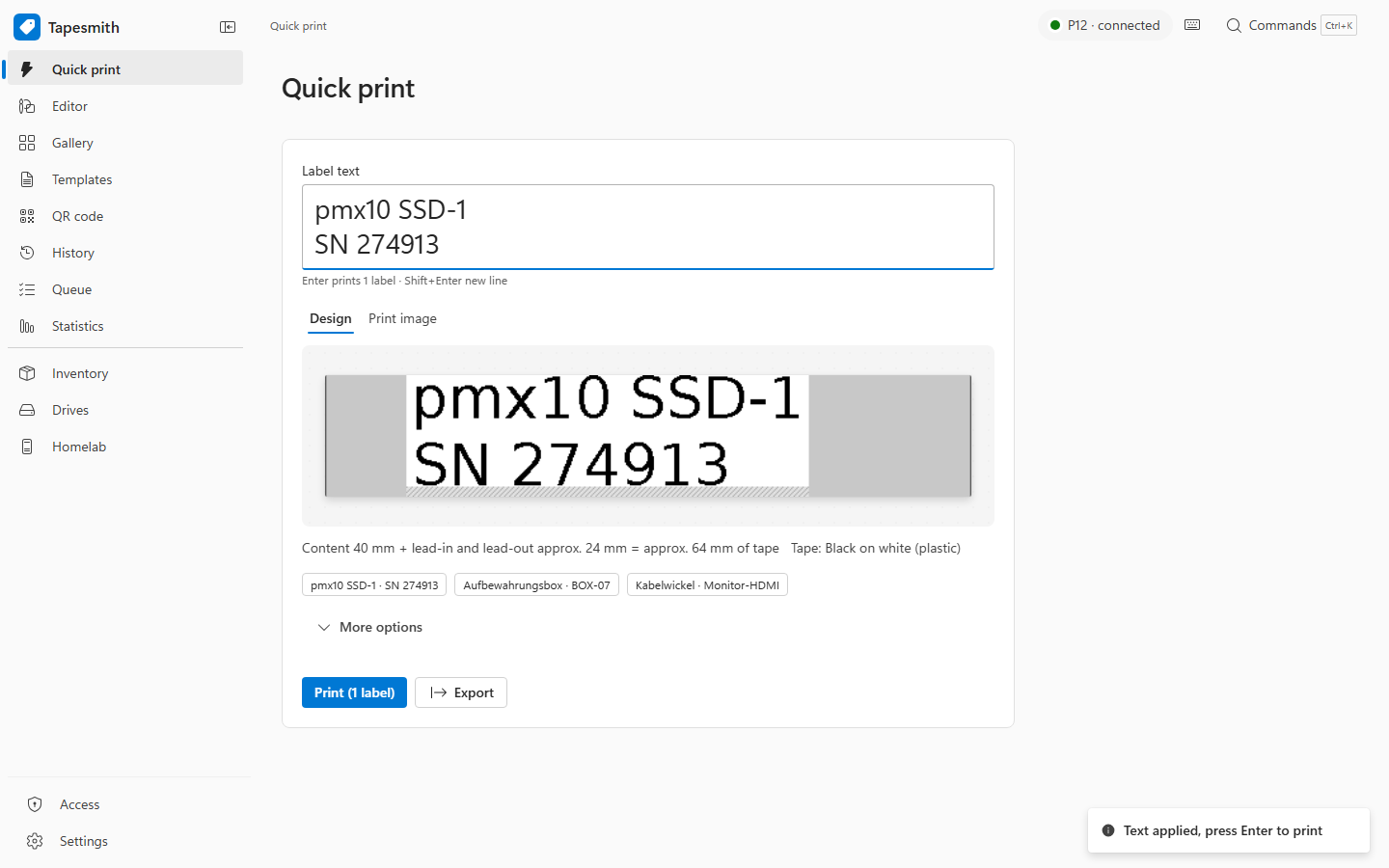
Screenshots
| Editor | Template gallery |
|---|---|
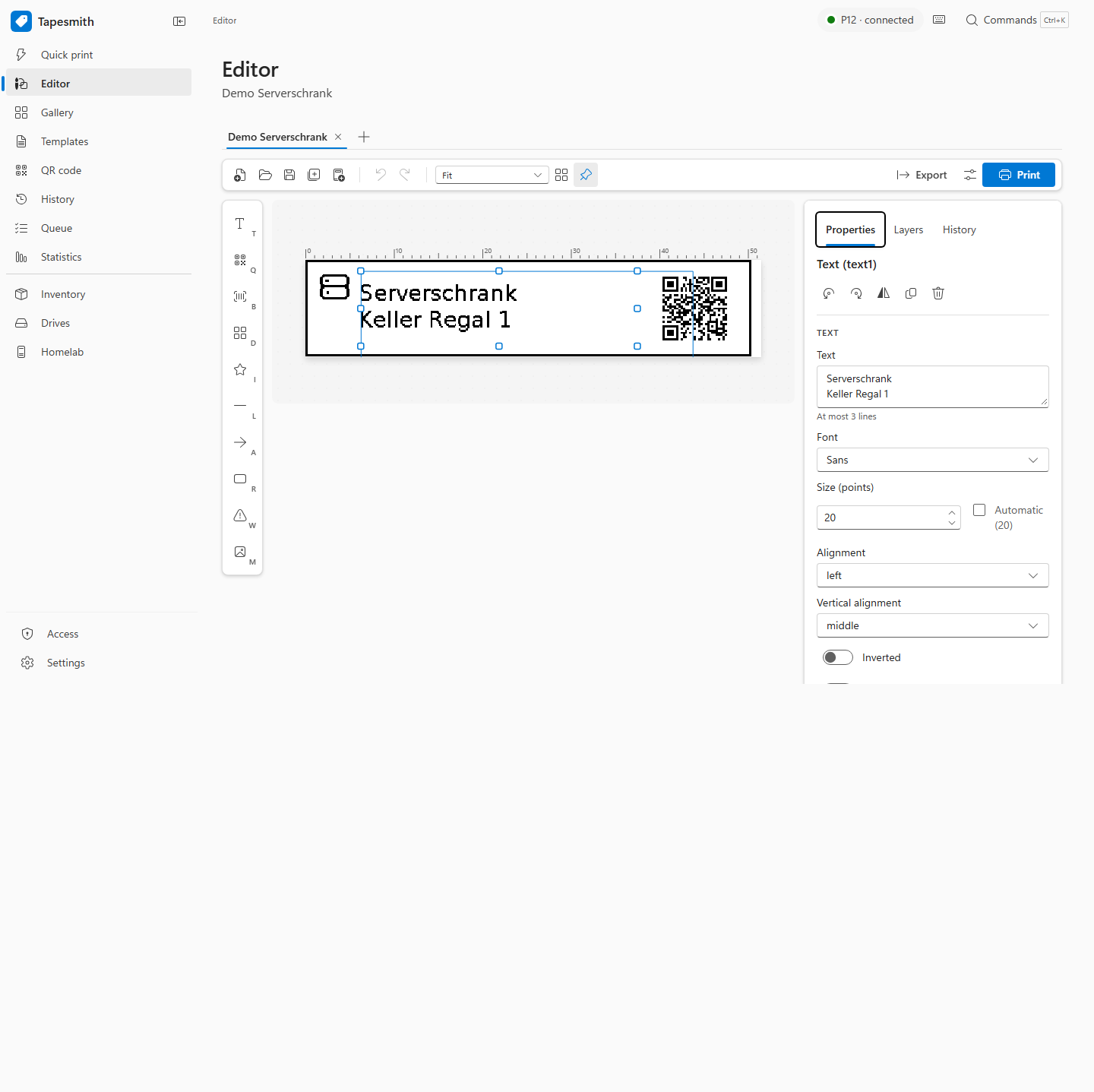 |
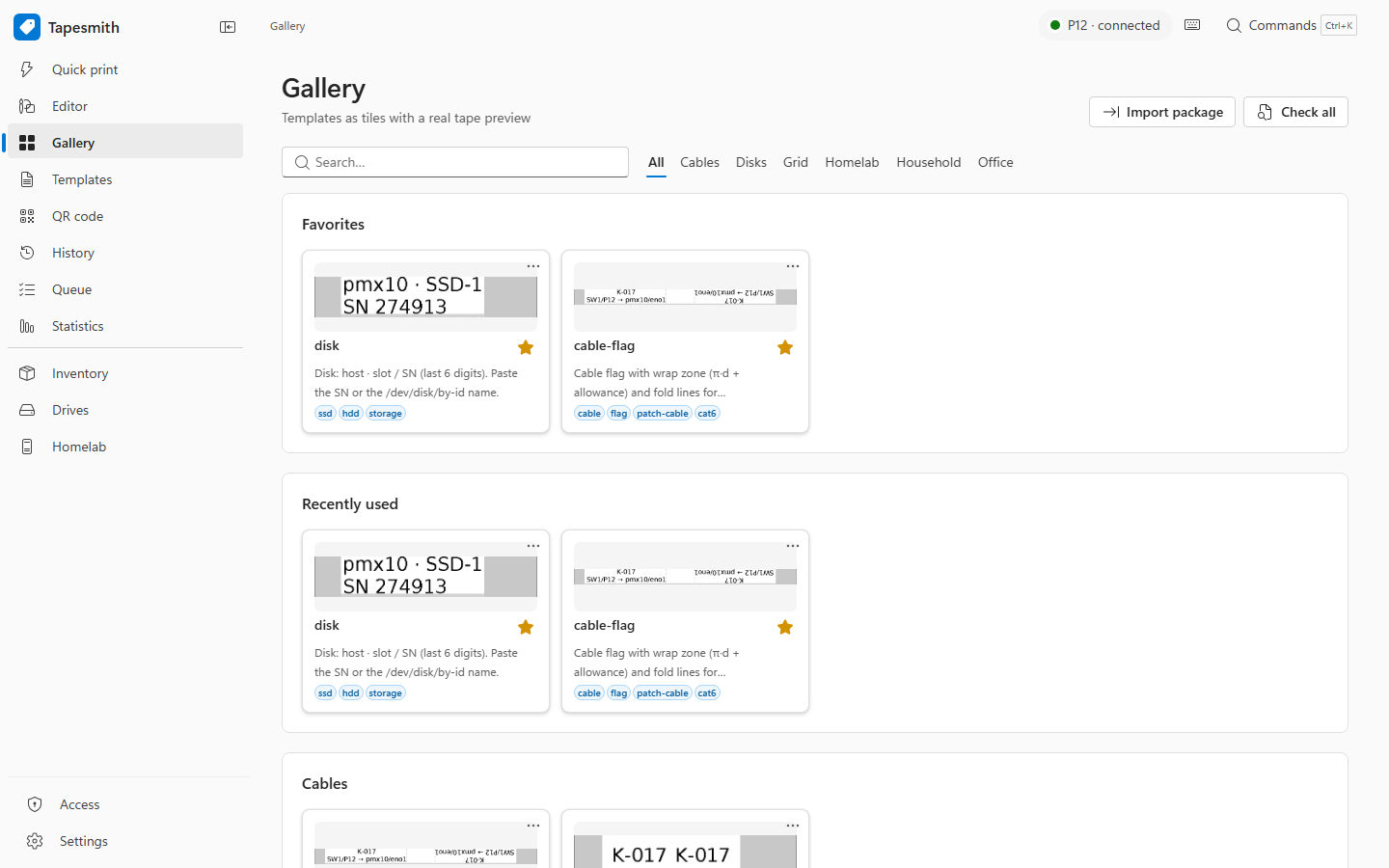 |
| Print history | Settings (dark) |
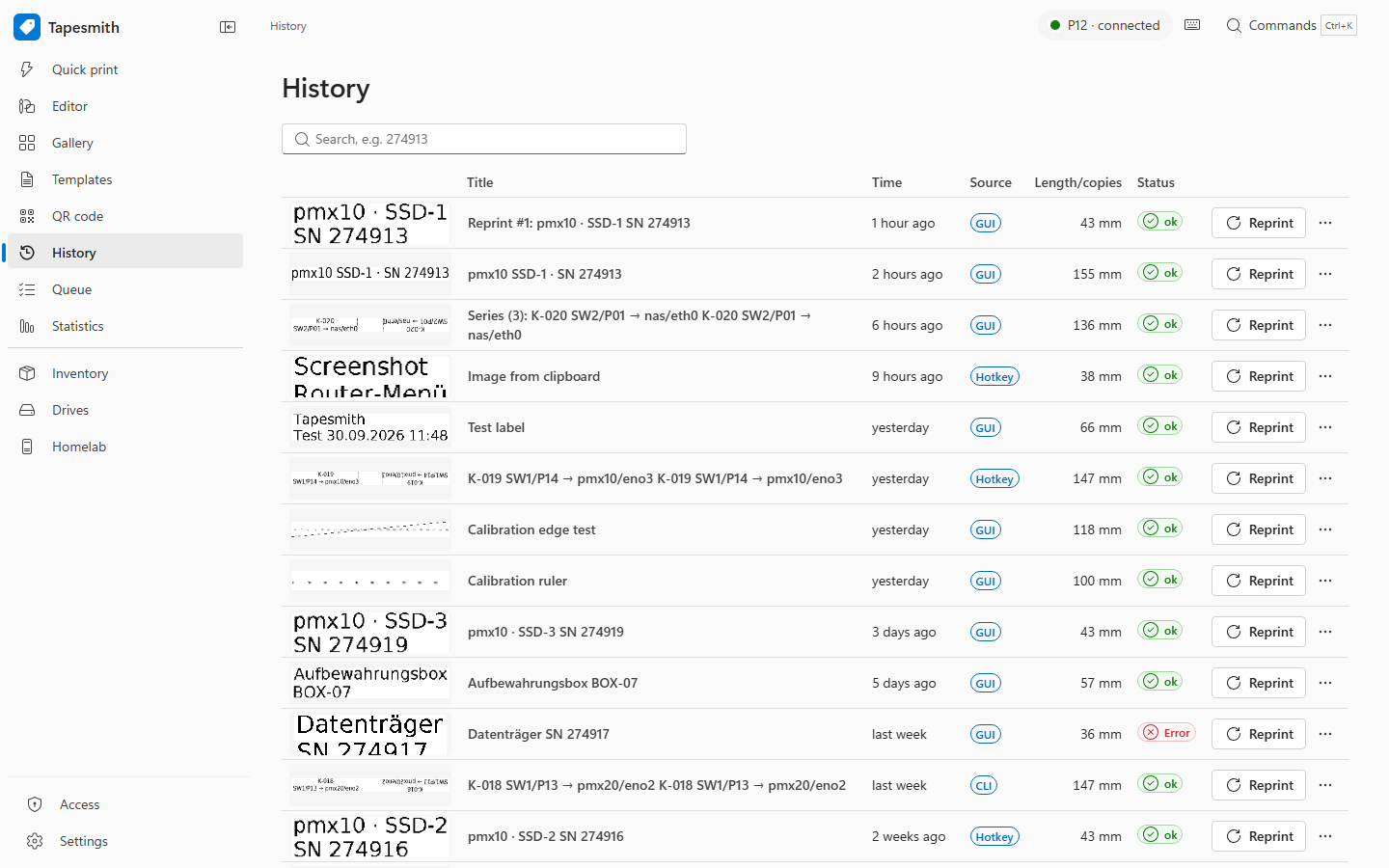 |
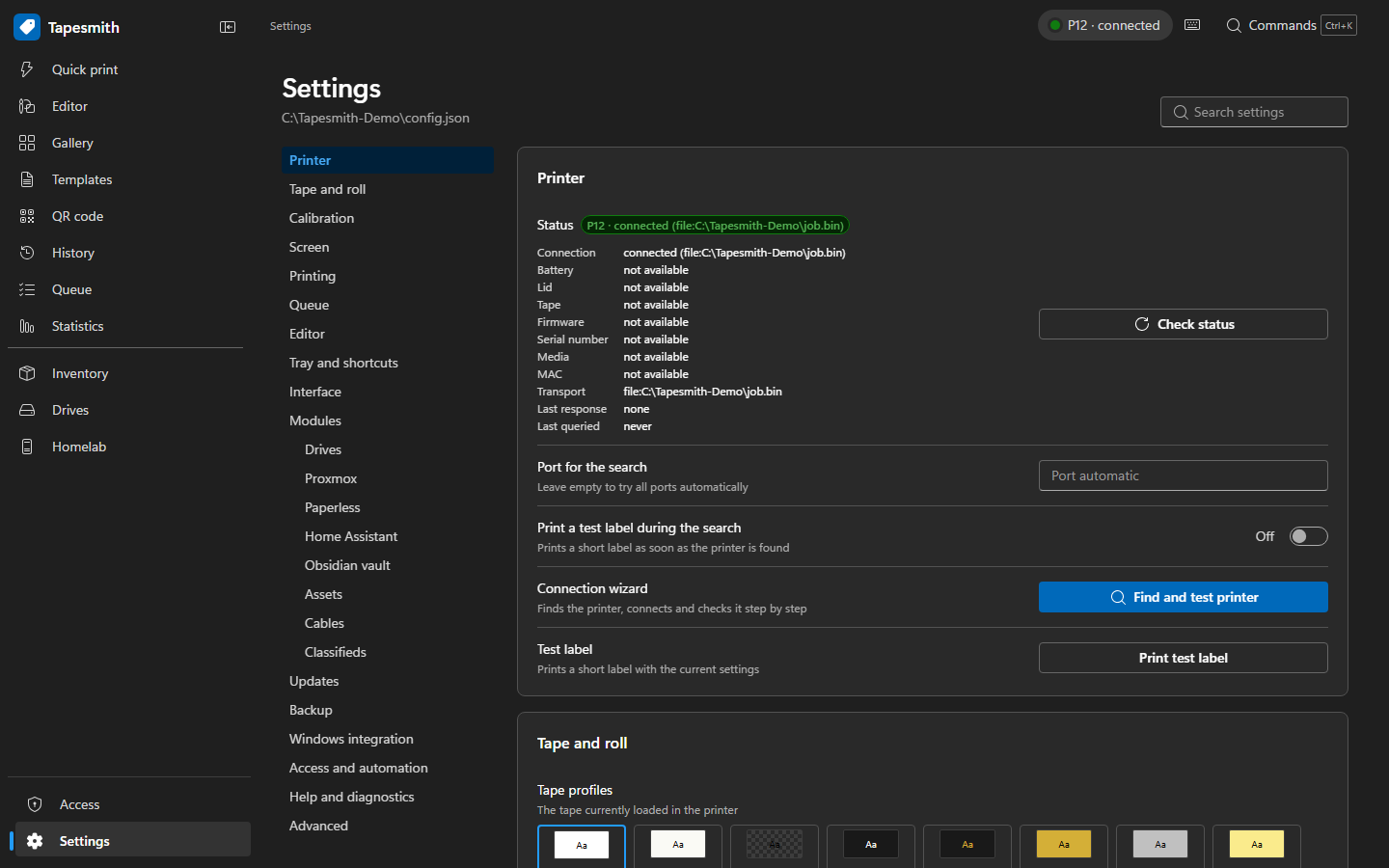 |
More screenshots (German and English, light and dark, desktop and phone): docs/screenshots. All screenshots are taken from neutral demo data.
Features
- Quick print from the browser, the tray icon or a global hotkey (Ctrl+Alt+L), with automatic text fitting and a live preview at real size.
- Editor with text, QR codes, Code128, DataMatrix, icons, shapes and images, multiple tabs, undo, autosave and crash recovery.
- Template gallery with more than 30 built in templates (storage, kitchen, office, network and power labels, cable flags, grid strips for patch panels and fuse boxes) and your own templates as JSON files.
- Series printing from CSV, Excel or the clipboard, numbering ranges and counters.
- Print service that owns the printer connection: queue with automatic retry, print history, statistics, tape roll tracking and misprint protection.
- Command line (
tapesmith, short aliasp12) for scripts, plus a PowerShell module. - Accessibility and languages: keyboard operation, screen reader labels, high contrast, dark
mode. English and German throughout: web interface, tray, print service messages, built in
templates and command line follow the Windows display language (any language other than German
gives English), or the setting
app.language;TAPESMITH_LANG=enforces a language for the CLI. - Installation through Python without admin rights and signed automatic updates with hash pinned packages and rollback.
Optional modules
Everything beyond the core app is a built in module that is off until you turn it on under
Settings > Modules (or tapesmith module enable <id>). Modules that are off appear nowhere in the
interface. Available: Inventory (boxes, contents, lending), Drives (drives of this PC, SSH disk scanner
and ZFS disk replacement assistant), Proxmox VE (VM and container labels), Paperless-ngx (ASN and
warranty labels), Home Assistant (battery and maintenance labels), Obsidian vault via MCP, Assets with
short links (deploy/shortlink), NetBox cable import, classifieds and a serial number scan from a
photo. Tapesmith ships without any preset addresses or tokens. Also part of the core app: MQTT discovery
for Home Assistant, Telegram notifications, a hot folder and an MCP server for AI assistants.
Setup notes: docs/manual.md (English), docs/handbuch.md (German)
and deploy/.
Installation
Tapesmith is distributed as a Python package on PyPI and runs with the signed Python from python.org. It has no executable of its own, so Windows Smart App Control does not block it, although Tapesmith itself carries no code signing certificate.
-
Install Python 3.12 (3.11 works too), for example with winget in a normal terminal (no admin rights needed):
winget install Python.Python.3.12 -
Install Tapesmith for the current user and set it up:
py -m pip install --user tapesmith
py -m tapesmith install
tapesmith installcreates%LOCALAPPDATA%\Programs\Tapesmithwith one Python environment per version (versions\<version>, the junctioncurrentpoints to the active one), a start menu entry "Tapesmith", an entry under Installed apps (with uninstall), thetapesmith://andp12label://links, the Explorer context menu and the autostart of the tray icon. Everything starts aspythonw.exe -m tapesmith...from the active environment. No admin rights are needed. Useful options:--no-autostart,--no-start,--status(show the state, change nothing). -
Pair the printer in Windows Bluetooth settings, then pick it in the web interface under Settings (or run
py -m tapesmith setup).
Your settings and history live in %APPDATA%\Tapesmith. Installing, updating and uninstalling never
touch them.
Updates: after you agree (the web interface asks once), Tapesmith checks the GitHub releases of
this project. A new version is installed into a new environment next to the running one: the signed
release manifest lists every package with its SHA-256, pip installs only wheels with a matching
checksum (pip install --require-hashes --only-binary=:all:), the self test of the new version must
pass, and Tapesmith switches over while idle, with automatic rollback if the new version does not
start. Manually: Settings > Updates, or py -m tapesmith update check and py -m tapesmith update install.
Uninstall: Settings > Apps > Installed apps > Tapesmith, the start menu entry "Tapesmith
deinstallieren", or py -m tapesmith uninstall. This removes the program folder, start menu entries,
autostart, links and the entry under Installed apps; your data in %APPDATA%\Tapesmith stays. To also
remove the package that was used for the setup: py -m pip uninstall tapesmith.
Smart App Control: Windows 11 may block programs without a code signature. Tapesmith therefore
never ships an executable: python.exe and pythonw.exe from python.org are signed, and all native
parts come as unmodified wheels of their upstream projects from PyPI. The small .exe launchers
that pip creates for command line entry points are not used by the installed app; if Smart App
Control blocks them, use py -m tapesmith ... instead of tapesmith ....
Upgrading from the portable build (0.3 and older) or a source checkout: run the two commands of
step 2. tapesmith install stops the old Tapesmith, takes over the installation folder, replaces
autostart, start menu entry and uninstall entry, and removes the old Tapesmith.exe. An autostart
that points to a Python environment of a source checkout is replaced as well. Your data stays as it
is.
Upgrading from "P12 Label" (0.2.x): on first start Tapesmith copies %APPDATA%\P12Label to
%APPDATA%\Tapesmith once (the old folder stays as a backup), and the installer removes the program
files, start menu entry, autostart and uninstall entry of the old installation. Links using
p12label:// keep working as an alias of tapesmith://; old P12LABEL_* environment variables
still work as a fallback for TAPESMITH_*.
Security
- The print service listens on
127.0.0.1only. Access from your LAN is opt in (lan.enabled), limited to configured private networks and always requires an API token (roles: admin, print, family). Tokens are stored as SHA-256 hashes only. - Host and Origin headers are checked (DNS rebinding protection), failed logins are rate limited.
- Secrets never go into configuration files: settings hold references such as
keyring:tapesmith/mqtt(Windows Credential Manager),file:<path>orenv:<NAME>. - Updates are only installed if the manifest carries a valid Ed25519 signature from a key listed
in
src/tapesmith/update/trusted_keys.json, and pip installs only wheels whose SHA-256 is listed in that manifest. - The automatic update check is off until you agree: the web interface asks once on the first start of the installed app (Settings > Updates changes it later).
Please report vulnerabilities as described in SECURITY.md.
Release signing and privacy
Tapesmith has no code signing certificate and ships no executable of its own (see Installation). Releases are built by GitHub Actions from this repository, published to PyPI with Trusted Publishing, and every update manifest is signed with an Ed25519 key; the app installs only packages whose SHA-256 is listed in a correctly signed manifest.
- Committers and reviewers: the project maintainer (owner of github.com/essendyx/tapesmith)
- Approvers: the project maintainer (owner of github.com/essendyx/tapesmith)
Privacy: This program will not transfer any information to other networked systems unless specifically requested by the user or the person installing or operating it. Which connections Tapesmith makes and how releases are built and signed: CODE_SIGNING_POLICY.md.
Development
Requirements: Windows 10 or 11, Python 3.11 or newer, Node.js 20 or newer (only to build the web UI).
python -m venv .venv
.venv\Scripts\pip install -e .[dev]
.venv\Scripts\python -m pytest -q
cd web && npm ci && npm run check
python tools\build_web.py          # builds the web UI into src/tapesmith/webui/static
python -m build                     # wheel and sdist in dist/
Tests never print, never open real COM ports, Bluetooth or network services and never touch your
real data folder (they run with TAPESMITH_HOME set to a temporary folder). Hardware tests are
marked @pytest.mark.hardware and only run with --hardware. See CONTRIBUTING.md.
Documentation: user manual in English docs/manual.md and German
docs/handbuch.md, hardware and protocol findings
docs/hardware/README.md, operations notes
deploy/infra/README.md. Translations: web/src/locales/,
src/tapesmith/locales/ and the message catalog src/tapesmith/locales/messages/en.json
(maintained with python tools/i18n_messages.py).
License
Tapesmith is released under the MIT License. Third party components and their licenses are listed in THIRD_PARTY_NOTICES.md.
Acknowledgements
The P12 print protocol was first documented by the
phomemo-p12-tools project (MIT License, Copyright (c) 2022
Timo "polskafan" Dobbrick, packaged by TOKITA Hiroshi). Tapesmith keeps a byte compatible reference
stream in its tests and offers the old phomemo_render_label and phomemo_print_p12 commands for
compatibility. Icons come from Tabler Icons (MIT) and
Simple Icons (CC0); label fonts are DejaVu.
Tapesmith is an independent project and not affiliated with Phomemo.
1 maintainer

Metadata
1 maintainer
Release files for tapesmith 0.4.2
For a detailed explanation of source distributions (sdists) and built distributions (wheels), please see the package formats documentation.
Source distribution (sdist)
| File | Size | Uploaded | |
|---|---|---|---|
| tapesmith-0.4.2.tar.gz | 3.7 MB | Details |
Built distribution (wheel)
| File | Interpreter | ABI | Platform | Reset |
|---|---|---|---|---|
| tapesmith-0.4.2-py3-none-any.whl | Python 3 | none | any | Details |
Total release size: 7.5 MB
Release files / tapesmith-0.4.2.tar.gz
| Download URL | tapesmith-0.4.2.tar.gz |
|---|---|
| Size | 3.7 MB |
| Tags | Source |
|
SHA-256 checksum How to use checksums |
4c9b6b25d1e8f98963c95f322533c9b0e8ce629ac567b5a5c16a0c5941a0d497
|
|
BLAKE2b-256 checksum How to use checksums |
2cb50f96a3cbf57a19db3e2aa3b84e76d3e33061eb53b6aa98827b49b46c62c1
|
| Upload date | |
|
Uploaded using Trusted Publishing? What is trusted publishing? |
Yes |
| Uploaded via |
twine/7.0.0 CPython/3.13.14
|
Provenance
Provenance describes where a file came from. On PyPI, provenance is shared via attestations, which provide a verifiable record of the build or publishing details. View details, limitations and caveats.


PyPI Publish Attestation
PyPI verified that this artifact, at this checksum, originated from the publisher listed below.
Signed by GitHub Actions, verified by PyPI on Oct 1, 2026.
Transparency logRelease files / tapesmith-0.4.2-py3-none-any.whl
| Download URL | tapesmith-0.4.2-py3-none-any.whl |
|---|---|
| Size | 3.9 MB |
| Tags | Python 3 |
|
SHA-256 checksum How to use checksums |
97ebf66028321d37b7dee0fb8248c7451a83e2de587ecd0ffdc74fa43a17cb80
|
|
BLAKE2b-256 checksum How to use checksums |
976df3f96b377fdc3cdc19ac2d5e2690e50e3343b75e827ccbbd1fb2847f9cba
|
| Upload date | |
|
Uploaded using Trusted Publishing? What is trusted publishing? |
Yes |
| Uploaded via |
twine/7.0.0 CPython/3.13.14
|
Provenance
Provenance describes where a file came from. On PyPI, provenance is shared via attestations, which provide a verifiable record of the build or publishing details. View details, limitations and caveats.
PyPI Publish Attestation
PyPI verified that this artifact, at this checksum, originated from the publisher listed below.
Signed by GitHub Actions, verified by PyPI on Oct 1, 2026.
Transparency log













