
A local, file-backed productivity app for program/task tracking.

Project description
Taskunity
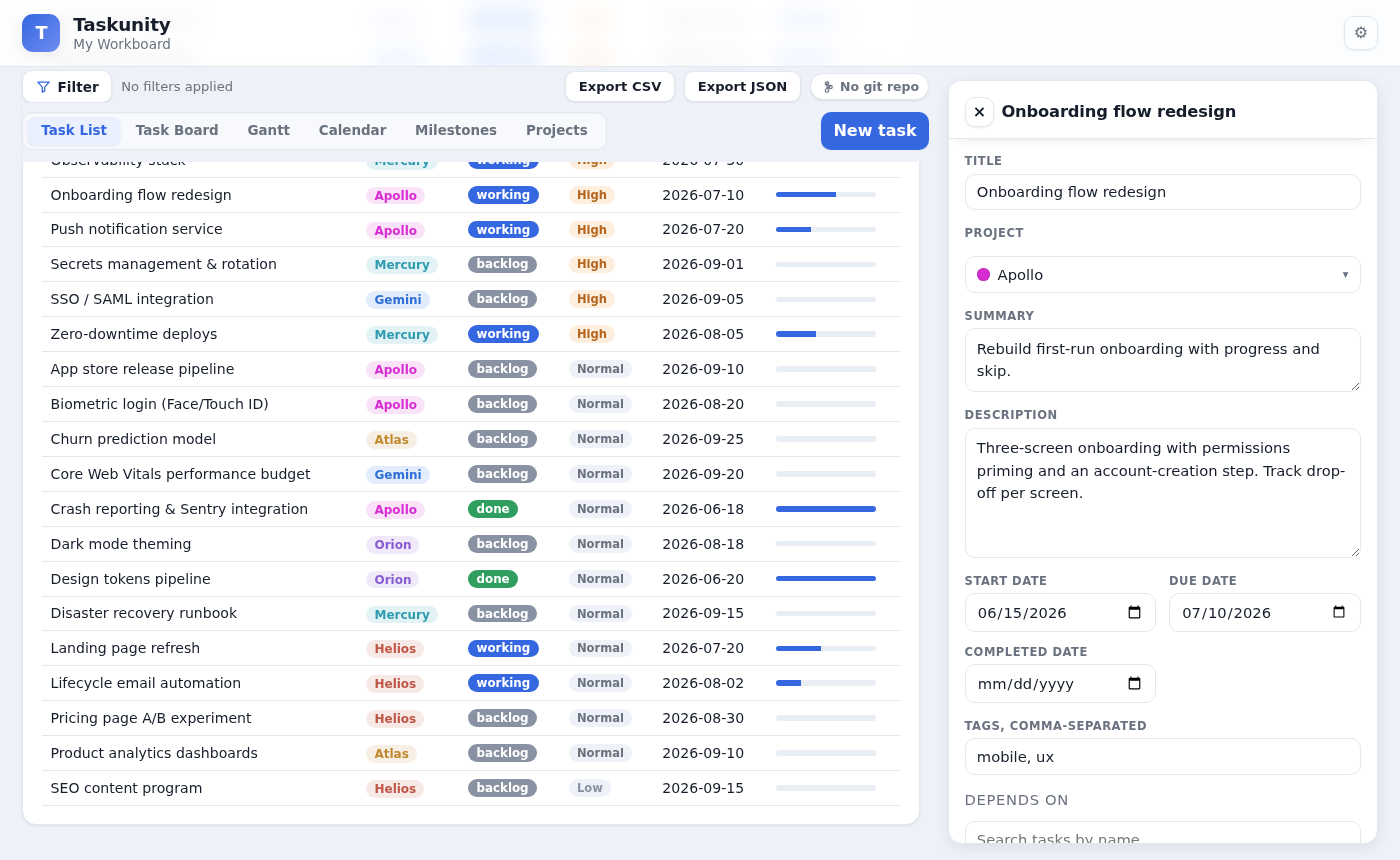
A local-first, file-backed productivity web app for managing tasks. Everything lives in plain files on your disk — no database, no account, no cloud. Point Taskunity at a folder and it serves a browser UI for dashboards, a Gantt timeline, a Kanban board, a calendar, activity logs, burndown charts, and an editable task side panel.
Documentation: a full guide is in the
docs/folder and is set up to build on Read the Docs (Sphinx + Markdown).
Screenshots
| Task List | Task Board |
|---|---|
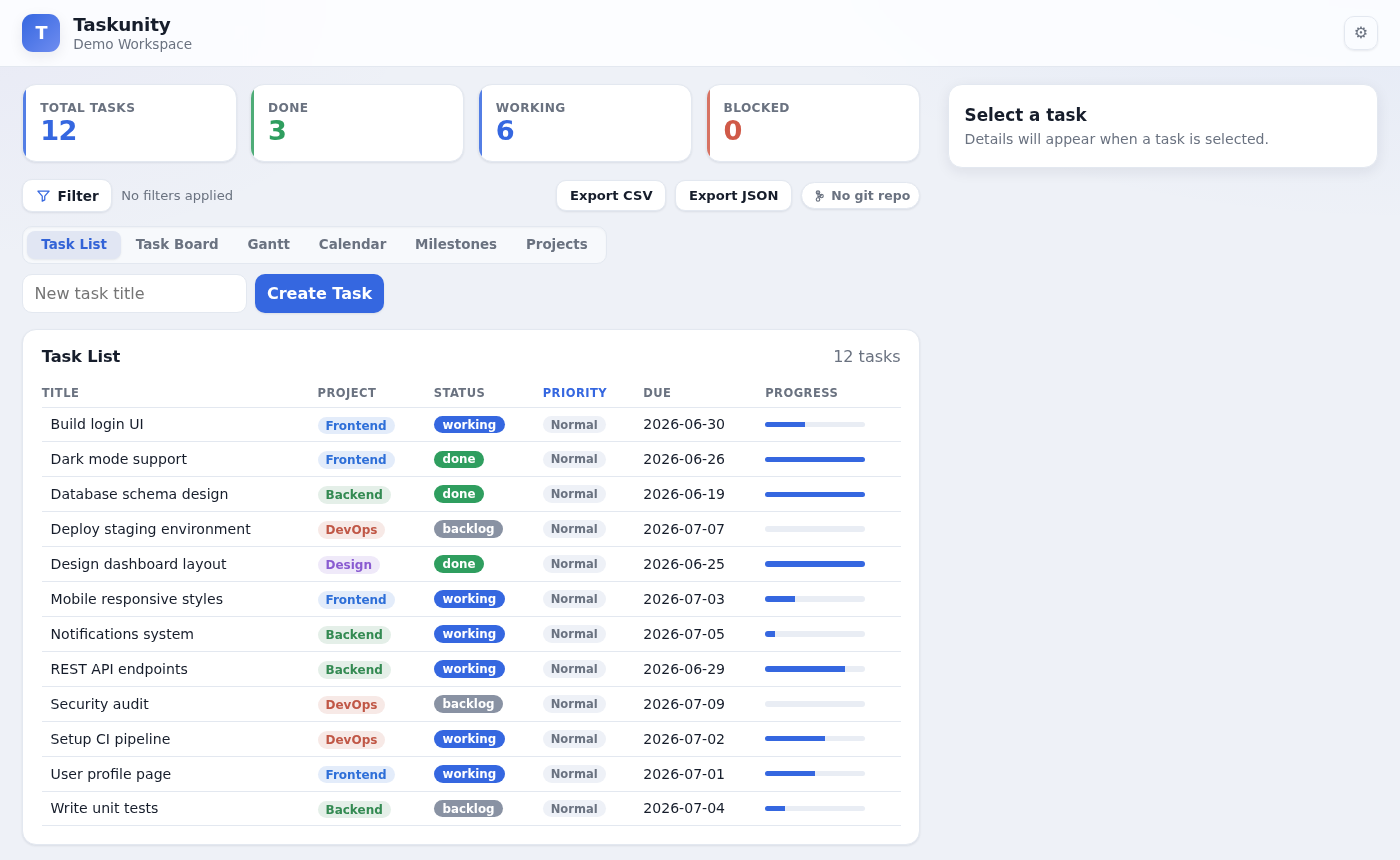 |
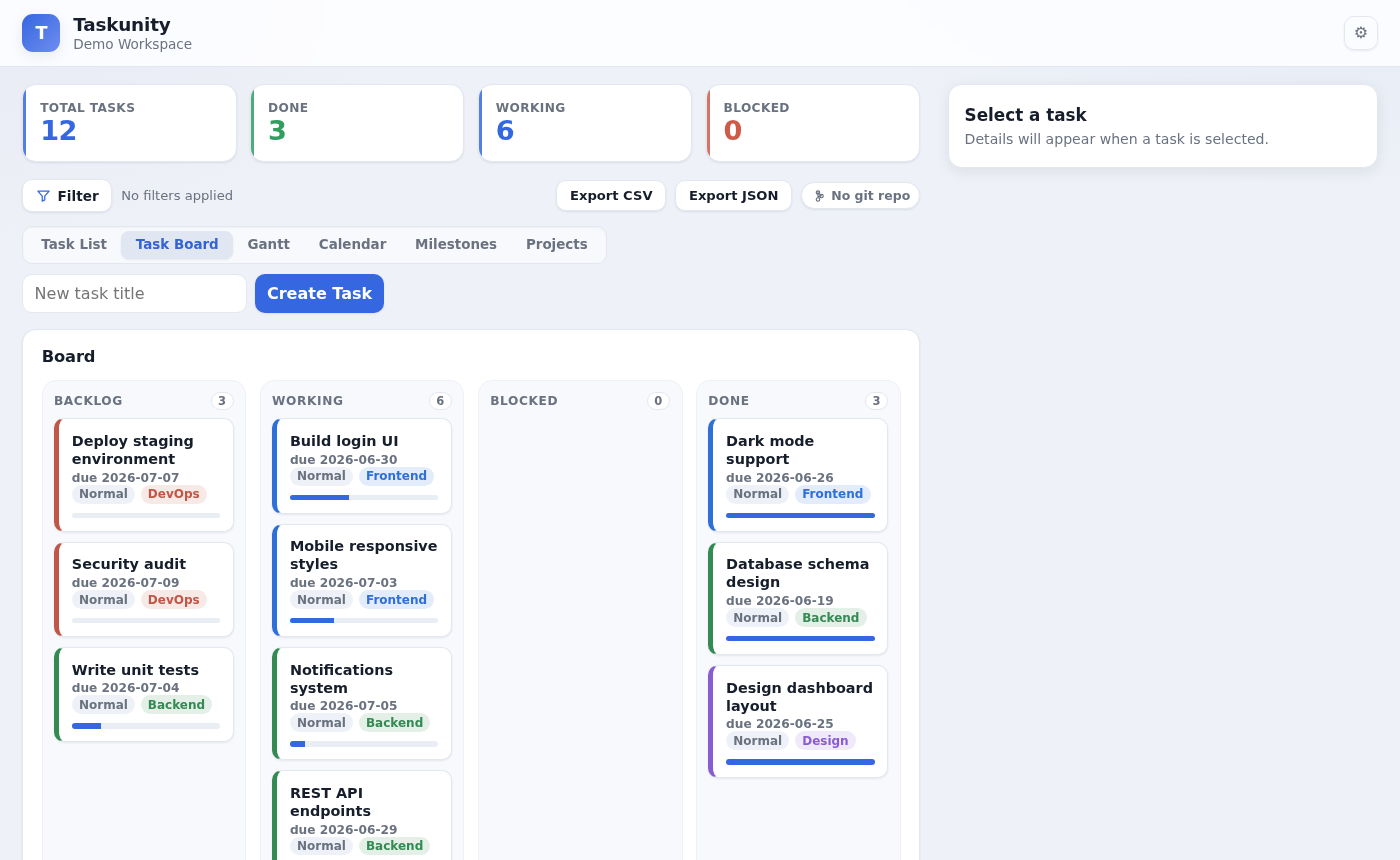 |
| Gantt Timeline | Calendar |
|---|---|
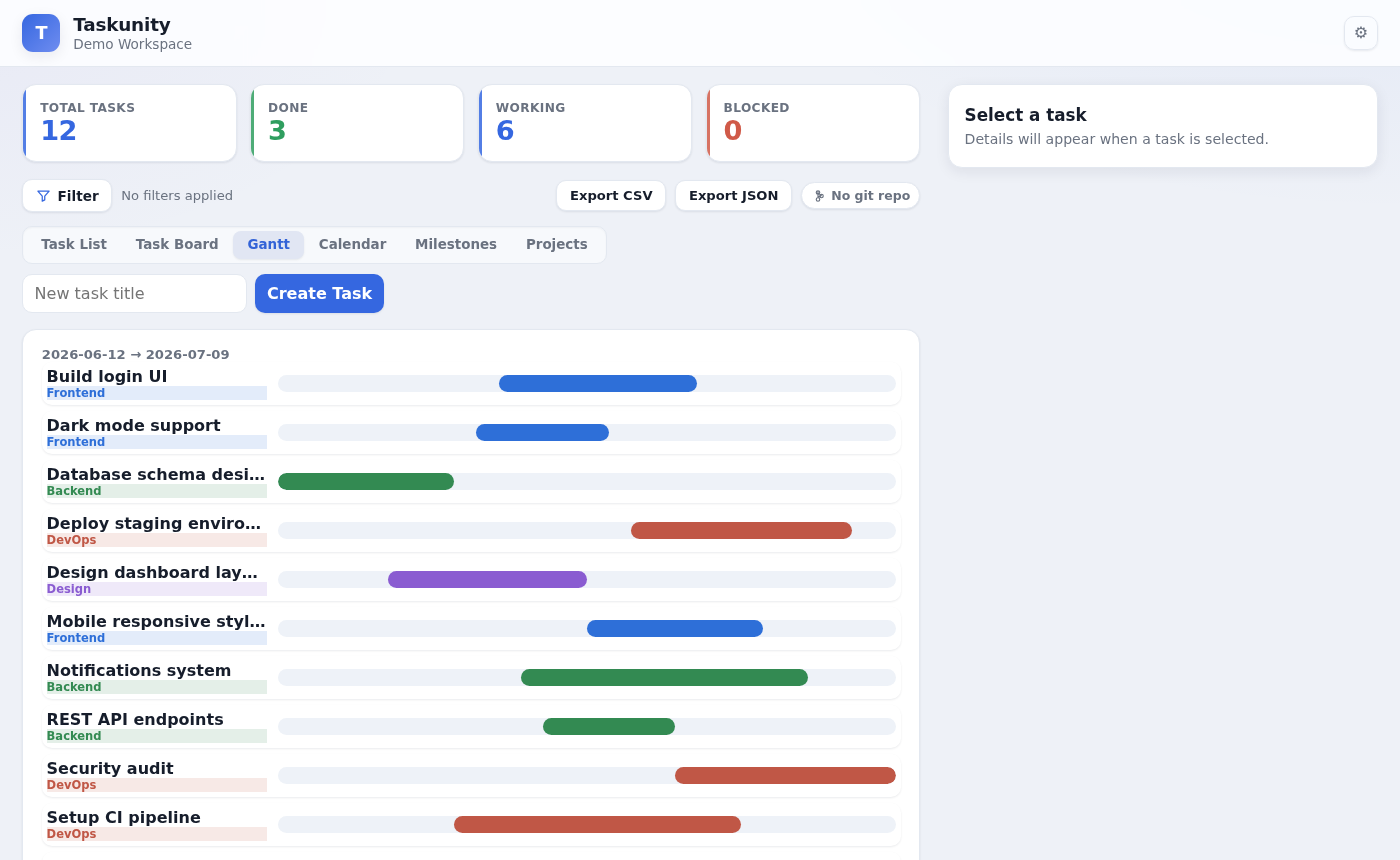 |
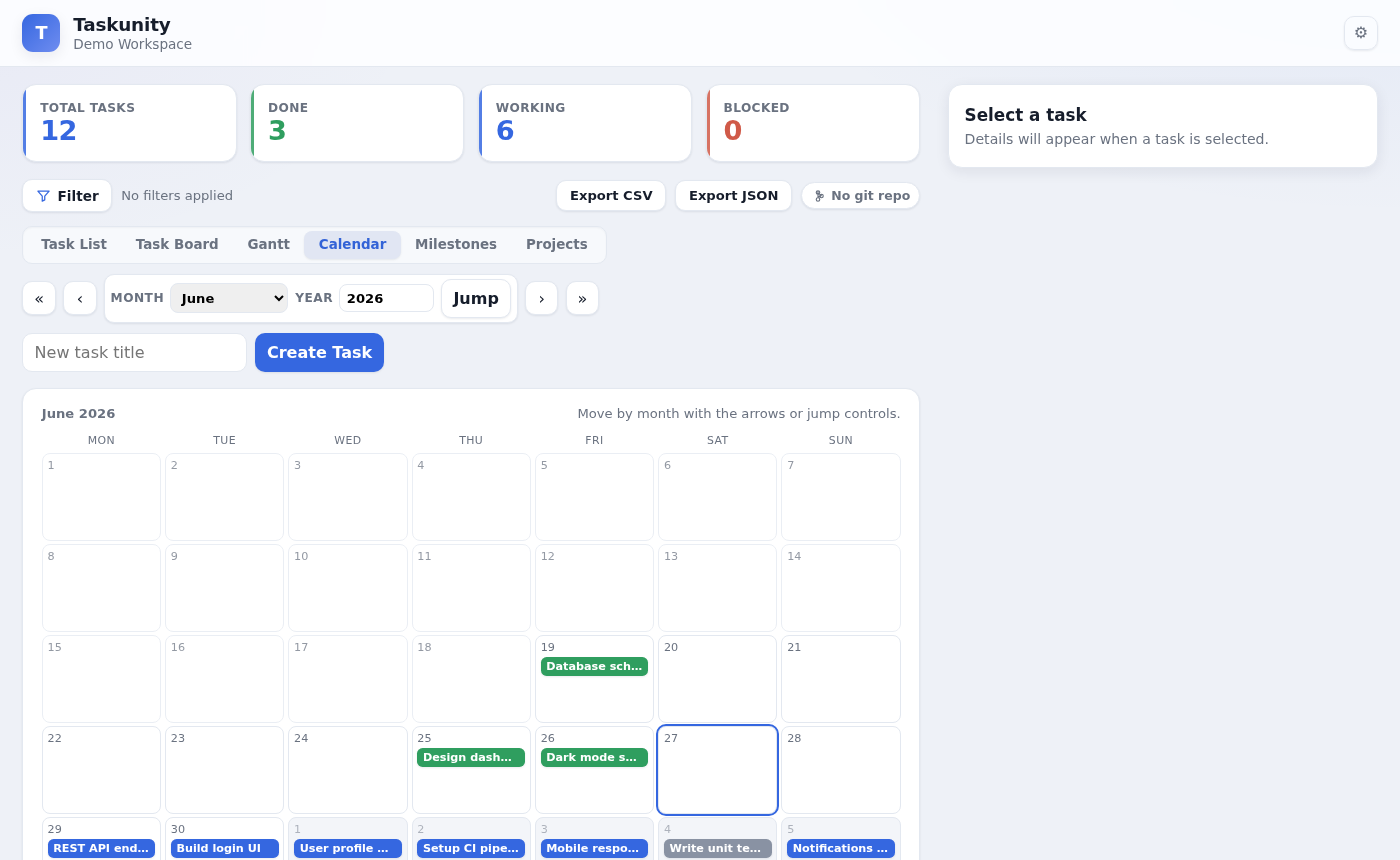 |
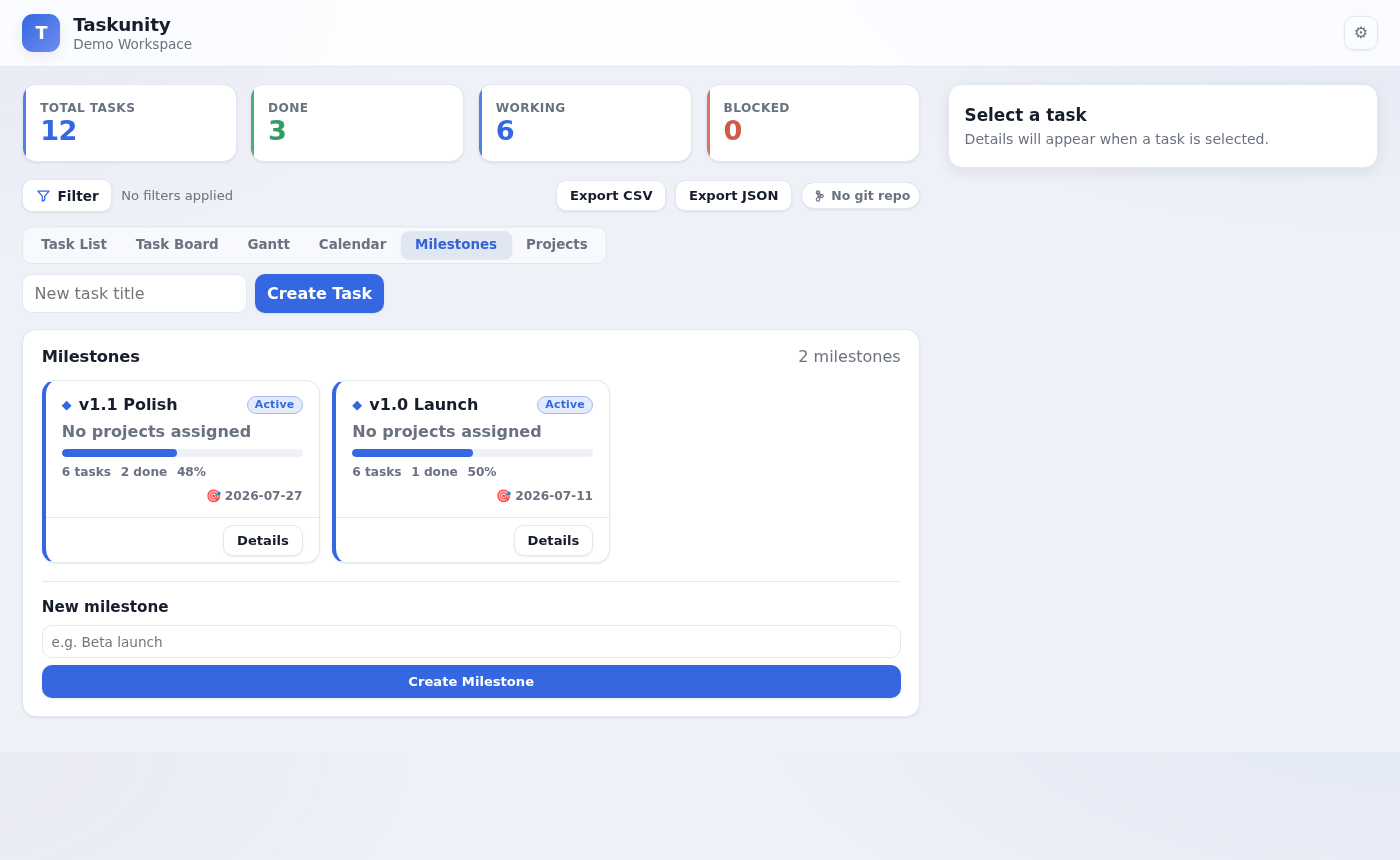
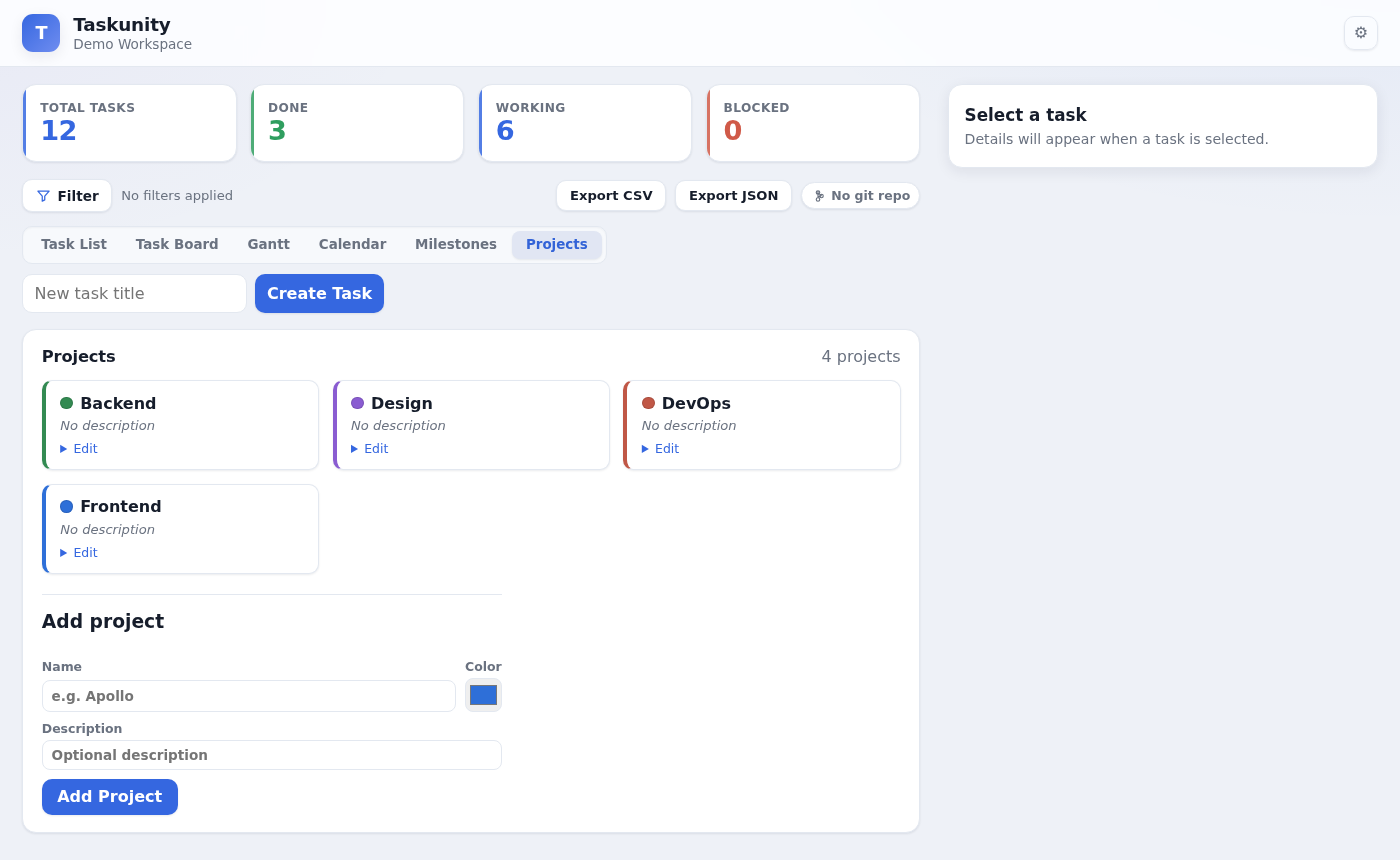
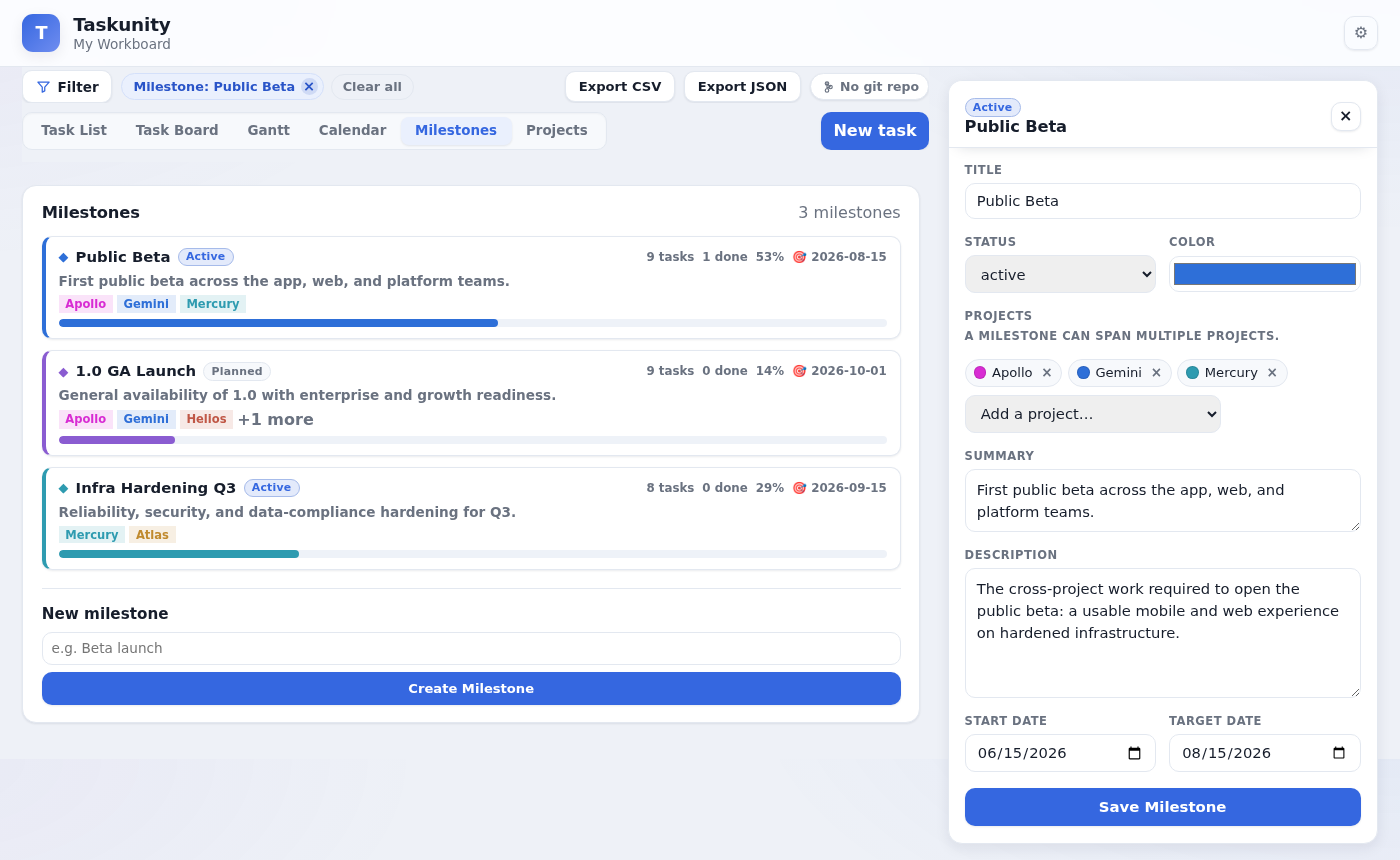
| Milestones | Projects |
|---|---|
 |
 |
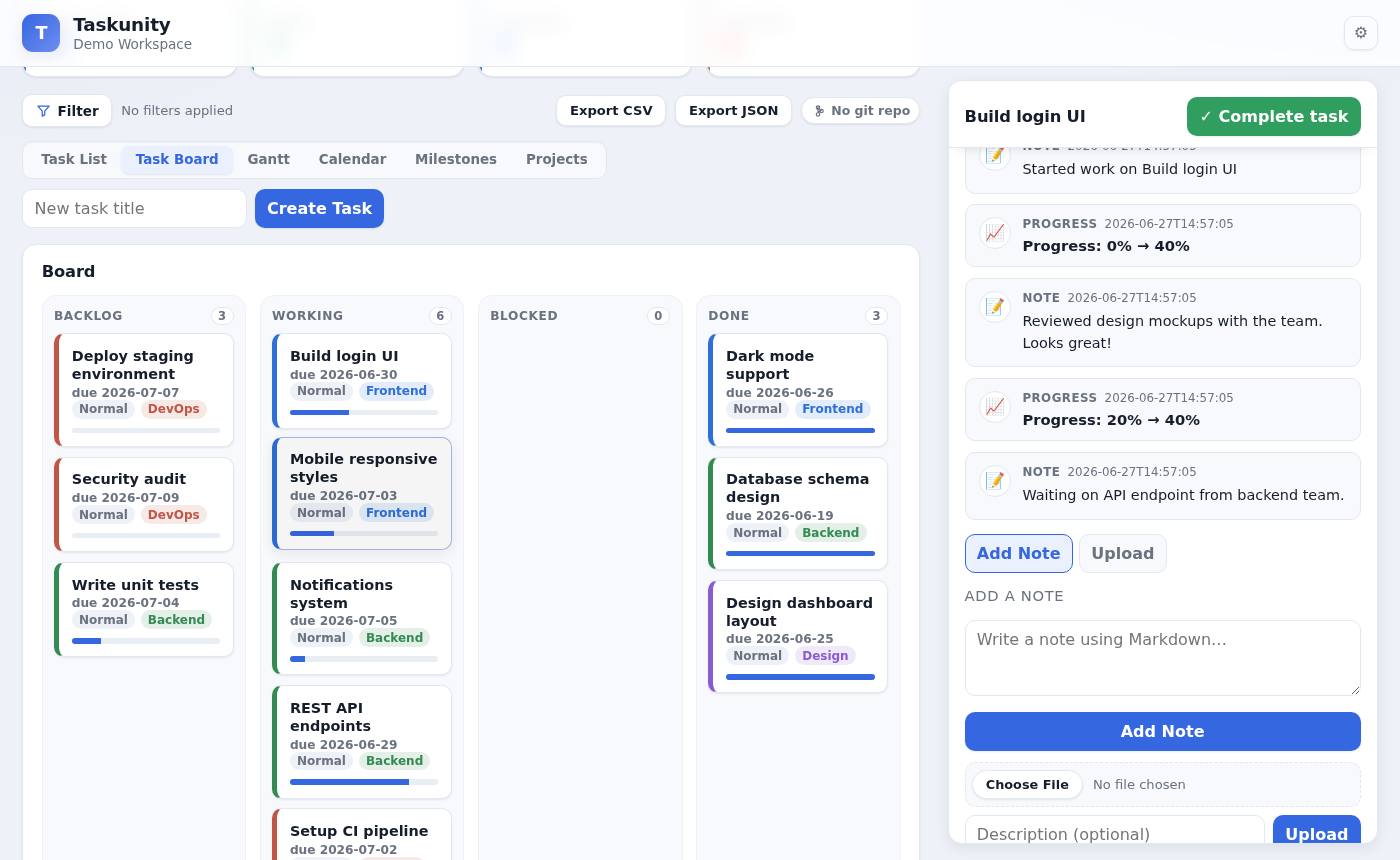
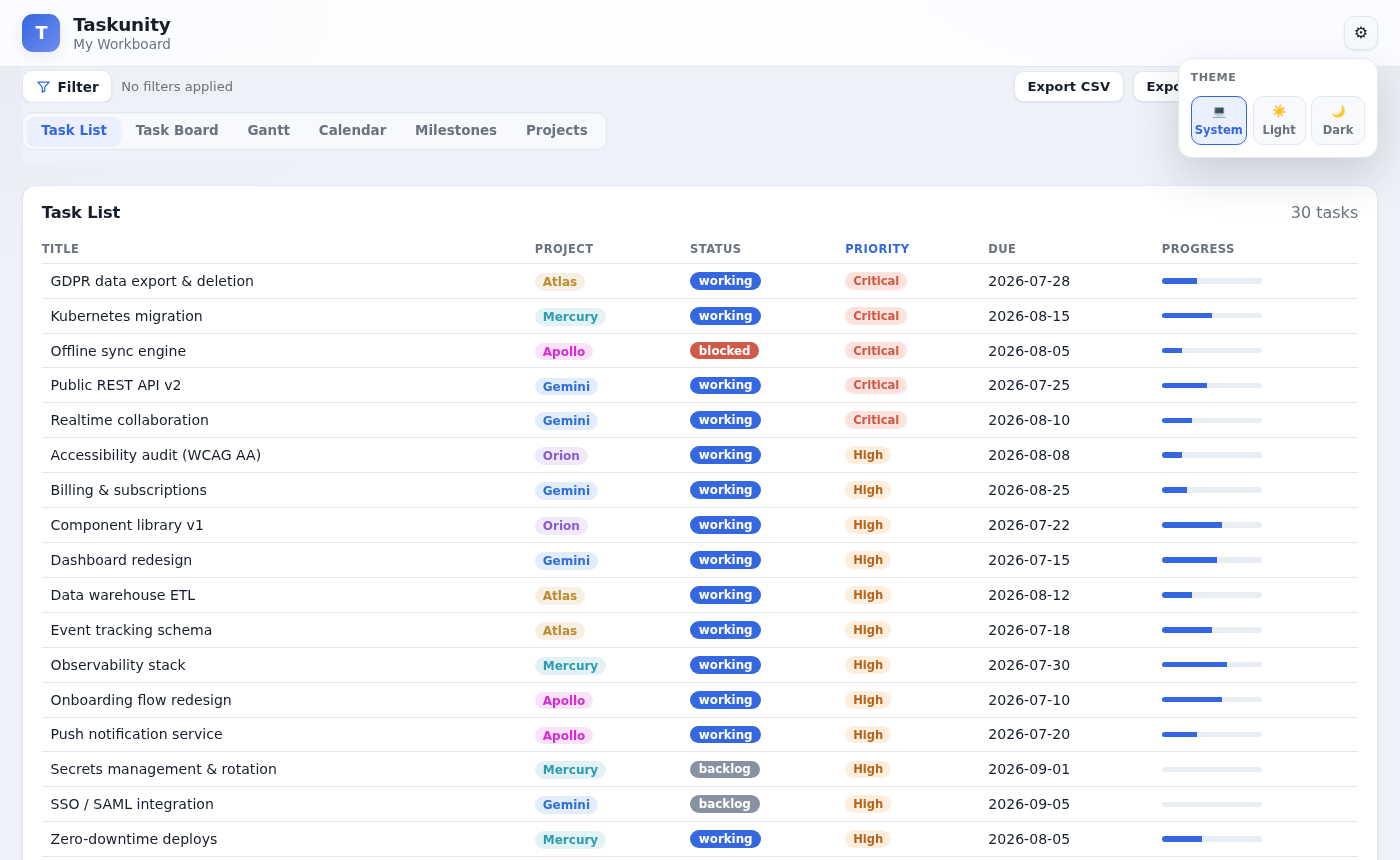
| Task Activity Log | Settings (Theme) |
|---|---|
 |
 |
| Task Burndown Chart | Milestone Burndown Chart |
|---|---|
 |
 |
Why Taskunity
- File-backed source of truth. Each task is a single JSON file you can read, diff, and commit to git. The whole workspace is a folder you own.
- Local-first. Runs entirely on
127.0.0.1. Your data never leaves your machine. - Git-aware. The UI shows branch/ahead/behind/dirty status and has a one-click commit + pull + push sync button when the workspace folder itself is a git repo.
Workspace layout
The source of truth is a workspace folder:
workspace/
  config.json           # editable workspace/app metadata
  projects/
    apollo.json         # one file per project
  tasks/
    A1B2-C3D4-E5F6-7890.json  # one file per task (native id format)
  milestones/
    M-1A2B-3C4D.json    # one file per milestone (groups tasks across projects)
  assets/
    A1B2-C3D4-E5F6-7890/  # attachments live alongside their task id
      screenshot.png
The app provides a browser UI for viewing dashboards, timelines, task boards, activity logs, burndown charts, and editing tasks through a side panel.
Install locally
From a clone of this repository:
pip install -e .
This installs the taskunity command. (A PyPI release will come later; for now install from
source.)
Quick start
taskunity serve --workspace ./my-workboard
If the workspace folder does not exist yet, taskunity serve will create the empty Taskunity
structure for you. You can also run it from the current directory and let Taskunity use . as
the workspace.
Then open:
http://127.0.0.1:8000
init is available if you want to scaffold a folder explicitly. It creates an editable
config.json, empty projects/, tasks/, milestones/, and assets/ directories, plus a README
stub. It does not create starter projects or tasks; use the app to add your own once you begin.
Serve an existing workspace
taskunity serve --workspace ./path/to/workspace --host 127.0.0.1 --port 8000
| Flag | Default | Description |
|---|---|---|
--workspace |
. |
Workspace folder to serve |
--host |
127.0.0.1 |
Host interface to bind |
--port |
8000 |
Port to listen on |
--reload |
off | Enable uvicorn auto-reload (development) |
Task file example
{
  "id": "A1B2-C3D4-E5F6-7890",
  "title": "CAF refinement prototype",
  "status": "working",
  "priority": "high",
  "project": "Apollo",
  "summary": "Build a prototype CAF refinement workflow.",
  "description": "Compare baseline CAF sharpness against protection-aware refinement.",
  "tags": ["caf", "signal-processing", "prototype"],
  "start_date": "2026-06-24",
  "due_date": "2026-06-30",
  "completed_date": null,
  "percent_complete": 60,
  "depends_on": ["0EBB-528F-371E-61AE"],
  "checklist": [
    {"text": "Generate baseline CAF", "done": true},
    {"text": "Export comparison plots", "done": false}
  ],
  "activity": [
    {
      "id": "a1b2c3d4",
      "event_type": "note",
      "created_at": "2026-06-26T10:30:00",
      "note_text": "Protection-aware version improved sharpness."
    },
    {
      "id": "e5f6a7b8",
      "event_type": "progress_update",
      "created_at": "2026-06-26T11:00:00",
      "progress_before": 40,
      "progress_after": 60
    }
  ]
}
depends_on stores task ids. In the UI you add dependencies with a search-as-you-type picker
that finds tasks by name and shows their status, project, due date, and id — then stores the id.
Dependencies are reflected on the Gantt timeline (an ↳ after <name> label plus a marker where the
dependency's bar ends).
Milestones
Milestones are a separate entity from projects. A milestone can span multiple projects, holds an ordered list of tasks (which can come from any project, and a task can belong to any number of milestones), and has its own description, notes, and attachments — just like a task.
- Open the Milestones view to see every milestone with a live rollup (task count, progress, target date).
- Click a milestone to filter the whole board to just its tasks and show a rollup banner; the side panel opens the milestone for editing.
- Each milestone has its own colour used on milestone cards and the rollup banner.
- From inside a milestone you can add a task with one search-as-you-type picker and use the sticky + New task button at the bottom of the list for quick creation (auto-added to that milestone), and remove tasks.
Milestones are stored one JSON file per milestone under milestones/.
Features
- JSON-per-task source model you can version with git
- Dashboard summary cards (total / done / working / blocked)
- Kanban-style board with per-project color strips
- Gantt timeline with dependency markers
- Calendar view
- Milestones that group tasks across projects, with per-milestone colour, click-to-filter rollup, and their own notes/attachments/description
- Click any task (row, card, timeline bar, calendar entry) to open an editable side panel
- Save edits back to the JSON file; raw JSON editor escape hatch
- Unified activity log per task: notes, images, and progress changes in chronological order
- Task burndown chart: remaining work over time from progress_update events
- Milestone cumulative burndown chart: aggregate remaining work across all tasks in a milestone
- Searchable "depends on" picker that resolves names to task ids
- Project management with custom colors, each stored in its own JSON file
- Filtering by project, milestone, date range, and free-text search; sortable views
- CSV / JSON export
- Built-in git status chip and one-click sync (commit + pull + push)
Building the docs locally
pip install -e ".[docs]"
sphinx-build -b html docs docs/_build/html
Open docs/_build/html/index.html. On Read the Docs the build is driven by
.readthedocs.yaml.
Development
pip install -e ".[dev]"
pytest
ruff check .
License
MIT
Release history Release notifications | RSS feed


Download files
Download the file for your platform. If you're not sure which to choose, learn more about installing packages.
Source Distribution
Built Distribution
Filter files by name, interpreter, ABI, and platform.
If you're not sure about the file name format, learn more about wheel file names.
Copy a direct link to the current filters
File details
Details for the file taskunity-2026.2.tar.gz.
File metadata
- Download URL: taskunity-2026.2.tar.gz
- Upload date:
- Size: 138.9 kB
- Tags: Source
- Uploaded using Trusted Publishing? No
- Uploaded via: twine/6.1.0 CPython/3.13.12
File hashes
| Algorithm | Hash digest | |
|---|---|---|
| SHA256 |
e1a90099d4147d559af1d98be1c6a1ba46cdada079b1d1421541b80a09bc32ff
|
|
| MD5 |
ad40d3a1043cb601fc9ef041e6ff4bf0
|
|
| BLAKE2b-256 |
e22f340138cfe4e547d9a36f814219086f96732e9f625f949ea14fc5f37b056c
|
File details
Details for the file taskunity-2026.2-py3-none-any.whl.
File metadata
- Download URL: taskunity-2026.2-py3-none-any.whl
- Upload date:
- Size: 141.6 kB
- Tags: Python 3
- Uploaded using Trusted Publishing? No
- Uploaded via: twine/6.1.0 CPython/3.13.12
File hashes
| Algorithm | Hash digest | |
|---|---|---|
| SHA256 |
320d543b5621667e849690feea823c8c3533b8ddbe74a51fc9a8cbe41ce36d43
|
|
| MD5 |
db8ff8eb69f39adfcde4207433e29eea
|
|
| BLAKE2b-256 |
08fc06a6212223d2c94e567ca93a9a805d659705c7e994d9ae93d501041dc0a6
|






