
Artifact browser plugin for Kiwi TCMS - browse, preview, and export test run attachments

Project description
tcms-artifact-browser
A Kiwi TCMS plugin that provides a centralized view to browse, preview, search, and export file attachments across test runs and bugs.
Features
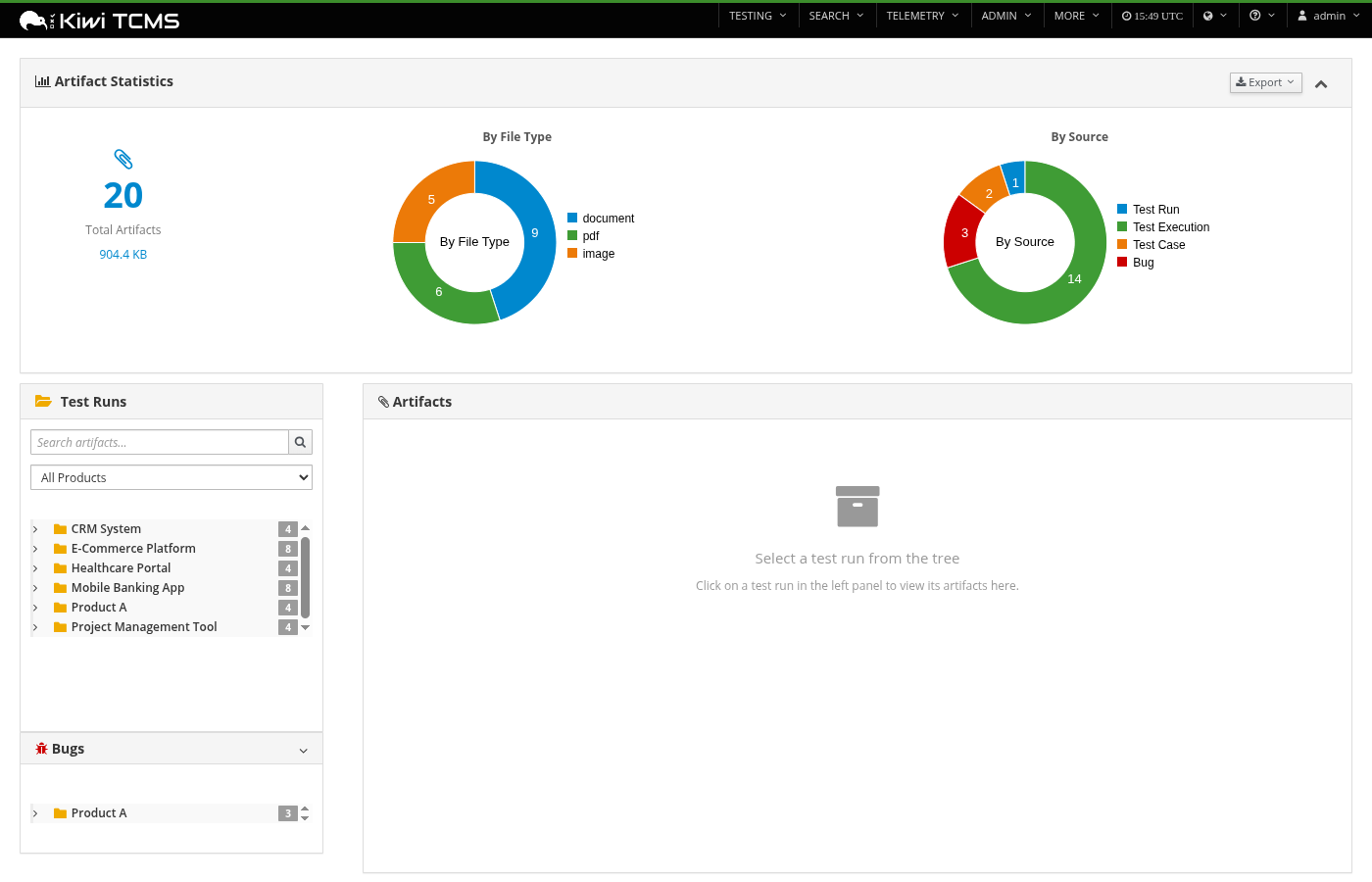
- Tree navigation — Browse artifacts organized by Product > Test Plan > Test Run
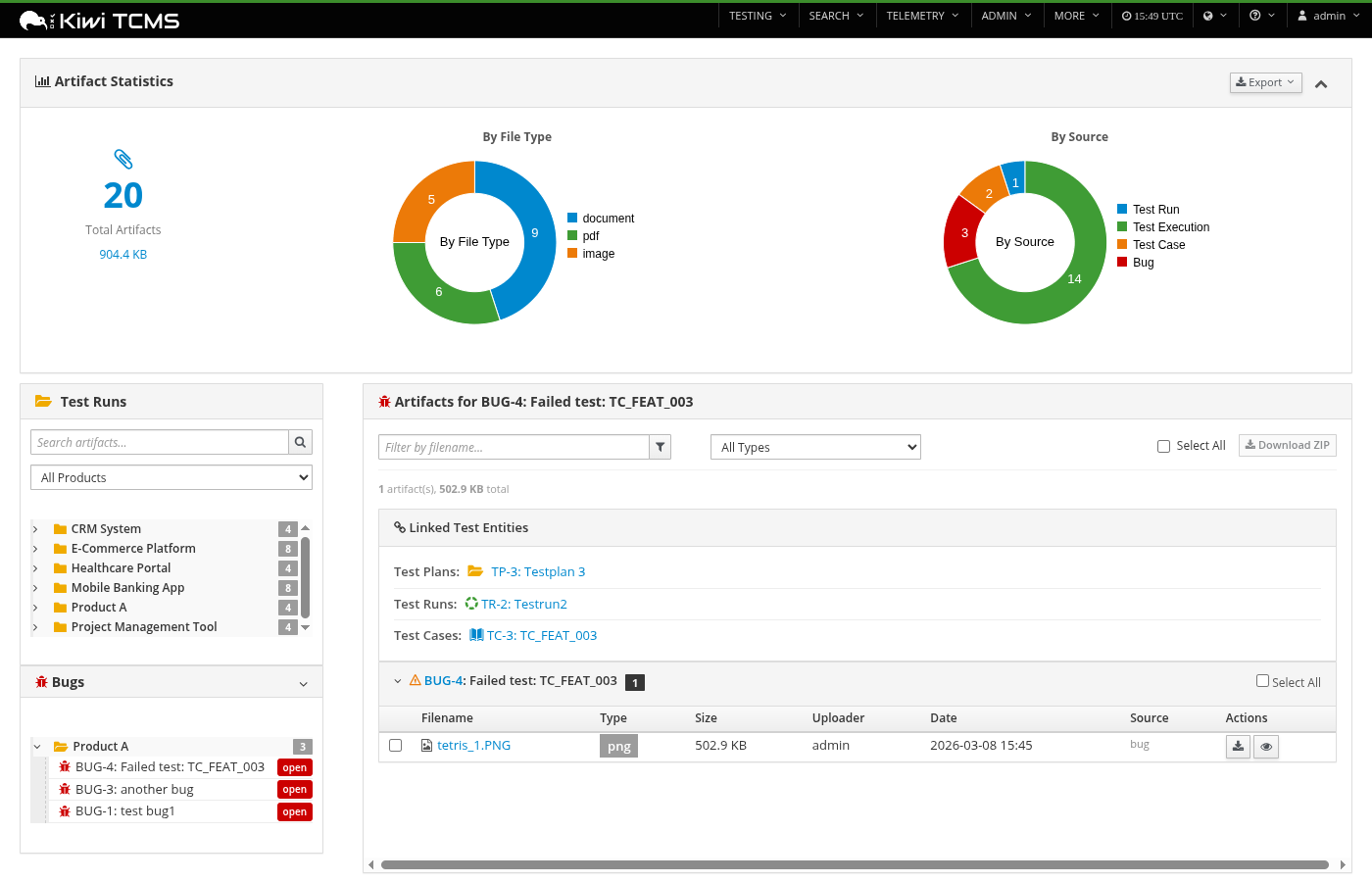
- Bug browser — Dedicated sidebar panel to browse bug attachments by Product > Bug, with linked test plan/run/case references
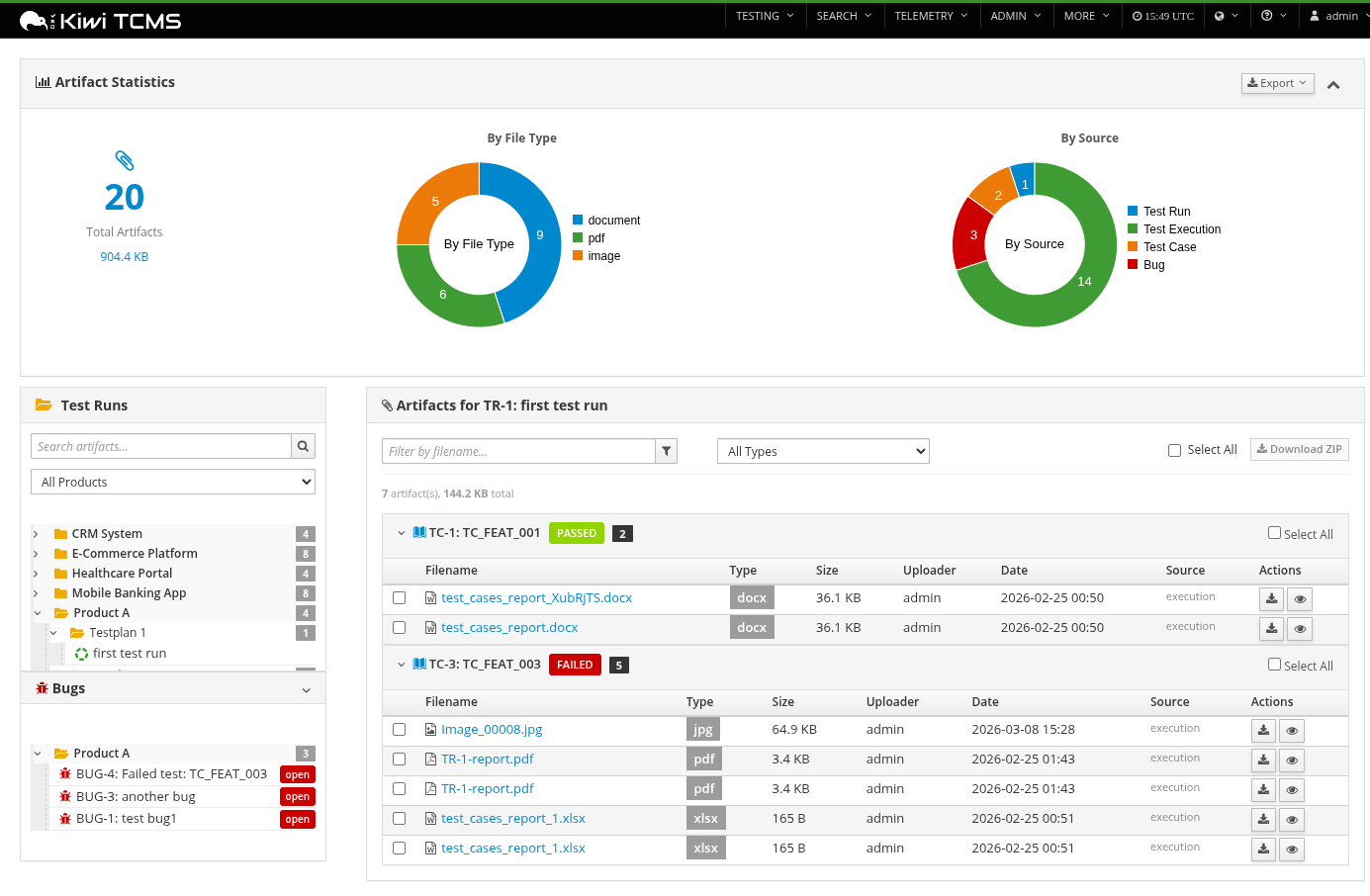
- Grouped attachment view — Attachments displayed per test execution with status badges
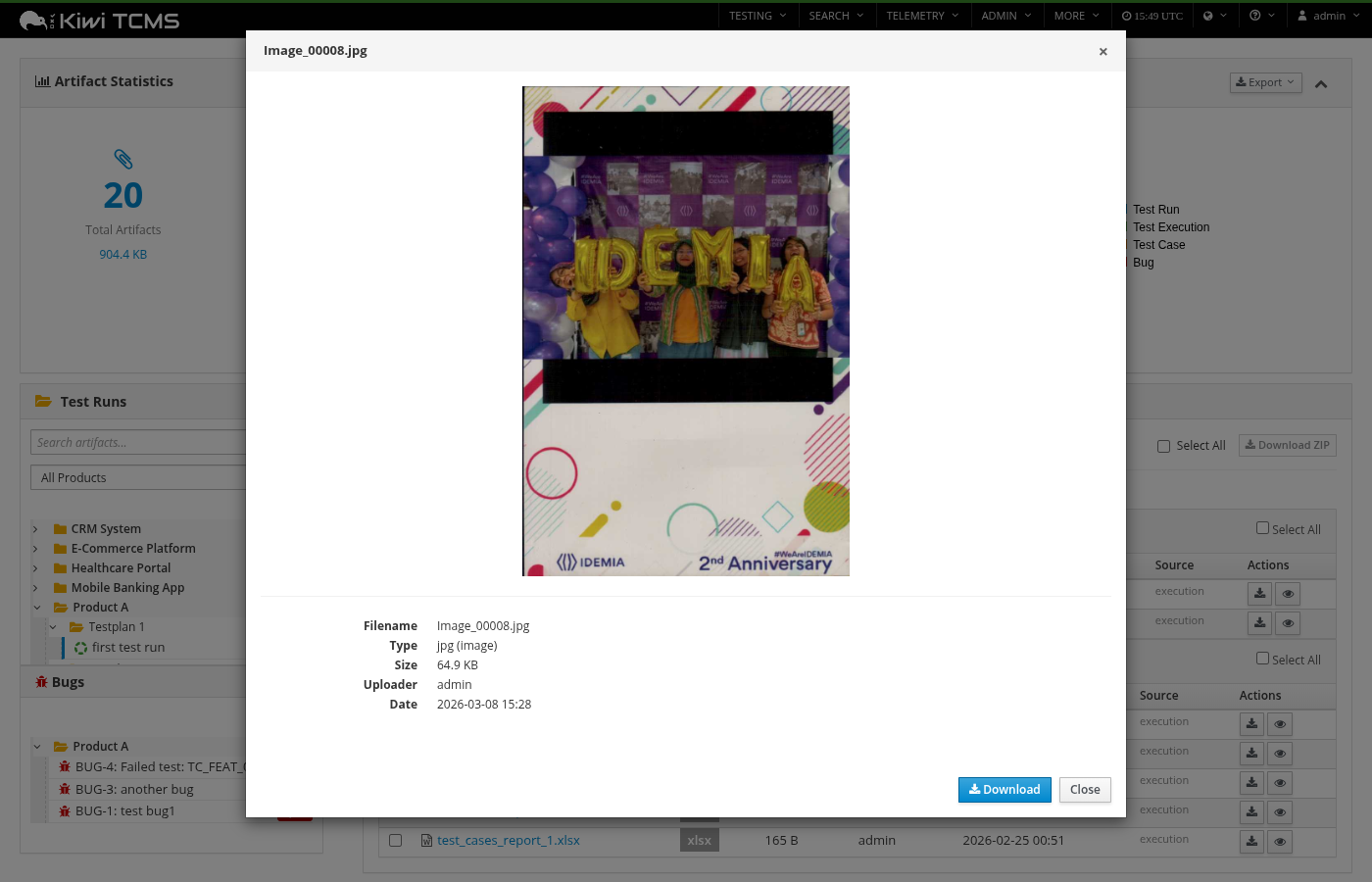
- File preview — In-browser preview for images, text files, PDFs, video, and audio
- Bulk ZIP download — Select multiple files and download them as a structured ZIP archive
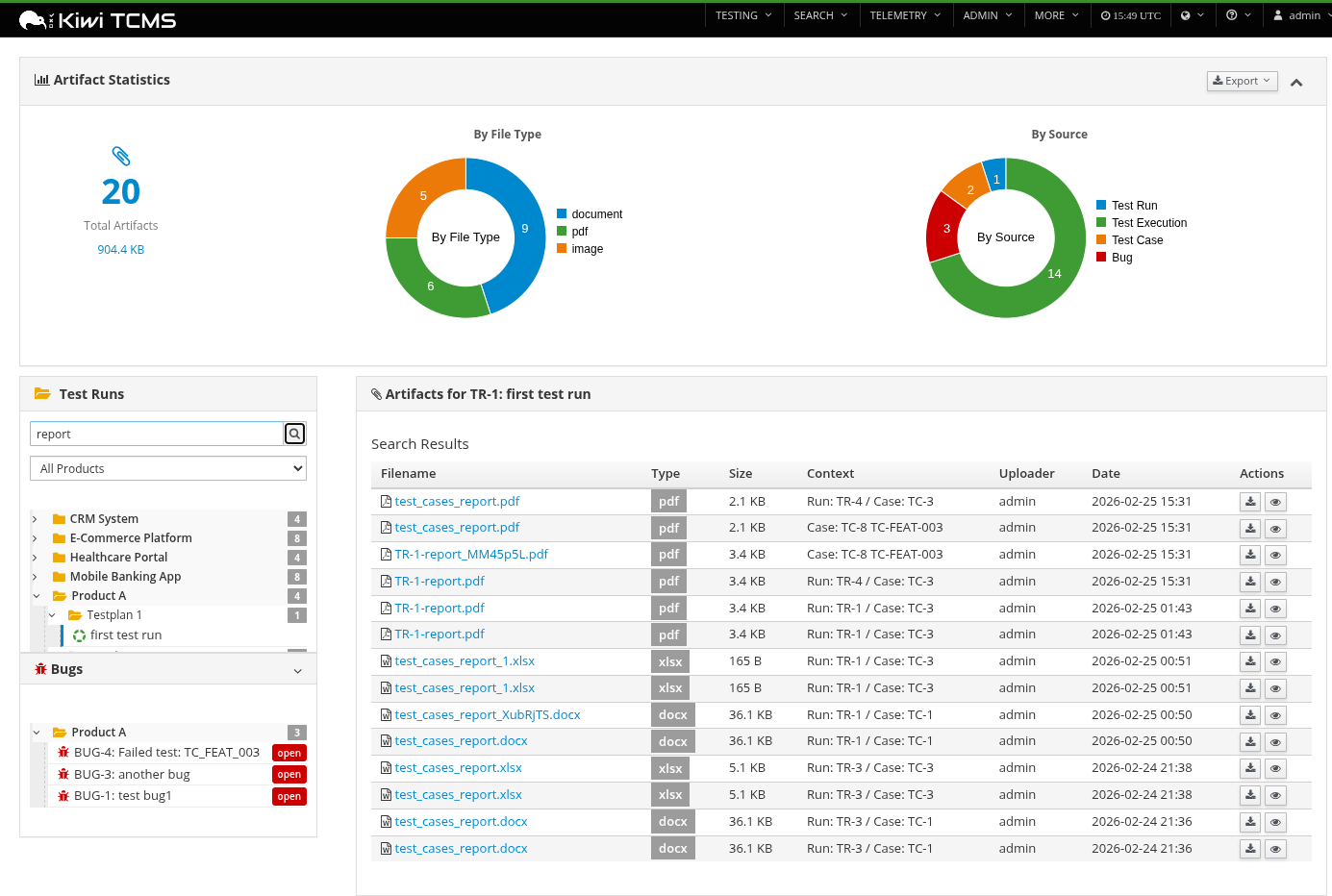
- Global search — Search attachments by filename across all test runs
- Statistics dashboard — Donut charts showing artifact distribution by file type and source
- Export reports — Download artifact reports as CSV, Excel, Word, or PDF
- Product filter — Filter both test run and bug trees by product
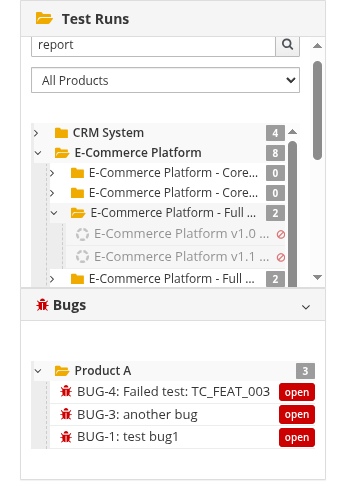
- No-attachment indicators — Tree nodes for runs without attachments are visually dimmed
Screenshots
Overview with statistics and tree navigation
Attachment detail with grouped test executions
File preview modal
Global search results
Bug browser with linked test entities
No-attachments indicator on tree nodes
Installation
pip install -e /path/to/tcms-artifact-browser/
Then restart Kiwi TCMS. The plugin auto-registers via the kiwitcms.plugins entry
point and appears under MORE > Artifact Browser > Browse Artifacts in the navigation menu.
If running in development mode, also run:
python manage.py collectstatic --noinput
Dependencies
- openpyxl — Excel report generation
- python-docx — Word report generation
- reportlab — PDF report generation
Charts use D3.js and C3.js which are already included in Kiwi TCMS base static files.
URL Endpoints
| URL | Description |
|---|---|
/tcms_artifact_browser/ |
Main browser view |
/tcms_artifact_browser/api/run/<id>/attachments/ |
Attachments for a test run |
/tcms_artifact_browser/api/bug/<id>/attachments/ |
Attachments for a bug |
/tcms_artifact_browser/api/attachment/<id>/preview/ |
File preview metadata |
/tcms_artifact_browser/api/search/?q=<query> |
Global search |
/tcms_artifact_browser/api/statistics/ |
Aggregate statistics |
/tcms_artifact_browser/api/download/zip/ |
Bulk ZIP download (POST) |
/tcms_artifact_browser/api/report/ |
CSV report |
/tcms_artifact_browser/api/report/excel/ |
Excel report |
/tcms_artifact_browser/api/report/docx/ |
Word report |
/tcms_artifact_browser/api/report/pdf/ |
PDF report |
Architecture
tcms_artifact_browser/
├── __init__.py          # App config reference
├── apps.py              # ArtifactBrowserConfig
├── menu.py              # Navigation menu registration
├── urls.py              # URL routing (11 endpoints)
├── views.py             # TemplateView + 10 API views + report helpers
├── utils.py             # File classification, attachment gathering, ZIP paths
├── templates/tcms_artifact_browser/
│   ├── browser.html     # Main template (stats + tree + detail panel)
│   └── _preview.html    # Preview modal fragment
└── static/tcms_artifact_browser/
    ├── css/browser.css  # Flexbox layout, responsive styles
    └── js/browser.js    # Tree navigation, AJAX loading, preview, charts
Key design decisions
- Bulk query strategy — Attachments are fetched with bulk queries per content type (TestRun, TestExecution, TestCase, Bug) instead of N+1 per-object queries
- Extension-based classification — Files are categorized by extension (not MIME sniffing) for speed and determinism
- Text preview capped at 100KB — Prevents browser memory issues with large log files
- POST for ZIP — Attachment ID lists can be large; form POST triggers native download
License
MIT
Release history Release notifications | RSS feed

Download files
Download the file for your platform. If you're not sure which to choose, learn more about installing packages.
Source Distribution
Built Distribution
Filter files by name, interpreter, ABI, and platform.
If you're not sure about the file name format, learn more about wheel file names.
Copy a direct link to the current filters
File details
Details for the file tcms_artifact_browser-1.0.0.tar.gz.
File metadata
- Download URL: tcms_artifact_browser-1.0.0.tar.gz
- Upload date:
- Size: 31.7 kB
- Tags: Source
- Uploaded using Trusted Publishing? No
- Uploaded via: twine/6.2.0 CPython/3.11.14
File hashes
| Algorithm | Hash digest | |
|---|---|---|
| SHA256 |
cde9d3fe9d2a73ed293b5793d2038e5fd003c360587269dd4df2243c5afd156d
|
|
| MD5 |
56d03cb90829b980672cb9af356586fc
|
|
| BLAKE2b-256 |
b7a3aa8b48133f0fe2c4f816b6ce88f4afbe86b9f76ac2933075f25d53b86252
|
File details
Details for the file tcms_artifact_browser-1.0.0-py3-none-any.whl.
File metadata
- Download URL: tcms_artifact_browser-1.0.0-py3-none-any.whl
- Upload date:
- Size: 32.6 kB
- Tags: Python 3
- Uploaded using Trusted Publishing? No
- Uploaded via: twine/6.2.0 CPython/3.11.14
File hashes
| Algorithm | Hash digest | |
|---|---|---|
| SHA256 |
aaab045b789c7e8132f611618f04f3e5e2048aa82912ab5d3df8934b68c60dae
|
|
| MD5 |
faff11256989ba4392f26d303ed12ac3
|
|
| BLAKE2b-256 |
b6fb49b657b805670ecc208fe04d0c58c2bfaa8df0ff8fc1a4bd721f87691bd6
|






