








tda-mapper
tda-mapper is a Python library built around the Mapper algorithm, a core technique in Topological Data Analysis (TDA) for extracting topological structure from complex data. Designed for computational efficiency and scalability, it leverages optimized spatial search methods to support high-dimensional datasets. The library is well-suited for integration into machine learning pipelines, unsupervised learning tasks, and exploratory data analysis.
Further details in the documentation and in the paper.
Core Features
-
Efficient construction
Leverages optimized spatial search techniques and parallelization to accelerate the construction of Mapper graphs, supporting the analysis of high-dimensional datasets.
-
Scikit-learn integration
Provides custom estimators that are fully compatible with scikit-learn's API, enabling seamless integration into scikit-learn pipelines for tasks such as dimensionality reduction, clustering, and feature extraction.
-
Flexible visualization
Multiple visualization backends supported (Plotly, Matplotlib, PyVis) for generating high-quality Mapper graph representations with adjustable layouts and styling.
-
Interactive app
Provides an interactive web-based interface for dynamic exploration of Mapper graph structures, offering real-time adjustments to parameters and visualizations.
Background
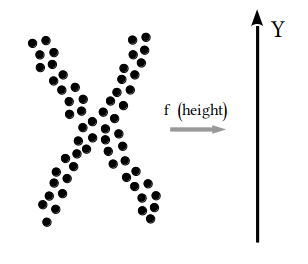
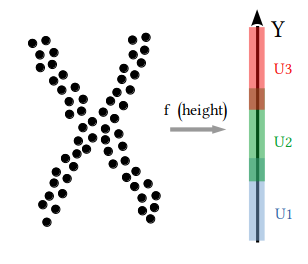
The Mapper algorithm extracts topological features from complex datasets, representing them as graphs that highlight clusters, transitions, and key structural patterns. These insights reveal hidden data relationships and are applicable across diverse fields, including social sciences, biology, and machine learning. For an in-depth overview of Mapper, including its mathematical foundations and practical applications, read the original paper.
| Step 1 | Step 2 | Step 3 | Step 4 |
|---|---|---|---|
 |
 |
 |
 |
| Choose lens | Cover image | Run clustering | Build graph |
Citations
If you use tda-mapper in your work, please consider citing both the library, archived in a permanent Zenodo record, and the paper, which provides a broader methodological overview. We recommend citing the specific version of the library used in your research, along with the paper. For citation examples, please refer to the documentation.
Quick Start
Installation
To install the latest version uploaded on PyPI
pip install tda-mapper
How to Use
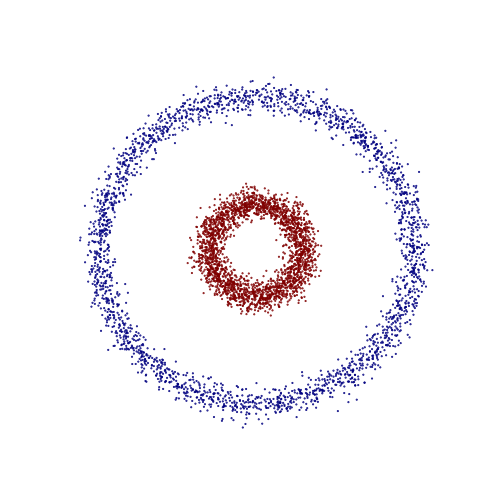
Here's a minimal example using the circles dataset from scikit-learn to
demonstrate how to use tda-mapper. This example demonstrates how to apply
the Mapper algorithm on a synthetic dataset (concentric circles). The goal is
to extract a topological graph representation using PCA as a lens and
DBSCAN for clustering. We proceed as follows:
import matplotlib.pyplot as plt
from sklearn.datasets import make_circles

import numpy as np
from sklearn.decomposition import PCA
from sklearn.cluster import DBSCAN

from tdamapper.learn import MapperAlgorithm
from tdamapper.cover import CubicalCover
from tdamapper.plot import MapperPlot

# Generate toy dataset
X, labels = make_circles(n_samples=5000, noise=0.05, factor=0.3, random_state=42)
plt.figure(figsize=(5, 5))
plt.scatter(X[:,0], X[:,1], c=labels, s=0.25, cmap="jet")
plt.axis("off")
plt.show()

# Apply PCA as lens
y = PCA(2, random_state=42).fit_transform(X)

# Mapper pipeline
cover = CubicalCover(n_intervals=10, overlap_frac=0.3)
clust = DBSCAN()
graph = MapperAlgorithm(cover, clust).fit_transform(X, y)

# Visualize the Mapper graph
fig = MapperPlot(graph, dim=2, seed=42, iterations=60).plot_plotly(colors=labels)
fig.show(config={"scrollZoom": True})
| Original Dataset | Mapper Graph |
|---|---|
 |
 |
Left: the original dataset consisting of two concentric circles with noise, colored by class label. Right: the resulting Mapper graph, built from the PCA projection and clustered using DBSCAN. The two concentric circles are well identified by the connected components in the Mapper graph.
More examples can be found in the documentation.
Interactive App
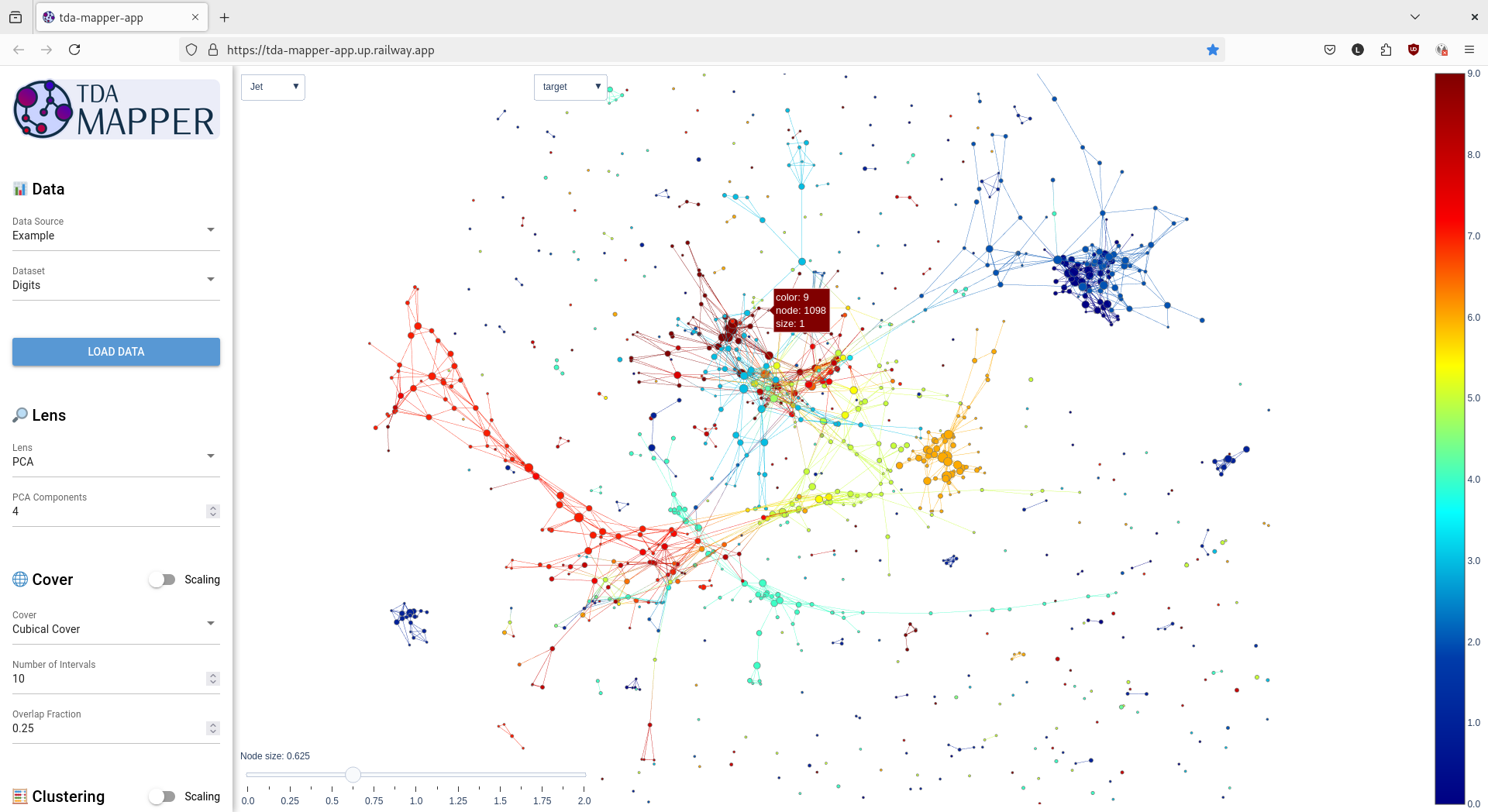
Use our app to interactively visualize and explore your data without writing code. You can try it right away using our live demo, or run it locally on your machine.
To run it locally:
-
Install the app and its dependencies:
pip install tda-mapper[app]
-
Launch the app:
tda-mapper-app
1 maintainer

Metadata
1 maintainer
Release files for tda-mapper 0.12.0
For a detailed explanation of source distributions (sdists) and built distributions (wheels), please see the package formats documentation.
Source distribution (sdist)
| File | Size | Uploaded | |
|---|---|---|---|
| tda_mapper-0.12.0.tar.gz | 58.6 kB | Details |
Built distribution (wheel)
| File | Interpreter | ABI | Platform | Reset |
|---|---|---|---|---|
| tda_mapper-0.12.0-py3-none-any.whl | Python 3 | none | any | Details |
Total release size: 115.2 kB
Release files / tda_mapper-0.12.0.tar.gz
| Download URL | tda_mapper-0.12.0.tar.gz |
|---|---|
| Size | 58.6 kB |
| Tags | Source |
|
SHA-256 checksum How to use checksums |
a10509415b78084840c96c2aae3d8600d4346671300c4ba980ff63d3418e119f
|
|
BLAKE2b-256 checksum How to use checksums |
1a04dbb038c540bdb5bc065604f4d25a405a4a99955d233a33ad40b160fdd1e0
|
| Upload date | |
|
Uploaded using Trusted Publishing? What is trusted publishing? |
Yes |
| Uploaded via |
twine/6.1.0 CPython/3.12.9
|
Provenance
Provenance describes where a file came from. On PyPI, provenance is shared via attestations, which provide a verifiable record of the build or publishing details. View details, limitations and caveats.


PyPI Publish Attestation
PyPI verified that this artifact, at this checksum, originated from the publisher listed below.
Signed by GitHub Actions, verified by PyPI on Jun 19, 2025.
Transparency logRelease files / tda_mapper-0.12.0-py3-none-any.whl
| Download URL | tda_mapper-0.12.0-py3-none-any.whl |
|---|---|
| Size | 56.6 kB |
| Tags | Python 3 |
|
SHA-256 checksum How to use checksums |
864218e76ddf6149eb6ebf5be32930cca42ef75c32cb14be7876138a523c7cf8
|
|
BLAKE2b-256 checksum How to use checksums |
c14eb3b59b39301aca77cf7b5d6ce0ce583cf806b62c441cfe06d33d94b7ac2c
|
| Upload date | |
|
Uploaded using Trusted Publishing? What is trusted publishing? |
Yes |
| Uploaded via |
twine/6.1.0 CPython/3.12.9
|
Provenance
Provenance describes where a file came from. On PyPI, provenance is shared via attestations, which provide a verifiable record of the build or publishing details. View details, limitations and caveats.
PyPI Publish Attestation
PyPI verified that this artifact, at this checksum, originated from the publisher listed below.
Signed by GitHub Actions, verified by PyPI on Jun 19, 2025.
Transparency log













