
TDPT
Torrent downloading progress on Telegram
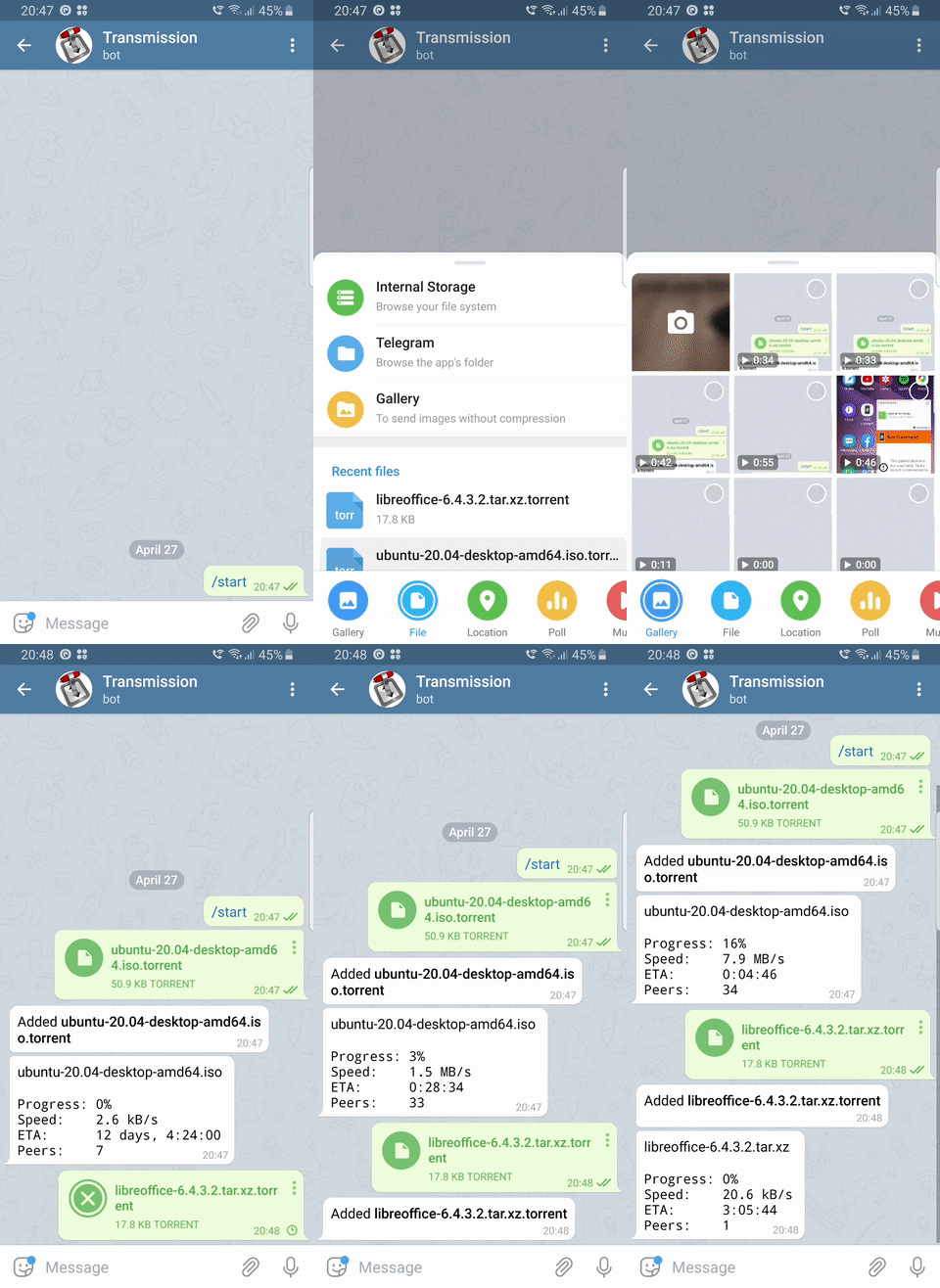
Features
- Support for two most popular torrent clients
Transmission,rTorrentanddeluge - Multithreading, each downloading item is handled separately
- Running post download script in separate process
- Self-adjustment of
Telegrambot limits based on number of torrents tracked - Easy configuration
- Uploading new torrent - just send torrent file to chat
Installation
You need Python 3 to run this program.
$ pip install --user tdpt
Create configuration file
$ cp tdpt.ini.template tdpt.ini
Edit it and save.
FAQ
Transmission already supports running script upon finishing download
Yes, that is true. However the script that transmission will run will
be executed in the same thread. That means any long running process
would freeze it for that amount of time which is highly undesirable.
tdpt picks up new items so slow
Currently it fetches new items every 20 seconds, because this operation can be quite expensive. I might add option to specify this interval based on your preferences.
I am downloading 20 items and tdpt updates them very rarely
Telegram puts limit of how often bot can make request to one channel.
Currently the limit is 20 updates per minute. tdpt makes time
adjustment based on number of torrents that it tracks to avoid hitting
limits.
1 maintainer

Metadata
1 maintainer
Release files for tdpt 1.3
For a detailed explanation of source distributions (sdists) and built distributions (wheels), please see the package formats documentation.
Source distribution (sdist)
| File | Size | Uploaded | |
|---|---|---|---|
| tdpt-1.3.tar.gz | 7.5 kB | Details |
Built distribution (wheel)
| File | Interpreter | ABI | Platform | Reset |
|---|---|---|---|---|
| tdpt-1.3-py3-none-any.whl | Python 3 | none | any | Details |
Total release size: 28.1 kB
Release files / tdpt-1.3.tar.gz
| Download URL | tdpt-1.3.tar.gz |
|---|---|
| Size | 7.5 kB |
| Tags | Source |
|
SHA-256 checksum How to use checksums |
2573eec987fc52d32fa34ba2ee08c663b0e490a34d1694f1e1824deb72d59887
|
|
BLAKE2b-256 checksum How to use checksums |
1ac43fbd49a9090a3d2acc6c818f89b37bc4e909dc6ab1964abe7bc20a29b6bd
|
| Upload date | |
|
Uploaded using Trusted Publishing? What is trusted publishing? |
No |
| Uploaded via |
twine/3.3.0 pkginfo/1.6.1 requests/2.25.0 setuptools/50.3.2 requests-toolbelt/0.9.1 tqdm/4.55.0 CPython/3.9.1
|
Release files / tdpt-1.3-py3-none-any.whl
| Download URL | tdpt-1.3-py3-none-any.whl |
|---|---|
| Size | 20.6 kB |
| Tags | Python 3 |
|
SHA-256 checksum How to use checksums |
f1fb7830f371710fbde5e6bce6d41553c8422e64a2fb7a787e28ed5acc8590bd
|
|
BLAKE2b-256 checksum How to use checksums |
fbe096a536882e56485b61a4d53498f032357a4758fa24f46f120579651bf8a9
|
| Upload date | |
|
Uploaded using Trusted Publishing? What is trusted publishing? |
No |
| Uploaded via |
twine/3.3.0 pkginfo/1.6.1 requests/2.25.0 setuptools/50.3.2 requests-toolbelt/0.9.1 tqdm/4.55.0 CPython/3.9.1
|














