
telegeo
This is a python package for scraping Telegram:iphone: based on geolocation:earth_asia:.
:loudspeaker:Check this package on PyPI
Installing
pip install telegeo
Dependencies:
(If nothing odd happens, users will install all the following dependencies of telegeo automatically after running "pip install telegeo"):
pandas
geopy
plotly
tqdm
telethon
How to use
step1: import telegeo
from telegeo import telegeo
step2: generating all coordinates within the specified latitude and longitude range.
use the map_range() fucntion in telegeo to generate the coordinates you need.
users should provide the following parameters⬇
★lat_max: max latitude of the map range.
★lon_max: max longitude of the map range.
★lat_min: min latitude of the map range.
★lon_min: min longitude of the map range.
★distance: the distance between two coordinates on the map.
★save_path: the path and filename for saving a csv file, which records all the coordinates.
(see Figure 1 for the first 5 parameters)
Example:
Move every 500 meters to generate all coordinates covering Hong Kong.
And, save as csv.
telegeo.map_range(lat_max = 22.560100,
                  lon_max = 114.404948,
                  lat_min = 22.155232,
                  lon_min = 113.835564,
                  distance = 0.5,
                  save_path = "geo_range_hk_r500.csv")
step3: generate a interactive map for displaying and checking the coordinates on a world map.
use the map_show() function in telegeo to create the map based on the above csv file.
telegeo.map_show(save_path = "geo_range_hk_r500.csv")
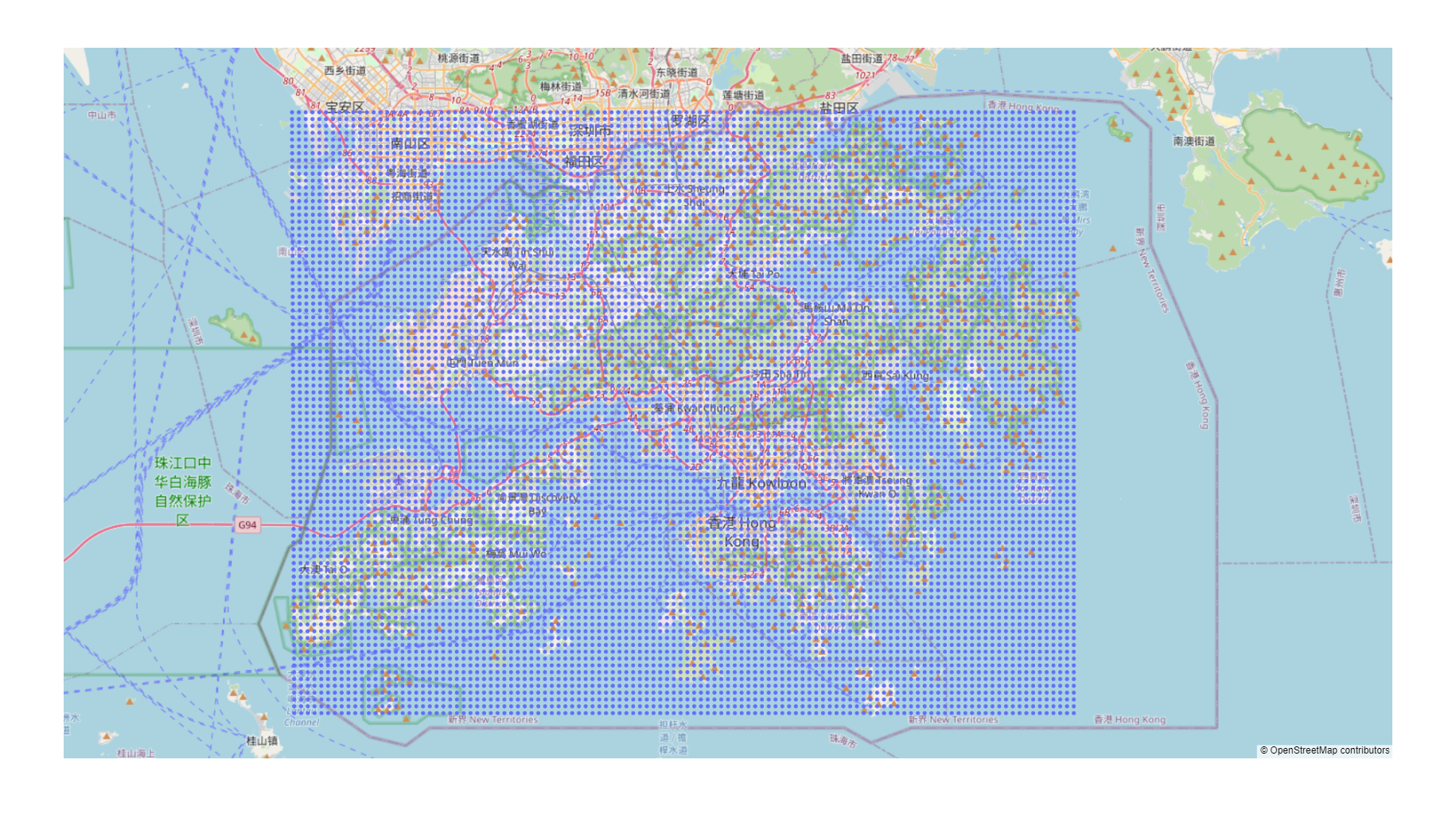
step4: some of the coordinates may not belong to your target city, choose a standard to filter the map
telegeo.map_center(lat_max = 22.560100,
                   lon_max = 114.404948,
                   lat_min = 22.155232,
                   lon_min = 113.835564)
the map_center() function will give you the geo information of the centroid on your target range, see the following results:
The centroid is →→(22.357914821609455, 114.12025600000001)
↓ Copy one standard to filter the coordinates generated from map_range() ↓ (e.g. 'state': '香港 Hong Kong')
{'road': '荃灣路 Tsuen Wan Road', 'quarter': '葵盛圍 Kwai Shing Circuit', 'suburb': '下葵涌 Ha Kwai Chung', 'town': '葵涌 Kwai Chung', 'county': '葵青區 Kwai Tsing District', 'region': '新界 New Territories', 'state': '香港 Hong Kong', 'ISO3166-2-lvl3': 'CN-HK', 'country': '中国', 'country_code': 'cn'}
Then you could choose a item from the results to filter the map. For example, if you want to all the coordinates in Hong Kong, we could copy this string↓ 'state': '香港 Hong Kong' as a standard to filter the map through the next function: map_filter().
telegeo.map_filter(data_path = "geo_range_hk_r500.csv",
                   target = "'state': '香港 Hong Kong'")
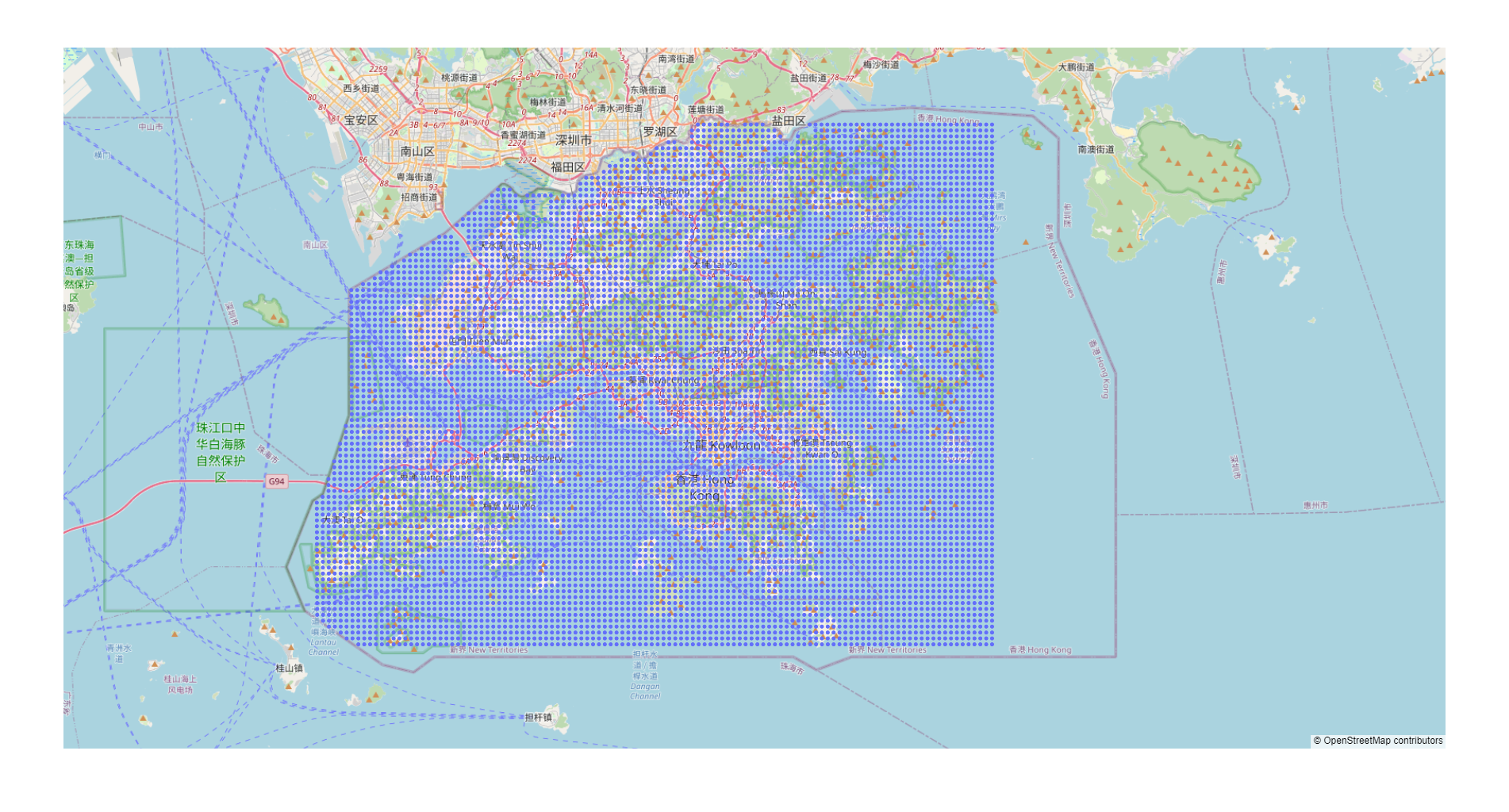
This function will check all the coordinates in your original dataset "geo_range_hk_r500.csv", excluding all the coordinates you don't need based on your "standard" (target).
This process will take some time if you have many coordinates to be filtered (due to the rate limit of "geopy"). You will get two csv files:
(1) geo_range_hk_r500_address.csv (contains the detailed geo information of all the coordinates in your original dataset);
(2) geo_range_hk_r500_filter.csv (a new dataset that includes all the coordinates you need, this dataset will be used for later data collection)
Before the data collection, we could map_show() again with our new dataset "geo_range_hk_r500_filter.csv" to check the filter process:
telegeo.map_show(save_path = "geo_range_hk_r500_filter.csv")
More tutorial: To Be Continued...
1 maintainer

Metadata
1 maintainer
Release files for telegeo 0.1.2
For a detailed explanation of source distributions (sdists) and built distributions (wheels), please see the package formats documentation.
Source distribution (sdist)
| File | Size | Uploaded | |
|---|---|---|---|
| telegeo-0.1.2.tar.gz | 16.7 kB | Details |
Built distribution (wheel)
| File | Interpreter | ABI | Platform | Reset |
|---|---|---|---|---|
| telegeo-0.1.2-py3-none-any.whl | Python 3 | none | any | Details |
Total release size: 34.3 kB
Release files / telegeo-0.1.2.tar.gz
| Download URL | telegeo-0.1.2.tar.gz |
|---|---|
| Size | 16.7 kB |
| Tags | Source |
|
SHA-256 checksum How to use checksums |
bcae7984157b7dca55e24f30bd140fef8089f77359f36f7ecb241295778610b8
|
|
BLAKE2b-256 checksum How to use checksums |
1a8e8bfdf59348f22dfa9e2ce314b955f8d5ea8c38a026bab8e7e31c83a3a91b
|
| Upload date | |
|
Uploaded using Trusted Publishing? What is trusted publishing? |
No |
| Uploaded via |
twine/4.0.1 CPython/3.9.0
|
Release files / telegeo-0.1.2-py3-none-any.whl
| Download URL | telegeo-0.1.2-py3-none-any.whl |
|---|---|
| Size | 17.6 kB |
| Tags | Python 3 |
|
SHA-256 checksum How to use checksums |
d62ea3a37a7c2e90b0f38e6853b7cb0ce9b167070f0a261cfe7008882d18fea8
|
|
BLAKE2b-256 checksum How to use checksums |
4e73389b6fa4665b7bdd59bb638a937f7d6d5c77c19451c7f082736386276da5
|
| Upload date | |
|
Uploaded using Trusted Publishing? What is trusted publishing? |
No |
| Uploaded via |
twine/4.0.1 CPython/3.9.0
|














