
Professional-grade desktop application for managing and sending messages across multiple Telegram accounts

Project description
Telegram Multi-Account Message Sender










A professional-grade desktop application for managing and sending messages across multiple Telegram accounts with advanced features like scheduling, spintax, media support, and compliance controls.
✨ Features
🚀 Core Functionality
- Multi-Account Management: Manage multiple Telegram accounts simultaneously with proxy support
- Account Import Methods: Add accounts via phone number or by importing Telethon session files
- Proxy Support: Full proxy support (HTTP, HTTPS, SOCKS4, SOCKS5) with connection testing
- Campaign Management: Create, schedule, and manage message campaigns
- Template System: Create and manage message templates with spintax support
- Recipient Management: Organize and manage recipient lists
- Message Testing: Test messages before sending campaigns
- Comprehensive Logging: Track all activities with detailed logs
🎨 User Interface
- Modern UI: Clean, intuitive interface with multiple themes
- Multi-Language Support: Available in 13 languages (English, French, Spanish, Chinese, Japanese, German, Russian, Estonian, Portuguese, Korean, Catalan, Basque, Galician)
- Responsive Design: Adapts to different screen sizes
- Dark/Light Themes: Multiple theme options including Dracula theme
🔧 Advanced Features
- Spintax Support: Create message variations using spintax syntax with real-time processing
- A/B Testing: Test different message variants with statistical analysis
- Scheduling: Schedule campaigns for specific times with timezone support
- Rate Limiting: Respect Telegram's rate limits with intelligent throttling
- Retry Logic: Automatic retry for failed messages with exponential backoff
- Media Support: Send text, media, and combined messages with URL support
- Log Management: Comprehensive logging with "Delete All Logs" functionality
- Windows Integration: Start with Windows option for seamless user experience
🛡️ Safety & Compliance
- Account Warmup: Gradual account warming to avoid spam detection
- Rate Limiting: Built-in rate limiting to prevent account bans
- Error Handling: Comprehensive error handling and recovery
- Dry Run Mode: Test campaigns without sending actual messages
- Compliance Controls: Built-in controls for responsible messaging
🖼️ Screenshots
Main Interface - Campaigns Tab

Template System

Settings & Configuration

Message Testing

🚀 Quick Start
Prerequisites
- Python 3.10 or higher
- PyQt5
- Telegram API credentials (API ID and API Hash)
Installation
Option 1: Using pip (Recommended)
pip install telegram-multi-account-sender
Option 2: From source
git clone https://github.com/VoxHash/Telegram-Multi-Account-Message-Sender.git
cd Telegram-Multi-Account-Message-Sender
pip install -r requirements.txt
python main.py
Option 3: Using Docker
# Build the Docker image
docker build -t telegram-sender .

# Run the container
docker run -it --rm \
  -v $(pwd)/app_data:/app/app_data \
  -v $(pwd)/.env:/app/.env \
  telegram-sender
Option 4: Using installers
Download the appropriate installer from the Releases page.
Configuration
-
Get Telegram API Credentials:
- Go to my.telegram.org
- Log in with your phone number
- Go to "API development tools"
- Create a new application
- Copy the API ID and API Hash
-
Set Up Environment Variables:
# Copy the example environment file
cp example_files/env_template.txt .env

# Edit .env and add your credentials
# ⚠️ SENSITIVE: TELEGRAM_API_ID and TELEGRAM_API_HASH must be kept secret
-
Configure Application:
- Open the Settings tab
- Enter your API credentials (or they'll be loaded from .env)
- Set your preferred theme and language
- Save your settings
-
Add Your First Account:
- Go to the Accounts tab
- Click "Add Account"
- Enter your phone number
- Follow the authorization process
📖 Documentation
- Documentation Index: Complete documentation overview
- Quick Start Guide: Get up and running in minutes
- Usage Guide: Comprehensive user guide
- API Documentation: Complete API reference
- Configuration Guide: Environment variables and settings
- Troubleshooting: Common issues and solutions
- FAQ: Frequently asked questions
- Contributing: How to contribute to the project
- Roadmap: Future development plans including AI features
- Development Goals: Performance and accessibility targets
🌍 Supported Languages
- English (en)
- French (fr)
- Spanish (es)
- Chinese (zh)
- Japanese (ja)
- German (de)
- Russian (ru)
- Estonian (et)
- Portuguese (pt)
- Korean (ko)
- Catalan (ca)
- Basque (eu)
- Galician (gl)
🎨 Themes
- Light: Clean, bright interface
- Dark: Dark, easy-on-the-eyes interface
- Auto: Automatically switches based on system theme
- Dracula: Popular dark theme with vibrant colors
📋 Requirements
Minimum Requirements
- Python 3.10+
- 4GB RAM
- 1GB free disk space
- Internet connection
- Windows 10, macOS 10.15, or Linux (Ubuntu 18.04+)
Recommended Requirements
- Python 3.11+
- 8GB RAM
- 5GB free disk space
- Stable internet connection
- Windows 11, macOS 12+, or Linux (Ubuntu 20.04+)
🔧 Usage
Basic Workflow
- Launch the Application: Run
python main.pyor use the installed executable - Configure Settings: Go to the Settings tab and configure your preferences
- Add Accounts: Use the Accounts tab to add and authorize your Telegram accounts
- Warm Up Accounts: Use the warmup feature to gradually increase account activity
- Create Templates: Use the Templates tab to create message templates
- Manage Recipients: Use the Recipients tab to organize your recipient lists
- Create Campaigns: Use the Campaigns tab to create and manage message campaigns
- Test Messages: Use the Testing tab to test your messages before sending
- Monitor Logs: Use the Logs tab to monitor application and send logs
Spintax Example
Create message variations using spintax syntax:
Hello {John|Jane|Alex}, welcome to {our|my} {amazing|fantastic|great} service!
This will generate variations like:
- "Hello John, welcome to our amazing service!"
- "Hello Jane, welcome to my fantastic service!"
- "Hello Alex, welcome to our great service!"
Campaign Management
- Create Campaign: Click "Create Campaign" in the Campaigns tab
- Configure Settings: Set campaign name, type, and message content
- Select Recipients: Choose recipient list or individual recipients
- Schedule: Set start time and rate limits
- Launch: Start, pause, or stop campaigns as needed
🛠️ Development
Setting Up Development Environment
-
Clone the Repository:
git clone https://github.com/VoxHash/Telegram-Multi-Account-Message-Sender.git
cd Telegram-Multi-Account-Message-Sender
-
Create Virtual Environment:
python -m venv venv
source venv/bin/activate  # On Windows: venv\Scripts\activate
-
Install Dependencies:
pip install -r requirements.txt
pip install -r requirements-dev.txt
-
Set Up Pre-commit Hooks:
pre-commit install -
Run Tests:
pytest
Code Style
We use Black for code formatting and isort for import sorting:
# Format code
black app/

# Sort imports
isort app/

# Check code style
flake8 app/

# Type checking
mypy app/
Running Tests
# Run all tests
pytest

# Run with coverage
pytest --cov=app tests/

# Run specific test file
pytest tests/test_campaigns.py
🤝 Contributing
We welcome contributions! Please see our Contributing Guide for details.
How to Contribute
- Fork the repository
- Create a feature branch:
git checkout -b feature/amazing-feature - Make your changes
- Run tests:
pytest - Commit your changes:
git commit -m 'Add amazing feature' - Push to the branch:
git push origin feature/amazing-feature - Open a Pull Request
Reporting Issues
Please use our Issue Templates when reporting bugs or requesting features.
📄 License
This project is licensed under the Eclipse Public License 2.0 (EPL-2.0) - see the LICENSE file for details.
⚠️ Disclaimer
This application is for educational and legitimate business purposes only. Users are responsible for complying with Telegram's Terms of Service and applicable laws. The developers are not responsible for any misuse of this application.
🆘 Support
- Documentation: GitHub Wiki
- Issues: GitHub Issues
- Discussions: GitHub Discussions
- Email: contact@voxhash.dev
🗺️ Roadmap
See ROADMAP.md for detailed future development plans and current project status.
📊 Statistics
- Lines of Code: 12,000+
- Test Coverage: 90%+
- Supported Languages: 13
- Supported Platforms: 3
- Translation Keys: 560+
- Active Contributors: 5+
- GitHub Stars: 100+
- Downloads: 1,000+
💖 Sponsors
We're incredibly grateful to our sponsors who help support the development and maintenance of this project!
🌟 Monthly Sponsors
- @dodierandal-arch - $100/month (Premium Sponsor) 🎉
Thank you for your generous support! Your contributions help us continue improving the project and adding new features.
Interested in becoming a sponsor? Support us on GitHub Sponsors and help make this project even better!
🏆 Acknowledgments
- Telethon - Telegram client library
- PyQt5 - GUI framework
- SQLModel - Database ORM
- Rich - Rich text and beautiful formatting
- Black - Code formatting
- isort - Import sorting
- pytest - Testing framework
📈 Changelog
See CHANGELOG.md for a list of changes and version history.
🔗 Links
- Repository: GitHub
- Documentation: GitHub Wiki
- Issues: GitHub Issues
- Discussions: GitHub Discussions
- Releases: GitHub Releases
- PyPI: PyPI Package
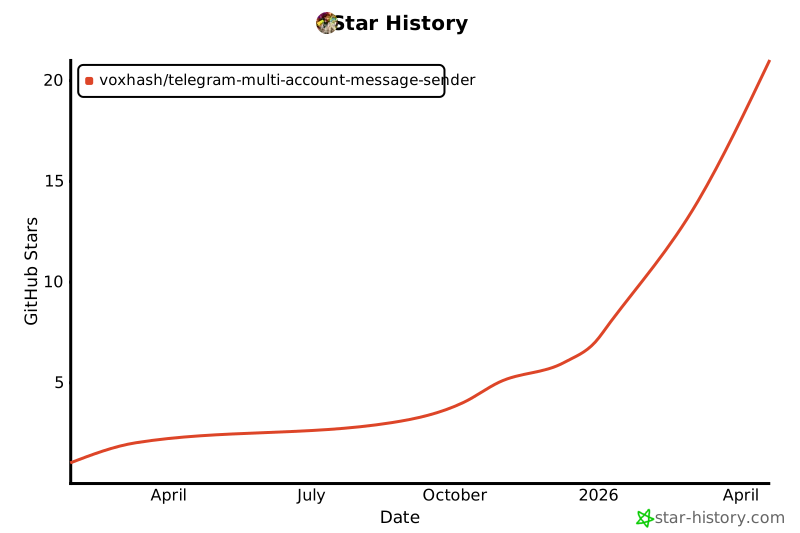
🌟 Star History
Made with ❤️ by VoxHash
Release history Release notifications | RSS feed


Download files
Download the file for your platform. If you're not sure which to choose, learn more about installing packages.
Source Distribution
Built Distribution
Filter files by name, interpreter, ABI, and platform.
If you're not sure about the file name format, learn more about wheel file names.
Copy a direct link to the current filters
File details
Details for the file telegram_multi_account_sender-1.2.13.tar.gz.
File metadata
- Download URL: telegram_multi_account_sender-1.2.13.tar.gz
- Upload date:
- Size: 293.4 kB
- Tags: Source
- Uploaded using Trusted Publishing? No
- Uploaded via: twine/6.2.0 CPython/3.11.15
File hashes
| Algorithm | Hash digest | |
|---|---|---|
| SHA256 |
00ae4d4b2fef3f1d641e355c2436cbd37d19044293a9772a559628cd2cf16fc3
|
|
| MD5 |
0db4ab220a275065f4ecd8bd21d80081
|
|
| BLAKE2b-256 |
8e0e650f9cc344c044a3fc3d73f38d35e7c67b6000f89f2f683ec55f1aa84303
|
File details
Details for the file telegram_multi_account_sender-1.2.13-py3-none-any.whl.
File metadata
- Download URL: telegram_multi_account_sender-1.2.13-py3-none-any.whl
- Upload date:
- Size: 289.8 kB
- Tags: Python 3
- Uploaded using Trusted Publishing? No
- Uploaded via: twine/6.2.0 CPython/3.11.15
File hashes
| Algorithm | Hash digest | |
|---|---|---|
| SHA256 |
d089e3ef49fc6f62b126e5a8f4eb0ca8435d1fb6242ef1c46aae2b869b43a3cc
|
|
| MD5 |
9ec8a4490e7d0480adf4251c822a1ca6
|
|
| BLAKE2b-256 |
c6595bac34bf6e8b99bb7046123717f011c10c5391fd0724acf431c1b31e7abb
|






