
A Bootstrap theme for Django Admin

Project description


A Django admin theme using Bootstrap. It doesn’t need any kind of modification on your side, just add it to the installed apps.
Requirements
Django 3.2
Installation
Download it from PyPi with pip install tendenci-django-admin-bootstrapped
Add into the INSTALLED_APPS before 'django.contrib.admin':
'django_admin_bootstrapped',
Have fun!
Configuration
For a full bootstrap3 experience you may want to use a custom renderer for the fields. There’s one available in tree that requires the django-bootstrap3 application installed. You have to add to your project settings file:
DAB_FIELD_RENDERER = 'django_admin_bootstrapped.renderers.BootstrapFieldRenderer'
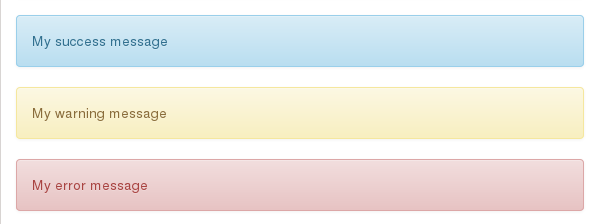
Messages will have alert-info tag by default, so you may want to add Bootstrap 3 tags for different message levels to make them styled appropriately. Add to your project settings file:
from django.contrib import messages

MESSAGE_TAGS = {
            messages.SUCCESS: 'alert-success success',
            messages.WARNING: 'alert-warning warning',
            messages.ERROR: 'alert-danger error'
}
Now, adding messages like this:
messages.success(request, "My success message")
messages.warning(request, "My warning message")
messages.error(request, "My error message")
will result into this:
Goodies
Add custom html to the change form of any model with a template
You can inject custom html on top of any change form creating a template named admin_model_MODELNAME_change_form.html into the application’s template folder. Eg: myapp/templates/myapp/admin_model_mymodelname_change_form.html or project/templates/myapp/admin_model_mymodelname_change_form.html.
Inline sortable
You can add drag&drop sorting capability to any inline with a couple of changes to your code.
First, add a position field in your model (and sort your model accordingly), for example:
class TestSortable(models.Model):
    that = models.ForeignKey(TestMe)
    position = models.PositiveSmallIntegerField("Position")
    test_char = models.CharField(max_length=5)

    class Meta:
        ordering = ('position', )
Then in your admin.py create a class to handle the inline using the django_admin_bootstrapped.admin.models.SortableInline mixin, like this:
from django_admin_bootstrapped.admin.models import SortableInline
from models import TestSortable

class TestSortable(admin.StackedInline, SortableInline):
    model = TestSortable
    extra = 0
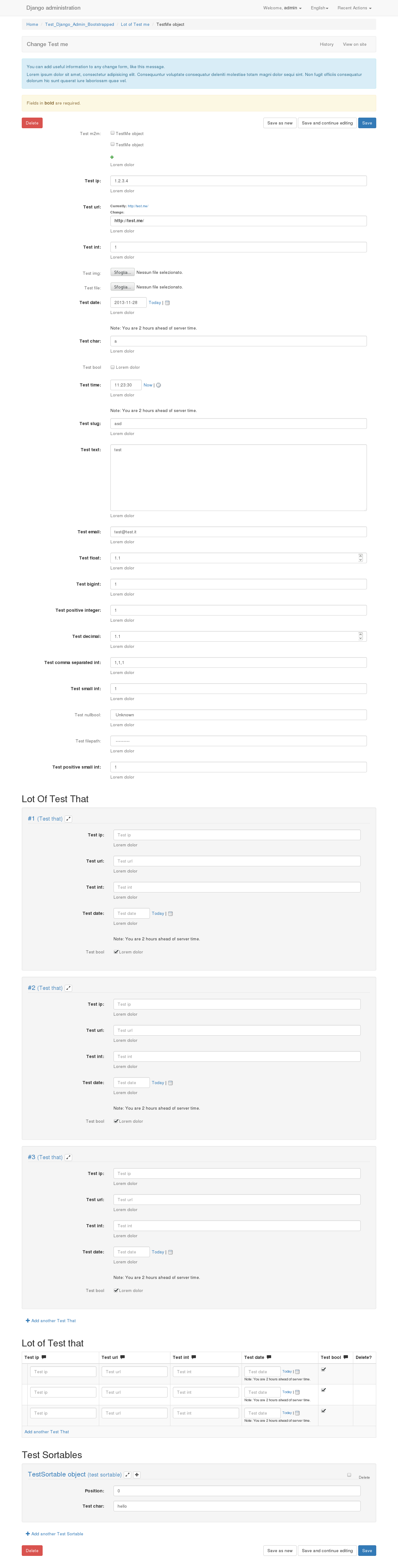
You can now use the inline as usual. See the screenshots section to see what the result will look like.
This feature was brought to you by Kyle Bock. Thank you Kyle!
XHTML Compatible
Compatible with both html and xhtml. To enable xhtml for your django app add the following to your settings.py: DEFAULT_CONTENT_TYPE = ‘application/xhtml+xml’
Generic lookups in admin
All that needs to be done is change the admin widget with either formfield_overrides like this:
from django_admin_bootstrapped.widgets import GenericContentTypeSelect

class SomeModelAdmin(admin.ModelAdmin):
    formfield_overrides = {
        models.ForeignKey: {'widget': GenericContentTypeSelect},
    }
Or if you want to be more specific:
from django_admin_bootstrapped.widgets import GenericContentTypeSelect

class SomeModelAdmin(admin.ModelAdmin):
    def formfield_for_dbfield(self, db_field, **kwargs):
        if db_field.name == 'content_type':
            kwargs['widget'] = GenericContentTypeSelect
        return super(SomeModelAdmin, self).formfield_for_dbfield(db_field, **kwargs)
If you decide on using formfield_overrides you should be aware of its limitations with relation fields.
This feature (and many more) was brought to you by Jacob Magnusson. Thank you Jacob!
Contributing
Every code, documentation and UX contribution is welcome.
Found an issue? Report it in the bugtracker!
Have some free time? Help fixing an already filed issue, just remember to work on a separate branch please.
Screenshots
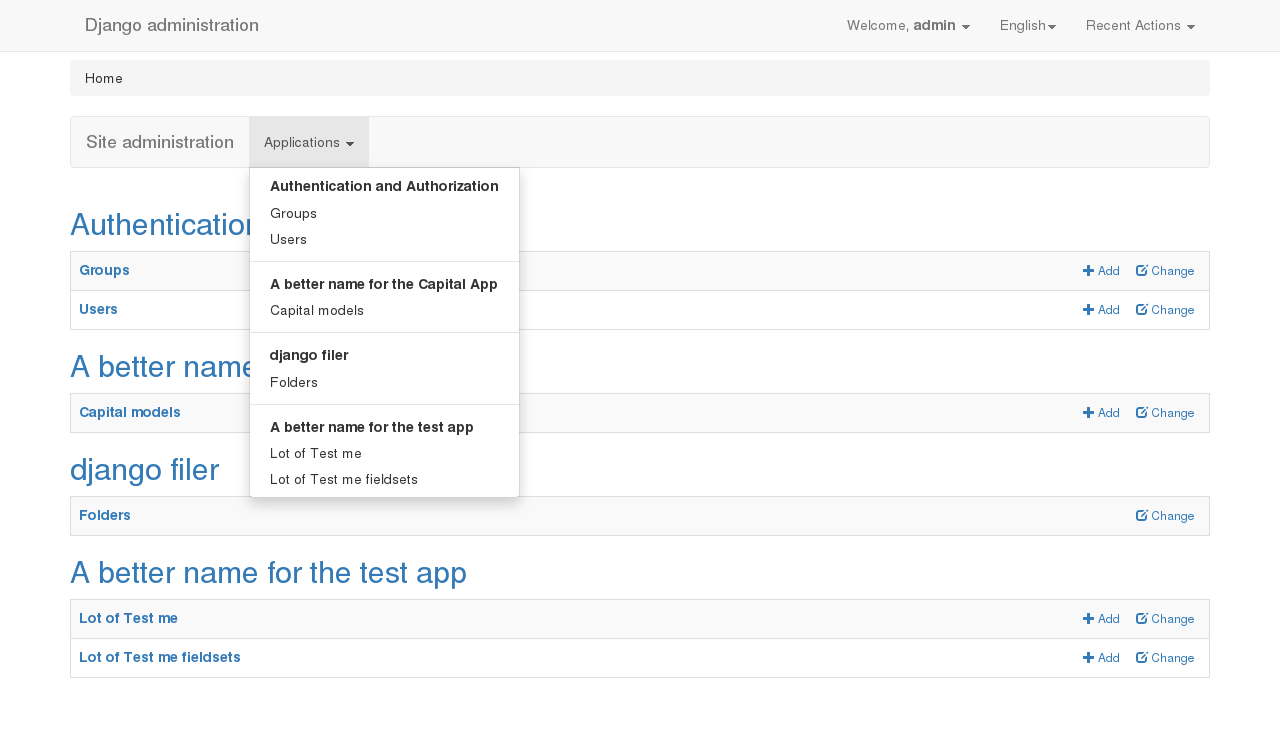
Homepage
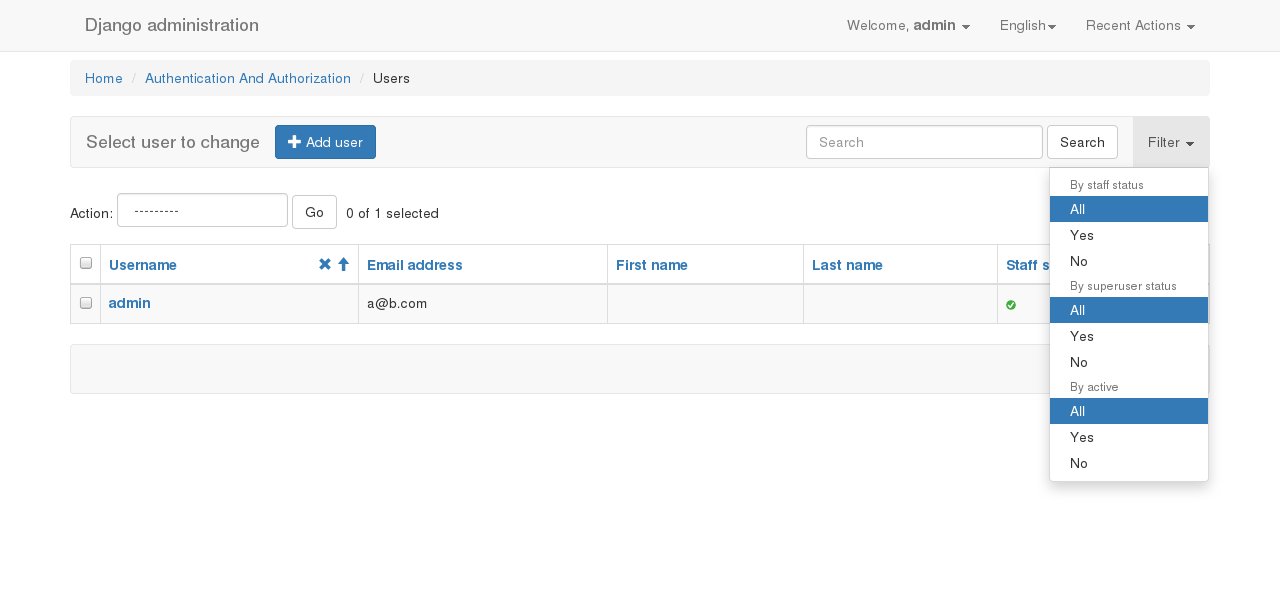
List view with filters in dropdown
Change form view


Download files
Download the file for your platform. If you're not sure which to choose, learn more about installing packages.
Source Distribution
Built Distribution
Filter files by name, interpreter, ABI, and platform.
If you're not sure about the file name format, learn more about wheel file names.
Copy a direct link to the current filters
File details
Details for the file tendenci_django_admin_bootstrapped-6.2.tar.gz.
File metadata
- Download URL: tendenci_django_admin_bootstrapped-6.2.tar.gz
- Upload date:
- Size: 383.0 kB
- Tags: Source
- Uploaded using Trusted Publishing? No
- Uploaded via: twine/6.2.0 CPython/3.12.7
File hashes
| Algorithm | Hash digest | |
|---|---|---|
| SHA256 |
d52a2724e0df2d7523b26da79661ae6c8f51e48fe65b0f4e8b18043d1446f05d
|
|
| MD5 |
f19de65e2189c75eb84f1e5ad66b56dc
|
|
| BLAKE2b-256 |
517c6946e7c001b7a9ad456b1ad38bc333e7bc12f113df9b9a32ad077c4fca5a
|
File details
Details for the file tendenci_django_admin_bootstrapped-6.2-py3-none-any.whl.
File metadata
- Download URL: tendenci_django_admin_bootstrapped-6.2-py3-none-any.whl
- Upload date:
- Size: 408.0 kB
- Tags: Python 3
- Uploaded using Trusted Publishing? No
- Uploaded via: twine/6.2.0 CPython/3.12.7
File hashes
| Algorithm | Hash digest | |
|---|---|---|
| SHA256 |
40b82132f6e712bcd48914ad148e188d9267c3c1bd3de21b0b92079dbc2d6eca
|
|
| MD5 |
238d971c39d364569f40a471838a16ed
|
|
| BLAKE2b-256 |
07f9fd9677494a52257063728a06be0c6bf21d5e28248b28a97086c2f3869c4a
|






