
A library for analyzing TensorFlow models


Project description
TensorFlow Model Analysis



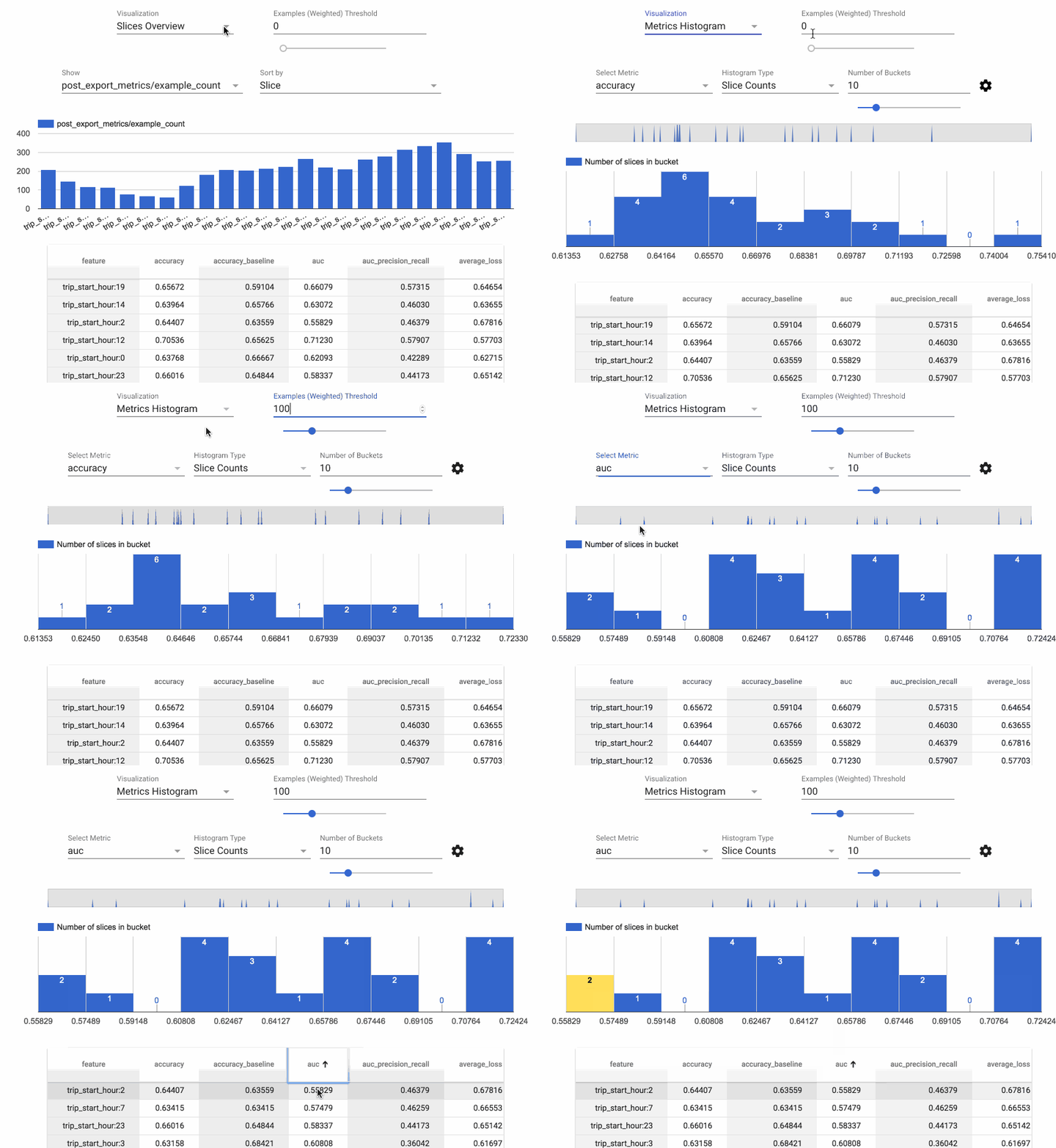
TensorFlow Model Analysis (TFMA) is a library for evaluating TensorFlow models. It allows users to evaluate their models on large amounts of data in a distributed manner, using the same metrics defined in their trainer. These metrics can be computed over different slices of data and visualized in Jupyter notebooks.
Caution: TFMA may introduce backwards incompatible changes before version 1.0.
Installation
The recommended way to install TFMA is using the PyPI package:
pip install tensorflow-model-analysis
Currently, TFMA requires that TensorFlow is installed but does not have an explicit dependency on the TensorFlow PyPI package. See the TensorFlow install guides for instructions.
To enable TFMA visualization in Jupyter Notebook:
jupyter nbextension enable --py widgetsnbextensionjupyter nbextension install --py --symlink tensorflow_model_analysisjupyter nbextension enable --py tensorflow_model_analysis
Note: If Jupyter notebook is already installed in your home directory, add
--user to these commands. If Jupyter is installed as root, or using a virtual
environment, the parameter --sys-prefix might be required.
Dependencies
Apache Beam is required to run distributed analysis. By default, Apache Beam runs in local mode but can also run in distributed mode using Google Cloud Dataflow. TFMA is designed to be extensible for other Apache Beam runners.
Getting Started
For instructions on using TFMA, see the get started guide.
Compatible Versions
The following table is the TFMA package versions that are compatible with each other. This is determined by our testing framework, but other untested combinations may also work.
| tensorflow-model-analysis | tensorflow | apache-beam[gcp] |
|---|---|---|
| GitHub master | nightly (1.x/2.x) | 2.16.0 |
| 0.15.1 | 1.15 / 2.0 | 2.16.0 |
| 0.15.0 | 1.15 | 2.16.0 |
| 0.14.0 | 1.14 | 2.14.0 |
| 0.13.1 | 1.13 | 2.11.0 |
| 0.13.0 | 1.13 | 2.11.0 |
| 0.12.1 | 1.12 | 2.10.0 |
| 0.12.0 | 1.12 | 2.10.0 |
| 0.11.0 | 1.11 | 2.8.0 |
| 0.9.2 | 1.9 | 2.6.0 |
| 0.9.1 | 1.10 | 2.6.0 |
| 0.9.0 | 1.9 | 2.5.0 |
| 0.6.0 | 1.6 | 2.4.0 |
Questions
Please direct any questions about working with TFMA to Stack Overflow using the tensorflow-model-analysis tag.
Release history Release notifications | RSS feed


Download files
Download the file for your platform. If you're not sure which to choose, learn more about installing packages.
Source Distributions
Built Distributions
Filter files by name, interpreter, ABI, and platform.
If you're not sure about the file name format, learn more about wheel file names.
Copy a direct link to the current filters
File details
Details for the file tensorflow_model_analysis-0.15.1-py3-none-any.whl.
File metadata
- Download URL: tensorflow_model_analysis-0.15.1-py3-none-any.whl
- Upload date:
- Size: 887.9 kB
- Tags: Python 3
- Uploaded using Trusted Publishing? No
- Uploaded via: twine/1.15.0 pkginfo/1.5.0.1 requests/2.22.0 setuptools/41.4.0 requests-toolbelt/0.9.1 tqdm/4.36.1 CPython/2.7.16
File hashes
| Algorithm | Hash digest | |
|---|---|---|
| SHA256 |
6ffd73b2ff8d0168c1cebcf992ce28caeda20d011c39c65cfd331bd2c12f9f7c
|
|
| MD5 |
eaae51572d5af46f88baa60afc8ae71e
|
|
| BLAKE2b-256 |
7a1adf6d60fa5a2c58b58cb8186b1950f5f0631b66288ee20b644efa1778b9a9
|
File details
Details for the file tensorflow_model_analysis-0.15.1-py2-none-any.whl.
File metadata
- Download URL: tensorflow_model_analysis-0.15.1-py2-none-any.whl
- Upload date:
- Size: 882.5 kB
- Tags: Python 2
- Uploaded using Trusted Publishing? No
- Uploaded via: twine/1.15.0 pkginfo/1.5.0.1 requests/2.22.0 setuptools/41.4.0 requests-toolbelt/0.9.1 tqdm/4.36.1 CPython/2.7.16
File hashes
| Algorithm | Hash digest | |
|---|---|---|
| SHA256 |
138e3fbe61e8f28738a50953459f4421a1afed4e3aa2071c817a133ea3fb4733
|
|
| MD5 |
6d48a4ad65ff5f0e11d0a479aa15b72a
|
|
| BLAKE2b-256 |
cfbe8deacc7fc907c1980a5991620be8b190fdc6cbed9672dad83c7709f4693c
|






