
Term-Music
still in development
Terminal music player with audio visualization and youtube-dl integration.
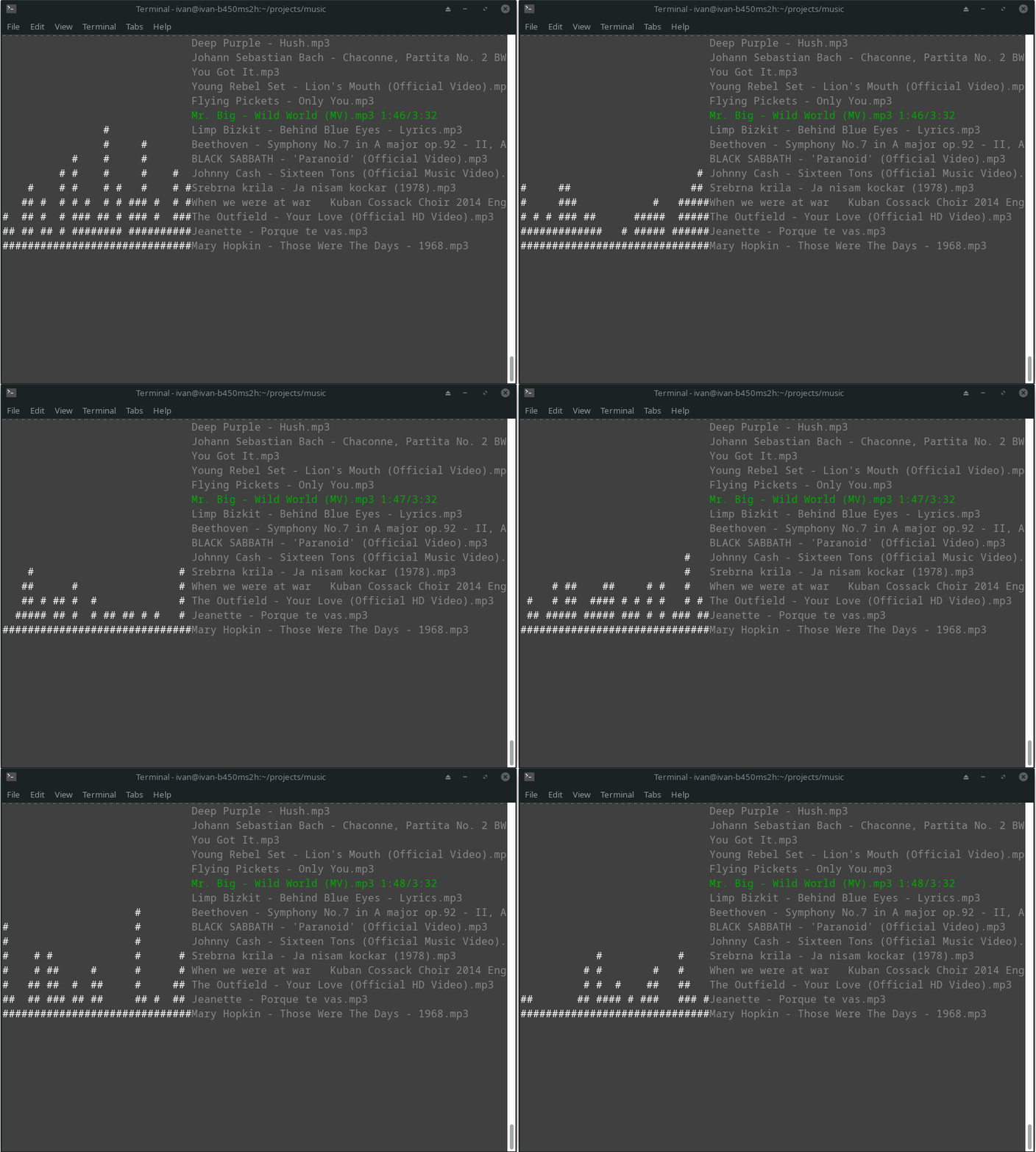
Installation
Install using pip pip install term-music. After installation, you can run term-music.
At first run, the program will create a folder called .term-music in your home directory with config.ini file with
default settings. You can change the settings in the config file to your liking.
Also in the .term-music directory
there will be a music-lib folder where all your songs will be downloaded to. You can change this by changing the
download_folder setting in the config file.
Usage
Inside your download folder all .mp3 files will be considered as songs and all .txt files will be considered as playlists.
Playlist files should be text files with each line containing the name of a song (without extension) that is in your library.
usage: music [-h] [-v] {play,playall,playlist,ls,load} ...

positional arguments:
  {play,playall,playlist,ls,load}
    play                play a song
    playall             play all songs or playlists
    playlist            play playlist
    ls                  list songs
    load                download a list of songs

options:
  -h, --help            show this help message and exit
  -v, --version         show program's version number and exit
play
usage: music play [-h] [-e] [-nd] query [query ...]

positional arguments:
  query              query used to search the library or youtube for the song
                     to play

options:
  -h, --help         show this help message and exit
  -e, --exact        only use exact matches to play a song from library, will
                     not search youtube or download a song
  -nd, --nodownload  don't search youtube and download the song if none is
                     found in library
playall
usage: music playall [-h] [{songs,playlists}]

positional arguments:
  {songs,playlists}

options:
  -h, --help         show this help message and exit
playlist
usage: music playlist [-h] [-e] query

positional arguments:
  query        query used to search the library for a playlist to play

options:
  -h, --help   show this help message and exit
  -e, --exact  only play a playlist if exact match is found
ls
usage: music ls [-h] [-a] [-p] [-f]

options:
  -h, --help      show this help message and exit
  -a, --all       list all songs and playlists
  -p, --playlist  list only playlists
  -f, --full      list all songs with playlists they are on
load
usage: music load [-h] [-p PLAYLIST] [-c] songs [songs ...]

positional arguments:
  songs                 list of songs to download in music library

options:
  -h, --help            show this help message and exit
  -p PLAYLIST, --playlist PLAYLIST
                        name of the playlist that will be made out of
                        downloaded songs
  -c, --check           if true will check if song already exists and won't
                        download it
1 maintainer

Metadata
1 maintainer
Release files for term-music 0.2.1
For a detailed explanation of source distributions (sdists) and built distributions (wheels), please see the package formats documentation.
Source distribution (sdist)
| File | Size | Uploaded | Provenance | |
|---|---|---|---|---|
| term-music-0.2.1.tar.gz | 12.3 kB | Without provenance | Details |
Built distribution (wheel)
| File | Interpreter | ABI | Platform | Reset |
|---|---|---|---|---|
| term_music-0.2.1-py3-none-any.whl | Python 3 | none | any | Details |
Total release size: 26.4 kB
Release files / term-music-0.2.1.tar.gz
| Download URL | term-music-0.2.1.tar.gz |
|---|---|
| Size | 12.3 kB |
| Tags | Source |
|
SHA-256 checksum How to use checksums |
b747c6cb4c392b97ca9c490a8f43f62e7b002bc0d8c40d52f124bb8d57a1b2ce
|
|
BLAKE2b-256 checksum How to use checksums |
92cd87c9198702e734002d8d3e0abfceb5ada9dd9d2d367859d695c838a8d006
|
| Upload date | |
|
Uploaded using Trusted Publishing? What is trusted publishing? |
No |
| Uploaded via |
twine/4.0.2 CPython/3.10.10
|
Release files / term_music-0.2.1-py3-none-any.whl
| Download URL | term_music-0.2.1-py3-none-any.whl |
|---|---|
| Size | 14.1 kB |
| Tags | Python 3 |
|
SHA-256 checksum How to use checksums |
3ca112c7aaf3fb0fa60381b8780630c620029cb09bd23dd3765d7bd97ea6a747
|
|
BLAKE2b-256 checksum How to use checksums |
1746cefb463fc6429daf5237d0a9b17202a1881d38f33d81034f33cb2550c3da
|
| Upload date | |
|
Uploaded using Trusted Publishing? What is trusted publishing? |
No |
| Uploaded via |
twine/4.0.2 CPython/3.10.10
|
Security for term-music 0.2.1
Provenance
Provenance describes where a file came from. On PyPI, provenance is shared via attestations, which provide a verifiable record of the build or publishing details. View details, limitations and caveats.
No provenance found
None of the files in this release were uploaded with provenance metadata.
A note on package security
PyPI is a repository for distributing packages, not a service for auditing them. While third-party security researchers and our staff do their best to detect and remove malicious packages, PyPI cannot guarantee the quality, security or suitability of any given package.














