
Terminal web browser.

Project description
Term - terminal web browser
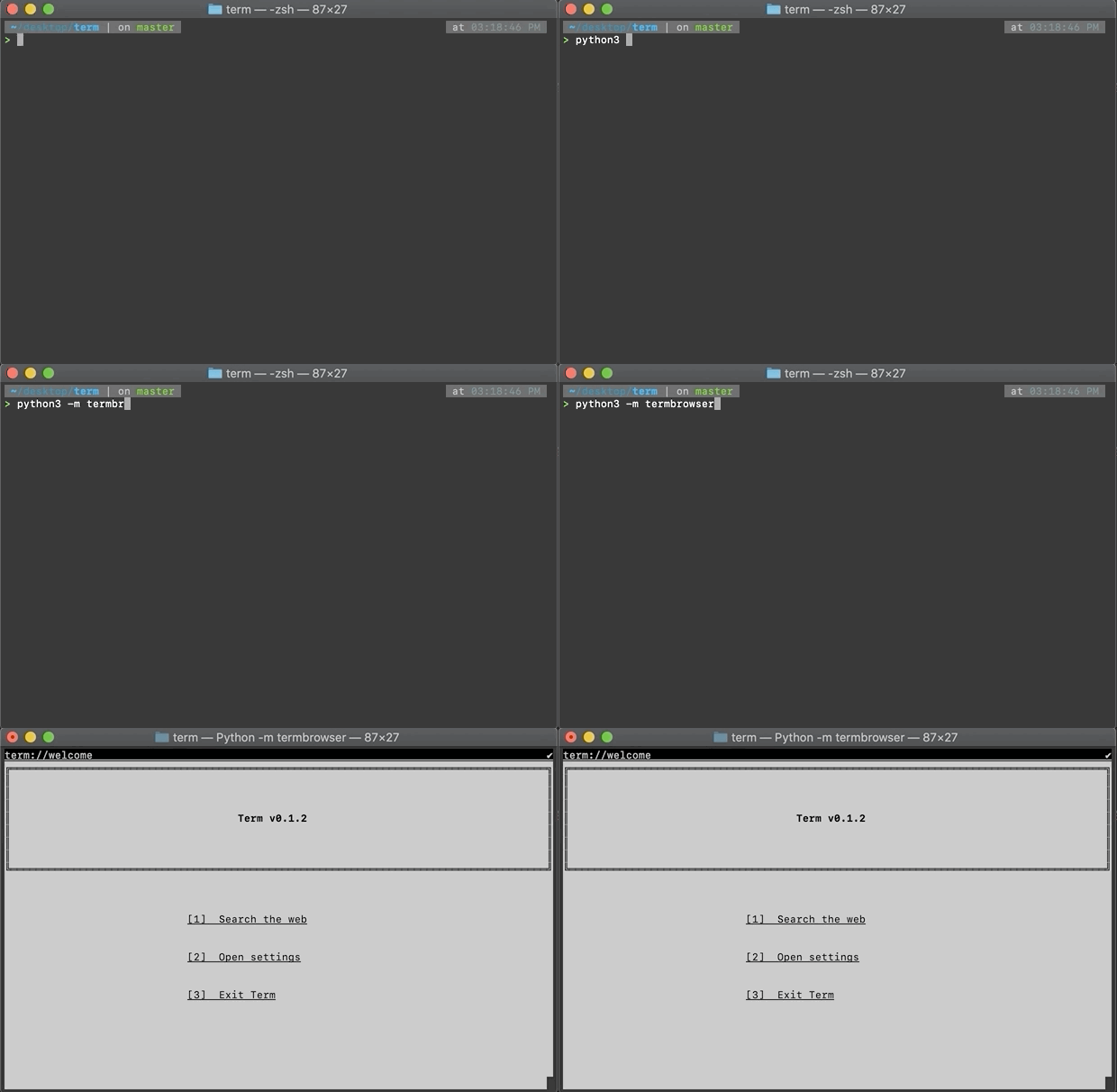
Term is terminal-based web browser that only accepts files using the Term File Format. This browser is responsive to youtr terminal's sizing and is developer-focused. This browser will not render HTML or execute JavaScript. It does, however, implement a similar DOM model, and styling attributes are similar to CSS.
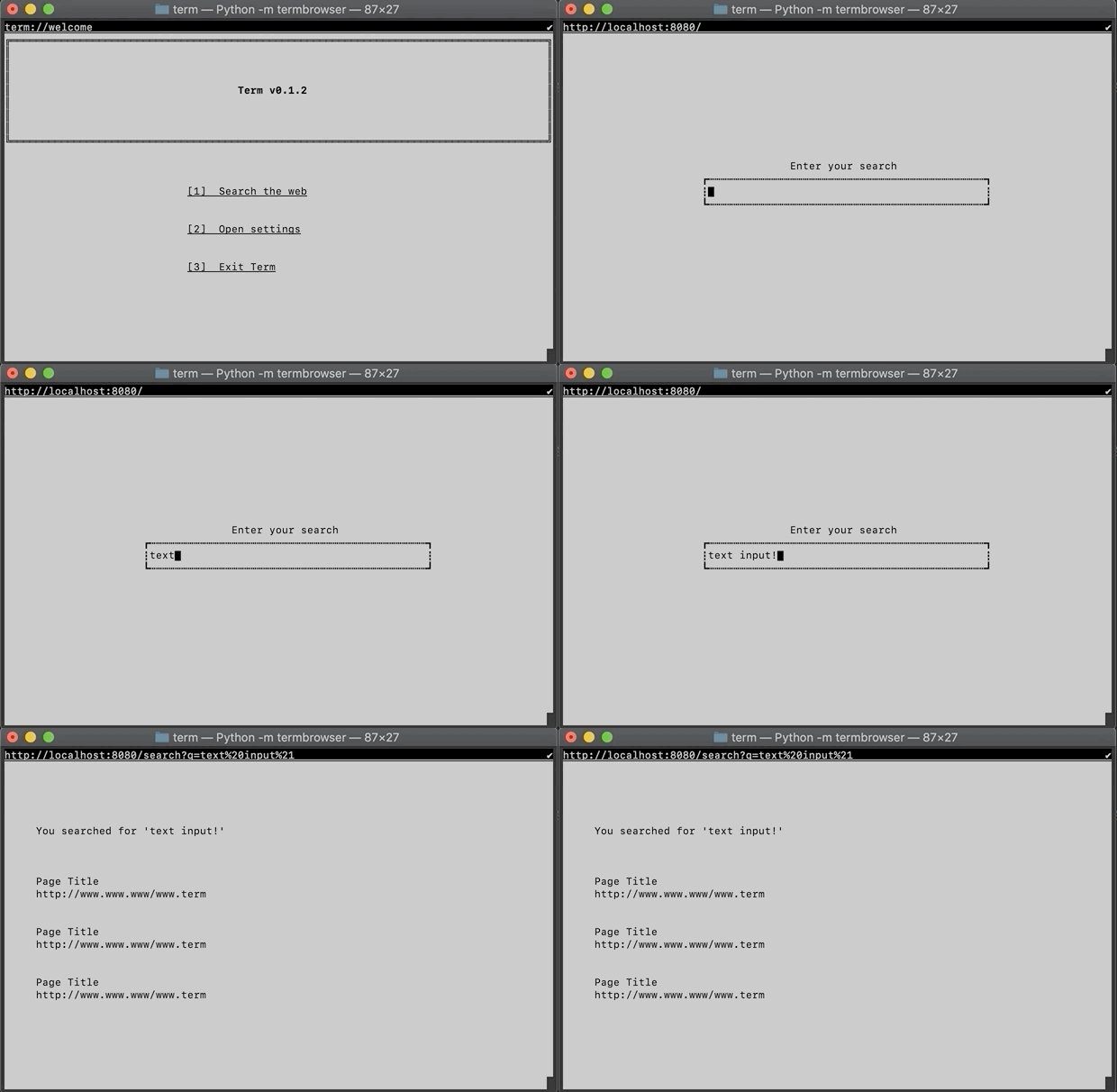
Using the browser
Install using this command:
pip3 install termbrowser
and start using this command:
python3 -m termbrowser
Open links using their hotkeys ex. 1 for [1] Link Name
Press Escape twice to change the URL to load Press Tab to cycle focus of input fields Press Enter to submit an input field Press Alt(or Option) + Q to unfocus from an input field
File Format
Term File Format files are read line by line. The first line of any term file declares the term version to be used. Ex:
@termtype:m100
The # character at the start of a line is used for commenting
# this is a comment!
Elements
There are currently 5 element types. cont, text, link, input, and action
Declare an element like so
cont

end
Inside of that element, you can place attributes
cont
	-width: 10
	-height: 5
	-border: line
end
A cont (container) is similar to a <div> in HTML
To specify an element's value, use :
text: Hello World!
end
A text element is similar to a <p> element in HTML
Input fields can be created like so:
input
	-submit: my-action
end
Actions
Actions are blocks of code that you can write in a term file to provide interactivity to it's elements
To declare an action, use
action: my-action (

)
Values are passed to an action code block through a variable named value
input
	-submit: my-action
end
action: my-action (
	visit("http://localhost/hello?world=" + value)
)
Scripting
The code executed in an action block is not of any specification or language, but is evaluated through SimpleEval.
Methods you may use:
visit(url: str) Open another page by URL
Attributes
Attributes for cont include width, height, border, direction, and padding.
Attributes for text include align, and style
Attributes for link include url, align, and style
Attributes for input include submit, width, height, and padding
Responsiveness
Attributes that take in a mathematic value (like padding and width), can also use a percetange of the screen width or height using the pc keyword.
# A container that will take up half of the screen width
cont
	-border: line
	-width: 50pc
end
Credits
Term was created by Martin Darazs
License
MIT License
Release history Release notifications | RSS feed


Download files
Download the file for your platform. If you're not sure which to choose, learn more about installing packages.
Source Distribution
Built Distribution
Filter files by name, interpreter, ABI, and platform.
If you're not sure about the file name format, learn more about wheel file names.
Copy a direct link to the current filters
File details
Details for the file termbrowser-0.1.3.tar.gz.
File metadata
- Download URL: termbrowser-0.1.3.tar.gz
- Upload date:
- Size: 13.5 kB
- Tags: Source
- Uploaded using Trusted Publishing? No
- Uploaded via: twine/3.2.0 pkginfo/1.5.0.1 requests/2.24.0 setuptools/49.6.0 requests-toolbelt/0.9.1 tqdm/4.48.2 CPython/3.8.5
File hashes
| Algorithm | Hash digest | |
|---|---|---|
| SHA256 |
6b9ea7f9c25bcb47a734297ebd95045731ef7144bdfa3e07818021954401b9a3
|
|
| MD5 |
401236d28f9173fe516d77e209c50c34
|
|
| BLAKE2b-256 |
b2e65e413f906260bb7cb15591edebedf2fa647390087180464a3f562620f1d3
|
File details
Details for the file termbrowser-0.1.3-py3-none-any.whl.
File metadata
- Download URL: termbrowser-0.1.3-py3-none-any.whl
- Upload date:
- Size: 13.0 kB
- Tags: Python 3
- Uploaded using Trusted Publishing? No
- Uploaded via: twine/3.2.0 pkginfo/1.5.0.1 requests/2.24.0 setuptools/49.6.0 requests-toolbelt/0.9.1 tqdm/4.48.2 CPython/3.8.5
File hashes
| Algorithm | Hash digest | |
|---|---|---|
| SHA256 |
1bdfdce6f90bece556ea832c4971b4e25a376fcb8a165ffccc3196b2dcf58ec3
|
|
| MD5 |
411eea20ae39a1b0189ea35d020ec93b
|
|
| BLAKE2b-256 |
bd328c6247e305f36b999530be0884b6a5bb3825320a7b5676a050c85297b2f8
|






