
Termigent
A universal Model Context Protocol (MCP) server that exposes a system terminal over Server-Sent Events (SSE).
Who it is for
Termigent is for people who prefer to stay in a graphical MCP client such as the Claude Desktop app and still want the assistant to run real shell commands, either on the local machine or on a remote server.
- Local execution — run
termigentnext to Claude Desktop and let Claude inspect files, run tools, and automate tasks on that machine. - Remote execution — install
termigenton a remote host, start it with--host 0.0.0.0, and let Claude operate that server through the same GUI.
Any GUI MCP client that supports remote SSE, or a stdio bridge such as mcp-remote, can use it.
Requirements
- Python 3.10+
Install
pip install termigent
Usage
termigent                      # http://127.0.0.1:8000
termigent --port 3000
termigent --host 0.0.0.0 --port 8000
| Flag | Default | Description |
|---|---|---|
--host |
127.0.0.1 |
Interface to bind |
--port |
8000 |
Port to listen on |
--version |
Print version |
The MCP endpoint is http://<host>:<port>/sse.
Preview
Tool
run_command(command: str) executes the command with the shell and returns its combined stdout/stderr. A non-zero exit status is appended as [exit code: N].
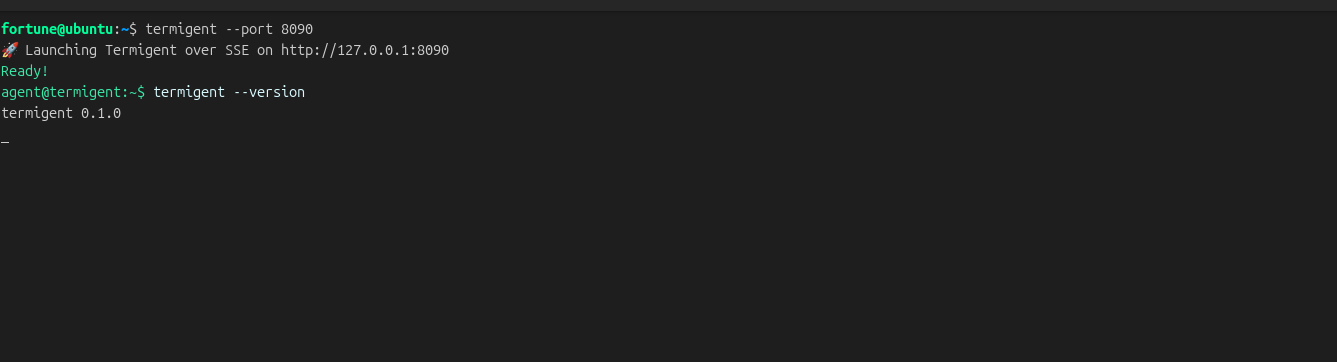
In the server terminal, each call is shown as a green agent@termigent:~$ prompt, a white command, and light-gray output:
agent@termigent:~$ pwd
/home/user
Connect Claude Desktop
On the local machine — start termigent,
On a remote server — install termigent and bind to 0.0.0.0:
termigent --host 0.0.0.0
Then, on the machine running Claude Desktop, open settings and add to connectors;
http://<host>:<port>/sse.
Restart Claude Desktop after changing its config so it initializes a new MCP session.
Security
termigent has no authentication and runs commands with the privileges of the user that started it. Anyone who can reach the endpoint can execute arbitrary shell commands.
- Keep the default loopback bind for local use. When using
--host 0.0.0.0so another machine can connect, firewall the port to the client's address only. - Do not expose the endpoint to untrusted networks without an authenticating reverse proxy.
- Termigent is not a sandbox; commands can read, modify, and delete anything the host user can.
Only run it on systems you control and with clients you trust.
License
MIT
1 maintainer

Metadata
1 maintainer
Release files for termigent 0.1.1
For a detailed explanation of source distributions (sdists) and built distributions (wheels), please see the package formats documentation.
Source distribution (sdist)
| File | Size | Uploaded | Provenance | Actions |
|---|---|---|---|---|
| termigent-0.1.1.tar.gz | 22.8 kB | Without provenance | Details for termigent-0.1.1.tar.gz |
Built distribution (wheel)
| File | Interpreter | ABI | Platform | Actions Reset |
|---|---|---|---|---|
| termigent-0.1.1-py3-none-any.whl | Python 3 | none | any | Details for termigent-0.1.1-py3-none-any.whl |
Total release size: 29.0 kB
Release files / termigent-0.1.1.tar.gz
| Download URL | termigent-0.1.1.tar.gz |
|---|---|
| Size | 22.8 kB |
| Tags | Source |
|
SHA-256 checksum How to use checksums |
552465208c7fc82252d33ac25599daebaeeb6f273c9ae96f1a33f1fcfbd92b2d
|
|
BLAKE2b-256 checksum How to use checksums |
c2eb7c0b5445afd86112cf39cb2a2fcb32637413104e6f0580a2ba2ebac4ca7a
|
| Upload date | |
|
Uploaded using Trusted Publishing? What is trusted publishing? |
No |
| Uploaded via |
uv/0.12.1 {"installer":{"name":"uv","version":"0.12.1","subcommand":["publish"]},"python":null,"implementation":{"name":null,"version":null},"distro":{"name":"Ubuntu","version":"26.04","id":"resolute","libc":null},"system":{"name":null,"release":null},"cpu":null,"openssl_version":null,"setuptools_version":null,"rustc_version":null,"ci":null}
|
Release files / termigent-0.1.1-py3-none-any.whl
| Download URL | termigent-0.1.1-py3-none-any.whl |
|---|---|
| Size | 6.1 kB |
| Tags | Python 3 |
|
SHA-256 checksum How to use checksums |
db0157a4fb9430367b9335d0c5102c296541f031e3b40421825b3c75acc5b431
|
|
BLAKE2b-256 checksum How to use checksums |
1ce9e6b5e35d39515b3d5e4b7fb6bf538caaae5b37335f9844676e8893616ba5
|
| Upload date | |
|
Uploaded using Trusted Publishing? What is trusted publishing? |
No |
| Uploaded via |
uv/0.12.1 {"installer":{"name":"uv","version":"0.12.1","subcommand":["publish"]},"python":null,"implementation":{"name":null,"version":null},"distro":{"name":"Ubuntu","version":"26.04","id":"resolute","libc":null},"system":{"name":null,"release":null},"cpu":null,"openssl_version":null,"setuptools_version":null,"rustc_version":null,"ci":null}
|
Security for termigent 0.1.1
Provenance
Provenance describes where a file came from. On PyPI, provenance is shared via attestations, which provide a verifiable record of the build or publishing details. View details, limitations and caveats.
No provenance found
None of the files in this release were uploaded with provenance metadata.
A note on package security
PyPI is a repository for distributing packages, not a service for auditing them. While third-party security researchers and our staff do their best to detect and remove malicious packages, PyPI cannot guarantee the quality, security or suitability of any given package.
To learn more about protecting yourself from malicious actors, visit our package security documentation.














