
The project help you to quickly build layouts in terminal (命令行ui布局工具)

Project description
terminal_layout
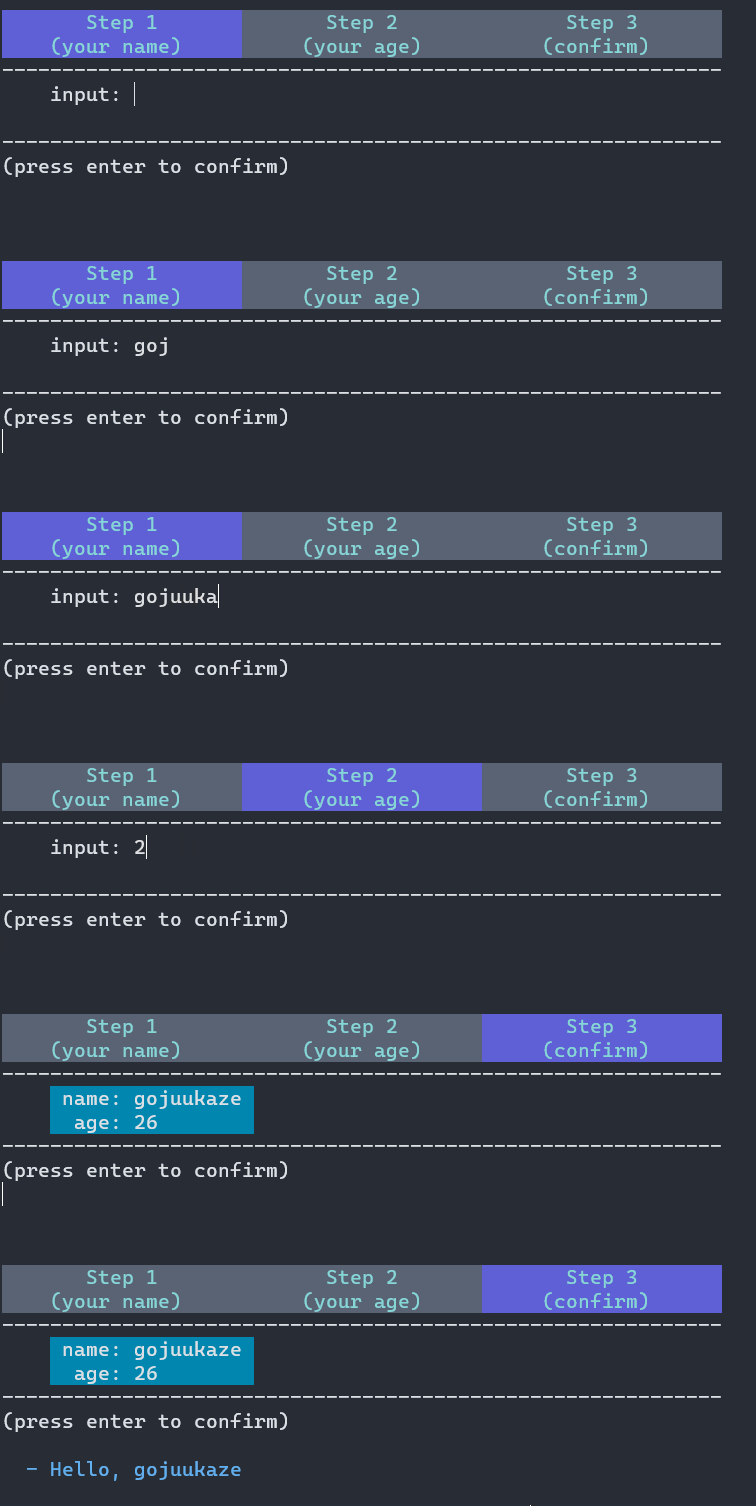
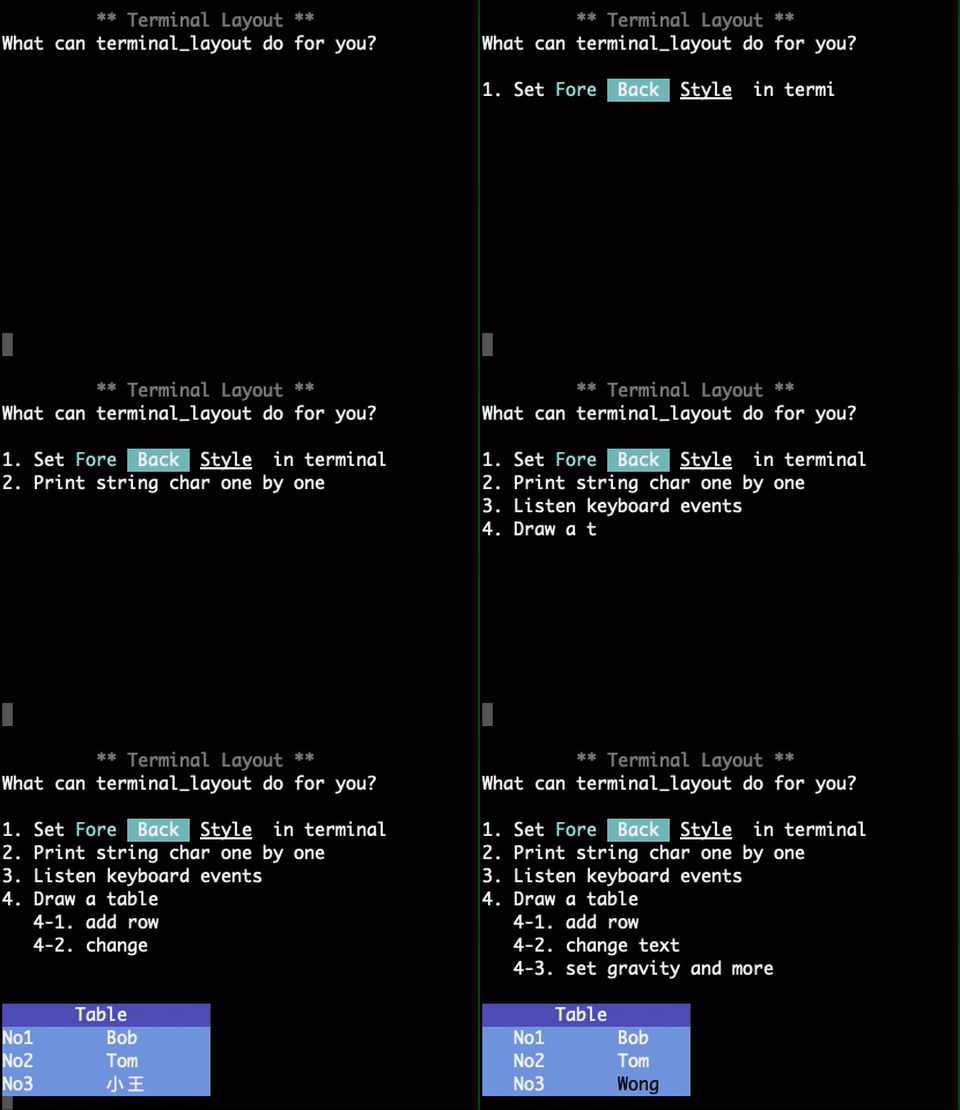
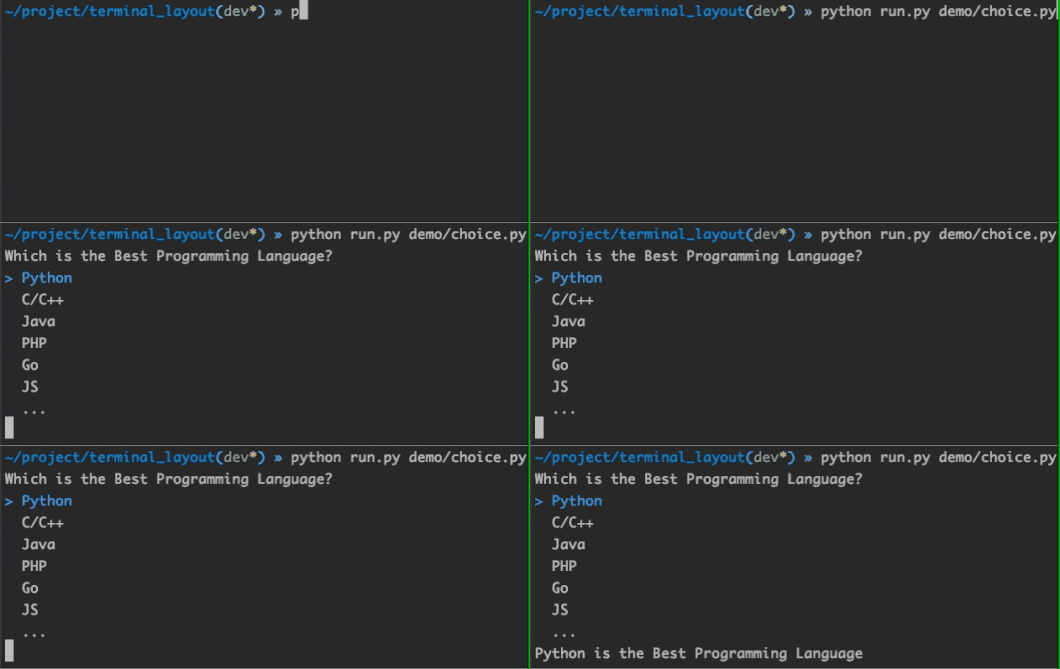
Some extensions base on terminal_layout

** video demo **
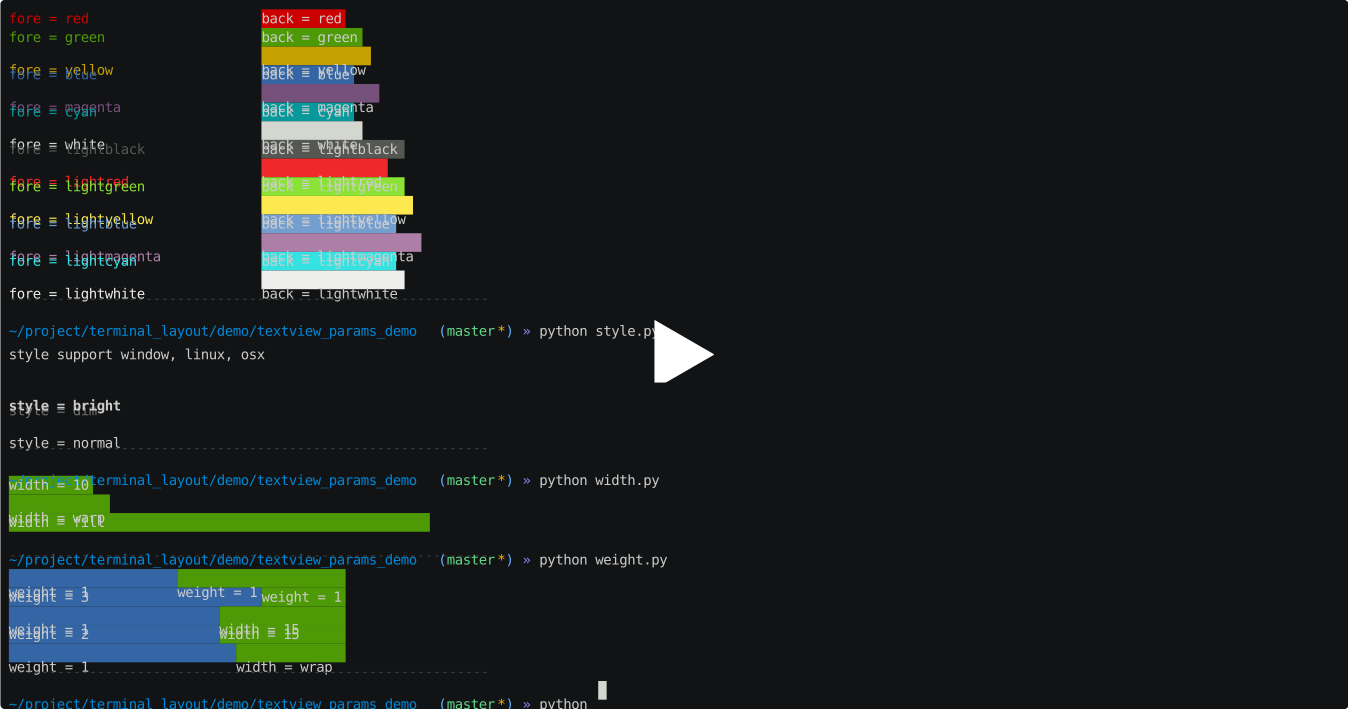
link
install
pip install terminal-layoutDependencies
Python 2.7, 3.5+ (maybe 3.4)
Linux, OS X, and Windows systems.
Usage
easy demo:
import time
from terminal_layout import *

ctl = LayoutCtl.quick(TableLayout,
                      # table id: root
                      [
                          [TextView('t1', 'Hello World!', width=Width.fill, back=Back.blue)],  # <- row id: root_row_0,
                          [TextView('t2', '', fore=Fore.magenta)],  # <- row id: root_row_1,
                      ],
                      )

# or layout=ctl.get_layout()
layout = ctl.find_view_by_id('root')
layout.set_width(20)

# default: auto_re_draw=True
ctl.draw()

# call delay_set_text() must be set auto_re_draw=True,
# otherwise you must start a thread to call re_draw() by yourself
ctl.find_view_by_id('t2').delay_set_text('你好,世界!', delay=0.2)

time.sleep(0.5)
row3 = TableRow.quick_init('', [TextView('t3', 'こんにちは、世界!')])
layout.add_view(row3)

# If you call draw() with auto_re_draw=True, you must stop()
ctl.stop()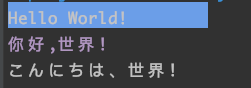
disable auto_re_draw
import time
from terminal_layout import *

ctl = LayoutCtl.quick(TableLayout,
                      # table id: root
                      [
                          [TextView('t1', 'Hello World!', width=Width.fill, back=Back.blue)],  # <- row id: root_row_1,
                          [TextView('t2', '', fore=Fore.magenta)],  # <- row id: root_row_2,
                      ],
                      )


layout = ctl.find_view_by_id('root')
layout.set_width(20)

ctl.draw(auto_re_draw=False)

ctl.find_view_by_id('t2').set_text('你好,世界!')
ctl.re_draw()

time.sleep(0.5)
row3 = TableRow.quick_init('', [TextView('t3', 'こんにちは、世界!')])
layout.add_view(row3)
ctl.re_draw()

# don't need call stop()
# ctl.stop()
use python2 unicode
# -*- coding: utf-8 -*-
from terminal_layout import *
import sys
reload(sys)
sys.setdefaultencoding('utf-8')

ctl = LayoutCtl.quick(TableLayout,
                      [
                          [TextView('', u'中文,你好', back=Back.cyan, width=Width.wrap)],
                          [TextView('', u'中文,你好', back=Back.cyan, width=6)],
                          [TextView('', u'日本語,こんにちは', back=Back.cyan, width=Width.wrap)],
                      ]

                      )

ctl.draw()
Properties
fore & back
TextView('','fore',fore=Fore.red)
TextView('','back',back=Back.red)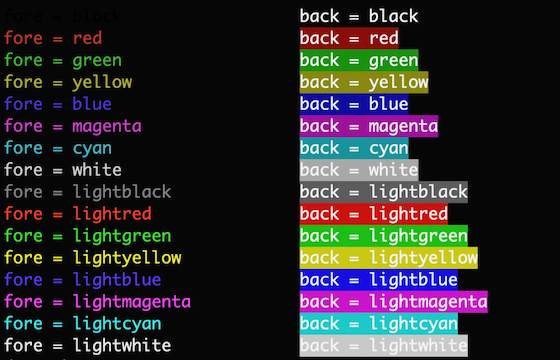
style
TextView('','style',style=Style.dim)
width
TextView('','width',width=10)
weight
TextView('','weight',weight=1)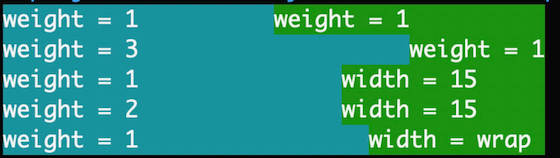
gravity
TextView('','gravity',gravity=Gravity.left)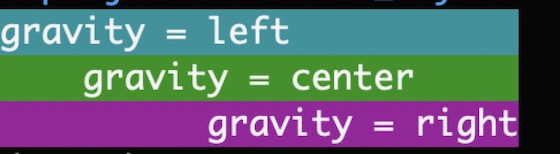
visibility
TextView('','',visibility=Visibility.visible)
ex_style (not support windows)
TextView('','ex_style',style=Style.ex_blink)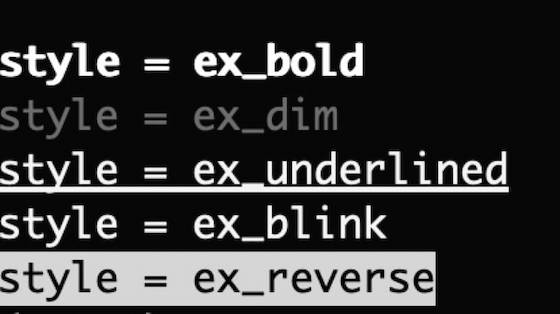
ex_fore & ex_back (not support windows)
TextView('','ex_fore',fore=Fore.ex_red_1)
TextView('','ex_back',back=Back.ex_red_1)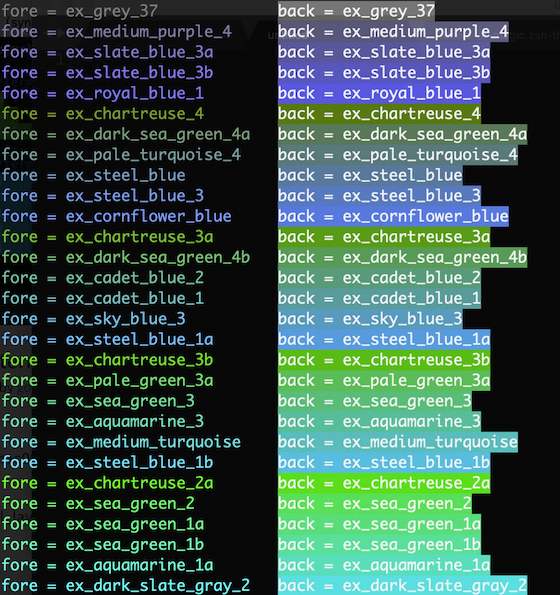
LICENSE
Thanks
Release history Release notifications | RSS feed


Download files
Download the file for your platform. If you're not sure which to choose, learn more about installing packages.
Source Distribution
Built Distribution
Filter files by name, interpreter, ABI, and platform.
If you're not sure about the file name format, learn more about wheel file names.
Copy a direct link to the current filters
File details
Details for the file terminal_layout-2.1.4.tar.gz.
File metadata
- Download URL: terminal_layout-2.1.4.tar.gz
- Upload date:
- Size: 41.7 kB
- Tags: Source
- Uploaded using Trusted Publishing? No
- Uploaded via: twine/4.0.2 CPython/3.11.1
File hashes
| Algorithm | Hash digest | |
|---|---|---|
| SHA256 |
61b5ad951b66208b4a1980407acac7e3202020b0065d64fdfb93c8e7b7bb8d79
|
|
| MD5 |
608b53f04d20b194cc3c5b2fffee64b9
|
|
| BLAKE2b-256 |
1c9fe2bd1537399e38dbdfb3cbde1961a175ffc5ff8fb3c7a3c68dbdc331959c
|
File details
Details for the file terminal_layout-2.1.4-py3-none-any.whl.
File metadata
- Download URL: terminal_layout-2.1.4-py3-none-any.whl
- Upload date:
- Size: 49.2 kB
- Tags: Python 3
- Uploaded using Trusted Publishing? No
- Uploaded via: twine/4.0.2 CPython/3.11.1
File hashes
| Algorithm | Hash digest | |
|---|---|---|
| SHA256 |
a629f5042c4e99ac2fe59b3bdf3c99d0d03efc66513286ce87d76fc284641249
|
|
| MD5 |
e7cefe8b1347f80a6db90ee9099167b5
|
|
| BLAKE2b-256 |
8e9714901a909af9fcba4225a6ab93c4ae906639d0dd2b1525a48d9fefc62c28
|






