
Terminal Sokoban
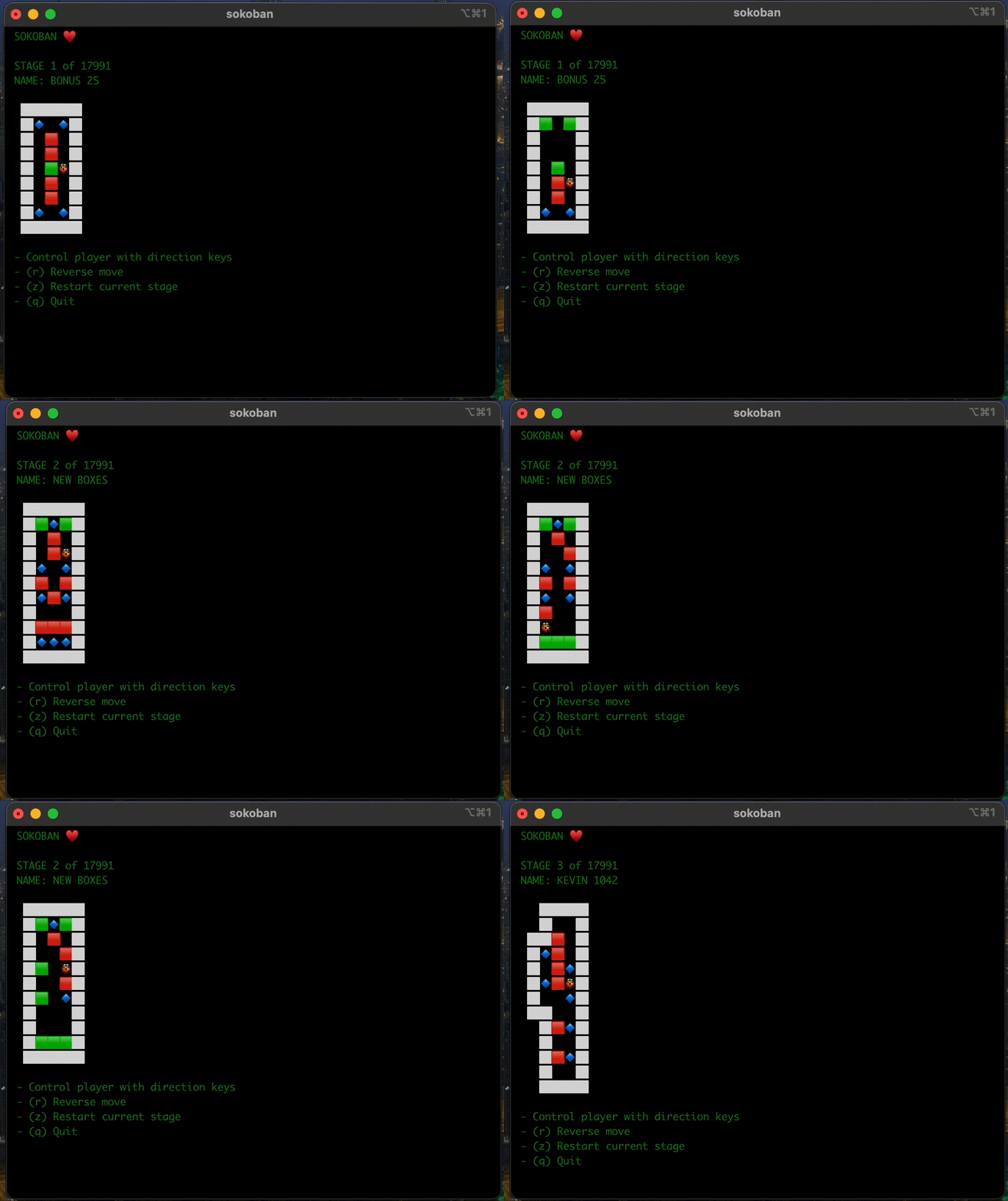
sokoban is a "graphical" command line program for playing the popular sokoban game in the terminal.
Sokoban (倉庫番, Sōko-ban, lit. 'warehouse keeper'[1]) is a puzzle video game in which the player pushes boxes around in a warehouse, trying to get them to storage locations. The game was designed in 1981 by Hiroyuki Imabayashi, and first published in December 1982. - Wikipedia: http://en.wikipedia.org/wiki/
Installation
sokoban is only compatible with python3, and can be installed through pip.
pip3 install terminal-sokoban
You should then be ready to go.
Play
Run sokoban to start playing the game.
sokoban
There are over 17,991 stages.
sokoban has been tested to work on Linux, Mac, and Windows computers.
Instruction
-
Use the arrow keys to move the player around.
-
Use the (r) key to reverse a move.
-
Use the (z) key to restart a stage.
-
Use the (q) key to quit the game.
Options
Specify which stage to play
sokoban 7
Development
- Clone repository.
- Setup poetry and install dependencies.
- Load stage data using
python script/generate.py. - Run Game using play instructions above.
Credits
- Blessed
- cursewords
- Levels data from http://sourcecode.se/sokoban/
1 maintainer

Metadata
1 maintainer
Release files for terminal-sokoban 1.1.0
For a detailed explanation of source distributions (sdists) and built distributions (wheels), please see the package formats documentation.
Source distribution (sdist)
| File | Size | Uploaded | Provenance | |
|---|---|---|---|---|
| terminal_sokoban-1.1.0.tar.gz | 995.1 kB | Without provenance | Details |
Built distribution (wheel)
| File | Interpreter | ABI | Platform | Reset |
|---|---|---|---|---|
| terminal_sokoban-1.1.0-py3-none-any.whl | Python 3 | none | any | Details |
Total release size: 2.2 MB
Release files / terminal_sokoban-1.1.0.tar.gz
| Download URL | terminal_sokoban-1.1.0.tar.gz |
|---|---|
| Size | 995.1 kB |
| Tags | Source |
|
SHA-256 checksum How to use checksums |
d0ed4eac19156daad35a1a2394a998604aa64f3e59f07e25b87628cd5b2fe0a0
|
|
BLAKE2b-256 checksum How to use checksums |
097310ce691eaaeeb5cc537b101c8a754bbeaed612e4b988a84bdefcfb689ed8
|
| Upload date | |
|
Uploaded using Trusted Publishing? What is trusted publishing? |
Yes |
| Uploaded via |
twine/5.0.0 CPython/3.12.2
|
Release files / terminal_sokoban-1.1.0-py3-none-any.whl
| Download URL | terminal_sokoban-1.1.0-py3-none-any.whl |
|---|---|
| Size | 1.2 MB |
| Tags | Python 3 |
|
SHA-256 checksum How to use checksums |
46ea0779c778d0ba8c8fc9d97938ed420a87a8b6e8aec9fe8eae64ed71f469d8
|
|
BLAKE2b-256 checksum How to use checksums |
d03500891336cebc30038f9c5389ca7b7ab23b291336c946282e83345e0dc0f2
|
| Upload date | |
|
Uploaded using Trusted Publishing? What is trusted publishing? |
Yes |
| Uploaded via |
twine/5.0.0 CPython/3.12.2
|
Security for terminal-sokoban 1.1.0
Provenance
Provenance describes where a file came from. On PyPI, provenance is shared via attestations, which provide a verifiable record of the build or publishing details. View details, limitations and caveats.
No provenance found
None of the files in this release were uploaded with provenance metadata.
A note on package security
PyPI is a repository for distributing packages, not a service for auditing them. While third-party security researchers and our staff do their best to detect and remove malicious packages, PyPI cannot guarantee the quality, security or suitability of any given package.
To learn more about protecting yourself from malicious actors, visit our package security documentation.














