





⚡ TermMind
AI-Powered Terminal Assistant
Chat with GPT, Claude, Gemini, Mistral, and more — directly in your terminal.

Quick Start • Features • Providers • Commands • Architecture • Configuration • Contributing • Documentation • License
🖥️ Demo

$ termmind chat

  ╔═══════════════════════════════════╗
  ║      T e r m M i n d            ║
  ║   AI Terminal Assistant v2.0.0  ║
  ╚═══════════════════════════════════╝

Provider: ollama | Model: llama3.2 | Git: detected ✓

❯ Refactor this function to use a list comprehension

🤖 Thinking...
┌──────────────────────────────────────────────┐
│ Here's the refactored version using a list   │
│ comprehension:                               │
│                                              │
│   def get_urls(text):                        │
│       return [m.group(1) for line in text    │
│               for m in re.finditer(...)]     │
│                                              │
│ This is ~40% shorter and avoids the nested   │
│ append pattern.                              │
└──────────────────────────────────────────────┘

⚡ 1,247 tokens • 2.3s • $0.000000
🚀 Quick Start
# Install
pip install termmind

# Or from source
git clone https://github.com/rudra496/termmind.git
cd termmind
pip install -e .

# Setup (first run)
termmind init

# Start chatting
termmind chat

# One-shot question
termmind ask "How do I reverse a list in Python?"

# Edit a file with AI
termmind edit main.py "Add type hints to all functions"

# Review code
termmind review src/

# Generate tests
termmind test utils.py --framework pytest

# Security scan (NEW)
termmind scan src/
termmind scan api.py --ai    # AI-powered deep review

# Generate code from description (NEW)
termmind generate api "REST API for blog with auth" -f fastapi
termmind generate test "user auth module" -o test_auth.py

# Pipe support (NEW)
cat error.log | termmind pipe
git diff | termmind ask "Summarize these changes"

# Prompt library (NEW)
termmind prompts list
termmind prompts use code-review
Docker
docker build -t termmind .
docker run -it --rm -v $(pwd):/workspace termmind chat
✨ Features
- 9 LLM Providers — OpenAI, Anthropic (Claude), Gemini, Mistral, Cohere, Groq, Together, OpenRouter, Ollama
- Security Scanner — 15+ vulnerability detection rules + AI-powered deep review
- AI Code Generation — Generate APIs, classes, tests, Dockerfiles from natural language
- Prompt Library — 12+ built-in templates for code review, debugging, optimization, and more
- Smart Autocomplete — Context-aware file, command, and action suggestions
- Streaming Responses — Real-time markdown rendering with syntax highlighting
- Smart Code Context — Automatically includes relevant files based on your query
- File Editing — AI-powered edits with diff preview and undo
- Code Review — Get constructive feedback on any file or directory
- Test Generation — Generate pytest/unittest tests for any file
- Refactoring Engine — 8 AI-powered operations (extract function, rename, simplify, etc.)
- Git Integration — Status, diff, commit with AI-generated messages, branch management
- Code Index — Parse 10+ languages, query functions/classes, persist across sessions
- Session Management — Save, load, export conversations
- Snippet Manager — Save, search, import/export reusable code blocks
- Project Templates — Scaffold from 8 templates (FastAPI, Flask, Next.js, Django, etc.)
- Voice Mode — Text-to-speech for AI responses (optional)
- Cost Tracking — Token usage, cost estimation, budget alerts, provider comparison
- Plugin System — Extend with custom plugins (TodoTracker, CodeStats, AutoCommit built-in)
- Pipe Support — Process piped stdin with AI
- 5 Color Themes — Dark, Light, Solarized, Dracula, Monokai
- Shell Completions — Bash, Zsh, Fish
- Session Recording — Record, replay, and export sessions as HTML
- ELI5 Mode — Simplified explanations for any topic
- Multi-line Input — Shift+Enter for newlines
🌐 Providers
| Provider | Free Tier | Local | Default Model |
|---|---|---|---|
| Ollama | ✅ Free | ✅ Yes | llama3.2 |
| Groq | ✅ Free | ❌ | llama-3.3-70b |
| Gemini | ✅ Free | ❌ | gemini-2.0-flash |
| OpenAI | 💰 Paid | ❌ | gpt-4o-mini |
| Anthropic | 💰 Paid | ❌ | claude-sonnet-4 |
| Mistral | 💰 Paid | ❌ | mistral-small |
| Cohere | 💰 Paid | ❌ | command-r-plus |
| Together | 💰 Paid | ❌ | llama-3-70b |
| OpenRouter | 💰 Varies | ❌ | gpt-4o-mini |
Switch providers mid-conversation: /provider ollama
⌨️ Commands
File Operations
| Command | Description |
|---|---|
/edit <file> [instruction] |
Edit a file with AI |
/run <cmd> |
Run a shell command |
/files |
List files in context |
/search <query> |
Search in project files |
/grep <pattern> |
Grep with regex |
/tree [--depth N] |
Show file tree |
/undo [--all] |
Undo last/all edits |
/diff [file] |
Show session changes |
Chat & Session
| Command | Description |
|---|---|
/clear |
Clear conversation |
/save [name] |
Save session |
/load [name] |
Load session |
/sessions |
List saved sessions |
/export [--json] |
Export conversation |
/compact |
Compact to save tokens |
Provider & Model
| Command | Description |
|---|---|
/model [name] |
Switch model |
/providers |
List all providers |
/cost |
Show usage & cost |
/cost compare |
Compare provider costs |
/cost optimize |
Suggest savings |
Git
| Command | Description |
|---|---|
/git status |
Git status |
/git diff |
Git diff |
/git log |
Recent commits |
/git commit |
AI-generated commit message |
/git checkout <branch> |
Switch branch |
Advanced
| Command | Description |
|---|---|
/refactor <op> <file> |
AI-powered refactoring |
/snippet save <name> |
Save a code snippet |
/template use <name> |
Scaffold a project |
/index |
Build code index |
/symbols [pattern] |
List functions/classes |
/record start |
Start session recording |
/voice on |
Enable text-to-speech |
/eli5 <topic> |
Explain Like I'm 5 |
CLI Commands
termmind chat          # Interactive chat session
termmind ask "..."     # One-shot question
termmind edit <file>   # Edit a file
termmind review <path> # Review code
termmind test <file>   # Generate tests
termmind explain <f>   # Explain a file
termmind debug <file>  # Debug a file
termmind refactor <f>  # Refactor a file
termmind docstring <f> # Add docstrings
termmind translate <f> # Translate comments
termmind scan <path>   # Security vulnerability scan (NEW)
termmind generate <t>  # AI code generation (NEW)
termmind pipe          # Process piped stdin (NEW)
termmind prompts list  # Prompt library (NEW)
termmind init          # Setup wizard
termmind config        # Show config
termmind index         # Build code index
termmind symbols       # List symbols
termmind doctors       # Health check
termmind completions   # Shell completions
🏗 Architecture

🔧 Configuration
Config stored at ~/.termmind/config.json:
{
  "provider": "ollama",
  "api_key": "",
  "model": "llama3.2",
  "max_tokens": 4096,
  "temperature": 0.7,
  "theme": "dark",
  "auto_context": true,
  "max_context_files": 20,
  "confirm_edits": true,
  "stream": true
}
🤝 Contributing
Contributions are welcome! Please see CONTRIBUTING.md for guidelines.
- Fork the repository
- Create your feature branch (
git checkout -b feature/amazing) - Commit your changes (
git commit -m 'Add amazing feature') - Push to the branch (
git push origin feature/amazing) - Open a Pull Request
📚 Documentation
- Architecture — Module design and data flow
- FAQ — Frequently asked questions
- Changelog — Version history
- Roadmap — Planned features
- Support — Getting help
- Examples — Usage examples
📄 License
MIT License — see LICENSE for details.
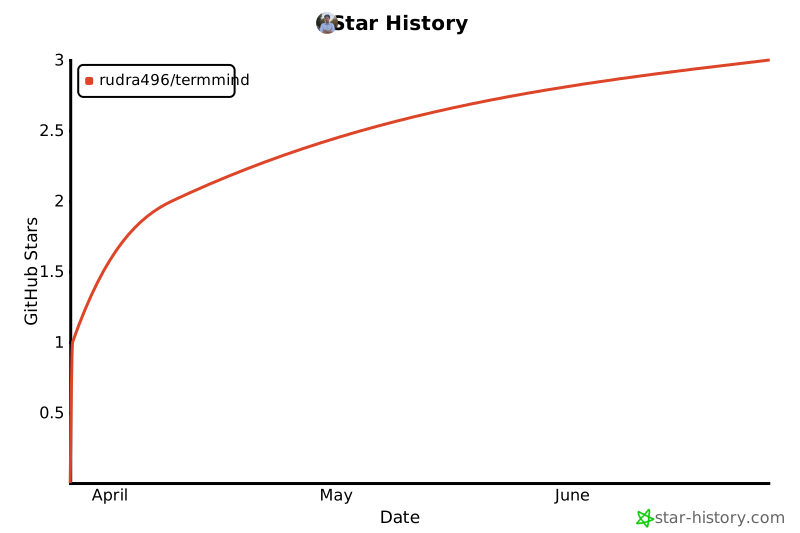
⭐ Star History
🔗 Connect





Built with ❤️ by Rudra Sarker
1 maintainer

Release files for termmind 2.0.0
For a detailed explanation of source distributions (sdists) and built distributions (wheels), please see the package formats documentation.
Source distribution (sdist)
| File | Size | Uploaded | |
|---|---|---|---|
| termmind-2.0.0.tar.gz | 121.3 kB | Details |
Built distribution (wheel)
| File | Interpreter | ABI | Platform | Reset |
|---|---|---|---|---|
| termmind-2.0.0-py3-none-any.whl | Python 3 | none | any | Details |
Total release size: 240.0 kB
Release files / termmind-2.0.0.tar.gz
| Download URL | termmind-2.0.0.tar.gz |
|---|---|
| Size | 121.3 kB |
| Tags | Source |
|
SHA-256 checksum How to use checksums |
28804cbc8cd53e0e863505c392e4bb7b6ee9229c7a0f1605b453d75d12a8d8a6
|
|
BLAKE2b-256 checksum How to use checksums |
4ca4ef02d69bd5e19447a667f300aa5b57570d6090247548ce124c9ddbef770a
|
| Upload date | |
|
Uploaded using Trusted Publishing? What is trusted publishing? |
Yes |
| Uploaded via |
twine/6.1.0 CPython/3.13.12
|
Provenance
Provenance describes where a file came from. On PyPI, provenance is shared via attestations, which provide a verifiable record of the build or publishing details. View details, limitations and caveats.


PyPI Publish Attestation
PyPI verified that this artifact, at this checksum, originated from the publisher listed below.
Signed by GitHub Actions, verified by PyPI on Jun 6, 2026.
Transparency logRelease files / termmind-2.0.0-py3-none-any.whl
| Download URL | termmind-2.0.0-py3-none-any.whl |
|---|---|
| Size | 118.7 kB |
| Tags | Python 3 |
|
SHA-256 checksum How to use checksums |
5554308ddd119cfb371cc4d53ba4de8a38bb979f70cb5376fc0bf9155abe9147
|
|
BLAKE2b-256 checksum How to use checksums |
6a45d0786e3561f36bee2feee8974a185efc60b808ba960ea4c55841f484573e
|
| Upload date | |
|
Uploaded using Trusted Publishing? What is trusted publishing? |
Yes |
| Uploaded via |
twine/6.1.0 CPython/3.13.12
|
Provenance
Provenance describes where a file came from. On PyPI, provenance is shared via attestations, which provide a verifiable record of the build or publishing details. View details, limitations and caveats.
PyPI Publish Attestation
PyPI verified that this artifact, at this checksum, originated from the publisher listed below.
Signed by GitHub Actions, verified by PyPI on Jun 6, 2026.
Transparency log












