
TermRadar
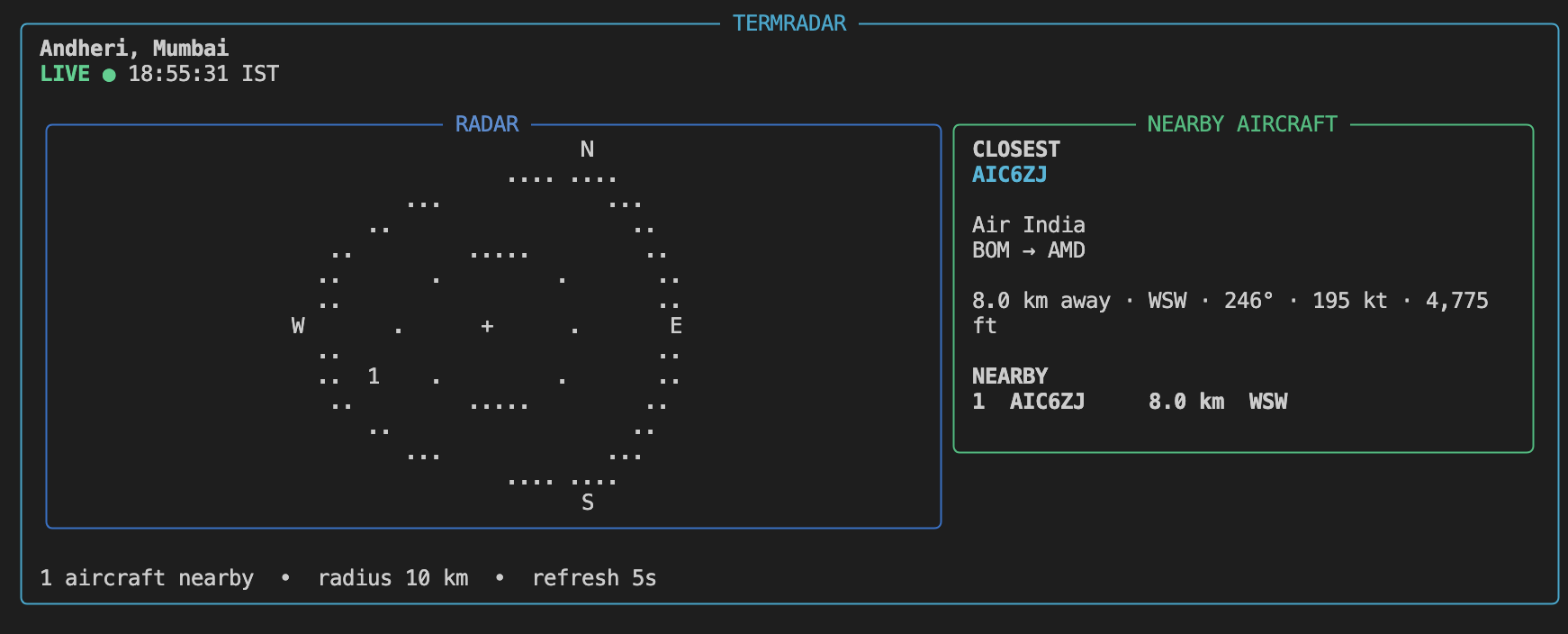
See what's flying above you - without leaving your terminal.
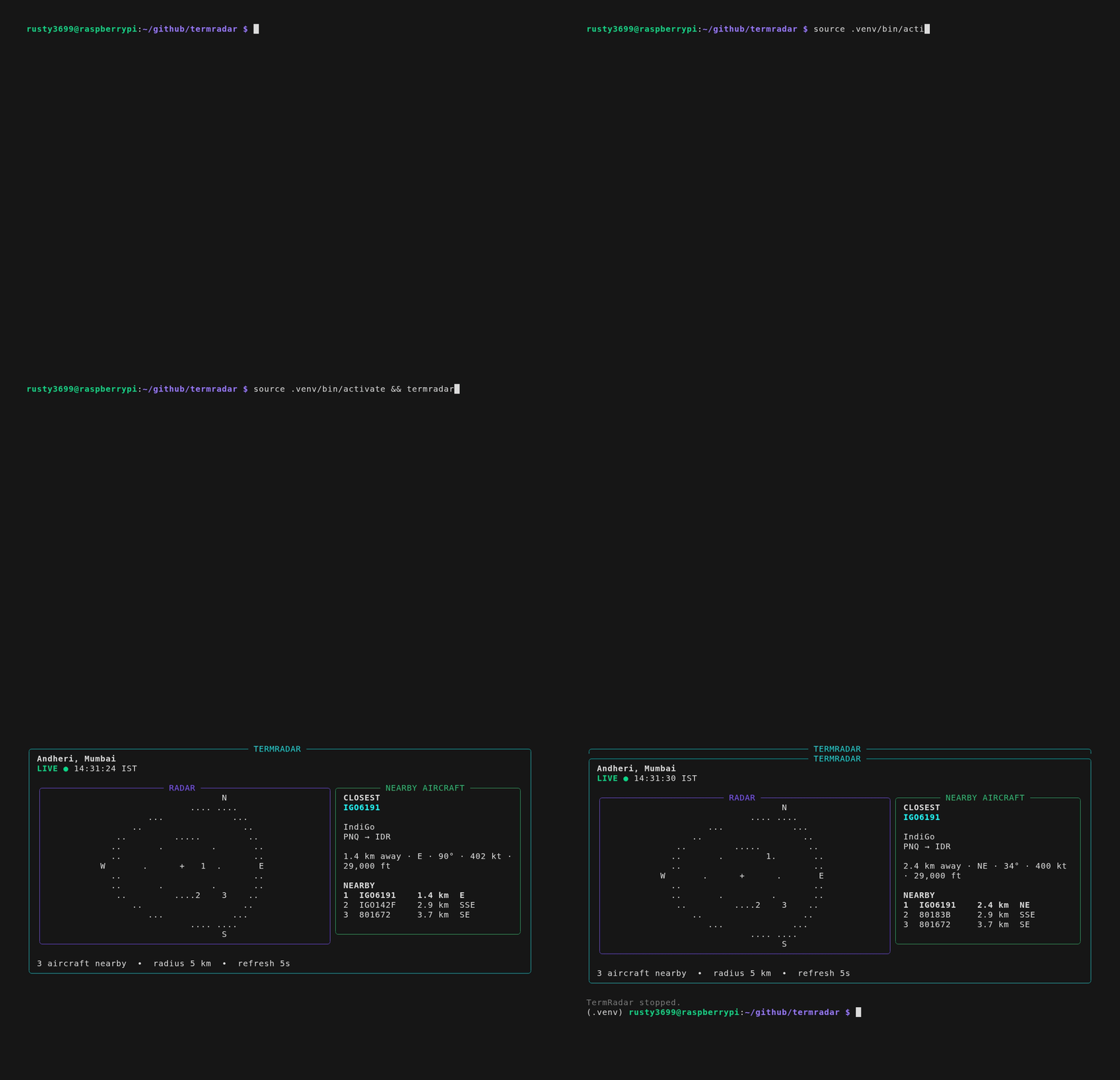
TermRadar is a lightweight live aircraft radar for developers, programmers, and aviation enthusiasts.
You're coding, you hear an aircraft overhead, or spot something from the window. Instead of opening a browser or reaching for a flight-tracking app, open a terminal and run:
termradar
You get a live radar centered on your location: nearby callsigns, distance, bearing, speed, altitude, and route info when available. Use it for the quick answer, then jump to another tracker when you want deeper details.
One radar engine. Multiple displays.
The core is display-agnostic. Today: a polished terminal UI. Planned: Raspberry Pi fullscreen and small displays.
Quick start
pip install termradar
termradar
From source:
git clone https://github.com/rusty3699/termradar.git
cd termradar
python3 -m venv .venv
source .venv/bin/activate   # Windows: .venv\Scripts\activate
pip install -e .
termradar
First run: enter a location, pick a geocoding result, set radius and refresh. Later runs reuse saved settings. Press Ctrl+C to exit.
Config: ~/.config/termradar/config.toml on Linux (platformdirs on macOS and Windows — see ARCHITECTURE.md).
What you get
| Available now | Planned |
|---|---|
| Live terminal radar (default 5 s refresh) | Raspberry Pi fullscreen display |
| Numbered radar markers + top-five nearby list | OLED / e-paper displays |
| Closest-aircraft detail panel | Local ADS-B receivers |
| adsb.lol live aircraft (default) | Alerts and notifications |
| ADSBDB route/airline enrichment | Web UI |
| Nominatim geocoding, local timezone | |
OpenSky via --aircraft-provider opensky |
Requirements: Python 3.11+, network access. Works on Linux, macOS, Windows, and Raspberry Pi.
Usage
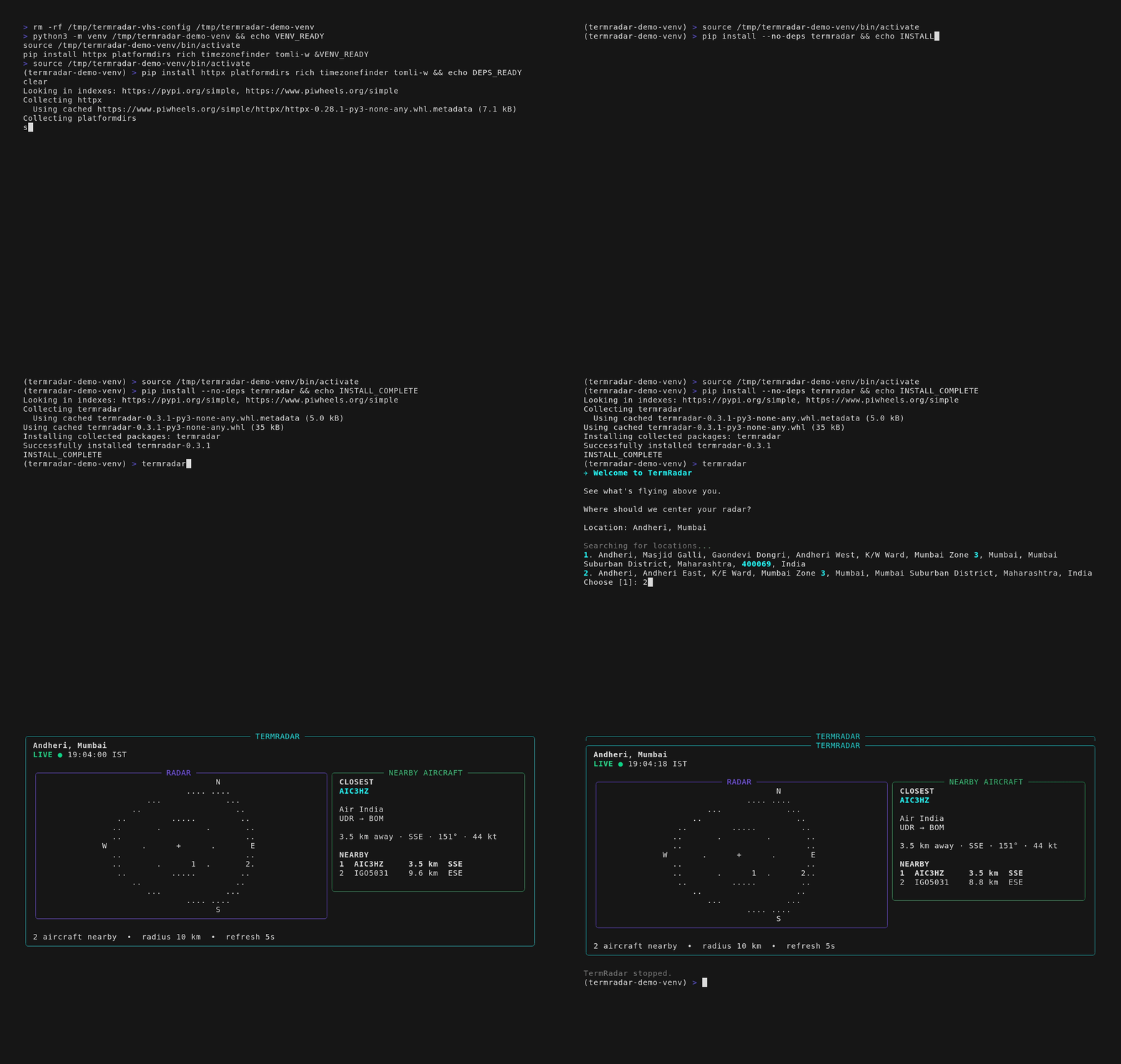
termradar --location "Andheri, Mumbai"  # temporary location (this run only)
termradar --radius 25                   # search radius in km
termradar --refresh 10                  # refresh interval (min 5 s)
termradar --aircraft-provider opensky   # OpenSky instead of adsb.lol
termradar --enrichment-limit 10         # max aircraft to enrich per scan
termradar --reset-location              # re-run setup
termradar --version
termradar --help
| Setting | Default | Allowed |
|---|---|---|
| Refresh | 5 s | 5-300 s |
| Radius | 15 km | 1-250 km |
| Aircraft source | adsb.lol | adsblol or opensky |
| Enrichment | 10 nearest | --enrichment-limit |
Provider details and internal limits: docs/DATA_PROVIDERS.md
How it works
each refresh (every 5 s by default):
  1. Fetch aircraft near you          → adsb.lol
  2. Distance and bearing from you
  3. Enrich nearest (cache miss only) → ADSBDB
  4. Draw radar + aircraft panels

setup only (not each refresh):
  Geocoding → Nominatim
Data sources: adsb.lol (aircraft), ADSBDB (routes/airlines), Nominatim (geocoding)
Documentation
| Doc | What it covers |
|---|---|
| CHANGELOG.md | Release history |
| ARCHITECTURE.md | Design, UI layout, code boundaries |
| DATA_PROVIDERS.md | APIs, internal limits, caching |
| ROADMAP.md | What's next |
| DEVELOPMENT.md | Tests, lint, packaging |
License
MIT - see LICENSE.
Made with <3 Anish
1 maintainer

Metadata
1 maintainer
Release files for termradar 0.3.2
For a detailed explanation of source distributions (sdists) and built distributions (wheels), please see the package formats documentation.
Source distribution (sdist)
| File | Size | Uploaded | Provenance | Actions |
|---|---|---|---|---|
| termradar-0.3.2.tar.gz | 5.5 MB | Without provenance | Details for termradar-0.3.2.tar.gz |
Built distribution (wheel)
| File | Interpreter | ABI | Platform | Actions Reset |
|---|---|---|---|---|
| termradar-0.3.2-py3-none-any.whl | Python 3 | none | any | Details for termradar-0.3.2-py3-none-any.whl |
Total release size: 5.5 MB
Release files / termradar-0.3.2.tar.gz
| Download URL | termradar-0.3.2.tar.gz |
|---|---|
| Size | 5.5 MB |
| Tags | Source |
|
SHA-256 checksum How to use checksums |
f743e7656cc96a72db38b4fc91820e24561e663f661a709712fad5d20ccaf13e
|
|
BLAKE2b-256 checksum How to use checksums |
d203d1e98fee17a02e3e05d14b47b6000b72855ddba31602707a2b35ad11b119
|
| Upload date | |
|
Uploaded using Trusted Publishing? What is trusted publishing? |
No |
| Uploaded via |
twine/6.2.0 CPython/3.13.5
|
Release files / termradar-0.3.2-py3-none-any.whl
| Download URL | termradar-0.3.2-py3-none-any.whl |
|---|---|
| Size | 35.6 kB |
| Tags | Python 3 |
|
SHA-256 checksum How to use checksums |
6c1465f5d72a1a9959d8d75e8cd854290a2c81f62635ef30173f7387aa9214da
|
|
BLAKE2b-256 checksum How to use checksums |
1556841bda787388fcf849f75ba0f57ee2b641f35d6be457f05c8c5afdbe4d0c
|
| Upload date | |
|
Uploaded using Trusted Publishing? What is trusted publishing? |
No |
| Uploaded via |
twine/6.2.0 CPython/3.13.5
|
Security for termradar 0.3.2
Provenance
Provenance describes where a file came from. On PyPI, provenance is shared via attestations, which provide a verifiable record of the build or publishing details. View details, limitations and caveats.
No provenance found
None of the files in this release were uploaded with provenance metadata.
A note on package security
PyPI is a repository for distributing packages, not a service for auditing them. While third-party security researchers and our staff do their best to detect and remove malicious packages, PyPI cannot guarantee the quality, security or suitability of any given package.
To learn more about protecting yourself from malicious actors, visit our package security documentation.














