






Installation
We recommend using uv to manage your Python projects.
If you haven't created a uv-managed project yet, create one:
uv init terrakit-demo
cd terrakit-demo
Then add TerraKit to your project dependencies:
uv add terrakit
Alternatively, for projects using pip for dependencies:
pip install terrakit
Check TerraKit is working as expected by running:
python -c "import terrakit; data_source='sentinel_aws'; dc = terrakit.DataConnector(connector_type=data_source)"
NOTE: Activate the uv virtual environment using
source .venv/bin/activate. Alternatively useuv runahead of any python and pip commands.
NOTE: TerraKit requires gdal to be installed, which can be quite a complex process. If you don't have GDAL set up on your system, we recommend using uv as follows assuming you are running on a linux system:
apt-get update
apt-get install -y gdal-bin libgdal-dev
uv pip install geospatial
Alternatively, you can use a conda environment and installing it with conda install -c conda-forge gdal.
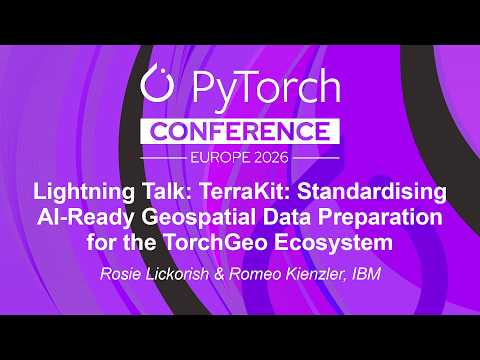
PyTorch Conference Europe 2026
Watch TerraKit in action at the PyTorch Conference Europe 2026:
Data Connectors
Data connectors are classes which enable a user to search for data and query data from a particular data source using a common set of functions. Each data connector has the following mandatory methods:
- list_collections()
- find_data()
- get_data()
Available data connectors
The following data connectors and associated collections are available:
| Connectors | Collections |
|---|---|
| sentinelhub | s2_l1c, dem, s1_grd, hls_l30, s2_l2a, hls_s30 |
| nasa_earthdata | HLSL30_2.0, HLSS30_2.0 |
| sentinel_aws | sentinel-2-l2a |
| climate_data_store | derived-era5-single-levels-daily-statistics, projections-cordex-domains-single-levels |
| IBMResearchSTAC | ukcp18-land-cpm-uk-2.2km, ch4, sentinel-5p-l3grd-ch4-wfmd |
| TheWeatherCompany | weathercompany-daily-forecast |
Quick start
Here is an example using the SentinelHub data connector.
from terrakit import DataConnector
dc = DataConnector(connector_type='sentinelhub')
dc.connector.list_collections()
To list available bands:
dc.connector.list_bands()
For more examples, take a look at terrakit_download.ipynb.
TerraKit CLI
We can also run TerraKit using the CLI. Take a look at the TerraKit CLI Notebook for some examples of how to use this.
Data connector access
Each data connector has a different access requirements. For connecting to SentinelHub and NASA EarthData, you will need to obtain credentials from each provider. Once these have been obtained, they can be added to a .env file at the root directory level using the following syntax:
SH_CLIENT_ID="<SentinelHub Client ID>"
SH_CLIENT_SECRET="<SentinelHub Client Secret>"
NASA_EARTH_BEARER_TOKEN="<NASA EarthData Bearer Token>"
CDSAPI_KEY="<Climate Data Store API Key>"
NASA Earthdata
To access NASA Earthdata, register for an Earthdata Login profile and requests a bearer token. https://urs.earthdata.nasa.gov/profile
Sentinel Hub
To access sentinel hub, register for an account and requests an OAuth client using the Sentinel Hub dashboard https://www.planet.com
Sentinel AWS
Access sentinel AWS data is open and does not require any credentials.
Climate Data Store
Create an account at https://cds.climate.copernicus.eu/. Once created, find your API key under the Profile section and add to your .env file. Each dataset may also require accepting the licence agreement. If this is the case, the first time a request is made, an error will be returned with the url to visit to accept the terms.
Available collections include:
- ERA5 post-processed daily statistics on single levels from 1940 to present
- CORDEX regional climate model data on single levels
The Weather Company
To access The Weather Company, register for an account and requests an API Key https://www.weathercompany.com/weather-data-apis/. Once you have an API key, set the following environment variable:
THE_WEATHER_COMPANY_API_KEY="<>"
IBM Research STAC
Access IBM Research STAC is currently restricted to IBMers and partners. If you're elegible, you need to register for an IBM AppID account and set the following environment variables:
APPID_ISSUER=<issuer>
APPID_USERNAME=<user-email>
APPID_PASSWORD=<user-password>
CLIENT_ID=<client-id>
CLIENT_SECRET=<client-secret>
Please reach out the maintainers of this repo.
IBMers don't need credentials to access the internal instance of the STAC service.
This data connector allows you to save files as netcdf or tif. The get_data(..) method has a parameter called save_file. If you set save_file to a path that ends with nc then it will save as netcdf. If you set to a path that ends with tif it will save as tif files.
Example data
To download a pair of example label files from Copernicus Emergency Management Service, use the rapid_mapping_geojson_downloader function as follows:
python -c "from terrakit.general_utils.labels_downloader import rapid_mapping_geojson_downloader;\
rapid_mapping_geojson_downloader(event_id='748', aoi='01', monitoring_number='05', version='v1', dest='docs/examples/test_wildfire_vector');\
rapid_mapping_geojson_downloader(event_id='801', aoi='01', monitoring_number='02',
version='v1', dest='docs/examples/test_wildfire_vector');"
Development setup
Git clone this repo:
git clone git@github.com/torchgeo/terrakit.git
cd terrakit
Install uv package manger using pip install uv, then install the package dependencies:
uv sync
Test out TerraKit:
uv run python -c "from terrakit import DataConnector; dc = DataConnector(connector_type='nasa_earthdata')"
Setup dev dependencies
Install dev dependencies
uv sync --group dev
If needed, dev dependencies can be excluded using the following:
uv sync --no-group dev
Check venv is set up as expected:
uv venv check
To install a new package and include it in the uv environment:
uv add <new_package>; uv sync.
Install pre-commit
Install the .pre-commit-config.yaml:
uv run pre-commit install
NOTE: Follow the steps under Detect secrets to install the IBM Detect Secrets library used by one of the pre-commit hooks.
To run pre-commit tasks which include ruff format, pytest, pytest coverage, detect secrets and mypy:
uv run pre-commit
The pre-commit tasks will run before as part of a git commit command. If any of the pre-commit tasks fail, git commit will also fail. Please resolve any issues before re running git commit.
Ruff usage
Run the Ruff formatter on the given files or directories
ruff format <file or directory name>
Use the [ruff.tool] > ignore section to include rules which should be ignored.
[tool.ruff]
target-version = "py310"
line-length = 120
ignore = [
    "Q000" # allow single quotes
]
Detect secrets
Install IBM detect secrets:
uv pip install --upgrade "git+https://github.com/ibm/detect-secrets.git@master#egg=detect-secrets"
Run the following command from within the root directory to scan it for existing secrets, logging the results in .secrets.baseline.
uv run detect-secrets scan --update .secrets.baseline
Running pytests
To run all unit tests:
uv run pytest
To complete a pytest coverage report:
uv run pytest --cov=src/terrakit tests/
Running integration tests
uv run python tests/integration_tests/dev.py
Add a new data connectors
To add a new data connector, use the connector_template.py as a starting point. The new connector should implement the list_collection, find_data and get_data functions and extend the Connector class from the terrakit.download.connector module. Finally update terrakit.py to enable the new connector to be selected.
To also include new tests for the new connector, please make use of test_connector_template.py.
Make sure to also update the documentation. Each data connector has a separate markdown file making it easy to add new docs.
4 maintainers


Metadata
4 maintainers
Release files for terrakit 0.2.2
For a detailed explanation of source distributions (sdists) and built distributions (wheels), please see the package formats documentation.
Source distribution (sdist)
| File | Size | Uploaded | |
|---|---|---|---|
| terrakit-0.2.2.tar.gz | 354.2 kB | Details |
Built distribution (wheel)
| File | Interpreter | ABI | Platform | Reset |
|---|---|---|---|---|
| terrakit-0.2.2-py3-none-any.whl | Python 3 | none | any | Details |
Total release size: 734.0 kB
Release files / terrakit-0.2.2.tar.gz
| Download URL | terrakit-0.2.2.tar.gz |
|---|---|
| Size | 354.2 kB |
| Tags | Source |
|
SHA-256 checksum How to use checksums |
5436f6d0d10b2750d1fd470e6f6ae61f796c7226e4d6d87add773face4228696
|
|
BLAKE2b-256 checksum How to use checksums |
f576938d78a77f4daf696464f7858bc81de9716f64493c150891abfb90e69eb3
|
| Upload date | |
|
Uploaded using Trusted Publishing? What is trusted publishing? |
No |
| Uploaded via |
twine/7.0.0 CPython/3.12.14
|
Release files / terrakit-0.2.2-py3-none-any.whl
| Download URL | terrakit-0.2.2-py3-none-any.whl |
|---|---|
| Size | 379.8 kB |
| Tags | Python 3 |
|
SHA-256 checksum How to use checksums |
a80a52b7e7ae078f51c4329c3725a456326df50b1dace95be8819413e308f833
|
|
BLAKE2b-256 checksum How to use checksums |
e031832239fb0234f5c058b11d846fce497b3778f0a479fdc918c0c869ef6340
|
| Upload date | |
|
Uploaded using Trusted Publishing? What is trusted publishing? |
No |
| Uploaded via |
twine/7.0.0 CPython/3.12.14
|














