
Test and benchmark LLMs with MCP tools in minutes.
A testing framework for validating how LLMs call tools via Model Context Protocol (MCP) — compare Claude, GPT-4, Llama, and other models' accuracy, cost, and performance.




Documentation | Getting Started | CLI Reference | Examples | Contributing | Discussions
Why testmcpy?
- Validate tool calling: Ensure LLMs call the right tools with correct parameters
- Compare models: Find the best price/performance balance for your use case
- Prevent regressions: Catch breaking changes in your MCP service with CI/CD
- Optimize costs: Track token usage and identify the most cost-effective models
How it compares
| testmcpy | MCP Inspector | MCPJam | promptfoo | |
|---|---|---|---|---|
| Automated LLM-driven evals of MCP servers | ✅ YAML suites, 40+ evaluators | ❌ manual testing | ✅ | ⚠️ generic LLM eval with an MCP provider |
| Multi-provider (Claude / GPT / Gemini / Ollama / Bedrock…) | ✅ 11 providers incl. agent SDKs | n/a | ✅ | ✅ |
| CI gate with exit codes + JUnit | ✅ --gate, --junit-xml |
❌ | ✅ | ✅ |
| Cost & token tracking per test/model | ✅ | ❌ | ⚠️ | ⚠️ |
| Multi-turn, mutation & metamorphic testing | ✅ | ❌ | ❌ | ⚠️ |
| Auth testing (JWT/OAuth/mTLS) + debugger | ✅ 7 auth types | ⚠️ OAuth only | ✅ OAuth debugger | ❌ |
Python-native (pip/uvx, pytest-friendly) |
✅ | ❌ npm | ❌ npm | ❌ npm |
Use MCP Inspector for quick manual poking; reach for testmcpy when you want repeatable, scored, CI-gated evaluation of how real models use your server.
Quick Start
# Install testmcpy
pip install testmcpy

# Run interactive setup
testmcpy setup

# Start testing
testmcpy chat                     # Interactive chat with MCP tools
testmcpy research                 # Test LLM tool-calling capabilities
testmcpy run tests/              # Run your test suite
That's it! No complex configuration needed to get started.
Key Features
Multi-Provider LLM Support
Test with Claude, GPT, Gemini, Llama, and other models. Works with both paid APIs and free local models via Ollama. Includes agent-SDK providers (Claude, Codex, Gemini) with native MCP support.
| Provider | Config name | Models | Features |
|---|---|---|---|
| Anthropic | anthropic |
claude-opus-4, claude-sonnet-4-5, claude-haiku-4-5 | Native MCP, extended thinking, vision, token caching |
| OpenAI | openai |
gpt-4, gpt-4-turbo, gpt-4o | Function calling, vision, cost tracking |
| Ollama | ollama |
Llama, Mistral, etc. (local) | Free, local execution, no API costs |
| Claude SDK | claude-sdk (aliases: claude-cli, claude-code) |
claude-sonnet-4-5, claude-opus-4 | Claude Agent SDK, native MCP, CLI OAuth login |
| Codex SDK | codex-sdk (aliases: codex-cli, codex) |
gpt-5-codex, o3, o4-mini | openai-agents SDK, native MCP, Codex CLI OAuth or API key |
| Gemini SDK | gemini-sdk |
gemini-sdk-flash, gemini-sdk-pro | google-adk, native MCP |
| Google Gemini | gemini (alias: google) |
gemini-2.5-flash, gemini-2.5-pro | Direct Gemini API, function calling |
| Gemini CLI | gemini-cli |
gemini-2.5-flash, gemini-2.5-pro | Subprocess-based Gemini CLI |
| AWS Bedrock | bedrock (alias: aws-bedrock) |
Claude models via AWS | IAM auth, no Anthropic key needed |
| xAI | xai (alias: grok) |
grok models | Function calling |
| OpenRouter | openrouter |
100+ models with one API key | Function calling, cost tracking |
Built-in Evaluators
Comprehensive validation out of the box. Each evaluator returns a score from 0.0 to 1.0 with pass/fail status and detailed reasoning.
Tool Calling:
was_mcp_tool_called— Verify specific tool was invoked (supports prefix/gateway matching)tool_call_count— Validate number of tool callstool_called_with_parameter— Check specific parameter was passed (fuzzy matching)tool_called_with_parameters— Validate multiple parameters at onceparameter_value_in_range— Ensure numeric parameters are within bounds
Execution & Performance:
execution_successful— Check for errors or failures in tool resultswithin_time_limit— Performance validation against max_secondsfinal_answer_contains— Validate response contenttoken_usage_reasonable— Cost efficiency validationresponse_time_acceptable— Latency threshold checkingauth_successful— Authentication flow validation
Extensible: Extend BaseEvaluator and implement evaluate(context) -> EvalResult to create custom evaluators for your domain.
YAML Test Definitions
Define test suites as code for repeatable, version-controlled testing:
version: "1.0"
name: "Chart Operations Test Suite"

config:
  timeout: 30
  model: "claude-sonnet-4-5"
  provider: "anthropic"

tests:
  - name: "test_create_chart"
    prompt: "Create a bar chart showing sales by region"
    evaluators:
      - name: "was_mcp_tool_called"
        args:
          tool_name: "create_chart"
      - name: "execution_successful"

  # Multi-turn test
  - name: "test_multi_turn"
    steps:
      - prompt: "List all dashboards"
        evaluators:
          - name: "was_mcp_tool_called"
            args:
              tool_name: "list_dashboards"
      - prompt: "Show me the first one"
        evaluators:
          - name: "final_answer_contains"
            args:
              content: "dashboard"

  # Load testing
  - name: "test_load"
    prompt: "List dashboards"
    load_test:
      concurrent: 5
      duration: 60
CLI & Web UI
- Rich terminal UI: Progress bars, colored output, formatted tables
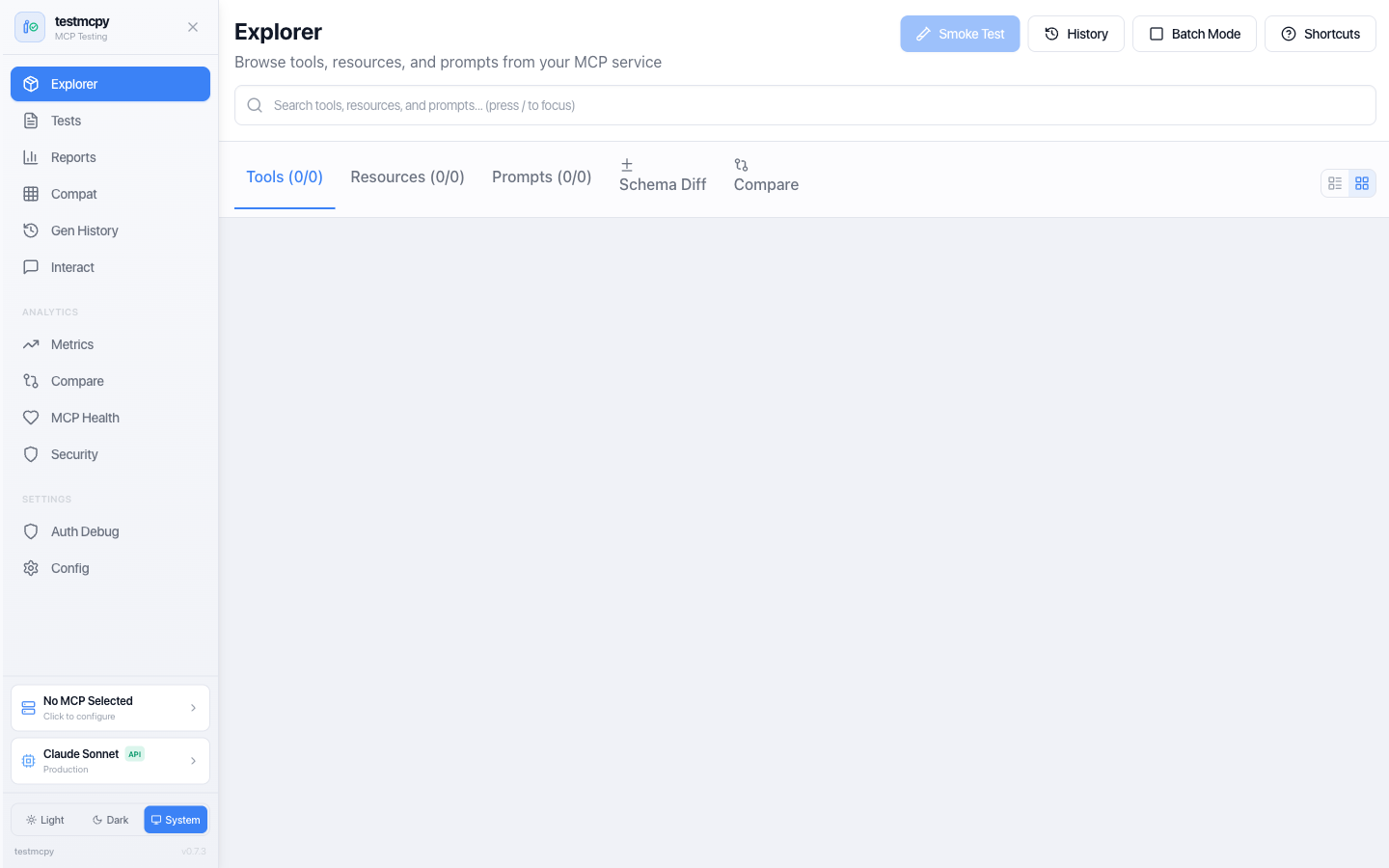
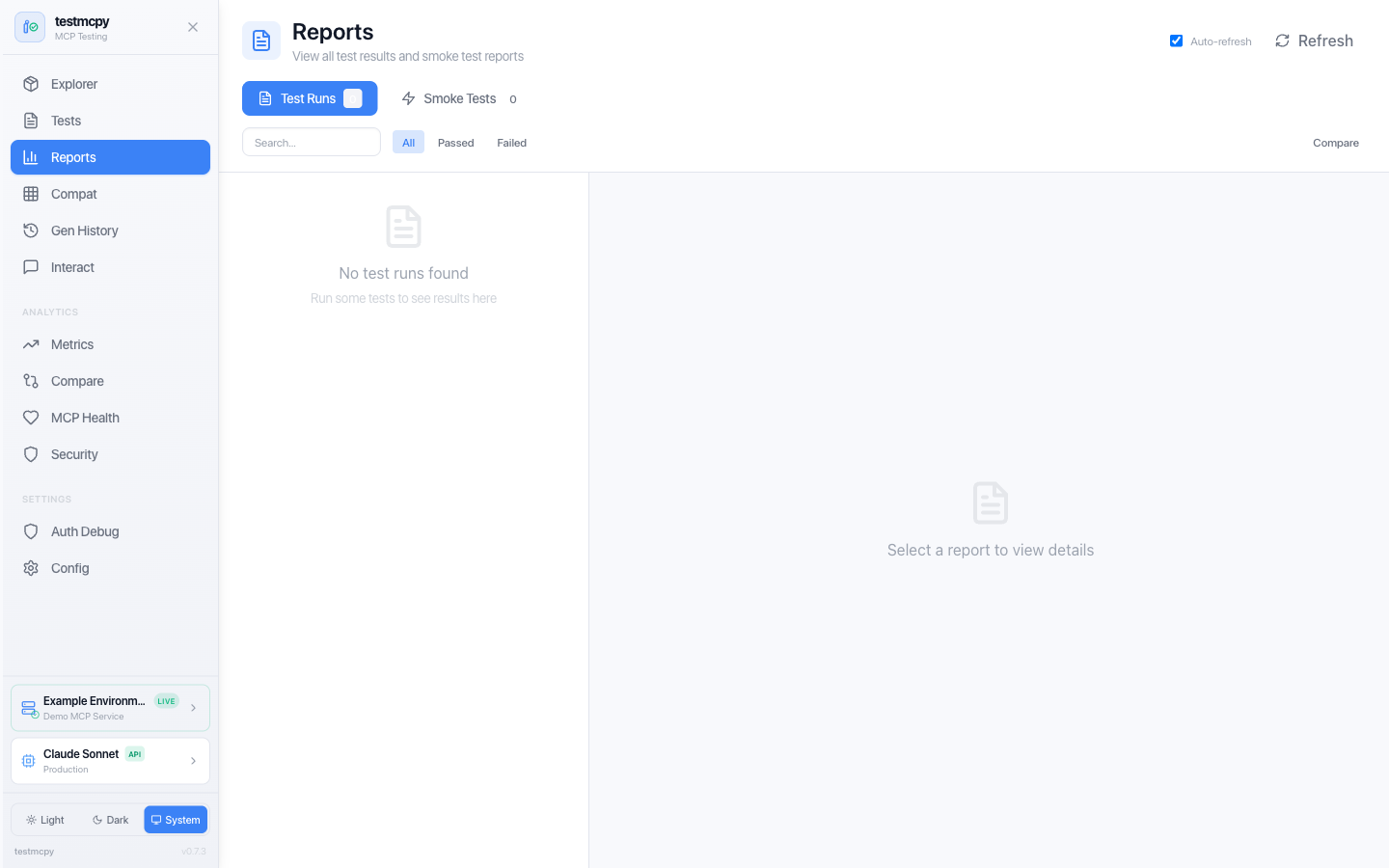
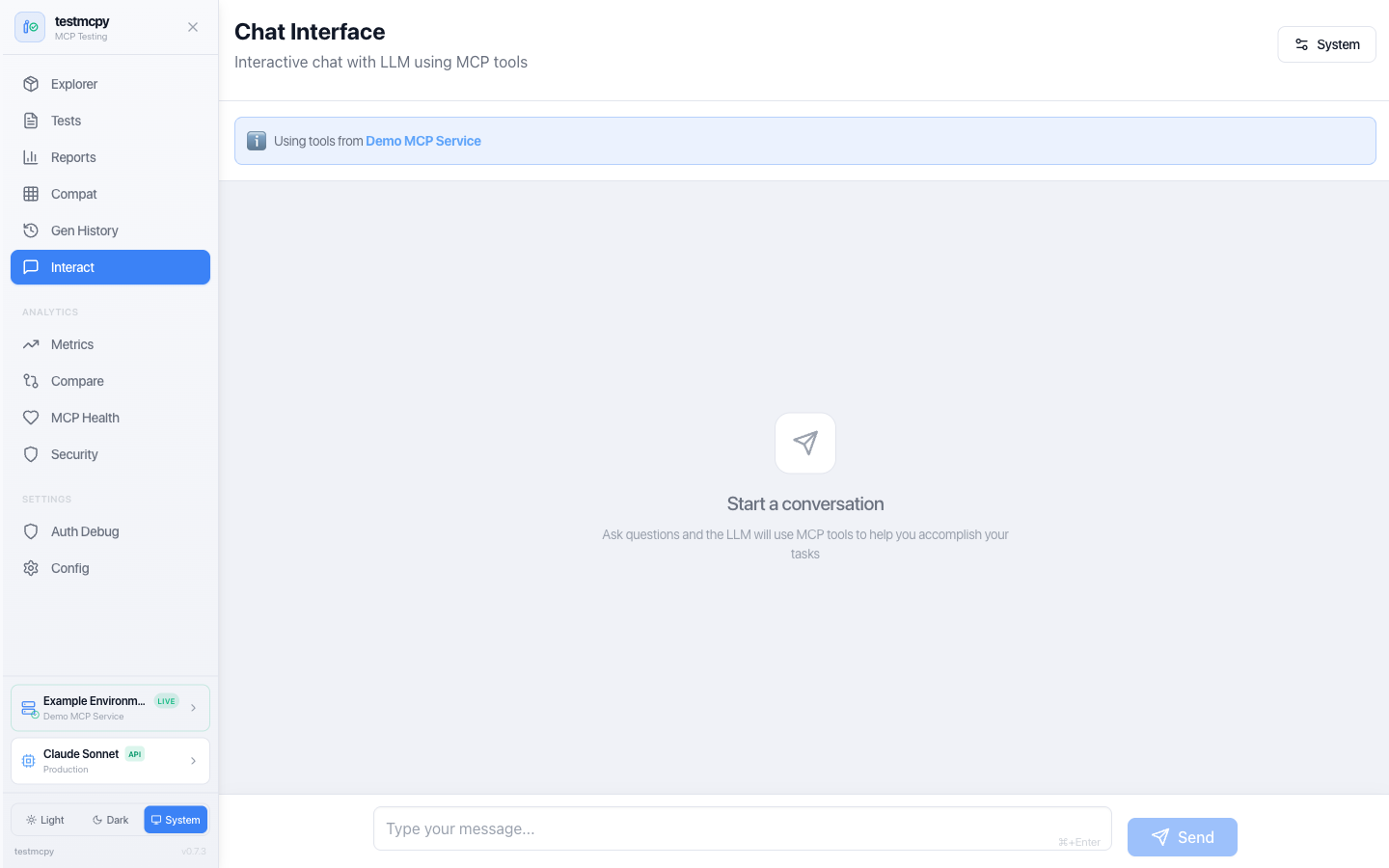
- Optional web interface: Visual tool explorer, interactive chat, analytics dashboards
- Real-time feedback: Watch tests execute with live updates via WebSocket
Headless OAuth/MCP Probe
Run vendor-neutral RFC 9728/RFC 8414/OIDC discovery, noninteractive OAuth token
paths, and a stage-visible authenticated MCP initialize + tools/list check:
testmcpy auth validate --config examples/oauth-smoke/auth-smoke.example.yaml
testmcpy auth check --config examples/oauth-smoke/auth-smoke.example.yaml \
  --profile canary --format json --output auth.json --junit auth.xml
The versioned manifest uses environment references, never credential values.
Human, JSON, JSONL, and JUnit outputs are strictly redacted and correlated by
target/region/revision. This is an interoperability and deployment-policy tool,
not formal compliance certification. CI consumers can install the minimal
testmcpy-oauth-probe distribution (pip install testmcpy-oauth-probe), whose
only dependencies are HTTPX and PyYAML — use that one in release pipelines. See
the headless probe guide.
Architecture
testmcpy connects your LLM provider to your MCP service and validates the interactions:
graph TB
    subgraph UI["User Interface Layer"]
        CLI["CLI Commands<br>(Typer)"]
        WebUI["Web UI<br>(React + Vite + Tailwind)"]
        TUI["Terminal Dashboard<br>(Textual)"]
    end

    subgraph Core["Core Framework"]
        Runner["Test Runner"]
        LLM["LLM Integration"]
        Evals["Evaluators"]
    end

    subgraph MCP_Layer["MCP Integration Layer"]
        Client["MCP Client<br>(FastMCP)"]
        Auth["Auth Manager"]
        Discovery["Tool Discovery"]
    end

    subgraph External["External Services"]
        LLM_APIs["LLM APIs<br>(Anthropic, OpenAI, Ollama)"]
        MCP_Services["MCP Services<br>(HTTP/SSE)"]
        Storage["Storage<br>(SQLite + JSON)"]
    end

    UI --> Core
    Core --> MCP_Layer
    MCP_Layer --> External
    Core --> External
How it works:
- Define test cases in YAML with prompts and expected behavior
- testmcpy sends prompts to your chosen LLM (Claude, GPT-4, Llama, etc.)
- LLM calls tools via MCP protocol to your service
- Evaluators validate tool selection, parameters, execution, and performance
- Get detailed pass/fail results with metrics and cost analysis
Installation
# Install base package
pip install testmcpy

# With web UI support
pip install 'testmcpy[server]'

# All optional features
pip install 'testmcpy[all]'
Requirements: Python 3.10-3.12
Getting Started
1. Configuration
Run the interactive setup wizard:
testmcpy setup
This creates two config files:
.llm_providers.yaml — LLM configuration:
default: prod

profiles:
  prod:
    name: "Production"
    providers:
      - name: "Claude Sonnet"
        provider: "anthropic"
        model: "claude-sonnet-4-5"
        api_key: "your-anthropic-api-key"
        timeout: 60
        default: true
.mcp_services.yaml — MCP server profiles:
default: prod

profiles:
  prod:
    name: "Production"
    mcps:
      - name: "My MCP Service"
        mcp_url: "https://your-service.example.com/mcp"
        auth:
          auth_type: "jwt"  # or "bearer", "oauth", "none"
          api_url: "https://auth.example.com/v1/auth/"
          api_token: "your-api-token"
          api_secret: "your-api-secret"
        timeout: 30
        rate_limit_rpm: 60
        default: true
Configuration priority: CLI options > Profile files > .env > User config (~/.testmcpy) > Environment variables > Built-in defaults
The setup command is idempotent — safe to run multiple times. Use --force to overwrite existing files.
TESTMCPY_CHAT_OAUTH_LOGIN (default true): when a chat message hits an
OAuth (oauth_auto_discover) MCP profile with no cached token, the server opens
the interactive browser OAuth flow and retries. This assumes a browser is
available on the machine running the server — in headless deployments set
TESTMCPY_CHAT_OAUTH_LOGIN=false so the request fails fast with a clear error
instead of blocking on a login that can never complete.
2. Explore Your MCP Service
# List available MCP tools
testmcpy tools

# Interactive chat to explore your tools
testmcpy chat

# Run automated research on tool-calling capabilities
testmcpy research --model claude-haiku-4-5
3. Create and Run Test Suites
# tests/my_tests.yaml
version: "1.0"
name: "My MCP Service Tests"

tests:
  - name: "test_tool_selection"
    prompt: "Create a bar chart showing sales by region"
    evaluators:
      - name: "was_mcp_tool_called"
        args:
          tool_name: "create_chart"
      - name: "execution_successful"
      - name: "within_time_limit"
        args:
          max_seconds: 30
testmcpy run tests/ --model claude-haiku-4-5
Commands Reference
The highlights are below — the full reference for all 38 commands lives at preset-io.github.io/testmcpy/cli.
| Command | Description |
|---|---|
| Setup | |
testmcpy setup |
Interactive configuration wizard |
testmcpy doctor |
Diagnose installation issues |
| Discovery | |
testmcpy tools |
List available MCP tools |
testmcpy profiles |
List MCP profiles (table) |
testmcpy status |
Show MCP connection status |
testmcpy explore-cli |
Browse tools (non-interactive) |
| Testing | |
testmcpy run <path> |
Execute test suite |
testmcpy research |
Test LLM tool-calling capabilities |
testmcpy chat |
Interactive chat with MCP tools |
testmcpy compare |
Multi-model comparison |
| Quality & Benchmarking | |
testmcpy bench |
Run a suite across models × profiles × repeats |
testmcpy conformance |
Run the official MCP spec conformance suite |
testmcpy score |
Grade tool surface for LLM usability (0-100, A-F) |
testmcpy scan |
Static security scan of tool metadata (SARIF output) |
testmcpy matrix / leaderboard / flaky |
Per-test × per-config analytics |
| Advanced | |
testmcpy baseline-save |
Save current test results as a named baseline |
testmcpy baseline-compare |
Compare a run against a saved baseline |
testmcpy baseline-list |
List saved baselines |
testmcpy mutate |
Prompt mutation testing |
testmcpy metamorphic |
Metamorphic testing |
testmcpy generate |
AI-assisted test generation |
testmcpy smoke-test |
Quick smoke test against an MCP service |
testmcpy coverage |
Tool coverage report for a test suite |
testmcpy multi-env |
Run the same suite against multiple MCP profiles |
testmcpy export-db |
Export the SQLite results database |
| UI | |
testmcpy serve |
Start web UI server (default port 8000) |
testmcpy config-cmd |
View current configuration |
testmcpy config-mcp |
Print MCP client snippets for Claude Desktop / Code |
Common options: --profile, --llm-profile, --model, --provider, --timeout, --verbose, --output
Inline MCP Auth (No Config File Needed)
Pass MCP auth credentials directly on the command line, bypassing .mcp_services.yaml:
# JWT auth (e.g., Preset workspaces)
testmcpy run tests/ \
  --mcp-url https://workspace.example.com/mcp \
  --auth-type jwt \
  --jwt-url https://auth.example.com/v1/auth/ \
  --jwt-token $MCP_JWT_TOKEN \
  --jwt-secret $MCP_JWT_SECRET

# Bearer token auth
testmcpy run tests/ \
  --mcp-url https://workspace.example.com/mcp \
  --auth-type bearer \
  --auth-token $MCP_BEARER_TOKEN

# No auth (public MCP endpoint)
testmcpy run tests/ \
  --mcp-url https://workspace.example.com/mcp \
  --auth-type none
Environment variables are also supported: MCP_AUTH_TOKEN, MCP_JWT_URL, MCP_JWT_TOKEN, MCP_JWT_SECRET.
Web Interface
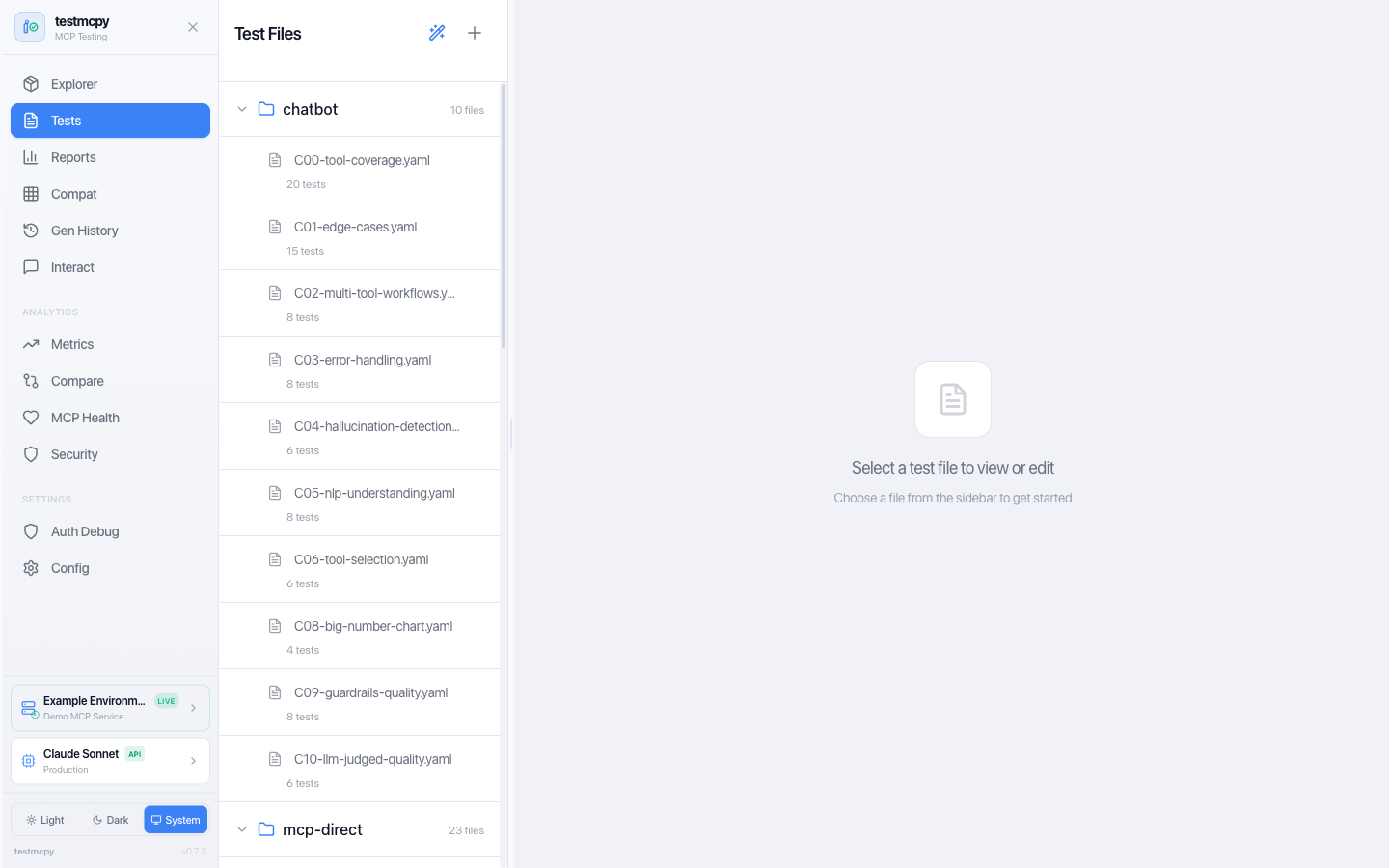
Optional React-based UI for visual testing and analytics — every page is documented at preset-io.github.io/testmcpy/web-ui:
# Install with UI support
pip install 'testmcpy[server]'

# Start server
testmcpy serve
The UI accepts loopback Host headers by default. For LAN, container, or
reverse-proxy access, bind on all interfaces and explicitly list every hostname
or IP clients will use (the option is repeatable):
testmcpy serve --host 0.0.0.0 \
  --allowed-host testmcpy.example.com \
  --allowed-host 192.0.2.10 \
  --no-browser
TESTMCPY_ALLOWED_HOSTS=testmcpy.example.com,192.0.2.10 provides the same host
policy for deployments configured through environment variables. Values are
hostnames or IP addresses only, without a URL scheme or port. A global * is
rejected by testmcpy serve because it would disable DNS-rebinding protection.
| Route | Page | Description |
|---|---|---|
/ |
MCP Explorer | Tool discovery, smoke tests, schema viewing |
/tests |
Test Manager | YAML test browser, execution, results |
/reports |
Reports | All test results, evaluations, cost analysis |
/chat |
Chat Interface | Multi-turn conversation with MCP tools |
/performance |
Performance | Per-test matrix and config leaderboard (also serves /metrics, /compare) |
/servers |
Servers | Health monitoring + cross-server schema compatibility (also serves /mcp-health, /compatibility) |
/security |
Security Dashboard | Security evaluator results and risk summary |
/generation-history |
Generation History | AI test generation logs |
/auth-debugger |
Auth Debugger | Auth flow debugging |
/config |
Configuration | Settings and environment |
/mcp-profiles |
MCP Profiles | MCP server configuration |
/llm-profiles |
LLM Profiles | LLM provider configuration |
Access at http://localhost:8000.
More screenshots
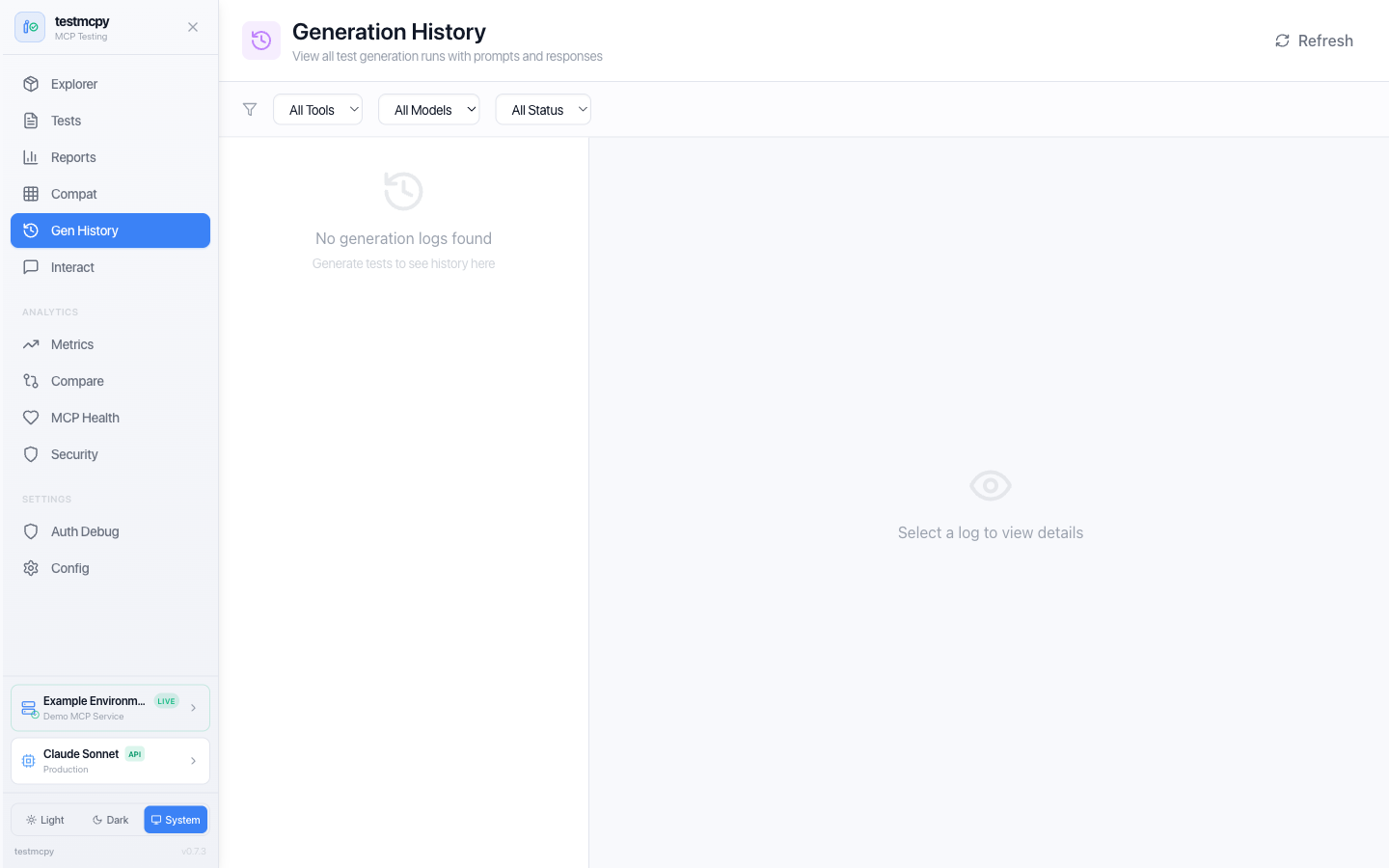 Generation History — AI-assisted test generation runs |
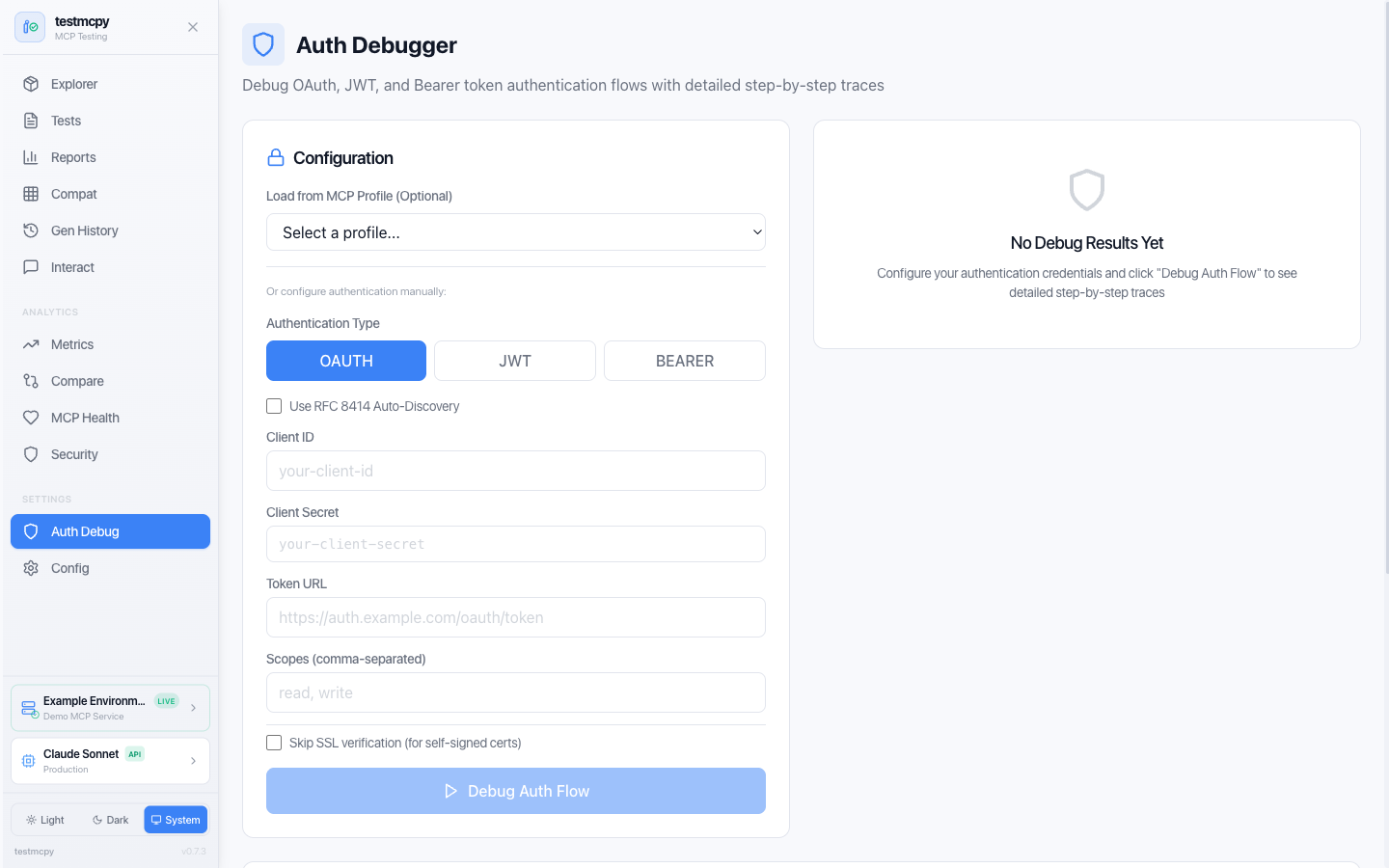 Auth Debugger — step through OAuth / JWT / Bearer flows |
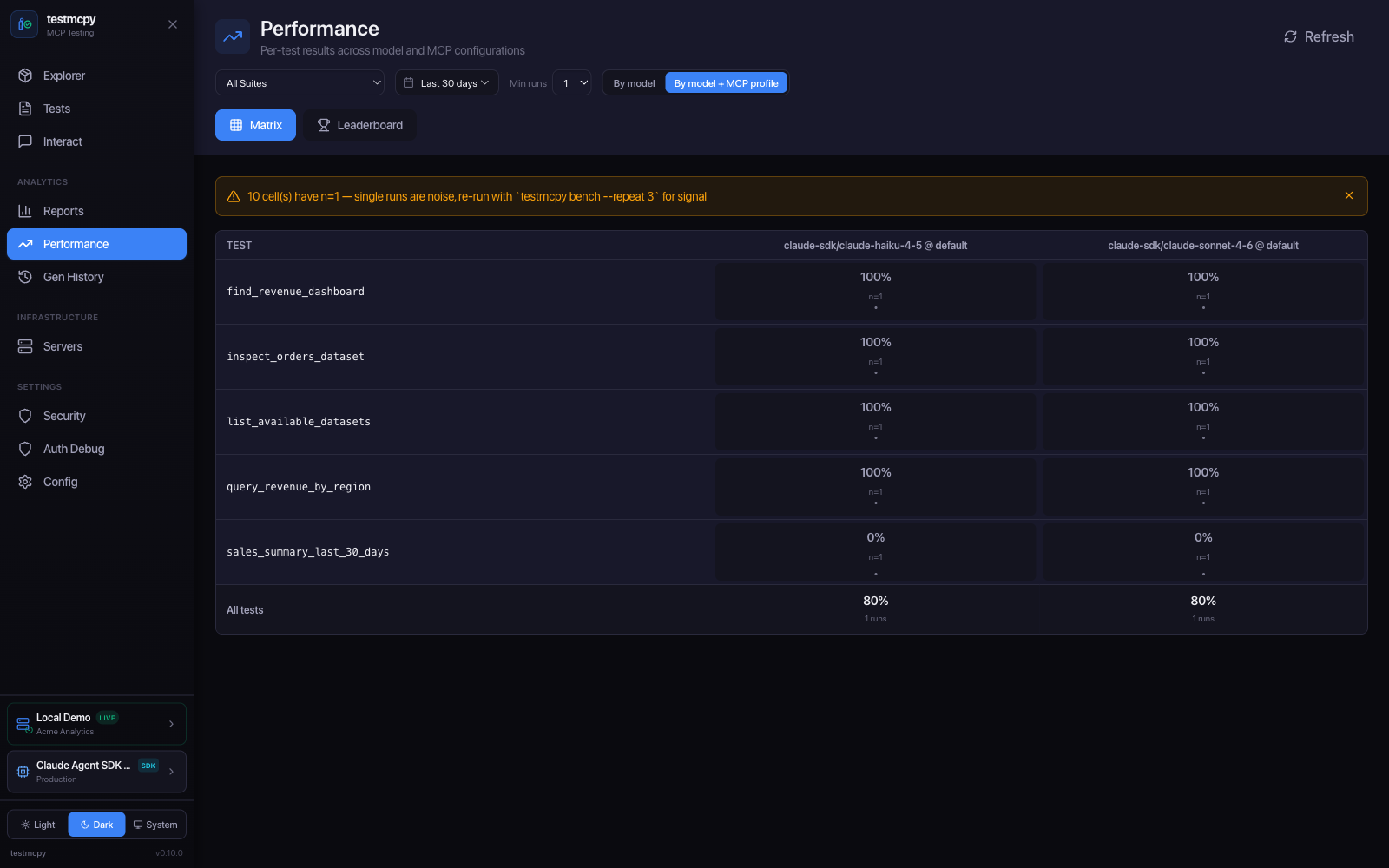 Performance — per-test results across model and MCP configurations |
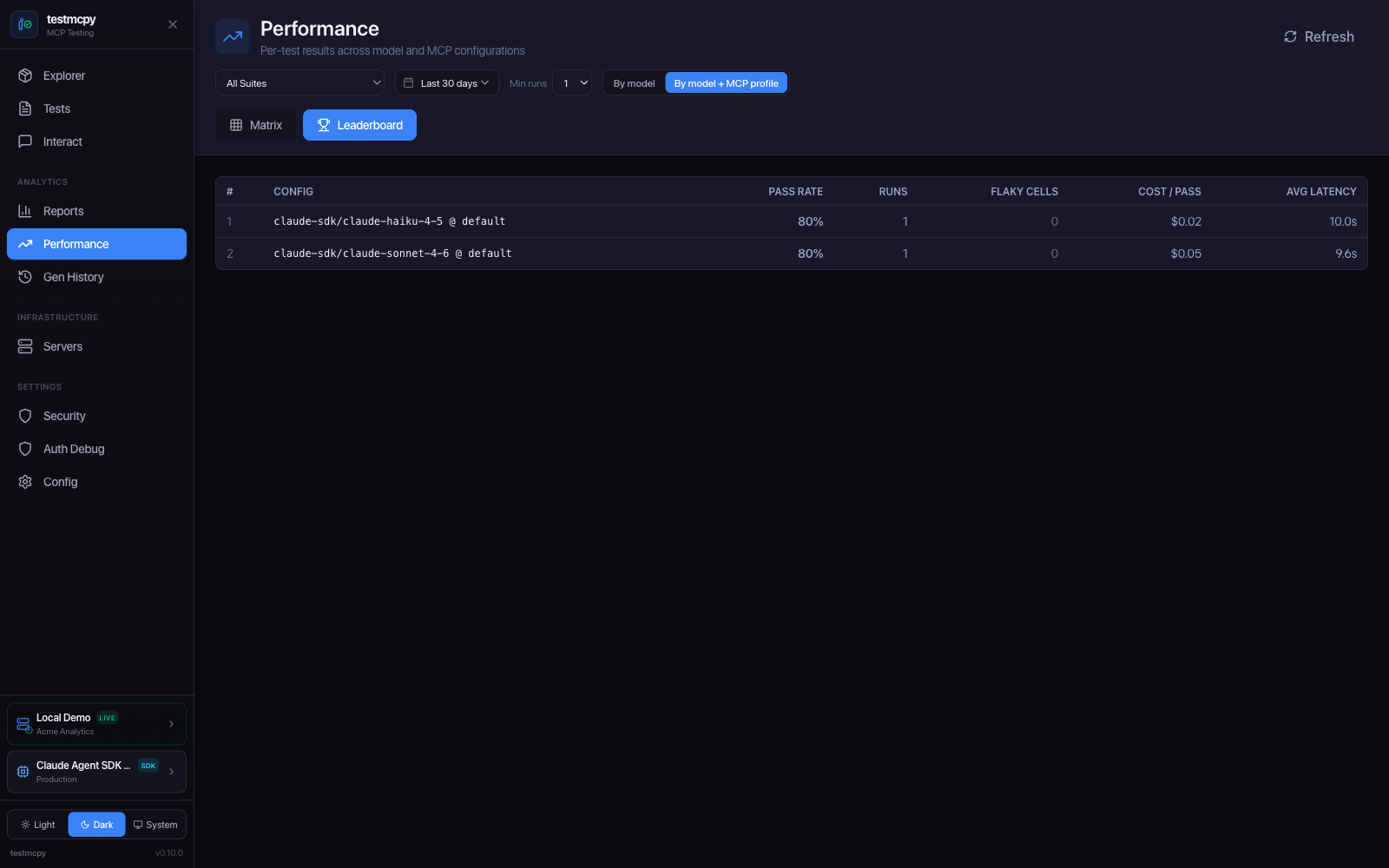 Leaderboard — configs ranked by pass rate, cost-per-pass, latency |
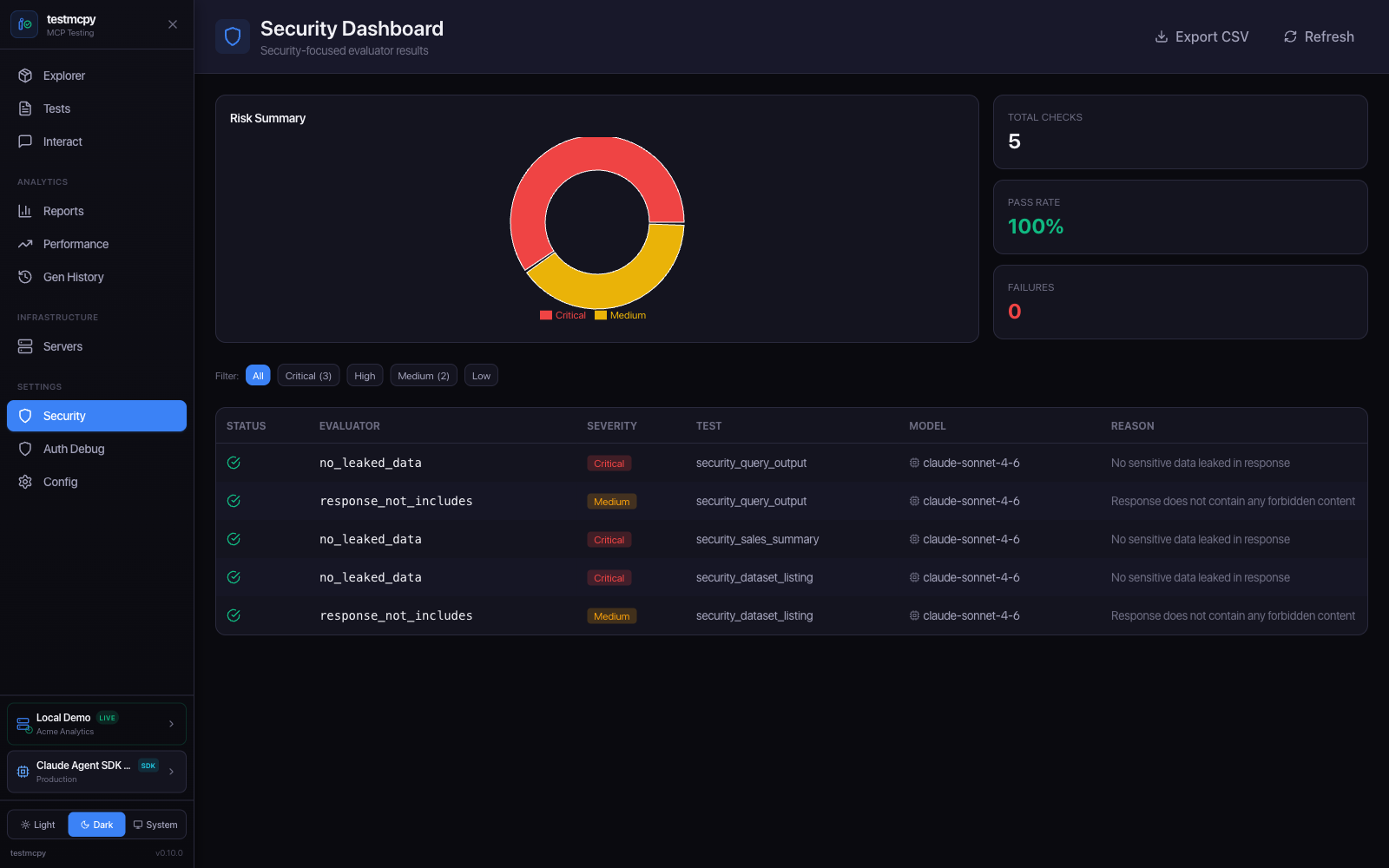 Security Dashboard — security evaluator results and risk summary |
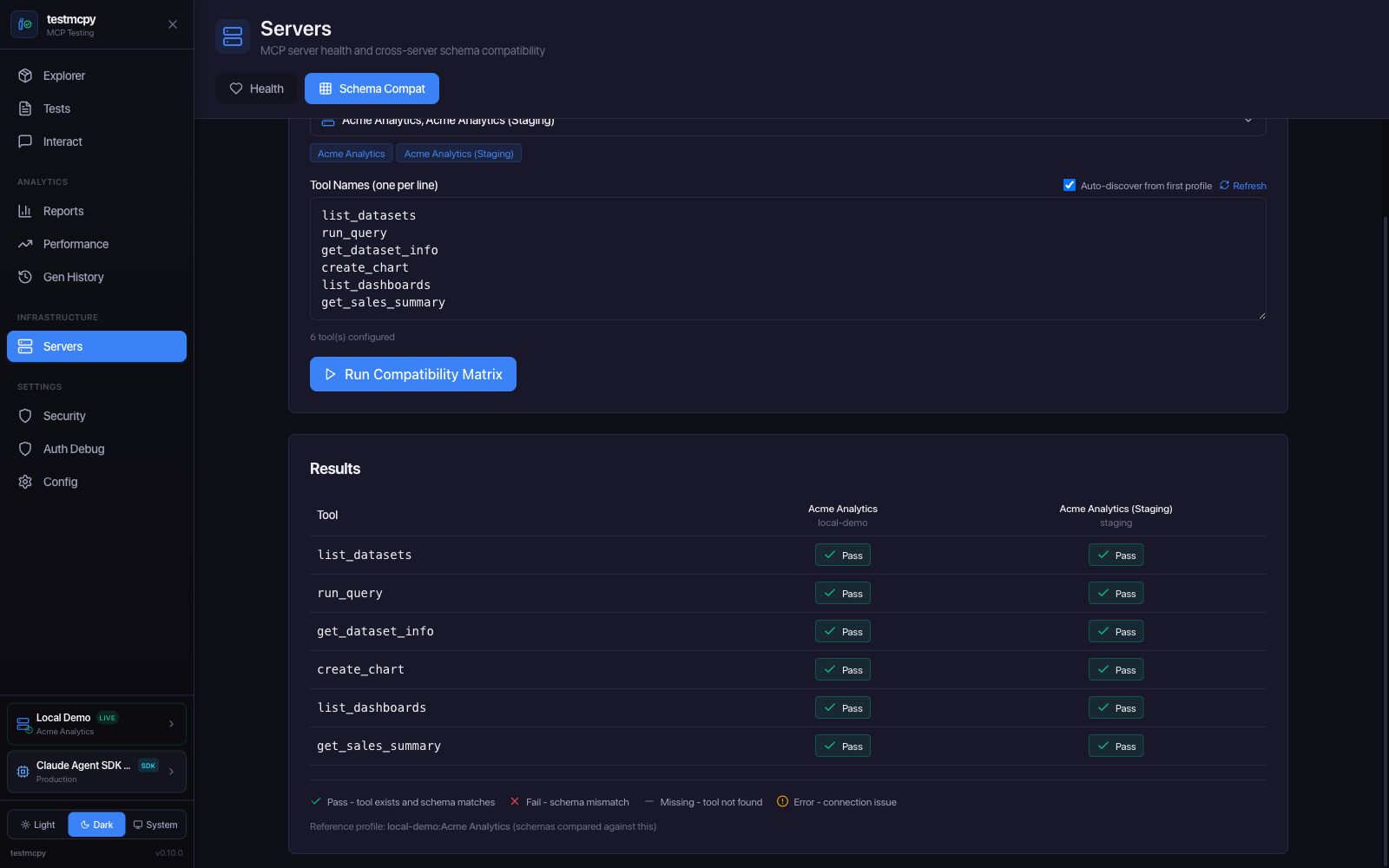 Schema Compat — cross-server tool schema compatibility matrix |
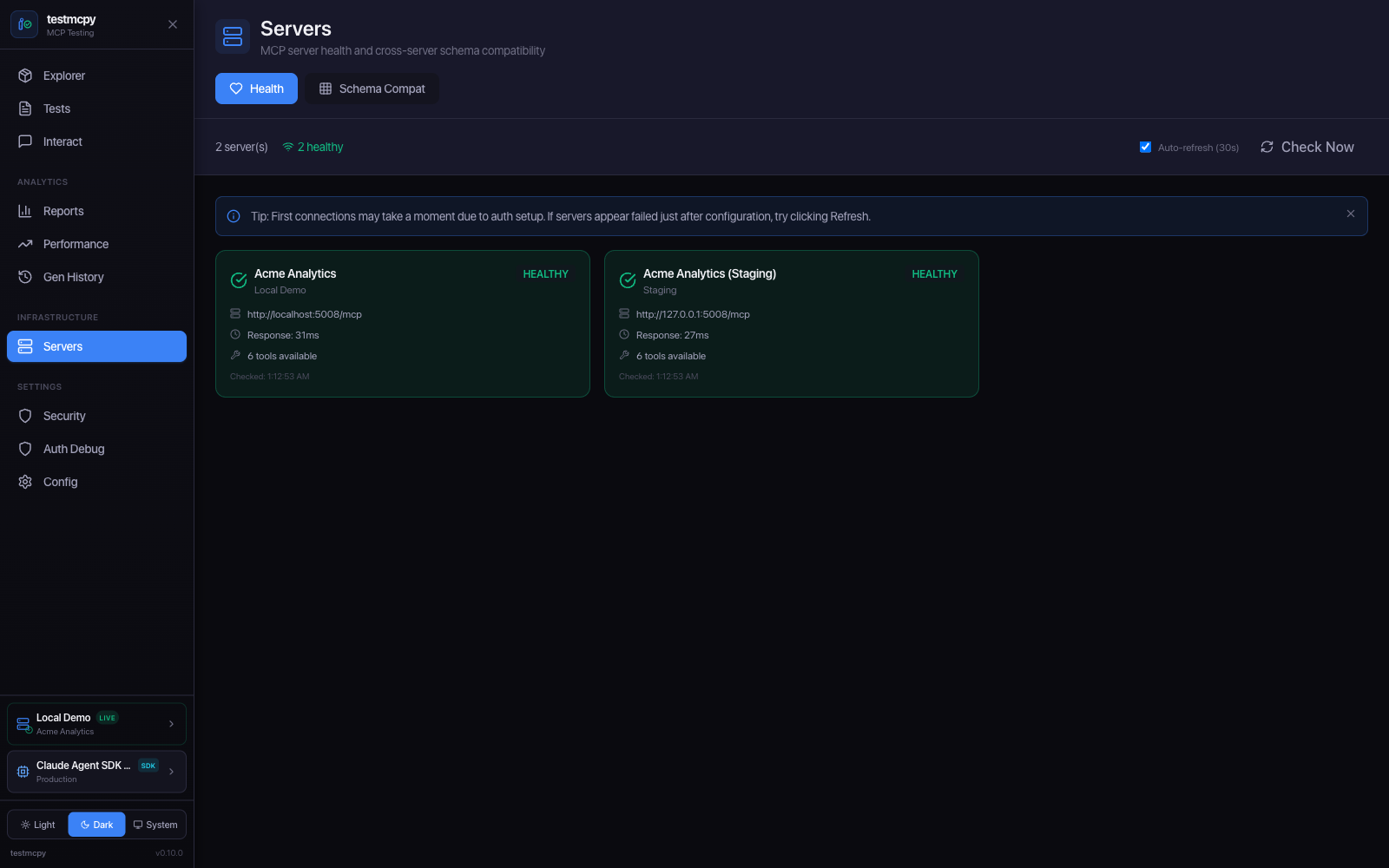 Servers — MCP server health monitoring |
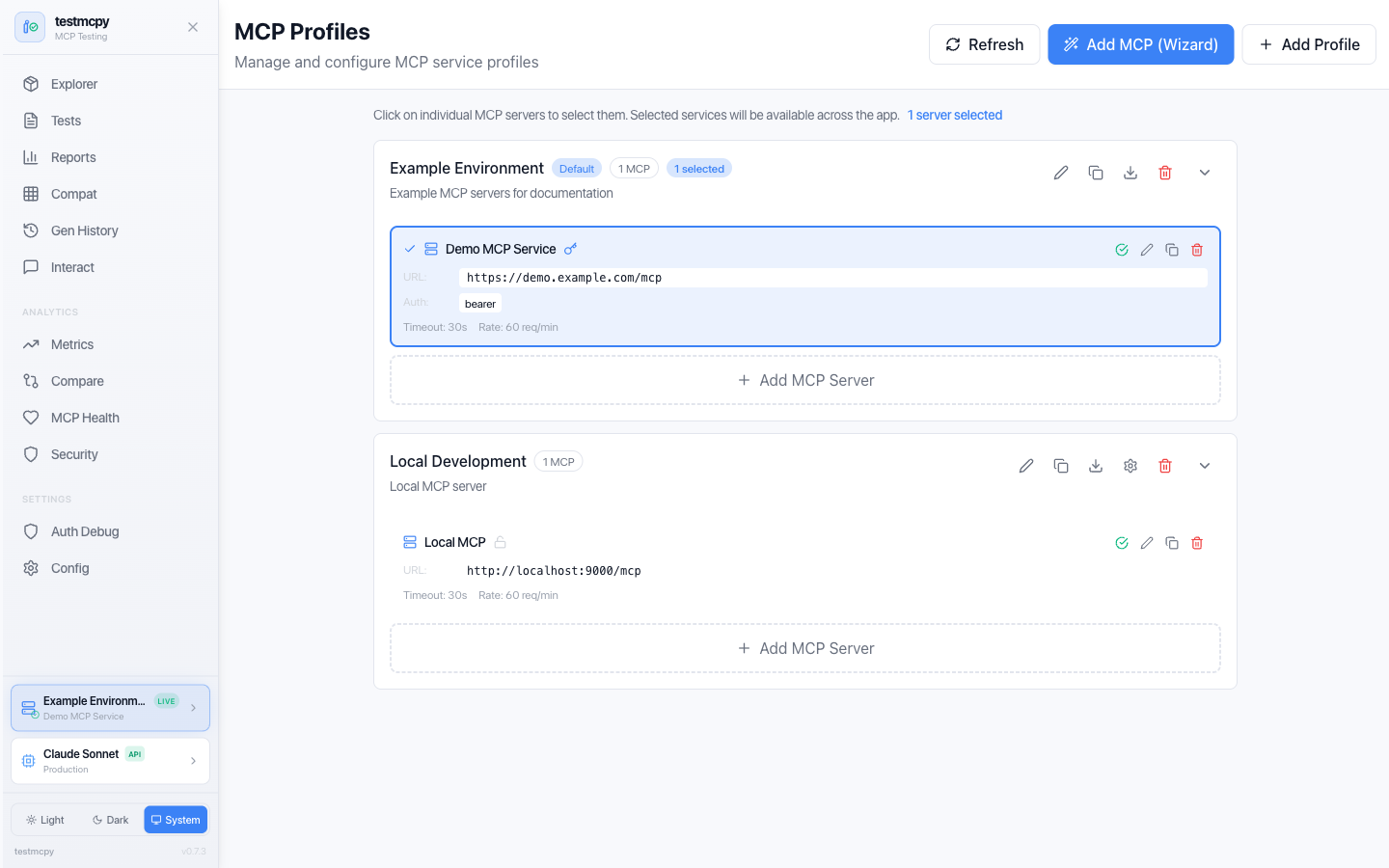 MCP Profiles — manage MCP service connections |
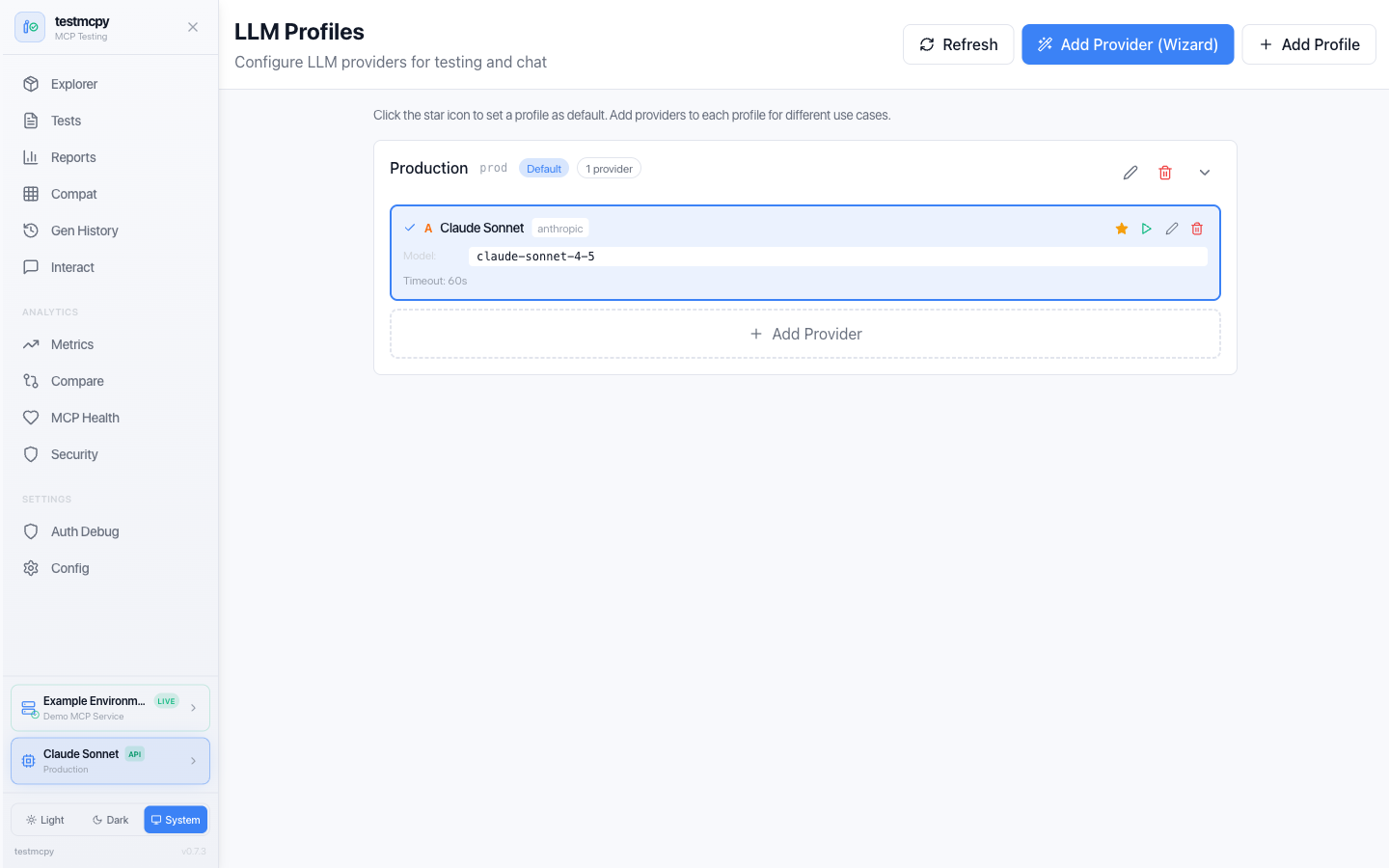 LLM Profiles — provider configurations with model pricing |
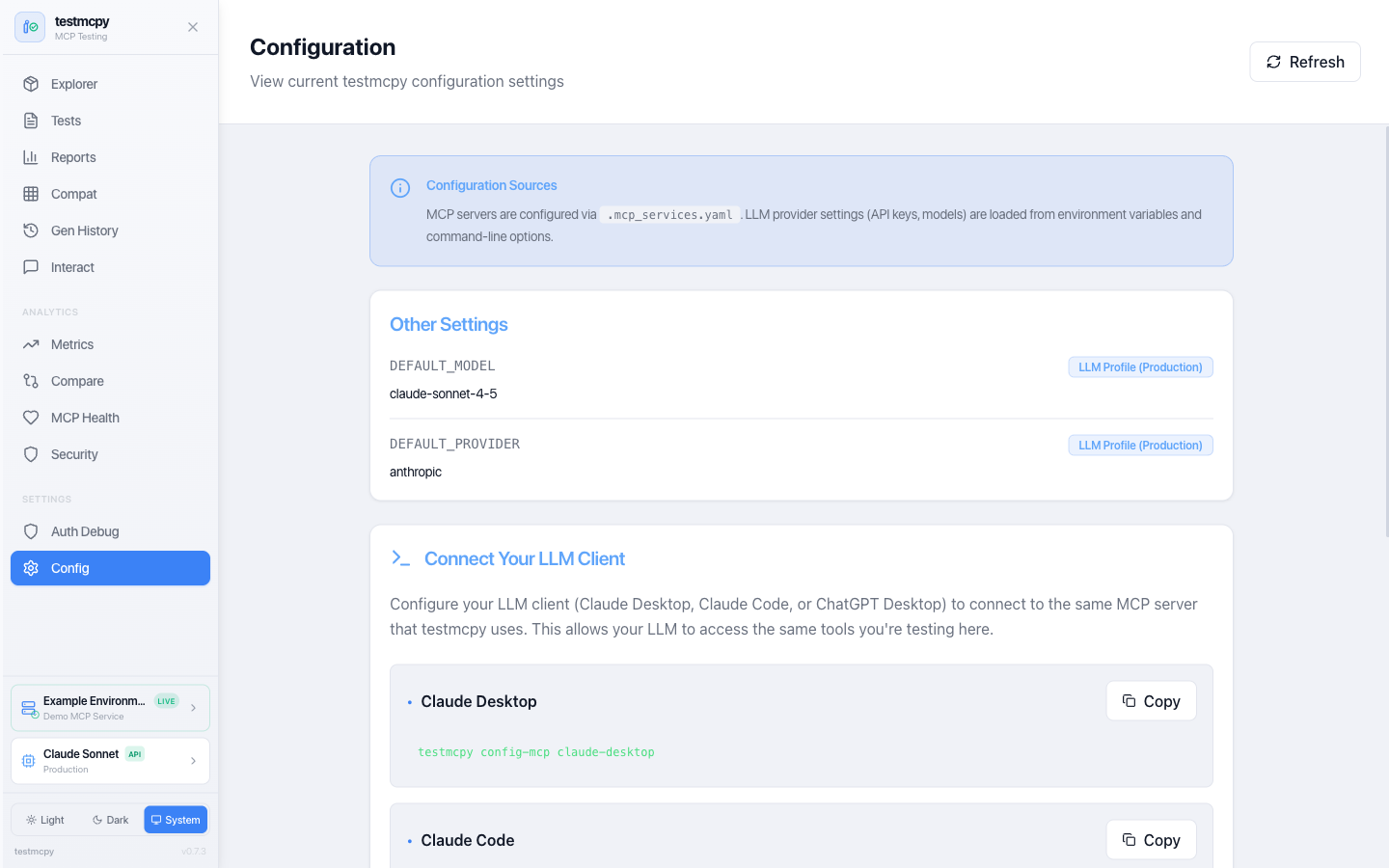 Configuration — current settings and client snippets |
LLM Providers
Anthropic (Recommended)
Best tool-calling accuracy, native MCP support:
# .llm_providers.yaml
prod:
  name: "Production"
  providers:
    - name: "Claude Sonnet"
      provider: "anthropic"
      model: "claude-sonnet-4-5"
      api_key_env: "ANTHROPIC_API_KEY"
      default: true
Ollama (Free, Local)
Perfect for development without API costs:
brew install ollama  # macOS
ollama serve
ollama pull llama3.1:8b
local:
  name: "Local Only"
  providers:
    - name: "Ollama Llama"
      provider: "ollama"
      model: "llama3.1:8b"
      base_url: "http://localhost:11434"
      default: true
OpenAI
openai:
  name: "OpenAI"
  providers:
    - name: "GPT-4"
      provider: "openai"
      model: "gpt-4-turbo"
      api_key_env: "OPENAI_API_KEY"
      default: true
CI in 60 Seconds
Gate your MCP service on eval results in any CI system — no wrapper required:
# .github/workflows/mcp-tests.yml
jobs:
  mcp-tests:
    runs-on: ubuntu-latest
    steps:
      - uses: actions/checkout@v4
      - uses: astral-sh/setup-uv@v5
      - name: Run MCP eval suite
        env:
          ANTHROPIC_API_KEY: ${{ secrets.ANTHROPIC_API_KEY }}
        run: |
          uvx testmcpy run tests/ \
            --mcp-url "$MCP_URL" \
            --gate --min-pass-rate 85 \
            --junit-xml junit.xml
-
--gateexits non-zero when the run fails your thresholds, so the build fails. Tune thresholds in.testmcpy-gate.yaml:min_pass_rate: 85.0 # % of tests that must pass max_failures: 3 # absolute failure budget required_tests: # these must always pass - critical_auth_flow block_on_regression: true # fail on baseline regressions
-
--junit-xmlemits JUnit XML for CI systems that ingest it natively (Jenkins, GitLab, CircleCI, Buildkite). On GitHub Actions, pair it with an action likedorny/test-reporter— or just rely on the next bullet. -
Inside GitHub Actions, the markdown eval report is automatically appended to the job summary — results render on the workflow run page with zero extra steps.
Or use the bundled reusable Action — adds a sticky PR comment, JUnit artifact upload, and structured outputs (pass-rate, gate_passed):
- uses: preset-io/testmcpy@v1
  with:
    test_path: tests/
    mcp_url: ${{ vars.MCP_URL }}
    pass_threshold: '85'
    pr_comment: 'true'
    anthropic_api_key: ${{ secrets.ANTHROPIC_API_KEY }}
Custom Evaluators
Extend testmcpy with domain-specific validation:
from testmcpy.evals.base_evaluators import BaseEvaluator, EvalResult

class MyEvaluator(BaseEvaluator):
    def evaluate(self, context: dict) -> EvalResult:
        response = context.get("response", "")
        passed = "expected" in response
        return EvalResult(
            passed=passed,
            score=1.0 if passed else 0.0,
            reason=f"Check passed: {passed}",
        )
See the Evaluator Reference and the Custom Evaluators guide for complete documentation.
Examples
Check out the examples/ directory for:
- Basic test suites — Simple examples to get started
- CI/CD integration — GitHub Actions and GitLab CI workflows
- Custom evaluators — Building domain-specific validation
- Multi-model comparison — Benchmarking different LLMs
Contributing
We welcome contributions! Whether it's bug reports, feature requests, documentation improvements, or code contributions.
Read the Contributing Guide to get started.
Community & Support
- Issues: Report bugs or request features
- Discussions: Ask questions and share ideas
- Documentation: preset-io.github.io/testmcpy (agent-facing source docs live in context/)
- Examples: Explore examples/ for sample code
License
Apache License 2.0 — See LICENSE for details.
Built by @aminghadersohi at Preset.
1 maintainer

Metadata
1 maintainer
Release files for testmcpy 0.11.22
For a detailed explanation of source distributions (sdists) and built distributions (wheels), please see the package formats documentation.
Source distribution (sdist)
| File | Size | Uploaded | Provenance | |
|---|---|---|---|---|
| testmcpy-0.11.22.tar.gz | 1.3 MB | With provenance | Details |
Built distribution (wheel)
| File | Interpreter | ABI | Platform | Reset |
|---|---|---|---|---|
| testmcpy-0.11.22-py3-none-any.whl | Python 3 | none | any | Details |
Total release size: 2.6 MB
Release files / testmcpy-0.11.22.tar.gz
| Download URL | testmcpy-0.11.22.tar.gz |
|---|---|
| Size | 1.3 MB |
| Tags | Source |
|
SHA-256 checksum How to use checksums |
f497f9ee4b3751e25453db34a7cc26d7162bf0124e644e896707dc3e60064947
|
|
BLAKE2b-256 checksum How to use checksums |
8e226cbba435a69025393d52d233f333a5d35bdff4fe247af1d3efd57e756974
|
| Upload date | |
|
Uploaded using Trusted Publishing? What is trusted publishing? |
Yes |
| Uploaded via |
twine/7.0.0 CPython/3.13.14
|
Provenance
Provenance describes where a file came from. On PyPI, provenance is shared via attestations, which provide a verifiable record of the build or publishing details. View details, limitations and caveats.


PyPI Publish Attestation
PyPI verified that this artifact, at this checksum, originated from the publisher listed below.
Signed by GitHub Actions, verified by PyPI on Oct 14, 2026.
Transparency logRelease files / testmcpy-0.11.22-py3-none-any.whl
| Download URL | testmcpy-0.11.22-py3-none-any.whl |
|---|---|
| Size | 1.4 MB |
| Tags | Python 3 |
|
SHA-256 checksum How to use checksums |
08aab9970ed27ef934fafea8d553317fbd4d61e20cdbb0e28f91ec5a73cbfd93
|
|
BLAKE2b-256 checksum How to use checksums |
5e2b12a3955919b3bd8a75a14f6d28abf3747b416a96213801f9c956050545f2
|
| Upload date | |
|
Uploaded using Trusted Publishing? What is trusted publishing? |
Yes |
| Uploaded via |
twine/7.0.0 CPython/3.13.14
|
Provenance
Provenance describes where a file came from. On PyPI, provenance is shared via attestations, which provide a verifiable record of the build or publishing details. View details, limitations and caveats.
PyPI Publish Attestation
PyPI verified that this artifact, at this checksum, originated from the publisher listed below.
Signed by GitHub Actions, verified by PyPI on Oct 14, 2026.
Transparency logSecurity for testmcpy 0.11.22
Provenance
Provenance describes where a file came from. On PyPI, provenance is shared via attestations, which provide a verifiable record of the build or publishing details. View details, limitations and caveats.
Full provenance
All 2 files in this release have been uploaded with provenance metadata.
Attestation for testmcpy-0.11.22.tar.gz
PyPI Publish Attestation
PyPI verified that this artifact, at this checksum, originated from the publisher listed below.
Signed by GitHub Actions, verified by PyPI on Oct 14, 2026.
Transparency logA note on package security
PyPI is a repository for distributing packages, not a service for auditing them. While third-party security researchers and our staff do their best to detect and remove malicious packages, PyPI cannot guarantee the quality, security or suitability of any given package.
To learn more about protecting yourself from malicious actors, visit our package security documentation.














