🛠️ PyTest's tool shed: Docker up, Playwright on, cleanup done

Project description

KloudKIT TestShed

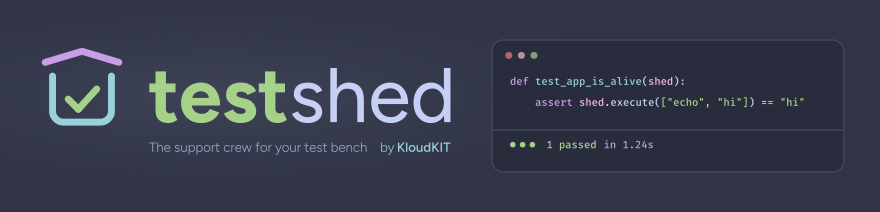
A pytest plugin for integration testing with Docker and Playwright. It handles container lifecycle, browser provisioning, and cleanup automatically.

Features

  • Docker management: provision and control containers from tests.
  • Playwright integration: browser testing in isolated Docker environments.
  • Configurable via markers & CLI: tune environments per test or suite.
  • Automatic cleanup: containers and volumes are removed after tests.

Installation

pip install testshed

Usage

Fixture Auto-Discovery

TestShed fixtures are automatically available when --shed is enabled.

pytest --shed

For manual control or when --shed is not used, you can still import specific fixtures:

from kloudkit.testshed.fixtures.docker import docker_sidecar
from kloudkit.testshed.fixtures.shed import shed
from kloudkit.testshed.fixtures.playwright import playwright_browser

Docker container testing

TestShed provides fixtures to manage containers inside your tests.

Configure containers with decorators

Configure containers using pytest markers:

  • @shed_config(**kwargs): pass arguments to the container factory (e.g. publish, networks).
  • @shed_env(**envs): set environment variables.
  • @shed_volumes(*mounts): mount volumes as (source, dest) tuples or BaseVolume instances.
  • @shed_mutable(): force a dedicated container for tests that mutate state (bypasses the shared default).
from kloudkit.testshed.docker import InlineVolume, RemoteVolume

@shed_config(publish=[(8080, 80)])
@shed_env(MY_ENV_VAR="hello")
@shed_volumes(
  ("/path/to/host/data", "/app/data"),
  InlineVolume("/app/config.txt", "any content you want", mode=0o644),
  RemoteVolume("/app/remote-config.json", "https://api.example.com/config.json", mode=0o644),
)
def test_configured_docker_app(shed):
  # ... test logic ...

Use @shed_mutable() when your test writes data, installs packages, or otherwise changes the container.

This ensures it gets its own instance instead of reusing the shared default:

@shed_mutable()
def test_install_package(shed):
  shed.execute("apt-get install -y curl")

  assert "curl" in shed.execute("which curl")

High-level shed fixture

Use the shed fixture for container management with configurable defaults:

import pytest

from kloudkit.testshed.docker import Container, HttpProbe

class MyAppContainer(Container):
  DEFAULT_USER = "app"

@pytest.fixture(scope="session")
def shed_container_defaults():
  """Override this fixture to set project-specific defaults."""

  return {
    "container_class": MyAppContainer,
    "envs": {"APP_PORT": 3000},
    "probe": HttpProbe(port=3000, endpoint="/health"),
  }

def test_my_app(shed):
  # Uses your configured defaults automatically
  assert shed.execute("whoami") == "app"

@shed_env(DEBUG="true")
def test_my_app_with_debug(shed):
  # New container with override, merged with defaults
  assert shed.execute("echo $DEBUG") == "true"
  assert shed.execute("echo $APP_PORT") == "3000"

Deferred deployment with shed_deferred

Use shed_deferred when you need to control when the container starts, for pre-deployment setup, runtime parameterization, or spinning up multiple containers in a single test:

@shed_env(APP_PORT="3000")
def test_deferred_deployment(shed_deferred):
  # Container is NOT running yet — do setup here
  # ...

  # Deploy with optional call-time overrides
  container = shed_deferred(envs={"DEBUG": "true"})
  # envs are merged: APP_PORT=3000 + DEBUG=true

  assert container.execute("echo $DEBUG") == "true"
  assert container.execute("echo $APP_PORT") == "3000"


def test_multiple_containers(shed_deferred):
  primary = shed_deferred(envs={"ROLE": "primary"})
  replica = shed_deferred(envs={"ROLE": "replica"})
  # Each call spins up a new container

Call-time parameters merge with decorator config:

  • envs: dict merge (call-time values override decorator values).
  • volumes: concatenated (call-time volumes added after decorator volumes).
  • **kwargs: passed as config args (override decorator @shed_config values).

Basic Docker container

For a lower-level API, use the docker_sidecar fixture:

def test_my_docker_app(docker_sidecar):
  # Launch a container
  nginx = docker_sidecar("nginx:latest", publish=[(8080, 80)])

  # Execute a command inside the container
  hostname = nginx.execute("cat /etc/hostname")
  assert len(hostname) > 0

  # Access the container's IP
  print(f"Container IP: {nginx.ip()}")

  # Interact with the file system
  assert "html" in nginx.fs.ls("/usr/share/nginx")

Playwright browser testing

Get a Playwright browser instance running in Docker via playwright_browser:

def test_example_website(playwright_browser):
  page = playwright_browser.new_page()
  page.goto("http://example.com")
  assert "Example Domain" in page.title()
  # ... more Playwright test logic ...

Command-line options

TestShed extends pytest with options to control the Docker environment:

  • --shed: enable TestShed for the current test suite (default: disabled).
  • --shed-image IMAGE: base image (e.g., ghcr.io/acme/app).
  • --shed-tag TAG|SHA: image tag or digest (default: tests).
  • --shed-build-context DIR: Docker build context (default: pytest.ini directory).
  • --shed-image-policy POLICY: image acquisition policy (default: pull).
  • --shed-skip-bootstrap: skip Docker bootstrapping (useful for unit tests).
  • --shed-container-logs: print container logs on failure (default: disabled).

[!NOTE] When TestShed is installed globally, you must explicitly enable it per suite with --shed. This prevents it from configuring Docker in projects that don't use it.

Image Policies

The --shed-image-policy option controls how TestShed acquires Docker images:

  • pull (default): pull image if not found locally, build as fallback.
  • build: build only if image doesn't exist locally.
  • require: require existing local image (fails if not found).
  • rebuild: always rebuild the image.

Examples

# Enable TestShed for your suite
pytest --shed --shed-image my-test-image --shed-image-policy rebuild

# Run tests without TestShed (default)
pytest

Project details


Download files

Download the file for your platform. If you're not sure which to choose, learn more about installing packages.

Source Distribution

testshed-0.0.13.tar.gz (21.4 kB view details)

Uploaded Source

Built Distribution

If you're not sure about the file name format, learn more about wheel file names.

testshed-0.0.13-py3-none-any.whl (29.9 kB view details)

Uploaded Python 3

File details

Details for the file testshed-0.0.13.tar.gz.

File metadata

  • Download URL: testshed-0.0.13.tar.gz
  • Upload date:
  • Size: 21.4 kB
  • Tags: Source
  • Uploaded using Trusted Publishing? Yes
  • Uploaded via: twine/6.1.0 CPython/3.13.7

File hashes

Hashes for testshed-0.0.13.tar.gz
Algorithm Hash digest
SHA256 aafbe093d48e146bdd497687e9a910ff5078da5a77b04e0c7210a2fcb1bc4021
MD5 77b5f422266506eca29957c0fba85029
BLAKE2b-256 7b9f80478d6eb1dc46768a140ec5884b6ebc7248c809d0e44c09acfac23e8abb

See more details on using hashes here.

Provenance

The following attestation bundles were made for testshed-0.0.13.tar.gz:

Publisher: publish.yaml on kloudkit/testshed

Attestations: Values shown here reflect the state when the release was signed and may no longer be current.

File details

Details for the file testshed-0.0.13-py3-none-any.whl.

File metadata

  • Download URL: testshed-0.0.13-py3-none-any.whl
  • Upload date:
  • Size: 29.9 kB
  • Tags: Python 3
  • Uploaded using Trusted Publishing? Yes
  • Uploaded via: twine/6.1.0 CPython/3.13.7

File hashes

Hashes for testshed-0.0.13-py3-none-any.whl
Algorithm Hash digest
SHA256 1274d931eee6aca503c973a3dc80078a9cbc4ceb4f86ce042ad5d5583ab59509
MD5 37053f7a43c6b99be9884e0f1cad21d7
BLAKE2b-256 4e0bbc2b71ec8814b85f45254841ba7ee9d4edf2e40750e491a261dd6660d420

See more details on using hashes here.

Provenance

The following attestation bundles were made for testshed-0.0.13-py3-none-any.whl:

Publisher: publish.yaml on kloudkit/testshed

Attestations: Values shown here reflect the state when the release was signed and may no longer be current.

Supported by

AWS Cloud computing and Security Sponsor Datadog Monitoring Depot Continuous Integration Fastly CDN Google Download Analytics Pingdom Monitoring Sentry Error logging StatusPage Status page