
tether-chat

A local-first assistant for tasks, action items, and things worth remembering. Talk naturally; your work and conversation stay in a local SQLite database.
Browser app
Open tether in your browser — including on your phone. On iPhone, open it in Safari and choose Share → Add to Home Screen.
The browser edition runs on your device, with no tether server or Python installation. Enter your own API endpoint, model, and key in Settings. Your provider must allow browser requests (CORS). Tasks, action notes, conversations, and calendars stay in this browser; saved tasks work offline after the app has loaded once. AI requests still need internet.
Keys can stay in your browser session or be saved encrypted with an unlock passphrase. Download portable backups from Settings: clearing website data removes browser tasks. Desktop and browser data are independent; they do not sync automatically. Closed-app reminders, the local MCP server, and database folder selection belong to the desktop edition.
Both editions are released from this repository. Browser setup, backups, and development.
Install
Requires Python 3.11 or newer. No PyInstaller build or separate Windows .exe installer is required.
Install the desktop app from PyPI:
uv tool install --reinstall "tether-chat[desktop]"
tether-chat-desktop
The install exposes only tether-chat and tether-chat-desktop. On Windows, tether-chat-desktop opens a native WebView2 window and remains in the tray after the window closes. Choose Open tether-chat to return or Exit tether-chat to stop it. The Microsoft Edge WebView2 Runtime is required. macOS and Linux open the browser UI and use a tray/menu-bar entry where supported by the desktop environment.
Browser/server mode:
pip install tether-chat
tether-chat serve --port 9000 --mcp-port 9001
Without custom ports, the browser UI is at http://127.0.0.1:8765 and the local MCP server is at http://127.0.0.1:8766/mcp. Use --no-browser to start without opening a window. Both services are local-only; Ctrl+C stops a terminal-launched server.
Optional desktop shortcut:
tether-chat desktop install
tether-chat desktop install --destination "/path/to/shortcuts"
The default destination is your operating system's Desktop folder. Windows gets an icon-branded .lnk, macOS a .command launcher, and Linux a .desktop entry. Keep the Python/uv environment that the shortcut references. Linux may require marking the launcher trusted. Add tether-chat-desktop to your OS login/startup applications to launch at sign-in; installing it does not enable startup automatically.
For desktop installation with pip, use pip install "tether-chat[desktop]".
Set up and use
Open Settings → AI connection, enter your provider's HTTPS API base URL, model, and API key, then save and test. The provider must support OpenAI-compatible chat-completions tool calling. Desktop keys use the operating system's credential vault; they are not stored in your task database.
Conversation: Describe work to track, ask for an update, or record feedback. You can switch to Tasks while a reply is running. Requests are queued on the local server, and returning to Conversation restores their progress or completed replies. A full server shutdown interrupts in-flight requests rather than automatically repeating potentially mutating operations.
Replies use the same Note style in desktop and browser: natural update paragraphs, quiet task links, compact rows for rollups, and grouped category or activity sections. Known dates stay separate from next actions, and rows stack on phones. Local commands use this presentation without an AI call. Short confirmations stay short; older task-linked lists also receive the shared styling.
Assistant decisions: Tasks get a suitable existing or new category, and follow-ups reuse the focused task. Open-ended reminders use saved defaults (Monday, morning 09:00, night 21:00), editable in Settings. Snapshots include task and action reminders as well as deadlines. Address lookup asks for confirmation before searching and lets you save the chosen location with a Google Maps link. See browser behavior.
Voice input: Click the borderless microphone to start; it changes color while listening. Words appear in the message box as you speak. Click again to stop and keep the text, or × to discard that dictation. Both editions use open-source Vosk on your device, without a provider audio endpoint or API key. English speech files download once (about 45 MB) and are cached for offline use. In Settings → Voice input, optional Browser dictation uses your browser’s supported languages and may use its speech service. Review and send the draft when ready.
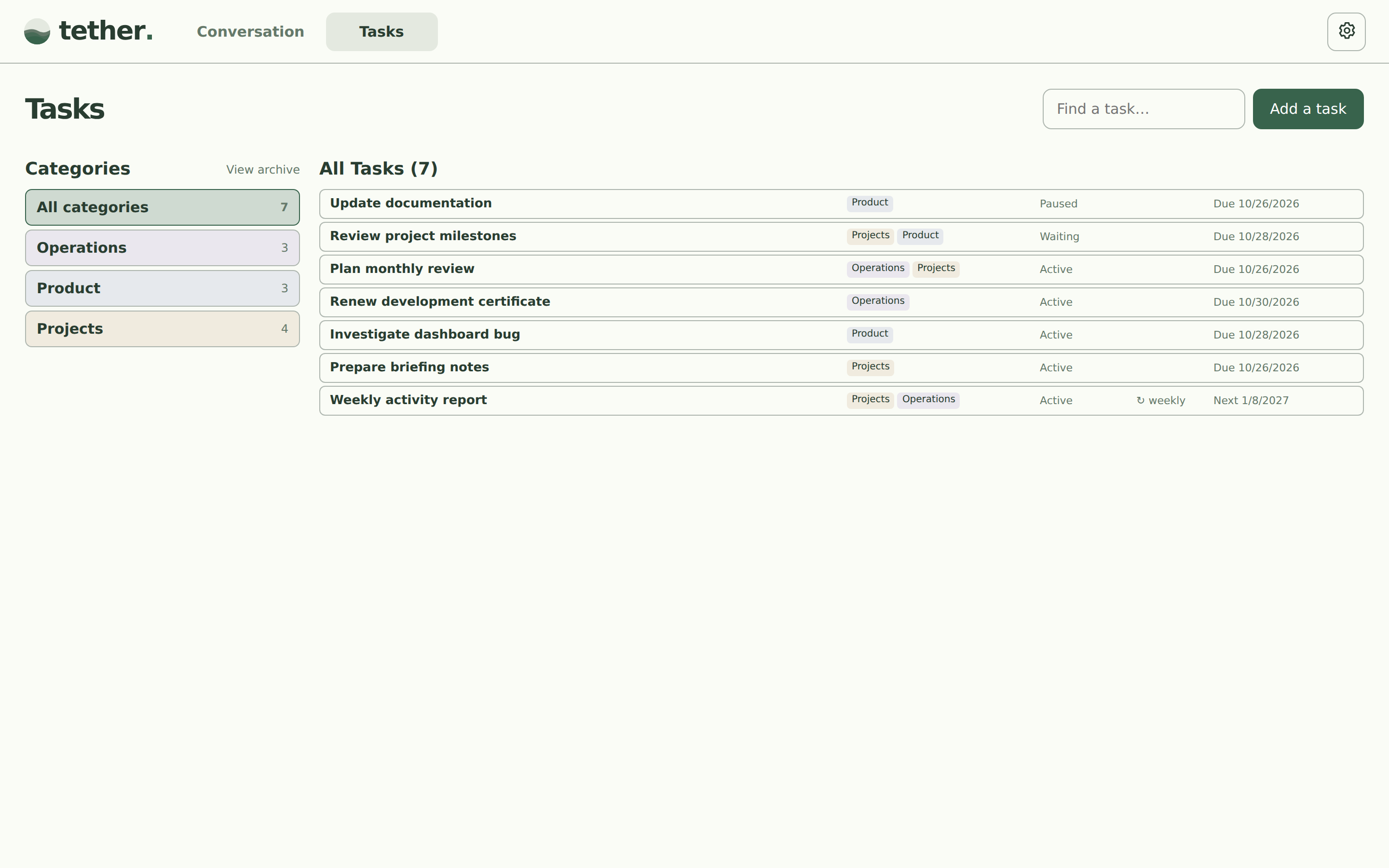
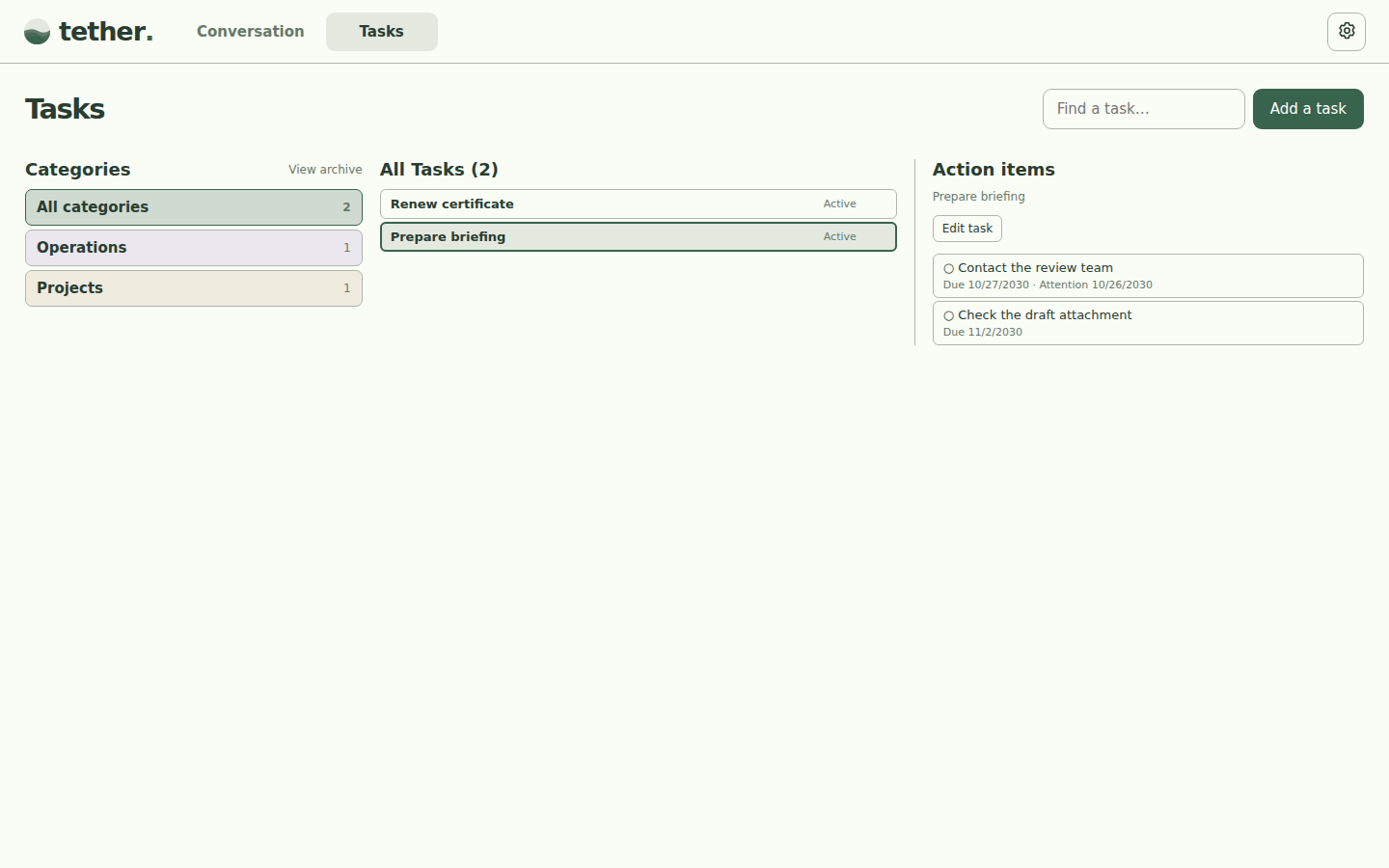
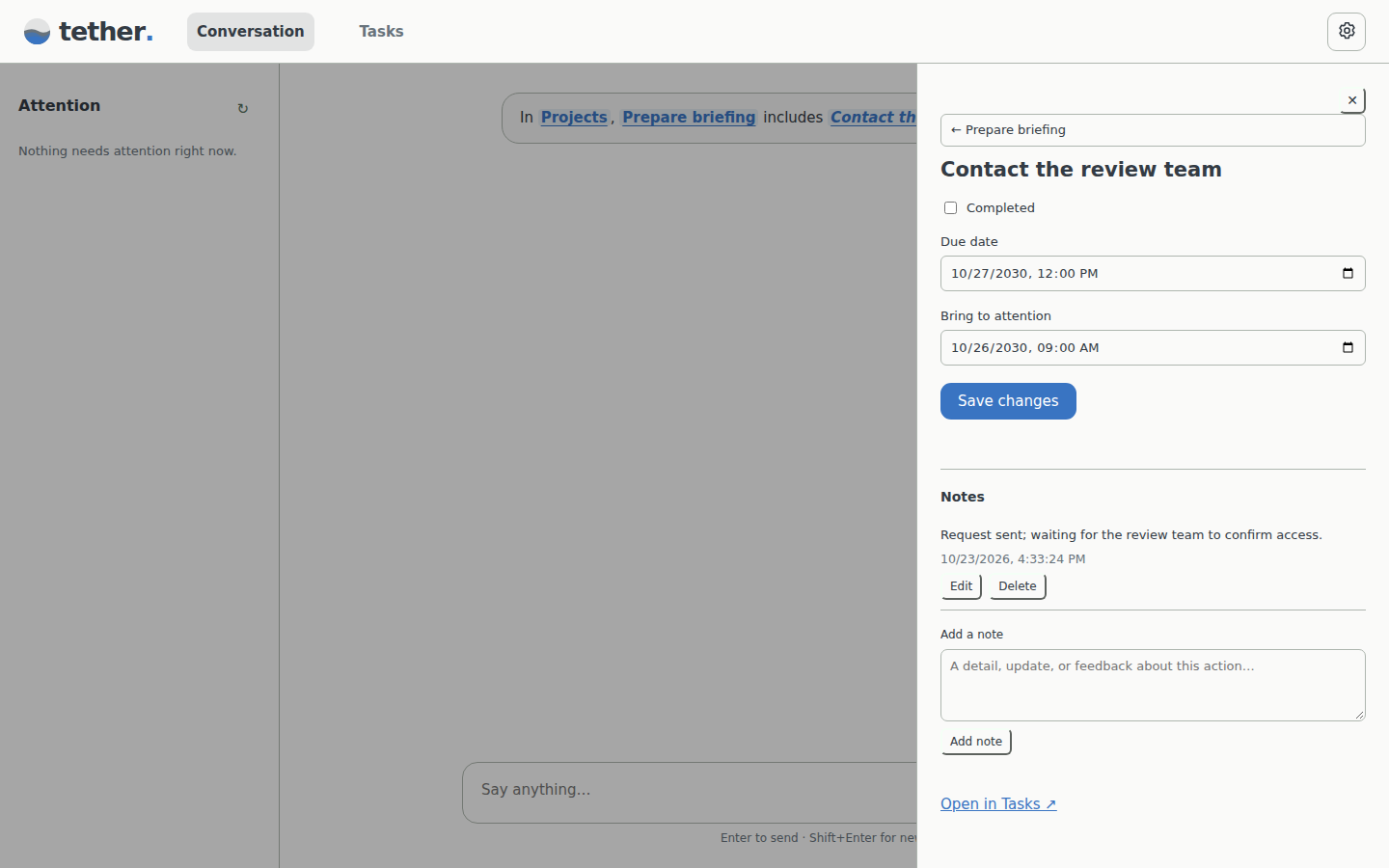
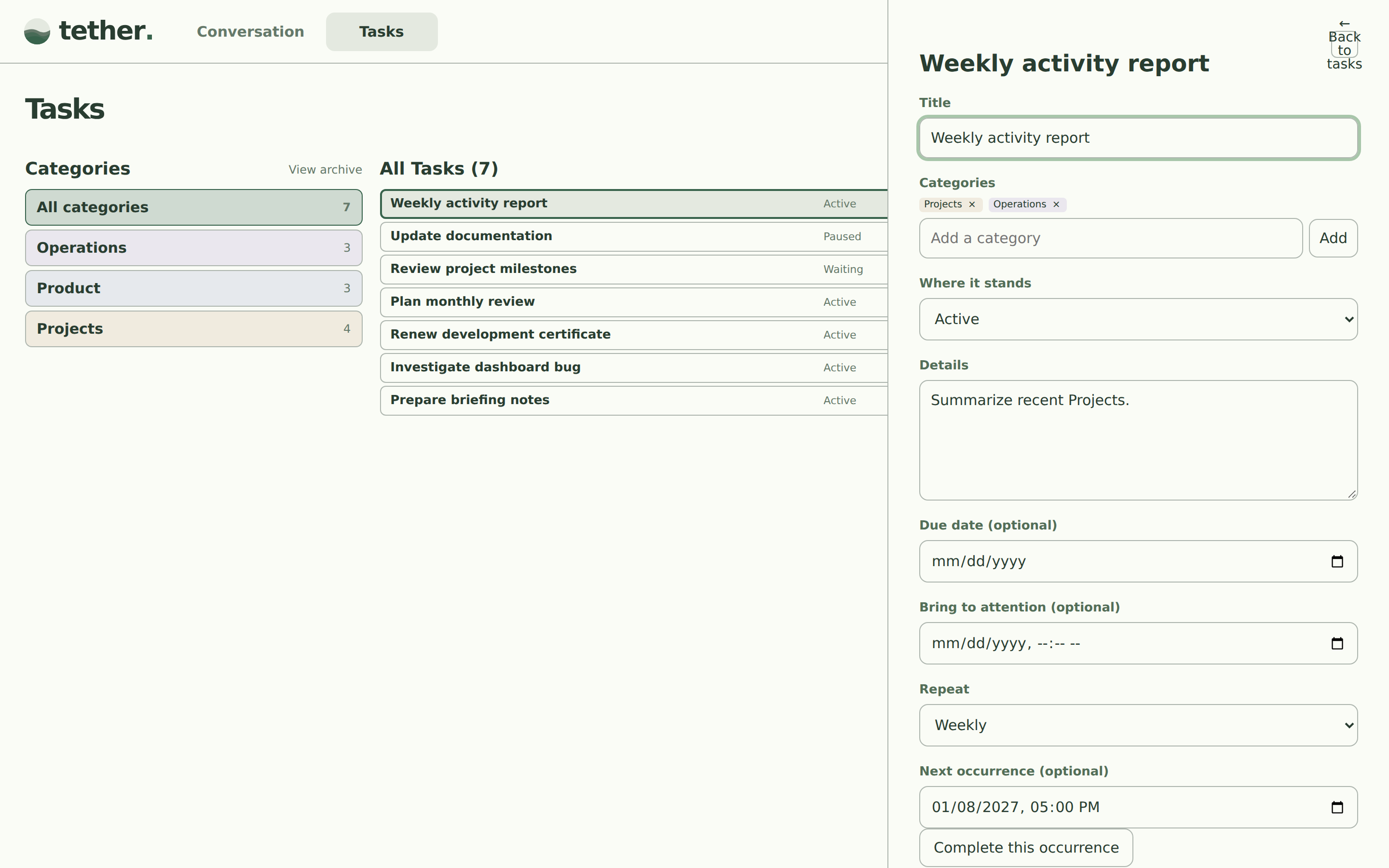
Tasks: Browse Categories → Tasks → Action items. Each task may have several categories and several action items. Individual action items have their own due date and Bring to attention time. Click an action row to open its details drawer, including its own notes. Add, edit, or remove a note there; notes stay attached to that action and are included in its check-in context.
Attention: Click an item or focus it and press Enter. This sends a contextual check-in to Conversation and asks for your update; it does not silently mark anything complete or change dates. Action-item attention stays scoped to that action, rather than its siblings or category.
Attention updates automatically after saves, notes, and chat changes. Completed or rescheduled items reflect their current state; other-tab and outside changes appear within a few seconds while Conversation is visible. Automatic refresh reads saved records; the ↻ button asks AI to reconsider. Updating a task clears any stale AI suggestion for it while retaining reminders that are still due.
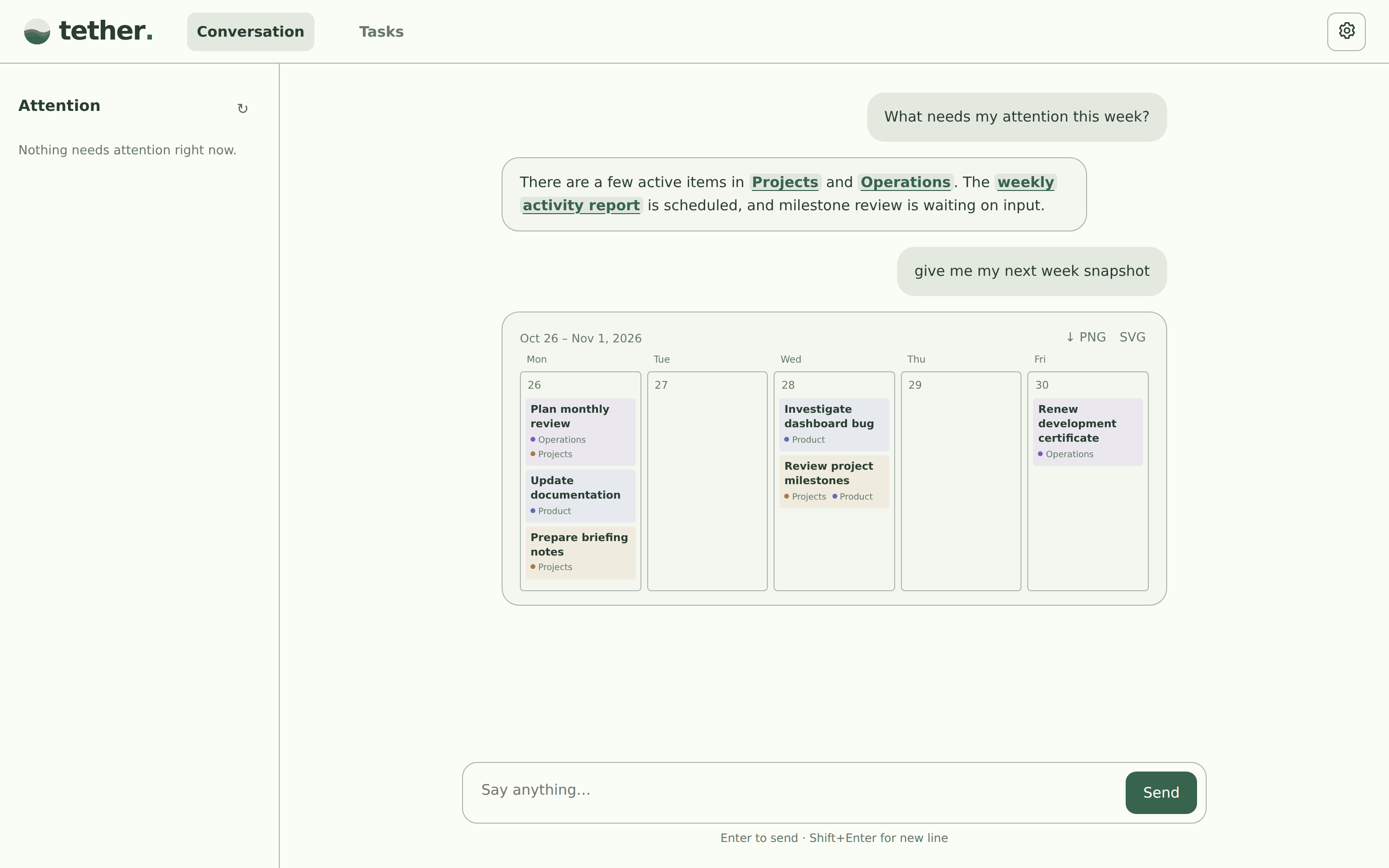
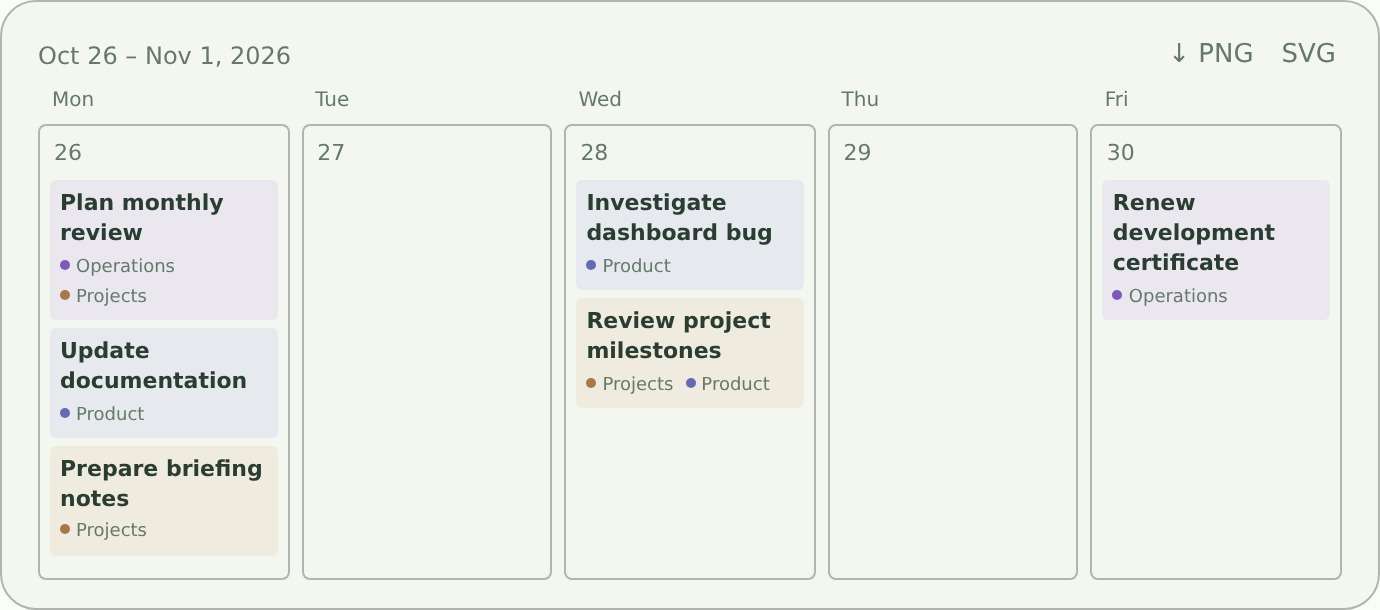
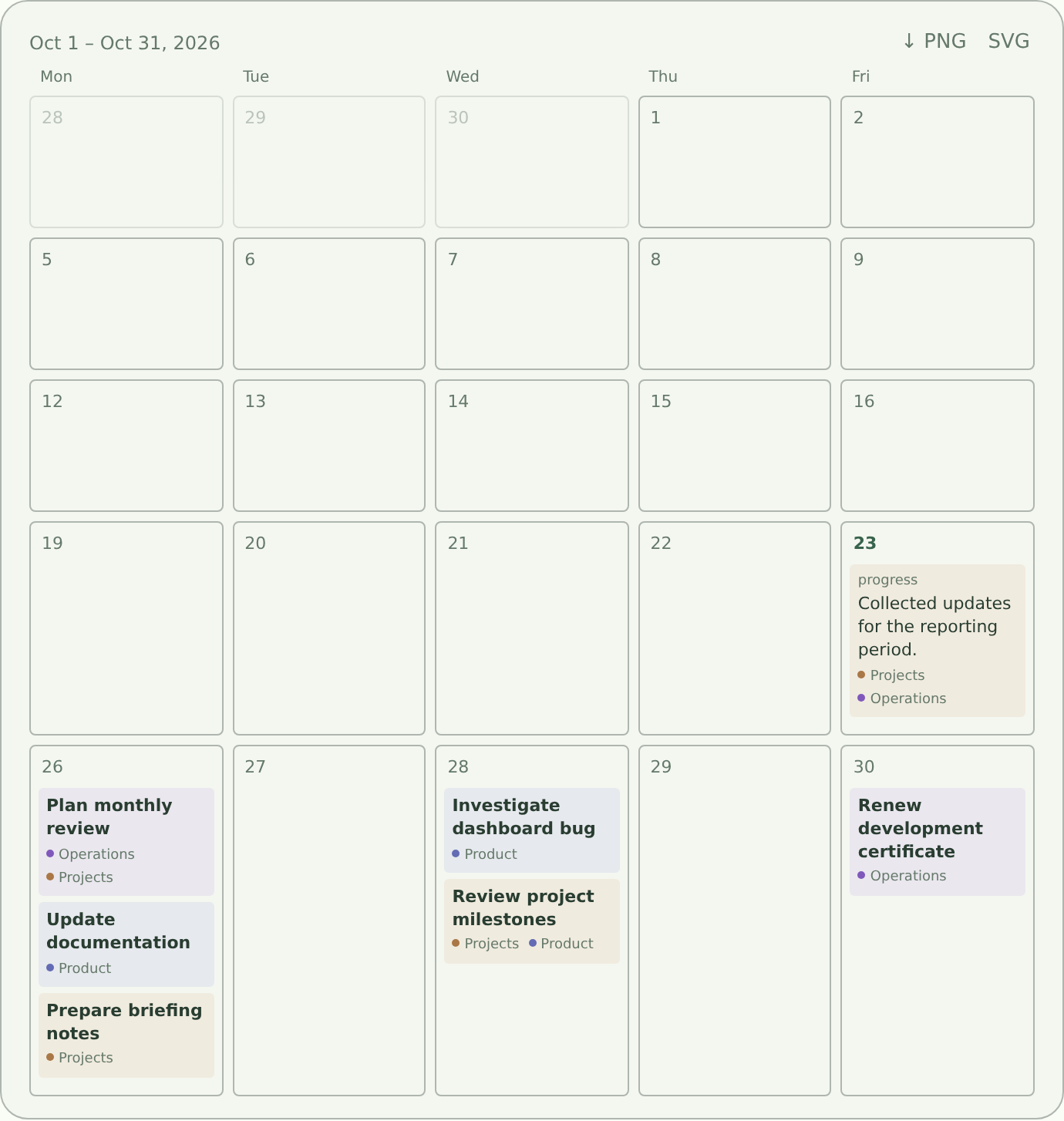
Calendars: Ask “give me my next week snapshot” or use /snapshot last month. The calendar appears inside chat with transparent cells and category colors. Week snapshots keep expanded task cards: Monday–Friday remain visible, with weekends added when they contain items. Months show up to three compact markers per date plus an overflow count. Hover, tap or keyboard-focus a date to read every item in the adjacent date panel; it returns to Today after 15 seconds of inactivity. Scrolling or interacting with the panel gives you another 15 seconds. Display uses the same month layout, fitted to the screen. Calendars refresh local data automatically without calling an AI model.
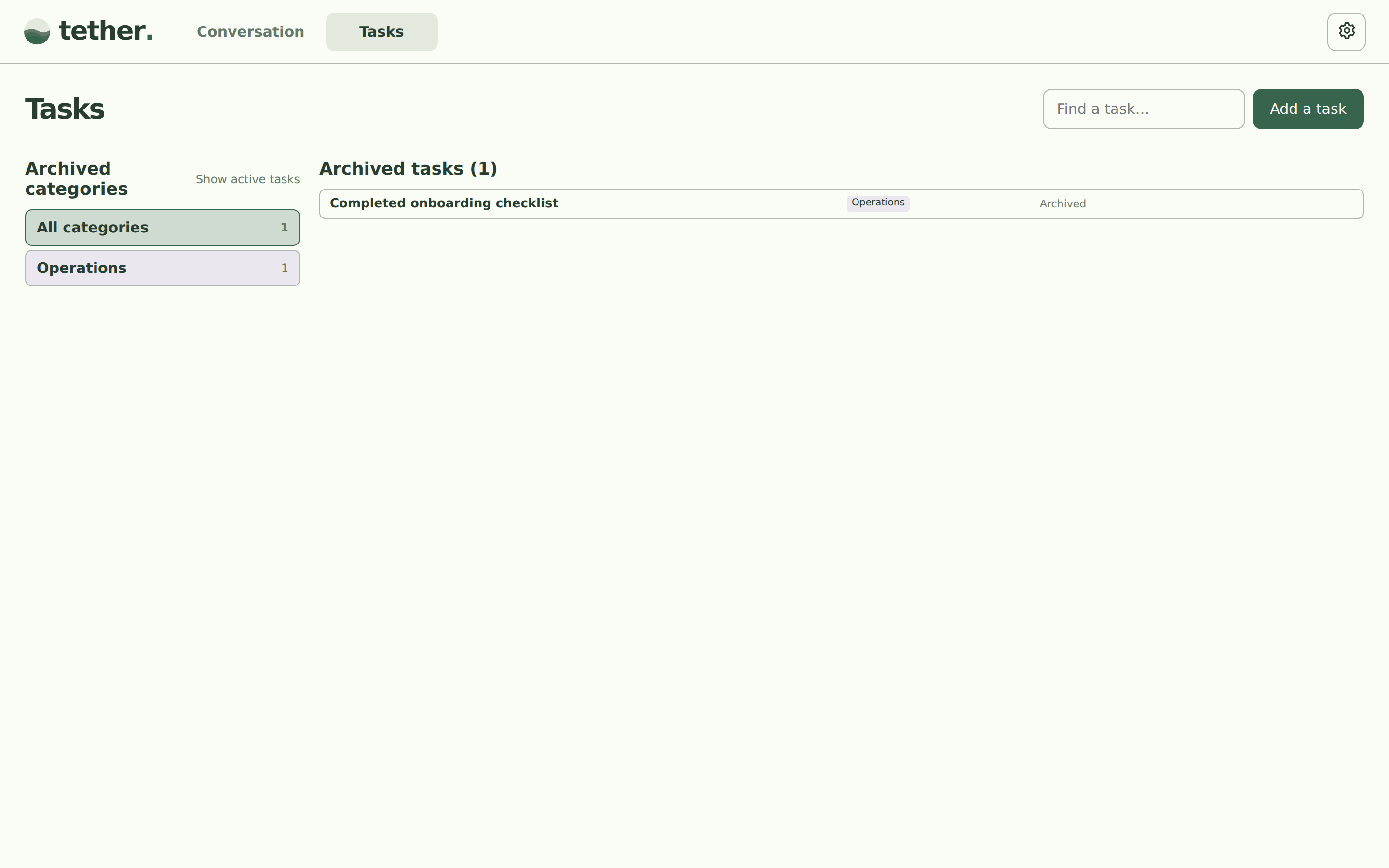
Archive: Put finished or inactive tasks away without deleting them; restore them from View archive.
If a previous server or another program occupies a service port, the launcher selects available local ports and opens the correct address. It remembers the successful ports for the next launch and reuses a compatible running tether. Child services load the installed package even when launched from an older source checkout. Your database and AI settings keep their existing location. The actual web and MCP addresses are printed in server mode and recorded in ~/.tend/launch-ports.json.
Update
Choose Exit tether-chat in the tray before replacing a running installation:
uv tool upgrade tether-chat
Run tether-chat desktop install again to refresh an existing shortcut. Existing data and provider settings remain in ~/.tend; this does not install a legacy tend command.
Releases
Main releases use YYYY.sequence: 2026.1, 2026.2, and so on, restarting at 2027.1 in the next year. python scripts/bump_version.py updates both package and runtime versions. Commit that version bump with the main update; a separate manual publish is not required.
The main release workflow validates the version, runs Windows/macOS/Linux tests and isolated installations, checks browser interactions, builds the wheel and source archive, creates the versioned GitHub release, and attempts PyPI publication using PYPI_API_KEY. It confirms the uploaded version before reporting PyPI success.
A separate Browser app and GitHub Pages workflow builds and tests the standalone browser edition and publishes it to Pages. It uses the same version, interface, AI prompt, and tool declarations as desktop. Browser publication is independent of the PyPI upload.
More screenshots
These desktop screenshots use synthetic example data, never your personal tasks.
Categories and tasks
Action items in the third column
Details in a chat drawer
Week and month calendars
Task details and archive
More information
See development and troubleshooting for database backups, MCP configuration, and server setup. The repository also includes a snapshot skill for compatible AI clients. Screenshots are regenerated by the screenshot workflow.
One brand, separate applications
tether is the shared brand. tether-chat is the installed, Work-only application. tether-home is the browser, Home-only application for chores, appointments, classes and grocery lists. There is no mode switch between them. Both have Conversation, Tasks and a persistent Display calendar.
Existing installed Work data stays in its original database. The browser keeps Home data local. Older browser Work storage is not opened or shared, and is not exposed through Home settings. This update does not delete that legacy storage. See browser details and sharing details.
Optional household sharing
Google Drive Home sharing is an experimental, safety-gated integration: each device keeps local data and appends Home task changes to a selected shared Google Sheet in Drive. It does not share Work data, private chats, or provider credentials. In tether-home, Create/Join household guides sharing and conflict resolution without a Tether backend. Google account setup, selected-file permissions and a real two-account validation are required; automated mocks are not a claim of live Google validation.
1 maintainer

Metadata
1 maintainer
Release files for tether-chat 2026.29
For a detailed explanation of source distributions (sdists) and built distributions (wheels), please see the package formats documentation.
Source distribution (sdist)
| File | Size | Uploaded | Provenance | Actions |
|---|---|---|---|---|
| tether_chat-2026.29.tar.gz | 160.0 kB | Without provenance | Details for tether_chat-2026.29.tar.gz |
Built distribution (wheel)
| File | Interpreter | ABI | Platform | Actions Reset |
|---|---|---|---|---|
| tether_chat-2026.29-py3-none-any.whl | Python 3 | none | any | Details for tether_chat-2026.29-py3-none-any.whl |
Total release size: 307.5 kB
Release files / tether_chat-2026.29.tar.gz
| Download URL | tether_chat-2026.29.tar.gz |
|---|---|
| Size | 160.0 kB |
| Tags | Source |
|
SHA-256 checksum How to use checksums |
ae6df7e24b70e89d7b87f3fa903ff3dbb330e9204e7ef8f5bafc90a3c6df312a
|
|
BLAKE2b-256 checksum How to use checksums |
20a791deb375423e2dae96a32ba9aa83faeaf7bec2b5c6fab72562474f1553f4
|
| Upload date | |
|
Uploaded using Trusted Publishing? What is trusted publishing? |
No |
| Uploaded via |
twine/7.0.0 CPython/3.11.17
|
Release files / tether_chat-2026.29-py3-none-any.whl
| Download URL | tether_chat-2026.29-py3-none-any.whl |
|---|---|
| Size | 147.4 kB |
| Tags | Python 3 |
|
SHA-256 checksum How to use checksums |
303d33ff7d8e9fc7b93d6fb80e42a0cfe0c63d328779b78e6f4078bcad602319
|
|
BLAKE2b-256 checksum How to use checksums |
10a9766fc998c78fcbd76e77f031c3b0c7d7a345b5a730bc563531c9e84e284a
|
| Upload date | |
|
Uploaded using Trusted Publishing? What is trusted publishing? |
No |
| Uploaded via |
twine/7.0.0 CPython/3.11.17
|
Security for tether-chat 2026.29
Provenance
Provenance describes where a file came from. On PyPI, provenance is shared via attestations, which provide a verifiable record of the build or publishing details. View details, limitations and caveats.
No provenance found
None of the files in this release were uploaded with provenance metadata.
A note on package security
PyPI is a repository for distributing packages, not a service for auditing them. While third-party security researchers and our staff do their best to detect and remove malicious packages, PyPI cannot guarantee the quality, security or suitability of any given package.
To learn more about protecting yourself from malicious actors, visit our package security documentation.














